EN
EN  ES
ES  FR
FR  DE
DE  IT
IT  KO
KO  JA
JA  ZH
ZH  AR
AR  PT
PT  TR
TR 
Selling on Amazon is an exciting opportunity for businesses, but understanding how payments work is key to keeping your operations running smoothly. Whether you’re new to the platform or a seasoned seller, knowing when and how you’ll get paid can help you plan ahead and optimize your cash flow. Let’s dive into the essentials of Amazon seller payments – how they’re processed, common delays, and tips to get paid faster.
How Amazon Pays Sellers
Amazon uses a straightforward payment system to pay sellers. After a customer makes a purchase, Amazon doesn’t transfer the funds immediately. Instead, it processes the payment and follows a specific cycle that includes holding, disbursement, and transferring the funds to your bank account.
Payment Process Overview
When a customer places an order, Amazon processes the payment using one of the available payment methods – credit cards (Visa, MasterCard, Amex), debit cards, e-wallets (Apple Pay, Google Pay), or Amazon Pay. However, Amazon doesn’t release the money to the seller right away. The funds are held in Amazon’s system account until the order is delivered successfully.
After the order is delivered, Amazon typically holds the funds for 7-14 days. During this period, Amazon processes refund requests, complaints, chargebacks, and ensures that the seller meets Amazon’s policies. If you’re a new seller, the holding period may be extended to accommodate the lack of a stable transaction history.
When Will You Get Paid?
Amazon generally settles seller accounts every two weeks. Once the payment cycle begins, Amazon takes your beginning balance, adds your sales, subtracts expenses, and adjusts for any refunds or penalties. This total is then sent to your bank account, minus any fees.
It’s important to note that while Amazon initiates the payout on a specific date, it can take up to five business days for the funds to reach your bank account. In some cases, such as when there are issues with your account or bank details, the payout might be delayed.
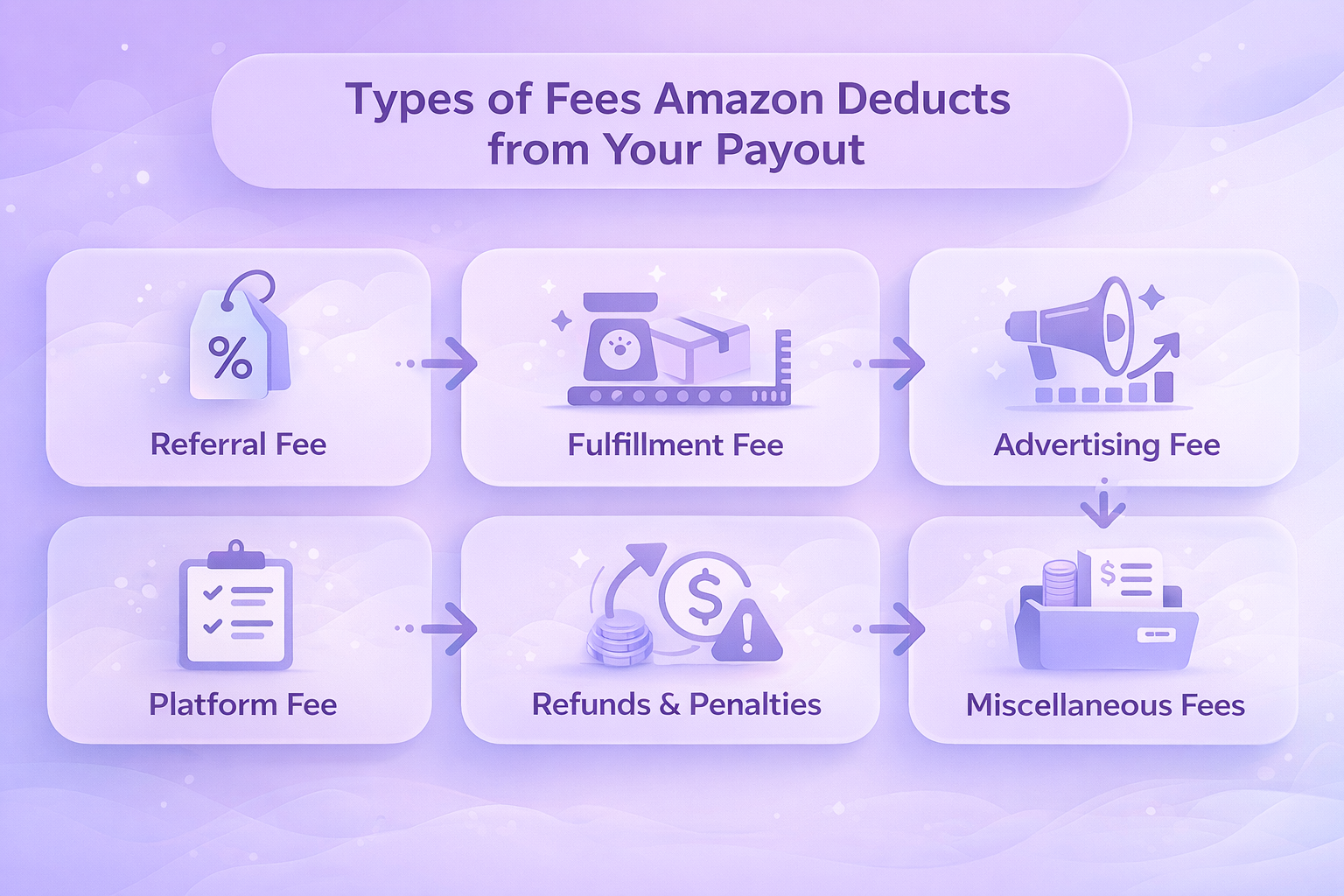
Types of Fees Amazon Deducts from Your Payout
One of the most important things to understand is that Amazon deducts various fees from your total revenue before sending you the payout. These fees can vary depending on factors such as whether you’re using Fulfillment by Amazon (FBA) or Fulfillment by Merchant (FBM). Here are some common fees you’ll encounter:
Referral Fee
This fee is a percentage of the total sale price (including shipping) for each item sold on Amazon. The percentage varies depending on the product category, with rates available on Amazon’s Fee Schedule for different categories, including electronics, books, and apparel. It’s important to factor this into your pricing strategy to ensure profitability.
Fulfillment Fee (For FBA Users)
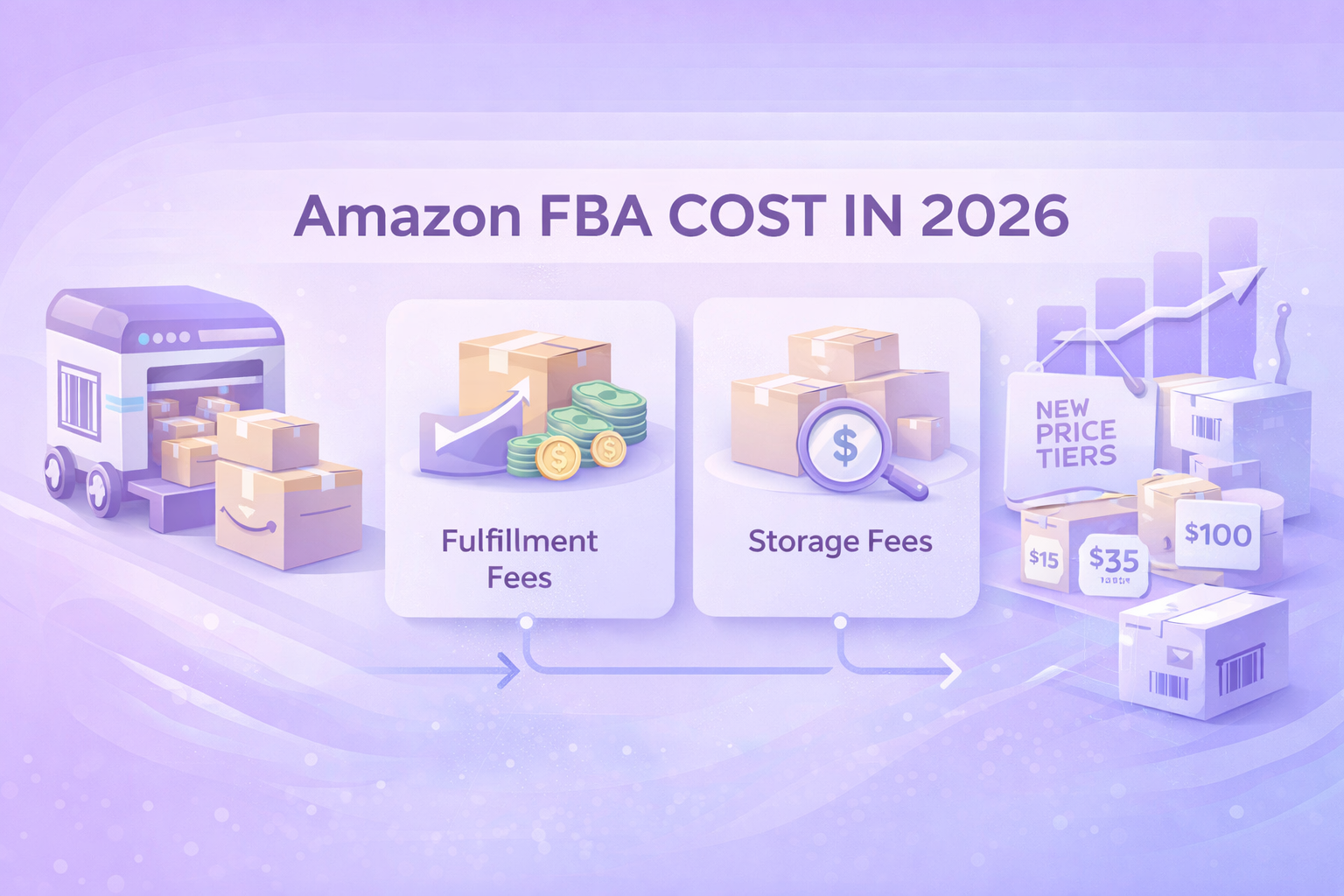
For sellers using Fulfillment by Amazon (FBA), a fee is charged for storing and shipping products. The fee depends on the size, weight, and dimensions of your items, with larger or heavier products incurring higher costs. In addition to fulfillment, sellers also need to be mindful of long-term storage fees if products stay in Amazon’s warehouse too long.
Advertising Fee
If you choose to run ads through Amazon’s advertising platform, you’ll pay an advertising fee based on your bid and the type of ad. The cost can vary depending on factors like keyword competition and ad placement. Optimizing your ads is key to managing this cost effectively, as it directly impacts your return on investment.
Platform Fee
Amazon charges a platform fee for using its marketplace. This fee is typically a fixed percentage of your sale price and covers access to Amazon’s customer base, transaction services, and general marketplace maintenance. It’s a cost every seller faces when listing products on Amazon.
Refunds and Penalties
If customers request refunds or file complaints, Amazon may withhold funds from your balance to cover these costs. Refunds typically occur due to product returns, while penalties may apply if your seller performance metrics fall short. Maintaining a good account health status is crucial to avoid unnecessary deductions from your payout.
Miscellaneous Fees
Depending on your seller status, you might encounter other fees such as closing fees, storage fees (for FBA), or high-volume listing fees. Always keep track of these to avoid any surprises.
Example of Payment Breakdown:
- Total sales revenue: $1,000
- Referral fee (10% for category): $100
- FBA fee: $150
- Advertising cost: $50
- Total payout: $700
The fees can add up, but keeping track of them is essential to understand how much you’re actually making and ensure your business remains profitable.
Payment Methods: Bank Account vs Cross-Border Payment Services
Amazon primarily sends payments via Automated Clearing House (ACH) transfers or electronic funds transfers (EFT). However, there are different ways to receive these payments depending on where you’re located.
Bank Account in Amazon’s Store Country
If you’re selling on Amazon US (Amazon.com), for example, you’ll need a bank account in a country supported by the Amazon Currency Converter for Sellers (such as the US, UK, Canada, or Eurozone countries) to receive your payments. Amazon doesn’t support direct deposits to banks in countries like Vietnam, so if you don’t have a supported bank account, you won’t be able to receive payouts through ACH.
Using Cross-Border Payment Services
To simplify international payments, some sellers use third-party services, which allow you to receive Amazon payments without having a local bank account in the marketplace country. This solution can be especially helpful for sellers in countries where setting up an international bank account might be challenging.
Advantages of using cross-border payment services:
- No need for a bank account in the US/EU.
- Competitive exchange rates.
- Lower transaction fees compared to traditional bank transfers.
- Support for local currencies (such as Vietnamese Dong for Vietnamese sellers).

Common Issues with Amazon Payments and How to Avoid Them
Despite its generally smooth payment process, there are a few common issues that can delay your payouts. Here’s how to avoid them:
1. Invalid Bank Account Information
If your bank account details are incorrect or incomplete, Amazon won’t be able to transfer funds. Make sure your account details are accurate and up-to-date in Seller Central.
2. Policy Violations or Account Health Issues
Amazon may hold your payments if your account doesn’t meet its performance standards. Common violations include late shipments, poor seller feedback, or high refund rates. Monitor your account health regularly and resolve any issues as soon as possible.
3. Negative Balance
If your balance is negative due to refunds or penalties, Amazon may withhold payments until the balance is cleared. Ensure you’re managing your expenses and resolving disputes quickly to avoid this.
4. Disputes and Chargebacks
Customer disputes or chargebacks can also delay payments. Respond promptly to customer issues to prevent these from affecting your payout schedule.
How to Track and Manage Your Payments
Amazon provides several tools to help you track and manage your payments effectively. Seller Central’s Payments Dashboard is where you can review your sales, fees, and payouts.
Key features of the payments dashboard:
- Payment history: View past payments, see how much was deducted in fees, and track your net payout.
- Balance overview: Get a snapshot of your account balance, including available funds and any reserved amounts.
- Scheduled payouts: Check when your next payment is scheduled and how much you can expect to receive.
- Performance metrics: Keep track of your account health, including returns, customer complaints, and performance notifications.
By regularly monitoring your payments in Seller Central, you can ensure that your funds are being processed correctly and that you stay on top of your cash flow.

How to Get Paid Faster
If you want to speed up the process, here are a few tips to ensure you get paid quickly and efficiently:
1. Enable Express Payout (If Available)
Amazon offers an Express Payout feature for eligible sellers in some regions. With Express Payout, you can receive your payment within 24 hours, instead of waiting for the regular payout cycle, depending on regional availability and seller eligibility.
2. Maintain a Healthy Inventory Turnover Rate
Faster sales often mean faster payouts. By ensuring your products are in demand and keeping your inventory well-stocked, you’ll be able to turn over your inventory quickly and maintain a steady stream of sales.
3. Avoid Payment Holds
To prevent Amazon from holding your funds, keep your account in good standing. Avoid policy violations, respond promptly to customer issues, and manage your account health to ensure smooth payments.

Optimizing Your Amazon Payment Process with WisePPC
When managing payments from Amazon, it’s crucial for sellers to have access to tools that help streamline and enhance the payment experience. This is where we at WisePPC come in. As a leading analytics platform, we provide advanced features that allow Amazon sellers to optimize their operations, including better payment tracking, real-time performance monitoring, and automated campaign optimization.

With WisePPC, sellers gain a comprehensive view of their Amazon business performance, including sales, advertising, and overall revenue. Our platform integrates seamlessly with Amazon and other marketplaces, enabling sellers to access unified data from a single dashboard. This centralized view not only simplifies payment tracking but also helps sellers make informed decisions, ensuring that they can maximize their revenue and minimize wasted ad spend.
Conclusion
Understanding how Amazon seller payments work is essential for every seller. From knowing the fees involved to understanding the payout cycle, getting familiar with Amazon’s payment system allows you to plan your business finances effectively. Keep track of your account health, provide accurate banking details, and monitor your payments to ensure a smooth cash flow. By following these steps and tips, you’ll be able to manage your payments and grow your business with confidence.
FAQ
1. How often does Amazon pay sellers?
Amazon typically processes payments every two weeks. The payout is based on your sales during the period, minus any applicable fees like referral, fulfillment, and advertising fees. However, once Amazon initiates the payment, it can take up to five business days for the funds to reach your bank account.
2. What if my payment is delayed?
There are a few common reasons for delays, including issues with your bank account or payment details, account health problems, or a negative balance due to refunds or chargebacks. It’s important to keep your information up to date in Seller Central and resolve any performance issues to avoid payment holds.
3. Can I get paid faster?
Yes! If you’re eligible, you can opt for Amazon’s Express Payout feature, which allows you to receive payments within 24 hours. Additionally, maintaining a healthy inventory turnover and monitoring your account’s performance can help speed up the payment process.
4. Can I use a bank account outside of the country where I sell?
For most Amazon marketplaces, you’ll need a local bank account. However, international sellers can sometimes receive payments even without a US bank account.
5. What are the fees deducted from my payment?
Amazon deducts several fees from your sales revenue, including the referral fee (which varies by product category), fulfillment fee (if you use FBA), advertising fees, and any applicable penalties or refunds. These fees are subtracted before your payout is transferred.
6. How can I track my Amazon payments?
You can track your payments through the Payments Dashboard in Seller Central. This tool allows you to review payment history, monitor your balance, and see the scheduled date for your next payout. It’s also a great place to track any fees deducted and ensure that everything is on track.
7. What should I do if my payment is lower than expected?
If your payment is lower than expected, review the Payments Dashboard to check for any deductions. It could be due to fees, refunds, or penalties. If you believe there is an error, contact Amazon Seller Support to resolve the issue promptly.