EN
EN  ES
ES  FR
FR  DE
DE  IT
IT  KO
KO  JA
JA  ZH
ZH  AR
AR  PT
PT  TR
TR  PL
PL  ID
ID  VI
VI 
Every seller has a product they wish would just move already.
It’s sitting in inventory, not quite selling, quietly collecting storage fees and tying up cash that could be working somewhere else. That’s dead stock. And while it happens to almost everyone at some point, it doesn’t have to spiral into a bigger problem.
Understanding why inventory stops moving and what to do next can save you money, space, and a lot of frustration. Let’s break it down in a practical way.
What Is Dead Stock?
Dead stock refers to inventory that has stopped selling and is unlikely to sell without intervention.
It might be:
- A product that missed the trend window
- Seasonal inventory that overstayed its welcome
- A listing that never gained traction
- A damaged or outdated item
- Something customers simply don’t want anymore
You’ll also hear it called dead inventory, obsolete stock, or excess inventory. Different terms, same problem.
Dead Stock vs. Slow-Moving Inventory
Not everything that sells slowly is dead.
Slow-moving inventory still sells – just at a lower pace. Dead stock has essentially flatlined.
That distinction matters. A slow product might need a pricing tweak or improved listing. Dead stock usually needs more decisive action.
Why Dead Stock Is More Expensive Than It Looks
It’s easy to underestimate the damage.
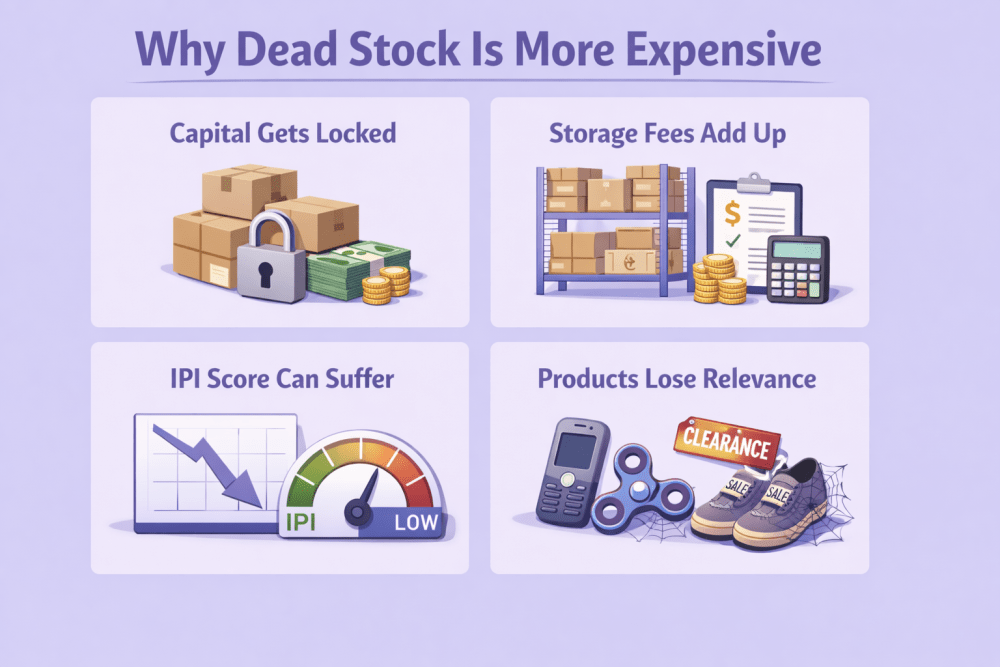
Dead stock doesn’t just sit quietly. It creates pressure in multiple ways:
1. Capital Gets Locked
Every unsold unit represents money that isn’t coming back yet. That capital could have funded a better-performing product.
2. Storage Fees Add Up
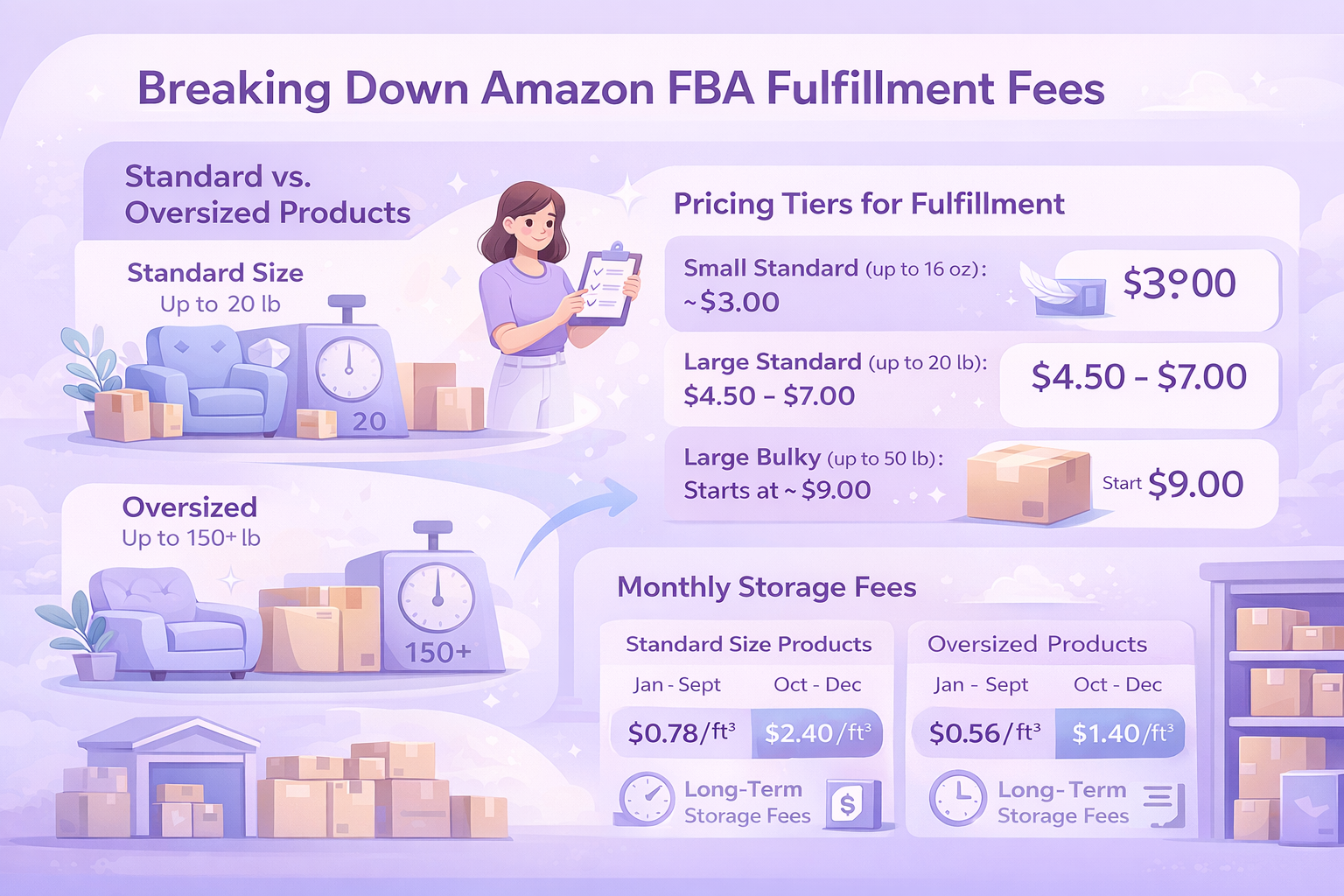
If you’re using Fulfillment by Amazon (FBA), storage fees increase the longer inventory sits — especially during peak storage periods in Q4. In 2026, long-term storage fees remain a real cost factor for sellers who don’t rotate inventory properly.
3. Your IPI Score Can Suffer
Amazon’s Inventory Performance Index (IPI) still plays a big role in FBA storage limits. Excess and aged inventory directly impact it. A lower IPI can restrict how much you’re allowed to send in.
4. Products Lose Relevance
Trends move fast. What felt like a smart buy six months ago may now be irrelevant.
Dead stock doesn’t just slow growth. It quietly compounds risk.
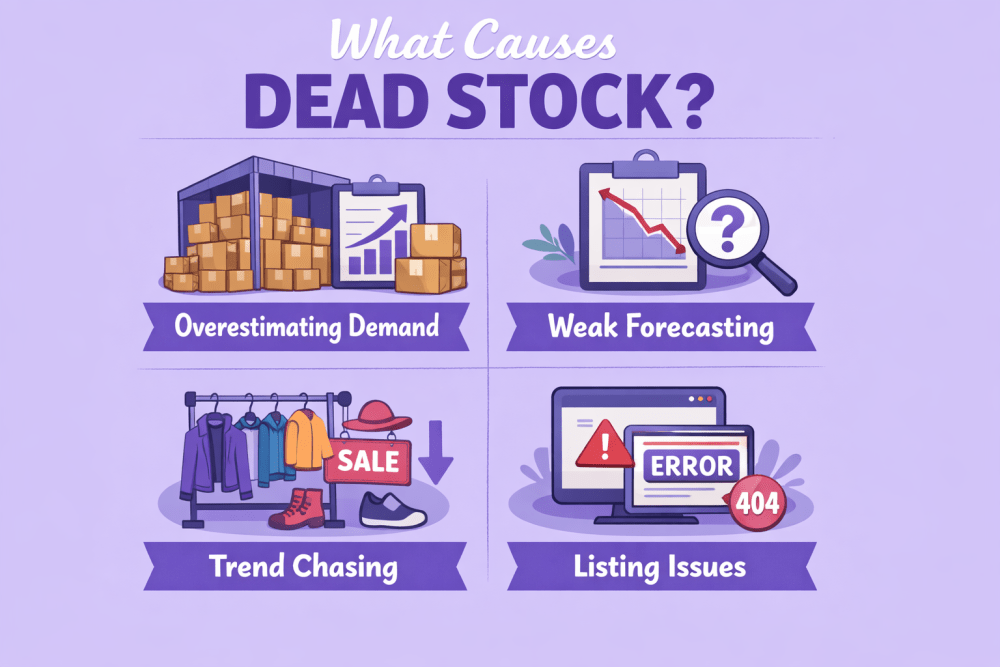
What Causes Dead Stock?
Dead stock rarely shows up out of nowhere. Most of the time, it’s the result of a few small decisions that didn’t seem risky at the time. A little extra inventory here, a forecast based on hope instead of data there. It adds up.
Here are the most common reasons inventory stops moving.
Overestimating Demand
Optimism is part of being an entrepreneur. You believe in your product. You expect it to sell. That’s normal.
The problem starts when purchase orders are based more on confidence than on real demand signals. Maybe a few strong weeks make you assume the trend will continue. Maybe you expect a holiday spike that never comes. Ordering too much too fast is one of the quickest ways to end up with excess stock that just sits.
Weak Forecasting
Forecasting isn’t exciting, but it matters.
If you’re not regularly reviewing historical sales, seasonality patterns, and current market shifts, it’s easy to send in more units than you realistically need. Even small forecasting errors can compound over time. A few extra cases each month eventually turn into pallets of unsold inventory.
Trend Chasing
Trends can be tempting. A product category suddenly spikes, competitors jump in, and it feels urgent.
But short-term trends move fast. By the time inventory is sourced, manufactured, and shipped, demand may already be cooling off. If you arrive late to the wave, you’re often left holding products that customers have already moved on from.
Listing Issues
Sometimes the product isn’t the problem. The presentation is.
Weak images, unclear titles, missing keywords, or poor optimization can quietly suppress visibility. If shoppers never see your listing or don’t feel confident when they do, conversion drops. Sales slow. Inventory ages.
Before writing off a product completely, it’s worth asking whether the listing itself is holding it back.
Product Quality Problems
Reviews matter. A lot.
If customers report defects, misleading descriptions, or inconsistent quality, momentum can stall quickly. A few negative reviews can drag down conversion rates, and once that happens, inventory stops moving at the pace you expected. At that point, it’s not just an inventory issue. It’s a trust issue.
Dead stock usually isn’t caused by one dramatic mistake. It’s the outcome of small gaps in planning, data review, or execution. The good news is that once you recognize the patterns, they’re easier to avoid next time.

How WisePPC Helps Sellers Stay Ahead of Dead Stock
At WisePPC, we’ve seen how excess inventory often starts with limited visibility. When you can’t clearly connect ad performance to sales trends, it’s easy to overstock or miss early warning signs.
As an Amazon Ads Verified Partner, WisePPC uses official integrations to provide real-time performance tracking across campaigns, ad groups, keywords, and placements. Sellers can analyze 30+ metrics, compare up to six KPIs on a single chart, and apply bulk updates to thousands of targets in just a few clicks. Advanced filtering and gradient-based performance highlights make it easier to spot underperforming campaigns before they slow overall sell-through..
Unlike standard Amazon reporting, which retains only 60 to 90 days of data, WisePPC stores historical performance for years. That long-term visibility helps identify seasonality patterns, pricing trends, and advertising impact on organic sales. With clearer insights and faster adjustments, inventory moves more predictably, reducing the risk of excess stock building up unnoticed.

The Real Benefits of Managing Dead Stock
This isn’t just about cleaning up a mistake or clearing shelf space. Managing dead stock properly can actually strengthen your entire operation.
When you deal with it early and intentionally, here’s what happens:
- Improve cash flow. Moving or removing excess inventory frees up capital. That money can go toward restocking winning products, testing new ideas, or increasing ad spend where it actually converts.
- Raise your IPI score. For FBA sellers, excess and aged inventory directly impact your Inventory Performance Index. Reducing dead stock helps improve sell-through rates and keeps your account in good standing.
- Lower storage costs. Long-term storage fees add up quietly. Clearing out stagnant inventory reduces ongoing costs and protects your margins, especially during peak fee periods.
- Free up restock limits. If your storage space is tied up with products that aren’t moving, you limit your ability to send in top-performing SKUs. Managing dead stock creates room for inventory that actually earns.
- Improve operational clarity. When your inventory is clean and intentional, decision-making gets easier. You see what’s working, what’s not, and where to focus next.
And honestly, it gives you breathing room. Fewer aging units. Fewer quiet losses stacking up. Just a clearer, leaner business that’s easier to manage and scale.
How to Prevent Dead Stock in the First Place
Prevention almost always costs less than cleanup. It’s easier to adjust purchase orders than to run clearance sales six months later.
The good news is that avoiding dead stock doesn’t require complicated systems. It comes down to disciplined inventory habits and using data instead of guesswork. These approaches still work in 2026, even with changing fees and tighter restock limits.
Inventory Management Approaches That Help
Just-In-Time (JIT)
Just-In-Time inventory means ordering closer to when you actually need stock instead of sending large volumes in advance.
This reduces storage exposure and limits the risk of long-term holding fees. It also forces you to stay connected to real demand instead of projecting what you hope will happen. While it requires tighter coordination with suppliers, it keeps your inventory lean and responsive.
First-In, First-Out (FIFO)
FIFO sounds simple, but many sellers overlook it.
The idea is straightforward: older inventory should sell before newer units. This is especially important for consumables, products with packaging updates, or seasonal items. If you’re constantly sending in new stock without clearing older batches, you increase the chance of aging inventory building up unnoticed.
Consistency here prevents small problems from turning into write-offs.
Economic Order Quantity (EOQ)
EOQ helps you determine how much to order based on balancing holding costs and ordering costs.
In plain terms, it answers a practical question: how much inventory makes financial sense at one time?
Instead of placing large orders out of fear of stockouts, or tiny orders that drive up shipping costs, EOQ gives you a rational middle ground. It removes emotion from purchasing decisions and replaces it with structure.
When you combine disciplined ordering with regular sales reviews, dead stock becomes far less likely. It’s not about being perfect. It’s about staying intentional with every unit you bring in.
Bonus: Optimize Before You Liquidate
Sometimes the inventory isn’t dead. The listing is.
Before cutting prices aggressively or creating removal orders, take a step back and evaluate presentation. A few improvements can make a surprising difference.
Before slashing prices:
- Improve images. Clearer main images and better lifestyle shots can increase click-through and conversion.
- Update keywords. Search trends change. Refresh backend terms and refine your title based on current search behavior.
- Refresh copy. Tighten your bullet points. Make the value clearer. Address objections directly.
- Run a small PPC push. Controlled ad spend can help test whether visibility is the issue.
- Test a coupon. Even a modest discount can re-trigger interest and increase conversion without permanently lowering your price.
Sometimes a product just needs attention, not liquidation. And when it does recover, you’ll be glad you didn’t give up on it too quickly.
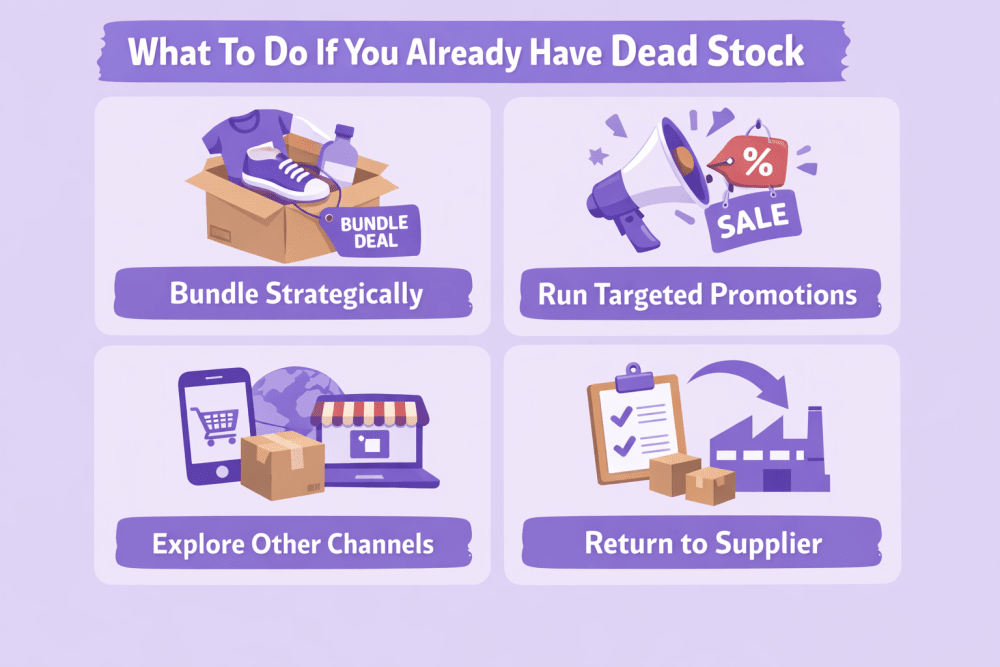
What To Do If You Already Have Dead Stock
Sometimes prevention fails. Forecasts miss. Trends shift. A product that looked solid just doesn’t move the way you expected.
That’s real life in ecommerce.
When inventory has clearly stalled, the goal isn’t perfection. It’s damage control and smart recovery. Here are realistic options that experienced sellers use.
1. Bundle Strategically
Pair slow movers with bestsellers or complementary products.
Done well, bundles increase perceived value and make the offer feel intentional rather than desperate. The key is relevance. The products should make sense together. A good bundle feels like convenience, not a clearance trick.
It also helps you move units without openly discounting the main product.
2. Run Targeted Promotions
Short-term discounts, limited-time coupons, or small price adjustments can restart momentum.
You don’t always need a massive clearance sale. A temporary incentive can increase conversion just enough to get inventory moving again. The advantage of short promotions is that you maintain overall price positioning while testing whether demand still exists.
3. Explore Other Channels
If something isn’t selling on one channel, it doesn’t automatically mean the product is worthless.
Consider:
- Social media promotions
- Direct-to-consumer website offers
- Secondary marketplaces
- Email list promotions
A different audience or price structure might change the outcome. Sometimes it’s not about the product, but about where and how it’s being presented.
4. Return to Supplier (If Possible)
It’s not always an option, but it’s worth the conversation.
If the issue is quality-related or due to manufacturing defects, some suppliers may accept returns or offer credits toward future orders. Even partial recovery is better than a full write-off.
5. Donate
If inventory qualifies, Amazon’s FBA Donations program allows eligible products to be donated to US charities.
This clears space, reduces storage exposure, and may offer tax advantages depending on your situation. It also avoids waste, which matters more to customers than it used to.
6. Removal or Disposal
Sometimes the most practical decision is to remove it.
With FBA, you can create removal orders to have inventory returned to you or disposed of. You can also set automatic removals based on age thresholds to prevent long-term storage fees from quietly building up.
It’s not glamorous. But paying ongoing storage fees for products that aren’t selling is worse.
Clearing dead stock may feel like admitting defeat. In reality, it’s often the reset your inventory needs to stay healthy and focused on what actually drives profit.
Another Overlooked Factor: Data Consistency
In 2026, sellers have access to more dashboards, reports, and forecasting tools than ever before. Data isn’t the problem anymore.
Inconsistency is.
Many sellers check numbers when something feels wrong. Sales dip. Storage fees spike. IPI drops. That’s reactive management. By then, inventory has already started aging.
The real advantage comes from building a simple, repeatable review rhythm. Not once a quarter. Not only during Q4. Weekly.
Make inventory review part of your routine:
- Review sell-through. Look at how quickly units are moving relative to stock on hand. If sell-through slows, that’s your early signal to adjust pricing, ads, or reorder plans.
- Review aged inventory. Check how long units have been sitting in fulfillment centers. Aging inventory often creeps up quietly, especially when you keep sending in new stock.
- Review IPI. Your Inventory Performance Index reflects how well you’re managing excess and stranded inventory. Monitoring it regularly helps you avoid sudden storage restrictions.
- Review upcoming seasonality. Look ahead, not just behind. If a product is seasonal, plan for the exit window as carefully as the entry. Missing that timing is one of the fastest ways to create dead stock.
Consistency prevents accumulation. Small course corrections each week are far easier than major cleanups later. Over time, this habit becomes less about inventory control and more about running a tighter, more predictable business.
FAQ
What is considered dead stock on Amazon?
Dead stock is inventory that has stopped selling and is unlikely to sell without intervention. On Amazon, this usually refers to excess or aged inventory that has been sitting in fulfillment centers for an extended period.
How long before inventory becomes dead stock?
There’s no fixed number of days, but inventory that hasn’t sold for several months and shows low sell-through is a warning sign. With FBA, aged inventory thresholds and long-term storage fees make it especially important to act before products sit too long.
Does dead stock affect my IPI score?
Yes. Excess and aged inventory directly impact your Inventory Performance Index. A lower IPI can reduce your storage limits and make it harder to send in new inventory.
Can I sell on Amazon without holding inventory?
Yes. Options like dropshipping, print-on-demand, or Kindle Direct Publishing allow sellers to operate without managing physical stock. However, each model has its own requirements and limitations.
Is discounting the best way to clear dead stock?
Not always. Deep discounts can move units quickly, but they also reduce margins. It’s often worth trying listing optimization, small promotions, or bundling before cutting prices aggressively.