111222

How to Create Amazon Product Variations the Right Way

Selling on Amazon is rarely about just one product. Most sellers deal with options. Sizes. Colors. Packs. Small differences that matter to buyers.

That’s where Amazon product variations come in.

When used correctly, variations make shopping easier for customers and management easier for sellers. When used incorrectly, they create confusion, listing issues, or even suppression.

This guide explains what Amazon product variations are, when they make sense, how to create them, and where sellers usually go wrong.


What Amazon Product Variations Actually Are

Amazon product variations are a way to group similar items under one product detail page using a parent and child relationship.

The parent is not something customers can buy. It exists to organize the listing. The child products are the real items customers purchase. Each child represents a specific option, such as a size or color.

For example, if you sell the same hoodie in five colors and four sizes, you don’t need 20 separate listings. Instead, you create one parent listing and connect all 20 versions as children.

This setup allows shoppers to switch between options without leaving the page. That sounds simple, but it has a big impact on conversion.
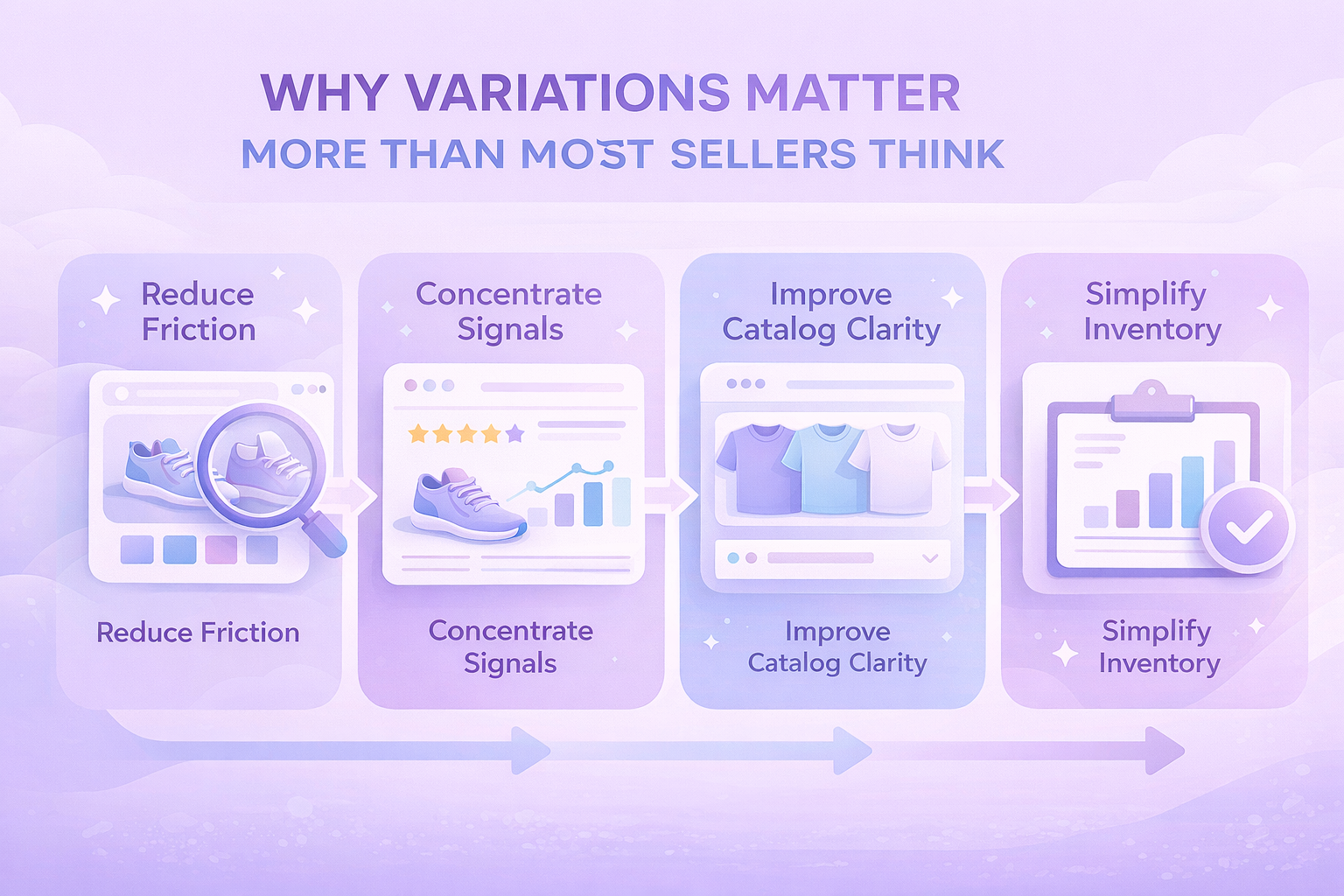
 

Why Variations Matter More Than Most Sellers Think

Variations are not just about convenience. They affect how customers experience your brand and how Amazon evaluates your listing.

Here’s what they help with in practice:

  • First, they reduce friction. Customers can compare options instantly instead of bouncing between listings.
  • Second, they concentrate performance signals. Reviews, sales velocity, and engagement are shared across the variation family, which often helps weaker options benefit from stronger ones.
  • Third, they improve catalog clarity. One clean listing with structured options usually performs better than many fragmented ones.

And finally, they make inventory management easier. You can see which variations sell and which sit, without digging through separate ASINs.


When a Product Should Be a Variation

Not every product belongs in a variation, even if the differences seem small at first glance. Amazon treats variations as different versions of the same item, not as a way to group loosely related products.

A variation usually makes sense when the product itself stays the same, and only a few clearly defined attributes change.

Good Use Cases for Variations

A product is typically a good fit for a variation listing when:

  • The core design and function are identical across all versions
  • The differences are limited to attributes like size, color, or unit count
  • The product category explicitly supports the variation theme you plan to use

In these cases, grouping products together improves the shopping experience and keeps the catalog clean.


When a Product Should Not Be a Variation

Some products may look similar but still do not qualify as variations under Amazon’s rules. Forcing them together often leads to listing suppression or removal later.

Cases Where Variations Do Not Apply

A variation usually does not make sense when:

  • The products are meant for different use cases or audiences
  • The model, materials, or functionality change in a meaningful way
  • The goal is to combine unrelated items just to share reviews or rankings

Amazon regularly reviews variation families and removes those that do not follow catalog standards. These changes can happen without advance notice, so it is safer to stay conservative when deciding what belongs together.


Common Variation Themes Amazon Supports

The available variation themes depend on category, and Amazon updates them over time. That said, the most common ones include:

  • Color
  • Size
  • Color and size
  • Style
  • Pack size or unit count

Some categories allow only one theme. Others allow combinations. You must choose carefully, because once a variation theme is set, it cannot be changed later without rebuilding the listing.


How to Create Product Variations One by One

If you are listing manually, the process starts in Seller Central.

From the Catalog menu, choose Add Products. Search first to confirm the product does not already exist in the catalog. If it does, matching to an existing listing is often better than creating a new one.

When creating a new listing, you will see an option to indicate that the product has variations. Once selected, Amazon will show the variation themes available for that product type.

After choosing a theme, you define each child variation by entering its attributes, identifiers, pricing, and inventory.

Every child needs its own product ID and offer details. The shared content, such as images and descriptions, lives at the parent level but can be adjusted per child if needed.


Creating Variations in Bulk Without Losing Your Mind

For sellers managing dozens or hundreds of variations, manual listing is not realistic.

Amazon’s bulk templates allow you to create and manage variations using spreadsheets. You download the appropriate template, fill in product and offer details, then upload the file back to Seller Central.

This approach is especially useful when:

  • Launching multiple SKUs at once
  • Updating prices or quantities across many variations
  • Rebuilding variation families after catalog changes

The downside is that bulk templates are precise. One wrong value can cause errors or partial uploads. Clean data matters.


Using the Variation Wizard for Existing Listings

The Variation Wizard is often overlooked, but it can be a real time saver when you are working with listings that already exist in your catalog. Instead of rebuilding products from scratch, it helps you organize what is already there.

It allows you to:

  • Combine standalone listings into a single variation family
  • Add new child variations to an existing parent listing
  • Edit and manage variation relationships in bulk

This tool works best when the ASINs already exist and the products clearly belong together. It is especially useful for cleaning up older listings, merging duplicated products, or restructuring variations after changes to your catalog.


Adding a New Variation to an Existing Listing

If you already have a live listing and want to introduce another option, there is no need to rebuild the entire product from the beginning. Amazon allows you to extend an existing variation family with minimal effort.

In Seller Central, go to Manage Inventory, locate the parent product, and select Edit Listing. From there, you can add a new child variation, define its attributes such as size or color, and enter the required offer details before submitting it for review.

Approval times can vary depending on the category and the type of change, but in most cases the new variation appears on the product page within a day.


Two Mistakes That Quietly Kill Variation Performance

Many problems with variations are not caused by technical errors or missing fields. They come from how the variation is structured and presented to the shopper.

Overloading One Variation Family

One common mistake is trying to fit too many options into a single variation family. When size, color, bundles, and different models are all mixed together, the product page becomes harder to understand.

Instead of helping customers choose, too many options can slow them down or push them to leave the page altogether. In most cases, simpler variation structures lead to higher conversion and fewer catalog issues.

Mislabeling Variation Attributes

Another frequent issue is using variation fields for marketing text instead of factual data. Color names packed with extra words or size fields that include promotions or product details can trigger listing suppression.

Variation attributes are meant to be clean and literal. When they are used correctly, Amazon’s system understands the listing better, and customers can scan options quickly. Clear, consistent data almost always performs better over time.

 

How We Support Smarter Marketplace Decisions at WisePPC

At WisePPC, we help sellers move away from guesswork and toward decisions backed by real data. As an Amazon Ads Verified Partner, we work through official integrations and proven workflows, giving teams a clear, reliable view of what is actually happening across their marketplace accounts.

Our platform brings sales and advertising data into one centralized system. Instead of switching between Seller Central, reports, and spreadsheets, sellers can track performance metrics like ACOS, TACOS, CTR, profit, and Average Selling Price in real time. Long-term historical storage means trends are visible over months and years, not just the short windows Amazon keeps by default.

We focus on speed and control. Advanced filtering, bulk actions, and on-spot editing make it possible to adjust campaigns, bids, and budgets quickly, even across large catalogs. Visual highlights surface issues early, while detailed charts and segmentation help identify what drives results and what needs attention. As businesses grow, WisePPC scales with them, keeping analysis clear and decisions grounded in data rather than assumptions.


A Note on Reviews and Variations

Reviews and ratings are shared across the variation family. On the product detail page, Amazon aggregates both the review text and the star ratings from all child ASINs into a single total for the parent listing.

This means one poorly performing variation can drag down perception, even if others sell well. Monitor reviews at the child level, not just the parent.

If one option consistently causes complaints, it may be better to remove it rather than keep it attached.


Should You Always Use Variations?

No. Variations are optional, not a requirement. While they work well for closely related products, they are not always the best choice for every situation. Some items perform better as standalone listings, especially when the differences between products are meaningful or when customers actively search for each version on its own.

The real goal is clarity, not consolidation. If grouping products together makes the listing harder to understand or hides important differences, separate listings are often the safer and more effective option.


Wrapping It Up

Amazon product variations are one of those tools that seem simple until they are not.

When built correctly, they improve conversion, simplify management, and create a cleaner catalog. When rushed or forced, they cause listing problems that are hard to untangle later.

Take the time to structure them properly. Your customers, and your future self, will thank you.


Frequently Asked Questions

Do I have to create product variations on Amazon?

No. Variations are optional. You can list products as standalone items if that structure makes more sense for how customers search and buy.

Can I change a variation theme after creating it?

No. Once a variation theme is selected and the listing is created, it cannot be changed. To use a different theme, the variation family usually needs to be rebuilt.

How many child variations can one parent listing have?

Amazon allows large variation families, but very large sets may not display fully on the product page. In practice, keeping variation families focused and manageable works best for both performance and usability.

Why was my variation removed or suppressed?

This usually happens when the products do not meet Amazon’s variation rules. Common reasons include mixing different product types, misusing variation attributes, or trying to merge unrelated items to share reviews.

Is it better to create variations manually or in bulk?

It depends on volume. Manual creation works well for a small number of products. Bulk tools and the Variation Wizard are better for managing many SKUs or restructuring existing listings.

A Practical Guide to Calculating Percentage Discounts for Online Pricing

Discounts are one of the simplest ways to catch a shopper’s attention. They can increase conversion rates, clear inventory, and help test price sensitivity. But discounts only work when the math is right. A small calculation error can quietly eat into margins or confuse customers.

This guide explains how percentage discounts work, how to calculate them correctly, and how to use them in real selling scenarios without creating pricing problems later.


What a Percentage Discount Really Means

A percentage discount is a reduction based on a portion of the original price. When you offer 20 percent off, you are not subtracting a random amount. You are removing 20 out of every 100 units of the price.

For example, a 20 percent discount equals 0.20 of the original price. Everything that follows in discount pricing builds on this simple idea.

To calculate any percentage-based discount, you only need two numbers:

  • The original product price
  • The discount percentage you want to apply

Once you have those, the rest is just clean math.


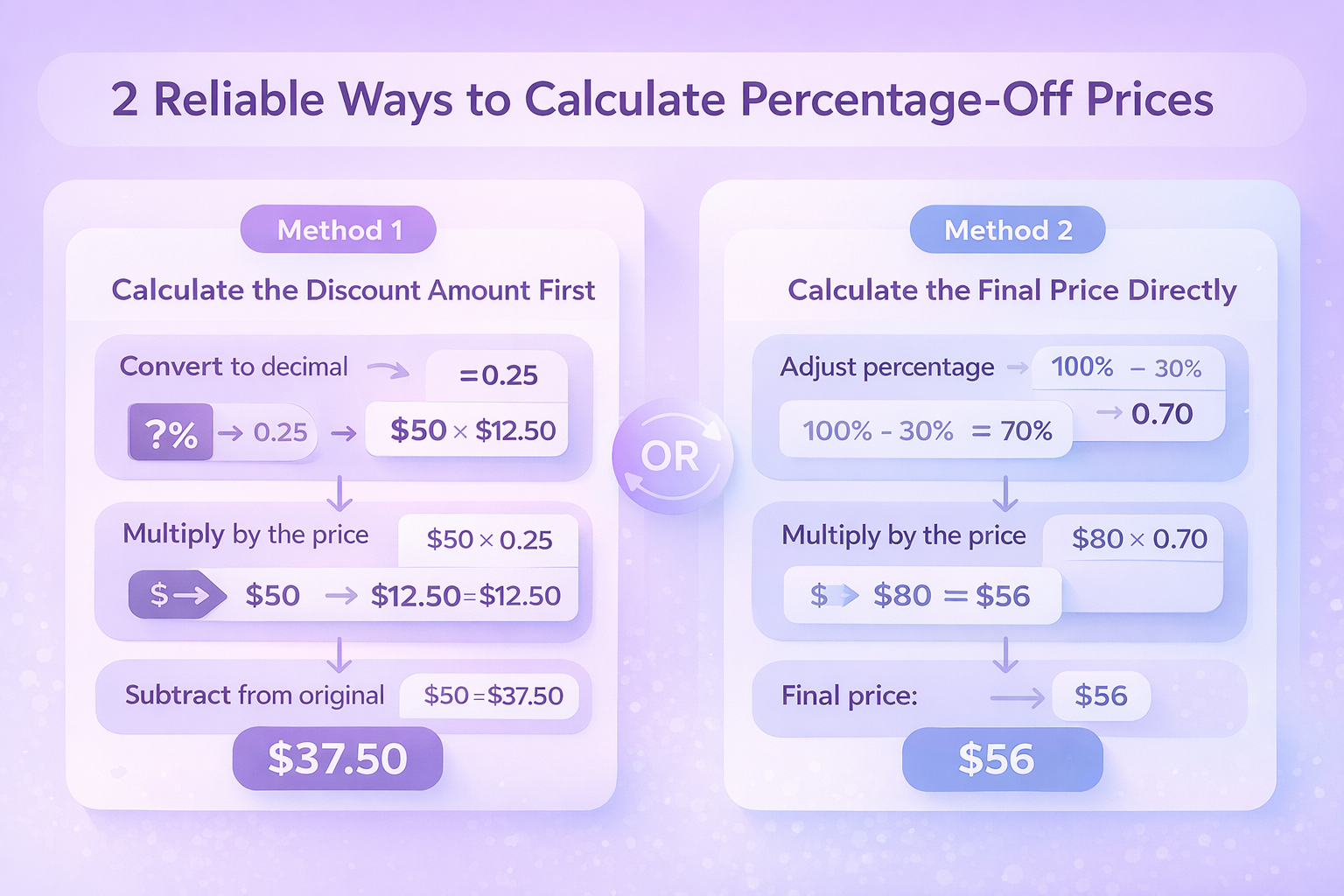
2 Reliable Ways to Calculate Percentage-Off Prices

There are two common methods sellers use. Both are correct. The choice usually comes down to what feels clearer or faster in your workflow.

Method 1: Calculate the Discount Amount First

This approach focuses on figuring out how much you are taking off, then subtracting it from the original price.

Steps:

  1. Convert the percentage to a decimal by dividing it by 100
  2. Multiply the original price by that decimal
  3. Subtract the result from the original price

Example:

  • Original price: $50
  • Discount: 25 percent

25 divided by 100 equals 0.25

$50 multiplied by 0.25 equals $12.50

$50 minus $12.50 equals $37.50

Final price: $37.50

This method is helpful when you want to see the exact dollar value of the discount.

Method 2: Calculate the Final Price Directly

This method skips the discount amount and goes straight to the final price.

Steps:

  1. Subtract the discount percentage from 100 percent
  2. Convert the remaining percentage to a decimal
  3. Multiply it by the original price

Example:

  • Original price: $80
  • Discount: 30 percent

100 minus 30 equals 70 percent

70 percent becomes 0.70

$80 multiplied by 0.70 equals $56

Final price: $56

This approach is often faster when setting prices in bulk.


Handling Multiple Discounts the Right Way

Discounts sometimes stack. That is where mistakes often happen.

Sequential Discounts

Sequential discounts are applied one after another. Each discount affects the updated price, not the original.

Example:

  1. Original price: $100
  2. First discount: 20 percent
  3. Second discount: 10 percent

After the first discount: $100 × 0.80 = $80

After the second discount: $80 × 0.90 = $72

Final price: $72

This is common in promotions like “extra 10 percent off already discounted items.”

Combined Discounts

Combined discounts add percentages together and apply them once.

Example:

20 percent plus 10 percent equals 30 percent

$100 × 0.70 = $70

Final price: $70

Important note: sequential and combined discounts are not the same. Mixing them up can lead to larger price cuts than expected.


Tools That Make Discount Calculations Easier

Manual calculations are useful to understand the logic, but most sellers rely on tools to reduce errors.

Spreadsheets

Simple formulas can handle discounts automatically. A common structure looks like:

Original price × (1 − discount percentage)

This works well for bulk pricing and forecasting.

Online Discount Calculators

There are many free calculators designed for retail discounts. They are quick, but always double-check the inputs.

Ecommerce Platform Features

Most ecommerce platforms include built-in promotion tools that calculate discounts for you. For sellers using Amazon, percentage-off promotions and coupon tools can apply discounts automatically while keeping prices consistent across listings.
 

How We Help Sellers Track and Optimize Discounts at WisePPC

At WisePPC, we focus on what happens after a discount goes live. Calculating a percentage-off price is only the first step. What really matters is how that discount affects sales velocity, ad efficiency, margins, and long-term performance.

We give sellers a clear view of how discounts interact with advertising and organic sales. Instead of relying on short-term snapshots, we store historical data for years, making it possible to compare performance before, during, and after promotions. This helps teams understand whether a discount actually drove incremental sales or simply reduced revenue on purchases that would have happened anyway.

Our platform brings pricing signals, advertising metrics, and sales results into one place. With granular filtering, bulk actions, and visual highlights, sellers can quickly spot when a discounted product starts hurting profitability, inflating ACOS, or pulling spend into low-return campaigns. That visibility makes it easier to adjust bids, pause underperforming targets, or refine promotions while they are still running, not after the damage is done.


When Percentage Discounts Make the Most Sense

Discounts are not just math. Timing and context matter.

Percentage-off pricing tends to work well when:

  • Launching a new product and testing demand
  • Running short-term promotions or seasonal sales
  • Clearing excess inventory
  • Competing in price-sensitive categories

For premium or low-margin products, fixed-amount discounts or bundles may work better.


How to Present Discounts Clearly to Customers

Clear pricing builds trust. When customers immediately understand what they are saving and why, they are far less likely to hesitate or question the offer later. On the other hand, confusing or incomplete discount messaging often leads to abandoned carts, returns, or customer support issues.

A few simple practices make a noticeable difference:

  • Show both the original price and the discounted price so the savings are obvious at a glance
  • Make the percentage discount easy to spot without forcing shoppers to do the math themselves
  • Avoid cluttered layouts or overlapping promotions that compete for attention
  • Keep discount language straightforward and specific, without fine print hidden behind links

For example, “Save 20 percent when you buy two” sets a clear expectation. Vague phrases like “Special offer” or “Limited deal” do not explain the actual value and often create more confusion than urgency.


Common Pricing Mistakes to Watch For

Math Errors

Even small calculation mistakes can cause real pricing issues. Misplaced decimals, incorrect percentage conversions, or forgetting that stacked discounts compound rather than add up can all lead to deeper discounts than intended. These errors are easy to miss at setup and often only show up later in declining margins or unexpected pricing complaints.

Margin Blind Spots

Discounts are often applied without fully checking how much room the margin actually allows. Using the same percentage across products with very different costs can quickly turn a promotion into a loss leader. This is especially risky when discounts run alongside paid advertising, where reduced prices and ad spend combine.

Technical Oversights

Some of the most expensive mistakes are technical rather than mathematical. Forgetting to set an end date can leave a discount running far longer than planned. Promotions that are not tested before launch may fail silently or apply incorrectly. Inconsistent pricing across sales channels can also confuse customers and weaken trust.

Small errors in any of these areas can undo the benefit of an otherwise well-planned promotion.


Making Discounts Work Long-Term

Discounts should support your business, not train customers to wait for lower prices. The most successful sellers treat discounts as a strategy, not a habit.

Accurate calculations protect margins. Clear communication protects trust. And thoughtful timing turns short-term promotions into long-term growth.

If you understand the math and apply it carefully, percentage-off pricing becomes a reliable tool instead of a risk.


Conclusion

Percentage discounts are simple in theory, but small mistakes in calculation or presentation can quickly create bigger problems. When prices are calculated correctly and communicated clearly, discounts become a controlled tool rather than a risk.

The key is consistency. Use the same logic every time, double-check the math, and make sure discounts fit your margins before they go live. Just as important, track what happens after a promotion starts. Discounts should support growth, not quietly reduce profitability or distort performance data.

When pricing decisions are based on clear calculations and real results, percentage-off promotions can work exactly as intended.


FAQ

What is a percentage discount in online pricing?

A percentage discount reduces the original price by a set portion of its value. For example, a 20 percent discount removes 20 out of every 100 units of the price.

What is the easiest way to calculate a percentage-off price?

The simplest method is multiplying the original price by one minus the discount percentage expressed as a decimal. This gives the final price directly.

Are sequential discounts the same as combined discounts?

No. Sequential discounts apply one after another and usually result in a smaller final price reduction than adding percentages together.

Should discounts be applied before or after advertising costs?

Discounts should be calculated based on product pricing and margins first. Advertising costs should then be evaluated to ensure the promotion remains profitable.

Why do pricing mistakes often happen during promotions?

Most errors come from rushed setup, incorrect percentage conversions, or not testing promotions before launch.

Amazon Product Condition Guidelines Explained For Sellers

If you sell on Amazon, product condition is not a small technical detail. It is one of the first things buyers use to judge whether they trust a listing. For sellers, especially those working with used, refurbished, or returned inventory, getting condition right matters more than most people expect.

This guide explains how Amazon product condition guidelines work, why they matter, and how to apply them correctly when listing products today. The goal is simple: fewer problems, fewer returns, and clearer expectations on both sides.


What Product Condition Means on Amazon

On Amazon, product condition describes the actual physical and functional state of the item you ship to the customer. It is not about marketing language or how clean the listing looks. It is about reality.

Conditions range from brand-new, factory-sealed items to heavily used products that still function but show clear wear. Amazon uses standardized condition guidelines to keep listings consistent across millions of sellers and categories.

Before selecting a condition, sellers are expected to inspect each item carefully. Scratches, missing accessories, worn packaging, and signs of prior use all affect which condition applies. Combined with photos and accurate descriptions, condition selection helps customers understand exactly what they are buying.


Why Condition Accuracy Matters More Than You Think

Incorrect condition selection is one of the most common reasons for returns and negative feedback. When a buyer receives an item that does not match the listed condition, trust breaks immediately.

From Amazon’s side, repeated condition issues can impact:

  • Order defect rate
  • Return reasons marked as “not as described”
  • Account Health Rating
  • Listing eligibility in certain categories

On the positive side, sellers who consistently list condition accurately often see better conversion rates. Buyers are usually fine with wear or missing packaging when it is disclosed clearly upfront.


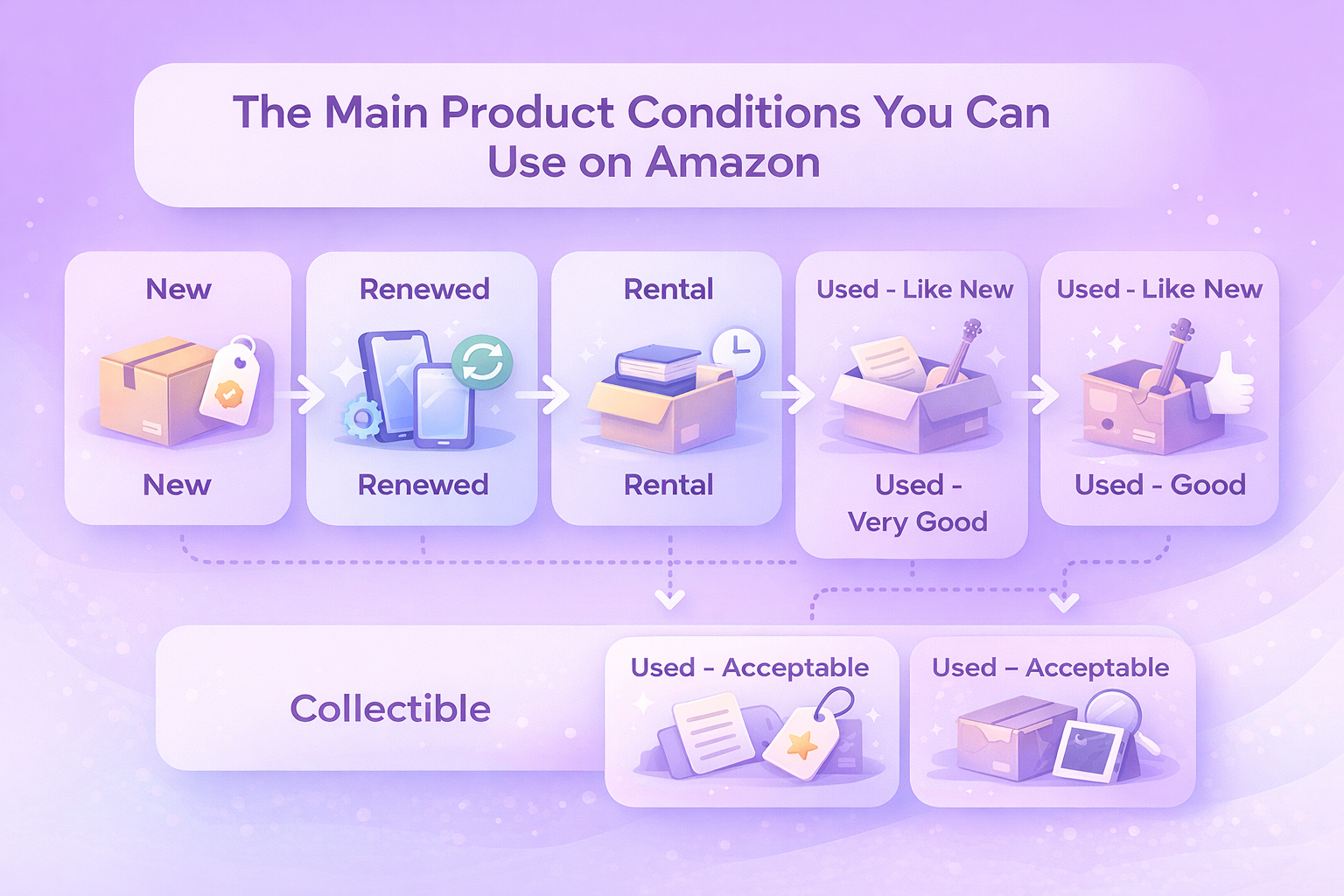
The Main Product Conditions You Can Use on Amazon

Amazon allows most products to be listed under the following condition types.

New

New items must be unused, unopened, and in original condition. Packaging should be intact, and all standard accessories and warranty information should be included if applicable.

Some categories require items to be New only. New condition is also required for Featured Offer eligibility in many cases.

Renewed

Renewed items are pre-owned but inspected and tested by an Amazon-qualified supplier or Amazon itself.

They must:

  • Work like new
  • Show minimal to no visible wear from 12 inches away
  • Include a replacement or refund guarantee, typically 90 days

Many electronics and devices are sold through the Amazon Renewed program, which has additional eligibility requirements.

Rental

Rental products are previously used items that have been inspected and graded as fully functional.

Common rental categories include textbooks and musical instruments. Items may ship in generic packaging but must include all essential accessories.

Used – Like New or Open Box

These items are fully functional and very close to new condition. Packaging may be opened or slightly damaged, but the product itself should show little to no wear.

Used – Very Good

Very Good items show light signs of use but remain in solid working condition. Minor cosmetic blemishes are acceptable.

Any missing accessories or packaging issues must be clearly disclosed.

Used – Good

Good condition items show noticeable wear from regular use but still function properly. They may be repackaged and may be missing non-essential accessories.

Used – Acceptable

Acceptable items are clearly worn but still usable. Scratches, dents, worn edges, and missing accessories are common, as long as functionality remains intact.

Collectible

Collectible items must offer added value beyond normal use. This can include rarity, autographs, limited editions, or historical significance.

The collectible value must be explained clearly on the product detail page.


How Book Condition Guidelines Differ From Other Categories

Books follow their own condition rules alongside Amazon’s general guidelines.

Standard book conditions include:

  • New
  • Used – Like New
  • Used – Very Good
  • Used – Good
  • Used – Acceptable

Books labeled Acceptable may show heavy wear, markings, or limited water damage, as long as the text remains readable.

Books that are missing pages, have unreadable text, or are advance reading copies are not allowed for sale.

Collectible Book Conditions

Collectible books have stricter grading rules. Most books in Acceptable condition do not qualify as collectible unless they are extremely rare.


Categories With Additional Condition Requirements

Some product categories on Amazon come with more detailed or stricter condition rules. These categories often involve safety, licensing, or higher return risk, which is why Amazon applies extra oversight.

Common examples include:

  • Electronics and computers
  • Cell phones and accessories
  • Software and computer games
  • Video, DVD, and Blu-ray discs
  • Tools and hardware
  • Watches
  • Consumables and supplements
  • Medical devices
  • Toys and collectibles

In many of these categories, sellers may need to request approval before listing used or renewed items. Additional documentation, testing, or condition disclosures may also be required. Checking category-specific guidelines in Seller Central before listing helps avoid delays, listing removals, or account issues later on.


Conditions That Are Never Allowed on Amazon

Amazon has a strict list of item conditions that cannot be listed under any category. These rules exist to protect customers and maintain marketplace trust.

Amazon does not allow listings for items that:

  • Are dirty, moldy, corroded, or heavily stained
  • Are damaged to the point of limited usability
  • Are missing essential parts
  • Require repair or servicing
  • Are counterfeit or not made by the original manufacturer
  • Were distributed as promotional or advance copies
  • Are expired or have altered expiration dates
  • Were marked for disposal or destruction
  • Are prohibited under Amazon’s restricted products policy

Listing items in these conditions can lead to listing removal, suppressed offers, or account enforcement actions. In repeated cases, it may also affect your Account Health Rating and selling privileges, so it’s important to screen inventory carefully before listing..


How to Select the Correct Condition When Listing

When creating or matching a listing in Seller Central:

  • Go to Catalog → Add Products
  • If matching an existing listing, select the appropriate condition from the results
  • If creating a new listing, choose the condition on the Offer tab

Always base the condition on the specific unit you will ship, not an average or best-case scenario.


How To Sell The Same Product In Multiple Conditions

Amazon allows sellers to offer the same product in more than one condition.

To do this:

  • Go to Inventory → Manage All Inventory
  • Locate the product
  • Select Add Another Condition from the options menu

This is common for books, electronics, and refurbished inventory and gives buyers more flexibility.


How Condition Choice Affects Pricing and Conversion

Condition plays a direct role in how buyers evaluate price and value. Many shoppers compare the same product across different condition tiers before making a decision, especially in categories like electronics, books, and tools.

Lower-condition items often convert well when:

  • Price differences are clear
  • Wear is described honestly
  • Photos match the description

When expectations are set correctly, buyers are more likely to accept cosmetic flaws in exchange for a lower price. Offering the same product in multiple conditions can also help capture different buyer segments, all within a single listing, without increasing catalog complexity or creating duplicate product pages.


Making Better Decisions With WisePPC

At WisePPC, we work with sellers who manage complex catalogs, multiple product conditions, and constant shifts in pricing and demand. Product condition directly affects conversion, returns, and advertising efficiency, and we built WisePPC to help sellers see how those factors actually perform in real conditions, not just in theory. By combining sales and advertising data in one place, we make it easier to understand what drives results across different condition tiers.

Our platform gives sellers long-term access to historical performance data that goes far beyond Amazon’s default retention window. This makes it possible to analyze how pricing, condition, and demand change over time, spot seasonality, and compare past and present performance with confidence. Advanced filtering, segmentation, and visual highlights help teams quickly isolate what is working and where adjustments are needed, even when managing large inventories.

As an Amazon Ads Verified Partner, we rely on official integrations and follow Amazon’s best practices across analytics and campaign management. With tools like bulk actions, on-spot campaign editing, and placement-level performance analysis, sellers can react faster and stay in control without switching between multiple systems. The result is clearer decision-making around pricing, condition strategy, and advertising spend, all grounded in accurate, real-time data rather than guesswork.


Common Condition Mistakes Sellers Make

Even experienced sellers make mistakes when selecting product conditions, usually because of time pressure or assumptions about what buyers will accept. These issues tend to show up most often when handling returns, liquidation stock, or mixed-condition inventory.

Some of the most frequent issues include:

  • Listing items as Like New when packaging is missing or damaged
  • Forgetting to disclose missing accessories
  • Underestimating cosmetic wear
  • Reusing condition templates without inspecting each unit

These mistakes usually lead to returns and customer complaints rather than higher sales. In many cases, clearly listing an item under a lower condition with an honest description results in better outcomes than trying to stretch the condition category.


Practical Tips For Choosing The Right Condition

Selecting the correct condition is easier when you follow a consistent process and avoid shortcuts. These simple practices help reduce returns and protect your seller reputation over time.

  • Inspect Every Unit Carefully. Do not rely on quick visual checks. Test functionality, review cosmetic condition, and verify that all required accessories are included.
  • Check for Recalls. Selling recalled products can create serious compliance and safety issues, even if the item appears to work normally.
  • Be Specific in Descriptions. If there is a scratch, say where it is. If something is missing, list it clearly so buyers know exactly what to expect.
  • Be Honest. Customers see the product when it arrives. Mismatched condition descriptions almost always result in negative feedback or returns.
  • Package Items Properly. Shipping damage can turn a correct condition listing into a return. Use appropriate packaging and protection, especially for fragile or high-value items.


Final Thoughts

Amazon product condition guidelines are not just a policy requirement. They shape how customers experience your listings and how Amazon evaluates your performance as a seller.

Taking the time to inspect items properly and choose the correct condition reduces problems later. It also builds trust, improves conversion, and protects your account over the long term.

Clear condition listings may take a few extra minutes, but they save far more time and money in the long run.


Frequently Asked Questions

What are Amazon product condition guidelines?

Amazon product condition guidelines define how sellers must describe the physical and functional state of items they list. They help ensure customers know what to expect and create consistency across listings.

Why is choosing the correct condition so important?

Condition accuracy affects customer trust, return rates, feedback, and account health. Incorrect condition listings are one of the most common reasons for returns marked as “not as described.”

Can I sell the same product in more than one condition?

Yes. Amazon allows sellers to list the same product under multiple conditions, such as New, Used – Very Good, or Used – Acceptable, as long as each listing accurately reflects the specific item being shipped.

What happens if I list an item under the wrong condition?

If customers receive an item that does not match the listed condition, it can lead to returns, negative feedback, suppressed listings, or account health issues if it happens repeatedly.

Are used and renewed products treated the same on Amazon?

No. Renewed products must be inspected and tested by an Amazon-qualified supplier and usually include a warranty. Used products do not require certification but must meet condition-specific guidelines.

Brand Referral Bonus: How External Traffic Can Lower Your Amazon Fees

Driving traffic to Amazon used to mean higher ad costs with little visibility into what actually worked. That changed when Amazon introduced the Brand Referral Bonus.

The program rewards brands for sending shoppers to Amazon from outside channels by returning part of the referral fee as a credit. In practice, that means better margins on sales influenced by your own marketing efforts.

This article breaks down how the Brand Referral Bonus works, who can use it, how the bonus is calculated, and how sellers are using it as part of a broader growth strategy.


What the Brand Referral Bonus Actually Is

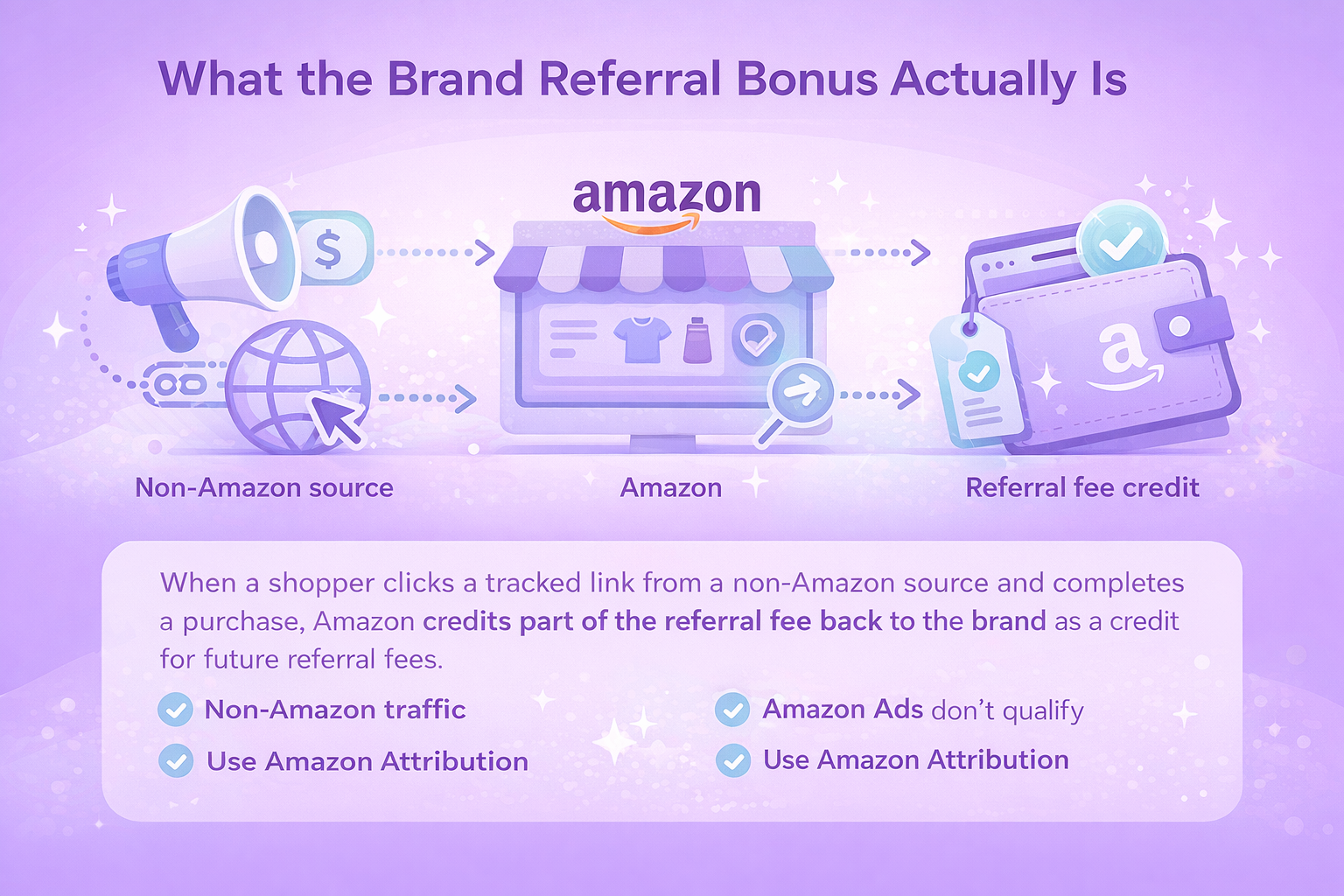
The Brand Referral Bonus is designed for brands that promote their Amazon listings beyond Amazon itself. When a shopper clicks a tracked link from a non-Amazon source and completes a purchase, Amazon credits part of the referral fee back to the brand.

The bonus is not paid out as cash. Instead, it appears as a credit that offsets future referral fees. Over time, this can materially improve profitability, especially for brands investing in paid traffic or content-driven acquisition.

A few important boundaries:

  • The bonus applies only to non-Amazon traffic
  • Amazon Ads campaigns do not qualify
  • Tracking must be done through Amazon Attribution

If the sale happens without an Attribution tag, it does not count.


Why Amazon Created This Program

Amazon benefits when brands bring in net-new traffic. Instead of relying solely on internal ad auctions, the marketplace gains customers from search engines, social platforms, newsletters, and brand-owned channels.

For sellers, the program helps rebalance the economics of off-Amazon marketing. Sending traffic to Amazon no longer means absorbing the full referral fee without recognition. The bonus makes external acquisition more measurable and more defensible from a margin standpoint.


How the Bonus Is Calculated

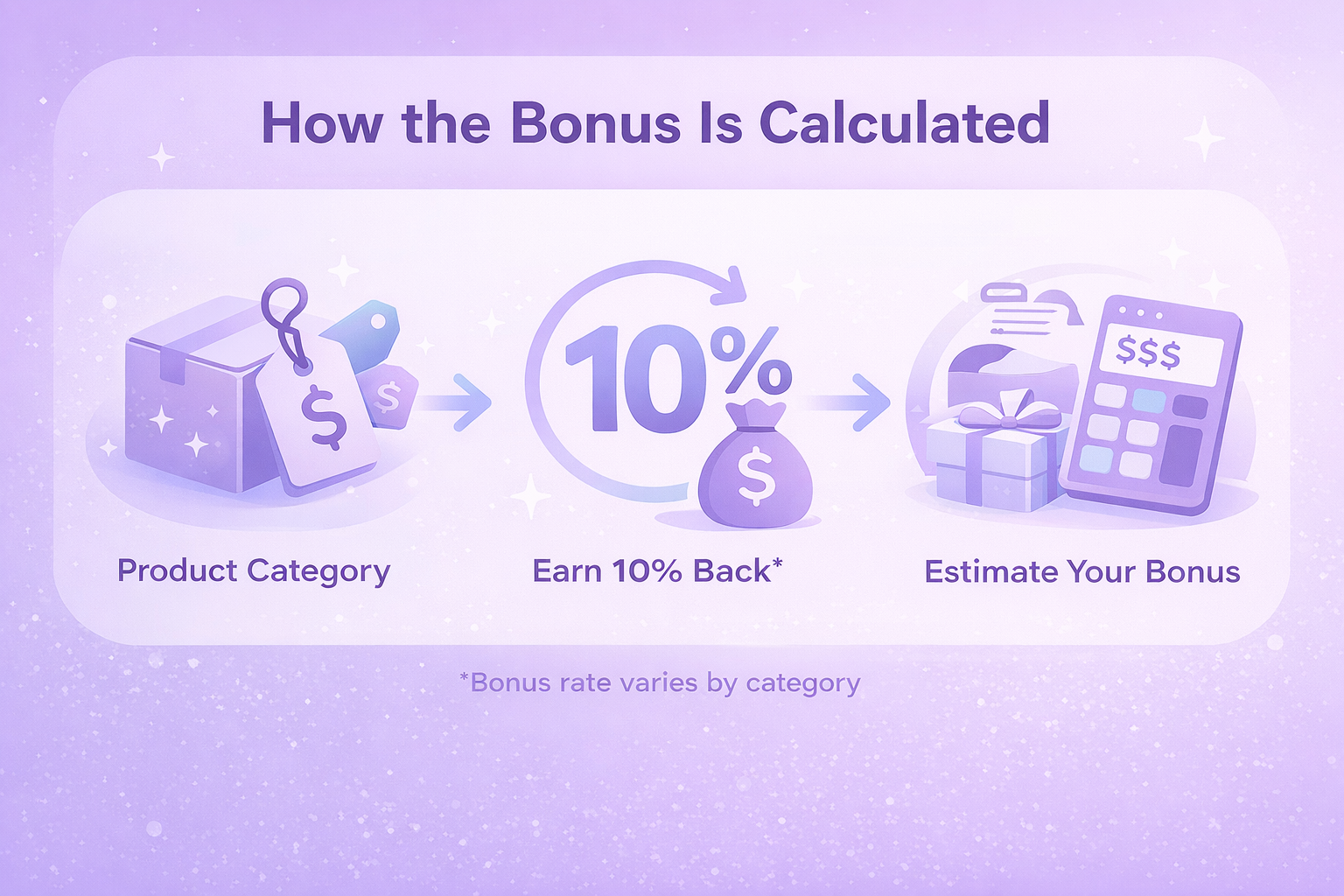
The bonus rate depends on product category and, in some cases, order value. Across most categories, the average bonus is around 10% of qualifying sales, though actual rates vary.

On average, brands earn around 10% back from qualifying sales generated through external traffic. The exact bonus depends on the product category and, in some cases, the total order value.

To estimate your bonus, take your qualifying sales amount and apply the minimum bonus rate for the relevant category. The final credited amount may differ slightly due to factors like shipping fees, gift wrapping, cancellations, or returns. Your actual bonus is shown in the weekly Brand Referral Bonus report inside Seller Central.

Below is an overview of estimated bonus rates by category. These are reference values meant to help with planning, not guaranteed payouts.


Brand Referral Bonus – Estimated Bonus Rates by Category

Category Estimated Bonus Rate*
Amazon Device Accessories 30%
Amazon Explore 20%
Clothing & Accessories (including activewear) 11%
Books (including Collectible Books), Music, Software, Video Games, Video & DVD, Home & Garden, Kitchen, Mattresses, Musical Instruments, Office Products, Outdoors, Sports (excluding Sports Collectibles), Pet Supplies, Toys & Games, Luggage & Travel Accessories, Shoes, Handbags & Sunglasses, Everything Else 10%
3D Printed Products; Industrial & Scientific (including Food Service and Janitorial & Sanitation) 8%
Camera & Photo; Cell Phones; Consumer Electronics; Full-Size Appliances; Personal Computers; Video Game Consoles 5%
Tools & Home Improvement 10%, except 8% for base equipment power tools
Automotive & Powersports 8%, except 7% for tires and wheel products
Baby Products (excluding Baby Apparel); Beauty; Health & Personal Care 5% for products priced $10 or less, 10% for products priced above $10
Collectible Coins 10% up to $250, 7% from $250-$1,000, 4% above $1,000
Compact Appliances (including parts and accessories) 10% up to $300, 5% above $300
Electronics Accessories 10% up to $100, 5% above $100
Entertainment Collectibles 14% up to $100, 7% from $100-$1,000, 4% above $1,000
Fine Art 14% up to $100, 10% from $100-$1,000, 7% from $1,000-$5,000, 3% above $5,000
Furniture (including outdoor furniture) 10% up to $200, 7% above $200
Grocery & Gourmet Food 5% for products priced $15 or less, 10% for products priced above $15
Jewelry 14% up to $250, 3% above $250
Sports Collectibles 10% up to $100, 7% from $100-$1,000, 4% above $1,000
Watches 11% up to $1,500, 2% above $1,500
Gift Cards 14%


*Estimated rates are provided for planning purposes. Actual bonus amounts may vary and are finalized in your weekly bonus report.

The final bonus can be adjusted by factors such as shipping charges, gift wrap, cancellations, or returns.

Because returns are part of the equation, Amazon applies a two-month delay before credits appear. This buffer allows the system to account for post-purchase changes.


A Simple Example

Imagine you sell a product for $100 and the standard Amazon referral fee for that category is 15%.

If your bonus rate is 10%, you earn a $10 credit.

In practice, the original $15 fee is effectively reduced to $5, which significantly increases your net revenue

When this happens consistently across dozens or hundreds of externally driven sales, the cumulative impact on margins becomes noticeable rather than marginal.


What Traffic Qualifies for the Bonus

Only traffic that comes from outside Amazon and is tracked with an Amazon Attribution tag is eligible for the Brand Referral Bonus. If a customer lands on Amazon without that tag, the sale will not qualify, even if it originated from your own marketing efforts.

In practice, this means every external campaign must use properly tagged links to be counted.

Common qualifying traffic sources include:

  • Paid search ads on platforms like Google or Bing
  • Paid social campaigns on networks such as Meta, TikTok, or LinkedIn
  • Email marketing, including newsletters and promotional sends
  • Influencer links and creator partnerships
  • Content-driven traffic from blogs, reviews, or media sites
  • Direct traffic from brand-owned websites or landing pages

The bonus is not limited to the first product a customer clicks on. If the shopper purchases additional products from the same brand within 14 days of the initial click, those sales can also qualify for the bonus, as long as the original visit was tracked correctly.

Who Is Eligible

To participate, a seller must:

  • Sell in the US Amazon store
  • Have a registered brand in Brand Registry
  • Hold a Brand Representative role
  • Use a Professional selling plan

Resellers are not eligible. Sellers without a registered trademark may look instead at the Amazon Associates program, which operates under a different commission model.


Getting Started: The Practical Steps

1. Enroll in the Program

Enrollment happens through Seller Central. If your brand is already registered and eligible, activation is straightforward.

If your brand is not registered, Brand Registry enrollment is required first. A trademark is necessary for that step.

2. Set Up Amazon Attribution

Amazon Attribution is the tracking layer behind the bonus.

Using the Advertising console, you create Attribution tags for:

  • Individual ads
  • Buttons or links
  • Entire campaigns

Each tag is unique. One link equals one tag. This granularity allows you to see which channels and creatives actually convert.

3. Launch and Track Campaigns

Once tags are live, traffic can be sent from any qualifying channel. Performance data appears in the Attribution dashboard, showing:

  • Clicks
  • Product detail page views
  • Purchases
  • Bonus amounts earned

Credits are applied automatically after the waiting period.


How and When Credits Appear

Credits are applied to referral fees after a waiting period of roughly two months following a qualifying sale. This delay allows Amazon to account for order cancellations, refunds, and returns before the credit is finalized.

Once applied, the credit is used to reduce referral fees on future transactions. In some cases, it may partially reduce a fee. In others, it can fully cover the referral fee or be applied in the background without appearing as a separate line item, depending on tax treatment and transaction details.

A weekly bonus report is available in Seller Central, showing estimated earnings and applied credits. Reporting includes activity from the most recent 365 days, which helps track longer-term impact without relying on short reporting windows.


Turning Campaign Data Into Clear Decisions at WisePPC

At WisePPC, we help brands see what happens after shoppers arrive on Amazon from search, social, and other external channels. Instead of switching between Seller Central, Amazon Attribution, and spreadsheets, teams work from a single, centralized view that connects traffic, conversions, and sales.

We focus on clarity and control. Long-term data storage makes it easier to spot patterns over time, while advanced filtering and visual highlights bring attention to what matters right now. Teams can quickly identify which campaigns are contributing to revenue and which ones need a closer look.

Speed matters when performance shifts. With bulk actions and inline editing, teams can adjust campaigns without slowing down their workflow. This keeps external traffic efforts aligned with real results and allows decisions to be driven by data rather than assumptions.


Taxes and Compliance Considerations

Participation requires submitting tax information specific to the program.

For US sellers, bonuses may be reported on Form 1099-NEC if thresholds are met. Non-US sellers must confirm that services related to the program are performed outside the United States to remain eligible.

Because tax treatment varies by country and structure, sellers are advised to consult a tax professional before enrolling.


How Sellers Use the Brand Referral Bonus Strategically

Many brands do not treat the bonus as a one-off benefit or an isolated incentive. Instead, it is folded into a wider acquisition and measurement strategy that connects external marketing efforts with on-Amazon performance and profitability.

Common use cases include:

  • Supporting product launches by sending targeted external traffic to new listings
  • Testing new marketing channels with clearer visibility into return on investment
  • Improving margins on branded search campaigns that already show strong intent
  • Scaling influencer and content partnerships with better performance tracking
  • Reducing dependence on internal Amazon ad auctions and rising CPCs

The real value usually comes from pairing Amazon Attribution insights with the earned credits. When sellers use both together, they gain a clearer picture of what drives sales and can make more confident decisions about where to invest next.


Final Thoughts

The Brand Referral Bonus does not replace Amazon Ads. It complements them.

For brands already investing in off-Amazon marketing, the program rewards behavior that was previously invisible inside Amazon’s ecosystem. For others, it lowers the barrier to experimenting with new traffic sources.

Used intentionally, it can turn external traffic from a cost center into a measurable, margin-aware growth lever.


Frequently Asked Questions

What is the Brand Referral Bonus?

The Brand Referral Bonus is a program from Amazon that credits part of the referral fee back to brands when they drive tracked external traffic to Amazon listings.

Who can participate in the program?

The program is available to brands selling in the US Amazon store that are enrolled in Brand Registry and have a Brand Representative role assigned in Seller Central.

Does Amazon advertising qualify for the bonus?

No. Traffic from Amazon Ads does not qualify. Only traffic coming from non-Amazon channels and tracked with Amazon Attribution tags is eligible.

What traffic sources are eligible?

Eligible sources include paid search, paid social, email marketing, influencer links, content sites, and brand-owned websites, as long as Amazon Attribution tags are used.

How much is the bonus?

Bonus rates vary by category, but most fall around an average of 10%. Some categories are higher or lower depending on product type and order value.

How To Expand Your Business With Cross-Border Ecommerce

Selling beyond your home market used to feel like something only big brands could pull off. That has changed. Today, even small and mid-sized sellers can reach customers across borders without building local teams or separate storefronts in every country.

Cross-border ecommerce is not just about shipping products overseas. It is about understanding demand, managing logistics, staying compliant, and keeping margins healthy while operating at a global scale.

This guide breaks down how international ecommerce works, why it is worth considering, and what to think about before you take the first step.


What Cross-Border Ecommerce Actually Means

At its core, cross-border ecommerce is selling products or services online to customers in other countries. Customers place orders through digital channels, pay in their local currency, and expect delivery, returns, and support to work just as smoothly as domestic purchases.

For sellers, this usually means handling international shipping, taxes, currency exchange, and localized listings. The complexity depends on how many markets you enter and how much of the process you handle yourself.
 

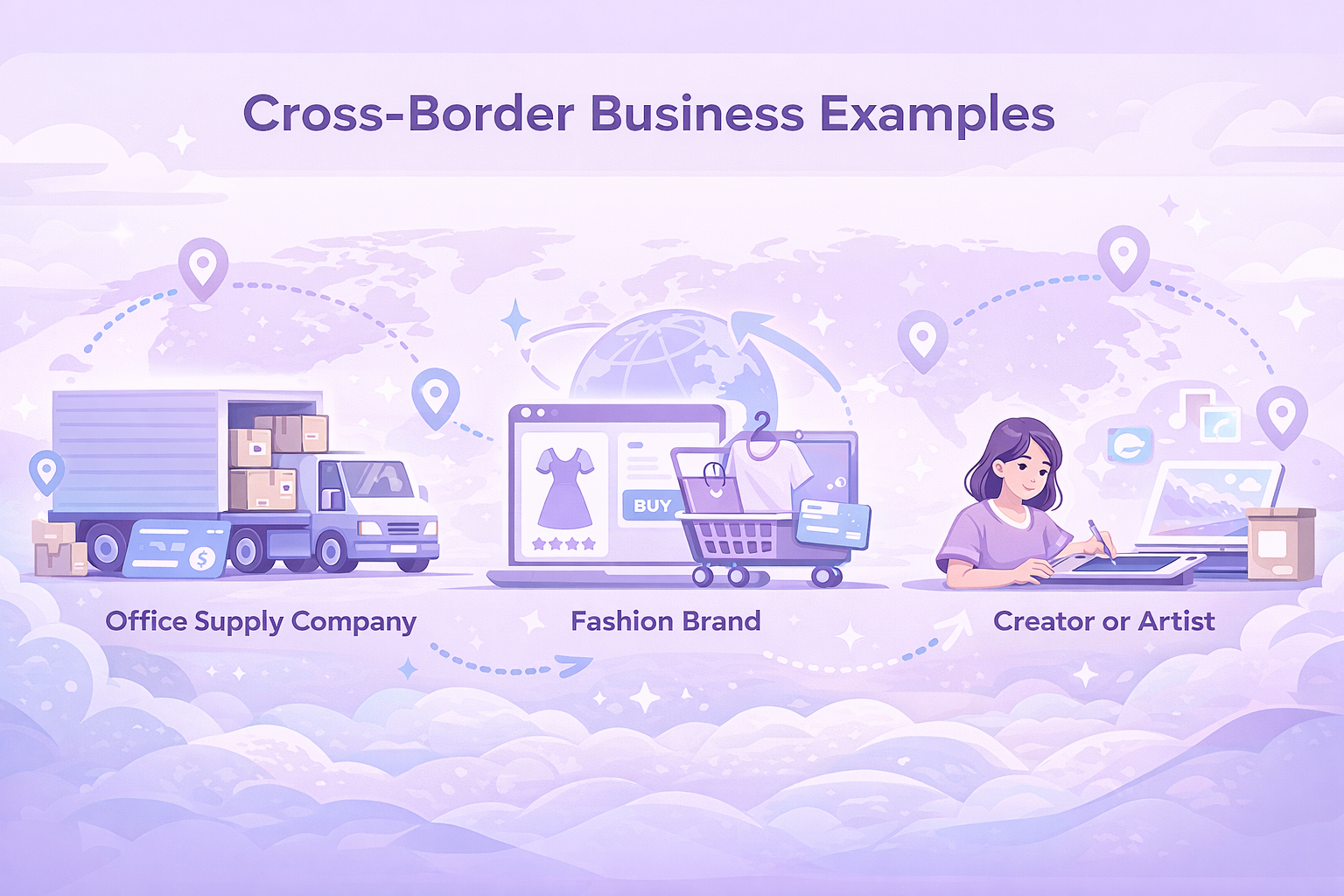
Real-World Examples of Cross-Border Businesses

Cross-border selling shows up in many forms, not just large export operations.

Some common examples include:

  • A US-based office supply company shipping bulk orders to businesses in Europe and Asia.
  • A fashion brand running one ecommerce site but accepting orders from dozens of countries.
  • A creator or artist selling physical or digital products to an international audience through online platforms.

The size of the business matters less than the systems behind it. With the right setup, international reach is no longer limited to enterprise sellers.


Why Sellers Are Looking Beyond Their Home Market

International expansion often starts with one simple motivation. Growth.

Selling globally can help businesses:

  • Reach new customers when domestic demand plateaus.
  • Increase sales volume without launching new products.
  • Take advantage of seasonal demand differences across regions.
  • Build brand awareness in markets with less competition.
  • Reduce reliance on a single economy or marketplace.

According to Amazon data, US-based sellers exported hundreds of millions of items to customers in more than 130 countries in recent years. That scale explains why global selling continues to grow.


The Less Obvious Challenges of Selling Internationally

Cross-border ecommerce comes with real trade-offs. Ignoring them usually leads to margin erosion or operational headaches.

Some of the most common challenges include:

Regulatory and Compliance Requirements

Product standards, labeling rules, and sales regulations vary by country. Some products require certifications, safety documentation, or special approvals before they can be sold.

Localization and Language

Listings that perform well in one country may not translate directly to another. Localization goes beyond language. It includes units of measurement, cultural expectations, and shopping behavior.

Currency Handling and Payouts

Selling in multiple currencies often involves conversion fees and payout timing differences. Without planning, these costs can quietly eat into profits.

Logistics and Customs

International shipping involves customs clearance, import duties, and longer delivery timelines. Sellers may need help from logistics partners or fulfillment networks to keep operations predictable.

Taxes and Additional Fees

VAT, import taxes, and regional duties depend on product category, shipment value, and destination country. These costs must be accounted for upfront.

Amazon offers access to service providers that help with taxes, compliance, translation, and logistics, which can simplify these areas for sellers who prefer expert support.


Before You Expand: 3 Questions to Answer First

Before choosing a country or listing products, it helps to step back and answer a few practical questions.

Is There Proven Demand in That Market

Look beyond population size. Study buying trends, category performance, and local competition. Demand matters more than reach.

Can You Deliver Profitably

Shipping, fees, taxes, and returns all affect margins. If the math does not work at a conservative estimate, expansion will not fix it.

Can You Support Customers Properly

Returns, refunds, and customer questions do not disappear at the border. Decide early how support will be handled across regions and languages.


Practical Steps To Launching International Sales

1. Start With Focused Market Research

Choose one or two countries instead of trying to go global at once. Review economic indicators, category trends, and customer behavior. Combine external data with your own sales insights.

Amazon sellers can use Seller Central tools to explore regional demand and evaluate expansion opportunities across the Americas, Europe, Asia-Pacific, and the Middle East.

2. Select Products That Travel Well

Not every product is suited for cross-border sales. Size, weight, fragility, and regulatory complexity all matter.

Tools inside Seller Central help sellers assess global demand, identify catalog gaps, and understand how products may perform in different regions. Best Sellers lists in local Amazon stores can also provide direction.

Compliance checks should happen early. Some products require testing or documentation before they can be listed internationally.

3. Build a Fulfillment Strategy That Scales

International fulfillment can be handled in two main ways:

  • Fulfillment by Amazon (FBA), where Amazon manages storage, shipping, customer service, and returns.
  • Merchant fulfillment, where sellers ship orders themselves using approved carriers and tools like Amazon Buy Shipping.

Additional options include FBA Export, Remote Fulfillment with FBA, and Amazon Global Logistics for ocean freight. These services are part of Supply Chain by Amazon.

4. Understand Your Full Cost Structure

Profitability depends on more than product cost and shipping.

Be sure to include:

  • Marketplace and fulfillment fees
  • International shipping and handling
  • Taxes, duties, and VAT where applicable
  • Currency conversion costs
  • Returns and customer service expenses

Tools like sales estimators and automated pricing help sellers model margins and adjust pricing dynamically.

5. Localize and Optimize Your Listings

Product listings are the entry point for international customers. Amazon allows sellers to create listings in one store and expand them to other countries using centralized tools.

The Build International Listings feature helps synchronize pricing, update content across regions, and handle currency adjustments. Listings and reviews can often be automatically translated, with manual localization available when needed.

SEO still matters internationally. Keywords, structure, and clarity should match how customers search in each market.


Handling Customer Experience Across Borders

A smooth, predictable customer experience often plays a bigger role in international success than pricing or advertising. When buyers order from another country, clarity and trust matter even more, especially around delivery and support.

Key considerations include:

  • Clear delivery timelines and return policies. Customers should know upfront how long shipping will take, what return options are available, and who covers return costs. Transparent expectations help reduce disputes and negative reviews.
  • Support in local languages where possible. Even basic customer support in a buyer’s native language can significantly improve satisfaction. It reassures customers and makes issue resolution faster and less frustrating.
  • Consistent handling of refunds and exchanges. Refunds, replacements, and exchanges should follow the same clear rules across markets. Consistency helps protect your brand reputation and keeps operations manageable.

Sellers using Fulfillment by Amazon benefit from Amazon-managed customer service in local languages, including handling returns and refunds. Those managing fulfillment themselves can work with external providers through Amazon’s Service Provider Network to offer localized support without building in-house teams.


Scaling Gradually Instead of All at Once

One of the most common mistakes sellers make when going global is trying to expand everywhere at the same time. While the opportunity can be tempting, moving too fast often leads to operational strain, margin issues, and customer experience problems that are hard to fix later.

A more sustainable approach is to expand in phases. Start with a single new country and focus on getting the fundamentals right, from fulfillment and delivery times to customer support and returns. Once operations are stable, take time to review real performance data. Look closely at margins, shipping costs, customer feedback, and support workload to understand what is working and what needs adjustment.

Only after the first market is running smoothly does it make sense to move into the next one. This step-by-step approach reduces risk, keeps complexity under control, and allows you to scale international sales with confidence rather than guesswork.


Manage Global Expansion With WisePPC

As sellers expand into new markets, complexity increases fast. More countries mean more campaigns, more data, and more decisions that need to happen quickly. That is where we come in at WisePPC.

We built WisePPC to give sellers clear visibility and control as they scale internationally. Instead of switching between dashboards or relying on spreadsheets, we bring advertising and sales data into one unified system. This makes it easier to see what is driving results in each market and where adjustments are needed.

Our analytics provide access to real-time and long-term historical data that goes beyond Amazon’s default retention. Sellers can track key metrics like ACOS, TACOS, ROAS, profit, and performance by country, campaign type, or placement. Advanced filtering and multi-metric charts help identify what works in one region and apply it to others.

We also help teams move faster. Bulk actions and on-spot editing make it easy to manage large international accounts without slowing down. Visual performance indicators highlight issues and opportunities at a glance, even across multiple markets.

WisePPC supports a gradual, controlled expansion strategy. You can compare markets, monitor margins, and make data-driven decisions before scaling further. Our goal is to help sellers grow internationally with clarity, efficiency, and confidence.


When Global Selling Makes the Most Sense

International expansion is not a universal solution, and it works best when a business has a solid foundation at home. Going global too early can add complexity without delivering meaningful growth.

Global selling tends to make the most sense when:

  1. Domestic sales are stable. Your core market is performing consistently, with predictable revenue and no major operational issues that still need fixing.
  2. Operations are already efficient. Fulfillment, inventory management, and customer support run smoothly, leaving room to handle the added complexity of cross-border sales.
  3. Products have predictable demand. Your products sell reliably, with clear demand patterns and low uncertainty around returns or quality issues.
  4. Margins can absorb additional costs. Pricing allows enough flexibility to cover shipping, taxes, duties, and currency conversion without eroding profitability.

If these conditions are not in place, focusing on improving internal processes and unit economics often delivers better results than expanding into new markets too soon.


Conclusion

Cross-border ecommerce opens real opportunities for businesses that are ready to think beyond their home market. With the right preparation, selling internationally is no longer reserved for large enterprises. Today, even small and mid-sized sellers can reach customers across multiple regions using centralized tools, flexible fulfillment options, and data-driven decision-making.

That said, global expansion works best when it is intentional. Understanding demand, planning for logistics and compliance, protecting margins, and maintaining a strong customer experience all matter more than speed. Sellers who take a phased, well-researched approach are far more likely to build sustainable international revenue instead of short-lived growth.


Frequently Asked Questions

What is cross-border ecommerce?

Cross-border ecommerce refers to selling products or services online to customers in other countries. It usually involves international shipping, currency conversion, taxes, and localized product listings.
Is cross-border ecommerce profitable for small businesses?

It can be profitable if margins are strong enough to cover additional costs such as shipping, duties, and currency conversion fees. Success depends on product selection, pricing, and fulfillment strategy.

Do I need to register a business in every country I sell to?

In many cases, no. Sellers can operate internationally through marketplaces without setting up a local legal entity in each country, although tax and compliance requirements still apply.

What are the biggest risks of selling internationally?

The main risks include regulatory compliance issues, unexpected logistics costs, currency exchange fees, and inconsistent customer experience. Most of these risks can be reduced with proper planning.

How long does it take to start selling internationally?

Timelines vary depending on the product category, target market, and fulfillment setup. Some sellers launch within weeks, while others take longer due to compliance or localization requirements.

Essential Tips for Building a Brand That Lasts

Building a brand isn’t just about a catchy name or an eye-catching logo. It’s about creating an identity that resonates with people. Whether you’re starting from scratch or looking to refine your existing brand, there are key steps that will help you craft something meaningful and authentic. In this guide, we’ll explore practical tips for building a brand that stands out, makes an impact, and grows with your business. Let’s dive into the essentials!


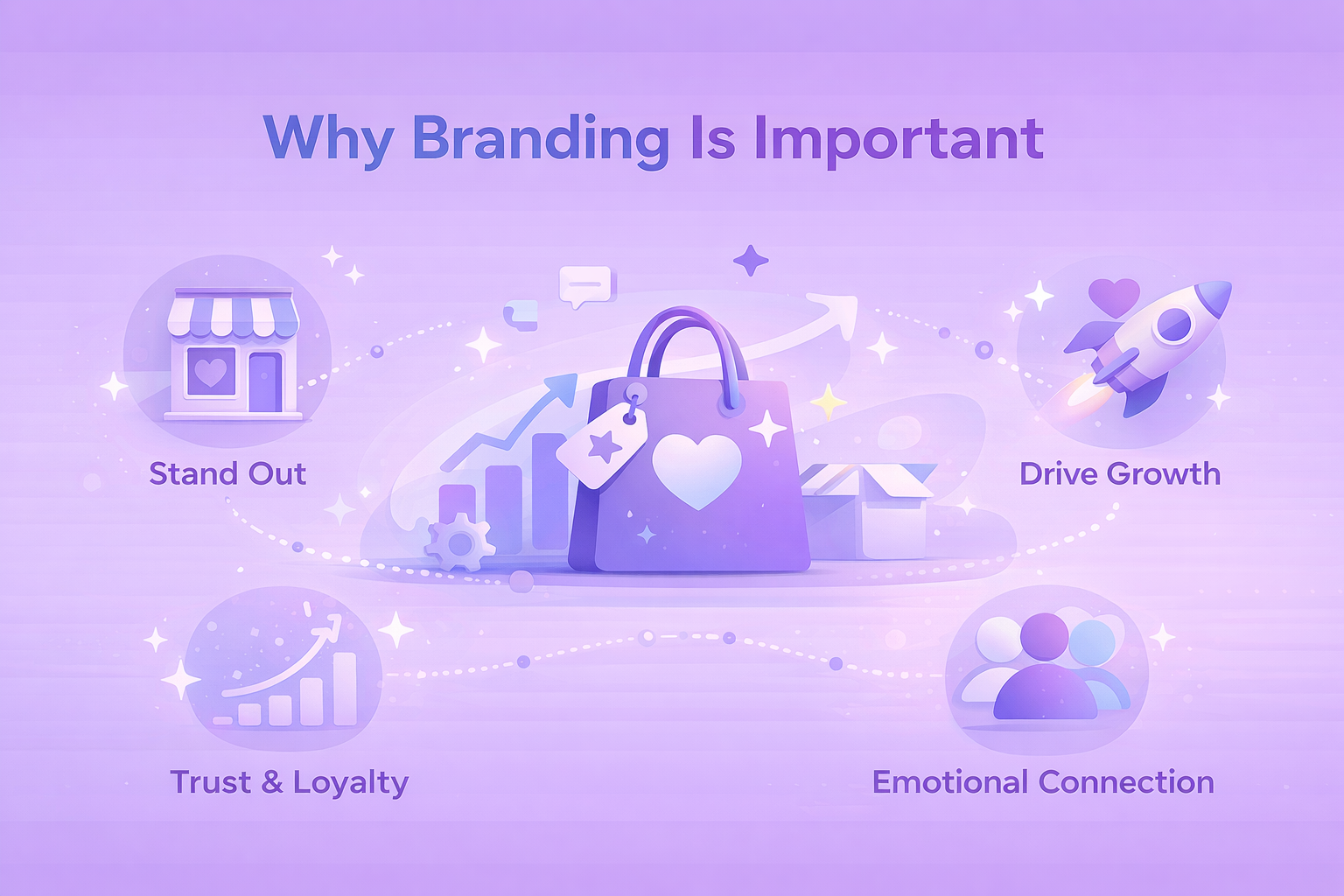
Why Branding Is Important

In today’s competitive marketplace, branding is a fundamental aspect of success. A brand is how your business is perceived, and it plays a critical role in customer decision-making. Think of it as your company’s identity – its personality, values, and purpose. A strong brand can help you differentiate your business from competitors, build customer loyalty, and ultimately drive sales.

Consumers are more likely to choose brands they trust, and they often form emotional connections with brands that align with their values. Branding isn’t just about attracting customers; it’s about building long-term relationships that keep them coming back. Without a clear, consistent brand, businesses can struggle to establish recognition, which can lead to missed opportunities and growth stagnation.


Clear Strategies for Building a Brand

Building a successful brand involves several key strategies that work together to create a cohesive identity. Here are the steps to follow:

1. Start with Clear Brand Positioning

Before you dive into design, marketing, or even product development, it’s crucial to define your brand positioning. This is the foundation of your brand – it’s how you position yourself in the market and how your audience perceives you. Your brand positioning answers key questions like “What sets your business apart from competitors?”, “What unique value do you provide?”, and “How do you want people to feel when they interact with your brand?”.

Brand positioning tips:

  • Mission statement: Your mission statement should clearly define why your business exists and what you’re offering to the market.
  • Vision: Think about your long-term goals and what impact you want to have on your customers, industry, or even society.
  • Values: They should guide every decision, from customer service to product development. Values help to connect emotionally with your customers, making them more likely to trust your brand.

Actionable steps: Develop a clear mission, vision, and values statement. Use these elements to guide every decision, from your marketing strategy to the products you offer.

2. Understand Your Audience and Competitors

No brand can succeed without a deep understanding of its audience and competitors. Your target audience determines how you shape your messaging, products, and overall brand identity. Competitor analysis, on the other hand, helps you identify market gaps, areas for differentiation, and opportunities to provide something better or unique.

Audience and competitor research tips:

  • Create customer personas: These detailed profiles represent your ideal customers.
  • Conduct surveys and polls: Get direct feedback from potential and current customers to understand their needs, frustrations, and what they love about your brand.
  • Identify direct competitors: Who else is offering a similar product or service in your market? Understand their strengths and weaknesses.
  • Analyze competitor brands: Look at how competitors position themselves, their messaging, and how they communicate with their audience.

Actionable steps: Conduct audience surveys and create customer personas. Research your competitors’ brands and identify areas where you can differentiate yourself.

3. Develop a Strong Brand Identity

Your brand identity is the visual and emotional representation of your business. It’s the combination of all the elements that create a perception of your brand in the minds of your audience. A strong brand identity includes not only your logo but also your color palette, typography, imagery, and overall design style.

Key elements of brand identity:

  • Logo: A simple, memorable logo that represents your brand is a must. It should be versatile and scalable, working across different platforms and media.
  • Color palette: Colors evoke emotions and can help convey the personality of your brand.
  • Typography: Your font choices should complement your brand personality. Whether you choose serif or sans-serif fonts, consistency is key.
  • Imagery: The types of images you use on your website, in ads, and on social media should align with your brand’s tone and message.

Actionable steps: Hire a professional designer (or use design tools) to create a strong, versatile logo. Choose a color palette and typography that aligns with your brand values and appeals to your audience.

4. Create a Memorable Brand Name and Slogan

When choosing a brand name, it’s important to keep it short and simple. A concise name is easier to remember and more likely to stick with your audience. Make sure the name is unique and not already in use to avoid confusion or legal issues. It should also be easy to spell and pronounce, ensuring that customers can easily find and refer to your brand.

For your slogan, focus on conveying the core value or benefit your brand offers. A good slogan should be catchy and memorable, making it easy for customers to recall and associate with your brand. It’s also an opportunity to reinforce your brand’s personality, helping to further solidify the emotional connection with your audience.

Actionable steps: Brainstorm brand name ideas that reflect your brand values and are easy to remember. Consider working with a branding professional to craft a slogan that captures your brand’s essence.

5. Build Brand Consistency Across All Channels

Consistency is key to building trust and recognition. Whether customers encounter your brand on social media, your website, or through an ad, the experience should be the same. A consistent brand helps to reinforce your values, mission, and overall identity, making it easier for your audience to remember and connect with you.

Consistency tips:

  • Design consistency: Your visual elements should remain consistent across your website, social media, and offline materials.
  • Tone of voice: Whether you’re posting on social media or writing an email, your tone of voice should reflect your brand’s personality – whether it’s formal, casual, humorous, or authoritative.
  • Content consistency: Keep your messaging aligned with your mission and values. Every piece of content should tell your brand story.

Actionable Steps: Create a brand style guide that includes your logo usage, color palette, typography, and tone of voice. Ensure everyone on your team understands the importance of brand consistency across all platforms.

6. Leverage Social Media and Content Marketing

When it comes to social media, it’s essential to choose the right platforms based on where your audience spends their time. Not every brand needs to be on every platform – focus on the ones that are most relevant to your target audience. Once you’ve chosen the platforms, consistently post content that provides value. Whether it’s educational, entertaining, or inspiring, your content should resonate with your audience and keep them engaged.

For content marketing, blogging is a great way to share valuable insights and solve problems for your audience, establishing your brand as an expert in the field. Similarly, email marketing allows you to communicate directly with your audience, and by personalizing your messages, you can create deeper connections that foster loyalty and trust.

Actionable steps: Develop a content calendar for your social media and blog posts. Engage with your followers regularly by responding to comments and messages.

7. Listen to Customer Feedback and Evolve

A brand that fails to listen to its customers will quickly become irrelevant. Customer feedback is an invaluable resource that can guide your branding efforts and help you improve your products and services. Listening to your audience helps you stay aligned with their needs and desires, which is crucial for long-term brand success.

Feedback tips:

  • Surveys and polls: Regularly survey your customers to get feedback on your products, services, and overall brand experience.
  • Social listening: This can provide insights into how people perceive your brand and what they think about your offerings.

Actionable Steps: Set up systems to gather customer feedback on a regular basis. Use the insights to tweak your brand messaging or improve customer experience.

8. Don’t Be Afraid to Rebrand When Necessary

Sometimes, brands need to evolve. Whether due to market changes, new competition, or shifts in consumer preferences, rebranding can help breathe new life into your business. Rebranding can involve changes to your visual identity, your messaging, or even your company name – whatever is necessary to better connect with your target audience.

Pay attention to signals that your brand is no longer resonating with your audience. If you’ve noticed a decline in engagement or sales, it might be time to rethink your brand. Even when you rebrand, make sure to stay aligned with your mission and values. A successful rebrand should reflect your brand’s evolution, not a complete departure from what you stand for.

Actionable steps: Analyze your current brand performance to determine if rebranding is necessary. Work with a branding expert to ensure your new identity still resonates with your target market.


Tips for Building a Brand on Amazon

If you’re selling on Amazon, building a strong brand becomes even more important. With millions of sellers, standing out can be a challenge, but a well-developed brand will help you capture attention and build customer loyalty.

Enroll in Amazon Brand Registry

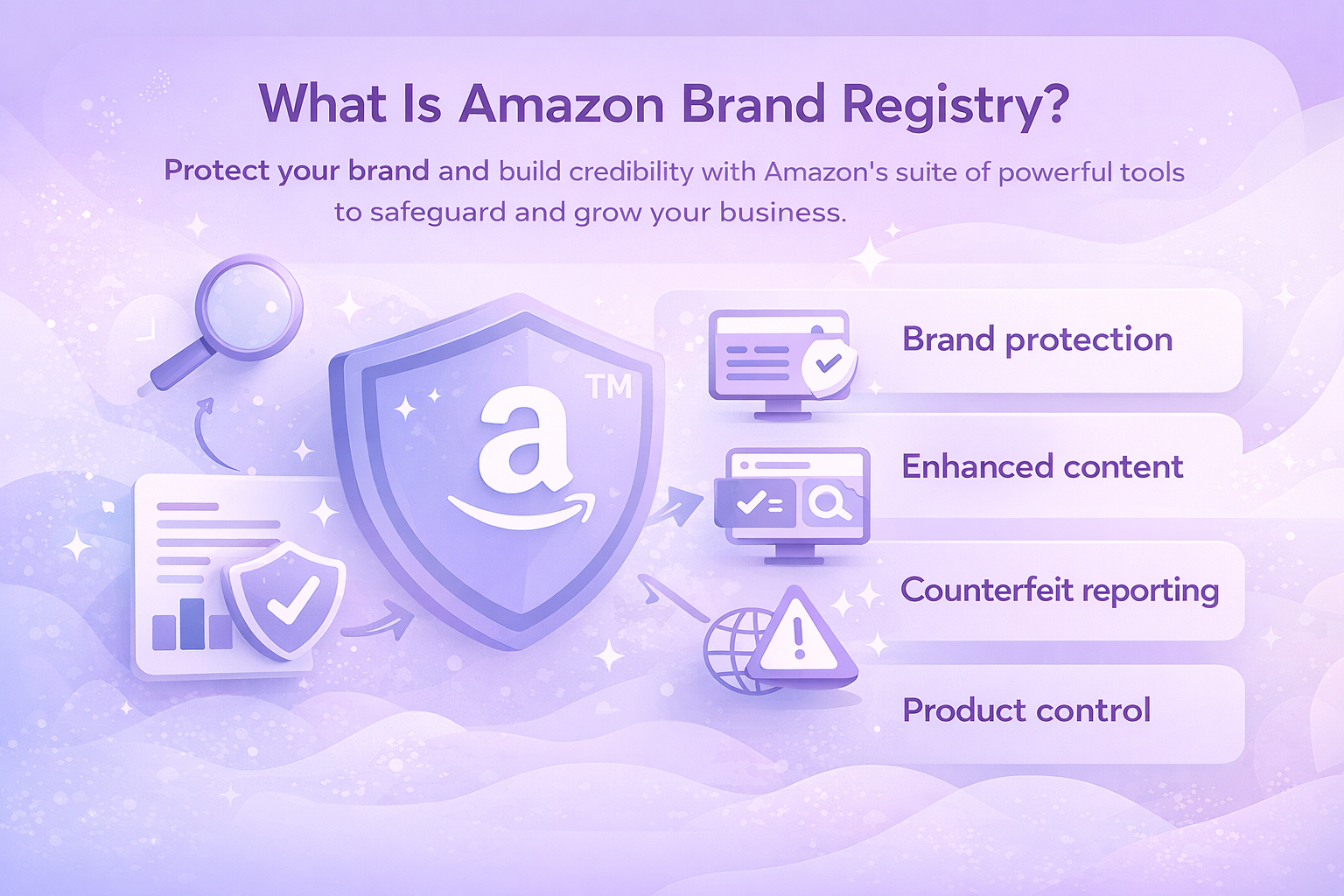
One of the first steps to building your brand on Amazon is enrolling in the Amazon Brand Registry. Amazon Brand Registry offers a range of tools to protect and manage your brand on Amazon. Once registered, eligible brands can access additional content options like A+ Content to enhance their product pages with rich visuals and comparison charts.

Optimize Your Product Listings

Clear, compelling product listings are essential. Ensure your product titles, descriptions, and images reflect your brand and align with your brand values. Use high-quality images and videos to showcase your products and tell your brand story.

Use Amazon’s Brand Building Tools

Amazon provides various tools to help brands grow, including Amazon Stores (a customizable storefront), Customer Reviews, and Brand Analytics. Use these tools to track your performance, respond to customer reviews, and optimize your product listings based on customer feedback.

Leverage Amazon Ads to Boost Visibility

Amazon offers several advertising options, such as Sponsored Products and Sponsored Brands. Utilize these ad formats to promote your products and increase brand awareness. Make sure your ad copy and visuals align with your brand identity to maintain consistency.

Offer Exceptional Customer Service

One of the best ways to build brand loyalty on Amazon is by providing exceptional customer service. Respond promptly to customer inquiries, address complaints swiftly, and ensure your products meet or exceed customer expectations.


Why We’re Essential for Building Your Brand on Amazon

At WisePPC, we understand that building a successful brand on Amazon can feel overwhelming, especially when you’re competing in a crowded marketplace. That’s why we’ve designed a comprehensive toolkit to help businesses like yours unlock the full potential of their marketplace presence. As an Amazon Ads Verified Partner, we follow Amazon’s best practices to ensure our clients get the most out of their ad campaigns while maximizing visibility and sales.

Our platform provides powerful analytics that allow you to dive deep into historical data, track performance in real-time, and make informed, data-driven decisions. We’ve built WisePPC to simplify complexity – whether it’s intelligent ad optimization, bulk actions, or multi-account reporting, every feature is designed to give you more control over your brand’s growth. With multiple metrics at your fingertips, we help you spot trends, monitor results, and fine-tune your strategies to ensure you’re always moving in the right direction.


Conclusion

Building a brand is not a one-time project – it’s an ongoing process. As your business evolves, so too should your brand. Keep listening to your customers, monitor market trends, and be open to rebranding if necessary. A strong brand doesn’t just help you attract customers – it creates lasting relationships that drive long-term success.

By following these strategies – defining your brand positioning, understanding your audience, crafting a compelling brand identity, and leveraging tools like Amazon’s Brand Registry – you’ll be well on your way to creating a brand that stands out and resonates with your target market. Whether you’re selling on Amazon or building a brand elsewhere, consistency and authenticity are the keys to building a brand that lasts.

Remember, your brand is much more than a logo – it’s the story you tell, the promises you keep, and the value you provide. By staying true to your brand’s values and continuously evolving based on customer feedback, you’ll build a brand that thrives in today’s competitive market.


FAQ

1. Why is branding so important for my business?

Branding is the foundation of your business’s identity. It helps differentiate you from competitors, builds trust with customers, and makes you more recognizable. A strong brand doesn’t just attract attention – it creates lasting relationships, drives customer loyalty, and ultimately boosts your sales. In today’s crowded market, a clear and consistent brand is crucial for standing out and making an impact.

2. What are the first steps in building a brand?

The first thing you need to do is define your brand’s core elements: your mission, vision, values, and positioning. This forms the basis for everything else, from your messaging to your visual identity. Next, you should conduct audience research to understand your customers’ needs and competitors’ strategies. Once you have a solid foundation, you can move on to creating a brand name, logo, and consistent visual identity.

3. How do I create a unique brand name and slogan?

Creating a memorable brand name requires a combination of creativity and strategy. It should be short, easy to pronounce, and reflective of your brand’s personality. Once you have a name, think about what your brand represents and try to capture that essence in a short, catchy slogan. Keep it simple and meaningful – something that instantly communicates your brand’s value and resonates with your audience.

4. Can I build a brand without a big budget?

Absolutely! While large budgets can help speed up the process, you can still build a powerful brand with limited resources. Focus on defining your brand’s core message and values, and use low-cost marketing channels like social media, content marketing, and word of mouth to grow your brand. Consistency and authenticity are more important than spending big.

5. How do I stay consistent with my brand across all platforms?

Consistency is key to building a recognizable brand. Make sure your visual elements (logo, colors, typography) and tone of voice remain the same across all platforms – whether it’s your website, social media, or email marketing. To help with this, create a brand style guide that includes your guidelines for design, messaging, and tone. This ensures everyone on your team (and any third-party collaborators) stays aligned with your brand.

Is Amazon FBA Worth It? A Comprehensive Guide for E-Commerce Sellers

If you’re thinking about diving into e-commerce, you’ve probably heard of Amazon FBA (Fulfillment by Amazon). But is it really the golden ticket to growing your business, or are there hidden drawbacks you should be aware of? In this article, we’ll break down the key advantages and challenges of using Amazon FBA to help you decide if it’s the right fit for your business goals. Whether you’re just starting out or looking to scale, we’ll help you make an informed decision.


What Is Amazon FBA?

Amazon FBA is a service provided by Amazon where third-party sellers can store their products in Amazon’s fulfillment centers. Amazon handles everything from warehousing and packing to shipping, returns, and customer service. The main selling point is that it allows sellers to leverage Amazon’s logistics network to reach millions of customers, though international sellers still face local fulfillment challenges.

When you use FBA, your products become eligible for Amazon Prime, which means they can be shipped to customers with the fast, free delivery that Prime members love. This can be a huge advantage in terms of attracting customers and increasing sales.


The Pros of Amazon FBA

Before diving into the potential downsides, let’s take a closer look at the advantages of using Amazon FBA. The service offers several benefits that can make running your e-commerce business smoother and more scalable, especially if you’re looking to grow quickly without worrying about logistics.

Amazon’s Massive Audience

One of the most compelling reasons to use Amazon FBA is the platform’s enormous reach. Amazon provides a vast customer base that would be difficult to tap into on your own. By using FBA, your products can be easily discovered by Amazon shoppers who already trust the platform.

Prime Eligibility

As an FBA seller, your products will be eligible for Amazon Prime. This gives you access to millions of Prime members who are more likely to purchase from you due to the fast shipping and other perks that come with Prime membership.

Global Reach

Amazon FBA allows you to sell in various international markets without the hassle of managing local fulfillment operations. You can reach customers across North America, Europe, and beyond, all using Amazon’s network of fulfillment centers.

Simplicity and Automation

Handling fulfillment can be one of the most time-consuming aspects of running an online business. Amazon FBA eliminates the need to manage inventory, pack orders, and deal with shipping logistics. With FBA, you send your products to Amazon’s warehouses, and Amazon takes care of everything else:

  • Inventory management: Amazon keeps track of your inventory in real-time, so you don’t have to worry about stockouts or overstocking.
  • Customer service and returns: Amazon handles customer inquiries and returns for you, which can save you a significant amount of time and resources.

Scalability and Growth

If you’re looking to scale your business, Amazon FBA is a powerful tool. Since Amazon takes care of logistics, customer service, and returns, you can focus more on growing your product line, marketing, and sales.

Plus, with the ability to store products in Amazon’s global fulfillment centers, you can scale quickly without worrying about warehousing or logistics:

  • Multi-channel fulfillment: Amazon FBA allows you to use their fulfillment services for sales made on platforms other than Amazon, like your own website or eBay.
  • Storage capacity: Amazon’s vast network of fulfillment centers means you can scale your business without needing to invest in warehouses or a large in-house team.

Marketing Benefits

With Amazon FBA, you gain access to Amazon’s powerful marketing tools, including Amazon advertising and promotions. You can use Amazon’s advertising platform to increase product visibility, enhance brand recognition, and drive more traffic to your listings:

  • Advertising: With FBA, your products are eligible for Amazon’s Sponsored Products ads, which can boost visibility and sales.
  • Buy Box Eligibility: FBA sellers are more likely to win the coveted Buy Box on Amazon, which increases product visibility and sales potential.

Enhanced Customer Trust

Amazon’s brand is trusted by millions of consumers worldwide. When you use FBA, your products are part of Amazon’s reliable and well-known fulfillment system. This trust can help convert browsers into buyers.

Prime members trust the FBA system, knowing they’ll receive their items quickly and in perfect condition. Amazon’s hassle-free returns process can give customers peace of mind and increase their likelihood of purchasing from you.


The Cons of Amazon FBA

While Amazon FBA offers many advantages, it’s not without its challenges. Let’s take a look at some of the drawbacks of using the service.

High Fees

FBA comes with several fees, including fulfillment fees, storage fees, and returns processing fees. These costs can add up quickly, especially if you’re selling low-priced or bulky products.

  • Fulfillment fees: These fees cover the cost of picking, packing, and shipping your products. The fees vary depending on the size and weight of your items.
  • Storage fees: If your products sit in Amazon’s warehouses for too long, you’ll incur long-term storage fees. These fees can eat into your profits if your inventory isn’t moving quickly.
  • Additional costs: If your products are returned or require extra handling, you could face additional charges.

Less Control Over Your Products

When you use Amazon FBA, you give up some control over logistics and fulfillment, though sellers still retain control over their product listings. Amazon handles everything from inventory management to packaging and shipping. While this can be an advantage in terms of convenience, it may not be ideal for businesses that want to provide a highly personalized customer experience.

If you’re a brand-focused business, you may prefer to have more control over your packaging and presentation. With FBA, Amazon uses standardized packaging, which may not align with your branding. While Amazon tracks your inventory, it can sometimes lead to stockouts or inventory errors that can hurt your business.

Strict Policies and Rules

Amazon FBA has strict policies in place that you must follow, and these can be challenging for some sellers to navigate. From labeling requirements to product restrictions, there are many rules that FBA sellers must adhere to:

  • Product restrictions: Certain products may not be eligible for FBA due to Amazon’s restrictions, especially in regulated categories like health and beauty.
  • Amazon’s control: Amazon has control over the way your listings are presented, which may limit your ability to customize your storefront.

Increased Competition

With millions of sellers using Amazon FBA, competition can be fierce. Your product listings are displayed next to competing products, which can make it harder to stand out, but focusing on niche markets can still offer opportunities.

Sellers often compete on price, which can erode profit margins. If you’re unable to differentiate your products, you might struggle to stand out from the crowd. While FBA increases your chances of winning the Buy Box, you’re still competing with other FBA sellers for that spot.


Is Amazon FBA Too Saturated?

One concern that many new sellers have is that the Amazon marketplace is too saturated, making it difficult to succeed. While it’s true that more sellers are joining the platform, the demand for products on Amazon is also increasing. Amazon’s Prime membership continues to grow, and more buyers are turning to Amazon for their shopping needs.

In fact, Amazon FBA can still be a lucrative opportunity, especially when you take the right approach. It’s not about entering a market that’s too crowded; it’s about finding a niche, offering high-quality products, and standing out from the competition.


How to Succeed with Amazon FBA

If you’re thinking about using Amazon FBA, here are a few key strategies to help you succeed:

1. Know Your Numbers

Before you start selling, it’s crucial to have a clear understanding of your costs, profit margins, and fees. Use tools like the Amazon Revenue Calculator to estimate your FBA fees and determine if the margins are worth it.

2. Choose the Right Products

Product selection is one of the most important aspects of Amazon FBA success. Look for products that are in demand, have good profit margins, and are not overly saturated with competitors. Research your niche thoroughly and use Amazon tools to identify high-performing products.

3. Optimize Your Listings

Your product listings need to stand out. Invest time in writing compelling product descriptions, using high-quality images, and including relevant keywords. A well-optimized listing will improve your chances of getting noticed by potential buyers.

4. Use Amazon’s Advertising Tools

Amazon offers a range of advertising tools to help you increase visibility and drive traffic to your listings. Sponsored Products ads, in particular, can help your products appear at the top of search results and increase conversions.

5. Monitor and Optimize

FBA isn’t a set-it-and-forget-it solution. Regularly monitor your sales data, inventory levels, and advertising performance to ensure your business is on track. Make adjustments as needed to stay competitive and maximize profits.


Integrating WisePPC with Amazon FBA: A Game-Changer for Sellers

At WisePPC, we understand the challenges of managing and optimizing your Amazon FBA business. That’s why we’ve designed a platform that helps e-commerce businesses like yours unlock the full potential of their marketplace presence. Whether you’re selling on Amazon, Shopify, or multiple channels, we provide the advanced tools and analytics you need to grow faster and smarter.

With WisePPC, we give you the visibility and control to manage your FBA business more efficiently. Our platform consolidates all your key metrics – advertising performance, sales data, and profit margins – into one easy-to-use dashboard. This means no more juggling third-party tools or spreadsheets. We make it simple for you to track real-time performance, optimize your campaigns, and make data-driven decisions that accelerate your growth.


Conclusion

So, is Amazon FBA worth it? The answer depends on your business goals, resources, and willingness to adapt to the platform’s challenges. For many sellers, FBA is a powerful way to scale their business, reach millions of customers, and simplify logistics.

However, FBA isn’t without its challenges. The costs can add up, and you’ll have less control over certain aspects of your business. But if you’re willing to put in the work, understand the costs, and make smart decisions, Amazon FBA can be a profitable and scalable solution.

In the end, it’s all about finding the right approach, choosing the right products, and staying committed to growing your business. If you’re ready to dive in, Amazon FBA can provide the tools and resources you need to succeed in the competitive world of e-commerce.


FAQ

1. How much does Amazon FBA cost?

The cost of using Amazon FBA varies depending on the type, size, and weight of your products. You’ll pay for storage, fulfillment (picking, packing, and shipping), and additional services like returns processing. Amazon charges a monthly storage fee based on the space your products occupy, and a fulfillment fee for each unit sold.

2. Is Amazon FBA profitable?

Yes, Amazon FBA can be profitable, but it depends on how well you manage your costs and scale your operations. By leveraging Amazon’s extensive logistics network and Prime eligibility, you can reach a massive audience and increase sales. However, to make FBA truly profitable, you’ll need to carefully select your products, optimize your listings, and monitor your costs closely.

3. How does FBA affect my Amazon ranking?

Using FBA can positively impact your Amazon ranking, particularly because your products become eligible for Amazon Prime. This means your products will be eligible for two-day shipping, which is a big selling point for many customers. Additionally, FBA products tend to get better visibility in search results and have a higher chance of winning the Buy Box, which can significantly increase your sales.

4. What are the biggest challenges with Amazon FBA?

While Amazon FBA offers many benefits, there are some challenges to consider. The biggest challenge is the cost – FBA fees can eat into your margins if you’re not careful with your pricing and inventory management. Additionally, you have less control over the fulfillment process, which means your products will be packaged and shipped according to Amazon’s standards.

5. Can I manage an FBA with a small business?

Absolutely. Many small businesses use FBA to scale efficiently without needing to invest heavily in warehousing or logistics. FBA takes care of the heavy lifting, allowing you to focus on growing your product range, marketing, and customer relationships. However, it’s important to keep track of your inventory and manage costs to ensure that the fees don’t cut into your profits as you grow.

How Amazon Brand Registry Can Protect and Elevate Your Brand: Is It Worth It?

If you’re building a brand on Amazon, protecting your intellectual property and ensuring your products stand out is crucial. Amazon Brand Registry offers a suite of tools designed to help you do just that. Whether you’re aiming to prevent counterfeit issues, improve your product listings, or access exclusive marketing tools, Brand Registry is an essential step in the process. In this guide, we’ll dive into what Amazon Brand Registry is, how it works, and why it’s a game-changer for businesses selling on the platform.


What Is Amazon Brand Registry?

Amazon Brand Registry is a free program designed to protect the intellectual property of brands selling on Amazon. It offers brand owners access to a suite of tools that help protect their brand from infringement, improve product listings, and build brand credibility. This program provides enhanced content tools, streamlined reporting of counterfeit products, and the ability to control product detail pages more effectively.

The main purpose of Amazon Brand Registry is to ensure that only authorized sellers can list products under a particular brand, safeguarding the brand’s identity and customer trust. It also provides exclusive tools that can help you better market and grow your brand, ensuring that your business is well-positioned for long-term success.


Key Benefits of Amazon Brand Registry

When you enroll in Amazon Brand Registry, you gain access to several valuable benefits. Below are the key advantages of using the program:

1. Brand Protection

Brand protection is one of the top reasons businesses sign up for Amazon Brand Registry. The program offers powerful tools to help you detect and report suspected intellectual property (IP) infringement. This means you can quickly take action against counterfeiters, unauthorized sellers, and other bad actors who may harm your brand. Amazon’s automated tools will help identify violations and block them before they impact your customers.

  • Automated protection: Once enrolled, you can leverage Amazon’s proactive protection system that monitors listings for potential IP violations.
  • IP violation reporting: You can easily report any product listing that violates your brand’s intellectual property rights.
  • Project Zero: This program automates the removal of counterfeit listings, allowing eligible brands to take action against counterfeits more efficiently.

2. Improved Product Listings

Once enrolled, you can enhance your product listings with more detailed and informative content. Amazon Brand Registry gives you access to A+ Content, a feature that allows you to add multimedia elements like enhanced images, comparison charts, and product descriptions. This helps create a richer shopping experience for potential buyers:

A+ Content lets you improve your listings by adding high-quality images, detailed descriptions, and videos. Content Control allows brand owners to get more control over their product detail pages, ensuring that only the most accurate and up-to-date information is displayed.

3. Access to Exclusive Marketing Tools

Being a part of Amazon Brand Registry opens the door to a variety of marketing opportunities. The tools provided allow you to better market your products and increase sales potential.

Amazon Stores

Design your own branded storefront on Amazon. This allows you to showcase your products in a more personalized way and create a better customer experience.

Sponsored Brands

This allows you to create advertisements that feature your brand logo, a custom headline, and multiple products. It helps increase visibility and drives more traffic to your listings.

Amazon Vine

Amazon Vine helps you gather customer reviews from trusted reviewers in the Vine Voices program. Positive reviews from legitimate sources can help build your brand’s reputation.

4. Analytics and Insights

Amazon Brand Registry provides analytics tools that help you understand customer behavior, track your brand’s performance, and make data-driven decisions. You can access Brand Analytics, which shows how your customers search for your products, what keywords they use, and what their purchasing habits are:

  • Brand metrics: Measure the effectiveness of your advertising campaigns, track sales trends, and compare your performance with industry benchmarks.
  • Brand referral bonus: This feature allows you to earn credits from your non-Amazon marketing efforts.

5. Faster Enrollment with IP Accelerator

If you don’t yet have a trademark, Amazon offers the IP Accelerator program. This connects you with vetted legal service providers who can help you register your trademark more quickly and at competitive rates. Once your trademark is registered or pending, you can immediately start enjoying the benefits of Brand Registry while your trademark application is being processed.


Who Should Enroll in Amazon Brand Registry?

While Amazon Brand Registry offers benefits to any brand selling on Amazon, it is particularly useful for certain types of businesses. Here are some examples of who should consider enrolling:

  • Established brands: If you have an established brand and want to protect your intellectual property and increase sales, Brand Registry is an essential step.
  • Brands expanding globally: If you plan to expand your brand’s presence on Amazon internationally, enrolling in Brand Registry ensures that you can monitor and protect your brand across multiple marketplaces.
  • New sellers with trademarks: If you’ve recently trademarked your brand or are in the process of registering, enrolling in Brand Registry can help you build a professional and protected storefront from the beginning.


Enrollment Process for Amazon Brand Registry

The process of enrolling in Amazon Brand Registry is straightforward but requires some preparation. Here’s a step-by-step guide to getting started:

1. Verify Your Eligibility

Before you start the enrollment process, ensure that your brand has a registered or pending trademark with the relevant government intellectual property office. You’ll need to provide proof of this during the enrollment process.

Your trademark must be an active or pending registration with a recognized intellectual property office in the country where you wish to enroll. The trademark must cover your brand name and logo, which you will need to provide during the application.

2. Create a Brand Registry Account

To begin, create a Brand Registry account using your existing Amazon Seller Central or Vendor Central login. This links your selling account with Brand Registry and allows you to access all the tools provided.

3. Provide Your Brand Information

You’ll be asked to fill out several details about your brand, including:

  • Your brand’s name and logo.
  • Trademark registration number or application number.
  • A clear image of your product or packaging showing the brand name permanently affixed.

4. Submit Your Application

After filling out the required information, submit your application. Amazon will review the details and contact a public contact listed on your trademark registration for verification. This person will provide a verification code that you will enter to complete the process.

5. Access Your Brand Tools

Once approved, you’ll gain access to the suite of tools available through Brand Registry. From here, you can start enhancing your listings, protecting your brand, and analyzing performance.


Common Mistakes to Avoid During Enrollment

While enrolling in Amazon Brand Registry is relatively simple, there are a few common mistakes that can delay your application or lead to rejection. Here’s what to watch out for:

Discrepancies with Your Brand Name

Ensure that the brand name you enter during enrollment matches exactly with the trademark registration. Even minor discrepancies, such as extra spaces or different capitalization, can cause issues.

Incorrect Image Submissions

Only submit images where your brand name is permanently affixed to the product. Stickers, labels, or removable tags won’t meet the requirements, so ensure your product packaging complies with the guidelines.

Trademark Type Mismatch

If your trademark is a design mark (image-based with words, letters, or numbers), make sure to upload an exact copy of the mark as it appears on the trademark certificate. Avoid uploading the full trademark certificate.


WisePPC: A Powerful Tool for Brand Success

At WisePPC, we understand the complexities of managing and growing your brand across multiple online marketplaces. Our platform is designed to help businesses maximize the efficiency of their marketplace presence with advanced sales and advertising analytics. Whether you’re selling on Amazon, Shopify, or other channels, WisePPC gives you the visibility and control you need to make smarter decisions and scale your business faster.

One of the key features that sets WisePPC apart is its powerful analytics toolkit. With numerous metrics available, our platform enables you to track everything from campaign performance to inventory trends. This comprehensive data lets you make informed decisions in real time, reducing wasted ad spend and optimizing campaign efficiency. The ability to monitor performance at a granular level, even on an hourly basis, provides you with the insights needed to adjust strategies quickly and effectively.


Conclusion

In a marketplace as vast and competitive as Amazon, safeguarding your brand is more important than ever. Amazon Brand Registry provides you with the tools necessary to protect your intellectual property, enhance your product listings, and access exclusive marketing opportunities. Whether you’re just starting out or looking to expand your brand’s presence, enrolling in Brand Registry is a crucial step in ensuring long-term success on Amazon.

By enrolling in the program, you’ll not only protect your brand but also gain valuable insights and tools to help grow your business. Don’t wait, start the process today and unlock all the benefits Amazon has to offer.


FAQ

1. What is Amazon Brand Registry and why should I enroll?

Amazon Brand Registry is a free program designed to help protect your brand on Amazon. It gives you the tools to safeguard your intellectual property, enhance your product listings, and access exclusive marketing opportunities. If you’re a brand owner selling on Amazon, Brand Registry helps you stay in control of your brand, from protecting against counterfeit products to improving how your products are presented on the platform.

2. Do I need a trademark to join Amazon Brand Registry?

Yes, you need either a registered trademark or a pending trademark application to enroll in Amazon Brand Registry. The trademark must be issued by an approved government intellectual property (IP) office. If you don’t have a trademark yet, Amazon’s IP Accelerator program can help you secure one and speed up the enrollment process.

3. How can Amazon Brand Registry help me protect my brand?

Once you’re enrolled, Amazon Brand Registry offers automated tools that help detect and report intellectual property infringements. The program can block unauthorized sellers and counterfeit products before they affect your brand. You also get access to Project Zero, which allows you to remove counterfeit listings directly from the platform, giving you more control over your brand’s presence.

4. Can I use Amazon Brand Registry if I don’t sell directly on Amazon?

Yes, you can still enroll in Amazon Brand Registry even if you don’t sell directly on the platform. A+ Content and Amazon Stores are available only to those with a seller account, while other protective features like reporting violations are available even for non-sellers who are brand owners.

5. What happens if my trademark application is still pending?

If your trademark is pending, you can still apply for Amazon Brand Registry. Amazon allows you to enroll with a pending trademark registration, so you don’t have to wait until it’s fully approved to start protecting your brand. You’ll be able to access most of the benefits of Brand Registry while your trademark application is being processed.

6. How do I submit a violation if I spot counterfeit products?

Brand Registry makes it easy to report violations directly through the platform. You can submit complaints about counterfeit products or intellectual property infringements, and Amazon’s system will use automated feedback loops to block or remove the listings quickly. You’ll be able to monitor the status of these reports to ensure your brand is protected.

7. Can I manage multiple brands with Amazon Brand Registry?

Yes, Amazon Brand Registry allows you to manage multiple brands under a single account. This makes it easier for businesses with multiple trademarks or product lines to monitor and protect their entire portfolio, all in one place. If you own several brands, Brand Registry helps you streamline the management of each brand’s protections and listings across Amazon.

Amazon Accelerate 2026: Everything You Need to Know About the Event

Amazon Accelerate 2026 is just around the corner, and it’s the perfect opportunity for sellers to unlock new growth opportunities. Whether you’re new to the platform or an experienced seller, this event will offer invaluable insights, hands-on sessions, and expert advice to help take your Amazon business to the next level. From optimizing your ad campaigns to expanding your global reach, Amazon Accelerate 2026 is packed with actionable strategies designed to fuel your success. Here’s everything you need to know about the event, and why you shouldn’t miss it!


What Is Amazon Accelerate 2026?

Amazon Accelerate is Amazon’s premier annual seller conference, and it is specifically designed for Amazon sellers at all stages of their journey. The event is set to take place in Seattle, WA, from September 22-24, 2026. It’s a three-day affair filled with hands-on sessions, expert panels, networking opportunities, and one-on-one meetings with Amazon leaders and industry experts.

For Amazon sellers, this event offers exclusive access to content focused on optimizing your business, from advertising and product research to global supply chain strategies. Whether you’re looking to enhance your advertising campaigns, improve operational efficiency, or learn the latest Amazon tools, this event has something for you.

However, consider that many details are still being finalized, including the lineup of speakers, specific session topics, and the full list of partners and service providers. As the event approaches, more information will become available to ensure a truly transformative experience.


Why Attend Amazon Accelerate 2026?

Amazon Accelerate 2026 is an essential event for anyone looking to level up their Amazon business. It offers the chance to learn from experts, discover new tools, and network with other sellers. Whether you’re optimizing ads or refining your supply chain, this event will provide actionable insights to help you grow and succeed.

1. Learn from Industry Experts

Amazon Accelerate brings together influential figures from the e-commerce world, including Amazon executives, successful sellers, and industry leaders. While specific speakers for 2026 are yet to be confirmed, you can expect to hear from top Amazon executives and other experts who will share valuable insights to help you grow your business.

2. Discover the Latest Amazon Tools and Features

Amazon Accelerate is a great opportunity to dive deep into the platform’s newest tools and features, especially in areas like advertising optimization, sales analytics, and artificial intelligence (AI). The event may introduce you to cutting-edge solutions that can help your business thrive in a competitive market. These tools will give you better insights into performance metrics, ad strategies, and market trends.

3. Take Part in Hands-On Sessions and Workshops

One of the highlights of the conference is the hands-on sessions. These sessions are designed to teach you practical skills, from fine-tuning ad campaigns to using advanced analytics tools. You’ll also get a closer look at how global supply chains work and learn about strategies to enhance your product’s visibility in different markets.

4. Explore Networking Opportunities

Connecting with fellow sellers is a crucial part of any business event, and Amazon Accelerate provides ample opportunities to network. You’ll be able to engage in themed meetups and peer sessions, allowing you to build valuable relationships that can help you grow your Amazon business. These connections often lead to collaboration opportunities, partnerships, and shared insights.


Key Features of Amazon Accelerate 2026

Amazon Accelerate 2026 promises to be an invaluable event for sellers looking to grow and optimize their businesses on Amazon. While specific details about the event are still to be confirmed, based on past Accelerate events, here are some key features you can likely expect:

Expert-Led Sessions and Panels

One of the main attractions of Amazon Accelerate is the opportunity to hear from industry experts and Amazon executives. These sessions typically cover a variety of crucial topics, such as:

  • Advertising optimization: Best practices for managing Amazon ads, increasing visibility, and optimizing campaigns to maximize return on investment.
  • Product research: In-depth exploration of market research tools and strategies to identify high-demand products that resonate with your audience.
  • Global supply chain strategies: Insights into improving supply chain efficiency, reducing costs, and scaling operations effectively.

Expect these sessions to provide practical, actionable advice to help you refine your strategies and grow your Amazon business.

Curated Partner Connect Meetings

Another major feature is the Partner Connect experience. This provides an opportunity to meet with service providers and explore solutions tailored to your business. Whether it’s inventory management, shipping solutions, or advanced analytics tools, Partner Connect will help you discover new partnerships and services that can enhance your business operations.

Seller Success Stories

Throughout the event, you’ll likely hear firsthand stories from successful Amazon sellers. These sessions provide valuable real-world insights into what has worked in the marketplace, the challenges sellers face, and how to overcome obstacles. These success stories will offer inspiration and practical takeaways you can apply to your own business.

Exclusive Discounts for Amazon Tools

Attendees of Amazon Accelerate often enjoy exclusive discounts on Amazon services, such as software tools and platform features. These discounts are a great way to implement new strategies and tools while saving money.

Seller Sandbox

The Seller Sandbox is typically an interactive feature where you can test new tools and features in a real-world environment. Whether you’re experimenting with AI-driven tools or trying out advanced filtering for ads, the Sandbox offers a risk-free space to get hands-on experience with the latest features, giving you a head start in applying them to your business.


Benefits of Attending Amazon Accelerate 2026

Attending Amazon Accelerate 2026 is more than just a chance to learn from experts – it’s an opportunity to immerse yourself in the latest trends, tools, and strategies that can transform your Amazon business. Whether you’re looking to optimize your ad campaigns, streamline operations, or connect with like-minded sellers, the event will provide a wealth of resources to help you grow. Here’s a look at the key benefits you can expect from attending:

  • Gain new insights and skills: You’ll come away with new knowledge on how to optimize your advertising, streamline your operations, and expand your business.
  • Stay ahead of trends: With Amazon continually evolving, attending the event ensures you’re always at the forefront of the latest trends in e-commerce.
  • Maximize business efficiency: Learning how to streamline your business processes will allow you to run a more efficient, profitable business.
  • Expand your network: No matter what your goal is, Amazon Accelerate creates opportunities to expand your professional network.


How to Register for Amazon Accelerate 2026

Registration for Amazon Accelerate 2026 will be available in the coming months. To stay updated on registration details and to secure your spot at the event, you can subscribe to Amazon’s email list. Keep in mind that in-person registration will be limited and offered on a first-come, first-served basis, so it’s important to act quickly when registration opens.


Preparing for Amazon Accelerate 2026

To make the most out of the event, here are a few steps you can take:

  • Identify your goals: Knowing what you want to learn will help you prioritize which sessions and workshops to attend.
  • Plan your schedule: Review the event agenda and map out the sessions you want to attend to ensure you don’t miss out on the most relevant content.
  • Network beforehand: Use the networking opportunities to connect with other sellers and experts before the event.


Leveraging WisePPC for Your Success at Amazon Accelerate 2026

At WisePPC, we specialize in providing advanced analytics tools that empower businesses to unlock the full potential of their marketplace presence. As you prepare for Amazon Accelerate 2026, our platform offers the visibility and control you need to optimize your campaigns and drive growth. Whether you’re selling on Amazon, Shopify, or multiple channels, WisePPC allows you to dive deep into real-time performance metrics and historical data, ensuring you can make smarter, data-driven decisions every day.

Our platform offers a variety of features to streamline your workflow and improve your efficiency. With tools like bulk actions for updating campaigns in a few clicks and automated optimization for real-time ad adjustments, you can save time and focus on what truly matters – growing your business. Additionally, our long-term data storage ensures you never lose insights from past campaigns, giving you the ability to track trends and optimize your sales strategy over time. As you gain new insights from Amazon Accelerate, we at WisePPC help you implement those strategies with ease and precision.


Conclusion: Don’t Miss Out on Amazon Accelerate 2026

Amazon Accelerate 2026 is more than just an event; it’s an opportunity to learn, grow, and connect with like-minded individuals who are all striving to succeed on the Amazon platform. With expert-led sessions, hands-on experiences, and unique networking opportunities, this event is essential for any Amazon seller serious about taking their business to new heights. Mark your calendar for September 22-24, 2026, and start preparing to join the Amazon community in Seattle. Get ready for an unforgettable experience that will equip you with the tools, insights, and connections you need to thrive in the ever-evolving world of e-commerce.


FAQ

1. What exactly is Amazon Accelerate 2026?

Amazon Accelerate 2026 is Amazon’s annual seller conference designed to help sellers of all levels grow their businesses. Held in Seattle from September 22-24, it’s packed with expert-led sessions, hands-on workshops, and networking opportunities. Whether you’re looking to optimize your ads, improve your supply chain, or connect with other sellers, this event has something for everyone.

2. How can attending Amazon Accelerate benefit my business?

By attending Amazon Accelerate, you’ll gain firsthand access to new tools and strategies that can take your business to the next level. You’ll learn from industry experts, hear success stories, and get personalized guidance on everything from ad optimization to scaling your operations. This is your chance to gather actionable insights that you can immediately apply to boost sales and improve your efficiency.

3. How do I register for the event?

Registration for Amazon Accelerate 2026 will be available soon. Be sure to sign up for updates so you don’t miss the chance to secure your spot. In-person attendance is limited, so it’s important to register early once the sign-up window opens.

4. Is Amazon Accelerate 2026 suitable for new sellers?

Absolutely! Whether you’re a seasoned seller or just starting out, Amazon Accelerate offers valuable content for all experience levels. There will be sessions tailored to both beginners and advanced users, making it an ideal event for anyone looking to learn and grow within the Amazon ecosystem.

5. What should I expect at the networking events?

The networking opportunities at Amazon Accelerate are fantastic for connecting with fellow sellers, service providers, and Amazon experts. There will be themed meetups, peer sessions, and one-on-one meetings, all designed to help you build relationships that can lead to collaborations and new business opportunities.

New Seller Guide: Everything You Need to Start Strong on Amazon

Starting your journey as a seller on Amazon can feel overwhelming, but the New Seller Guide makes it easier. Designed with fresh sellers in mind, this guide offers a roadmap filled with essential tools, resources, and incentives that set you up for success from day one. Whether you’re just launching your first product or expanding to a new marketplace, the guide ensures you have the support and strategies to drive growth and boost your sales. Let’s dive into how you can use this guide to make your first 90 days a success.


What Is the Amazon New Seller Guide?

The Amazon New Seller Guide is a comprehensive set of tools, services, and incentives aimed at helping new sellers succeed on Amazon. Whether you’re launching your first product or expanding into a new marketplace, the guide provides a roadmap that simplifies the process, helping you avoid common pitfalls and take full advantage of Amazon’s vast ecosystem. The guide is built on data-driven strategies and offers everything from brand protection to advertising tools, ensuring that new sellers can hit the ground running.


The First Step: Setting Up Your Professional Selling Account

Before you can access all the features of the New Seller Guide, you need to sign up for a Professional Selling Account on Amazon. This account gives you access to a range of tools and services that are essential for business growth.

Why choose a professional selling account:

  • More control over your listings: Professional sellers can create multiple listings, offer promotions, and use Amazon’s advanced tools.
  • Access to more selling tools: From advertising to fulfillment options, a Professional account unlocks features that help you scale your business.
  • Growth potential: If you’re serious about growing your business on Amazon, a Professional account is a must.

Once you’ve set up your account, you’ll have access to tools like Automate Pricing, Fulfillment by Amazon (FBA), and Amazon’s advertising tools – all key components of the New Seller Guide.


The Key Features of the New Seller Guide

The Amazon New Seller Guide offers a variety of services to help you grow your business. Below, we break down the most important features and how they can help you succeed.

1. Brand Registry: Protect and Build Your Brand

Brand protection is one of the most critical aspects of selling on Amazon, and Amazon Brand Registry helps you safeguard your intellectual property. Enrolling your brand in Amazon Brand Registry gives you greater control over your product listings and enables you to access a suite of protection tools.

Benefits of brand registry:

  • Brand protection: Amazon’s proactive measures help identify and block suspected counterfeit listings.
  • Enhanced visibility: Your listings receive more visibility and priority in search results.
  • Access to advanced tools: You get access to A+ Content, Sponsored Brands ads, and more, which can help drive sales.

2. A+ Content: Enhance Your Listings and Increase Sales

Once you’re enrolled in Brand Registry, you can use A+ Content to enhance your product listings. A+ Content allows you to add high-quality images, videos, and detailed product descriptions that help showcase your products in the best light.

Why use A+ Content:

  • Improved customer experience: Detailed and visually appealing listings provide customers with all the information they need to make a purchase.
  • Increased sales: Studies suggest that A+ Content can improve conversion rates and enhance product visibility, but consider that its impact on sales may vary.
  • A/B testing: You can run experiments to find out which images, descriptions, and titles resonate best with your audience.

3. Amazon Vine: Boost Engagement with Reviews

Customer reviews are crucial for building trust with potential buyers. With Amazon Vine, you can enhance your product reviews by enrolling your products and providing free units to trusted reviewers. Vine helps generate high-quality reviews from credible sources, which can significantly boost your product’s credibility. Additionally, Amazon Vine can contribute to increased product visibility when combined with other factors, such as strong sales performance.

4. Fulfillment by Amazon (FBA): Outsource Shipping and Customer Service

One of the best features of Amazon is the ability to outsource your shipping and customer service through Fulfillment by Amazon (FBA). With FBA, you send your products to Amazon’s warehouses, and they handle storage, packing, shipping, and customer service.

Why use FBA:

  • Prime eligibility: FBA products are eligible for Amazon Prime, increasing their visibility and appeal to a large customer base.
  • Outsource logistics: Let Amazon handle most logistics (remember that you will still need to ensure compliance with their requirements and manage your inventory effectively).
  • Global reach: FBA allows you to sell across multiple marketplaces worldwide without worrying about fulfillment.

5. Automate Pricing: Stay Competitive

Pricing is one of the most critical factors in driving sales on Amazon. Automate Pricing is a tool that allows you to set pricing rules that keep your products competitive, without constantly adjusting prices manually.

Why automate pricing:

  • Save time: Automatically adjusts prices based on the competition, ensuring that your products remain competitive at all times.
  • Stay ahead of competitors: Pricing your products competitively can help you win the “Buy Box,” which is crucial for driving sales.
  • Increase efficiency: No need to monitor prices constantly – Automate Pricing takes care of it for you.

6. Advertising: Make Your Products Discoverable

Amazon’s advertising tools are crucial for driving traffic to your listings. Through Sponsored Products and Sponsored Brands ads, you can ensure that your products are discoverable by the right audience.

Amazon Advertising offers several benefits for sellers. It helps increase your product’s visibility by placing your ads in relevant search results, making it easier for customers to discover your products. With measurable results, you can track the performance of your ads and make adjustments to improve their effectiveness. When used strategically, advertising can significantly drive sales, helping you grow your business by reaching more potential customers and boosting your product’s performance.

7. New Seller Incentives: Get Started with $50,000 in Incentives

Amazon’s New Seller Incentives program gives you access to over $50,000 in credits and rebates, which can help you grow your business faster. Some of the incentives include:

  • 10% back on the first $50,000 in branded sales: New sellers receive a 10% rebate on their first $50,000 in branded sales.
  • $200 in credits for Amazon Vine: This program helps you gather high-quality reviews from trusted Amazon reviewers, boosting your product’s credibility and visibility, leading to faster sales growth.
  • $100 off your first shipments: They are applied to Amazon’s fulfillment centers using the Amazon Partnered Carrier program.

These incentives are designed to help you get started without the financial burden, making it easier to invest in your business’s growth.

8. Best Practices for Using the New Seller Guide

Now that you understand the key features of the New Seller Guide, here are some best practices to help you make the most of these resources:

Get Started Early

Sign up for a Professional Selling account and enroll in Brand Registry as soon as possible to take advantage of all the features and tools.

Use A+ Content and Vine Together

Enrich your listings with A+ Content and boost your credibility with Vine reviews. This combination can significantly increase your chances of success.

Set up Automate Pricing

Stay competitive by using Automate Pricing, and save time while ensuring that your products are priced right.

Leverage FBA

Consider using FBA to streamline your fulfillment process and make your products eligible for Prime, which can attract more customers.

Utilize Amazon Advertising

Use Sponsored Products and Sponsored Brands ads to increase your visibility and drive traffic to your listings.

9. Tracking and Optimizing Performance

To truly succeed as an Amazon seller, you need to keep track of your performance and make adjustments as necessary. The New Seller Guide offers tools and services to help you monitor your sales, track key metrics, and optimize your listings.

  • Monitor sales data: Keep an eye on your sales performance using Amazon’s built-in reporting tools.
  • Run A/B tests: Test different versions of your A+ Content and ads to find what works best.
  • Adjust pricing and bids: Use Automate Pricing and adjust your advertising bids to stay competitive and maximize your ROI.


Integrating WisePPC with Our Amazon Strategy

At WisePPC, we know that success on Amazon doesn’t happen by chance – it takes the right tools, data, and strategy. While Amazon’s New Seller Guide provides a solid foundation, we offer the advanced analytics and campaign management features that truly drive growth. Our platform works hand-in-hand with the New Seller Guide, giving you the insights and control to take your business to the next level.

With WisePPC, we give you the power to dive deep into real-time performance data, track key metrics, and make smarter decisions. Whether you’re managing a few products or thousands, our platform scales with your business. We help you gain valuable insights into ad performance, sales trends, and customer engagement, ensuring that every move you make is backed by data. By combining our analytics tools with the services in the New Seller Guide, we make it easier for you to unlock growth and reach new heights on Amazon.


Conclusion

The Amazon New Seller Guide is an essential resource for anyone looking to succeed on Amazon. By following the steps outlined in this guide, enrolling in Brand Registry, using A+ Content, leveraging FBA, and setting up Automate Pricing – you’ll have everything you need to grow your business and maximize sales. The incentives and resources provided in the guide can help you get started without the usual hurdles, allowing you to focus on what matters most: building a successful business on Amazon. With the right tools and strategies, your first 90 days on Amazon can set you on the path to long-term success.

Remember, success on Amazon isn’t just about listing products – it’s about using the right tools, strategies, and incentives to drive growth. So, dive into the New Seller Guide, take advantage of all the features, and get ready to scale your Amazon business like never before.


FAQ

1. What exactly is the Amazon New Seller Guide?

The Amazon New Seller Guide is a step-by-step resource designed to help new sellers build a strong foundation on Amazon. It offers a collection of tools and services to help you launch, protect your brand, optimize pricing, and drive sales. With access to everything from automated pricing to advertising tools, the guide is a one-stop shop to get your Amazon business off the ground.

2. How do I sign up for the New Seller Guide?

To get started, all you need is a Professional Selling account on Amazon. Once you have that, you can begin using the New Seller Guide’s tools, including Brand Registry, A+ Content, Vine, and more. From there, you can implement various strategies to boost your sales and make the most of your first 90 days on Amazon.

3. Is the New Seller Guide only for people selling branded products?

Not at all! While Brand Registry, A+ Content, and Vine are particularly beneficial for those with trademarked brands, the guide offers plenty of useful features for all Professional sellers. Tools like Automate Pricing, Fulfillment by Amazon (FBA), and Sponsored Products ads are available to help any seller, whether you own a brand or not, optimize their listings and grow their business.

4. What are the biggest benefits of enrolling in Amazon Brand Registry?

Enrolling in Amazon’s Brand Registry gives you greater control over your product listings and offers added protection for your intellectual property. You’ll also unlock access to advanced tools like A+ Content and Sponsored Brands ads, which can significantly improve your product visibility. Additionally, Amazon’s proactive measures help prevent counterfeit listings from being posted under your brand.

5. How can I take advantage of Amazon’s New Seller Incentives?

New sellers who enroll in the New Seller Guide can access up to $50,000 in incentives, including 10% back on branded sales, advertising credits, and discounts on fulfillment costs. These incentives are designed to help you get started without a hefty upfront investment, allowing you to reinvest those savings into scaling your business.

6. Do I need to be tech-savvy to use the tools in the New Seller Guide?

Not at all! The tools available in the New Seller Guide are designed to be user-friendly and accessible, even if you’re not a tech expert. Amazon provides step-by-step instructions and easy-to-follow resources to ensure you can implement each tool and strategy with confidence. Whether you’re optimizing your listings or managing ad campaigns, the interface is intuitive enough for anyone to use.

7. How long does it take to see results after following the New Seller Guide?

Results can vary depending on the products you’re selling, your niche, and how consistently you use the tools available. However, many sellers begin to see improvements in their visibility and sales within the first few months. By leveraging Automate Pricing, FBA, and advertising tools effectively, you can expect to start seeing some traction in the first 90 days.

success icon

Thank you for submitting request.

We will get back to you ASAP.