111222

How Amazon Multi-Channel Fulfillment Works for Online Sellers

Selling on multiple channels opens the door to more customers, but it also adds pressure on fulfillment. Different platforms mean different shipping rules, delivery expectations, and inventory challenges. Amazon Multi-Channel Fulfillment, or MCF, is built to simplify that process.

MCF lets sellers use Amazon’s fulfillment network to store, pack, and ship orders placed outside the Amazon marketplace. Instead of managing separate warehouses or third-party logistics providers, sellers can fulfill orders from their website, ecommerce platforms, and social channels using the same inventory and infrastructure.

This guide breaks down how Amazon MCF works, how it compares to FBA, and when it makes sense to use it as part of a multi-channel selling strategy.


What Amazon Multi-Channel Fulfillment Really Is

Amazon Multi-Channel Fulfillment allows sellers to use Amazon’s logistics infrastructure to fulfill orders placed outside the Amazon marketplace.

That includes:

  • Your own direct-to-consumer website
  • Ecommerce platforms like Shopify
  • Social commerce channels
  • Other online marketplaces

You send inventory into Amazon’s fulfillment centers the same way you would for Fulfillment by Amazon (FBA). The difference is where the orders come from. FBA handles orders placed on Amazon. MCF handles orders placed everywhere else.

Instead of splitting inventory across multiple warehouses, you work from a single pool of stock. Amazon takes care of picking, packing, and shipping, while you stay focused on selling and marketing.


MCF vs FBA: What’s the Difference?

Aspect Fulfillment by Amazon (FBA) Multi-Channel Fulfillment (MCF)
Order source Fulfills orders placed directly on Amazon Fulfills orders placed outside Amazon, such as websites, ecommerce platforms, and social channels
Fulfillment network Uses Amazon’s fulfillment centers Uses the same Amazon fulfillment centers
Customer service Amazon handles customer service and returns Seller manages customer communication; Amazon can process returns if enabled
Branding & packaging Amazon-branded packaging is common Unbranded packaging available by default
Pricing structure Fees based on FBA storage and fulfillment rates Separate MCF fulfillment fees based on shipping speed and order type
Best use case Selling primarily on Amazon Selling across multiple channels using a single inventory pool


You don’t have to choose one or the other. Many sellers use FBA for Amazon orders and MCF for off-Amazon sales, depending on where the customer checks out.


How Amazon MCF Works in Practice

Once your inventory is inside Amazon’s fulfillment network, creating MCF orders is straightforward.

When a customer places an order on one of your connected channels, you submit the order details to Amazon. From there:

  • Amazon picks the items
  • Packs them based on your packaging preferences
  • Ships them using the selected delivery speed

Both you and your customer can track the shipment. Amazon can also handle returns if you route them back through the fulfillment network.

For sellers already using FBA, the setup feels familiar. The main difference is that you’re controlling fulfillment for off-Amazon sales instead of relying on separate logistics providers.


Shipping Speeds and Delivery Expectations

MCF offers three shipping speed options when creating orders in Seller Central:

  • Standard shipping: Delivered in 3 business days, with tracking typically available within two days.
  • Expedited shipping: Delivered in 2 business days, with tracking usually available the next business day.
  • Priority (Next Day): Priority shipping offers next-business-day delivery for eligible orders. This option is designed for time-sensitive purchases where speed is critical, such as high-value items, last-minute orders, or premium customer experiences.

If you use Buy with Prime, eligible orders can qualify for free one- to two-day Prime shipping, which can significantly improve conversion rates on your own website.


Packaging and Branding Options

Packaging is often one of the first concerns sellers raise when looking at MCF, especially for direct-to-consumer orders where brand perception matters.

By default, Amazon MCF uses unbranded boxes whenever possible. That means shipments typically arrive without Amazon logos, helping your own brand stay visible and consistent across customer touchpoints. For many sellers, this makes MCF a workable option even for branded storefronts and subscription orders.

As of 2024, Amazon MCF utilizes unbranded packaging as the default standard for eligible items at no additional cost. This streamlined process ensures that branding consistency does not compromise delivery speed.


Carriers and Delivery Control

Amazon MCF delivers orders using a mix of carriers, including Amazon Logistics and established third-party delivery partners.

If you’d rather avoid Amazon Logistics for certain shipments, you can block it for a small additional fee. When you do, Amazon routes the order through other carriers instead. This option can be useful for sellers with carrier preferences, regional delivery considerations, or specific customer expectations around last-mile delivery.

While most sellers stick with the default carrier setup, having the ability to adjust delivery options adds flexibility without requiring a separate logistics provider.


Returns: Who Handles What

Returns with MCF are flexible, but responsibility is clearly split.

Sellers can choose to:

  • Let Amazon process returns and route items back to the fulfillment network
  • Handle returns themselves and manage customer communication directly

If Amazon receives a returned item, it can be inspected and added back into your available inventory, depending on its condition. Even when Amazon processes the return, sellers remain responsible for issuing refunds and staying in contact with customers. This setup gives sellers control over the customer experience while still reducing the operational work tied to reverse logistics.


3 Ways to Create MCF Orders

1. Creating Orders Manually

For low-volume or occasional orders, creating MCF orders one at a time in Seller Central is often the simplest option.

You manually enter the customer’s shipping details, select the products and quantities, choose a shipping speed, review the fulfillment cost, and submit the order. Everything is handled from a single screen, which makes it easy to double-check details before shipping.

There’s also an option to place a temporary hold on inventory. This reserves stock without shipping it right away, which can be useful if payment is pending or you need to delay fulfillment for a short period.

2. Uploading Orders in Bulk

When order volume increases, bulk order creation becomes much more efficient than entering orders individually.

With this method, you download a spreadsheet template from Seller Central, fill in order information for multiple customers at once, and upload the completed file. The template includes clear instructions and examples, which helps reduce formatting errors.

Bulk uploads work especially well for flash sales, wholesale shipments, crowdfunding campaigns, or batch processing orders from external platforms that don’t have direct integrations.

3. Automating Orders With Integrations or APIs

Many sellers eventually move to automated MCF order creation to save time and reduce manual work.

Amazon supports a wide range of pre-built integrations that connect MCF with ecommerce platforms, marketplaces, and order management systems. For more custom setups, sellers can also use APIs to build direct connections between their sales channels and Amazon’s fulfillment network.

Automation helps ensure orders are submitted quickly and accurately as volume grows, lowering the risk of delays or fulfillment errors and making multi-channel operations easier to scale.


Using Buy with Prime to Automate MCF

Buy with Prime connects directly to Amazon Multi-Channel Fulfillment and allows customers to check out on your website using their Amazon account. For shoppers, the experience feels familiar and low-friction, with clear delivery expectations and fast shipping tied to their Prime membership.

From the seller’s perspective, Buy with Prime removes another layer of manual work. Orders placed through the Buy with Prime checkout are automatically routed to MCF, where Amazon handles picking, packing, shipping, and delivery. That means fewer fulfillment steps to manage and fewer chances for errors as order volume grows.

Many sellers see improved conversion rates after enabling Buy with Prime, particularly for products where shipping speed and reliability influence buying decisions. Showing Prime delivery options early in the checkout process can reduce hesitation and help customers feel more confident completing a purchase.

 

Automate Your Marketplace Operations With WisePPC

Automating fulfillment with MCF is a strong start. The next step is making smarter decisions across advertising and sales as your operation scales. That’s where we come in.

At WisePPC, we help sellers turn complex marketplace data into clear, usable insights. Our platform brings advertising and sales performance into one place, giving you visibility across Amazon and other channels without relying on spreadsheets or short data windows.

With long-term historical data, real-time tracking, and advanced filtering, you can spot trends earlier, reduce wasted ad spend, and act faster. Bulk actions and on-spot editing make it easier to manage campaigns at scale, while granular reporting helps you understand what’s actually driving results.

When fulfillment runs through MCF and performance insights live in WisePPC, your business becomes easier to manage and simpler to scale.


When MCF Makes the Most Sense

MCF isn’t for everyone, but it shines in a few specific situations:

  • You sell on multiple channels and want centralized fulfillment
  • You want fast shipping without managing your own warehouse
  • You need reliable logistics during peak seasons
  • You want long-term access to fulfillment data beyond Amazon’s native limits

If your operation is growing and fulfillment complexity is slowing you down, MCF can remove a lot of friction.


Common Mistakes Sellers Make With MCF

Even experienced sellers can run into issues when setting up Amazon Multi-Channel Fulfillment, especially when rolling it out across multiple sales channels. Most problems don’t come from the system itself, but from small configuration choices that get overlooked early on.

Some common missteps include:

  1. Forgetting to align inventory levels across channels. When stock isn’t synced properly, sellers risk overselling on one channel while inventory sits unused in another.
  2. Choosing shipping speeds that hurt margins unnecessarily. Faster delivery isn’t always better. Using expedited shipping for every order can quietly eat into profits without improving conversion.
  3. Overlooking packaging settings for branded orders. Not checking packaging options can result in shipments that don’t match brand expectations or delivery priorities.
  4. Treating MCF like a “set and forget” system instead of reviewing performance. Fulfillment settings, costs, and delivery outcomes should be reviewed regularly, especially as order volume grows.

Taking time to review your MCF setup and performance early on can help avoid costly fulfillment issues and make scaling smoother later.


Tracking MCF Orders and Performance

You can track all MCF orders directly in Seller Central.

From the Orders section, you can filter by non-Amazon sales channels, view shipment status, check tracking numbers, and see estimated delivery dates. Carrier-level tracking is also available once the order ships.

This visibility helps you stay on top of fulfillment without jumping between systems.


Final Thoughts: Scaling Without Adding Complexity

Amazon Multi-Channel Fulfillment is not about replacing every part of your operation. It’s about removing friction where it matters most.

By using one fulfillment network across multiple sales channels, you can simplify logistics, improve delivery speed, and create a more consistent customer experience without building everything from scratch.

If you’re already selling across channels, MCF is often less about changing how you sell and more about making fulfillment finally work the way it should.


Frequently Asked Questions

Can I use Amazon MCF for orders placed on Amazon?

MCF is designed for orders placed outside the Amazon marketplace. Orders placed on Amazon itself are fulfilled through FBA. Many sellers use both at the same time, depending on where the sale happens.

Do I need to sell on Amazon to use MCF?

You don’t have to actively sell products on Amazon, but you do need an Amazon selling account or access through the Supply Chain Portal. Sellers can keep listings hidden from the Amazon storefront while still using MCF for off-Amazon orders.

Is Amazon MCF the same as a third-party logistics provider (3PL)?

Not exactly. MCF works like a 3PL in practice, but it’s directly tied into Amazon’s fulfillment network. That gives sellers access to fast shipping, broad carrier coverage, and tight integration with other Amazon services.

Can I control shipping speed for MCF orders?

Yes. When creating MCF orders, sellers choose between standard and expedited shipping. Selecting the right speed is important for balancing delivery expectations and fulfillment costs.

Does Amazon branding appear on MCF shipments?

By default, MCF uses unbranded packaging when possible. Sellers can also choose to ship only in blank boxes during order creation, though that may affect delivery speed in some cases.

Amazon Subscribe and Save: How It Works and When Sellers Should Use It

Repeat purchases are what turn an Amazon business from unpredictable to stable. One-time sales help, but steady growth usually comes from customers who come back without being reminded. That’s exactly what Amazon Subscribe and Save is designed to support.

The program allows shoppers to schedule recurring deliveries for everyday products while receiving a discount for sticking with a subscription. For sellers, it creates more predictable demand, stronger customer retention, and clearer inventory planning. In this guide, we’ll break down how Subscribe and Save works, who it’s best suited for, and what sellers should consider before enrolling their products.


What Amazon Subscribe and Save Actually Is

Amazon Subscribe and Save lets customers schedule recurring deliveries for eligible products. Instead of reordering manually, they choose how often they want the item delivered and Amazon takes care of the rest.

Customers can adjust delivery frequency, skip shipments, or cancel at any time. Nothing is locked in. That flexibility is a big part of why people are willing to subscribe in the first place.

In return for committing to repeat deliveries, customers receive a discount. Depending on the setup, total savings can reach up to 15 percent. For shoppers, it’s convenience and savings. For sellers, it’s consistency.


Why Customers Use Subscribe and Save

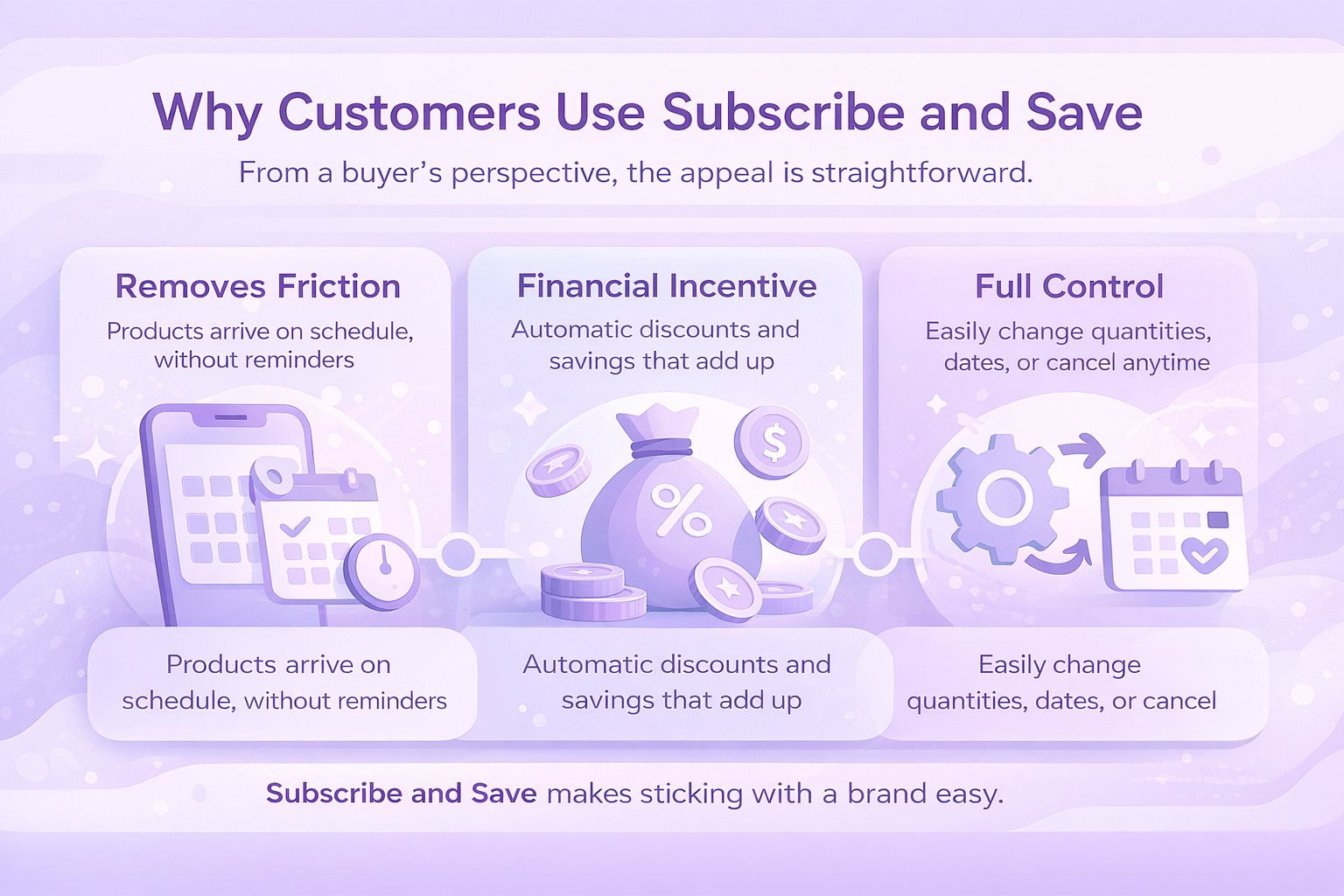
From a buyer’s perspective, the appeal is straightforward.

  • First, it removes friction. Customers do not need reminders or shopping lists for products they already know they need. Everything shows up on schedule.
  • Second, there is a clear financial incentive. Discounts apply automatically, and for households buying multiple subscribed items, the savings add up over time.
  • Third, there is full control. Customers can change quantities, delivery dates, or cancel without penalties. That sense of control lowers hesitation and increases signups.

When customers find a product that fits their routine, Subscribe and Save makes sticking with that brand easy.


Why Subscribe and Save Works for Sellers

For sellers, the biggest advantage is predictability.

Subscriptions make revenue easier to forecast. When you know how many active subscribers you have, planning inventory becomes far less stressful. It also reduces the volatility that comes with one-off purchases.

Visibility is another benefit. Subscribe and Save products often appear in dedicated searches and filters, which can surface your listings to buyers already looking for subscription options.

There is also a loyalty effect. Once customers subscribe, they are less likely to shop around every month. That creates longer customer lifecycles and more stable sales over time.

Finally, subscriptions often introduce customers to your broader catalog. A single subscribed product can lead to repeat exposure to other items you sell.


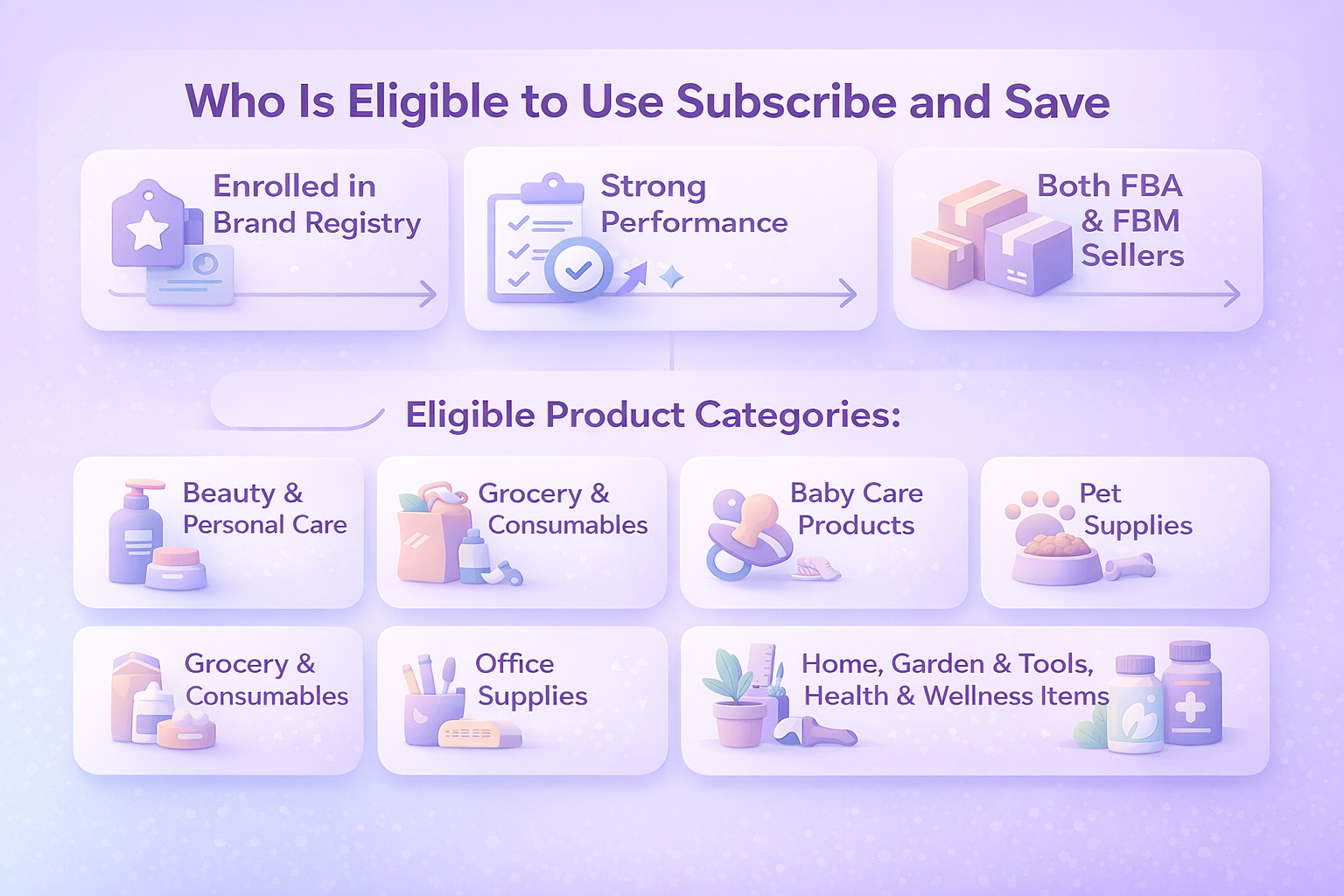
Who Is Eligible to Use Subscribe and Save

Not every seller or product qualifies.

To participate, sellers need to represent a brand enrolled in Amazon Brand Registry and maintain strong operational performance. This includes reliable inventory levels, competitive pricing, and solid fulfillment metrics.

Eligible product categories include common repeat-purchase segments such as:

  • Beauty and personal care
  • Grocery and consumables
  • Baby care products
  • Pet supplies
  • Office supplies
  • Home, garden, and tools
  • Health and wellness items

Both Fulfillment by Amazon and Fulfilled by Merchant sellers can participate, as long as performance standards are met.

Merchant-fulfilled offers must also meet stricter shipping and reliability thresholds over a sustained period. Amazon wants subscriptions to feel dependable, and fulfillment performance plays a major role.


Fulfillment Options and Enrollment Basics

If you use Fulfillment by Amazon, eligible products are often enrolled automatically. Amazon applies your default discount settings and makes the product available for subscription.

For merchant-fulfilled listings, enrollment is manual. Each product must be submitted through Seller Central and reviewed for eligibility.

In both cases, sellers can manage discount levels, review enrollment status, and make adjustments through the Subscribe and Save tools inside Seller Central.


How Discounts and Funding Work

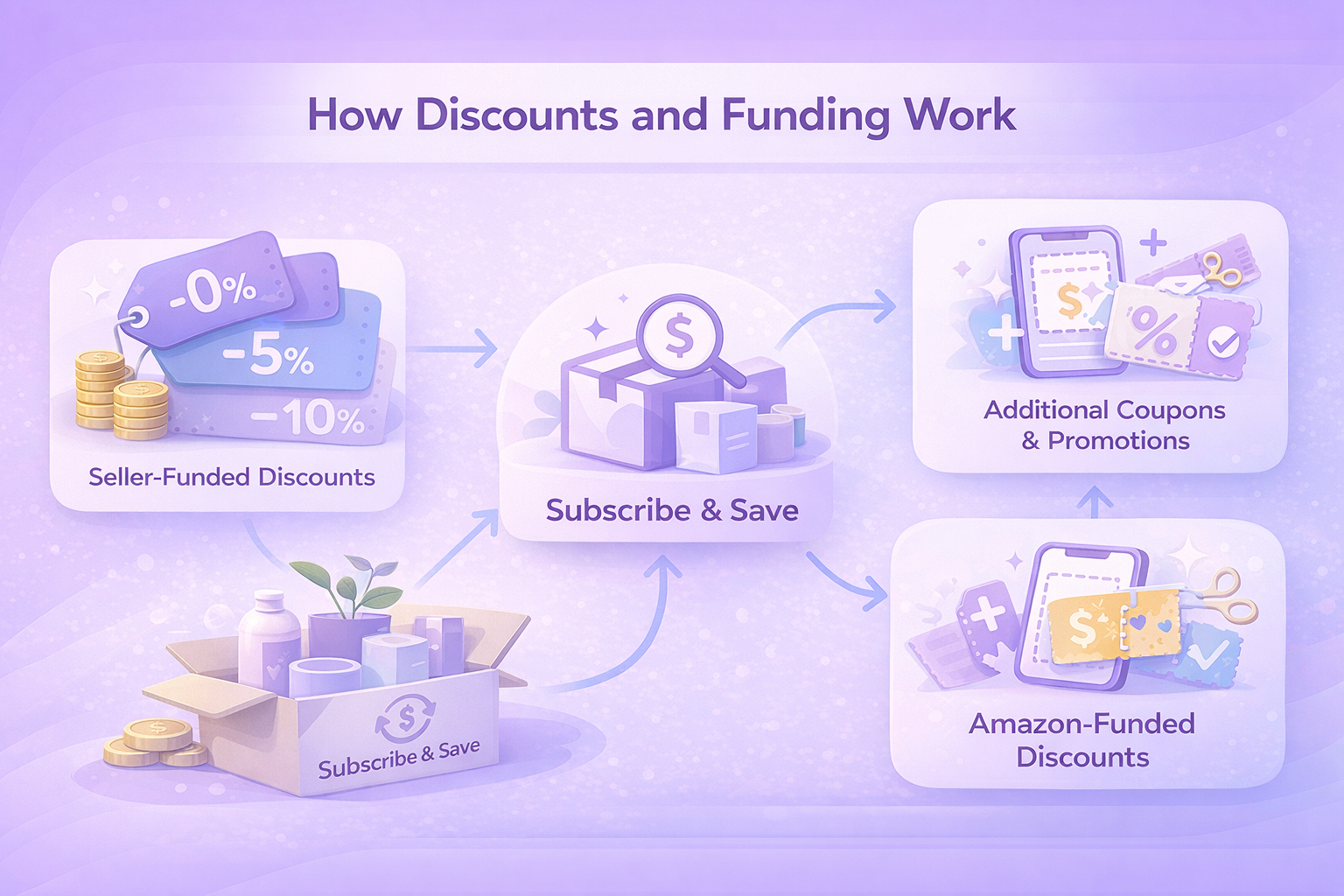
Subscribe and Save pricing is built around a mix of seller-funded incentives and Amazon-backed discounts. Understanding how the two work together is key to using the program without eroding margins.

Seller-Funded Subscription Discounts

Sellers control the base Subscribe and Save discount. There are three standard options: 0 percent, 5 percent, or 10 percent off the regular price.

A 0 percent option still allows the product to appear in Subscribe and Save, but it relies entirely on Amazon-funded incentives to create savings for the customer. A 5 percent or 10 percent seller-funded discount, on the other hand, provides an immediate price benefit and typically increases subscription sign-ups.

Higher discounts often lead to better conversion rates, but they also reduce per-order profit. That tradeoff is why most sellers start conservatively, monitor performance, and adjust over time rather than committing to the highest discount upfront.

Amazon-Funded Volume Discounts

Amazon adds an extra incentive when customers subscribe to multiple products at once. If a customer receives five or more Subscribe and Save items in a single delivery, Amazon may apply an additional discount on top of the seller-funded offer.

This extra discount is funded by Amazon, not the seller. It rewards customers for consolidating subscriptions while allowing sellers to benefit from higher order values without sacrificing additional margin.

Combining Subscribe and Save with Promotions

Subscribe and Save discounts can be stacked with other pricing strategies. Sale prices, limited-time offers, and promotional discounts can run alongside subscription pricing when set up correctly.

This flexibility allows sellers to run short-term campaigns without removing products from Subscribe and Save or disrupting existing subscribers. The key is to watch margin impact carefully, especially during high-volume promotional periods.

Using Coupons to Drive Subscriptions

Coupons add another layer of incentive, particularly for new subscribers. Sellers can create Subscribe and Save–specific coupons that apply to the first delivery of a subscription.

These coupons are often used to lower the entry barrier for first-time subscribers or to re-engage customers who have purchased a product before but never subscribed. Because coupons can be targeted and time-limited, they offer a controlled way to test demand without permanently lowering prices.


Adding Products to Subscribe and Save

For most sellers using Fulfillment by Amazon, eligible products are enrolled in Subscribe and Save automatically once all requirements are met. Amazon applies your default subscription discount and makes the product available for recurring orders without extra setup. You can review which products are enrolled and manage their settings directly in the Subscribe and Save section of Seller Central.

If a product is not enrolled, Seller Central usually explains why. Common reasons include pricing that falls outside Amazon’s thresholds, category limitations, or performance metrics that do not yet meet the program’s standards. In many cases, these issues can be resolved by adjusting price, improving fulfillment performance, or waiting until enough sales history is established.

Sellers also have flexibility when it comes to discounts. Subscription discounts can be set at a global level or adjusted for individual products. This makes it easier to test different discount strategies, compare results, and fine-tune pricing without making broad changes across the entire catalog.


Tracking Subscribe and Save Performance

Amazon provides detailed reporting tools that help sellers understand how Subscribe and Save is performing over time. Reviewing this data regularly makes it easier to spot trends, catch issues early, and adjust pricing or inventory before problems grow.

Key areas to monitor include:

  • Subscription-driven sales volume. Shows how much revenue is coming specifically from subscribed orders versus one-time purchases.
  • Active subscriber count and retention. Helps track how many customers are currently subscribed and whether they continue receiving deliveries over time.
  • Revenue by discount tier. Breaks down how different subscription discount levels affect sales and overall performance.
  • Coupon-driven subscription growth. Measures how effective coupons are at attracting new subscribers or reactivating existing customers.
  • Missed shipments caused by stockouts. Highlights lost revenue and canceled deliveries when inventory levels are not sufficient to meet subscription demand.

In addition to historical reporting, Amazon offers forecasting tools that estimate future shipment volume based on active subscriptions. These projections are especially useful for inventory planning, budgeting, and preparing for seasonal demand changes.

All reports can be accessed directly in Seller Central and downloaded for deeper analysis or internal reporting.


Practical Tips for Growing a Subscribe and Save Program

If you want to grow subscription sales without putting pressure on margins, these principles tend to work consistently:

  1. Start with a moderate discount. A 5 percent discount is often enough to test demand. Measure performance before increasing it, since not every product needs the maximum incentive.
  2. Keep inventory stable and shipments reliable. Subscribers expect consistency. Stockouts and late deliveries matter more here than with one-time purchases.
  3. Use coupons with a clear purpose. First-delivery coupons can drive new subscriptions, while reorder coupons help convert repeat buyers who haven’t subscribed yet.
  4. Review performance data regularly. Look for trends in subscriber growth, retention, and discount effectiveness. Pay attention to products that perform better with subscriptions than without.
  5. Think long term, not short term. Subscribe and Save works best as a steady growth channel. The real value comes from predictable demand and repeat customers, not quick spikes in sales.


Making Subscribe and Save More Profitable with WisePPC

Subscribe and Save works best when sellers clearly understand what drives repeat orders and how discounts, ads, and pricing affect profit. That’s where we help.

At WisePPC, we give sellers a clear view of their marketplace performance in one place. Our analytics connect advertising, sales, and pricing data, so you can see how subscriptions perform over time and make decisions based on real numbers, not assumptions.

With real-time metrics, long-term historical data, and powerful filtering, you can spot trends early, adjust campaigns faster, and understand which strategies actually support recurring sales. Bulk actions make it easy to scale changes across campaigns without manual work.

The result is more control, better visibility, and smarter optimization for sellers who want Subscribe and Save to contribute to steady, predictable growth.


Conclusion: Is Subscribe and Save Right for Your Business?

Amazon Subscribe and Save is not a shortcut to instant growth, but for the right products, it can become one of the most reliable sales channels on your account. It works best for items customers buy regularly and trust enough to reorder without thinking.

For sellers, the real value lies in predictability. Subscriptions smooth out demand, improve inventory planning, and reduce reliance on constant customer acquisition. At the same time, the program requires discipline. Pricing needs to be tested carefully, inventory must stay stable, and performance metrics matter more than ever.

When approached strategically, Subscribe and Save can strengthen customer relationships and turn routine purchases into long-term revenue. It’s not about chasing quick wins. It’s about building a more stable Amazon business over time.


Frequently Asked Questions

Can you use Subscribe and Save without Fulfillment by Amazon?

Yes. Sellers who use Fulfilled by Merchant can participate in Subscribe and Save, but the requirements are stricter. Merchant-fulfilled offers must meet high standards for delivery speed, accuracy, and reliability, and each product must be enrolled manually through Seller Central.

How long does it take for a product to qualify for Subscribe and Save?

There is no fixed timeline. Eligibility depends on factors like sales history, category, pricing, and fulfillment performance. Some products are enrolled automatically once requirements are met, while others may need adjustments before becoming eligible.

Do higher discounts always lead to more subscriptions?

Not always. While higher discounts can improve conversion rates, they also reduce margins. Many sellers see strong results starting at 5 percent and only increase discounts after reviewing performance data. Testing is essential.

Can customers cancel Subscribe and Save at any time?

Yes. Customers can skip deliveries, change frequencies, or cancel subscriptions whenever they choose. This flexibility makes the program more appealing but also means sellers need to focus on product quality and reliability to retain subscribers.

What happens if a subscribed product goes out of stock?

If inventory runs out, scheduled deliveries may be missed, which can lead to canceled subscriptions and lost revenue. That’s why inventory planning is especially important for Subscribe and Save products.

How to Improve Amazon B2B Pricing With Business Discount Insights

Amazon Business is Amazon’s marketplace built specifically for organizations. That includes small companies, large enterprises, schools, hospitals, and government buyers.

Any seller on a Professional plan can sell through Amazon Business. What makes it different is pricing flexibility. Sellers can offer special per-unit prices and volume discounts that are only visible to registered business customers.

Those buyers behave differently from retail shoppers. They buy in bulk, return fewer orders, and tend to reorder when pricing makes sense. That’s why B2B pricing isn’t just a nice add-on. It’s often where sustainable growth comes from.


Business Prices and Quantity Discounts Explained

A business price is a specific per-unit price shown only to Amazon Business customers. While it is often lower than the retail price, it can match the standard price to serve as a baseline for quantity discounts.

On top of that, sellers can add quantity discounts that reward larger orders. These can be set in two ways:

  • Percentage discounts, where the price drops by a set percent after a certain quantity
  • Fixed pricing, where the unit price is locked at a lower amount for bulk orders

A simple example might look like this:

  • Buy 5 to 9 units and get 5% off
  • Buy 10 or more units and get 10% off

The goal isn’t to race to the bottom. It’s to align pricing with how business customers actually purchase.


What Business Discount Insights Does

Business Discount Insights is a free tool inside Amazon Business that highlights where your B2B pricing could perform better.

It surfaces up to 10 products with the strongest potential impact if business pricing or quantity discounts were added or adjusted. You can also generate a full catalog report that shows pricing gaps and missed opportunities across all your listings.

Instead of guessing where discounts might help, the tool points directly to products that already have B2B demand signals.


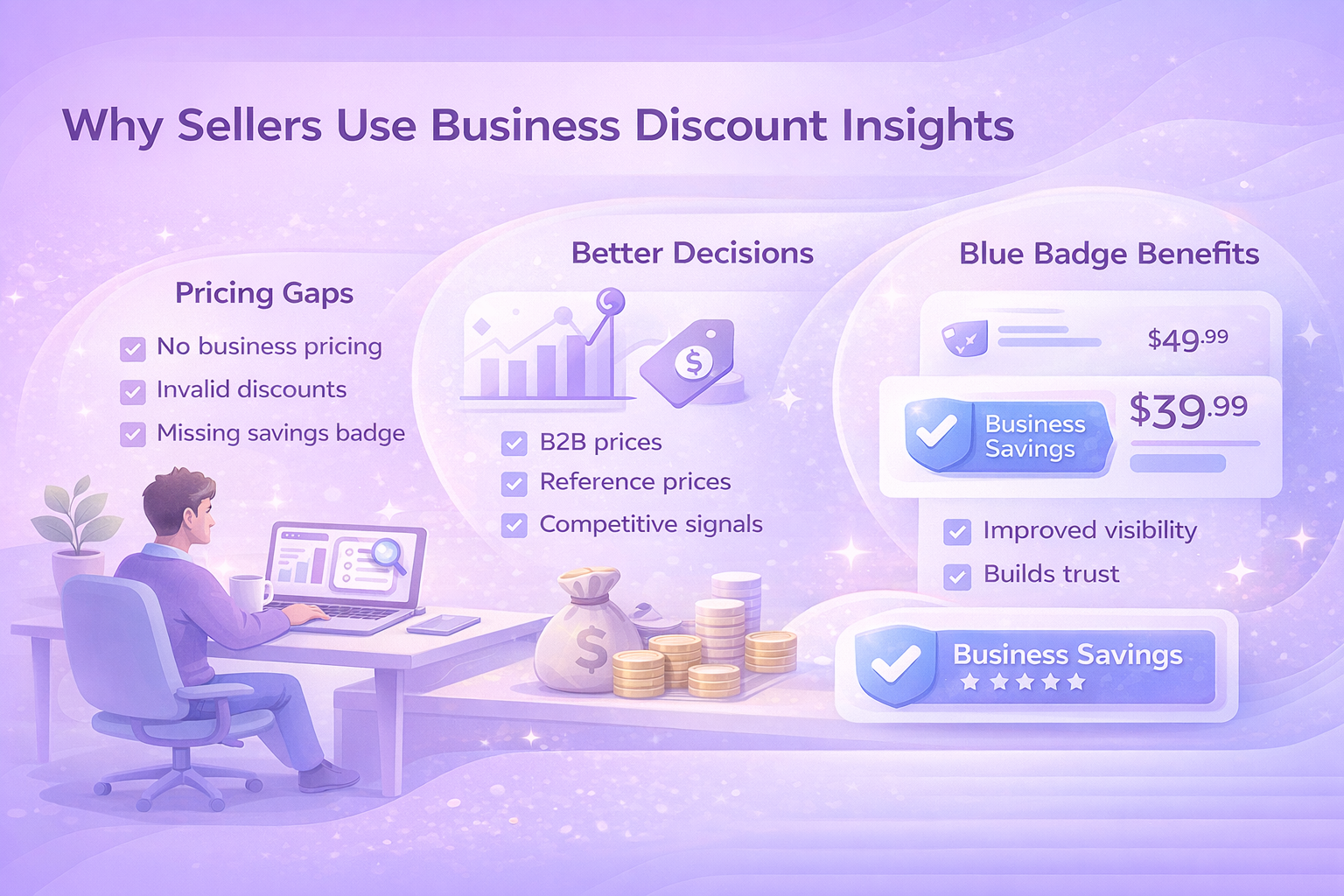
Why Sellers Use Business Discount Insights

Business buyers typically purchase more units per order and return items far less often than retail customers. Business Discount Insights helps sellers tap into that behavior using real data.

Here’s what the tool helps uncover:

Pricing Gaps you Might Miss

It flags products that:

  • Don’t have business pricing at all
  • Don’t include quantity discounts
  • Have invalid or misaligned business prices
  • Don’t qualify for the Business Savings Blue Badge

Better Decisions, Backed by Numbers

Instead of relying on intuition, sellers can review:

  • B2B Featured Offer pricing
  • Business Savings Blue Badge reference prices
  • Product glance views
  • Suggested discount tiers

Built-in Competitive Signals

The Business Savings Blue Badge appears on products that offer a meaningful discount compared to the standard retail price. It helps buyers quickly spot value, especially when comparing similar listings.

Staying competitive here matters. The B2B Featured Offer price improves visibility, while the badge reinforces trust and savings.


An Often Overlooked Benefit: Lower Fulfillment Costs

Business discounts don’t only influence how much you sell. In many cases, they also reduce what it costs to fulfill those orders. This part is easy to miss, but it can make a real difference to margins, especially for products that are frequently ordered in bulk.

When business customers purchase multiple units with qualifying discounts in place, Amazon may apply Fulfillment by Amazon fee reductions. For standard-size products, these savings can range from a few cents to over a dollar per unit, depending on order size. The more units in a single order, the bigger the potential reduction.

There’s also an impact on referral fees. High-value business orders for a single product can qualify for lower referral rates as the total order value increases. In some cases, the percentage drops significantly compared to standard retail orders. These reductions apply whether the order is fulfilled by Amazon or by the seller.

For products that are already well-suited to bulk purchasing, these cost savings compound quickly. Over time, they can offset part of the discount you’re offering, making business pricing more profitable than it might appear at first glance.

How to Find Pricing Opportunities in Seller Central

Business Discount Insights connects with several areas inside Seller Central, so sellers can act wherever they manage inventory.

To view recommendations:

  1. Open Seller Central
  2. Go to B2B, then Business Discount Insights
  3. Review the top opportunities ranked by potential impact

Each recommendation shows:

  • Current business price
  • B2B Featured Offer price
  • Suggested quantity discount tiers

To analyze your full catalog, generate and download the detailed report. It includes pricing gaps, reference prices, and performance indicators across all eligible products.


Ways to Apply B2B Pricing Changes

There isn’t one right method. Sellers can choose based on scale and workflow.

Bulk Uploads

For larger catalogs, bulk files are the fastest option. Sellers can apply business prices and up to five discount tiers per product in one upload.

Manage Inventory Updates

For targeted changes, prices and discounts can be edited directly inside Manage Inventory. This works well for testing or adjusting high-priority listings.

Automated Pricing Rules

Automation helps keep prices aligned when standard prices change. Reviewing Business Discount Insights alongside automated rules makes it easier to spot patterns and fine-tune discounts without constant manual work.

One important note: manually editing prices can remove products from automated rules. If consistency matters, automation should remain the default.


How to Get Better Results Over Time

The tool delivers the best results when it’s treated as part of an ongoing pricing process, not something you set once and forget. B2B pricing works best when it’s reviewed, tested, and adjusted as buying behavior becomes clearer.

1. Start With a Small Test

Begin by applying business pricing and quantity discounts to a limited group of products. Choose items with steady demand or frequent multi-unit orders. Watch how sales volume, average order size, and margins change over the first few weeks. This gives you a clearer picture of what works before you roll changes out across a larger part of your catalog.

2. Define Clear Pricing Guidelines

Set simple rules upfront. Decide which margins you need to protect, how aggressive you’re willing to be with discounts, and which products should never be discounted beyond a certain point. Having these guidelines in place makes it easier to evaluate recommendations quickly and keeps pricing decisions consistent as you scale.

3. Track Performance Regularly

Make it a habit to review performance in B2B Central and Amazon business reports. Compare B2B and non-B2B results side by side. Look beyond total sales and focus on unit volume, order size, and repeat purchases. These metrics often reveal whether business pricing is attracting the right buyers or just shifting volume without real gains.

4. Plan for Seasonality

Business purchasing patterns change throughout the year. Some categories see predictable spikes tied to budgeting cycles, restocking periods, or industry events. Adjust pricing strategies ahead of these high-volume windows and review results afterward. Over time, this helps you fine-tune discounts based on real seasonal demand instead of assumptions.


Why Business Discount Insights Is Worth Using

Many sellers lose B2B sales simply because their pricing isn’t aligned with how business customers buy. Not because the product is wrong. Not because demand isn’t there.

Business Discount Insights closes that gap. It shows where pricing holds listings back and gives sellers a practical way to fix it using real data.

If you sell products that businesses buy in volume, it’s one of the simplest tools you can use to unlock more consistent growth.


Turning Marketplace Data Into Actionable Insights WisePPC

At WisePPC, we help marketplace sellers replace guesswork with clear, actionable data. Our platform is built around advanced analytics that give you full visibility into performance across advertising and sales, so decisions are based on what’s actually working, not assumptions.

We combine long-term historical data, real-time metrics, and granular reporting to show trends that are easy to miss in standard dashboards. With bulk actions, advanced filtering, and inline editing, you can act on insights quickly without jumping between tools or spreadsheets. Everything is designed to save time and keep workflows simple, even as accounts grow.

As an Amazon Ads Verified Partner, we work through official integrations and follow Amazon’s best practices. That means reliable data, cleaner insights, and a system that scales with your business as performance and complexity increase.


Conclusion

B2B pricing on Amazon doesn’t need to rely on guesswork. Business Discount Insights gives sellers a clearer view of where pricing adjustments can actually make a difference, using real buying behavior instead of assumptions.

When used consistently, the tool helps uncover missed opportunities, align discounts with how business customers purchase, and balance volume with profitability. It also makes it easier to spot patterns over time, so pricing decisions improve as your catalog grows.

The key is treating Business Discount Insights as an ongoing reference, not a one-time fix. Start small, test changes, and review results regularly. Over time, those small adjustments can lead to more predictable B2B sales and healthier margins without adding unnecessary complexity to your workflow.


Frequently Asked Questions

What is Business Discount Insights used for?

Business Discount Insights helps Amazon sellers spot where business pricing or quantity discounts could improve B2B sales. It highlights products with pricing gaps and provides reference prices so decisions are based on data, not guesswork.

Who can use Business Discount Insights?

The tool is available to sellers on a Professional selling plan who are enrolled in Amazon Business. There’s no extra cost to access it.

Do business prices replace my regular prices?

No. Business prices are shown only to Amazon Business customers. Your standard consumer pricing stays the same for retail shoppers.

Are business prices required to offer quantity discounts?

Yes. A business price must be set before quantity discounts can be added. If you only want to offer quantity discounts, the business price can match your standard price.

How quickly do pricing changes take effect?

Most updates appear to Amazon Business customers within about 15 minutes after being saved in Seller Central. Bulk uploads may take a little longer.

Shoppable Videos in Product Listings: What They Are and Why They Work

Product listings have a hard job. They need to explain, persuade, and build trust without letting customers touch or try anything. Text and images help, but they often leave gaps. That’s where shoppable videos come in.

A good product video shows how something actually works, what it looks like in real use, and whether it fits a buyer’s expectations. When done right, it removes uncertainty and speeds up decisions. Instead of guessing, shoppers can see the product in motion and decide with more confidence.

This article breaks down what shoppable videos are, how they fit into modern product listings, and why they’ve become one of the most practical tools for improving conversion rates without overcomplicating the buying experience.


What Shoppable Videos Actually Are

A shoppable video is a short, pre-recorded product video that appears directly inside a product listing, usually near the primary images. It is not an ad in the traditional sense. There is no forced autoplay, no interruption, and no external click required to learn more.

The key difference between a shoppable video and other ecommerce videos is placement. These videos live where buying decisions happen. On platforms like Amazon, they appear in the main media block of the product detail page, above the fold, alongside images. That positioning matters.

Shoppable videos are designed to answer practical questions quickly:

  • What does this product look like when used?
  • How big is it relative to real-world objects?
  • How does it work out of the box?
  • What problem does it actually solve?

They can take different forms. Some are quick overviews. Others show setup, unboxing, or everyday use. What they share is purpose. They exist to clarify, not entertain.


Why Product Listings Need Video Now More Than Ever

Online marketplaces are crowded. Even strong products struggle to stand out when dozens of listings offer similar features at similar prices. At that point, shoppers are not comparing specs anymore. They are trying to reduce risk.

Video helps with that in ways text cannot.

A short video can communicate texture, scale, movement, and usability in seconds. It removes guesswork. It answers questions before they turn into hesitation. That matters because hesitation is where conversions are lost.

Modern shoppers are also impatient. Long descriptions are skimmed. Bullet points are scanned. Video, on the other hand, invites attention without demanding effort. Watching feels easier than reading, especially on mobile.

This is not about replacing good copy or images. It is about completing the picture.


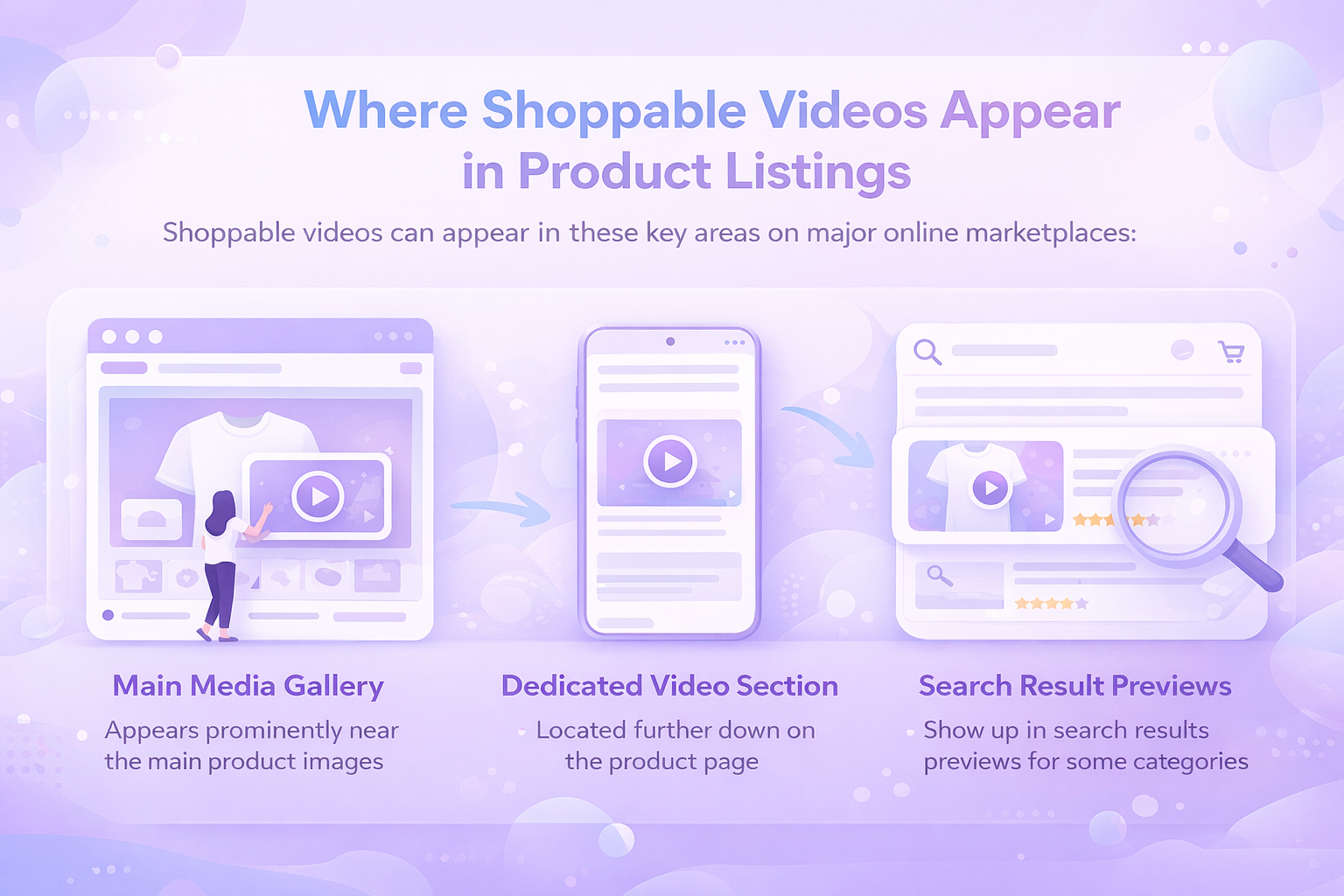
Where Shoppable Videos Appear in Product Listings

Placement is what gives shoppable videos their impact.

On most major marketplaces, these videos appear in one or more of the following locations:

  • The main media gallery near product images
  • A dedicated video section further down the page
  • Search result previews in some categories

The most valuable position is the main media block. This is the area shoppers see first when the page loads. It is where they decide whether to keep scrolling or leave.

Videos placed here are optional to watch, but highly visible. They do not interrupt the experience. They enhance it.

Because of this placement, shoppable videos influence decisions early. They shape first impressions before pricing, reviews, or descriptions fully enter the picture.


The Role of Shoppable Videos in Buyer Confidence

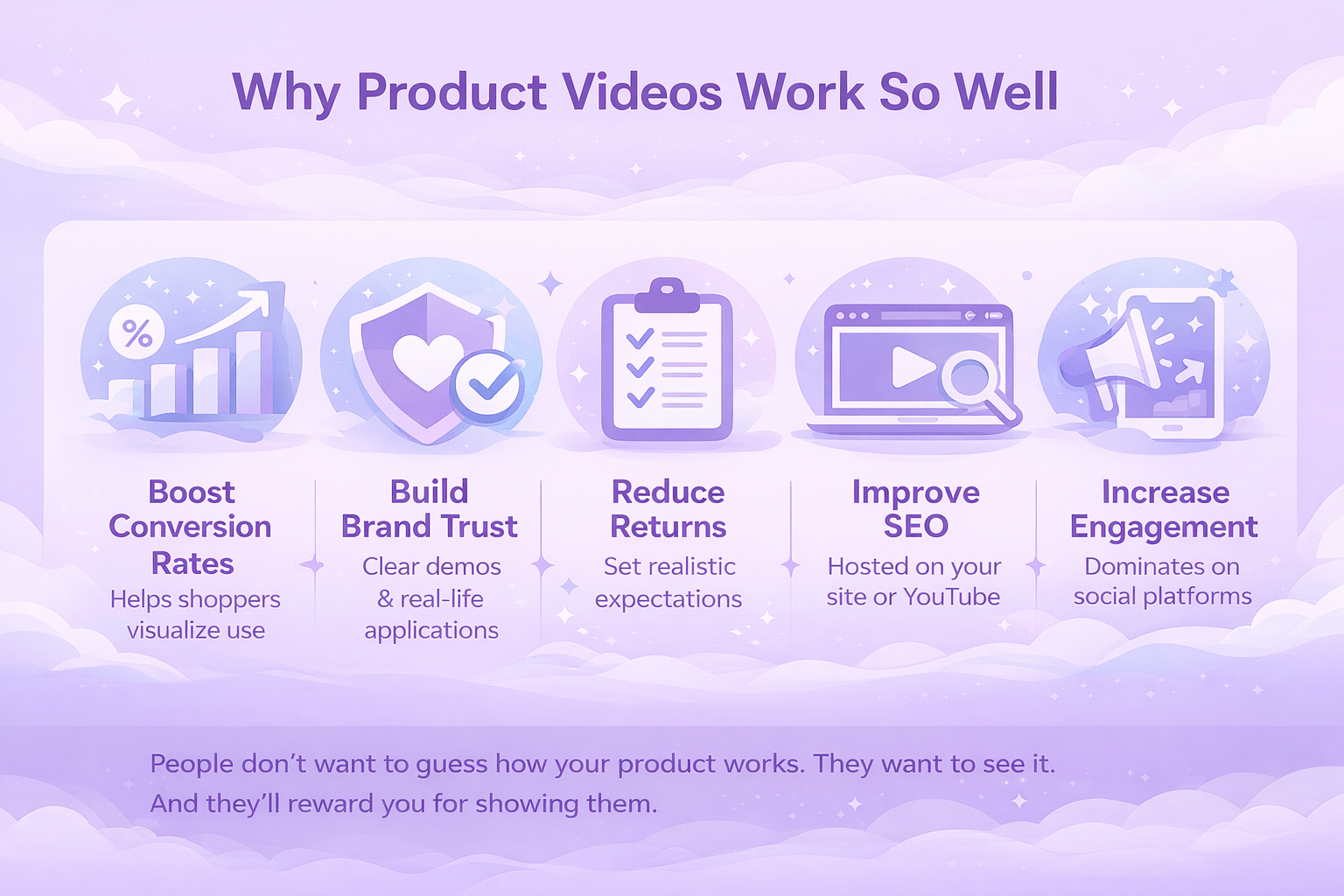
Confidence is the real currency of ecommerce. When buyers feel confident, they buy faster and return less.

Shoppable videos build confidence by removing ambiguity.

A written description might say a fabric is soft. A video shows how it moves. A photo might show a kitchen tool on a counter. A video shows it being used, cleaned, and stored. These details matter, especially for practical products.

Video also sets expectations. When buyers know what they are getting, they are less likely to be surprised. That directly affects return rates. Many returns are not about defects. They are about mismatch between expectation and reality.

By showing reality upfront, videos protect both the buyer and the seller.


How Shoppable Videos Influence Conversion Rates

Conversion improvements from video are not accidental. They follow predictable patterns.

  1. First, videos increase time on page. Shoppers who watch a video spend more time engaging with the listing. That extra attention often leads to deeper exploration of images, reviews, and details.
  2. Second, videos reduce uncertainty. When fewer questions remain unanswered, the mental friction before clicking Buy Now is lower.
  3. Third, videos work well on mobile. A growing share of ecommerce traffic comes from phones. On small screens, video often communicates more effectively than text-heavy layouts.

The result is not just more clicks, but better-qualified clicks. Buyers who convert after watching a product video tend to be more informed and more satisfied.


Common Types of Shoppable Videos That Work

Not all videos perform equally. The most effective ones share a clear focus.

Product Overviews

These videos give a quick, clear explanation of what the product is and what it does. They work best when they stay under one minute and focus on the main benefit.

How-To Demonstrations

Showing how to use a product builds immediate understanding. This is especially valuable for tools, devices, and items with setup steps.

Unboxing Videos

Unboxing videos help set expectations about packaging, included accessories, and first impressions. They work well for electronics, gifts, and premium products.

Setup and Installation

For products that require assembly or configuration, setup videos remove anxiety. Buyers can see that the process is manageable.

Use-in-Context Videos

Showing a product in a real environment helps buyers imagine ownership. This works well for home goods, apparel, and lifestyle products.

The common thread is usefulness. The video should answer a question the buyer already has.


Video Length and Attention Span Reality

Shorter is almost always better.

Most effective shoppable videos fall between 30 and 90 seconds. That window allows enough time to explain the product without losing attention.

The first few seconds matter most. Shoppers decide quickly whether to keep watching. The opening should show the product immediately and hint at its main benefit.

Longer videos are not forbidden, but they should earn their length. If a product truly requires explanation, structure matters. Clear pacing, visual variety, and purpose-driven scenes keep viewers engaged.

When in doubt, clarity beats completeness.


Technical Requirements and Why They Matter

Technical standards are not just rules. They shape how a video is displayed and whether it gets approved.

Most marketplaces require:

  • Common formats like MP4 or MOV
  • High-definition resolution, typically up to 1080p
  • Reasonable file sizes to ensure fast loading
  • Clear visuals and clean audio
  • Compliance with content and claims policies

Ignoring these requirements leads to rejections or poor display quality. Worse, it wastes time.

Technical quality also affects perception. A blurry or poorly lit video undermines trust. Shoppers associate presentation quality with product quality, even if that is not always fair.

Good lighting, steady shots, and simple framing go a long way.


Why Authentic Videos Often Outperform Polished Ones

There is a common misconception that product videos need to look like commercials. In reality, authenticity often performs better.

Shoppers respond to realism. Seeing a product used in a normal setting feels more trustworthy than a heavily staged shoot. Slight imperfections can make a video feel honest rather than amateur.

This does not mean quality should be ignored. It means the focus should be on clarity, not production tricks.

A smartphone, natural light, and a clear plan are often enough.


Using Text and Captions Without Overdoing It

Many shoppers watch videos without sound. Captions and on-screen text help ensure the message still lands.

Text should support the visuals, not replace them. Short phrases highlighting key benefits or steps work well. Long paragraphs do not.

Captions also improve accessibility and help clarify complex points. They are especially useful for instructional content.

The goal is reinforcement, not distraction.


Measuring the Impact of Shoppable Videos

Video performance should not be guessed. It should be observed.

Key signals to watch include:

  • Changes in conversion rate
  • Time spent on the product page
  • Return rate trends
  • Customer questions and feedback

Video is not a silver bullet. It works best when paired with strong images, accurate descriptions, and competitive pricing. When it underperforms, the issue is often focus, not format.

Refining videos based on performance data leads to steady improvement over time.


Optimize Your Marketplace Operations With WisePPC

At WisePPC, we focus on removing friction from everyday marketplace operations. Our platform brings advertising, sales, and performance data into one centralized system, so teams don’t have to jump between tools or rely on exports and spreadsheets. Everything that matters is visible in one place, updated in real time.

We help teams move faster by turning complex data into clear actions. With advanced filtering, bulk actions, and inline editing, it’s easy to spot what’s underperforming and fix it immediately. Campaigns, bids, budgets, and targets can be adjusted at scale, saving hours of manual work and reducing costly delays in decision-making.

Long-term data access is another core advantage. While marketplaces often limit historical visibility, we keep performance data for years. That makes it easier to identify patterns, compare past and present results, and make smarter strategic decisions as a business grows. The result is a more efficient workflow, better control over spend, and decisions driven by evidence rather than guesswork.


Common Mistakes to Avoid

Many product videos fail for predictable reasons. Instead of helping shoppers decide, they slow them down or create more doubt. Some lean too heavily into branding and forget to show how the product actually works. Others try to cover every detail at once, which often leaves viewers confused rather than informed. A few end up feeling like ads instead of useful buying aids.

Other common mistakes include:

  • Overly long introductions that delay the product reveal and lose attention early
  • No clear use-case shown, leaving shoppers unsure how the product fits into real life
  • Poor lighting or shaky footage, which hurts credibility and perceived quality
  • Misleading visuals or exaggerated claims that lead to disappointment and returns

In most cases, avoiding these mistakes has a bigger impact on results than adding advanced effects or higher production value. Clarity, honesty, and focus tend to convert better than polish alone.


Why Shoppable Videos Are Now a Baseline, Not a Bonus

A few years ago, video was a competitive advantage. Today, it is becoming a baseline expectation in many categories.

Shoppers notice when listings lack video. Absence feels like missing information, not simplicity. As more sellers adopt video, those who do not risk looking incomplete.

This does not mean every product needs a complex production. It means every product benefits from being seen, not just described.


Wrapping It Up

Shoppable videos work because they respect the buyer. They do not shout. They explain. They show. They reduce doubt at the exact moment it matters most.

For sellers, they are one of the most efficient ways to improve listing performance without rewriting everything from scratch. For shoppers, they turn abstract listings into tangible experiences.

The best shoppable videos are not flashy. They are useful. And in ecommerce, usefulness wins more often than hype.

When products are shown clearly, honestly, and in context, the decision becomes easier. That is why shoppable videos continue to earn their place at the center of modern product listings.


Frequently Asked Questions

What is a shoppable video in a product listing?

A shoppable video is a short product video placed directly within a product listing, usually near the main images. It helps shoppers understand how a product looks, works, or fits into real use before making a purchase.

Do shoppable videos actually increase sales?

Yes, in many cases they do. Videos help reduce uncertainty, keep shoppers engaged longer, and clarify product details that are hard to explain with text alone. When buyers feel more confident, they are more likely to convert.

How long should a product video be?

Most effective product videos are between 30 and 90 seconds. That’s usually enough time to show the product in use, highlight key benefits, and answer common questions without losing attention.

Do product videos need professional production?

Not necessarily. Clear visuals, steady shots, and good lighting matter more than polished effects. Many high-performing videos are simple, authentic demonstrations filmed in real environments.

Can one video be used for multiple product variations?

Often, yes. If the core functionality stays the same across sizes or colors, one video can usually support all variations. This saves time and keeps messaging consistent.

Where do these videos appear on product pages?

Depending on the platform, videos can appear in the main image gallery, a dedicated video section, or sometimes in search results. Placement near the main images tends to have the biggest impact.

Amazon Partnered Carrier Program: How It Works and When to Use It

Shipping inventory to Amazon is one of those tasks that looks simple until it isn’t. Rates fluctuate, rules change, and small mistakes can quietly eat into margins. That’s where the Amazon Partnered Carrier Program comes in. It’s Amazon’s way of simplifying inbound shipping for sellers, offering negotiated rates and a more controlled process inside Seller Central.

This guide breaks down what the program actually is, how it works in practice, and why many FBA sellers rely on it as they scale. No hype, no shortcuts. Just a clear look at whether this shipping option fits your operation and when it makes sense to use it.


What the Amazon Partnered Carrier Program Is

At its core, the Amazon Partnered Carrier Program is an inbound shipping service designed for sellers sending inventory to Amazon fulfillment centers. Instead of arranging shipping directly with UPS, FedEx, or freight brokers, sellers can book shipping through Amazon using carriers Amazon already works with.

Amazon negotiates the rates, integrates the shipment into Seller Central, and charges the shipping cost directly to the seller account. The seller still owns the inventory, but the logistics flow is guided by Amazon’s system.

This program is primarily built for Fulfillment by Amazon shipments, but it also supports other Amazon logistics workflows, including Amazon Warehousing and Distribution and Multi-Channel Fulfillment in certain cases.

The value of the program is not just lower pricing. It is the combination of pricing, integration, tracking, and compliance with Amazon’s inbound requirements.


Why Amazon Created This Program

Amazon fulfillment centers run on predictability. When inbound shipments arrive late, mislabeled, or incomplete, it creates operational issues that ripple through the system. Over time, Amazon learned that many of these issues started before the shipment even left the seller’s warehouse.

By partnering directly with carriers, Amazon gained more control over how inventory moves into its network. Sellers benefit from that control through simpler workflows and fewer compliance surprises.

The program is designed to standardize inbound shipping without forcing sellers into a single carrier or shipment type. It gives Amazon better visibility and gives sellers a cleaner process.


Shipping Options Inside the Program

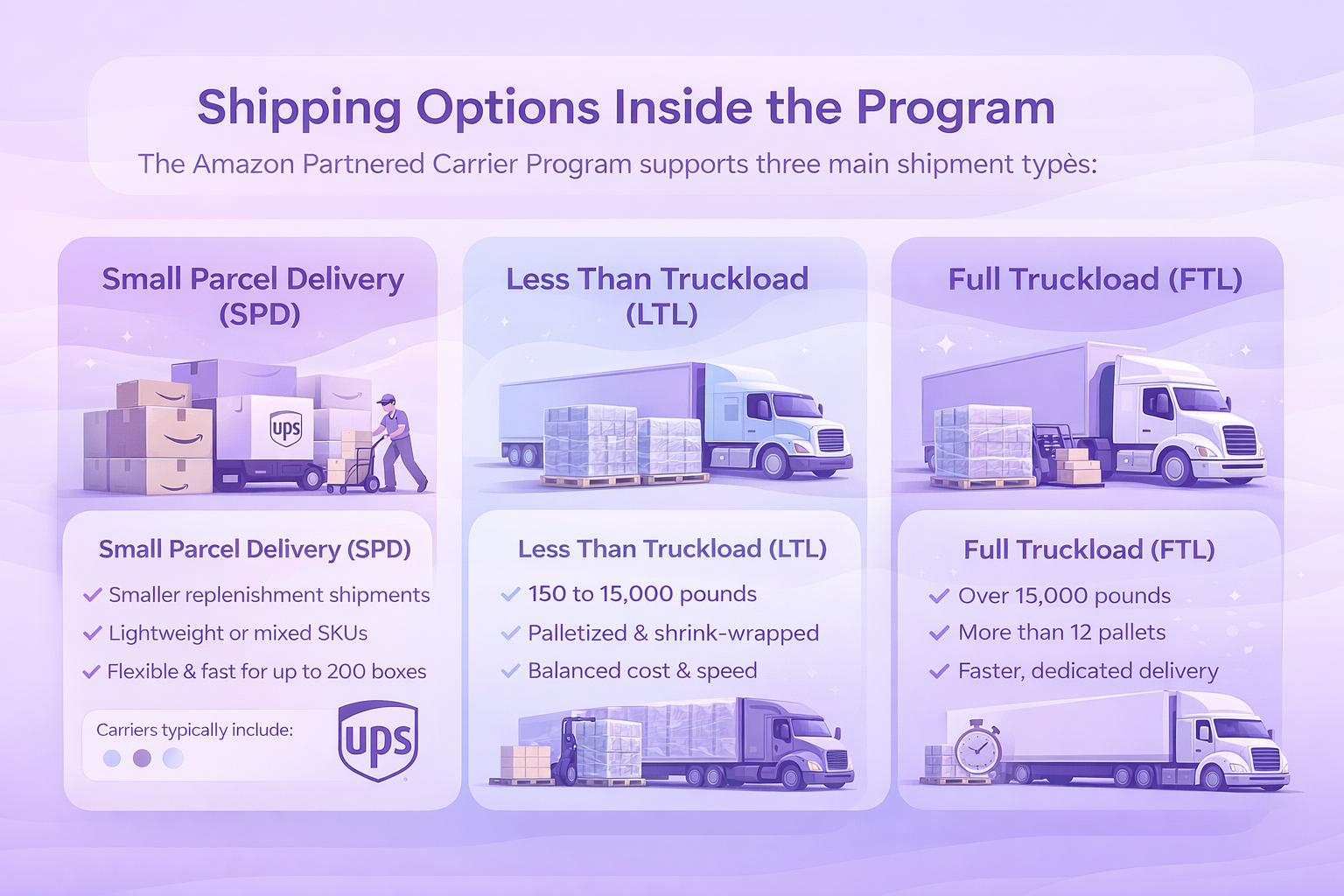
The Amazon Partnered Carrier Program supports three main shipment types. Each serves a different scale and purpose.

1. Small Parcel Delivery (SPD)

Small Parcel Delivery is used when inventory is shipped in individual boxes rather than pallets. Each box is labeled separately and moves through standard parcel networks.

This option is commonly used for:

  • Smaller replenishment shipments
  • Lightweight or mixed SKUs
  • Sellers shipping up to 200 boxes per shipment.

Carriers typically include UPS and other regional services depending on the marketplace location.

SPD is flexible and fast, but it becomes inefficient as shipment size grows. Labeling hundreds of boxes and managing parcel pickups adds labor and cost at scale.

2. Less Than Truckload (LTL)

LTL shipping is designed for palletized shipments that are too large for parcel delivery but do not require a full trailer.

Multiple sellers share space on the same truck, which keeps costs lower than full truckload shipping.

LTL is commonly used when:

  • Shipments weigh between 150 and 15,000 pounds
  • Inventory is palletized and shrink-wrapped
  • Sellers want a balance between cost and speed

This option requires basic freight readiness, including pallets, forklifts or liftgate access, and accurate weight and dimension reporting.

3. Full Truckload (FTL)

Full Truckload shipping dedicates an entire trailer to a single shipment. There are fewer stops, less handling, and usually faster delivery.

FTL makes sense when:

  • Shipments exceed 15,000 pounds or consist of more than 12 pallets
  • Inventory fills most or all of a trailer
  • Speed and reduced handling matter more than cost

While FTL is more expensive upfront, it can reduce damage risk and receiving delays for high-volume sellers.


How the Program Works Inside Seller Central

Using the Amazon Partnered Carrier Program starts during shipment creation. Sellers do not need to sign separate carrier agreements or create new accounts.

The general workflow looks like this:

First, the seller creates an inbound shipment in Seller Central using the Send to Amazon or FBA Shipments workflow.

Next, shipment details are entered, including ship-from address, box or pallet information, weights, and dimensions.

During the carrier selection step, the seller chooses Amazon Partnered Carrier instead of a non-partnered option.

Amazon then calculates shipping costs based on the provided information. These rates reflect Amazon’s negotiated pricing.

Once the seller accepts the charges, shipping labels are generated directly in Seller Central.

For SPD shipments, box labels are printed and applied. For LTL and FTL shipments, pallet and shipment labels are prepared.

Finally, the seller schedules a pickup with the selected carrier or prepares the shipment for delivery based on the carrier’s process.

Tracking information is automatically linked to the shipment inside Seller Central.


The Real Benefits Sellers Care About

The program is often described as convenient, but convenience alone is not enough to justify a logistics decision. The real benefits show up in day to day operations.

Lower Shipping Costs

Amazon’s negotiated rates are often significantly lower than what individual sellers can secure on their own, especially for small and mid-sized businesses.

Savings vary by shipment type and distance, but reductions of 30 to 50 percent compared to retail carrier pricing are common.

Over time, these savings compound, especially for sellers who replenish inventory frequently.

Integrated Tracking and Fewer Systems

Managing inbound shipments across multiple carrier dashboards creates blind spots. The Partnered Carrier Program keeps everything inside Seller Central.

Shipment status, tracking events, and delivery confirmations all live in one place. This reduces follow-ups, screenshots, and manual checks.

When something goes wrong, having the shipment tied directly to Amazon’s system often speeds up resolution.

Better Alignment With Amazon’s Rules

Amazon is strict about labeling, box content, and shipment accuracy. Partnered carriers are already familiar with Amazon’s fulfillment network.

That familiarity reduces the risk of:

  • Missed delivery appointments
  • Incorrect warehouse routing
  • Label placement errors

Fewer mistakes mean fewer delays and fewer unexpected fees.

Easier Payments and Accounting

Shipping charges are billed directly to the seller’s Amazon account. There are no separate invoices to reconcile or carrier statements to audit.

This simplifies bookkeeping and gives sellers a clearer view of true landed costs.


Amazon Partnered Carrier Program vs Other Shipping Options

Choosing the right shipping setup is less about finding a perfect solution and more about understanding tradeoffs. The Amazon Partnered Carrier Program emphasizes simplicity and predictability, while alternative carriers offer more control and room for negotiation. The table below breaks down where each option tends to work best, based on real operational scenarios sellers run into.


Scenario Amazon Partnered Carrier Program Alternative Shipping Options
Regular FBA replenishment Ideal for sellers shipping inventory on a consistent schedule. Integrated workflow reduces admin work and keeps shipping predictable. Often adds extra steps, separate tracking, and manual reconciliation.
Small to mid-sized sellers Strong fit when sellers lack leverage to negotiate discounted carrier rates independently. Discounts may be limited without high shipping volume or long-term contracts.
Focus on simplicity Centralized shipping, labels, billing, and tracking inside Seller Central. Minimal setup and fewer moving parts. More control, but requires managing carrier accounts, invoices, and logistics tools.
Scaling inventory volume Predictable costs and streamlined processes support growth and inventory planning. Can work, but complexity increases as shipment volume grows.
Sellers with negotiated freight contracts Rates may be less competitive compared to existing enterprise-level agreements. Often better pricing and tailored service levels for high-volume shippers.
Complex routing or logistics Limited flexibility for non-standard routing or custom workflows. Greater control over routing, consolidation, and special handling.
International shipping workflows Works best when paired with Amazon Global Logistics in supported regions. Preferred when using dedicated freight forwarders or custom customs processes.
Overall tradeoff Prioritizes ease of use, integration, and predictability. Prioritizes control, customization, and negotiation flexibility.


When Careful Planning Beats Rushing Shipments

Rushing through shipment creation is one of the most common and expensive mistakes sellers make. The Amazon Partnered Carrier Program is built for efficiency, but it still depends on accurate inputs and thoughtful planning. Slowing down at the right moments often prevents delays, adjustments, and unnecessary costs later.

Why Accurate Measurements Matter

Amazon calculates shipping fees based on the data entered during shipment creation. If box dimensions or weights are incorrect, even by a small margin, sellers may face adjustment fees, delayed receiving, or compliance issues.

Accurate measurement is not optional. It is part of keeping shipments predictable and cost-effective. Taking time to weigh and measure inventory correctly helps avoid surprises and keeps inventory flowing smoothly into Amazon’s fulfillment centers.

Inventory Planning and Smarter Shipping

The Partnered Carrier Program works best when shipping decisions are connected to inventory planning instead of last-minute fixes. Sending frequent small shipments often costs more over time than fewer, well-planned deliveries.

Sellers who review sales velocity, seasonality, and ad performance can align shipment timing with actual demand. This approach reduces stockouts and limits rushed shipments that drive costs higher.

Using the Program as an International Seller

In regions where the program is available, international sellers can benefit as well, especially when the program is paired with Amazon Global Logistics. This setup allows inventory to move across borders while remaining within Amazon’s logistics ecosystem.

Keeping shipping, customs, and delivery under one framework reduces handoffs and simplifies coordination. Fewer external partners often mean fewer delays and clearer accountability.

Canceling and Adjusting Shipments Without Surprises

Even with careful planning, changes happen. Amazon allows shipment cancellations, but the timing matters.

Small Parcel Delivery shipments usually need to be canceled within 24 hours. For LTL and FTL shipments, the window is much shorter, often limited to one hour after accepting charges.

Canceling a shipment does not always remove fees automatically. Following the cancellation steps carefully helps avoid unexpected charges or pickups that no longer align with the plan.


Common Pitfalls to Avoid

Even with a streamlined system, sellers can still run into avoidable issues when using the Amazon Partnered Carrier Program. Most problems happen during shipment setup, not during transit.

Some of the most common mistakes include:

  1. Incorrect box counts: Entering the wrong number of boxes can trigger receiving delays or reconciliation issues once the shipment arrives at the fulfillment center.
  2. Mismatched weights and dimensions: Differences between declared and actual measurements often lead to adjustment fees or shipment reclassification after pickup.
  3. Missing or duplicated labels: Labels that are missing, damaged, or applied more than once can cause inventory to be misrouted or temporarily lost during receiving.
  4. Incomplete pickup instructions: Failing to note warehouse hours, liftgate requirements, or access restrictions can result in missed pickups or rescheduling delays.

Most of these issues are preventable. A final review of shipment details before accepting shipping charges helps catch errors early and keeps inbound shipments on schedule.


Is the Program Worth Using?

For most FBA sellers, the answer is yes.

The Amazon Partnered Carrier Program removes complexity from one of the least forgiving parts of selling on Amazon. It is not about chasing the lowest possible rate at any cost. It is about balancing savings, reliability, and operational clarity.

Sellers who understand how it works and use it intentionally tend to see smoother inbound logistics and fewer surprises.


How We Help Amazon Sellers Make Better Decisions With Data at WisePPC

At WisePPC, we focus on one thing: giving marketplace sellers clear, reliable data they can actually use. Our platform brings together advertising performance, sales metrics, and long-term historical data so teams can see what’s driving results and where things start to break down.

We built WisePPC around deep analytics and control. Sellers can analyze performance across campaigns, keywords, placements, and products, apply bulk actions to thousands of entities at once, and spot issues quickly through advanced filtering and visual highlights. Instead of jumping between tools or working off partial data, everything lives in one system.

Because we store years of historical data, not just the last few months, sellers can compare performance over time, understand seasonality, and make more informed decisions as they scale. With official Amazon integrations and real-time insights, our goal is simple: replace guesswork with clarity, so every operational decision is backed by data, not assumptions.


Final Thoughts

The Amazon Partnered Carrier Program is not a growth hack. It is infrastructure. When used correctly, it quietly supports scaling by making inventory movement more predictable and manageable.

Shipping will never be exciting, but it does not have to be painful. For many sellers, this program turns a recurring headache into a routine task that just works.

Understanding when and how to use it is part of building a resilient Amazon business.


Frequently Asked Questions

What is the Amazon Partnered Carrier Program in simple terms?

The Amazon Partnered Carrier Program is a built-in shipping option that lets sellers send inventory to Amazon fulfillment centers using carriers Amazon already works with. Shipping is booked inside Seller Central, rates are pre-negotiated by Amazon, and charges are applied directly to the seller account.

Is the Amazon Partnered Carrier Program required for FBA sellers?

No. The program is optional. Sellers can still use their own carriers when shipping inventory to Amazon. The partnered option exists to simplify the process and offer competitive rates, not to replace every shipping setup.

Does using a partnered carrier guarantee lower shipping costs?

Not always, but often. For small to mid-sized sellers, Amazon’s negotiated rates are usually lower than standard carrier pricing. Sellers with strong freight contracts or very high shipping volume may sometimes get better rates outside the program.

Can I choose between small parcel, LTL, and FTL shipping?

Yes. The program supports Small Parcel Delivery, Less Than Truckload, and Full Truckload shipments. The best option depends on shipment size, weight, and how frequently inventory is replenished.

How are shipping charges billed?

Shipping costs are charged directly to your Amazon seller account after you accept the estimated fees during shipment creation. There are no separate carrier invoices to manage.

What happens if my box dimensions or weights are wrong?

If actual measurements do not match what was entered during shipment creation, Amazon may apply adjustment fees or delay receiving. Accurate weights and dimensions are essential for avoiding unexpected charges.

How to Build and Grow Your Brand on Amazon

Amazon is no longer just a place to list products. It’s a platform where brands are built, reputations are earned, and long-term customer relationships take root. But growing a brand here isn’t about flashy packaging or crossing your fingers after launch. It takes clarity, consistency, and smart use of the tools Amazon puts at your fingertips.

In this guide, we’ll break down the real-world strategies that help sellers build recognition, drive repeat purchases, and stay competitive in a crowded marketplace. Whether you’re just starting out or trying to scale an existing brand, this isn’t about doing more – it’s about doing it with purpose.


What a Brand Actually Means

A brand isn’t just your logo, color palette, or catchy slogan. Those are just signals. The brand itself lives in the minds of your customers. It’s how people recognize you, how they feel when they interact with your business, and what they say about your product when you’re not in the room.

In simple terms, your brand is a combination of perception (what people believe about you), experience (what it’s like to buy or use your product), and promise (what you consistently deliver).

Think of Apple, Patagonia, or even niche brands like Hydro Flask or Glossier. You don’t need a paragraph to explain what they stand for – you feel it instantly. That’s brand power. On Amazon, you may not have a glossy storefront on Fifth Avenue, but the brand principles are the same. You build trust through clarity, consistency, and value over time.


What Is Brand Management?

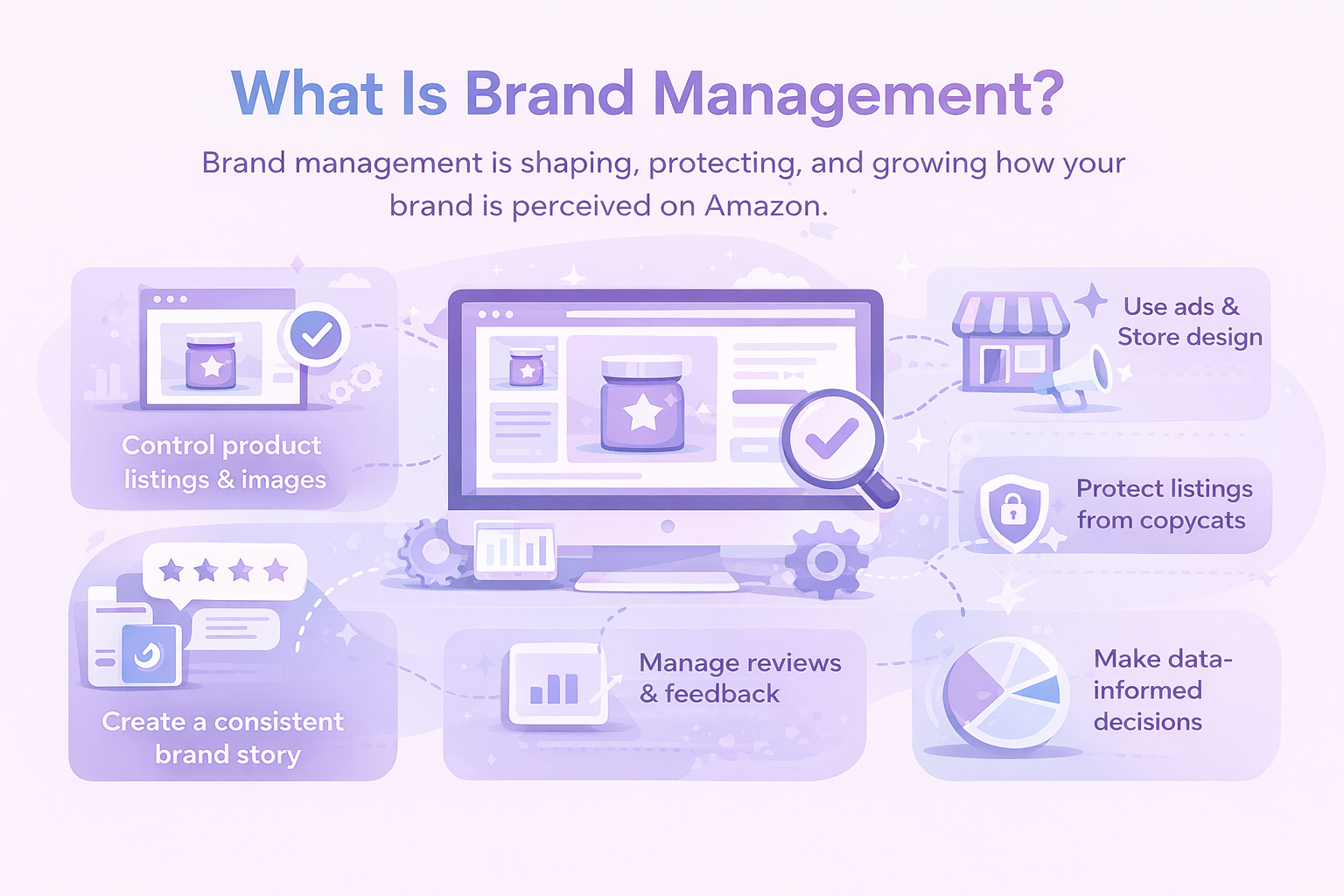
Brand management is everything you do to shape, protect, and grow how your brand is perceived. It’s the behind-the-scenes strategy that keeps your product from becoming just another option in a sea of sameness.

On Amazon, brand management includes:

  • Controlling your product listings and images.
  • Creating a consistent brand story across all touchpoints.
  • Managing customer reviews and feedback.
  • Protecting your listings from hijackers or copycats.
  • Using advertising and Store design to reinforce your message.
  • Making data-informed decisions to optimize the experience.

It’s not about micromanaging every detail. It’s about building systems that help your brand scale without losing focus.


Why Brand Management on Amazon Actually Matters

Here’s the deal: Amazon is crowded. Over 2 million active sellers are competing for attention, and unless you’re offering something wildly unique (spoiler: you’re probably not), your brand is what sets you apart.

And buyers? They make decisions in seconds. They don’t read your entire listing or scroll through every image. They pick up on visual cues, reviews, product titles, and your overall presence, and decide if they trust you.

Why investing in your brand pays off:

  • Higher conversion rates: Customers buy from brands they trust.
  • Repeat customers: A strong brand gives people a reason to come back.
  • Stronger margins: Branded products can charge more than generic ones.
  • Better ad performance: Recognition improves click-through and lowers cost-per-click.
  • Business valuation: If you ever want to sell, buyers look at brand equity, not just SKUs.

In short, strong brand management leads to long-term value. It’s not about winning one sale – it’s about building a brand people remember and return to.


Key Stages for Building and Growing Your Brand on Amazon

Before you jump into storefronts, ads, or analytics, it helps to understand the core stages involved in shaping a strong brand on Amazon. The steps below break down the essential work that moves your brand from basic presence to real recognition. Each stage builds on the one before it, forming a practical path you can follow no matter your niche or experience level.

1. Define What Your Brand Actually Stands For

Before you worry about storefronts or ads, nail your foundation. What does your brand represent? What problems do your products solve, and who exactly are they for?

This means locking in three things: a clear mission and brand voice, a product point of view (what makes you different?), and a specific audience you’re solving for.

Generic doesn’t win. “Premium quality at a great price” is not a brand – it’s a default setting. Think like a customer scrolling through five similar listings. What would make them stop on yours?

If your brand doesn’t stand for anything in particular, Amazon shoppers will scroll past it like wallpaper.

2. Set Yourself Up With Amazon Brand Registry

Once you have a brand name, logo, and a registered (or pending) trademark, enroll in Amazon Brand Registry. This is step one if you’re serious about growing on the platform.

Why it matters:

  • You gain control over your product listings.
  • You unlock tools like A+ Content and Amazon Stores.
  • You get access to enhanced protection against hijackers and counterfeiters.

Don’t have a trademark yet? Amazon’s IP Accelerator connects you with vetted lawyers who can speed up the process, and you can still access Brand Registry features while the application is pending.

3. Use A+ Content to Tell a Better Story

Once you’re in the registry, you can enhance your product detail pages with A+ Content. This lets you move beyond bullet points and add real visuals, comparison charts, branded modules, and structured layouts.

But don’t just paste in marketing filler. Use A+ Content to:

  • Preemptively answer common buyer questions.
  • Show product use in real-life scenarios.
  • Visually differentiate from competitors.
  • Reinforce your brand’s tone and style across every listing.

Brands that use A+ Content see higher conversion rates, better review quality, and fewer returns. Think of it as your chance to build trust before the shopper even adds to cart.

4. Build a Real Storefront, Not Just Listings

Amazon Stores let you create a multi-page branded storefront – like a mini website inside Amazon. It’s free, and honestly underused by most sellers.

A strong Store setup can help you group related products by use case or collection, showcase your top sellers, bundles, and new releases, and tell your brand story in one place with images, videos, and headlines.

Use your Store as a destination for Sponsored Brands ads and off-Amazon campaigns (like Instagram or YouTube). Amazon gives you traffic and sales analytics for your Store, so you can see what’s working and what’s getting ignored.

5. Make Smart Use of Sponsored Brands Ads

Let’s talk about visibility. Sponsored Products ads are great for direct sales, but if you’re building a brand, Sponsored Brands campaigns are where you plant the flag.

These ads appear at the top of search results and let you feature:

  • Your brand logo and a custom headline.
  • Up to three products or a video.
  • A link to your Store.

Here’s what to focus on:

  • Don’t treat this like a product pitch. Highlight your brand’s promise.
  • Use copy that reinforces your positioning, not just features.
  • Test different headlines and visuals to see what resonates.

Brand-building isn’t just about awareness – it’s about leaving an impression. Sponsored Brands ads give you room to do both.

6. Go Beyond Amazon With Attribution and Off-Platform Marketing

While Amazon’s massive audience is powerful, you don’t want to live in a vacuum. Off-Amazon efforts like influencer marketing, email campaigns, and paid social should also drive traffic back to your listings or Store.

Amazon Attribution lets you track what’s actually working by linking off-site traffic to Amazon conversions. It covers email campaigns, Google and Facebook Ads, social posts, influencer links, blog, or site traffic.

This matters because it’s easy to burn money off-Amazon if you can’t see what actually drives revenue. Attribution helps you optimize your outreach and reward the channels that perform.

7. Lean on Brand Analytics to Understand Your Market

Amazon’s Brand Analytics tools give you visibility into shopper behavior you won’t get from basic reports.

You’ll find:

  • Search terms that led to your products.
  • Click and conversion share compared to competitors.
  • Market basket analysis (what other products are purchased with yours).
  • Demographic breakdowns of your customers.

Use this data to:

  • Refine your product listings and keyword targeting.
  • Spot upsell and bundling opportunities.
  • Adjust pricing or offers based on what’s converting best.

Data isn’t just for optimization – it’s how you avoid wasting ad spend and doubling down on what’s already working.

8. Use Reviews and Customer Feedback to Strengthen the Brand

Reviews are social proof, but they’re also product intelligence. Amazon’s Voice of the Customer dashboard helps you spot patterns in complaints, questions, or praise.

Your job:

  • Respond quickly and professionally to negative feedback.
  • Use positive reviews in your Store or A+ Content.
  • Identify recurring issues and improve your listings or product design.

Also: consider enrolling in Amazon Vine to collect trusted reviews on new launches. These early reviews can make or break a product’s momentum.

9. Test, Iterate, and Optimize

Amazon isn’t static. Buyer behavior shifts. Competition evolves. Tools change.

Use Manage Your Experiments (MYE) to A/B test titles, main images, A+ Content, and bullet point structures.

And don’t just run a test and move on. Use the insights to revise your broader strategy. Branding is a continuous loop of learning and adjusting.

10. Track Brand Growth With the Right Metrics

Amazon now gives you better insight into how your brand is performing at every stage of the funnel. Some key metrics to keep an eye on:

  • Total brand shoppers.
  • Engaged shopper rate.
  • Customer conversion rate.
  • % of sales from new-to-brand buyers.
  • Subscribe & Save rate or repeat purchase rate.

Benchmark these against competitors in your category using Amazon’s Brand Metrics dashboard. Over time, you’ll be able to tell if your efforts are gaining traction or just holding the line.


Turning Data Into an Edge for Your Brand

Building a brand is one thing, knowing what’s actually driving results is another. That’s where we step in. At WisePPC, we help brands go beyond gut instinct by making sense of the data behind every click, sale, and ad decision. If you’re selling on Amazon or across multiple marketplaces, getting clear on performance isn’t optional – it’s how you stay competitive.

We designed WisePPC as a platform that simplifies complexity without watering anything down. Our tools give you real-time visibility across campaigns, product listings, and marketplace accounts, so you can see what’s working and fix what isn’t before it costs you. From automated bid optimization to deep placement analysis, it’s all built to help brands grow smarter, not just bigger.


Final Thoughts: Think Like a Brand, Not a Product

Too many sellers focus on the listing. The trick is to focus on the customer.

What do they need to see, feel, or believe to choose your brand over the others?

Growing on Amazon isn’t about being everywhere – it’s about being memorable where it counts. If you invest in the right systems, protect your identity, and constantly adapt to how shoppers behave, your brand won’t just survive. It’ll scale.

Now go make something worth remembering.


FAQ

1. Do I need a trademark before I can start building a brand on Amazon?

You can start building your brand presence anytime, but to unlock key tools like Brand Registry, A+ Content, and storefront customization, you’ll need a registered trademark or at least a pending one through Amazon’s IP Accelerator. It’s not just a formality. That trademark is what gives you control over your listings and helps protect your brand from copycats.

2. What’s the difference between selling a product and building a brand?

Selling a product is transactional. Building a brand means creating something that people recognize, remember, and come back to. On Amazon, that translates into better conversions, stronger reviews, and a business that’s a lot harder for competitors to knock off.

3. Is A+ Content actually worth the time?

Absolutely, if you use it well. It’s not about stuffing it with nice images and buzzwords. The brands that win here use A+ to answer questions before they’re asked, show the product in context, and reinforce what makes them different. It’s a trust builder, and it pays off in conversions and fewer returns.

4. How do I know if my brand is growing on Amazon?

Look beyond just sales. Use Amazon’s Brand Metrics and Brand Analytics to track how many new customers are buying, how often they’re coming back, and how you stack up against similar brands. Growth isn’t just volume, it’s how well your brand holds attention and earns loyalty over time.

5. Should I be sending traffic from social media or my own website to Amazon?

Yes, especially if you’re using Amazon Attribution to track it. Driving traffic from off-Amazon sources like Instagram, YouTube, or email can boost visibility, sales, and even ranking. Just make sure you’re not flying blind. Attribution helps you see what’s working and what’s wasting your time.

A Practical Guide to Launching a Product the Right Way

There’s a difference between launching a product and launching one well. A lot can go sideways between idea and execution – wrong audience, rushed timing, vague messaging, or just too many moving parts that don’t line up.

This guide breaks the process down into clear, manageable steps. No fluff, no corporate buzzwords. Just real-world advice to help you build a launch that’s grounded, thoughtful, and ready to perform once it’s out in the wild. Whether you’re doing this for the first time or refining your process, it pays to go in with a solid plan.


What Is a Product Launch?

A product launch is the process of bringing a new product or offer to market and getting it into the hands of real customers. It’s not just a release date or a press announcement – it’s everything that happens before, during, and after to make sure the right people know the product exists, understand what it does, and feel confident choosing it.

That includes research, positioning, messaging, testing, and promotion. A good launch connects your solution to a specific problem in a way that feels timely and relevant. It’s not just about going live – it’s about going live with purpose.


Types of Product Launches

Not every product needs a full-scale promotional push on day one. The type of launch you choose depends on your audience size, the maturity of your product, and how confident you feel about its market fit.

Soft Launch

A soft launch introduces the product to a small, controlled group. The goal here is feedback, refinement, and early validation. It is ideal when you want to test messaging, fix issues, or gather testimonials before a wider release.

Hard Launch

A hard launch is the full public debut. It usually includes a set launch date, coordinated marketing, and more visibility. This approach works best when you are confident in the product and want to make a clear, noticeable entry into the market.

Internal Launch

This is mostly used in service-based or digital businesses. You release the product to your existing audience first. They are already familiar with your work, which makes it easier to test the offer and gather honest feedback.

Evergreen Launch

Instead of releasing on a single date, the product becomes available permanently through automated marketing funnels. It is great for digital offerings where content and user experience can be standardized over time.

Seed Launch

This is an early-stage test where you present the idea or a simple prototype to a small group of people. The goal is not scale but validation. You learn what people want before building anything too complex.


Benefits of a Strong Product Launch

A thoughtful launch does more than create buzz. It builds trust and positions your product for long-term success. Here are a few benefits that often go unnoticed:

  • Faster market adoption because customers immediately understand what the product does and who it is for.
  • Stronger brand perception since a polished launch signals professionalism and reliability.
  • Higher conversion rates due to clear messaging that ties customer pain points to your solution.
  • Better customer insights that help refine the product, support team, and next version of your offer.
  • Reduced risk because early testing and validation prevent costly missteps later.

A great product alone does not guarantee a great outcome. The launch is what puts it in the right hands.


Key Steps to Launch a Product Successfully

There’s no universal blueprint for launching a product, but most strong launches follow the same core structure. Here’s how to move from idea to execution without missing what matters along the way.

Step 1: Understand Your Audience and Market

Every effective launch begins with clarity. Who is the product for, and what exact problem does it solve for them? Most businesses think they know the answer, but real clarity requires research.

Spend time gathering information about the people who are most likely to use your product. Look at:

  • Their goals and frustrations.
  • How they currently solve the problem.
  • What alternatives they have.
  • What language they naturally use.

Talk to customers or prospects directly. Study competitor reviews. Explore relevant communities or forums. The more you understand your audience, the easier it becomes to position your product in a way that feels natural to them.

Step 2: Shape Your Positioning and Core Message

Product positioning is the story you choose to tell about your product. It explains what makes it different and why someone should care.

A strong positioning statement answers a few simple questions:

  • What does the product do?
  • Who is it designed for?
  • What pain or frustration does it remove?
  • Why is it better than what already exists?

Your messaging should focus on clarity, not hype. Customers respond to practical value, not exaggerated claims. Keep your message grounded, easy to understand, and aligned with what your audience truly wants.

Step 3: Validate Before Going All In

Before building the final version, test whether your idea resonates. A seed launch, pilot group, or early preview can provide valuable insight.

This small-scale test helps you confirm whether people actually want the product, what features matter most, what pricing feels fair, and where confusion or resistance appears.

You can use surveys, simple landing pages, demos, or trial versions. The goal is to collect enough data to make informed decisions, not guess your way through the process.

Step 4: Build a Minimum Sellable Version

You do not need the perfect version on day one. What you need is a clean, functional version that delivers on the promise.

Focus on making the core features solid and intuitive. Anything that does not directly contribute to your product’s value can wait for later updates.

This stage is also where you finalize pricing, basic branding, and the essential materials customers will see, such as the product page or demo video. These become the backbone of your launch content.

Step 5: Grow an Early Access List

Interest does not appear out of nowhere. You want to build a warm audience before your launch. A simple way to do that is by offering a valuable lead magnet that relates directly to the problem your product solves.

This could be:

  • A short guide.
  • A resource checklist.
  • A free lesson.
  • A behind-the-scenes preview.
  • A small tool or template.

Collect emails, send meaningful content, and prepare your audience for what is coming. A warm list of engaged people will outperform cold traffic every time.

Step 6: Map Out Your Launch Strategy

A product launch is not just the moment you go live. It is the journey leading up to that moment. Create a plan that outlines the content, touchpoints, and timing you need to guide someone from first hearing about the product to feeling confident enough to buy it.

Include elements such as pre-launch emails, blog posts or social posts, teasers and behind-the-scenes updates, partnerships or influencer collaborations.

Your plan should tell a story. Each piece of content should naturally lead someone closer to the buying decision.

Step 7: Produce the Promotional Assets

Once your strategy is in place, build the assets that will support it. These can include:

  • A clear, compelling product landing page.
  • Email campaigns.
  • Product walkthrough videos.
  • Press releases or media kits.
  • Social content that highlights problems, solutions, and benefits.

Consistency matters. Everything you publish should reflect the same message, tone, and promise. A fragmented message can confuse customers at the exact moment you want them to feel confident.

Step 8: Test Everything Before You Go Live

A launch can fall apart because of small details, so check every link, every form, and every payment flow. Test the product on multiple devices. Ask a few people to walk through the checkout or onboarding experience.

Internally, make sure:

  • Your support team knows the product.
  • Your marketing schedule is approved and ready.
  • Your tracking tools are working.
  • Your team understands who is handling what on launch day.

A quick rehearsal can prevent a lot of unnecessary stress.

Step 9: Launch With Intention

When launch day arrives, your job shifts from planning to execution. Activate your marketing campaigns, publish your posts, send your emails, and pay attention to responses. Engage with your audience. Answer questions quickly. Share updates as needed.

The goal is not just to sell but to create a smooth experience that builds trust.

Step 10: Review, Analyze, and Improve

Once the dust settles, evaluate your results. Look at:

  • Sales.
  • Email engagement.
  • Customer feedback.
  • Funnel performance.
  • Market response.

Hold a recap meeting. Identify what worked and what felt off. Document your insights so the next launch builds on a stronger foundation.

A product launch is rarely a one-time event. It is the start of an ongoing cycle of improvement, refinement, and growth.


A Few Words About Launching on Amazon

If you plan to launch on Amazon, the process becomes partly platform-driven. Amazon rewards clarity, relevance, and speed. You should focus on:

  • A well-structured product listing with high-quality images.
  • Keyword research and optimized titles.
  • Accurate descriptions that highlight benefits.
  • Early reviews through legitimate programs like Amazon Vine.
  • Advertising with Sponsored Products to gain visibility.
  • Inventory management to prevent stockouts.

Amazon has built-in demand, which means competition is higher, but the opportunity is enormous. A structured, thoughtful launch can help your product climb in rank faster and reach the right customers at the right time.


How We Help You Launch Smarter at WisePPC

At WisePPC, we’ve seen one thing hold back great product launches more than anything else: lack of visibility. When you don’t have a clear picture of how your ads are performing or which keywords are actually driving revenue, it’s almost impossible to make smart decisions during those first critical weeks.

That’s exactly why we built our platform. We give you the kind of deep, real-time insights that let you adjust quickly, double down on what’s working, and cut what isn’t. From tracking performance metrics to segmenting historical data across campaigns and placements, we help you move beyond gut feelings and focus on data that actually drives growth.

Launching on marketplaces like Amazon or Shopify? We’re an Amazon Ads Verified Partner, so we’re fully aligned with Amazon’s standards and best practices. Whether you’re running a small test or rolling out at scale, our tools let you manage ad spend, analyze campaign health, and optimize your bids in minutes, not hours. If you want to launch with clarity instead of guesswork, we’re here to help.


Wrapping It Up

A product launch isn’t just a milestone – it’s a mirror. It shows you how well you understand your audience, how clearly you can communicate value, and how ready you are to deliver on your promise. If it feels overwhelming, that’s normal. But the best launches aren’t built overnight – they’re built step by step, with curiosity, patience, and a willingness to test what works.

Whether you’re gearing up for your first launch or refining your tenth, the same core ideas apply: know who you’re building for, validate before scaling, and stay responsive once you’re live. Tools like WisePPC make the data side easier, but the decisions still come down to you. Launching well is a mix of strategy and intuition, and that’s exactly what makes it interesting.


FAQ

1. How long does it usually take to prepare for a product launch?

It depends on the complexity of the product and your resources, but most well-prepared launches take anywhere from 4 to 12 weeks. That gives you time to validate the idea, build your early list, craft your message, and get all your materials in place without rushing.

2. What’s the biggest mistake people make when launching a new product?

Trying to launch without truly understanding the customer. It’s easy to get excited about features and forget that people don’t buy features – they buy outcomes. Skipping audience research and messaging prep can lead to a quiet launch, no matter how great your product is.

3. Do I really need to run a “pre-launch” phase?

Yes, especially if you want to avoid launching to crickets. A pre-launch helps you build interest, test messaging, and warm up your audience. It also gives you early feedback that might save you from expensive mistakes later.

4. Can I launch a product without a big email list?

You can, but you’ll need a traffic plan. That might be paid ads, partnerships, influencer shoutouts, or SEO content – ideally, a mix. A warm list makes things easier, but if you don’t have one yet, you’ll need to create demand elsewhere.

5. What’s the difference between a product launch and just listing something online?

A launch is intentional. It involves planning, messaging, audience targeting, and follow-up. Listing a product is passive – you’re just making it available. Launching means actively putting it in front of people with purpose.

6. Should I use paid ads right away, or wait?

If you’ve already validated the offer and know your messaging works, ads can amplify your launch. But if this is your first time putting the product out there, it’s smart to test organically first, even with a small group. That way you’re not spending to learn lessons you could’ve gotten for free.

7. How do I know if my launch was successful?

Define success before you launch. It could be a certain number of sales, signups, conversations, or even just engagement levels. The key is to compare results against your goals, not someone else’s highlight reel. Then ask: what did I learn, and what would I do differently next time?

Making a Product Video? Here’s How to Do It Right

You don’t need a film degree or a massive studio budget to make a product video that does its job. What you do need is a clear plan, a bit of creativity, and a solid understanding of what your audience actually wants to see.

This guide walks you through each step of the process – from getting your story straight to hitting publish – so you can create a product video that feels real, looks good, and helps your customers feel confident hitting “buy.”


What Is a Product Video?

Let’s back up for a second. A product video is exactly what it sounds like: a short video that showcases your product. But that definition barely scratches the surface of what it can actually do for your business.

At its core, a product video helps your audience see the product in action – how it works, what it feels like to use, and why it’s worth buying. It gives life to the thing you’re selling. Instead of just reading about features or looking at static images, customers get to experience your product before they commit.

Think of it like a virtual salesperson that never sleeps, never forgets the pitch, and is always available on your product page, social media, or ad.


Why Product Videos Work So Well

Before we dive into the how, it’s worth understanding the why. Videos give buyers something no photo or paragraph ever can: context. They show your product in action. They cut through confusion. And most importantly, they build trust.

Here’s what a well-made product video can do:

  • Boost conversion rates by helping shoppers visualize use.
  • Build brand trust through clear demonstrations and real-life applications.
  • Reduce returns by setting realistic expectations.
  • Improve SEO when hosted on your site or YouTube.
  • Increase engagement on social platforms where video dominates.

People don’t want to guess how your product works. They want to see it. And they’ll reward you for showing them.


What Equipment Do You Actually Need?

Good news: You don’t need a production studio or a $5,000 camera to make a solid product video. Most of the time, a simple setup is enough, if you know how to use it right.

Here’s a practical list of gear you might need depending on your budget.

Starter kit (for DIY creators):

  • Smartphone with a decent camera (most iPhones or Android flagships are great).
  • Tripod to keep your shots steady.
  • Natural lighting or a basic ring light.
  • Clip-on mic for clearer audio.
  • Free editing software.

Mid-level setup:

  • DSLR or mirrorless camera for more control and better depth of field.
  • Softbox lights or LED panels for consistent lighting.
  • Lavalier or shotgun microphone.
  • Sturdy tripod or gimbal for smooth camera movement.
  • Paid editing tools.

Nice-to-haves:

  • Backdrop (neutral color or white sweep paper).
  • Reflector to bounce light.
  • Props that show the product in use.
  • B-roll camera or second angle setup.

The key is clarity and control. If your viewers can clearly see and hear what’s happening, you’re already ahead of the game.


The Step-by-Step Process for Making a Product Video That Works

Whether you’re filming it yourself or bringing in outside help, these steps will guide you from idea to final cut – without getting overwhelmed along the way.

Step 1: Get Clear on Your Goal First

This might sound obvious, but you’d be surprised how many product videos are created without a clear goal in mind. Are you trying to drive purchases? Educate new users? Highlight a specific feature? Your entire approach – script, shots, editing – should match that goal.

Some common video goals include to generate awareness for a new launch, increase conversions on a product page, or reduce support tickets with a how-to video.

Pick one. Not three. Trying to do it all in one video usually ends in confusion.

Step 2: Choose the Right Video Type for the Job

Different products (and different stages of the funnel) call for different types of videos. Here’s a quick breakdown of the most useful formats:

  • Product overview: A quick, no-fluff breakdown of what it is, what it does, and why it’s useful.
  • Unboxing: A visual of the packaging, included items, and first impression. Great for building hype.
  • How-to or setup guide: Ideal for more technical products. Helps customers feel confident and reduces support queries.
  • Brand story: Focuses more on your values, team, or mission. Best for top-of-funnel and social content.
  • Troubleshooting: Addresses common problems and how to fix them. Saves time for support teams.
  • Comparison videos: Pits your product against others or shows it working across use cases.

If you’re only doing one video for now, a strong product overview with subtle storytelling usually delivers the best balance of clarity and engagement.

Step 3: Write a Script That Feels Like You

Good scripts don’t sound like scripts. They sound like someone talking to you directly – clearly, casually, and with purpose. You’re not making a documentary. You’re having a conversation.

One of the best ways to write a product video script that actually connects is to lead with the problem your product solves. Don’t wait too long to get there – those first five to ten seconds matter more than you think. Instead of rattling off features, zero in on the benefit your customer actually cares about. Speak like a human, not a pitch deck. That means ditching the jargon and buzzwords in favor of simple, clear language. And when it’s time to wrap, don’t leave people hanging. Whether it’s a purchase, a sign-up, or a click-through, let them know exactly what to do next.

Step 4: Prep Your Shoot Like a Minimalist

You don’t need a huge crew or a studio setup to shoot a good product video. But you do need to prepare. The goal is to keep things smooth, efficient, and mistake-proof.

Here’s a short checklist:

  • Shot list: Know what scenes you’re capturing and in what order.
  • Props: Anything the product interacts with should be ready and clean.
  • Lighting: Use natural light if you can, or invest in a softbox or ring light.
  • Backdrops: Clean, uncluttered, and context-appropriate.
  • Camera setup: Tripod is a must. Smartphone or DSLR – either can work.
  • Audio: Lapel mics or shotgun mics make a huge difference for clarity.

Also, think about locations. A kitchen table works fine for a mug or small appliance. A park bench could work for a backpack or stroller. Just make sure the environment matches how the product is used in real life.

Step 5: Filming Tips That Make a Big Impact

Once you start rolling, a few things make the difference between amateur and polished:

  • Shoot from multiple angles: Get wide, medium, and close-up shots.
  • Use the Rule of Thirds: Frame your product off-center for a natural look.
  • Keep movements steady: Use a tripod or gimbal.
  • Focus on hands: Show how the product is handled or used.
  • Record more than you need: You can cut later, but you can’t go back and re-capture missing shots.

And don’t forget B-roll – those in-between shots that help with transitions or mood. Think: zoom-ins, packaging close-ups, or even the product in motion.

Step 6: Edit for Clarity, Not Just Style

Editing is where your raw footage becomes a real, usable video. It’s tempting to go heavy on effects or transitions, but clean, functional edits always win for product videos.

Here’s what to focus on:

  • Keep it short: 30 to 90 seconds is the sweet spot.
  • Cut ruthlessly: Trim anything that doesn’t add value.
  • Add overlays: Use pop-up text to highlight key features or benefits.
  • Balance audio: Ensure voice, music, and ambient sound don’t compete.
  • Add captions: Many people watch with sound off, especially on mobile.

Free or low-cost editing tools are more than enough for most use cases.

Step 7: Format for Where It’s Going

A common misstep is creating one version of your product video and assuming it works everywhere. In reality, each platform has its own rhythm and visual language. What plays well on Amazon – think horizontal, polished, and benefit-focused – won’t necessarily land on TikTok, where short, vertical, and often casual clips dominate.

YouTube leaves more room for longer demos or how-tos in a classic landscape format, while your website or product detail page calls for a clean, fast-loading embed that speaks directly to the buyer’s intent. Even email requires its own approach, usually a GIF preview that links out to the full video.

Whatever the channel, make sure the video is compressed for quick loading, uses subtitles for silent viewing, and has a thumbnail that makes people want to click.

Step 8: Don’t Just Publish and Forget It

Once your video is live, your job isn’t done. You want to know what’s working, and what’s not.

Track metrics like view-through rate (VTR), average watch time, click-through rate (CTR), conversions or sales attributed to video, engagement (likes, comments, shares).

A/B test different intros or call-to-action phrasing. Even changing a single word can boost results. If you’re running ads, track how your video performs in different placements. And if people stop watching halfway through? That’s a signal to tighten your pacing or revisit your script.


Bonus: When to Outsource vs. Do It Yourself

There’s no one-size-fits-all answer here. DIY product videos are great for speed, authenticity, and cost. But if you’re short on time, launching a big campaign, or working with a high-ticket product, it may be worth hiring pros.

Outsourcing makes sense when:

  • You need multiple videos shot at once.
  • You want advanced editing, voiceovers, or motion graphics.
  • You’re creating videos for multiple SKUs or product lines.
  • Your internal team doesn’t have the time or skills.

Just make sure the video still feels like your brand. High production value means nothing if the message doesn’t land.


Tips for Creating a Smart Product Video

Whether you’re just starting out or you’ve done this before, a few smart choices can seriously level up your product video. These aren’t trendy hacks or flashy effects – just grounded techniques that work.

1. Show, Don’t Just Tell

It’s one thing to say your product is easy to use. It’s another to actually show someone unboxing it, setting it up in seconds, and getting value right away. Visual proof beats marketing claims every time. Don’t rely on narration alone – let the product demonstrate what it can do.

2. Use Real-World Context

Skip the sterile white background unless you’re selling lab equipment. People want to see the product in a setting that feels familiar and believable. If you’re showing a travel backpack, film it outdoors or in an airport, not on a rotating table under harsh studio lights. Authenticity makes your video relatable, and relatability builds trust.

3. Keep the Pacing Tight

This isn’t a movie trailer. Attention spans are short, and viewers don’t owe you their time. Trim any part of the video that feels slow or redundant. If you start watching it back and catch yourself thinking, “This could be shorter,” trust that instinct and tighten it up.


4. Highlight One Core Benefit

You don’t need to list every feature your product offers. In fact, doing that usually waters down your message. Focus on the single most important benefit – the thing that really solves a problem or sparks desire and let that lead the story. You can always cover additional features in follow-up content.

5. Add Subtle Branding

Your video should feel like it belongs to your brand, but it shouldn’t feel like an ad. Integrate your visual identity through logo placement, color palette, and tone, but avoid hitting people over the head with it. Subtle is stronger when it comes to trust.


Where Product Videos Meet Real Performance Data

We created WisePPC to focus on one thing: helping marketplace sellers make smarter decisions through real, actionable data. Product videos are a big part of your conversion story but they don’t live in a vacuum. Once you’ve put in the effort to create a great video, you need to know if it’s actually making a difference. Are viewers clicking through? Is ad spend backing up your video-driven growth? That’s where we come in.

We give you the tools to track how your content impacts both sales and advertising performance – down to individual campaigns, keywords, and even placements. Whether you’re running Sponsored Products on Amazon or managing multiple accounts across platforms, our dashboard helps you cut through the noise and see what’s really working. You’ll know if your new video is moving the needle or if it’s time to test something else. No guesswork, no fluff – just sharp insight into how your creative content and ad strategy work together.


Final Thoughts

A great product video doesn’t need to go viral. It just needs to do its job: make your product clear, compelling, and easy to understand. If it shows real use, solves a problem, and feels natural to watch, you’re already ahead of most of the competition.

Start with one video. Learn what resonates. Then make another. The more you do it, the easier it becomes.

And hey, if you’re reading this because you’re planning your first one, that’s already a solid step in the right direction.


FAQ

1. Do I need professional equipment to make a decent product video?

Not at all. If you’ve got a smartphone made in the last few years, you’ve already got a solid camera in your pocket. What matters more is how you use it – clean lighting, a stable shot, clear audio. A tripod and a basic mic can go a long way. You don’t need Hollywood gear to make a video that feels sharp and trustworthy.

2. How long should my product video be?

Keep it short enough to hold attention but long enough to show what matters. For most products, that’s somewhere between 30 and 90 seconds. If you’re doing a tutorial or demo, going up to two minutes is fine – as long as it’s useful the whole way through. No one sticks around for fluff.

3. Can I talk in the video, or should it just be visuals and music?

That depends on your style and audience. Talking can work great if it feels natural, especially for personal brands or handmade products. But if you’re not comfortable on camera, no pressure. You can stick to clean visuals, subtitles, and maybe a voiceover. Just don’t let awkward audio distract from your message.

4. What should I actually show in the video?

Show what buyers can’t learn from a photo. That might be how the product moves, fits, opens, connects, or solves a problem. Focus on real-life use, not just beauty shots. Bonus points if you can show it in someone’s hands or in the environment where it’s meant to be used.

5. Should I make different versions of my video for each platform?

If you can, yes. A square or vertical cut works better for Instagram and TikTok. A landscape version is ideal for your website, Amazon, or YouTube. You don’t need to shoot the whole thing multiple times – just plan your framing and edits with a few formats in mind. It’s worth the extra effort.

6. How do I know if my product video is working?

Watch what happens after it goes live. Are people clicking more? Are sales going up? Tools like WisePPC can help you track performance down to the ad, keyword, or product page. If you’re not seeing results, try tweaking the first 5 seconds or adjusting your call to action. Small changes can make a big difference.

Stop Guessing: A/B Test Your Product Content to Sell More

You don’t need to overhaul your entire product catalog to boost sales. Sometimes, just swapping a headline or testing a new image layout is enough to shift results. The key is knowing what to change, and that’s where A/B testing comes in. It’s the most reliable way to figure out what content actually works, based on real buyer behavior. Whether you’re fine-tuning product pages on Amazon or managing a large multi-channel catalog, a smart testing strategy can quietly unlock better performance with every experiment.

In this article, we’ll dig into what A/B testing looks like in practice, what parts of your product content are worth testing, how to run clean, effective experiments, and how to turn your results into broader growth strategies.


What A/B Testing Actually Is

A/B testing means creating two different versions of a single piece of content and showing them to different groups of users at the same time. You track the performance of each version and compare outcomes – sales, clicks, conversion rate, or any other goal.

For example version A shows your original product title. Version B shows a revised title with added benefits or keywords. If version B results in more conversions, you have data to support using it across the board.

It’s not a vibe check or a hunch. It’s a structured way to learn what your customers actually respond to.

This isn’t the same as usability testing, where you observe how people interact with your product. And it’s not multivariate testing either, which compares many variables at once and usually requires a larger dataset.

Think of A/B testing as your go-to tool for validating content decisions in a focused, controlled way.


Why Product Content Deserves Testing

Designers and marketers are used to running experiments on ads, landing pages, and emails. But product content? That often gets left alone for too long. And that’s a missed opportunity.

Product detail pages play a huge role in the buying decision. Especially in marketplaces like Amazon or Shopify, where shoppers compare dozens of similar products in a single session. Your title, bullet points, images, and descriptions are doing the heavy lifting, and they’re worth testing just like any other part of the customer journey.

Here’s why it matters:

  • Content affects both conversion and discoverability: Your title can help you rank better and appeal to customers faster.
  • Small changes scale fast: If one variation boosts conversions by even 3%, that impact multiplies across hundreds or thousands of sessions.
  • Testing gives you confidence: You stop relying on guesswork and start building a system for continuous optimization.


What You Can Test (And What You Should)

A/B testing doesn’t have to be complex. You can start small, with just one variable at a time. That’s actually the best way to isolate what’s working.

Here are some high-impact elements worth testing:

Product Titles

Try testing whether including your brand name makes a difference. You can also experiment with highlighting product benefits instead of just features. If your current title is overloaded with keywords, test a simpler version and see if it improves clarity and clicks.

Images

Run comparisons between lifestyle shots and clean product-only images. Test different angles, zoom levels, or even infographic-style layouts that add context. You might also explore how showing the product in use compares to a standard static view.

Bullet Points

Focus on what customers actually care about – size, materials, specific use cases. Test shorter, fact-based bullets against more detailed, benefit-driven ones. Reordering your points to lead with the strongest value can also change how buyers engage.
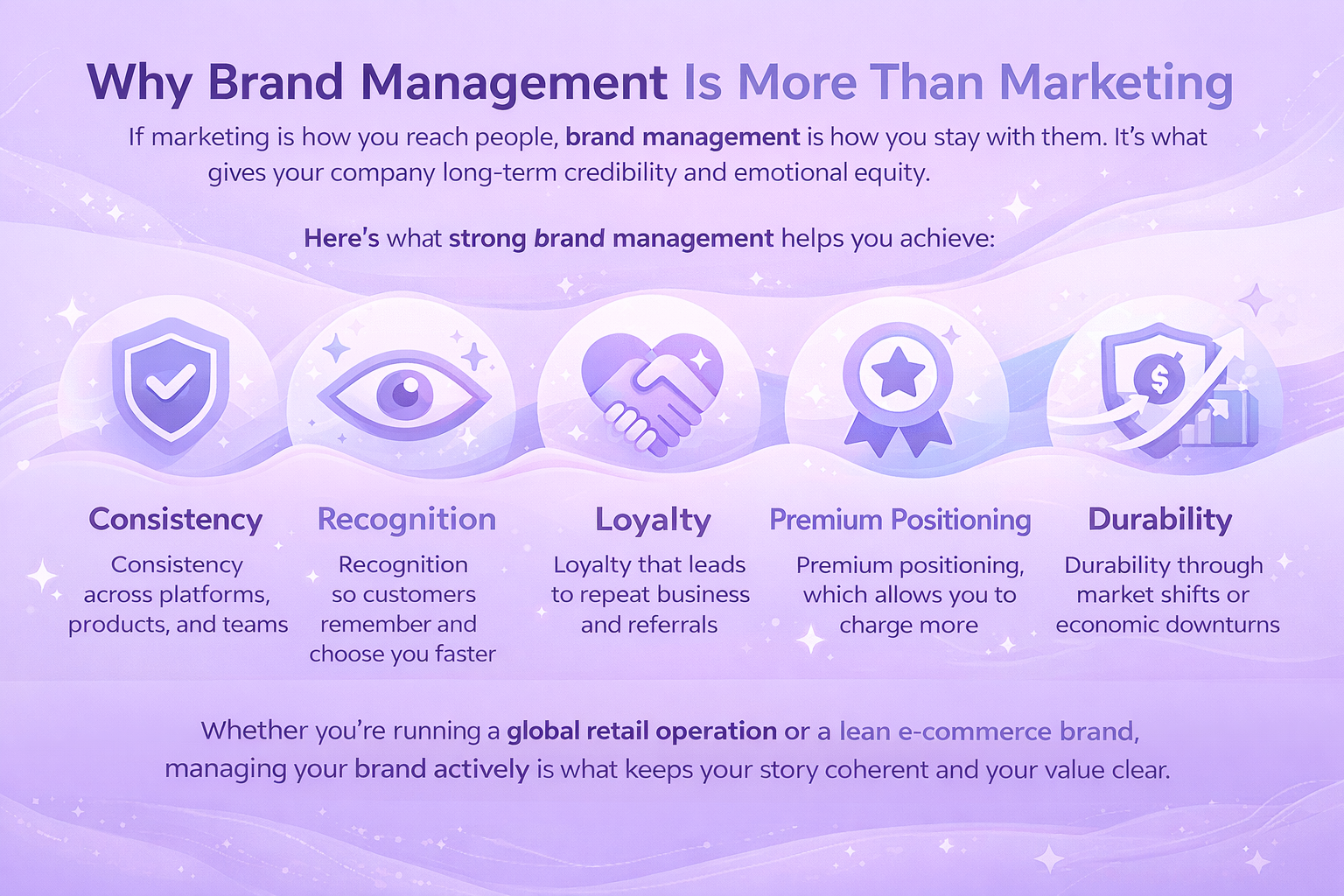
Descriptions

Try adding more storytelling or trust-building elements like guarantees or certifications. Break up long blocks of text with better formatting for easier scanning. And don’t be afraid to cut back – sometimes tighter, more focused copy performs better.

A+ Content (Amazon)

Experiment with different layout structures like side-by-side comparisons or video modules. You can also test different brand stories or upsell messages. Visuals matter too – charts, icons, and comparison tables might give your content the edge it needs.


How to Set Up a Solid Test Without Wasting Time

Running a test just to “see what happens” isn’t a strategy. If you want meaningful results, you need a plan.

1. Start With a Clear Hypothesis

Be specific. Instead of “Let’s see if a new image works,” try:
“We think lifestyle images will improve conversion rates compared to product-only shots.”

This helps define what you’re testing, why, and what success looks like.

2. Choose the Right Metric

You’re not always chasing more sales – sometimes the goal is more clicks, better engagement, or longer time on page.

Some useful A/B test metrics:

  • Conversion rate.
  • Units sold per visitor.
  • Click-through rate (CTR).
  • Add-to-cart rate.
  • Revenue per visitor.

Pick the one that aligns with your hypothesis.

3. Focus on One Variable

Don’t change multiple things at once or you won’t know what made the difference. Keep it clean:

  • One title change.
  • One image swap.
  • One rewritten bullet list.

4. Let It Run Long Enough

A common mistake is ending the test too early. Let the experiment run until you have enough data to reach statistical significance.

Amazon’s Manage Your Experiments tool can do this automatically by ending the test “to significance.” If you’re running it manually, use a testing calculator to check your sample size and duration.

5. Analyze, But Don’t Overread

Sometimes, a winner is obvious. Other times, results are flat. That’s still useful. If version B performed worse, at least you know what not to do.

And don’t just look at the final metric, check supporting data:

  • Did engagement improve but conversions didn’t?
  • Did the test attract more clicks but worse bounce rate?

Use the full picture to decide what to apply and what to test next.


Smart Testing Habits That Actually Work

If you want to get long-term value from A/B testing, build it into your workflow. Here’s how to make it a habit without it becoming a burden:

  • Use a backlog of ideas: Keep a running list of test ideas, pain points, or content that feels stale.
  • Tag tests by goal: Label them “conversion,” “engagement,” “SEO,” etc., so you’re not chasing random wins.
  • Document every test: What you changed, what happened, and what you learned. Treat testing like a feedback loop.
  • Recycle your winners: Apply what worked in one listing across other SKUs, where relevant.
  • Involve the team: Designers, marketers, and product owners all benefit from these insights.


A Realistic Example: What Success Looks Like

Let’s say you’re selling a kitchen gadget on Amazon. The current title is keyword-stuffed, but a little hard to read:

“Premium Stainless Steel Garlic Press – Heavy Duty, Easy Clean, Ergonomic Handle – Garlic Crusher for Home & Professional Use”

You create a variation:

“Easy-Clean Garlic Press with Comfortable Grip – Durable Stainless Steel Crusher for Home Cooking”

After two weeks of testing, you may find that:

  • Version B had a 12% higher click-through rate.
  • Conversion increased by 6%.
  • The new title ranked slightly better on branded keywords.

It’s not dramatic, but it’s real. And now you can apply the same title structure across your other listings. That’s how incremental wins stack up.


Where A/B Testing Meets Action: How We Help You Scale Smarter

At WisePPC, we believe testing is only the first step. The real value comes when you use those insights to drive action at scale. A/B testing shows you what works. We give you the tools to apply that learning across your entire advertising strategy, without the usual mess of spreadsheets or manual updates.

Let’s say your experiment reveals that listings with shorter titles convert better. Or maybe a new image layout drives higher click-through rates. With our platform, you don’t just update a single listing. You can use bulk actions to apply those changes across thousands of campaigns, ad groups, or targets in just a few clicks. And with real-time performance tracking, you’ll know immediately if those changes are moving the needle.

Because we’re built for marketplace sellers who need both insight and execution, our tools let you connect content decisions to your ad data, sales trends, and product-level performance. That means smarter testing, faster rollouts, and less time second-guessing what to optimize next.


Wrapping It Up: Test Less to Learn More

A/B testing isn’t about constantly changing everything or chasing perfection. It’s about being intentional with how you improve product content and backing your changes with real data.

It gives you clarity when things aren’t converting. It gives you proof when something does work. And it keeps your listings evolving as customer behavior shifts.

So next time you feel stuck or unsure about your content, don’t rewrite blindly. Just test it.


FAQ

1. Do I need a ton of traffic to run an A/B test on my product listing?

Not necessarily. You do need a minimum amount of traffic to get results that are statistically meaningful, but you don’t need thousands of visitors per day. Platforms like Amazon’s Manage Your Experiments will only let you test eligible ASINs that already meet that threshold, so you’re not flying blind. If you’re working with lower traffic, just expect tests to take a bit longer to reach significance.

2. What’s the biggest mistake people make with A/B testing?

Trying to test everything at once. When you change multiple elements – say, the title and images and bullet points – you won’t know which one actually made the difference. It’s tempting to combine changes, but real learning comes from isolating variables. One element at a time keeps your insights clean.

3. How long should I let a test run before deciding which version wins?

Let the data decide, not the clock. Some platforms will end a test automatically once it reaches statistical significance. If you’re doing it manually, you’ll want enough sessions and conversions to be confident in the outcome. Cutting tests short too early is like reading half a book and thinking you know the ending.

4. Can A/B testing hurt my conversion rate if one version underperforms?

Short term? Maybe a little. But remember, you’re only showing that version to half your audience. And the risk is worth the long-term gain. Once you identify the better-performing version, you’ll apply it everywhere and recover that dip quickly. Testing is about long-term performance, not avoiding small stumbles.

5. Should I test visuals or copy first?

Start with what you suspect has the biggest impact or what gets the most attention. If your images feel off-brand or outdated, that’s a solid place to begin. If you think your product title isn’t helping you stand out in search, test that instead. There’s no fixed order, but make sure you’re solving a real problem, not just changing things to stay busy.

6. What happens after I find a winning version?

You publish it, sure, but don’t stop there. Take what you learned and look for similar opportunities across your other listings or campaigns. Think of every test result as a blueprint, not a one-off. And if you’re using a tool like WisePPC, you can roll out those changes at scale with just a few clicks. That’s where the real efficiency kicks in.

Proven Brand Management Strategies That Drive Real Growth

Most people think of branding as design choices – logos, colors, maybe a catchy slogan. But brand management goes deeper. It’s the process of shaping how people recognize your brand, how they feel about it, and why they come back. The key isn’t just creating a great first impression – it’s making sure every impression after that stays true, clear, and consistent.

That means building a solid brand identity, sticking to core guidelines, and evolving strategically over time. In this guide, we’ll unpack its main components, walk through practical strategies, and look at how real companies keep their brand aligned, recognizable, and relevant.


What Is a Brand, Really?

A brand isn’t just a logo or a catchy name. It’s the way people think and feel about your business – the mental image they associate with you, the gut-level trust you’ve earned, and the reason they choose you over someone else. It’s shaped by everything from your visual identity (like your logo, color palette, and typography) to the way you speak to your audience through tone and language.

It’s also rooted in your values and mission – what your business stands for beyond just selling a product. Every customer interaction, from the first click to post-sale support, contributes to the experience. And over time, your reputation is built on what people say when you’re not in the room.

Brand management is how you protect and shape all of that – with intention, consistency, and strategy.


Why Brand Management Is More Than Marketing

If marketing is how you reach people, brand management is how you stay with them. It’s what gives your company long-term credibility and emotional equity.

Here’s what strong brand management helps you achieve:

  • Consistency across platforms, products, and teams.
  • Recognition so customers remember and choose you faster.
  • Loyalty that leads to repeat business and referrals.
  • Premium positioning, which allows you to charge more.
  • Durability through market shifts or economic downturns.

Whether you’re running a global retail operation or a lean e-commerce brand, managing your brand actively is what keeps your story coherent and your value clear.


Core Components of Brand Management

Brand management sounds like a big, abstract idea until you start looking at what you’re actually managing. At its core, it comes down to five interconnected elements that shape how people perceive, trust, and interact with your business. Let’s walk through them.

1. Brand Identity

This is how your brand looks – the visual impression people instantly associate with your name. It includes your logo, colors, fonts, and layout across everything from your website to your packaging. The goal isn’t flash, it’s clarity and consistency. Recognition builds trust.

2. Brand Voice

Voice is how your brand sounds. Whether casual or formal, clever or direct, the tone should match your audience and stay consistent across platforms. A strong voice makes your brand feel familiar and trustworthy.

3. Brand Values and Mission

This is the reason behind your business. Clear values and a meaningful mission guide decisions and connect with customers on a deeper level. When lived out authentically, they become a magnet for loyalty. This is the heart of your brand – the reason you exist beyond making a profit.

4. Brand Equity

Brand equity is the value people place on your name based on their experiences and impressions. You build it by being consistent, delivering quality, and creating emotional connections. It’s why people choose you without second-guessing.

5. Customer Experience

Every interaction shapes how people feel about your brand. From browsing to buying to support, it all matters. A smooth, thoughtful customer journey should reflect your brand’s identity, values, and tone at every step.


Proven Brand Management Strategies (That Actually Work)

Now let’s talk tactics. These are strategies real brands use to grow, stay aligned, and keep their value sharp over time.

1. Define and Document Everything Early

Don’t wait until things get messy. From day one, create clear documentation of your brand identity, tone, positioning, and visual standards.

What to include:

  • Logo variations and how to use them.
  • Approved colors and typography.
  • Writing style guidelines.
  • Messaging frameworks for different audiences.
  • Brand mission and vision statements.

Use a digital asset management tool or a living brand portal so teams can access the latest versions anytime.

2. Align Internal Teams Around the Brand

Your brand doesn’t live in the marketing department. Everyone touches the brand – from your product team to customer service. They all need to know how to represent it.

How to make it stick:

  • Build brand training into onboarding.
  • Make brand guidelines accessible and user-friendly.
  • Share wins and examples of good brand execution.
  • Encourage feedback on how to improve alignment.

When teams are aligned, execution becomes faster and more consistent, even across geographies or time zones.

3. Use Technology to Scale Consistency

As a brand grows, managing everything manually starts to break down. More products, more markets, more people involved – it all increases the chances that something will slip off-brand. That’s where technology makes a real difference. Instead of relying on scattered files or back-and-forth approvals, a good system creates a central source of truth.

It helps teams find the right assets, follow the right voice, and publish content that actually reflects the brand. Built-in workflows can guide what gets out the door, while analytics give visibility into how brand materials are being used in the real world. Some tools even use AI to flag inconsistencies or recommend smarter alternatives before mistakes go live. It’s not about enforcing rules for the sake of control – it’s about giving people the structure and tools they need to do things right the first time.

4. Tailor Brand Strategy to Each Growth Phase

Brand management doesn’t look the same at every stage. A startup validating product-market fit needs a different focus than a mature brand entering new markets.

Here’s how to shift your strategy over time.

Early stage:

  • Focus on defining identity and building awareness.
  • Keep messaging consistent across a small set of channels.

Growth stage:

  • Introduce guidelines for scale (tone of voice, visuals, templates).
  • Begin segmenting audiences and tailoring messaging.

Mature stage:

  • Expand with sub-brands, partnerships, or new verticals.
  • Double down on internal governance and asset management.

Good brand managers revisit their strategy regularly, because growth changes everything.

5. Focus on Consistency Without Killing Creativity

Being “on-brand” doesn’t mean being boring. It means using familiar building blocks in new ways.

Tips for keeping it fresh:

  • Let teams experiment within defined brand systems.
  • Provide creative templates rather than strict layouts.
  • Showcase standout executions to inspire others.
  • Avoid micromanaging every word or pixel.

Consistency builds trust. But creativity builds attention. You need both and the right system lets them work together.

6. Make Brand Performance Measurable

Brand isn’t just a feel-good concept – it has real, trackable influence on growth if you know where to look. The key is choosing metrics that reflect how your brand is showing up and how people are responding. That could mean understanding how well people recognize and recall your brand, how likely they are to recommend you to others, or how often they come back and buy again.

You might look at how branded keywords are performing in your campaigns or how much attention your name is getting across social media and review platforms compared to others in your space. With the right tools in place, you don’t have to guess. Data from sources like brand analytics dashboards or search trend reports can offer early signals when something’s working or when something’s off and needs attention.

7. Respond to Change Without Losing Direction

Markets shift. Competitors evolve. Your audience matures. Great brand management means adapting while still staying grounded in your values.

That means:

  • Running brand audits regularly.
  • Updating messaging to reflect new priorities.
  • Retiring outdated visuals or brand language.
  • Creating new brand assets for emerging channels (like TikTok or live shopping).
  • Using customer feedback to guide refinement.

Don’t be afraid to change. Just make sure every change makes sense within the larger story of your brand.

8. Protect What You’ve Built

Once your brand starts gaining traction, others will notice  and some might try to ride your coattails.

Smart brand protection includes:

  • Trademarking your brand name and visual identity.
  • Enrolling in programs like Amazon Brand Registry.
  • Monitoring for copycats or counterfeit listings.
  • Educating customers on how to spot official products or accounts.

It’s not about paranoia. It’s about control and making sure your brand remains a trustworthy signal in a cluttered market.


How We Help Brands Stay Sharp and Scalable

We’ve seen for ourselves at WisePPC just how effective brand management can be when it’s driven by solid data. Our platform was built to give marketplace sellers the visibility and control they need to protect their brand’s edge, especially on fast-moving platforms like Amazon or Shopify, where every listing, bid, and campaign reflects on your reputation.

We don’t just help you run ads. We help you understand what’s actually driving performance – organic reach or paid traffic – and where your brand’s voice is getting traction. Our tools are designed to surface the signals that matter: when campaigns go off-brand, when budgets drift from strategy, or when product performance starts slipping through the cracks. That’s the kind of insight you need to keep your brand aligned, not just active.

From bulk campaign editing to placement-level performance, we give you a unified system to manage complexity without losing control. Brand growth doesn’t happen on autopilot, but with the right structure, you can scale without losing your identity. And that’s where we come in.


Final Takeaway

Brand management isn’t about creating a polished image and calling it a day. It’s an ongoing system of choices, strategies, and tools that help your business grow – clearly, consistently, and with purpose.

You don’t need a big team or a million-dollar budget to get it right. You need clarity on what your brand stands for, the discipline to stick with it, and the agility to adapt when the world changes.

Manage your brand with intention, and growth doesn’t just happen faster – it lasts longer.


FAQ

1. What’s the real difference between branding and brand management?

Branding is what you build – your logo, messaging, tone, and visual identity. Brand management is what keeps it all from drifting off course. It’s the ongoing process of making sure your brand stays consistent, relevant, and aligned with your goals as you grow. One is creation. The other is protection and evolution.

2. Is brand management just for big companies?

Not at all. In fact, small and growing businesses might need it even more. When you’re moving fast, launching new products, or working with limited resources, it’s easy to end up with an inconsistent brand. Having even a basic system in place for managing your brand can save you from confusion, wasted effort, and missed opportunities.

3. How do I know if my brand management is working?

Start by looking at consistency. Are your visuals, tone, and messaging aligned across channels? Then go deeper. Are people recognizing your brand? Coming back for more? Leaving positive reviews? Good brand management should show up in how people respond to your business – with trust, loyalty, and a clear understanding of what you’re about.

4. Do I really need brand guidelines if my team is small?

Yes, and probably more than you think. Guidelines don’t have to be complicated. Even a one-page doc that outlines your logo rules, tone of voice, and basic messaging can make a big difference. It saves time, reduces confusion, and keeps everyone pulling in the same direction as you grow.

5. What should I do if my brand feels outdated?

It might be time for a refresh, but that doesn’t mean throwing everything out. Look at what’s still working and what no longer reflects your values, audience, or market. A rebrand could mean adjusting your messaging, updating your design system, or simply tightening your strategy. Just make sure any changes stay true to the core of who you are.

success icon

Thank you for submitting request.

We will get back to you ASAP.