111222

The Top-Selling Amazon Products Everyone’s Talking About

Ever wonder what everyone’s actually buying on Amazon? While the bestseller lists change by the hour, some products consistently rise to the top – thanks to smart pricing, real demand, and solid reviews. From viral skincare to surprisingly popular coffee capsules, the current trends say a lot about what people value. In this article, we’ll take a closer look at what’s selling fast and why it matters if you’re planning to sell on Amazon yourself.


What Counts as a “Top-Selling” Product on Amazon?

Before we dive into the lists, it’s worth clarifying how Amazon defines top-sellers. The company updates its Best Sellers list hourly, using real-time sales data across all departments. That means a product could be number one this morning and pushed out of the top ten by dinnertime.

So when we say “top-selling,” we’re not just referring to historical bestsellers. We’re talking about products that consistently rank high due to sustained demand, often across several weeks or months. These are the items Amazon shoppers can’t seem to stop buying.


The Most Talked-About Bestsellers Right Now

Amazon’s bestseller rankings shift constantly, but some products stay at the top long enough to be worth paying attention to. Looking at today’s data, the first ten items in the Best Sellers list paint a clear picture of what shoppers are buying at scale. These aren’t niche finds or flash-in-the-pan trends. They’re reliable crowd favorites that keep moving tens of thousands of units month after month.
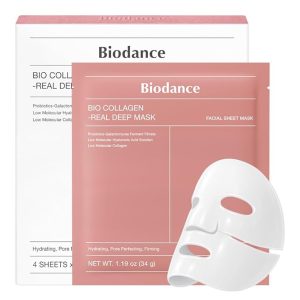
 

1. BIODANCE Bio-Collagen Deep Mask

Skincare is always competitive, but this overnight hydrogel mask is dominating the charts. With more than 100K purchases in the past month, shoppers are clearly responding to the formula’s focus on hydration and elasticity. It’s a classic example of Korean skincare breaking through in the U.S. market and holding its ground with strong results and reasonable pricing.
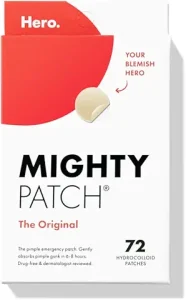
 

2. Mighty Patch Original by Hero Cosmetics

Acne patches continue to have a massive following, and Hero’s Mighty Patch remains the undisputed leader. With over 100K purchases in a month and nearly 180K reviews, it performs well because it’s simple, effective, and trustworthy. This is the type of product that sells itself once buyers see before-and-after photos.
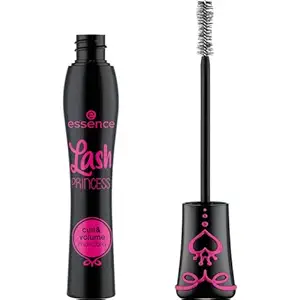
 

3. Essence Lash Princess Mascara

This mascara is a reminder that low-cost beauty items can still be top-tier sellers. With more than 400K reviews and another 100K purchases in the last month, its success comes from offering noticeable results without the premium price tag. It’s a staple for shoppers who want dramatic lashes without committing to a pricier brand.


4. Clean Skin Club Clean Towels XL

Disposable face towels may not sound exciting, but these have become a go-to for skincare enthusiasts who want something clean, soft, and convenient. Over 100K monthly purchases show that single-use towels aren’t a niche idea anymore. They’re filling a genuine need for people who struggle with irritation or want a more hygienic routine.


5. Crest 3D Whitestrips Professional Effects

Teeth whitening remains a high-demand category, and Crest continues to dominate it. These strips rank high month after month because they deliver visible results and offer a middle ground between cheap whitening kits and expensive dentist visits. With nearly 100K reviews, shoppers know exactly what they’re getting.


6. The Let Them Theory (Audiobook)

Self-help and personal development books regularly climb the charts, but this audiobook’s rise reflects its viral popularity beyond Amazon. The subject resonates with listeners who want digestible advice and a calm, conversational tone. It’s one of those titles that spreads through word-of-mouth and gains momentum quickly.


7. O Positiv Health Probiotics

Women’s wellness is one of the strongest growth categories on Amazon, and this product is a good example of that shift. With 100K+ recent purchases, the appeal comes from its targeted formula and emphasis on pH balance. It fills a specific need and benefits from thousands of positive reviews that reduce hesitation for first-time buyers.


8. Nespresso Vertuo Coffee Pods

Coffee pods always perform well, but Nespresso’s Vertuo line continues to dominate because of flavor consistency and strong brand loyalty. More than 100K customers have bought this variety pack in the last month, proving that convenience and quality still win in the consumables category.


9. COSRX Snail Mucin Repairing Serum

COSRX appears twice among today’s top sellers, which says a lot about how influential the brand has become. This serum has nearly 100K reviews and keeps topping the skincare charts. Buyers want something lightweight, hydrating, and suitable for many skin types, and this product manages to hit all three points.


10. Medicube Collagen Jelly Cream

Rounding out the top ten is another Korean skincare item, showing just how dominant this category is right now. With over 100K purchases in the past month, this cream appeals to shoppers looking for deeper hydration and a smoother texture. Its jelly consistency and ingredient list help it stand out in a crowded market.


Why These Products Sell So Well

Let’s pull back for a second. What do these items have in common? It’s not just good reviews or a viral TikTok moment. The best sellers tend to share a few qualities:

  • They solve a clear problem: Whether it’s pet hair, breakouts, or messy chopping boards, the product makes life easier.
  • They’re affordable, but not cheap: Many fall between $10 and $50 – the range where people are willing to buy without too much hesitation.
  • They’re visual: Scroll-stopping photos and packaging matter. Beauty and kitchen products especially benefit from good imagery.
  • They have social proof: Top sellers usually have thousands of reviews, many with photos. That builds trust fast.
  • They’re easy to ship: Lightweight, durable, and compact items win on logistics. You won’t find large furniture in the top 10.


What Amazon Sellers Can Learn From This

If you’re selling on Amazon, watching what others are doing right can shape how you plan your next product launch, ad campaign, or listing update. Here’s how to use this information strategically:

1. Don’t Just Copy, Adapt

You don’t need to launch another acne patch or collagen powder just because they’re trending. Jumping on a popular product as-is usually means fighting a price war you can’t win. Instead, look for gaps. Maybe there’s an overlooked niche in men’s skincare, or a version that caters to sensitive skin. Even something as simple as a different form factor or packaging style can help you stand out. The goal isn’t to ride the exact same wave, but to paddle into your own version of it.

2. Focus on Subcategories

Broad terms like “kitchen tool” or “vitamins” are extremely competitive. Look for long-tail keywords and sub-niches with unmet demand, like:

  • “Vegetable chopper with container”
  • “Hair growth vitamins for postpartum women”
  • “Face towels for acne-prone skin”

3. Use Product Research Tools

Amazon’s own Product Opportunity Explorer (POE) is a great starting point. You can:

  • Analyze trends by niche
  • Check out-of-stock rates to find supply gaps
  • Explore top search terms and seasonal spikes
  • Identify under-served markets


How to Spot Bestselling Products in Any Category

If you’re trying to find top-selling items beyond Amazon’s homepage or want to dig deeper into a niche category, you don’t need fancy tools or insider data. Amazon already shows you quite a bit – you just need to know where to look and how to read between the lines.

Start by heading into a category you’re interested in. Whether it’s pet supplies, beauty, kitchen gear, or tech accessories, look for the “Best Sellers” tab – it’s usually tucked away on the left-hand menu or directly under the department name. This is your first stop. It refreshes hourly and reflects real sales trends, not just ad-driven placements.

Pay Attention to the Best Sellers Rank (BSR)

Every product on Amazon has a Best Sellers Rank, even if it’s a few clicks deep under the product details. A lower BSR means the product is selling more units compared to others in its category. If you see an item ranked #1 in a subcategory and sitting below #1,000 in the broader category, that’s a good sign it’s selling at a serious volume. This isn’t just a vanity number –it updates regularly and reflects actual performance.

Don’t Just Count Reviews – Check the Recency

It’s easy to assume that the item with the most reviews is the top performer, but that’s not always the case. Reviews that have piled up over years don’t tell you much about current momentum. Instead, look at how recently people have been posting feedback. A product with fewer but more recent reviews might be gaining traction faster than one that peaked a while ago

Look Closer at Variations

Not all product listings are created equal. A single listing might include several colors, sizes, or styles, but only one variant could be responsible for most of the sales. You can often spot this by browsing the different options and checking which one has the most reviews or appears as the default. It gives you a clearer picture of what customers actually want, and helps avoid misreading demand.

Watch the Price Behavior

Some products stay competitive because they’re constantly discounted, while others maintain a steady price and still climb the rankings. If an item is holding firm on price and still pushing up in BSR, it’s probably doing something right on perceived value or product quality. That usually means it’s not a one-hit wonder riding a flash sale.

Use “Customers Also Bought” for Clues

Scroll down on any popular listing, and you’ll often see a “Customers Also Bought” section. It’s easy to ignore, but this area can reveal a lot about adjacent buying behavior. You might discover bundle opportunities, new trends forming, or items that tend to be purchased together. It’s one of the better ways to spot hidden gems without leaving the category you’re researching.

If you’re a seller or just curious about what people are buying, don’t stop at the first page of bestsellers. Browse subcategories. Check “Movers & Shakers” to see what’s rising fast. Dig through reviews to understand why something sells. Amazon leaves a lot of breadcrumbs, you just have to follow them.


How to Spot Future Bestsellers Before Everyone Else

Some products blow up because of timing. Here’s how to stay ahead:

  • Check the “Movers & Shakers” section on Amazon. These are products with sharp jumps in sales rank.
  • Look at recent reviews. If a product suddenly gets hundreds of new reviews in a short time, something’s happening.
  • Explore cross-market trends. What’s hot on TikTok, Etsy, or Instagram often finds its way to Amazon.
  • Watch for stockouts. If a best seller is constantly running out, there might be room for you to step in with a similar product.

 

How We Help Sellers Find What’s Actually Working

At WisePPC, we’re all about making sense of the numbers that drive success on marketplaces like Amazon. Spotting bestsellers isn’t just about browsing the top charts – it’s about understanding why those products are winning and how you can respond to that data in real time. We built our platform to help sellers go deeper, with analytics that show not just what’s trending, but how your campaigns and products stack up against those trends.

Let’s say you’re watching a product shoot up Amazon’s bestseller list. That’s a good signal, but it’s just the beginning. We help sellers zoom in on the data behind those moves – things like conversion rates, placement performance, and historical price behavior. You can see what’s driving clicks, what’s wasting ad spend, and when it’s time to pivot. Our tools aren’t about chasing fads. They’re about helping you stay ready for what’s coming next and act with clarity when it matters most.

If you’re serious about understanding why some products take off while others stall, we’re here to give you the visibility and control to grow faster, smarter, and with a lot less guesswork.


Wrapping Up: Don’t Just Follow Trends but Understand Them

The top-selling Amazon products everyone’s talking about aren’t just popular by accident. They hit the right mix of visibility, timing, usefulness, and price point. If you’re a seller, studying these bestsellers can help you reverse-engineer what works, avoid common pitfalls, and build smarter product lines.

But even as you track the charts, remember: top sellers don’t stay on top forever. Consumer behavior shifts. Algorithms change. What works today may not work next quarter. That’s why the real value isn’t just knowing what’s hot – it’s learning how to spot what’s heating up next.


FAQ

1. What makes a product a top seller on Amazon?

It’s not just about the number of units sold. Amazon’s algorithm looks at consistent sales velocity, good reviews, strong conversion rates, and low return rates. If a product keeps selling steadily and customers are happy with it, it has a better shot at landing on those bestseller lists. Flashy one-day spikes don’t always cut it.

2. How often do Amazon’s top-selling products change?

It depends on the category. Some fast-moving areas like electronics or beauty see changes almost daily, while more niche or seasonal categories might shift weekly or monthly. Trends, reviews, and price changes can all move the needle quickly, so the bestseller lists are more fluid than you’d think.

3. Can you still break into a category with a lot of top sellers?

You can, but it takes more than just showing up. If you’re entering a competitive space, you’ll need a strong angle – better pricing, clearer positioning, or solving a pain point the current top sellers miss. Success often comes from targeting overlooked keywords or bundling products in a smarter way.

4. Are all bestsellers high-quality products?

Not always. Some products make it to the top through aggressive promotions, price cuts, or sheer volume. That said, they usually don’t stay there long if the quality doesn’t hold up. Negative reviews or high return rates can knock a product off its pedestal fast. The real winners have both demand and durability.

5. Is it better to follow trends or focus on evergreen products?

There’s room for both. Trendy items can bring quick wins, but evergreen products usually build a more stable business. A smart approach is to use trends for testing and traffic, then double down on the products that keep delivering over time. Think of trends as sparks and evergreens as your campfire.

How to List and Sell Branded Products on Amazon

There’s more than one way to sell branded products on Amazon, and not all of them require owning a big-name label. You might be launching a brand of your own, working with a supplier, or reselling popular products you’ve sourced legally. The key is knowing which route fits your business and making sure you’re set up to avoid the usual headaches like approval issues or account flags.

In this guide, we’ll break down the different options, what each one involves, and how to start without getting stuck in red tape.


What Does “Branded” Mean on Amazon?

On Amazon, a branded product simply means it’s tied to a specific brand name. That might be your own private label or a well-known brand like Nike, Philips, or L’Oréal. These products typically have the brand name visible on the packaging or product itself.

Amazon treats branded products differently from generic or unbranded ones. You’ll often need extra documentation or approval to list them, especially if you’re not the brand owner.


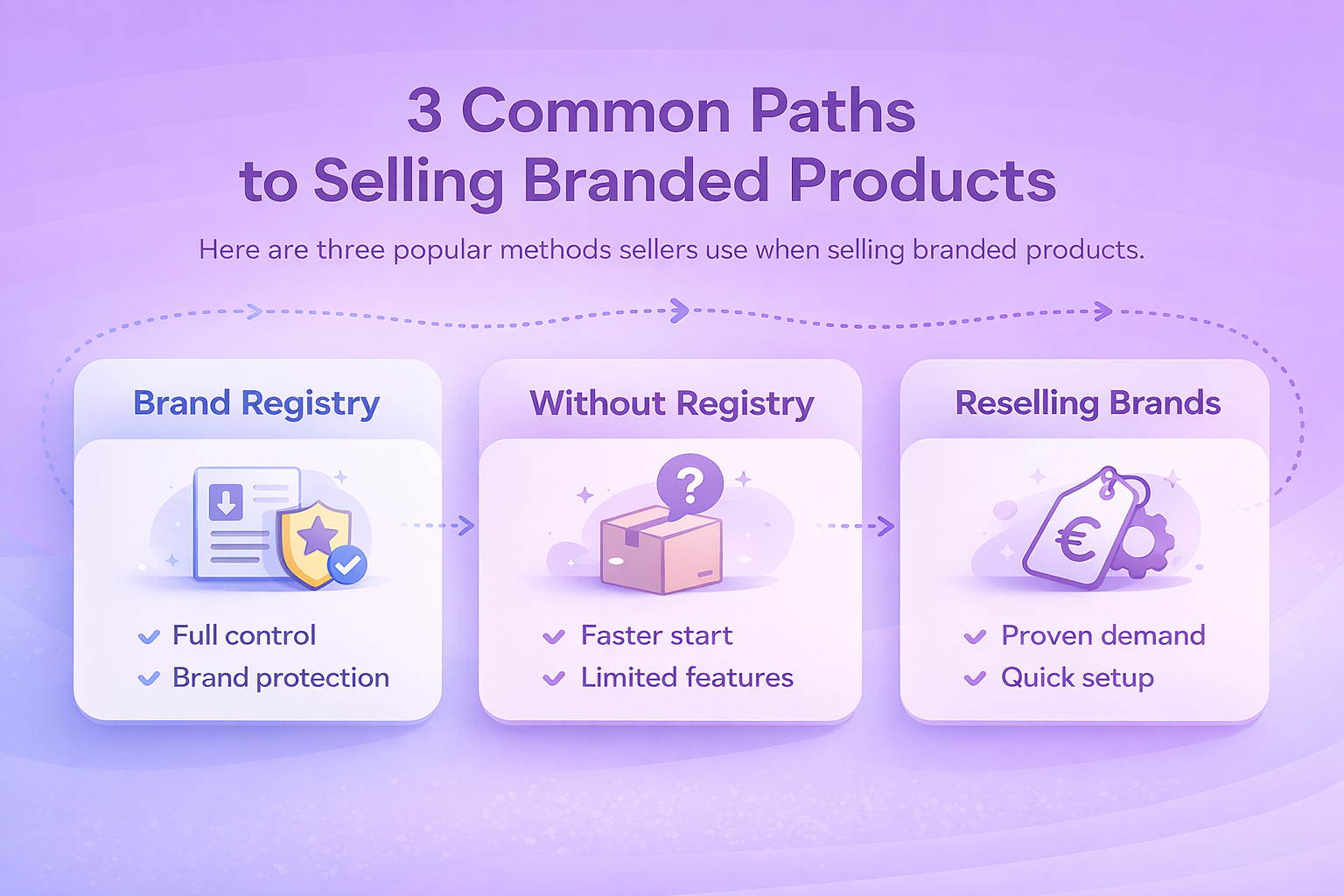
3 Common Paths on Selling Branded Products

There are three widespread methods sellers usually turn to. Each option has its own steps and limitations, so let’s walk through them one by one.

Option 1: Selling Your Own Brand Through Amazon Brand Registry

If you’re building a brand from the ground up and want full control over how your products appear and perform on Amazon, this is the most structured path. Brand Registry not only verifies your ownership, but also gives you tools to grow and protect your business in the long run.

What You Need

Before Amazon lets you list products under a registered brand, they expect a few essentials in place. You’ll need a trademark that matches your brand name, whether it’s already registered or filed through Amazon’s IP Accelerator.

Your product or its packaging also has to show that brand name in a permanent, clear way rather than a temporary sticker. And of course, everything starts with having a Professional Amazon Seller Account, since Brand Registry isn’t available on individual plans.

How to Enroll and List

Once your brand is ready, here’s how to get set up inside Seller Central:

  • Apply for a trademark: It must match the brand name shown on your products or packaging.
  • Join Brand Registry: Use your Seller Central login to create a Brand Registry account and complete enrollment.
  • Create listings: During the listing process, select your registered brand name in the “Brand Name” field.

Pros

A few reasons why sellers choose this route when launching a new brand.

  • Full control over listings and content.
  • Better brand visibility with marketing tools.
  • Protection from hijackers and unauthorized sellers.

What to Watch Out for

It’s worth knowing what you’re signing up for, especially if you’re still early in the branding process. Getting trademark approval can take months unless you go through Amazon’s IP Accelerator. And once you’re in, the responsibility for how your brand looks and performs falls entirely on you – from the product pages to the customer experience.

Option 2: Selling Your Brand Without Brand Registry

This route is for sellers who have a branded product but haven’t gone through the trademark process yet. You won’t have access to all of Amazon’s brand tools, but it’s still a legitimate way to get started and test the waters before fully committing to Brand Registry.

What You Need

Even if you don’t have a registered trademark yet, Amazon still expects a few basics before approving brand listings. You’ll need a product or its packaging that physically displays your brand name permanently (not just a temporary sticker), a Professional Seller Account, and to go through Amazon’s catalog authorization process. It’s not quite Brand Registry, but it’s still a formal step.

What to Expect

The listing flow is mostly the same, but you’ll likely run into a quick checkpoint:

  • During listing, you’ll get an error code 5665 when entering your brand name.
  • Click the link in the error and submit photos showing the product and brand name.
  • If approved, you’ll be able to continue listing future products under that brand name.

Pros

Why some sellers start here before going all-in on trademarking:

  • Faster to get started if you’re still working on a trademark.
  • Allows you to begin building a product line.

Cons

If you skip Brand Registry for now, there are a few trade-offs to be aware of. You won’t get access to Amazon’s enhanced brand features like A+ Content or Brand Analytics, which can make a real difference in how your products perform.

Later on, if you decide to register your brand, merging existing listings under the new brand can be a hassle and usually requires help from Seller Support. And even without Registry, Amazon still expects your branding to be clearly visible on the actual product, not just the packaging.

Option 3: Reselling Branded Products from Other Companies

Not all Amazon sellers want to build a brand from scratch. If you’re more interested in reselling existing products from known brands, this route lets you tap into built-in demand. The tradeoff is tighter restrictions and higher expectations for compliance.

What You Need

To stay within Amazon’s rules when reselling branded products, you’ll need to show that your sourcing is legitimate. That means having proper invoices from an authorized distributor or directly from the brand, holding a Professional Seller Account, and getting brand approval if the product falls under Amazon’s gated categories. Without those pieces in place, your listing likely won’t go live.

How It Works

Once you’ve got the right paperwork, here’s how the process typically plays out:

  • Search for the branded product in Seller Central.
  • Select your condition and click “Apply to sell” if the item is gated.
  • Submit invoices and any requested documentation for approval.

What Amazon Typically Requires

Approval requirements vary, but these are the most common requests:

  • Invoices must match your seller name and address.
  • A clear breakdown of products, quantities, and supplier info.
  • Sometimes a brand authorization letter on company letterhead.

Pros

A few reasons sellers choose the reselling path instead of building a brand:

  • Leverage existing brand trust and demand.
  • Skip branding and manufacturing.
  • Faster time to market.

Cons

This selling model is relatively easy to enter, but it does come with some real risks. You’ll often be competing with multiple other sellers listing the exact same product, which can lead to aggressive pricing and shrinking margins. And if your documentation isn’t airtight, you’re more likely to run into intellectual property complaints that could jeopardize your account.


What’s a Brand Authorization Letter?

This is a formal letter from a brand owner giving you permission to sell their products on Amazon. If Amazon requests one, it should include:

  • Your full legal name and business address.
  • The brand’s name, address, and official letterhead.
  • A clear statement authorizing you to sell their products.
  • A recent date.
  • PDF format in high resolution.

Having this letter, along with valid invoices, is often enough to get approved to resell restricted brands.


How to Avoid Common Mistakes When Selling Branded Products

Selling branded products is completely allowed – as long as you play by Amazon’s rules. That said, it’s easy to hit roadblocks if you cut corners or don’t read the fine print.

Here are some real-world tips to help you avoid headaches:

Build Strong Supplier Relationships

Working with the right suppliers makes a big difference when you’re reselling branded products on Amazon. It’s never a great idea to rely on just one distributor – supply chains can shift, and you need a backup plan. From the start, ask whether they can issue invoices that meet Amazon’s requirements, especially if you’ll need to show proof later. Before placing large orders, always request samples so you can verify product quality firsthand. It’s easier to fix small issues early than to deal with negative reviews or returns later.

Pick Your Brands Carefully

Not every branded product is worth your time. Some listings are so tightly controlled by Amazon or the brand itself that there’s little room to compete. Focus on products that have a consistent sales history but aren’t overloaded with sellers. A manageable level of competition gives you room to price reasonably and still make a margin. Also, take a close look at the listing quality. Poorly optimized listings with bad images or weak descriptions might not convert well, even if the product itself is solid.

Protect Your Account Health

Your Amazon account is your business – treat it like one. Keep detailed records of all supplier invoices and authorization letters in case Amazon ever asks for documentation. Even if you use FBA, customer complaints still count against your performance metrics, so stay responsive and handle issues quickly. If your listing ever gets flagged or taken down, being able to respond fast with clear paperwork can be the difference between a temporary glitch and a serious suspension.


What to Do If You Hit a Wall

If Amazon rejects your brand application or denies your request to sell a gated product, don’t panic. Here’s what to try:

  • Double-check your invoices: Do they have all the required details?
  • Make sure your branding is actually printed or embossed – stickers don’t count.
  • If needed, reach out to Amazon Seller Support with photos and explanations.
  • Consider working with an agency if you’re scaling fast or running into repeated approval issues.


Powerful Analytics for Smarter Branded Product Selling

We built WisePPC to work with brands and sellers who want more than just a working ad campaign. If you’re selling branded products on Amazon, whether it’s your own trademarked line or inventory sourced from official distributors, what you really need is visibility. You want to know what’s actually performing, where your ad spend is going, and how your decisions are affecting both revenue and margin. That’s exactly what we’ve built WisePPC for.

We’re an Amazon Ads Verified Partner, which means our platform taps directly into your Amazon data using official connections. Once you’re set up, you can track everything in one place: TACOS, ACOS, organic vs paid sales, campaign-level performance, and more. We give you real-time insights and historical trends going back years. That kind of depth is critical when you’re selling branded products, where every percentage point in spend efficiency counts.

We also make bulk campaign changes simple. You can filter down to the ad groups or targets you care about, adjust bids, pause low performers, and move quickly without digging through spreadsheets. If you’re listing branded products and trying to stay competitive without bleeding margin, this level of control can make a real difference.


Final Thoughts

There’s no one-size-fits-all approach to selling branded products on Amazon. Whether you’re starting your own brand or reselling others, the best path depends on your business goals, resources, and risk tolerance.

That said, the sellers who do well in this space usually have one thing in common: they stay organized. They know the documentation Amazon expects, they vet their suppliers, and they don’t list anything they can’t support if asked.

If you’re serious about getting into branded products, start slow, build trust with Amazon’s systems, and focus on long-term performance, not shortcuts.


FAQ

1. Do I need permission to sell branded products on Amazon?

It depends on the brand and the category. Some brands allow open reselling as long as you can prove the products are genuine. Others restrict who can list their items or require invoices from authorized distributors. Before you jump in, check whether the brand is gated, and make sure you can document where your inventory came from.

2. What does Amazon mean by brand gating?

Brand gating is Amazon’s way of protecting certain brands from counterfeit or unauthorized listings. If a brand is gated, you’ll need approval before you can sell it. That usually means providing invoices, supplier info, or paperwork that confirms you source the products legitimately. It’s a bit of a hurdle, but it also cuts down on competition.

3. Can I sell branded products without a trademark?

Yes, if you’re reselling existing brands. You only need a trademark if you’re creating a brand of your own and want access to things like Brand Registry or A+ Content. If you’re operating as a reseller, what matters more is the source of your products and whether you meet Amazon’s approval requirements.

4. What kind of documentation does Amazon usually ask for?

Invoices from your supplier are the big one. Amazon looks for recent invoices that show you purchased the items in a quantity that makes sense for resale. Sometimes they’ll also request business information or proof that your supplier is legit. The more transparent your supply chain is, the easier this process becomes.

5. How do I avoid problems with intellectual property claims?

Stick to authentic products and reliable suppliers. If you’re selling well-known brands, avoid anything that looks like grey-market stock or liquidation lots with unclear sourcing. Pay attention to brand policies too. Some companies don’t want their products sold online by unauthorized retailers and may file complaints if they find you.

6. Can I use the brand’s images and descriptions on my listing?

Usually yes, if you’re adding your offer to an existing listing. When you create a new listing for a branded product, it gets more complicated. Using the brand’s official content without permission can lead to copyright issues, so it’s always better to match your offer to an existing ASIN whenever possible.

7. Is advertising worth it when selling branded items?

It often is, but it depends on the competition and your margins. Branded products usually attract more sellers, which means more pressure on prices and visibility. Ads can help you hold your ground, especially when paired with a solid analytics tool that shows you what’s actually working. The key is to watch your numbers closely so you’re not spending your entire margin on clicks.

Product Bundling: A Smart Way to Increase Sales Without Selling Hard

Bundling isn’t new. People have been pairing related items together for ages – a meal combo, a laptop with its charger, shampoo with conditioner. But when done right in ecommerce, product bundling goes beyond convenience. It can quietly nudge up your average order value, clear slow-moving inventory, and introduce buyers to products they didn’t even know they needed.

This guide breaks it down without the fluff: what bundling is, how it works, and how to use it strategically – whether you’re moving units on Amazon, managing a multi-brand store, or just trying to simplify things for your customers.


What Makes Product Bundling Actually Work?

The core idea behind bundling is simple: group two or more products together into one package and sell them as a set. But there’s more going on beneath the surface. A good bundle isn’t just a pile of stuff. It’s a curated offer that either solves a complete problem, supports a shared goal, or gives the buyer an easy win.

Think about it like this: someone’s shopping for a laptop. They could also use a mouse, a case, maybe even a USB-C adapter. By offering all of that in a single listing with a small discount or added convenience, you’re reducing friction, saving them time, and making the checkout process feel smoother.

What sets successful bundles apart isn’t just the discount. It’s the relevance and timing.


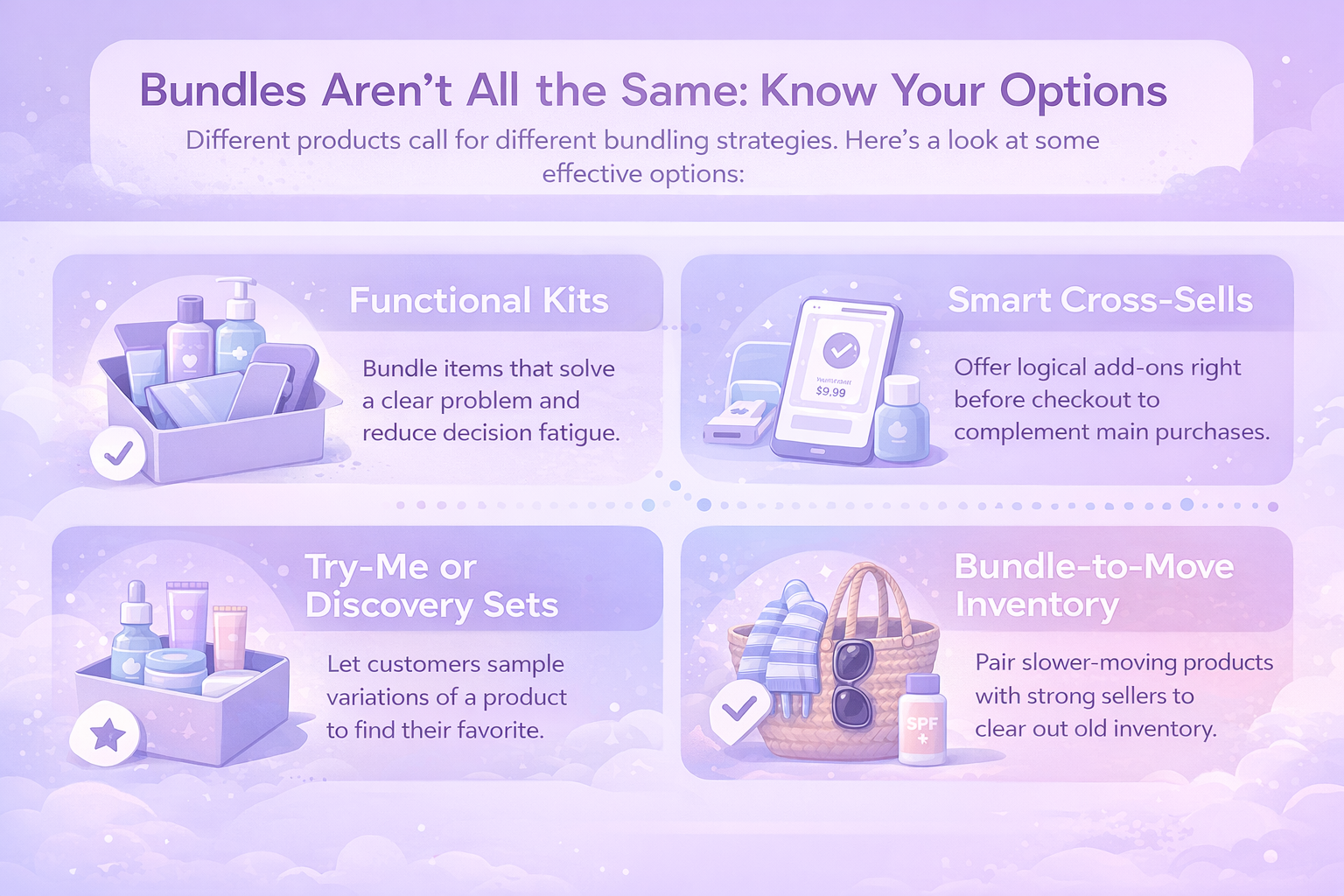
Bundles Aren’t All the Same: Know Your Options

There’s no one-size-fits-all approach to bundling. What works for a skincare brand might flop in electronics. But the good news is, there are multiple ways to do it. Let’s break down some practical bundling types without falling into old textbook labels.

Functional Kits

Functional kits are all about simplicity and solving a clear problem. Instead of letting customers piece things together on their own, you give them everything they need in one go. Think of a skincare set with a cleanser, toner, and moisturizer, or a fitness pack that comes with resistance bands, a yoga mat, and a bottle. Even back-to-school tech bundles fall into this category, offering a laptop, protective case, and USB hub in a single box. The goal is to reduce decision fatigue. The work’s already done for the customer – they just pick it up and go.

Smart Cross-Sells

Smart cross-sells lean into natural buying behavior. It’s the kind of thing you’ve probably seen on big ecommerce sites, where they suggest items that pair well with what you’re already buying. Instead of creating new bundles, they surface useful add-ons right before checkout – like a wireless charger with a phone, or a memory card with a new camera. These aren’t hard sells. They just make the customer’s life easier by helping them complete the setup.

Try-Me or Discovery Sets

These sets work great when you’ve got variations of a product. Rather than asking someone to choose right away, you give them a way to test the waters. A box of mini skincare formulas, a tea sampler, or a selection of flavored toothpaste can nudge customers toward finding their favorite. This kind of bundling doesn’t just boost the first sale – it plants the seed for long-term brand loyalty.

Bundle-to-Move Inventory

Bundle-to-move inventory is the more strategic play. Let’s face it, not every item flies off the shelves. But that doesn’t mean it’s useless. Pairing slower-moving stock with a strong seller can create a fresh story – like bundling excess sunglasses with a popular beach tote. When done right, this helps clear space in your warehouse, avoids deep discounting, and keeps your brand’s value intact. The key is making sure the connection between items still feels intentional.


Why Product Bundling Works for Both Sides

One of the best things about bundling is that it doesn’t just serve the seller. It genuinely makes life easier for the buyer too. Let’s break down what each side gets out of it.

Sellers

Product bundling isn’t just about offering more – it’s about working smarter with what you already have. Here’s how sellers benefit:

  • Higher Average Order Value (AOV): Bundles encourage customers to buy more in one go, providing more revenue per transaction without relying on deep discounts.
  • Better Inventory Management: Bundling helps balance your catalog by shifting both fast and slow lanes together.
  • Lower Marketing Costs: Promoting a bundle can be more efficient than running campaigns for individual items.
  • Increased Product Exposure: When customers try new items in a bundle, they’re more likely to come back for those individually.
  • Simplified Buying Journeys: Fewer steps, fewer decisions. That means a lower bounce rate and less chance of cart abandonment due to indecision.

Customers

On the customer side, bundling turns a scattered experience into something faster, easier, and more valuable. Here is what it actually gives:

  • Convenience and Time-Saving: Instead of hunting for each item one by one, everything’s ready in one place.
  • Value Perception: Even a small discount or freebie creates a sense of getting more for less.
  • Product Discovery: Bundles often include items customers wouldn’t have picked on their own, turning them into new favorite products.
  • Simplified Decision-Making: Too many choices can slow down buying decisions, while a well-structured bundle reduces that mental load.

At its best, bundling isn’t about pushing more products. It’s about reducing friction. That’s why it feels good for everyone involved.


When to Use Product Bundling (and When Not To)

Bundling has real upside, but that doesn’t mean you should go wild and start packaging everything. Timing and strategy still matter.

Use bundles when:

  • You want to increase AOV without raising product prices.
  • You need to move excess stock without dumping it at a loss.
  • You want to introduce new products alongside known favorites.
  • You’re building a subscription and want to lock in longer cycles.
  • You need to reduce decision fatigue for new customers.

Avoid bundles when:

  • The products don’t make sense together (random = confusing).
  • You’re forcing slow sellers into unrelated packages.
  • It creates more logistics complexity than it solves.
  • The pricing doesn’t actually feel like a value to the customer.

In short: keep it intentional. If a bundle causes hesitation instead of removing it, it’s probably the wrong one.


Bundling Strategies That Actually Work

If you’re planning to put bundling into action, skip the fluff and focus on strategies that are proven to perform. These approaches can help you avoid common missteps and get real results.

1. Use Real Buyer Data

Start with what’s already working. If certain products consistently appear together in carts or orders, those are your bundle signals. It’s tempting to pair items that aren’t moving, but buyers don’t think like sellers. Let their habits shape your bundles, not your inventory goals.

2. Focus on Use Cases, Not Categories

Bundles work best when they solve a problem, not when they just group similar items. Customers respond to relevance more than sameness. A well-thought-out combination built around a use case, like a morning routine or travel setup, makes the offer feel intentional and helpful, not random.

3. Limit Choices

More options can lead to hesitation. Instead of throwing five or six products into a bundle, pick the two or three that make the most sense together. Simplicity keeps the message clear and the buying decision easy.

4. Build Lifecycle-Based Bundles

A customer’s needs change over time. Your bundles should reflect that. A first-time buyer isn’t looking for the same thing as someone reordering. Offering kits tied to moments in the customer journey – starting out, restocking, upgrading – makes your offers feel like a good fit.

5. Test the Format Before Committing

There’s no need to start with full packaging and new SKUs. Use soft launches to explore what works – things like suggested pairings, add-on prompts, or simple multi-product listings. Once you see consistent traction, then decide whether to turn it into a standalone bundle.

6. Name Like a Human, Not a Catalog

Product bundles shouldn’t sound like filing system entries. A good name helps people instantly get the value or emotion behind it. It sets the tone. If it sounds like something you’d say out loud to a friend, you’re probably on the right track.

7. Don’t Oversell the Discount

Bundles don’t have to scream “deal” to sell. A slight savings is usually enough to nudge someone over the edge. The real hook is the convenience and the feeling that someone curated this for them. That’s worth more than a steep markdown.


How to Promote Product Bundles Without Feeling Pushy

Once your bundles are built, promotion is key. But you don’t have to blast them with “BUY NOW” messaging. Here are some subtle ways to integrate them:

  • Homepage feature: Highlight your best-selling bundle with real use cases.
  • Gift guides: Use bundles in seasonal gift guides for easy decision-making.
  • Cart prompts: Suggest a bundle version when someone adds one of the items.
  • Email flows: Use post-purchase emails to offer complementary bundles.
  • Ads: Promote bundles that align with specific audience interests or pain points.

Tip: A/B test different product combinations, titles, and landing pages. What makes sense internally doesn’t always convert the best in real life.


How We Help Sellers Make Smarter Decisions with Bundling

Bundling can be a smart move, but only if it’s done with purpose. At WisePPC, we help you go beyond guesswork by showing how each part of your strategy connects – ads, products, and bundles included. Whether you’re trying to increase AOV with curated kits or clear out slower inventory, we make sure you know what’s performing and what’s not.

Our platform gives you the tools to analyze advertising data and basic sales metrics like ASP, helping you optimize campaigns that support product strategies, including bundling, based on ad performance insights. If two products always sell together, we help you see that. If your bundled items are underperforming due to poor targeting or bid settings, we highlight that too. And because we track historical data beyond what Amazon makes available, you’re never stuck making short-sighted decisions.

Bundling is powerful, but only when it’s strategic. We built WisePPC to help you scale that strategy with data, not assumptions. From advanced filtering to bulk updates and real-time campaign insights, we give sellers the control to move faster, test smarter, and optimize bundles that actually convert.


Final Thoughts: Keep It Useful, Not Just Tactical

At its best, bundling isn’t a trick to squeeze more money out of a customer. It’s a tool to make shopping feel smarter, smoother, and more satisfying.

That’s why the best bundles don’t feel like upsells. They feel like someone did the hard thinking for you.

As sellers, the more we lean into that mindset, the more our bundling strategies will start to feel less like tactics and more like service. And in a market flooded with noise, that’s the kind of quiet strategy that tends to stick.


FAQ

1. Do product bundles always need a discount to work?

Not necessarily. A discount helps, but it isn’t the only reason bundles convert. Many customers buy bundles because they solve a problem in one shot. If the bundle feels curated and makes life easier, it can sell just fine without a big price cut.

2. How do I know which products should be bundled together?

Start by looking at real behavior. Check what people already buy together, what they view in the same shopping session, or what your support team constantly recommends side by side. When a bundle reflects how customers actually shop, you don’t have to force the sale.

3. Can bundling hurt my margins?

It can, but only if the discount is too aggressive or the items don’t make sense together. Smart bundling lifts your AOV without destroying margin, especially when it helps you move slow stock or increases visibility for newer products. A small incentive goes a long way.

4. How many products should go into a bundle?

There’s no magic number, but simpler is usually better. A tight set of two or three well-matched products often performs better than a cluttered collection of everything you’re trying to sell. If a customer has to think too long, the bundle loses its purpose.

5. How can I tell if my bundles are performing well?

Track more than just sales. Look at conversion rate lifts, changes in AOV, individual product performance after being included in a bundle, and whether customers return for items they first tried inside a bundle. If those indicators move in the right direction, the strategy is working.

What Ecommerce Conversion Rates Are and How to Improve Yours

Most ecommerce stores don’t have a traffic problem – they have a conversion problem. You can have thousands of visitors a day, but if only a few end up buying, that traffic isn’t doing much for your business. That’s where the ecommerce conversion rate comes in. It tells you how many visitors are turning into customers, why that number matters more than most metrics, and what you can do to make it better.

This guide breaks it all down, minus the fluff – just clear, useful answers you can actually use.


Understanding Ecommerce Conversion Rates Without the Jargon

In plain terms, your ecommerce conversion rate is the percentage of people who come to your site and complete a desired action. Most often, that’s making a purchase. But it could also be adding a product to cart, signing up for your newsletter, or requesting a quote – whatever counts as a win in your book.

Here’s the basic formula:

(Number of conversions ÷ Number of visitors) × 100

So if 1,000 people visit your site this week and 30 of them place an order, your conversion rate is 3%.

It sounds simple, and it is. But this number is loaded with context. It connects your marketing, user experience, and product offering into a single performance snapshot.


The Bigger Picture: Why Conversion Rate Deserves More Attention

A lot of store owners get caught up chasing traffic. More visitors means more sales, right? Not always.

If your conversion rate is low, doubling your traffic just means twice as many people walk in and leave without buying. On the other hand, if you improve your conversion rate, you can grow revenue without increasing your ad budget.

Here’s what a healthy conversion rate helps you do:

  • Stretch your marketing spend further by getting more from existing traffic.
  • Identify UX issues or product page weaknesses.
  • Spot gaps in your funnel (like cart abandonment or slow checkout).
  • Set benchmarks to track growth over time.

And perhaps most importantly, it shows whether your store is actually doing its job – convincing people to buy.


There’s No One-Size-Fits-All “Good” Conversion Rate

Let’s clear something up early: there’s no magic number for a “good” ecommerce conversion rate. It all depends on what you sell, who you’re selling it to, and how much thought goes into the purchase. A $20 hoodie and a $900 treadmill don’t follow the same rules.

That said, some patterns do emerge when you look across industries. Here’s a rough idea of what typical conversion rates look like by category:

  • Food and beverages: 3.7%
  • Beauty and skincare: 3.3%
  • General apparel: 2.6%
  • Home, dining, art, and decor: 2.4%
  • Footwear: 2.4%
  • Sporting goods: 2.3%
  • Toys and learning: 2%
  • Electronics and accessories: 1.9%
  • Home appliances: 1.6%

Some categories naturally perform better – think everyday items with low price points and fast decisions. Others, like appliances or electronics, take more time and trust to convert.

But instead of chasing industry averages, it’s usually smarter to focus on your own numbers. If you’re sitting at 1.9% today and reach 2.6% next quarter, that’s progress. And progress beats a comparison chart every time.


What Impacts Conversion Rates (It’s More Than Just Pricing)

It’s easy to assume that offering lower prices will instantly drive more sales. But pricing alone has limited influence compared to other factors like trust, usability, and perceived value.

Here are some things that have a much stronger impact:

  • User experience: If your site is slow, clunky, or hard to navigate, people will leave before even seeing your product.
  • Product presentation: High-quality images, videos, and clear descriptions reduce uncertainty and build confidence.
  • Payment flexibility: Limited payment options or unclear shipping costs are major reasons people abandon carts.
  • Trust signals: Verified reviews, security badges, and transparent policies all help people feel safe spending money with you.
  • Device performance: Mobile shoppers often convert at lower rates than desktop users unless your mobile UX is rock solid.
  • Traffic source: Referral and email traffic tend to convert better than cold search or social clicks, because there’s more built-in trust.


How to Improve Your Ecommerce Conversion Rate (Without Guessing)

You don’t need to redesign your whole store or throw more money at ads to get better results. In fact, the biggest improvements usually come from solving small, obvious friction points that slow people down.

Here’s a breakdown of conversion-focused improvements that actually work:

1. Speed Up Your Site

Online shoppers have little patience for slow websites. If your page takes longer than a few seconds to load, a good chunk of your visitors will leave before they even see what you’re selling. Speed affects more than user experience – it directly impacts conversions, especially on mobile.

Start by reducing the size of large image files and removing anything on your site that doesn’t serve a real purpose. Keep your design lean, limit the number of pop-ups or heavy effects, and make sure your site performs well on both desktop and mobile. Every second you shave off counts.

2. Fix the Checkout Bottlenecks

Getting someone to click “Buy Now” is the final hurdle, and it’s where a lot of sales quietly fall apart. Complicated forms, hidden fees, and forced account creation are all reasons customers drop off at the last moment.

Keep your checkout process short and distraction-free. Allow people to buy without signing up. Offer a range of payment options, and make sure your shipping policies, return terms, and total costs are easy to understand before the final click. Remove anything that slows people down or makes them second-guess the purchase.

3. Use Better Product Content

Your product page has to do the work of a salesperson. If your photos are fuzzy or your descriptions are vague, customers won’t stick around to guess what they’re buying.

Use sharp, detailed images that show the product from multiple angles. If possible, include context – show the product in use or in a real-life setting. Descriptions should be clear and honest, answering common questions without fluff. Videos or interactive views can be helpful, but at the very least, make sure everything on the page builds confidence instead of raising doubts.

4. Show Real Reviews and Ratings

When shoppers see that others have had a good experience, they’re more likely to buy. Reviews aren’t just a nice-to-have – they’re one of the strongest trust signals on your site.

Display full reviews, not just star ratings. If customers mention helpful details like fit, durability, or ease of use, highlight those. Let people filter reviews based on what matters to themб like product size or style. And if someone leaves negative feedback, respond with care. It shows you’re paying attention and willing to improve.

5. Personalize the Experience

Not every shopper is looking for the same thing. When your site reflects that – by showing products or recommendations that feel relevant – it creates a more engaging experience.

Pay attention to what visitors browse, where they’re located, or what they’ve purchased before. Use that information to show content that makes sense for them. The goal isn’t to overwhelm people, but to guide them toward something they’re already likely to want. Done right, it builds connection and trust.

6. Add Urgency and Scarcity (Responsibly)

Sometimes people just need a small nudge. Telling them that a sale ends soon or that an item is almost out of stock can help them decide to act now instead of later.

But it only works if it’s real. Don’t invent deadlines or fake scarcity – it only damages your credibility. Instead, use urgency where it naturally fits. A limited-time offer, seasonal promotion, or genuinely low stock are all valid ways to create momentum without feeling pushy.

7. Test Everything

What works for one store might flop for another. That’s why testing is so important. Don’t guess – observe.

Try different headlines on your product pages. Move elements around to see if people engage differently. Adjust your call-to-action buttons, experiment with how and when you display discounts, and change up your layout in small ways. Then watch how those changes affect behavior. Small tweaks often lead to meaningful gains, but you won’t know until you see the results in action.


How to Track the Right Metrics And Ignore the Vanity Ones

Your conversion rate is a powerful metric, but it doesn’t live in a vacuum. Pair it with these other data points for a more complete picture:

  • Average order value (AOV): Helps track revenue efficiency.
  • Customer acquisition cost (CAC): Shows how much you spend to get a customer.
  • Return on ad spend (ROAS): Especially important for paid campaigns.
  • TACOS and ACOS: For Amazon sellers, these help assess the real impact of ad spend.

Tracking these alongside your conversion rate lets you make smarter budget and pricing decisions.


The Role of Channel and Device (Where Visitors Come From Matters)

Not all traffic is equal. Knowing where your visitors come from helps you understand intent and tailor your approach.

Here’s what the data shows:

  • Referral traffic: Converts best. People trust recommendations from friends or partners.
  • Email: Strong conversion rates, especially for returning visitors.
  • Search ads: Mid-tier. Intent is high, but trust takes work.
  • Social media: Typically lower conversion unless paired with strong content or influencer validation.

By device:

  • Desktop: Still converts best due to easier navigation and checkout.
  • Tablet: Close second.
  • Mobile: Often has the most traffic, but the lowest conversion unless your UX is dialed in.

Takeaway: Optimize per channel, not just across the board.


How We Help Sellers Improve Conversion Rates at WisePPC

We are WisePPC and we believe that better data leads to better decisions. Ecommerce conversion rates don’t just improve because you add a shiny new banner or run a discount. They improve when you understand what’s working, what’s leaking revenue, and where your buyers are actually coming from. That’s exactly what we help you do.

Our platform gives you a full picture of both your advertising and your organic performance. You can track multiple core metrics in real time, dive into granular trends, and quickly spot which campaigns, keywords, or products are pulling their weight, and which ones are dragging you down. From there, you can take action right away: bulk-edit bids, adjust budgets, or pause underperforming targets. No spreadsheets, no second-guessing.

Conversion optimization is all about clarity. We separate your ad-driven sales from your organic revenue, highlight waste, and show you where every dollar goes. Whether you’re selling on Amazon, Shopify, or managing multiple channels at once, we give you the visibility and control to focus on growth – not guesswork. If you’re ready to start making decisions backed by real performance data, we’d love to help.


Closing Thoughts: Stop Guessing, Start Optimizing

A lot of ecommerce brands spend too much time on traffic and not enough on conversion. But improving your conversion rate is one of the most reliable ways to boost revenue without increasing your marketing budget.

You don’t need a massive redesign or a new tech stack. You just need to pay attention to what’s already happening, fix the friction, and test your way to better results.

Start with the basics: speed, clarity, trust, and ease of purchase. Layer in personalization, better visuals, and smart testing. Track your metrics closely. Then let the data show you where to go next.


FAQ

1. What counts as a conversion in ecommerce?

It depends on your business goals, but most of the time, it means a sale. That said, signing up for a newsletter, creating an account, or even adding a product to the cart can all be counted as conversions. It really comes down to what action you’re trying to get from a visitor. Just make sure you’re measuring something meaningful, not just clicks for the sake of it.

2. Is 2% a good conversion rate or a bad one?

It’s not bad. It’s also not great. It’s somewhere in the middle, and that’s okay. A “good” conversion rate is relative to your industry, your price point, and your audience. What matters more is whether that 2% turns into 2.5% or 3% over time. That’s where growth lives. Don’t chase someone else’s benchmark if you’re not even sure it applies to your space.

3. Do I need expensive tools to improve my conversion rate?

Not really. A fast site, clear messaging, solid product photos, and honest reviews go a long way. Fancy tech helps, but it’s not a replacement for understanding your customer and fixing obvious friction. Start with what you’ve got, then add smarter tools (like WisePPC, if you’re running ads) when you’re ready to scale.

4. What’s the fastest way to get a conversion boost?

There’s no magic switch, but simplifying your checkout process is usually the low-hanging fruit. Fewer clicks. Guest checkout. No surprise fees. Also, showing real customer reviews, especially with photos, can make a bigger difference than another 10% off coupon.

GTINs, Product IDs, and Barcodes: What They Really Mean

You’ve probably scanned a barcode without thinking twice but behind that simple action is a product ID doing some heavy lifting. In ecommerce and retail, product identifiers like GTINs are what keep the system from falling apart. They’re how platforms know a red cotton T-shirt in size medium is not the same thing as a blue one in large. Whether you’re selling online, managing inventory, or syncing with a global supply chain, understanding GTINs (and how they differ from SKUs, UPCs, and barcodes) helps you avoid confusion, stay compliant, and work smarter – not harder.

In this article, we’re going to break down what product IDs actually are, with a deep focus on GTINs. We’ll look at how they compare to other identifiers like SKUs, UPCs, and ASINs, where they’re used, why marketplaces like Amazon depend on them, and what to watch out for when listing or managing products.


What Is a Product ID?

A product ID is any number or code that helps identify a product. That sounds simple, but there’s a lot riding on this little string of digits. From the moment something is manufactured to the time it gets scanned at checkout or shipped to a customer, product IDs help systems keep track of what’s what.

The most important type of product ID used across the globe is the GTIN, short for Global Trade Item Number.


So, What Is a GTIN?

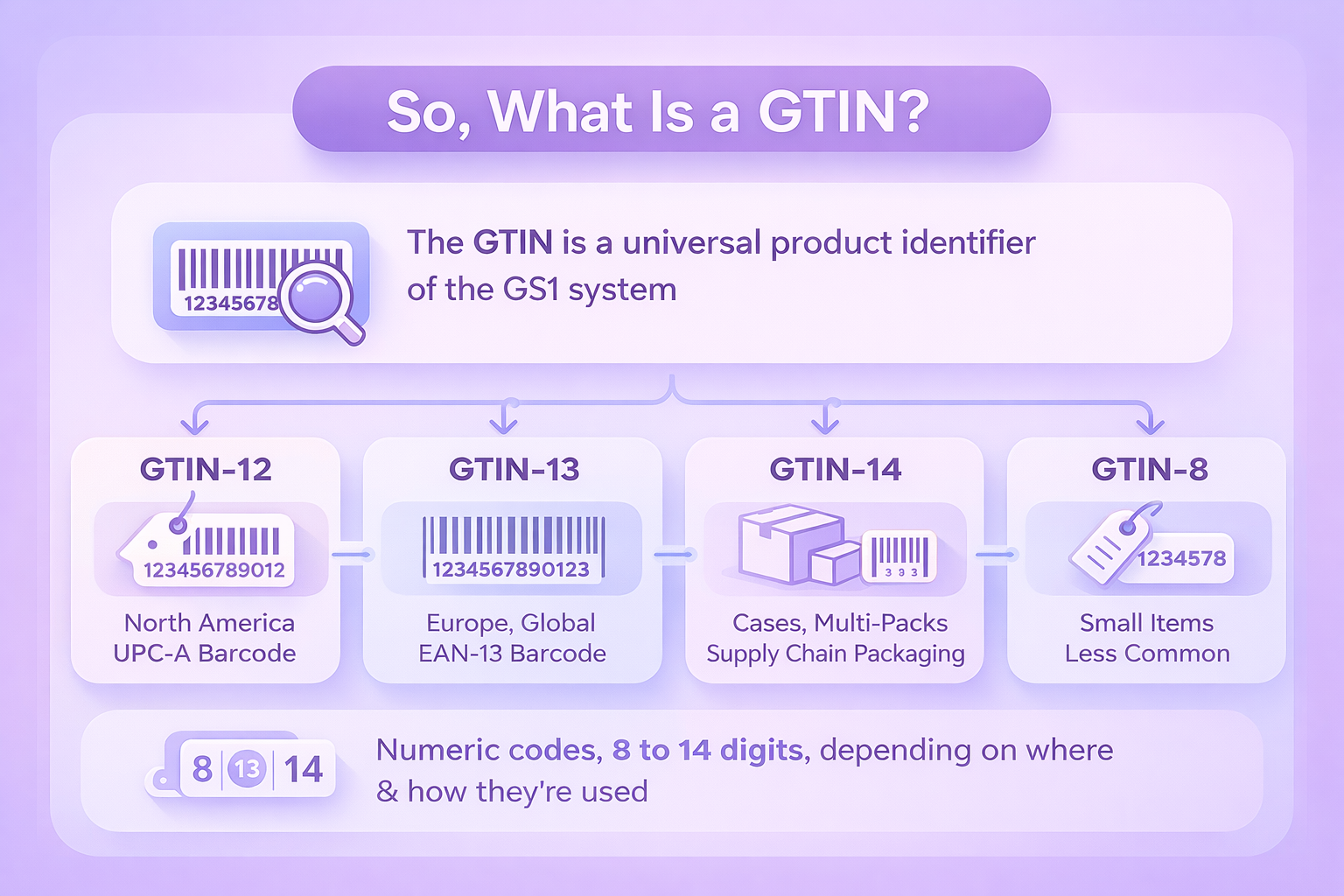
The GTIN is a universal identifier assigned to trade items. It’s part of the GS1 system, a global standard used by companies, retailers, suppliers, and marketplaces to make sure everyone’s speaking the same language when it comes to product data.

GTINs are numeric and can be 8, 12, 13, or 14 digits long, depending on where and how they’re used. They’re not just random numbers either – there’s a specific structure to them, including a company prefix, an item reference, and a check digit to help prevent errors.

Common GTIN formats:

  • GTIN-12: Used primarily in North America. This is what you see in a UPC-A barcode.
  • GTIN-13: Common in Europe and internationally. Often encoded in an EAN-13 barcode.
  • GTIN-14: Used for cases or multi-pack items. Not scanned at checkout but used in supply chain packaging.
  • GTIN-8: For very small items. Less common, but still part of the standard.

If you’ve ever scanned a product at a grocery store, you’re almost certainly dealing with a GTIN, even if you didn’t know it.


GTIN vs UPC vs Barcode: What’s the Actual Difference?

A lot of people mix up the terms GTIN, UPC, and barcode, and honestly, it’s easy to see why. They’re often used as if they’re interchangeable, but they each mean something different.

The GTIN is the actual number that uniquely identifies a product. It’s the data point sitting underneath everything else.

UPC, on the other hand, is a specific format of that number – specifically a 12-digit version called GTIN-12, which was developed for the North American retail system.

Then there’s the barcode, which is simply the visual, scannable image that holds the GTIN (or sometimes other types of data). You’ll usually see it printed on packaging, ready to be scanned at checkout or in a warehouse.

So when someone asks, “What’s the barcode for this item?” they might be talking about the physical image or the number behind it. Technically, they’re two separate things, but in practice, people often use one term when they mean the other.


What About SKUs, ASINs, and Other Codes?

There are other product identifiers you’ll see floating around. Here’s how they compare:

  • SKU (Stock Keeping Unit): Internal to your company. It’s whatever you decide to use to manage inventory. Not universal. You could use “SHIRT-BLUE-L” and someone else could use “XYZ123.”
  • ASIN (Amazon Standard Identification Number): Amazon’s own system. Every product listed on Amazon gets one. Not usable outside Amazon.
  • GTIN: Universal. Recognized globally. Required by most major marketplaces.

Think of it like this: GTIN is the passport. SKU is your nickname. ASIN is your Amazon ID badge.


Why GTINs Matter in Ecommerce and Retail

Let’s say you’re launching a product line on Amazon. You upload your listings, but you skip the GTIN. You might run into errors, listing restrictions, or worse – your listing gets removed entirely.

Here’s why GTINs are critical in practice:

1. They Prevent Confusion

GTINs make sure one product doesn’t get mistaken for another. This might sound basic, but it becomes a big deal when you’re managing multiple variations of the same item. A pink dress in size small isn’t the same as the green jacket in size extra large, and platforms need a way to tell them apart instantly. With GTINs, every variant gets a unique ID, which helps keep things clear for both the seller and the buyer.

2. They Support Clear Data

On marketplaces like Amazon, GTINs help systems understand exactly what you’re listing. If a product with your GTIN already exists, Amazon will link you to it. If it doesn’t, you’re prompted to create a new product detail page. This structure prevents messy duplicates and mismatched listings. It’s one of the reasons why search results stay (mostly) organized and product reviews aren’t scattered across unrelated items.

3. They Improve Inventory Accuracy

When each item in your catalog has its own GTIN, it’s far easier to track what’s in stock, what’s selling, and what needs to be reordered. It also helps avoid mix-ups in fulfillment centers where dozens of similar-looking products might be moving at once. From purchase orders to restocks, having precise identifiers keeps your inventory aligned.

4. They Are Often Required

Most major platforms won’t just recommend GTINs – they expect them. Amazon, Shopify, and others use GTINs as part of their core infrastructure for product listings. Without a valid GTIN, your product may be blocked from being listed or advertised, or flagged for missing data. Getting it right from the start means fewer headaches later.


How Do You Get a GTIN?

If you’re sourcing a product from a manufacturer, ask them for the GTIN or UPC. If you’re the manufacturer or creating private-label products, you’ll need to get GTINs yourself.

GTINs are issued by GS1, the only globally recognized provider. You can either:

  • Buy a single GTIN (good for small sellers or one-off items).
  • License a GS1 Company Prefix, which allows you to create multiple GTINs using a block of numbers.

Avoid buying cheap barcodes from third-party sellers. If your GTIN doesn’t come from GS1, Amazon and other marketplaces might reject it, or worse, flag your listings for policy violations.


Can You List a Product Without a GTIN?

In some cases, yes. If your product doesn’t have a GTIN and isn’t already in the Amazon catalog, you can apply for a GTIN exemption.

To do that, you’ll typically need:

  • Product title;
  • Brand name (if applicable);
  • Images showing all sides of the product and packaging.

If approved, Amazon will let you list the product without a GTIN. But these exemptions are the exception, not the rule. Most sellers will benefit from using standard GTINs.


Real-World Use Cases for GTINs

Here’s where GTINs show up in real operations:

In retail stores

At checkout, the POS system scans the barcode, reads the GTIN, and pulls up the product name, price, and inventory data. It deducts one unit from stock, tracks the sale, and feeds the data into backend analytics.

In warehouses

GTINs help track inbound and outbound shipments. When receiving inventory, systems can confirm that the right items arrived in the right quantity. They also support automated scanning and reduce the risk of human error when handling high volumes of similar products.

In ecommerce

Platforms use GTINs to categorize listings, suggest related products, and even detect counterfeits or duplicates. GTINs can impact product discoverability in search, and they’re often used in algorithms that decide what shows up in filters, ads, and recommendations. Clean, valid GTINs help your products get found and trusted faster.


Beyond the Basics: GPC and GLN

GTINs aren’t the only codes in the GS1 universe.

GPC (Global Product Classification) is used to group products into categories like “Milk > Whole Milk.” It helps standardize product taxonomy across platforms.

GLN (Global Location Number) identifies locations – warehouses, stores, offices. It’s useful in logistics and order fulfillment.

While you may not need these unless you’re managing large operations, it’s good to know they exist. They’re often used in conjunction with GTINs for broader supply chain coordination.


What Happens Without GTINs?

Without GTINs, you’re essentially creating friction in your operations. You’ll end up:

  • Manually matching product listings to SKUs.
  • Risking listing errors or duplicate content.
  • Losing visibility into which items are performing well across platforms.
  • Running into listing rejections or compliance issues on Amazon or Google Shopping.

Worse, if you use a fake or duplicated GTIN, you could get banned from selling entirely.


Key Benefits of Using GTINs Properly

Let’s wrap this up with a quick summary of why it’s worth taking GTINs seriously:

  • Universal recognition: The same product is identified the same way, everywhere.
  • Cleaner catalog management: No duplicate or mismatched listings.
  • Faster checkout and fulfillment: Barcodes streamline everything from sales to shipping.
  • Platform compliance: You’ll meet listing requirements for Amazon, Google, and others.
  • Better analytics: You’ll know exactly what’s selling, where, and why.


How We Use GTINs at WisePPC to Drive Smarter Marketplace Growth

At WisePPC, GTINs play a bigger role than just barcodes or catalog identifiers. For us, they’re the connective tissue between clean data and real results. Every product you sell on Amazon, Shopify, or other marketplaces is tied to a GTIN, and that’s what allows our platform to unify advertising, sales, and inventory analytics into one clear dashboard.

We rely on GTINs to accurately track performance across thousands of products and targets. Whether you’re optimizing bids, comparing ad impact on sales, or identifying product trends over time, it all starts with the right product identifiers. Without them, we couldn’t offer the kind of granular insights our users expect – things like real-time TACOS tracking, placement-level performance, or automated bid suggestions based on historical sales data.

If your product catalog is missing GTINs or using incorrect ones, you’re not just risking listing errors – you’re cutting off access to analytics that could be saving you time and budget. That’s why we always recommend sellers start by getting their product identifiers in order. Once that’s done, our tools can do the rest, whether it’s managing campaigns in bulk, filtering down to the most profitable targets, or helping you scale without drowning in manual work.


Final Thoughts

If you’re serious about selling products, whether it’s through Amazon, a Shopify store, or a brick-and-mortar operation, GTINs aren’t optional. They’re the invisible framework that keeps inventory, listings, logistics, and reporting from spiraling into chaos.

Sure, it’s just a string of numbers on paper. But that number might be the difference between a smooth operation and a headache-inducing mess.

Get your GTINs right, and the rest of your stack gets a whole lot easier to manage.


FAQ

1. Is a GTIN the same as a barcode?

Not exactly. The GTIN is the number that identifies the product. The barcode is just the scannable image that holds that number. Think of the barcode as the packaging, and the GTIN as the info inside it.

2. Do I need a new GTIN for every product variant?

Yes. Each variation of a product, like size, color, or pack quantity, should have its own GTIN. If you sell the same T-shirt in three colors and two sizes, that’s six unique GTINs.

3. What happens if I list a product on Amazon without a GTIN?

You might be able to apply for a GTIN exemption, but it’s not guaranteed. In most cases, Amazon expects a valid GTIN for new listings. Skipping it can slow you down or block your listing entirely.

4. Can I reuse GTINs for new products?

Nope. Once a GTIN is assigned to a product, it stays with that product forever. Reusing GTINs can mess up inventory, confuse marketplaces, and lead to policy violations.

5. What’s the difference between GTIN and SKU?

SKUs are internal. You create them, and they’re just for your own inventory tracking. GTINs are external and standardized – they’re recognized by retailers, marketplaces, and supply chain systems around the world.

6. How do I know if a GTIN is valid?

The safest way is to get it directly from GS1, the official source. If you already have a number, you can also check it using online GTIN validation tools to make sure the format and check digit are correct.

Best Amazon Pet Day Deals for 2026

Amazon Pet Day has turned into one of those events that people don’t exactly plan for but somehow end up participating in every year. Maybe it’s the mix of useful upgrades, small indulgences, and the quiet hope that a discounted gadget might solve an annoying daily chore. Whatever the reason, the sale keeps growing, and it’s starting to resemble a seasonal moment instead of a one off promotion.

If you’re trying to sort out where the real value sits in 2026, this guide walks through what usually matters, what tends to repeat each year, and where you can expect the strongest deals. Nothing fluffy here. Just a grounded look at the categories that actually help you save money or make pet care easier.


Understanding What Makes Amazon Pet Day Different

Pet Day works because it hits an intersection most people rarely think about: practicality and affection. Pet owners buy food because they have to, but they also pick up new feeders, fountains, or enrichment toys because it feels nice to treat their pets. The combination of need and want keeps the event interesting.

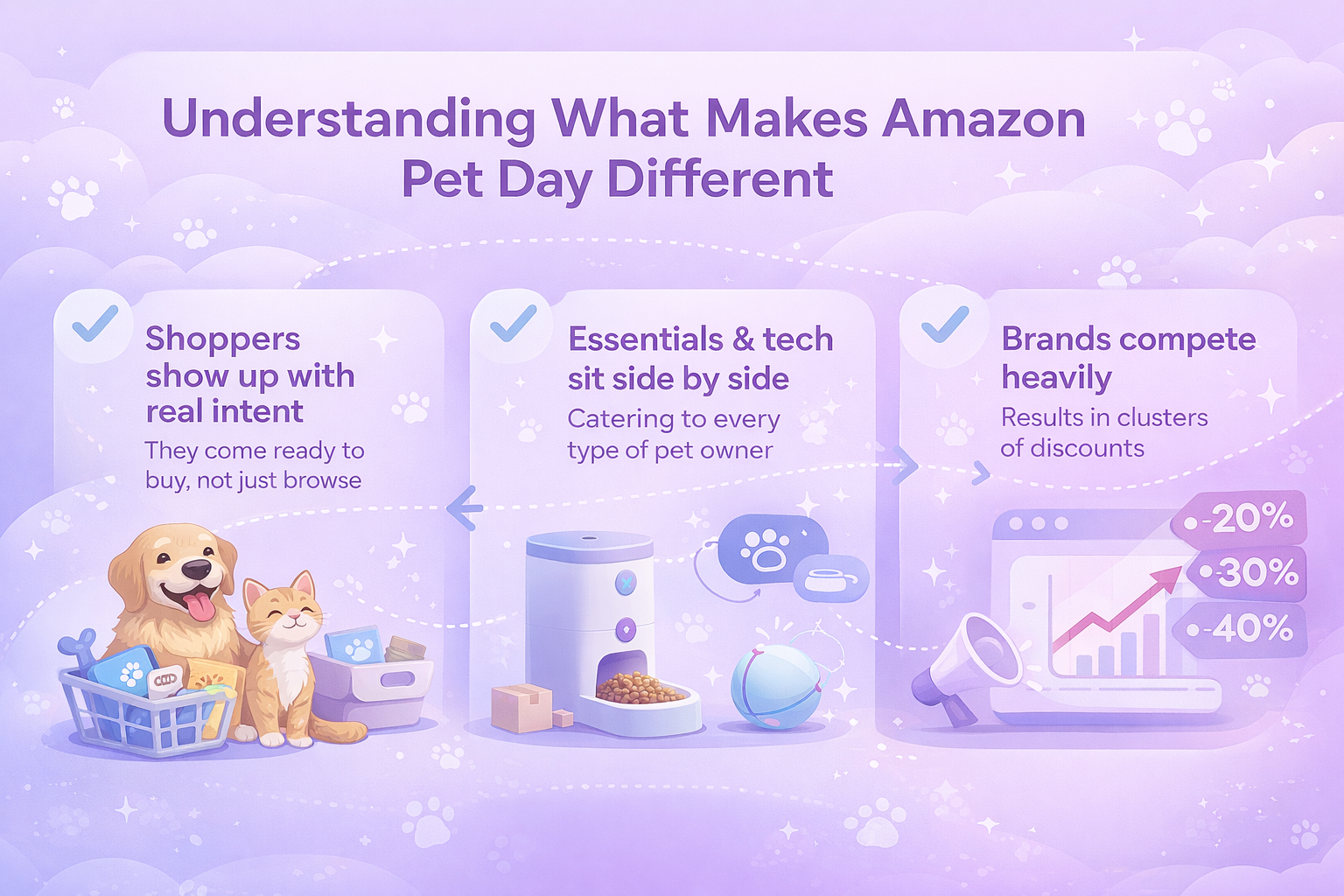
There are a few patterns that surface almost every year:

  1. Shoppers show up with real intent. They’re not casually scrolling.
  2. Tech and essentials sit side by side, which makes the sale feel relevant to every type of pet owner.
  3. Brands compete heavily, so discounts appear in clusters rather than in isolation.

These patterns give a decent sense of what 2026 will bring, especially since Amazon rarely changes what’s already working.


How We at WisePPC Help Sellers Win Amazon Pet Day

For sellers, Amazon Pet Day isn’t just a surge in traffic. It’s a chance to capture visibility that can shape rankings for weeks. At WisePPC, we help you use that momentum instead of watching it pass by. With real-time analytics, clear performance insights, and quick bulk actions, you can adjust bids, pause wasted spend, and highlight the campaigns that actually convert while shoppers are most active.

Because we store years of historical data, we can show you how past Pet Days behaved, which categories spike first, and where your ad spend delivers the strongest return. And with automated optimization guiding you toward high-impact changes, you don’t have to guess your way through the event.

Pet Day moves fast, but with WisePPC you move faster. Our goal is simple: give you the clarity and control to turn a busy 48 hours into long-term growth.

The Big Categories to Watch in 2026

Not all categories behave the same. Some almost always get strong deals, while others stay modest but steady. Based on past years, the areas most worth your attention are:

  • Smart litter boxes
  • Smart feeders and water fountains
  • Pet cameras
  • DNA testing kits
  • Everyday staples like treats and food
  • Grooming and hygiene items
  • Toys and enrichment gear

Each category below includes what typically goes on sale, why people gravitate toward it, and what the likely discounts look like this year.


1. Smart Litter Boxes: A Reliable Best-Seller Every Year

Automatic litter boxes keep stealing the spotlight during Pet Day. It’s not surprising. They solve a daily problem that most cat owners are tired of dealing with, and they’re expensive enough that a discount feels like a treat for the human, not just the cat.

Why This Category Always Performs

  • Convenience. A cleaning cycle that runs on its own is hard to resist.
  • Visibility into your cat’s health. Sensors and usage logs help spot changes in behavior.
  • Good return on investment for multi-cat homes.

2026 Deal Expectations

You can expect a mix of price cuts across different tiers:

  • Premium models with cameras or app dashboards
  • Mid tier boxes with odor control and smart sensors
  • Entry level automatic models that keep things simple

The range will likely fall somewhere between $50 and $250 off, depending on how aggressively brands decide to compete.

If you’re new to these devices, Pet Day is usually the moment people finally make the jump. The discount softens the learning curve, and the convenience often pays for itself quicker than expected.


2. Smart Feeders and Water Fountains: Everyday Tools With Strong Discounts

This category consistently sees deep discounts, partly because the products solve real issues and partly because competition is fierce.

What Usually Goes on Sale

  • Refrigerated wet food feeders
  • App connected dry food feeders
  • Bluetooth or RFID water fountains
  • Feeders with built in cameras
  • Bowls with consumption tracking

Why These Are Crowd Favorites

People want predictable routines. A feeder that covers breakfast when you’re running late or a fountain that keeps track of hydration is more appealing than it might sound at first. Once you try these tools, you don’t go back easily.

Trends for 2026

Because so many brands compete in this space, deals tend to be aggressive. Expect:

  • 20 to 40 percent discounts
  • Extra coupons on select models
  • Lightning deals on color variants
  • Upgrades to feeding schedules or app features

This is one of the easiest categories for saving money without taking much risk.


3. Pet Cameras: Mostly for Peace of Mind, Sometimes for Entertainment

People love seeing what their pets do when left alone. Pet cameras have been popular for a while, but Pet Day usually pushes them into impulse buy territory.

What Makes These Deals Popular

  • Two way audio helps owners feel connected when away from home.
  • Treat dispensers add a fun element.
  • Most models double as simple home cameras.
  • Prices drop enough to feel like a low risk purchase.

What to Expect in 2026

Brands often use Pet Day to make room for newer releases. This means:

  • Steep discounts on last year’s models
  • Lower but still meaningful cuts on newer versions
  • App updates that improve tracking and notifications

If you work long hours or travel occasionally, this category is worth watching.


4. DNA Testing Kits: A Growing Curiosity With Real Health Benefits

DNA kits are not essential, but they fall into the “interesting enough to try once the price is right” bucket.

Why Shoppers Like Them

  • Insight into breed history
  • Early detection of potential genetic risks
  • Fun comparison charts and ongoing updates
  • Great for multi pet homes

Expected Discounts

Deals usually fall between $40 and $70 off, and some brands may bundle cat and dog kits together. These often sell out earlier than expected, simply because the base price is high and the discount feels generous.


5. Food, Treats, and Grooming Staples: Reliable Value Every Year

Pet owners buy these items regularly, so Pet Day becomes a convenient stock up moment. The savings aren’t always dramatic, but they add up.

Common Deals

  • Large bags of food
  • Bulk packs of treats
  • Ear and eye wipes
  • Dental chews
  • Grooming tools
  • Training pads
  • Washable pet beds

The appeal here is simplicity. You’re buying things you need anyway, so grabbing them at a discount feels like smart budgeting rather than shopping for the sake of it.


6. Toys and Enrichment Gear: Lighthearted Add-ons With 6. Surprising Value

This category is where many people end up adding one or two extra items to the cart. Toys wear out, and enrichment puzzles get more creative every year

What Sells Fast

  • Tall scratching towers
  • Puzzle toys that slow down fast eaters
  • Motion activated toys for active cats
  • Sturdy chew toys for dogs

People love these deals because the stakes are low and the payoff is immediate. A new toy that keeps your dog busy for twenty minutes or your cat entertained for an hour can feel priceless.


How Past Pet Days Shape What to Expect in 2026

Small shifts have been happening each year, and they help predict what brands will highlight next.

1. The Growth of Mid Range Tech

Not everyone wants the priciest model, but they don’t want the bare minimum either. Mid tier tech strikes a balance between useful features and reasonable prices, and Pet Day is the perfect moment for these models to shine.

2. More Health Tracking Built Into Everyday Items

Water fountain logs, feeding history graphs, and litter box usage charts are becoming normal features. Consumers are warming up to the idea of small data helping with long term health.

3. Stronger Messaging Around Adoption and Responsible Ownership

Amazon has been pairing Pet Day with awareness campaigns. Expect more themed banners, support for shelters, and subtle reminders that Pet Day isn’t just about shopping.

4. The Influence of Editorial Lists

Shoppers trust curated lists from reviewers and journalists. Brands know this and often tune their pricing to match how these lists highlight products.


How to Shop Smarter During Amazon Pet Day 2026

Even though the deals can be overwhelming, a few simple habits help you avoid being pulled in by flashy numbers.

Practical Tips

  • Check the price history: Some discount percentages are inflated.
  • Look for coupons: They often hide the best offers.
  • Buy essentials first: Food and litter savings add up more than people expect.
  • Read consistent reviews: One bad review doesn’t mean much, but patterns do.
  • Think ahead: Replacement filters, extra pads, and backup toys are smart buys.

Pet Day gets chaotic once the deals start rotating. Knowing what you actually need prevents that late night spiral where a DNA kit, a camera, and ten bags of treats somehow end up in your cart.


What Sellers Should Know (And Why It Helps Shoppers Too)

Even though this article focuses on the buying side, it’s useful to understand what’s happening on the seller’s end. It explains why some deals feel generous while others are more conservative, and why certain products suddenly appear everywhere during the event.

1. Sellers Use Pet Day as a Benchmark

Pet Day functions almost like a stress test for listings. High traffic exposes weak product pages quickly, especially if the images aren’t clear enough or the description feels vague. Sellers watch how people interact with their listings hour by hour, and those insights shape future updates. If something converts well under pressure, it’s usually a sign that the product page is in good shape. If not, you’ll often see a revision shortly after the event.

2. Algorithm Benefits

A strong performance during Pet Day doesn’t end when the sale ends. Amazon’s ranking system tends to reward listings that attract a surge of clicks, add to carts, and conversions within a short window. That means a product that does well during Pet Day often floats higher in organic results for weeks, sometimes even longer. This is partly why brands try to be aggressive with pricing during the 48 hour window.

3. Bundles Are Strategic

When you see a listing with an oddly perfect mix of accessories, that’s intentional. Sellers use bundles to test which combinations feel useful to buyers and which ones get ignored. It’s also a way for brands to show the product in a complete context. A litter box bundled with liners and odor filters looks more appealing than buying everything separately. You’re not imagining it if the bundle feels well thought out. It probably is.

4. Rising Competition

The pet category keeps expanding. New brands enter the space every year with feeders, fountains, grooming tools, subscription packs, and smart devices. More competition usually pushes prices down, especially during big sales. Everyone wants to be featured in curated lists or Amazon’s top results, so shoppers end up benefiting from the competition without having to think about it.

These dynamics shape not just the deals you see but also how long those deals remain relevant. When brands compete hard, the shopper usually wins.


What to Expect From Amazon Pet Day 2026

Looking at the patterns from previous years, Pet Day 2026 will likely feel familiar but a little more polished. The mix of tech upgrades, staple items, and curiosity driven buys is still the backbone of the event, but the refinement of product pages and the broader push toward health focused features will probably influence the deals you see.

In practical terms, shoppers can expect:

  • More smart tech than ever: New feeder models, smarter litter boxes, and cameras with stronger tracking features tend to appear each year. Pet tech is evolving quickly, so discounts here are almost guaranteed.
  • Strong food and treat discounts: Bulk buys and subscription friendly items often get reliable markdowns. These aren’t dramatic discounts, but they’re steady and easy wins.
  • Health tracking built into more devices: Expect feeders, fountains, and litter boxes to highlight more detailed usage logs and analysis. Brands are leaning into “daily health insights” as a selling point.
  • Better bundles for multi pet households: With more households owning multiple pets, brands are adjusting their offers. Bundles that once felt optional now look more like the default option.
  • A bigger push toward rescue and adoption support: Amazon has been building this theme gradually. More banners, more mentions of shelters, and more callouts that frame Pet Day as a chance to support responsible pet ownership.
  • Cleaner product pages due to editorial influence: As more people rely on curated deal lists, brands polish their pages to increase their chances of being featured. Better images, tighter descriptions, and clearer benefits help buyers make decisions faster.

Altogether, 2026 looks set to be a practical and genuinely helpful sale. It’s less about clearing out forgotten inventory and more about presenting deals that actually fit the way people care for their pets today.


Final Thoughts

Amazon Pet Day keeps evolving, but the core appeal stays the same. It’s a chance to refresh essentials, explore upgrades you’ve been curious about, and save money on things that actually improve everyday life with pets. The mix of practicality and small bits of joy makes the event feel less like a shopping frenzy and more like a well timed opportunity.

If 2026 follows the usual rhythm, expect solid deals, a few surprises, and plenty of reasons to check in at least once during the 48 hour window. Whether you’re restocking treats or finally picking up that smart feeder you’ve been eyeing, the best approach is simple: compare thoughtfully, stay realistic, and choose the deals that make caring for your pets a little easier.


FAQ

When is Amazon Pet Day 2026?

Amazon hasn’t officially shared the 2026 dates yet, but based on previous years, it will likely fall in early to mid May. Early deals typically appear a week or two beforehand, so it’s worth checking Amazon toward the end of April.

Are Amazon Pet Day deals available to everyone or only Prime members?

Most Pet Day deals are open to all Amazon shoppers. Prime members sometimes get extra perks like faster shipping or early access to select items, but the majority of discounts are available without a subscription.

What categories usually get the biggest discounts?

Automatic litter boxes, smart feeders, pet cameras, DNA testing kits, and water fountains tend to receive the steepest price drops. Food, treats, grooming supplies, and training pads also get reliable discounts, but they’re usually smaller percentage wise.

Do the tech products on Pet Day actually offer good value?

In most cases, yes. The event is known for featuring real discounts on mid and high tier tech. Brands often use Pet Day to compete for visibility, which leads to better pricing on smart feeders, fountains, and litter boxes than you’ll see during regular sale windows.

How can I tell if a Pet Day deal is genuinely good?

Check the product’s price history if you can and look for listings that include an additional clip coupon. A fair Pet Day deal usually offers a noticeable drop compared to the past 30 to 60 days, not just a temporary price adjustment.

How to Scan Barcodes with the Amazon Seller App

If you already sell on Amazon or you’re just starting out, the Amazon Seller app can make day-to-day work a lot easier. It brings most of the essentials to your phone, so you can check performance, update listings, respond to customers, and even spot new products while you’re out and about. One feature many sellers rely on is the built-in barcode scanner, which helps you pull up product details in seconds and get a quick sense of whether an item is worth adding to your catalog.

Below is a simple, practical overview of how the app works and how sellers use barcode scanning to guide product decisions.


What the Amazon Seller App Does

The Amazon Seller app is a free mobile tool for managing your store. It works on both iPhone and Android. Once logged in, you can view sales, track inventory levels, adjust prices, review customer feedback, and create or edit listings. The scanner feature lets you point your phone at a barcode and instantly see product data from the Amazon store.

Sellers often use this information to understand profitability, compare prices, review sales history, or see how many competitors already offer the same item. It’s a quick way to test ideas and avoid guesswork when evaluating new products.


Turning Scan Data Into Action With WisePPC

At WisePPC, we focus on giving sellers a clearer view of what’s happening across their marketplace accounts, so you can use the data from your barcode scans more effectively. The app helps you understand individual products, but once those items enter your catalog, you still need a wider picture of how they perform over time. That’s where our platform comes in.

We bring your advertising, sales, and historical metrics together in one place. You can see which products are gaining traction, where your margins are slipping, and how your ad spend connects to actual revenue. If you manage a larger inventory or work across several marketplaces, our tools help you track everything without juggling spreadsheets or switching between dashboards.

For many sellers, this combination works well. You scan products to make smarter sourcing decisions, then use WisePPC to monitor long-term trends, adjust campaigns, and scale your catalog with more confidence. It keeps the day-to-day work manageable and gives your team clearer signals on what to improve next.


Requirements to Get Started

Getting set up doesn’t take much. You need an Amazon selling account and a reliable internet connection, and the rest is fairly simple. The app is free, and most people are able to get it running in a few minutes.

  1. Create or sign in to your Amazon selling account: If you’re brand new, you’ll go through a quick registration process. Existing sellers can just log in with their usual credentials.
  2. Download the Amazon Seller app from the Apple App Store or Google Play: Make sure you choose the correct version for your phone so everything works smoothly.
  3. Open the app, sign in, and start exploring: Once you’re inside, the app will guide you through the main features. You can view your dashboard, test the barcode scanner, and get familiar with the tools you’ll use most often.


How to Scan Barcodes in the App

Scanning is simple and usually takes just a few seconds.

  1. Open the app on your phone.
  2. Tap the camera icon or choose Add a Product.
  3. Allow the app to access your camera.
  4. Hold the camera over the barcode on the item.
  5. The app reads it and loads the related product details automatically.

A Quick Note: The UPC is an identification code that sits near the barcode, but the app needs the barcode itself for scanning. The UPC just tells you which product you’re looking at, regardless of who sells it.


How Resellers Use the App

Resellers rely on quick access to accurate product data, and the Amazon Seller app fits neatly into that routine. When they’re scanning items in a store, checking market demand from home, or adjusting active listings, the app gives them the information they need right away. It cuts down on guesswork and helps them decide whether a product is worth buying or relisting.

Resellers often use the app to:

  • Research promising products by checking sales rankings, historical trends, and pricing patterns.
  • Add offers to existing listings and update key details such as price, condition, or keywords that influence search visibility.
  • Handle orders on the go, from confirming shipments to watching fulfillment progress until delivery.
  • Monitor inventory levels so they know when something is running low or when it makes sense to restock.

Not every item can be resold on Amazon. Some categories have limitations or require approval, but the app usually flags these situations clearly so sellers know what their options are before moving forward.


Using Scanner Insights to Strengthen Your Pricing and Sourcing Decisions

Barcode scanning doesn’t just show what a product costs today. It also gives you a quick look at how the item behaves in the market. Sellers often use this information to understand whether a product is moving steadily, whether the Buy Box price shifts a lot, and whether the margin still makes sense after fees. Over time, this helps build a clearer picture of which items deserve more of your attention and which ones might not be worth restocking.

Many sellers also use scan results to compare suppliers. If you see the same product at different price points during sourcing, the data helps you decide which option supports a healthier margin. It becomes easier to walk away from items that look appealing on the shelf but don’t hold enough profit after you factor in Amazon fees and expected sales velocity.


Other Helpful Ways to Use the Amazon Seller App

Managing Customer Feedback

The app gives you a quick way to stay connected with your customers. You can review new messages, monitor recent feedback, and respond when something needs attention. It’s a simple way to keep communication steady and avoid letting small issues turn into bigger problems.

Checking Sales Performance in Real Time

Many sellers keep the app open throughout the day to follow their sales activity. You can watch overall performance, look at individual product trends, and spot unusual spikes or drops. This real-time view helps you react faster and understand how your catalog behaves over time.

Creating and Updating Product Listings

You can build or edit listings directly from your phone. Upload photos, adjust descriptions, update keywords, and set your pricing without needing a computer. It’s useful when you’re sourcing products on the go or handling small updates during a busy day.


Avoiding Common Scanning Mistakes

Scanning barcodes is straightforward, but small mistakes can create headaches later. Sometimes a barcode might be worn out, or the product could have a variation that doesn’t match the listing you expected. The app usually points out issues, but it’s still worth double-checking what you scanned before committing to a purchase.

Another frequent problem is scanning packaging that uses an internal or store-specific code instead of a standard UPC. If something looks off or the product doesn’t show up, try scanning another spot on the label or use a keyword search instead. A few extra seconds of checking can save you from listing errors and mismatched inventory once the item goes live.

Here are a few things to watch out for:

  • Barcodes that are scratched, bent, or partially covered.
  • Packaging that uses nonstandard store labels instead of a UPC.
  • Product variations that share similar packaging but have different listings.
  • Scans that pull up unrelated items or missing product details.
  • Cases where the scan shows a restricted product you can’t sell.


Conclusion

The Amazon Seller app gives you a simple way to manage key parts of your business from your phone. Whether you’re scanning products in a store, checking sales performance, updating listings, or answering customers, the app keeps everything within reach. The barcode scanner, in particular, helps you make faster decisions by giving you quick access to pricing, demand, and historical data. Once you get used to it, the workflow becomes second nature and often saves time you would have spent switching between tools or digging through reports.

If you haven’t tried it yet, the app is free to download and easy to set up. A few minutes of testing can show you how much it can streamline your daily routine and support better sourcing and inventory decisions. It’s a small addition to your toolkit that can make a noticeable difference in how smoothly your business runs.


Frequently Asked Questions

Do I need a paid Amazon plan to use the app?

You need an active Amazon selling account. The app itself is free, and both Individual and Professional accounts can use it, although some features are more useful for high-volume sellers.

Is the barcode scanner accurate?

The scanner usually pulls data directly from Amazon’s catalog, so results are reliable. Issues mostly come from damaged barcodes or packaging that uses internal store labels instead of a UPC.

Can I scan products that I don’t sell yet?

Yes. Many sellers scan items while sourcing inventory to check profitability, restrictions, and current competition before deciding whether to buy.

Does the app show fees and estimated profit?

In most cases, yes. After scanning, you can review estimated fees and get a rough idea of potential margin. It’s a quick way to understand whether a product meets your pricing goals.

Can I manage orders and messages through the app?

You can confirm shipments, track fulfillment updates, reply to customers, and view new reviews. It’s designed to help you handle essential tasks even when you’re away from your computer.

A Practical Guide to Using the Amazon Seller App

Running an online store means staying on top of a lot of moving parts, and the Amazon Seller app makes that much easier. It brings the most important tools from Seller Central straight to your phone, so you can check sales, update listings, and respond to customers wherever you are. This guide walks through how the app works and the different ways it can support your day-to-day operations.


Why the Amazon Seller App Matters for Everyday Operations

Managing an ecommerce business can feel like you’re constantly switching between tasks – checking orders, answering questions, making sure listings are accurate, and keeping an eye on stock. The Amazon Seller app helps pull all of that together so you’re not tied to a laptop whenever something needs attention.

What makes the app valuable is how it simplifies small but important actions. You can respond to customers, track sales spikes, or adjust a listing while you’re out running errands or taking a break between tasks. Those quick moments add up, and for many sellers, it becomes a reliable way to stay in control without losing time.

The app also helps you react faster when something unexpected happens – a sudden jump in orders, a low-stock alert, or a customer message that needs a quick reply. Instead of letting issues build up, you can deal with them right away, which keeps things running smoothly and reduces the stress of playing catch-up later.


How WisePPC Helps You Get Even More Out of Your Amazon Workflow

While the Amazon Seller app keeps you connected to your business day to day, we built WisePPC to give you the deeper visibility and control that help you make smarter decisions as you scale. Our platform brings together advanced analytics, bulk editing tools, and long-term performance insights so you can understand what’s really driving your results, whether it’s your ads, your organic sales, or shifts in customer behavior.

We’re an Amazon Ads Verified Partner, which means our tools follow Amazon’s best practices and use official integrations. With features like multi-account dashboards, granular reporting, and real-time metric tracking, we help sellers cut back on manual work and focus on actions that actually move the needle. It’s a way to pair the convenience of mobile management with the kind of data clarity that keeps your business growing steadily.


9 Practical Ways to Grow Your Business With Mobile App

Managing an online store takes constant attention, and the Amazon Seller app helps you stay on top of things no matter where you are. It brings the most important tools from Seller Central straight to your phone, so you can react quickly, make decisions faster, and keep your business running smoothly. Below are nine practical ways you can use the app to stay organized, improve performance, and support your growth.

1. Spot New Products With Visual Search

When you’re out and about and spot something that looks like a potential product opportunity, the app gives you a quick way to check it. The built-in visual and barcode scanning tool lets you point your phone at an item or its packaging and instantly see whether it’s already listed in the Amazon store.

In a few seconds, you can look through:

  • Current offers for that product
  • Pricing information and recent trends
  • How many sellers are already competing

It’s a simple way to gauge whether an item is worth adding to your catalog. If you’re digging deeper into a category, the app also highlights “Top Sellers” and “Hot New Releases,” which can help you spot demand patterns or new product ideas.

And if you come across something promising, you can start the listing process right from the app by selecting Add a Product.

2. Create, Edit, and Improve Your Product Pages

Product listings are the foundation of your Amazon presence, and the mobile app gives you a simple way to manage them on the go. You can create a new listing for an item that isn’t yet in the Amazon store or link your offer to an existing product page if it’s already there.

Strong visuals play a big part in conversion, so the app includes the Amazon Product Photo Studio. It helps you upload and edit images (such as background removal and cropping), fix common issues, and ensure your photos meet Amazon’s requirements before they go live.

Whether you’re making quick pricing tweaks or updating product details, the entire process is optimized for mobile so you can handle changes anytime.

3. Watch Your Sales Activity in Real Time

The app gives you quick access to your sales data, so you can review performance without logging into a computer. Sales charts show how your business is trending, helping you spot top performers and understand daily or weekly shifts.

If you need more detail, you can switch between different metrics like total sales or units sold, and filter results by date range. When you want to dig deeper, you can generate and download sales reports directly from your phone.

There’s also a Payments section where you can review statements, refunds, active orders, and other transactions. Keeping an eye on these numbers makes it easier to spot new opportunities or areas where you can improve.

Pro Tip: Customize your push notifications so you never miss important updates, new orders, or messages from customers.

4. Manage Stock, Shipping, and Deliveries

The Amazon Seller mobile app gives you a clear view of what’s happening with your orders from the moment a customer checks out to the point their package is delivered. You can track pending orders, monitor shipments, and handle returns or refunds as they come in.

For inventory, the app helps you stay ahead of stock levels so you can plan replenishments before running into issues. You can review quantities, generate inventory reports, and use the insights to make smarter forecasting decisions.

It’s a practical way to stay organized and maintain smooth operations, even when you’re away from your workspace.

5. Keep Your Advertising Strategy Sharp

If you use advertising to boost visibility, the mobile app gives you tools to manage your campaigns wherever you are. You can adjust budgets, tweak timelines, and check performance for cost-per-click ads like Sponsored Products.

The app also shows simple charts that help you monitor how your ads influence sales, so you can quickly see what’s working and what may need attention. Making small changes on the go can help keep your campaigns efficient without waiting until you’re back at a computer.

Pro Tip: Give your ads and product pages a lift with SEO best practices. Improving keywords and content quality can help customers find your products more easily.

6. Stay Connected With Customers

Good communication plays a big role in building trust with shoppers, and the mobile app makes it easy to stay on top of messages. In the Communications section, you can read and reply to customer inquiries, filter for messages that still need responses, and search your inbox using keywords when you’re looking for something specific.

If you often get similar questions, you can save time by creating reusable email templates. The app also gives you access to the Feedback Manager, where you can check reviews, track ratings over time, and post public replies when needed.

It’s a straightforward way to stay responsive and maintain strong customer relationships, even when you’re away from your desk.

7. Expand Your Reach Worldwide

If you sell in more than one region, the app helps keep everything connected. With a single sign-on, you can switch between different countries and marketplaces where your products are available. It’s a simple way to stay aware of activity across all your storefronts without juggling multiple logins.

To grow globally, you only need one Amazon selling account. Once it’s set up, you can launch in additional regional stores and use the app to monitor performance, check orders, and manage listings for each market. It’s a practical approach for sellers who want to reach customers worldwide without complicating their workflow.

8. Monitor Key Health Metrics

The app keeps you informed about updates that may affect your business. When you open the homepage, you’ll see alerts that highlight important news, policy changes, or items that may need your attention. Tapping an alert takes you straight to the details so you can review and take action quickly.

You’ll also find recommendations to help improve your performance, strengthen customer experience, and maintain a healthy selling account. It’s an easy way to stay ahead of potential issues and keep your operations running smoothly.

9. Monitor Performance Insights and Recommendations

The app doesn’t just show raw numbers – it also highlights areas where you can improve. Inside the Performance and Insights sections, you’ll find recommendations based on your recent activity, sales trends, and customer behavior. These suggestions can include anything from adjusting a listing to reviewing pricing or improving delivery performance.

You can also keep an eye on key metrics that influence your overall visibility and customer satisfaction. If something starts slipping or needs attention, the app flags it early so you can respond quickly.

It’s a simple way to make more informed decisions and stay aligned with Amazon’s best practices without having to dig through multiple reports.


Tips for Getting the Most Out of Mobile Management

Once you make the app part of your daily routine, you’ll notice how much time it saves and how much easier it becomes to stay organized. These simple habits can help you get even more value from managing your Amazon business on your phone:

  • Check sales and messages early. A quick morning glance at your dashboard helps you start the day knowing what needs attention.
  • Use the scanning tool while sourcing. If you’re shopping for new inventory, scanning items on the spot can save guesswork and help you avoid risky buys.
  • Review inventory once or twice a day. Keeping an eye on stock levels helps you avoid unexpected shortages.
  • Watch ad performance during active campaigns. A quick look at how ads are trending can help you adjust budgets or bids before spending gets out of hand.
  • Clear out notifications regularly. It keeps your dashboard clean and helps you focus on what’s actually important.
  • Use downtime wisely. Short waiting moments – in line, between meetings, on a commute, are perfect for checking messages or reviewing orders.

There’s no single routine that works for everyone. The goal is to build habits that make your workflow easier and help you stay connected to your business without feeling glued to your device.


Conclusion

The Amazon Seller app may be small in size, but it packs in nearly everything you need to keep your business moving. Whether you’re checking orders, responding to customers, adjusting ads, or exploring new product ideas, the app makes everyday tasks quicker and more manageable. It’s not meant to replace your full Seller Central workflow, but it does make it easier to stay organized and react when something needs attention.

Once you build it into your routine, it becomes one of those tools you reach for without thinking – a simple way to stay connected to your store and keep things running smoothly, wherever you are.


Frequently Asked Questions

What does the Amazon Seller app do?

The app gives registered Amazon sellers a mobile-friendly way to manage their business. You can scan products, update listings, track sales, communicate with customers, monitor ads, and keep an eye on account health – all from your phone.

Do I need approval to use the Amazon Seller app?

No approval process is required. As long as you have an active Amazon selling account, you can download the app and sign in with your Seller Central credentials.

Can I use the Amazon Seller app on a laptop?

The app is designed for iOS and Android mobile devices. On a laptop or desktop, you can simply log in to Seller Central through your browser instead.

Is the app free to download?

Yes, the app itself is free. Standard selling fees still apply to your Amazon account.

Give Returns a Second Life with FBA Grade and Resell

Customer returns are part of selling online, but they don’t always have to be a loss. With Amazon’s FBA Grade and Resell program, unsellable returns can be inspected, refurbished when possible, and listed again as Used. Instead of paying removal or disposal fees, you get the chance to recover value and offer customers more affordable options.

This guide walks through how the program works, what to expect during grading, how fees are calculated, and how to manage your listings once they go live.


What FBA Grade and Resell Does

The Grade and Resell program evaluates customer-returned FBA inventory and determines whether each item can be resold in a Used condition. If the product passes inspection, Amazon creates a Used listing for you and assigns one of four possible conditions: Like New, Very Good, Good, or Acceptable. You set the pricing rules and manage the listing the same way you do for your new or used products today.

If an item doesn’t meet the requirements, it’s marked Unsellable and remains in your unfulfillable inventory, where you can remove, liquidate, or donate it.

FBA Grade and Resell is available to both US and non-US sellers who sell in the US marketplace.


How We Help You Get More Out of Grade and Resell at WisePPC

At WisePPC, we see FBA Grade and Resell as more than a way to recover value from returns – it’s a chance to strengthen your entire marketplace strategy. When a returned item becomes a second sale, every decision leading up to that moment matters. Pricing, advertising, visibility, customer demand  it all plays a role. That’s why we designed our platform to give you the kind of insight that makes these programs work harder for you.

With WisePPC, you can track how your ads and product performance shift as more of your catalog flows through Grade and Resell. Our analytics help you see what’s driving real results, whether it’s your campaigns, your organic reach, or your pricing choices. When used items hit the marketplace, you’ll know exactly how fast they’re selling, how they affect your margins, and where you can adjust to capture more value.

We combine official Amazon Ads integrations, real-time metrics, and years of historical data so you can make smarter decisions without digging through spreadsheets. As returns turn into resale opportunities, we give you the visibility to identify trends early, optimize your budgets, and scale with confidence. For sellers using programs like Grade and Resell, this level of clarity can turn a simple recovery tool into a meaningful revenue stream.


How the Process Works

1. Enroll in the Program

You can join Grade and Resell through your Automated unfulfillable settings. This is where you enable the program, set pricing rules, and choose any ASINs you want excluded.

Once enrolled, eligible customer returns route automatically into the program as long as they’re located in fulfillment centers that support Grade and Resell.

2. Returned Items Are Inspected and Graded

Every customer return goes through Amazon’s standard evaluation process to determine whether it’s sellable as New. Items ruled unsellable as New are sent into the grading process.

A returns specialist completes a full inspection, which can include:

  • Matching the physical item with the catalog listing
  • Checking for missing parts or accessories
  • Identifying cosmetic blemishes or package damage
  • Testing basic usability or functionality
  • Performing memory wipes or factory resets for electronics
  • Cleaning or repackaging the item when needed

Based on these checks and Amazon’s guidelines, the item is assigned:

  • Used–Like New
  • Used–Very Good
  • Used–Good
  • Used–Acceptable
  • Or Unsellable

If it’s graded as Used, Amazon prepares it for resale. If it’s Unsellable, it stays in your unfulfillable inventory.

The grading timeline can take up to three weeks, and sometimes longer during peak seasons.

3. A New SKU Is Created for the Used Listing

Once the condition is assigned, Amazon generates an SKU under the parent ASIN. The SKU includes:

  • A prefix: amzn.gr
  • Your seller MSKU
  • A defect identifier
  • A condition suffix (LN, VG, GD, or AC)

The SKU appears in your inventory just like any other listing, and you can manage it normally. If you’re out of stock, the SKU may be automatically deleted, and a new one created for future graded units.

4. You Set the Price and Manage the Listing

During enrollment, you define your pricing rules as a percentage discount from the new price. For example:

  • Like New: 95 percent of new price
  • Very Good: 85 percent
  • Good: 80 percent
  • Acceptable: 75 percent

These are only examples. You choose the percentages that make sense for your business. Once the listing is created, you can adjust pricing anytime.

Customers will see your Used offers under “More buying choices” or as the Used featured offer when applicable. They also see condition notes generated from the grading process that describe any cosmetic or packaging issues.

5. Track Sales and Payments

Sales and order information appears in your usual Fulfillment reports. You can identify program activity by looking for SKUs that start with amzn.gr.

Your Payments dashboard shows:

  • Order payments for sold units
  • Grade and Resell processing fees
  • Any adjustments or reimbursements

Dedicated Grade and Resell reporting is planned but not yet available.

6. After-Sales: Reviews, Feedback, and Returns

Customer reviews for Grade and Resell items roll up to the parent product when they meet Amazon’s guidelines. Feedback related to item condition or defects does not impact Account Health metrics.

If a customer returns a Grade and Resell item:

  • If eligible, the unit is automatically re-submitted for grading
  • If ineligible, it returns to your unfulfillable inventory
  • If a returned unit is found defective, Amazon refunds the processing fee as a courtesy

You can monitor comments and potential issues through Voice of the Customer or Feedback Manager.


Product Eligibility

Not every return can go through Grade and Resell. Ineligible items include:

  • FBA-prohibited products
  • Meltable inventory
  • Expiration-dated items
  • Dangerous goods
  • Products requiring approval
  • Items that can’t be sold as Used
  • Recalled or counterfeit goods
  • Consumables
  • Items under 10 dollars
  • ASINs with low historical feedback

Only returned units located in enabled fulfillment centers are eligible.


Why Sellers Use Grade and Resell

The program offers multiple advantages that go beyond simple cost savings. For many sellers, it becomes an easy way to make their returns process work in their favor instead of against them.

Recover More Value

Returns used to sit in storage or move straight into removal orders, turning into expenses rather than revenue. With Grade and Resell, those same items get a second chance on the marketplace. Even modest recoveries add up over time, especially for high-volume ASINs. What once felt like a sunk cost can become a meaningful part of your margins.

Reduce Operational Work

Handling returns on your own can be tedious. Grading, inspecting, repackaging, and updating listings all take time that most teams don’t have. Grade and Resell removes almost all of that work. Once you’re enrolled, Amazon evaluates and relists eligible units automatically. You simply monitor pricing and performance the same way you would for any other listing.

Reach Secondhand Shoppers

A growing segment of customers actively looks for used items, whether to save money or to avoid buying new when they don’t have to. Grade and Resell makes your products visible to this audience without extra effort on your part. Used listings appear in search results and on the main product detail page, giving shoppers another option within your catalog.

Support Sustainability

Sustainability has become a deciding factor for many buyers. When your products get reused rather than thrown out, it sends a positive message about your brand’s values. Extending the life of an item reduces waste and keeps perfectly functional products in circulation. Amazon has noted that more than 100 million customers have opted for sustainable alternatives, showing how quickly demand is shifting toward reuse and secondhand buying.


Getting Started

To enroll:

  1. Go to Settings
  2. Open Fulfillment by Amazon
  3. Find Automated unfulfillable settings
  4. Enable Grade and Resell
  5. Set your recovery percentages
  6. Exclude any ASINs you don’t want graded
  7. Save your settings

You can unenroll at any time by deselecting the program in the same menu.


Final Word

FBA Grade and Resell gives sellers a practical way to turn returns into something useful instead of a cost that quietly drains profit. Amazon handles the inspection, grading, and relisting, which makes the entire process feel almost hands-off once your settings are in place. What used to be a pile of returns collecting storage fees can become a steady stream of recovered value, new customers, and better use of inventory you already own.

Beyond the operational benefits, the program supports a shift many shoppers are already embracing. More buyers are open to secondhand items, both for the lower price and for sustainability reasons. Grade and Resell helps you meet that demand while reducing waste and giving your products a longer lifecycle.

For sellers looking to improve margins, simplify returns, and appeal to a broader customer base, this program is a straightforward way to get more out of the inventory you already have. It’s a small adjustment that can lead to a noticeable change in how you manage returns and recover revenue.


Frequently Asked Questions

Who can join the FBA Grade and Resell program?

Both US and non-US sellers who sell in the US marketplace are eligible. As long as your FBA inventory is stored in a fulfillment center that supports the program, you can participate.

What types of items are eligible?

Only customer-returned FBA inventory can be graded. Certain categories are excluded, including hazmat products, consumables, meltable items, expiration-dated inventory, counterfeit or recalled products, and items that can’t be sold in used condition. Items priced under 10 dollars are also not eligible.

What happens if my item is graded Unsellable?

If an item doesn’t meet Amazon’s condition requirements, it stays in your unfulfillable inventory. No processing fee is charged. You can remove, liquidate, or donate it the same way you would with other unfulfillable units.

How long does the grading process take?

Most items are graded within three weeks. During busy seasons, such as Q4, the timeline may be longer.

Can I control how much my Used items sell for?

Yes. You set the pricing rules for each condition when you enroll. Once the listing is live, you can adjust the price anytime in Manage Pricing.

What Amazon Brand Registry Is and How It Works

Building a brand often comes with a mix of excitement and pressure. You’re shaping how customers see your products while also trying to keep your identity safe in a crowded marketplace. Intellectual property plays a big part in that, whether it’s a trademark, a patent, or creative work you’ve produced.

Amazon created Brand Registry to help brand owners protect what they’ve built and give them tools to grow with more confidence across the Amazon store.

If you’re still working on getting a trademark, programs like Amazon IP Accelerator can speed things up. Here’s a clearer look at what the Brand Registry offers, who qualifies, and how it can help you build and protect your brand.


What Is Amazon Brand Registry?

Brand Registry is a free program designed to help brand owners safeguard their intellectual property and manage the accuracy of product listings. Once enrolled, Amazon uses the information you provide to verify you as the brand owner and activate different protections and tools.

You don’t need to be actively selling on Amazon to enroll, but you do need a registered or pending trademark.


Why Brand Registry Matters for Growing Brands

For many businesses, Amazon is one of the first places customers discover new products. That visibility can help a brand grow quickly, but it also introduces a few challenges. Competing sellers may list similar items, product pages can be edited by multiple contributors, and unauthorized sellers sometimes offer products that don’t meet your standards. All of this can make it harder to maintain a consistent brand identity.

Brand Registry exists to give brand owners more control in an environment that moves fast. Once your brand is verified, Amazon treats your product data as the source of truth. That means fewer mix-ups with product details, fewer inaccurate listings, and a stronger block against sellers misusing your name or creative assets.

The program also opens the door to brand-building tools that normally aren’t available to unverified sellers. Whether you’re refining your messaging, testing new content, or trying to understand how shoppers interact with your products, Brand Registry gives you the systems and insights to manage your presence more confidently across the Amazon store.


Why Registered Brands Choose WisePPC to Scale Faster

At WisePPC, we see a clear pattern. Once brands enroll in Amazon Brand Registry and secure their identity, the next challenge is growth. That’s where we come in. Brand protection is important, but it’s only the first step. To truly scale, you need visibility into what’s working, what’s wasting budget, and where the next opportunity is hiding. Our platform is built to make that level of clarity effortless.

We designed WisePPC to turn complex marketplace data into insights you can act on immediately. With real-time analytics, deep historical reporting, and tools that highlight your strongest drivers of sales, you can refine your strategy faster and with far more confidence. Many of our users discover trends they couldn’t see anywhere else and make optimizations that directly impact their bottom line.

As an Amazon Ads Verified Partner, we rely on official integrations and best practices to ensure every decision is rooted in accurate data. Whether you’re managing a lean catalog or running hundreds of SKUs across multiple channels, we give you the control, speed, and precision needed to scale your brand in a crowded marketplace. When Brand Registry protects your identity, WisePPC helps unlock its full potential.


What You Gain by Enrolling in Brand Registry

Automated Protections

One of the biggest advantages of Brand Registry is that Amazon begins proactively monitoring your catalog the moment you provide your brand details. The system uses machine learning to compare new listings against the information you’ve submitted. If something looks off, like a listing with mismatched images or suspicious branding, it’s flagged or blocked before it appears to customers. Over time, these protections become more accurate as the system learns how your genuine products look and how your brand is used across Amazon.

Reporting Tools

Even with automated systems in place, you still have full control to review the catalog manually. The reporting tools make it easy to search for listings that may violate your intellectual property, whether it’s your trademarked name, copyrighted images, or patented product features. If you find something that shouldn’t be there, you can file a report directly from the dashboard. Amazon then reviews the claim and takes action when appropriate, helping you keep your brand presence clean and consistent.

Specialist Support

When issues come up that aren’t easy to solve on your own, Brand Registry gives you access to a dedicated support team trained to handle brand-specific concerns. They can help clarify policy questions, resolve listing errors, guide you through technical steps, or explain what documentation you need for certain types of claims. This direct support saves time, especially when you’re dealing with problems that affect your catalog or customer experience.

Neutral Patent Evaluation

If you own a utility patent and notice another seller offering a product that appears to copy your protected invention, Amazon provides a structured alternative to a costly legal battle. The Neutral Patent Evaluation program uses a third-party expert to review both sides’ evidence and reach a decision. It’s a faster and far less expensive process than going to court, and the final decision is enforced within the U.S. Amazon store. This helps protect genuine innovations without overwhelming smaller brands with legal fees.

Impact Dashboard

The Impact Dashboard gives you a behind-the-scenes look at how Amazon is using your brand information to safeguard your products. You can see metrics such as the number of blocked listings, removed violations, and other actions taken to keep your catalog accurate. It’s a straightforward way to understand how your enrollment contributes to reducing unauthorized or misleading listings.

Education and Help Center

Brand Registry also includes a library of resources designed to help you make the most of your enrollment. This includes guides on brand protection, walkthroughs of each tool, policy explanations, and FAQ sections that answer common questions. Whether you’re new to Amazon or refining your existing strategy, these materials help you navigate the program with more confidence.


Tools and Features You Unlock Through Brand Registry

Enrolling gives you access to a wide range of programs focused on visibility, customer engagement, sales performance, and brand protection. Here’s a condensed look at the main tools.

1. Grow Your Reach

  • Amazon Vine: Invite trusted reviewers from Amazon’s Vine community to try your products and share feedback. This can help new or slow-moving items get early traction.
  • Amazon Live: Run livestreams, answer questions in real time, and introduce your products to new audiences through interactive video content.
  • Advertising Options: Use Sponsored Products, Sponsored Brands, or Sponsored Display to help more shoppers discover your brand.

2. Increase Sales

  • A+ Content: Enhance product pages with richer visuals, clearer explanations, and branded storytelling to help shoppers understand your items more easily.
  • Amazon Stores Builder: Create a multi-page storefront where your brand lives in one place. It’s a good way to present your full catalog with consistent branding.
  • Virtual Bundles: Combine related products into a single offer to improve visibility and average order value.
  • Manage Your Experiments: Run A/B tests on titles, images, and A+ Content to see which versions perform better.

3. Build Customer Loyalty

  • Subscribe & Save: Let customers set up recurring delivery for items they buy often, usually at a small discount.
  • Manage Customer Engagement: Send brand-focused emails to your most engaged customers. You can highlight new products, seasonal themes, or important announcements.

4. Improve Your Strategy

  • Brand Analytics: Access detailed reports about search behavior, customer shopping patterns, and competitive trends.
  • Brand Referral Bonus: Earn a bonus when you drive traffic from off-Amazon sources that convert into sales.
  • Amazon Attribution: Measure how your marketing channels outside Amazon contribute to sales inside the Amazon store.
  • Brand Metrics: See how customers move through the purchase funnel and where your brand stands at each stage.


Eligibility, Enrollment, and Costs

Who Can Join Brand Registry?

You’ll need a registered trademark or a pending application, either text-based or image-based, in each country where you want to enroll. Some pending applications are accepted depending on the trademark office and region.

If you don’t have a trademark yet, IP Accelerator can connect you with vetted law firms that specialize in trademark filings. Brands using IP Accelerator typically get quicker access to Brand Registry benefits.

How to Enroll

Once your trademark is registered or pending, and your products or packaging display your brand name or logo, you can start the enrollment process:

  1. Sign into Brand Registry with your Seller Central credentials.
  2. Select “Enroll a Brand.”
  3. Enter your brand information, choose your trademark office, and provide your registration or serial number.
  4. Upload a high-resolution logo if applicable.
  5. Provide product images that show the brand name or logo permanently attached.
  6. Confirm whether you’re a seller, vendor, or both.
  7. Select the categories your products belong to.
  8. Share manufacturing and distribution details.
  9. Submit your application.

Amazon will send you a verification code that you’ll need to return to complete enrollment.

How Much Does It Cost?

Brand Registry itself is free. Some features you unlock may have associated costs, such as advertising or product testing tools.


How Brand Registry Supports Long-Term Brand Growth

Once you’re enrolled, Brand Registry becomes more than just a safety layer. Many of the tools you unlock help shape the bigger picture of how customers interact with your products and how your brand evolves over time.

With analytics available directly inside Seller Central, you start to see clearer patterns in customer behavior. Search query reports, funnel metrics, and purchase trends all give you a better sense of what people respond to and where there are gaps worth exploring. These insights often influence product development, pricing decisions, or the way you position your catalog.

Experimentation becomes easier too. Tools like Manage Your Experiments let you test images, titles, or A+ Content without guessing which version will perform better. Over time, this helps keep your product pages consistent and more in line with what customers expect from your brand.

And as more shoppers follow your brand or subscribe to repeat deliveries, you build a relationship that goes beyond a single purchase. Features like Brand Follow and Manage Customer Engagement allow you to stay visible to your most loyal audience, share updates, and keep them connected to what you’re creating next.

Altogether, these pieces make Brand Registry a long-term partner in shaping your presence in the Amazon store, not just protecting it.


Mistakes to Avoid During Enrollment

Enrollment is fairly simple, but a few small oversights can slow things down. Taking a moment to check these areas upfront usually makes the process smoother.

Branding That Isn’t Clearly Visible

Amazon needs to see your brand name or logo printed directly on the product or its packaging. Older images, temporary labels, or anything that doesn’t reflect the real branding can trigger delays. Clear, permanent branding in your photos is key.

Trademark and Brand Name Don’t Match Exactly

Even tiny differences in spelling, spacing, or punctuation can create issues during verification. The trademark you submit should match the name on your products word for word.

Outdated Product Images

Sellers sometimes apply with old photos that no longer match current packaging. If the images don’t consistently show the brand name or logo, Amazon may ask for updated proof. Fresh, accurate visuals help avoid unnecessary back-and-forth.

Trademark Not Valid in the Regions You Plan to Sell

Brand Registry enrollment is tied to the country where your trademark is registered. If you’re expanding internationally, make sure your trademark covers those regions, or you may run into limits when enrolling.

A quick review of these details makes the verification process far less stressful and helps your brand get approved without extra delays.


Conclusion

Amazon Brand Registry gives brand owners a straightforward way to protect their intellectual property while offering tools that make it easier to build a strong presence in the Amazon store. Once you’re enrolled, you gain access to safeguards that help prevent inaccurate listings, misuse of your brand name, and other issues that slow down growth. At the same time, features like A+ Content, Brand Analytics, and customer engagement tools give you clearer insight into what shoppers respond to and how your catalog performs over time.

Because the program is free to join, the main effort is making sure your trademark and branding are in order. For many sellers, that step becomes a turning point. With the protective layer in place and better visibility into customer behavior, it becomes easier to focus on expanding your catalog, improving your strategy, and building a brand that stands out in a competitive marketplace.


FAQ

Do you need a trademark to enroll?

Yes. You must have either a registered trademark or a pending application.

Can you sell on Amazon without Brand Registry?

Yes, but you won’t have access to the protections and brand-building tools Brand Registry provides.

Where do you enroll a brand?

Visit the Brand Registry page, sign in, and follow the enrollment steps.

Can you register a brand you don’t own?

No. Only the trademark owner can complete enrollment.

Does Brand Registry boost product visibility?

Indirectly, yes. Once enrolled, you can use tools like A+ Content, Amazon Stores, and Brand Analytics that can help improve visibility and conversion.

success icon

Thank you for submitting request.

We will get back to you ASAP.