
 EN
EN  ES
ES  FR
FR  DE
DE  IT
IT  KO
KO  JA
JA  ZH
ZH  AR
AR  PT
PT  TR
TR PL
PL
Customer returns are part of selling online, but they don’t always have to be a loss. With Amazon’s FBA Grade and Resell program, unsellable returns can be inspected, refurbished when possible, and listed again as Used. Instead of paying removal or disposal fees, you get the chance to recover value and offer customers more affordable options.
This guide walks through how the program works, what to expect during grading, how fees are calculated, and how to manage your listings once they go live.
What FBA Grade and Resell Does
The Grade and Resell program evaluates customer-returned FBA inventory and determines whether each item can be resold in a Used condition. If the product passes inspection, Amazon creates a Used listing for you and assigns one of four possible conditions: Like New, Very Good, Good, or Acceptable. You set the pricing rules and manage the listing the same way you do for your new or used products today.
If an item doesn’t meet the requirements, it’s marked Unsellable and remains in your unfulfillable inventory, where you can remove, liquidate, or donate it.
FBA Grade and Resell is available to both US and non-US sellers who sell in the US marketplace.

How We Help You Get More Out of Grade and Resell at WisePPC
At WisePPC, we see FBA Grade and Resell as more than a way to recover value from returns – it’s a chance to strengthen your entire marketplace strategy. When a returned item becomes a second sale, every decision leading up to that moment matters. Pricing, advertising, visibility, customer demand it all plays a role. That’s why we designed our platform to give you the kind of insight that makes these programs work harder for you.

With WisePPC, you can track how your ads and product performance shift as more of your catalog flows through Grade and Resell. Our analytics help you see what’s driving real results, whether it’s your campaigns, your organic reach, or your pricing choices. When used items hit the marketplace, you’ll know exactly how fast they’re selling, how they affect your margins, and where you can adjust to capture more value.
We combine official Amazon Ads integrations, real-time metrics, and years of historical data so you can make smarter decisions without digging through spreadsheets. As returns turn into resale opportunities, we give you the visibility to identify trends early, optimize your budgets, and scale with confidence. For sellers using programs like Grade and Resell, this level of clarity can turn a simple recovery tool into a meaningful revenue stream.
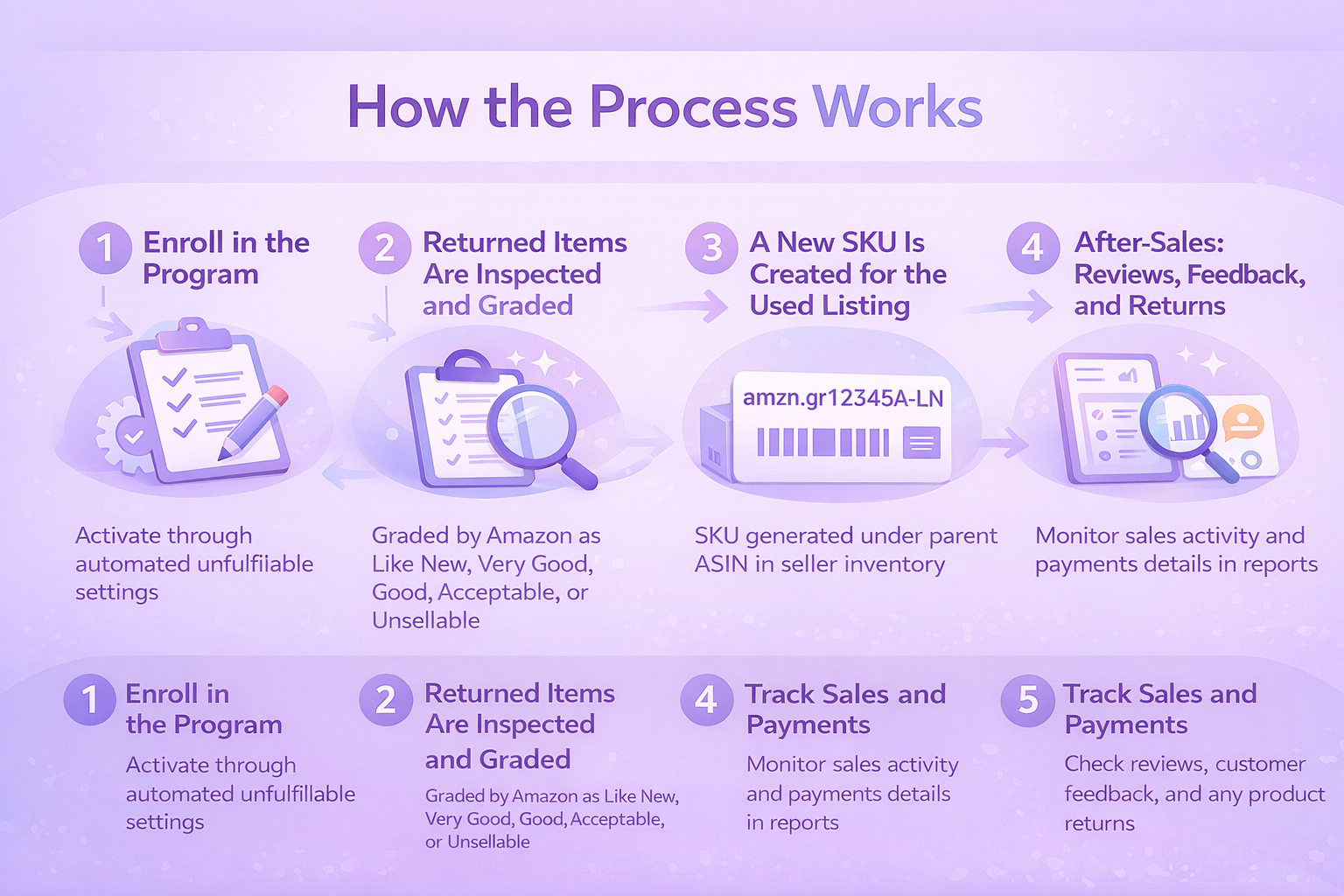
How the Process Works
1. Enroll in the Program
You can join Grade and Resell through your Automated unfulfillable settings. This is where you enable the program, set pricing rules, and choose any ASINs you want excluded.
Once enrolled, eligible customer returns route automatically into the program as long as they’re located in fulfillment centers that support Grade and Resell.
2. Returned Items Are Inspected and Graded
Every customer return goes through Amazon’s standard evaluation process to determine whether it’s sellable as New. Items ruled unsellable as New are sent into the grading process.
A returns specialist completes a full inspection, which can include:
- Matching the physical item with the catalog listing
- Checking for missing parts or accessories
- Identifying cosmetic blemishes or package damage
- Testing basic usability or functionality
- Performing memory wipes or factory resets for electronics
- Cleaning or repackaging the item when needed
Based on these checks and Amazon’s guidelines, the item is assigned:
- Used–Like New
- Used–Very Good
- Used–Good
- Used–Acceptable
- Or Unsellable
If it’s graded as Used, Amazon prepares it for resale. If it’s Unsellable, it stays in your unfulfillable inventory.
The grading timeline can take up to three weeks, and sometimes longer during peak seasons.
3. A New SKU Is Created for the Used Listing
Once the condition is assigned, Amazon generates an SKU under the parent ASIN. The SKU includes:
- A prefix: amzn.gr
- Your seller MSKU
- A defect identifier
- A condition suffix (LN, VG, GD, or AC)
The SKU appears in your inventory just like any other listing, and you can manage it normally. If you’re out of stock, the SKU may be automatically deleted, and a new one created for future graded units.
4. You Set the Price and Manage the Listing
During enrollment, you define your pricing rules as a percentage discount from the new price. For example:
- Like New: 95 percent of new price
- Very Good: 85 percent
- Good: 80 percent
- Acceptable: 75 percent
These are only examples. You choose the percentages that make sense for your business. Once the listing is created, you can adjust pricing anytime.
Customers will see your Used offers under “More buying choices” or as the Used featured offer when applicable. They also see condition notes generated from the grading process that describe any cosmetic or packaging issues.
5. Track Sales and Payments
Sales and order information appears in your usual Fulfillment reports. You can identify program activity by looking for SKUs that start with amzn.gr.
Your Payments dashboard shows:
- Order payments for sold units
- Grade and Resell processing fees
- Any adjustments or reimbursements
Dedicated Grade and Resell reporting is planned but not yet available.
6. After-Sales: Reviews, Feedback, and Returns
Customer reviews for Grade and Resell items roll up to the parent product when they meet Amazon’s guidelines. Feedback related to item condition or defects does not impact Account Health metrics.
If a customer returns a Grade and Resell item:
- If eligible, the unit is automatically re-submitted for grading
- If ineligible, it returns to your unfulfillable inventory
- If a returned unit is found defective, Amazon refunds the processing fee as a courtesy
You can monitor comments and potential issues through Voice of the Customer or Feedback Manager.
Product Eligibility
Not every return can go through Grade and Resell. Ineligible items include:
- FBA-prohibited products
- Meltable inventory
- Expiration-dated items
- Dangerous goods
- Products requiring approval
- Items that can’t be sold as Used
- Recalled or counterfeit goods
- Consumables
- Items under 10 dollars
- ASINs with low historical feedback
Only returned units located in enabled fulfillment centers are eligible.
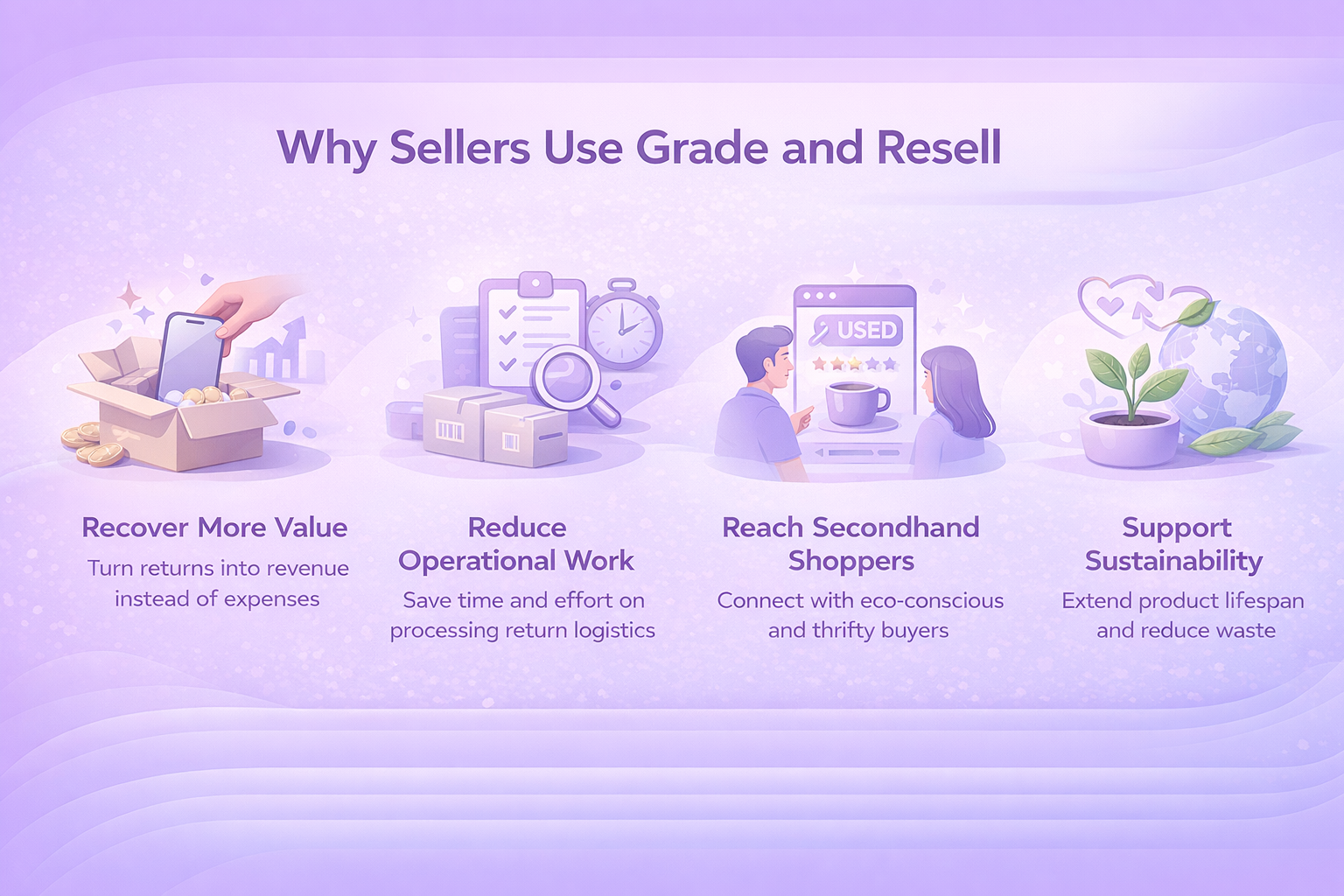
Why Sellers Use Grade and Resell
The program offers multiple advantages that go beyond simple cost savings. For many sellers, it becomes an easy way to make their returns process work in their favor instead of against them.
Recover More Value
Returns used to sit in storage or move straight into removal orders, turning into expenses rather than revenue. With Grade and Resell, those same items get a second chance on the marketplace. Even modest recoveries add up over time, especially for high-volume ASINs. What once felt like a sunk cost can become a meaningful part of your margins.
Reduce Operational Work
Handling returns on your own can be tedious. Grading, inspecting, repackaging, and updating listings all take time that most teams don’t have. Grade and Resell removes almost all of that work. Once you’re enrolled, Amazon evaluates and relists eligible units automatically. You simply monitor pricing and performance the same way you would for any other listing.
Reach Secondhand Shoppers
A growing segment of customers actively looks for used items, whether to save money or to avoid buying new when they don’t have to. Grade and Resell makes your products visible to this audience without extra effort on your part. Used listings appear in search results and on the main product detail page, giving shoppers another option within your catalog.
Support Sustainability
Sustainability has become a deciding factor for many buyers. When your products get reused rather than thrown out, it sends a positive message about your brand’s values. Extending the life of an item reduces waste and keeps perfectly functional products in circulation. Amazon has noted that more than 100 million customers have opted for sustainable alternatives, showing how quickly demand is shifting toward reuse and secondhand buying.
Getting Started
To enroll:
- Go to Settings
- Open Fulfillment by Amazon
- Find Automated unfulfillable settings
- Enable Grade and Resell
- Set your recovery percentages
- Exclude any ASINs you don’t want graded
- Save your settings
You can unenroll at any time by deselecting the program in the same menu.
Final Word
FBA Grade and Resell gives sellers a practical way to turn returns into something useful instead of a cost that quietly drains profit. Amazon handles the inspection, grading, and relisting, which makes the entire process feel almost hands-off once your settings are in place. What used to be a pile of returns collecting storage fees can become a steady stream of recovered value, new customers, and better use of inventory you already own.
Beyond the operational benefits, the program supports a shift many shoppers are already embracing. More buyers are open to secondhand items, both for the lower price and for sustainability reasons. Grade and Resell helps you meet that demand while reducing waste and giving your products a longer lifecycle.
For sellers looking to improve margins, simplify returns, and appeal to a broader customer base, this program is a straightforward way to get more out of the inventory you already have. It’s a small adjustment that can lead to a noticeable change in how you manage returns and recover revenue.
Frequently Asked Questions
Who can join the FBA Grade and Resell program?
Both US and non-US sellers who sell in the US marketplace are eligible. As long as your FBA inventory is stored in a fulfillment center that supports the program, you can participate.
What types of items are eligible?
Only customer-returned FBA inventory can be graded. Certain categories are excluded, including hazmat products, consumables, meltable items, expiration-dated inventory, counterfeit or recalled products, and items that can’t be sold in used condition. Items priced under 10 dollars are also not eligible.
What happens if my item is graded Unsellable?
If an item doesn’t meet Amazon’s condition requirements, it stays in your unfulfillable inventory. No processing fee is charged. You can remove, liquidate, or donate it the same way you would with other unfulfillable units.
How long does the grading process take?
Most items are graded within three weeks. During busy seasons, such as Q4, the timeline may be longer.
Can I control how much my Used items sell for?
Yes. You set the pricing rules for each condition when you enroll. Once the listing is live, you can adjust the price anytime in Manage Pricing.
 No credit card required