
Know what you really keep from every Amazon sale
Stop piecing profit together from Seller Central and spreadsheets. See profit after Amazon fees, refunds and ad spend, plus stock, orders and returns, in one place. Connect Seller Central on its own: you do not need to run ads.
- Works without ads
- Free 30-day trial
- No credit card
Bamboo cutting board set
Last 30 days
- Sales$18,000
- Amazon fees-$5,400
- Refunds-$900
- Ad spend-$1,800
- Product costs-$5,700
- Net profit$4,200
Economics / P&L
Profit per product, after what Amazon takes
Revenue is not profit. See profit per product after Amazon fees, refunds and ad spend, with a fee-by-fee breakdown and a P&L that shows where each dollar went. Add your product costs for net profit.
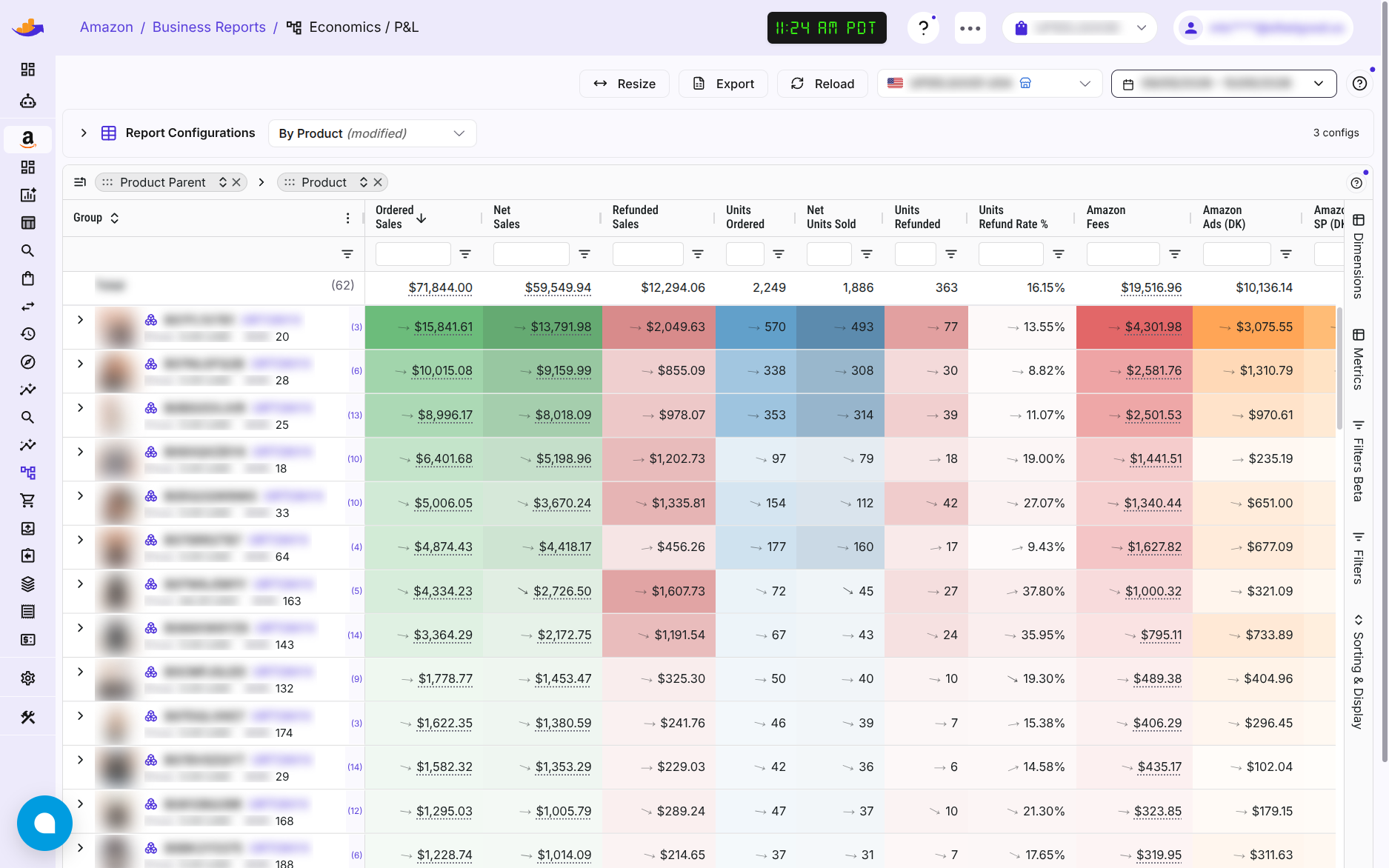
Economics / P&L
- Net proceeds after Amazon fees, refunds and ad spend
- A fee-by-fee breakdown behind every product
- TACoS and the cost of refunds
- Ad spend that can't be matched to a product gets its own row instead of disappearing
Needs Seller Central. Ad spend and TACoS need Amazon Ads as well.
Try asking: “Which products earn the least once fees and ad spend are in?”
Product costs
Enter or import product costs per SKU, with a preview before anything is saved. Economics uses them for net profit.
- Vendor, shipping and additional cost for each unit
- Each cost applies from its effective date, so earlier days keep the older cost
- A list of the SKUs that still have no cost
The rest of Seller Central, in one place
Stock, orders, returns and search in one app
Each report has its own page, with a marketplace and date range at the top.
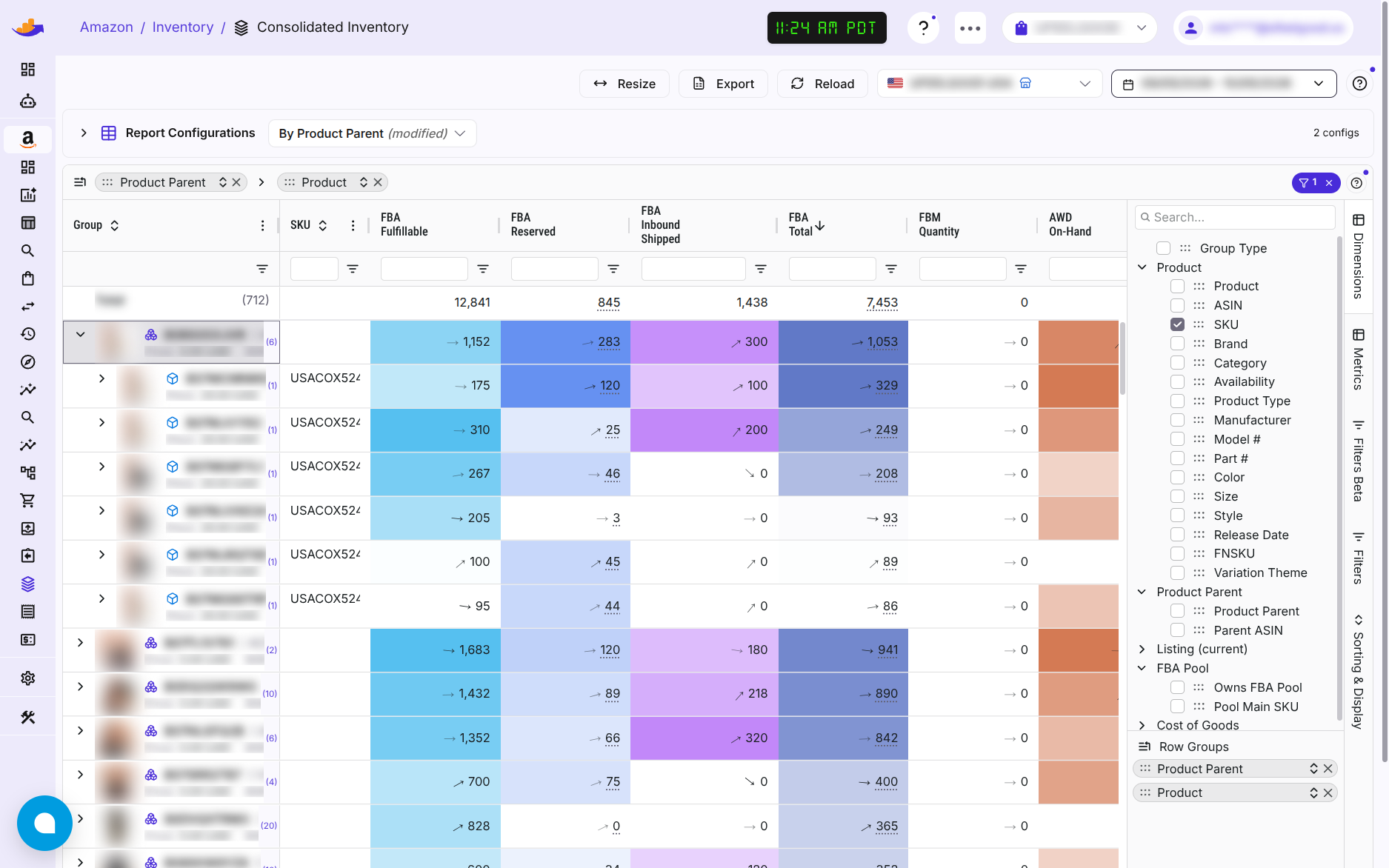
Inventory
One table across FBA, AWD and your own warehouse, with days of availability, refund rate and sales velocity.
Try asking: “What is running low?”
Orders
Every Amazon order, by day, by channel (FBA or merchant-fulfilled) or order by order.
MCF orders
Orders from your other sales channels that Amazon ships from your FBA stock, with up to two years of history.
Only if you use Multi-Channel Fulfillment.
FBA returns
Which products come back, why customers send them back, and in what condition.
Try asking: “Which products are returned most, and why?”
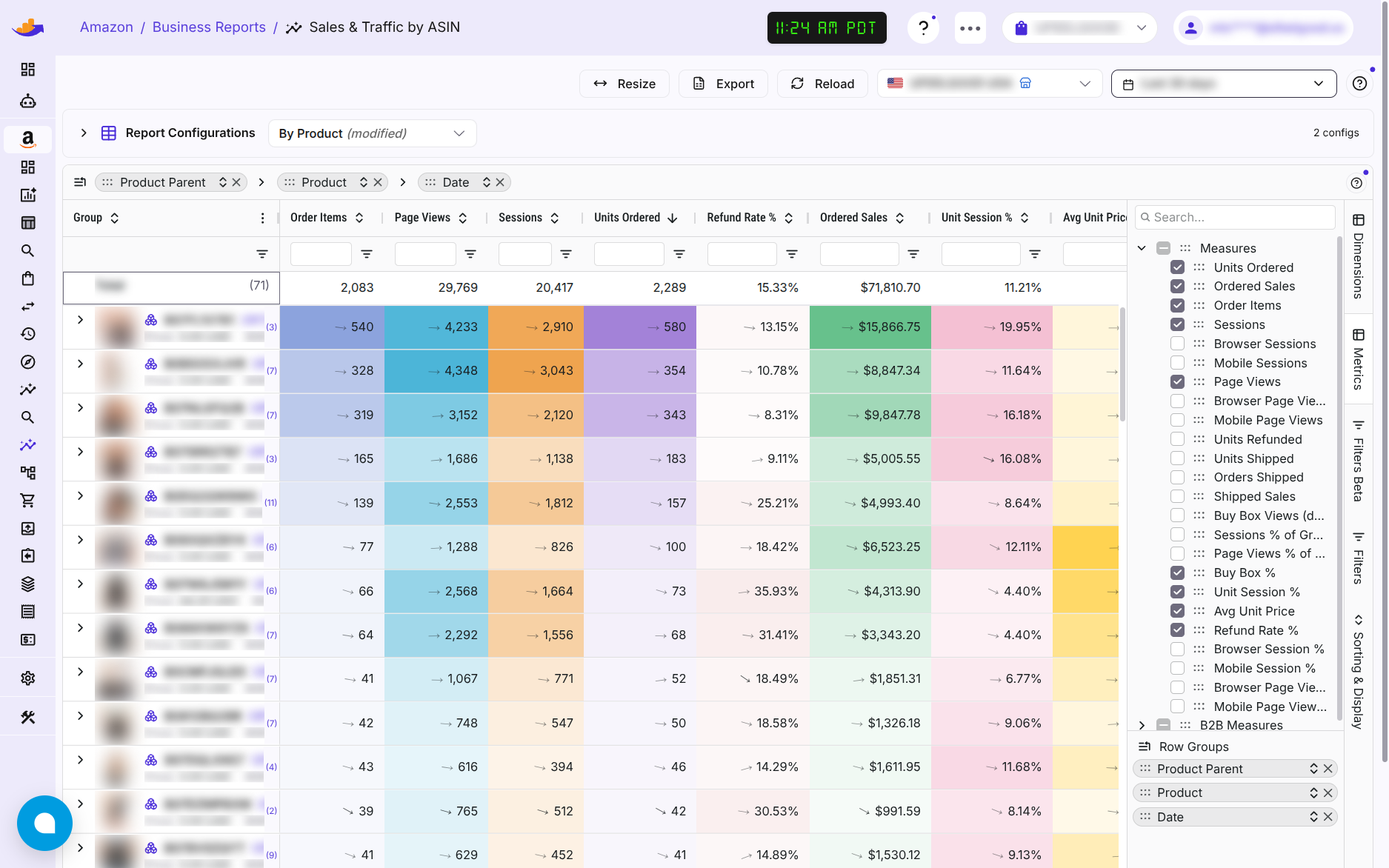
Sales & Traffic
All your sales, not just ad sales: sessions, page views, Buy Box share and B2B per product and day.
Transactions ledger
Every transaction Amazon posted to your account: shipments, refunds, fees, reimbursements and payouts, grouped by settlement.
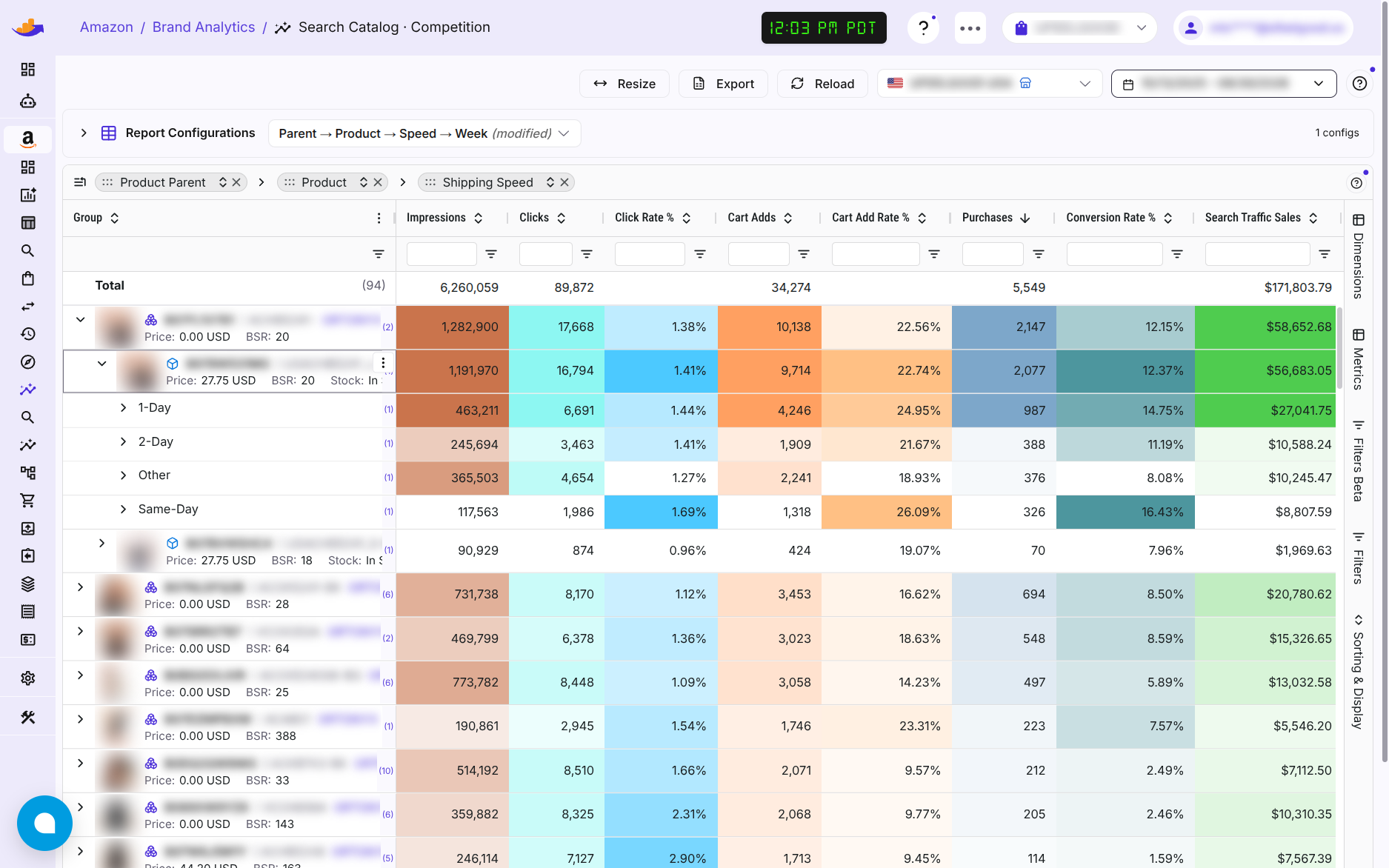
Brand Analytics
How shoppers search for your products, your share of those searches, and how your funnel compares with the market.
Amazon provides Brand Analytics data only for brands in Brand Registry.
Try asking: “Where do I rank for my main search terms?”
Listing health
Your agent can list the listings that are suppressed, not buyable or flagged by Amazon, and say why.
Through your AI agent. It can also propose the fix: gated changes wait for your approval.
Try asking: “Which of my listings have issues?”
No ad spend needed
Works without ads
Seller Central is enough. Connect it on its own and you get profit, inventory, orders and returns. Add Amazon Ads later and your ad spend lands in the same profit report.
- No ads? You pay $45 a month, flat.
- Start the trial first and connect your accounts later.
- Your agent reads the same reports, so you can ask instead of click.
What you need
These tools need a Seller Central seller account. Vendor and KDP accounts do not have Seller Central, so they use the Amazon Ads reports instead.
$45 a month, plus 1% of your Amazon PPC ad spend
No ad spend? $45 flat. Free 30-day trial, no credit card.
Questions
Questions about seller tools
Do I need to run Amazon ads?
No. Connect Seller Central on its own and you get profit, product costs, inventory, orders and returns. If you do advertise, connect Amazon Ads too and your ad spend appears in the profit report.
How does WisePPC calculate profit?
It starts from your sales and takes off Amazon fees, refunds and ad spend. Add your product costs and it shows net profit. Without a cost for a SKU, that row shows net proceeds.
Do I have to type in my product costs?
You can enter them per SKU or import many at once, with a preview before anything is saved. Costs apply from the date you set, so earlier days keep the older cost.
Does it work for vendors or KDP authors?
The seller tools need a Seller Central seller account. Vendor and KDP accounts do not have one, so they use the Amazon Ads reports.
Does it cover my FBA and AWD stock?
Yes. FBA, AWD and your own warehouse, together in one table.
What does it cost?
$45 a month plus 1% of your Amazon PPC ad spend. With no ad spend, it is $45 flat. The first 30 days are free with full access and no credit card.
See what you keep from every sale
Start the free trial and connect Seller Central. Ads are optional.
Start free trial30 days, full access, no credit card.