111222

A Catch-All Guide to Automating an Amazon Business

Key points

  • By automating their Amazon businesses, sellers can maximise their efficiency and save dozens of hours every month without creating any issues for their businesses. Amazon automation is an excellent solution that allows sellers to focus on growing their company, sourcing new products, and improving their service.
  • There are several ways to automate an Amazon store. This includes joining the Amazon FBA program, using specialised email marketing software, and utilising price trackers and automatic Amazon review programs.
  • Another way to automate your Amazon business is to hire a virtual assistant who can create product listings and manage orders, use a multi-marketplace inventory management system to ensure that your products are always in stock, or use PPC software to optimise and manage ads.

Being an Amazon merchant has become an extremely challenging task these days. And it’s not only Amazon sellers who are facing difficulties but also merchants working on other platforms. Each more or less popular shopping website offers thousands of products from millions of sellers eager to increase their profit margins. And as competition heats up, the struggle to get ahead becomes more and more brutal. Building a successful business comes at a very high price and demands thousands of hours of your precious time. But thankfully, there are ways to optimise your business that will also help you to free up some time for more important areas of your life.

If you dream of becoming a successful marketplace merchant and taking your business to the next level, Amazon automation is an amazing option. Regardless of how big or small your Amazon business is, there is nothing that can boost it more than Amazon automation. Not to mention how much automation can ease the burden of mundane work. We all know how exhausting it is to manage several projects at once. But imagine that you no longer have to worry about handling shipping, asking for feedback, managing PPC advertisements, finding inventory, and creating product listings. Wouldn’t that be amazing? Delegating such repetitive and mundane tasks to someone else will significantly free up your time and save a few extra hours every day.

In this article, we’ve compiled the best advice on how you can automate some aspects of your Amazon business and use these ideas to increase the productivity and efficiency of your own business.
What Is Amazon Automation?

Let’s figure out what Amazon automation means in the first place.

Amazon automation implies outsourcing repetitive and mundane tasks to software or a third-party service without compromising your business. The purpose of Amazon automation is to free up the time and resources required to expand your Amazon company. It can also help you increase order processing efficiency, ensure better management of customer relationships, and cut down on operating expenses.

Effective automation enables you to:

  • boost your bottom line
  • enhance client satisfaction
  • expand your business
  • lower the frequency of order processing mistakes
  • gather more information about your buyers
  • increase inventory management efficiency
  • assist you in running a profitable Amazon business in general

These tasks can be accomplished by using Amazon’s internal Fulfillment by Amazon (FBA) program or via utilising third-party partners like Expandly or Inventory Source.

Now that you know why it’s so important to automate your Amazon business, let’s look into how to achieve it.


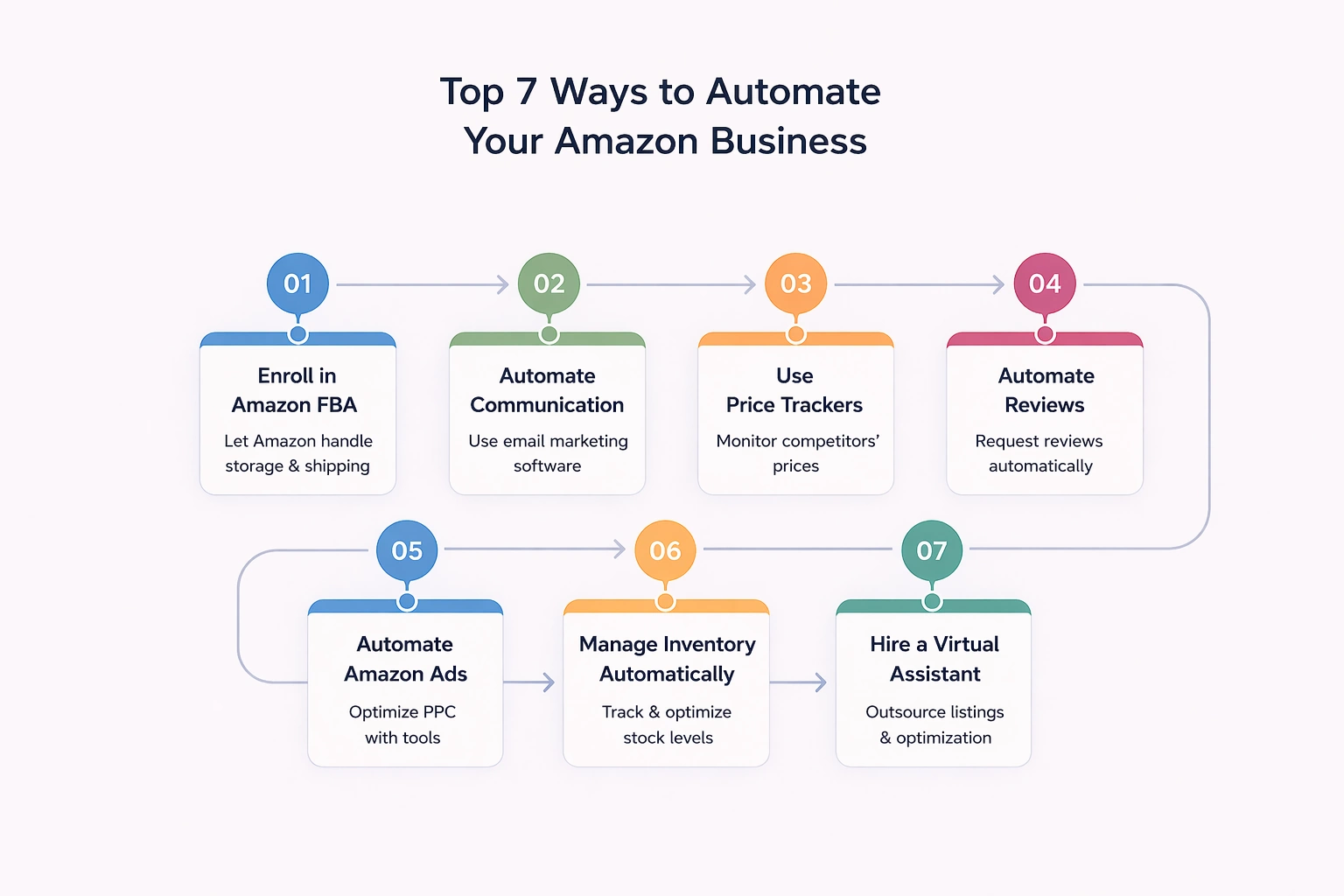
Top 7 Ways to Automate Your Amazon Business

#1 Enroll in Amazon FBA

In spite of being the most trivial way to automate Amazon’s business, Fulfillment by Amazon (FBA) is still the easiest and most effective option. The Amazon FBA business model is a blend of traditional e-commerce and dropshipping businesses.

Known as one of the most advanced fulfilment programs, FBA takes over most mundane tasks associated with running an Amazon business, including storing inventory, packing, shipping, and communicating with customers about their Amazon orders. It also grants you as a seller a competitive advantage, which can be pretty helpful when you’re trying to win the Buy Box.

Since the Amazon FBA team manages all customer-related processes, they also handle returns and provide customer service for all FBA sales. All you have to do as an FBA seller is ship your inventory to Amazon Fulfillment Centers and let them handle inventory storage, order fulfilment, refunds, interactions with customers concerning delivery issues, and everything else.

However, there are some fees you’ll have to pay to benefit from FBA services. Amazon charges a storage fee and a fulfilment fee for each fulfilled order. The size of the storage fee depends on the dimensions and weight of your products, while the fulfilment fee depends on the category. FBA can seem very expensive, but its benefits outweigh the expenses for many small business owners.

But what if you have some orders that are not eligible for FBA? No problem at all. You can always take advantage of Amazon’s multi-channel fulfilment service that ships and fulfils all orders that do not qualify for FBA.

#2 Automate Communication with Potential Customers with the Help of Email Marketing Software

Sending timely, up-to-date messages is crucial for improving your reputation on Amazon Marketplace, as it affects how customers view your brand. Implementing email marketing software into your business strategy allows you to save valuable time for more important issues that might result in you achieving your goals faster than expected. Automating something so ordinary not only frees up your time and saves your money but increases customer satisfaction as well.

Email automation enables you to quickly compose customised messages to your target audience and send them at a predetermined time or at set points in time that are tied to the customers’ activity. Such a technique is most helpful in terms of building strong, long-lasting relationships not only with repeat customers but also with potential buyers, which may later result in a boost in sales and profitability.

Don’t know what types of automated emails to create? Try setting up a welcome email which will go out when someone new subscribes to your mailing list, or a new email gets added to your database. You can also send regular curated emails based on the customer’s specific preferences (discovered by analysing their purchasing activity) and discount emails that entice customers to buy again.

Remember that you can also automate answers to anyone who contacts you with inquiries or concerns regarding purchase confirmations and delivery details.

#3 Price Trackers are the Key to Success

Beating the competition on marketplaces like Amazon can’t be an easy task. In spite of all the hard work, it can often seem like you’re missing out on something and can improve even further, no matter how big your business is. Instead of simply offering high-quality goods at affordable prices, some merchants use pricing as a marketing technique to increase conversions and win over customers. This is especially important on Amazon, where the majority of sellers use price trackers to determine the best price points for their products.

Remember that you will never be able to create a sustainable business by sacrificing the quality of your products or if you set prices so low that you can never make a profit. And you won’t be able to grow a robust business until you do proper research, either.

Regularly checking Amazon listings and product pricing is an amazing way to ensure that your business remains competitive enough to maintain high profit margins and still retain customers. However, this kind of task can be incredibly time-consuming if you do it manually.

Instead, many sellers use services like CamelCamelCamel, Prisync, or Competera to keep up with trends and keep an eye on Amazon products and their prices.

#4 Get More Reviews by Utilising Amazon Review Automation

When purchasing goods online, customers are always taking a risk. They can’t really see or touch your product before they buy it. Their decision is based on reviews of previous customers. This is why asking your past customers to leave a review should be your main strategy for building a successful Amazon business.

There are plenty of online tools that make it easy for sellers to automatically ask people for product reviews. These services are compliant with Amazon’s ToS, and their use can have a significant impact on seller feedback.

However, please keep in mind that if Amazon temporarily bans your seller account from sending proactive messages to customers, you won’t be able to use the templates created by such tools. In this situation, you’ll need to use Amazon’s ‘Request a Review’ template.

#5 Automate Amazon Ads

Amazon advertising is probably the only source which can instantly bring you a significant increase in traffic. Amazon ads is an umbrella term for paid advertisements located in search results, Amazon listings, and on other websites.

Amazon ads can improve your conversion rates, and they are also very helpful in terms of introducing new product listings that haven’t yet reached Amazon’s organic search results.

If you are looking for a way to automate this side of your business, you should consider implementing Amazon PPC software into your business strategy. These online tools help you to control your bid amounts and streamline your expenditure by eliminating irrelevant keywords to ensure that your advertisements are seen as much as possible at a better price.

#6 Automate Multi-Marketplace Inventory Management

Being an Amazon seller also means having to handle inventory and logistics. You need to analyse your sales and determine which products are the most popular with customers, how much inventory you need to have on hand, and where to keep it, and all of these tasks need to be managed by someone.

In spite of the importance of inventory management, it often turns out to be a time-consuming and exhausting task. There are plenty of mistakes you might make in the process, and it demands lots of thought and care, diverting your attention away from other very real problems associated with running a business. Moreover, poor inventory management can lead to overstocking or understocking of your goods, which can later result in a decrease in your profit margins, loss of buy boxes, and low rankings on Amazon search.

Good inventory management software will make the processing of orders and returns much more efficient and help you to optimise your selling process and prices. It will also track inventory stored in different warehouses and warn you when you are running low. Inventory management software will also assist you with vendor procurement and business process automation while providing you with the information you need to anticipate future stock needs with extreme accuracy.

Multi-marketplace inventory management systems offer all these features as well as some additional capabilities that might be helpful for growing your business.

#7 Hire a Virtual Assistant to Create and Optimise Amazon Listings

The first thing customers who find your products on Amazon see are your product listings. They can either attract them and convince them to buy your goods or drive them away and discourage them from making a purchase from your brand.

But information and images contained in the listing are not the only important thing for achieving Amazon success. You also have to pay attention to keywords. Searching for products through relevant keywords is the main way for shoppers to find the products they are looking for on Amazon. Therefore, including highly relevant keywords in your product listings is crucial for getting lots of traffic and sales.

High-quality listings require outstanding photos and convincing descriptions. These tasks are just perfect for a virtual assistant! You could hire a photographer to take pictures of your goods and a copywriter to create keyword-rich descriptions for them. It might be a good idea to look for workers who have experience working with Amazon listings, and perhaps you’ll be lucky enough to come across people who specialise in this field.

There are several websites where you can find freelancers to hire. However, Upwork and FreeUp are considered the two best options. Place your job description on one of these websites and choose the best candidates for the job.

Final Thoughts

In today’s extremely competitive e-commerce market, sellers spend most of their time developing new strategies to grow their business, which leaves them with no time for other tasks. Therefore, automating Amazon order management and delegating a few mundane, repetitive tasks to software or an assistant is an important step toward achieving Amazon success.

FAQ

What is Amazon automation?

Amazon automation entails delegating mundane, repetitive, and unimportant tasks to software or third-party service providers. The goal of Amazon automation is to free up the time and resources needed to manage your Amazon business. It can also assist you in improving order processing efficiency and managing customer relationships. This can be done with the help of Amazon’s Fulfillment by Amazon (FBA) program or third-party partners.

Is Amazon automation a pyramid scheme?

No, Amazon automation is not a fraud but a smart investment that can bring lots of benefits as long as you choose a high-quality management service.

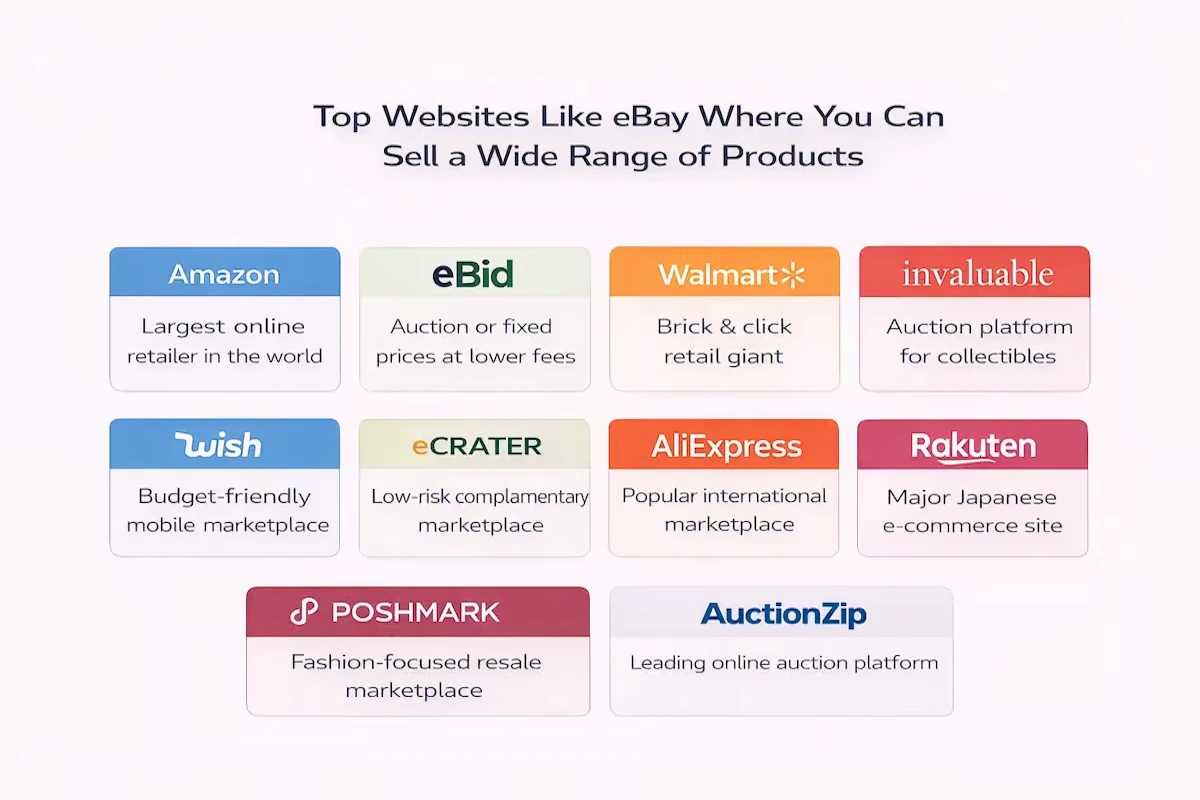
Detailed Guide to the Best Alternatives to eBay

When you think about selling or buying products online, eBay is probably one of the first platforms that pop into your mind. This website has long been one of the most popular eCommerce marketplaces worldwide. The number of live listings present on the platform at any point in time exceeds 1.6 billion. Since its grand opening in 1995, the number of active users of this platform has increased to 171 million. The site has virtually anything you could wish for, starting with clothes and accessories and ending with vehicles and sports goods. Nevertheless, more and more sellers are leaving the platform looking for alternatives to eBay. There are numerous reasons behind this, including significant policy changes, high fees, and intense competition. In addition, making your listing stand out among thousands of others can be a pretty challenging and time-consuming task.

The good news is that there are plenty more alternative retail sites where you can sell your products. In this article, we will guide you through the most popular options and explain their advantages and downsides.

Top Websites Like eBay Where You Can Sell a Wide Range of Products

Amazon

The mind-blowing history of success of one of the biggest retail giants that started as a small bookstore is well-known across the whole world. And it’s not surprising, as Amazon is one of the most frequently visited websites, selling billions of items across a wide range of product categories. The goods listed on the platform are sold not only by Amazon but also by third parties, including large brands, resellers, and even individuals. In addition, Amazon has a large international presence. There are more than 17 Amazon marketplaces in various countries across the world.

Both Amazon and eBay have huge customer bases. If your business meets all the requirements of a large platform and can successfully stand out among others, customers will be more inclined to purchase your products, provided you are a trustworthy seller with a good ranking. And the bigger the customer base of the platform where you’re selling is, the greater your income can eventually become. However, there is a price to pay, as a large number of potential customers on a platform ensues higher fees and more competition.

Amazon offers a plethora of useful features for sellers, as well as powerful tools intended to assist them in selling more products on the platform. One huge advantage of Amazon is its built-in algorithm that offers your products to customers who are inclined to take an interest in them based on their search history. Another tool that can increase your traffic is the Amazon buy box.

Since eBay is an auction site, customers will usually bid to buy your goods unless you list them as “Buy It Now”. Amazon, on the other hand, uses a classic retail setup that enables instant sales at a fixed price.

When it comes to the fees, Amazon is a definite winner. eBay doesn’t charge sellers when a purchase is made. Instead, you have to pay a fee when you create a listing for your product on the site, regardless of whether it will be sold or not. On Amazon, it’s free to list products. You won’t have to pay anything until someone buys your product. People with a basic seller account have to pay a fee of $0.99 per item sold, while people with a professional seller account pay a $39 monthly charge but are exempt from extra fees for each item sold. The commission for the sale is mandatory for both account types. The amount of commission fluctuates depending on the product type, but generally, it is around 15%.

Another difference between the two websites is that eBay doesn’t sell anything itself, which is why it isn’t good at providing additional facilities to buyers and sellers. Therefore, it is the sellers’ responsibility to ensure that their customers have a good experience. Amazon, on the other hand, provides various perks for buyers who have paid for a Prime membership (including free 2-day delivery on all eligible items) and an overall great customer service, which serve as incentives to bring in more repeat shoppers.

Amazon FBA is a great option for smaller sellers to facilitate the fulfilment of orders on Amazon. Sellers can simply ship their products to Amazon and pay the platform a fee to handle order fulfilment and handle customer care – something that eBay cannot do.

eBid

eBid is a trusted marketplace that resembles both eBay and Amazon a lot, meaning it provides auctions as well as fixed-price items. The platform allows people to sell almost anything. However, since it is less popular than other sites, the number of people you’ll be selling your products to will be much smaller, and the traffic will be lower. Both eBid and eBay use a similar auction-style format for their product listings, though eBid doesn’t charge a listing fee.

Free product listings and a modest 3% commission levied from each sale make eBid’s marketplace pretty appealing for sellers. eBid is certainly a much cheaper option than eBay, but you should take into account that this platform is also less profitable. Overall, it’s a low-risk option to try out, so if you’re seeking a change, eBid is a good choice.

You can choose from two types of account levels – Seller and Seller+. The former is free to use, whereas the latter has a membership charge. This fee is levied on a weekly, monthly, quarterly, or annual basis. It is also possible to pay a one-time fee of $99.98 for a lifetime membership.

People using a regular Seller account have to pay a mandatory fee calculated as 5% of the final value fee (FVF) on each purchase. Seller+ account holders don’t need to pay this fee in many cases. But even when they do, it’s not higher than 2%. The final fee amount depends on the listing type and product cost.

Walmart

Originally created as a “brick and mortar” store, Walmart has now expanded into a “brick and click” retail giant and quickly mastered the e-commerce market. While in-person sales continue to account for the majority of the company’s revenue, walmart.com is one of the most popular and frequently visited e-commerce sites in the USA. All inventory found in the physical stores can be purchased on the website, and many products are also available for one or two-day delivery.

In addition to selling their own products on their website, Walmart also allows third-party sellers to create listings on the platform. This allows you as a seller to take advantage of free listings without having to pay monthly membership fees. Instead, Walmart charges a referral fee for each sale, which ranges from 8% to 20% of the sale price.

Unlike eBay, this website only allows fixed-price listings. There is always a chance that you will face fierce competition from Walmart-owned brands which may be given precedence on the website. But this is not always the case, everything depends on the type of products you sell.

You should also prepare yourself for working with lower traffic. Your margins may also be lower compared to eBay or Amazon since Walmart favours competitively-priced products, meaning sometimes you’ll be forced to cut your prices significantly.

Invaluable

Invaluable is an online auction platform designed for selling jewellery, fine art, and collectables. As of now, it has products from over 5,000 different sellers, including some of the world’s first-rate auction houses. Invaluable offers both live and timed auctions. Many of them are open for in-person and online bidding.

If you want to sell on Invaluable, you’ll need to represent a registered auction house.

Invaluable also provides a few more tools for sellers that can be helpful for expanding your business. As a seller, you will also benefit from this platform’s on-site advertising and email marketing services, which will help you to increase the visibility of your company. And if you want to get a custom-designed site and mobile app to run auctions on your own, you should consider trying Invaluable Private Label.

Wish

If you are looking for a shopping application and eCommerce site that brings together buyers and third-party sellers, Wish is the perfect match. This marketplace is well-known for its extremely low prices and outrageously slow delivery. Since many merchants are in China, it can easily take weeks or even months for orders to arrive.

Apart from low prices, Wish’s engaging in customer experience is the key to helping the platform attract more shoppers. For instance, each customer is shown a tailored feed based on their browsing history.

Brand owners, creators, manufacturers, DIY enthusiasts, retailers, and artists can sell their products on Wish. The company charges a fee of around 15% of the product’s value on each sale.

Wish sellers may benefit from a few of the platform’s useful features. ProductBoost enables sellers to advertise their best-selling items in an effort to gain more exposure and recognition. Sellers who have a successful selling record have an opportunity to obtain a badge that indicates that they have been validated by Wish. This is one more way to increase the shoppers’ confidence, resulting in a higher number of purchases.

eCrater

eCrater has numerous advantages sellers can benefit from. For instance, the company allows sellers to set up a store for free. In addition, it offers different templates so that sellers can make their stores more visually appealing to buyers. You can also personalise your store by adding your company’s branding to it.

eCrater sellers also love the feature that allows them to easily import their listings from eBay.

One downside of this site is that its quantity of buyers and traffic rate pales in comparison to larger eCommerce platforms. Therefore, eCrater works much better as a low-risk and low-cost complementary marketplace rather than the main source of income for a store owner.

As we’ve already mentioned, opening and running a store on eCrater is completely free, but sellers are charged a fee of 2.9% of the total sale price for each product sold.

AliExpress

These days it would be pretty hard to find a person who hasn’t heard of AliExpress, as it is an international online marketplace and one of the most popular selling platforms in the world. It was created by the eCommerce giant Alibaba Group.

It is a perfect fit for businesses that wish to sell their goods directly to customers. The platform itself does not sell any products, which means all of the items found on the site are from third-party sellers.

Hundreds of products from dozens of categories are available on this platform. You can find almost anything you can think of there, starting with cell phone holders and 3D printers and ending with jewellery and stickers. While AliExpress is designed for direct-to-consumer sales, many shoppers use the platform to find items for reselling. AliExpress is especially popular among businesses that prefer to drop ship their inventory. It is a very convenient option for them since their orders can be shipped straight to the buyers right after they place the order on the platform.

To sign up as a seller on AliExpress, you will need to provide a tax registration number, business address, and company name. After you’re done setting up an account, you can start adding as many goods as you want.

AliExpress doesn’t charge sellers a recurring monthly fee or listing fee. However, the website takes a commission on each sale. Depending on the product type, its amount varies between 5% and 8%.

Rakuten

Rakuten is often regarded as the “Amazon of Japan” since it is a typical online retail shopping platform. This retail giant is used by more than 90% of Japan’s internet users and can undoubtedly be considered one of the biggest marketplaces in the world.

A great advantage of Rakuten is that you have no competition from the owner of the website since Rakuten does not sell its products. In addition, Rakuten enables you to have more control over customising your store, while other big e-commerce sites don’t give sellers that luxury. Rakuten is used by various well-known companies, including Lenovo, Dell, Dyson, and others, so you don’t need to worry about it being reputable.

The so-called “Amazon of Japan” gives sellers significant leeway in developing their own brand within the site. Rakuten gives you the possibility to set up your store as you want, design your goods, and even start a blog and create content – all within its marketplace. It also offers amazing seller tools and excellent support.

Since there are no restrictions concerning communication with customers whatsoever, you can choose how to interact with potential buyers on your own. However, Rakuten charges slightly higher fees than eBay. Sellers are charged a monthly fee of $33, a product category charge ranging from 8% to 15%, and a $0.99 fee for each product sold.

Poshmark

Poshmark is another alternative online marketplace where people can sell second-hand goods such as clothing, accessories, and jewellery. The platform is available to any person who wants to sell their products, and there are no subscription or listing fees, making it a great option for individuals who don’t want to invest money upfront.

Customers using Poshmark can not only sell items but trade them as well. Buyers and sellers can find each other and exchange their stuff instead of selling it for money. Since Poshmark customers can follow each other and share posts just like users of other popular social networks, this platform can help you to expand your social circle, accumulate a loyal customer base, and build a strong business.

After you’re finished downloading the app, all you need to do is snap a photo, write a description, and set a price for your products. Poshmark offers its sellers several great features, including PoshPost. It is a shipping service that provides sellers with pre-paid shipping labels that they can use when delivering orders.

AuctionZip

AuctionZip is an online auction market (just like eBay) where auctioneers and buyers can trade goods such as antiques, toys, vintage, jewellery, fine art, or furniture. This marketplace is one of the most popular auction sites on the internet, with over 1.5 million monthly visitors. Live auctions are another AuctionZip feature that allows potential buyers to bid on things in person.

To be able to sell on AuctionZip, you must first sign up for a free auctioneer account. Then you can create a listing for your auction. AuctionZip charges a $20 listing fee.

One great advantage of using AuctionZip is its customer base. The site attracts a large number of visitors, and according to Google, it is the best platform for auction-related searches. AuctionZip also gives you the possibility to run website and email adverts, making it easy for you to reach out to your target buyers.

eBay Alternatives for Selling Locally

Craigslist

Craigslist is a platform where you are allowed to sell almost everything you can think of, yourself included (in the “personals” section). It is a great match for merchants who are looking to sell locally and are more inclined to handle their deals in person. People who use this platform often claim that selling with Craigslist helps them to meet new people, so this service has a small social aspect. And, of course, cash payments will allow you to avoid network and shipping expenses. All Craigslist sellers are independent third-party merchants. Anyone can easily sign up on the website and start posting listings.

Since there are no charges for listing or selling goods (except for a small selection of post types, like job or vehicle listings), the platform is quite basic in terms of design and automation of the selling process. It was established as a forum, meaning you are basically on your own when it comes to solving problems with customers.

The platform calls for selling locally, and in some situations, you will have to handle pick-ups or drop-offs of orders, which significantly narrows down your market in comparison to eBay.

In contrast to eBay, Craigslist has a “free” area for individuals who aren’t attempting to earn money but rather want to get rid of items they don’t need or want anymore. Most of it will be useless junk, but sometimes you can come across something you can buy and resell for a nice profit.

OfferUp

OfferUp is another option for sellers who are looking for a market to sell goods locally. A huge advantage of OfferUp is the absence of listing or selling fees. The website is well-organised and there are pictures of products for sale right on the home page.

Since the site’s home page does not include categorised listings, you’ll have to use search by category to find the needed product. OfferUp features all the categories that eBay, Craigslist, and other similar websites do. Just like on Craigslist, it is your responsibility as a seller to arrange a meeting or delivery date with customers.

Facebook

Facebook marketplace is another great alternative to selling products on eBay. All you need to be able to sell on this platform is a Facebook account and some inventory.

Selling on Facebook is considered to be even more local than selling on Craigslist. Facebook Marketplace and specialised ‘for sale’ groups don’t charge listing or selling fees, but you have to handle pick-ups or deliveries on your own. On the other hand, interacting with potential customers directly through Messenger (a Facebook tool that enables users to communicate and chat) will allow you to quickly and easily arrange meetings and deliveries without having to give away your personal information.

If you want to ship an order to the customer, Facebook Marketplace allows you to manage the payment process online as well.

Bookoo

Bookoo is rather a new website designed specifically for selling and purchasing items locally. Bookoo doesn’t have listing or selling charges. All you have to do is meet up with a buyer for the exchange, provided you didn’t previously make other arrangements for the shipping process.

Bookoo is more popular in some states than others. This might be an advantage for you as a seller since potential buyers would have fewer listings to consider, meaning the competition will be much lower. But at the same time, given the fact that Bookoo isn’t yet as popular as other sites, potential buyers may have difficulties locating your listing in the first place.

Websites Like eBay for Selling Handmade Items

Etsy

Etsy is the most well-known and popular website for selling handmade goods and crafts, with 1.6 million active sellers and 26.1 million regular shoppers. The platform has succeeded in becoming the Sellers’ Choice for ease of use and earned the title of the third-best platform for profitability after Amazon and eBay.

However, the specialisation of Etsy is pretty narrow. While eBay offers mass-produced goods and big brands, Etsy is designed only for sellers of handmade and vintage items. Both Etsy and eBay collect a listing fee, but the amounts are different. eBay listings last 10 days or 30 days for a fixed price. Etsy’s listings, however, can stay up for up to 4 months. Moreover, Etsy requires only a 20-cent listing charge per item and a fixed 3.5% commission. Such a fixed pricing strategy is much more convenient than eBay’s.

Since Etsy is generally used for direct sales, you won’t have to wait for someone to purchase your product as long as you might have to wait when selling on eBay. Etsy has also established an advertising platform that sellers can use to increase the recognition and popularity of their products. However, due to its larger market share and bigger customer base, eBay can give you access to more traffic than Etsy.

Bonanza

Despite being rather a new player in the e-commerce sector, Bonanza is doing extremely well and is becoming more and more popular with each passing year. Its tagline is “Find everything but the ordinary”, so you can expect to find any unusual, eccentric, or one-of-a-kind objects you can think of on this site.

Since Bonanza doesn’t make money until its sellers do, the profitability ratio for sellers on this site will be substantially higher. Listing an item on Bonanza doesn’t cost anything at all, and the average charge per sale is 3.5%, which is significantly cheaper than on eBay.

As we’ve already mentioned, eBay is an auction site that does not ensure that your product will be sold at a fixed price, unlike Bonanza.

Since every listing on this website is listed on Google and Bing, sellers using Bonanza can take advantage of Pricegrabber, Nextag, and Bonanza’s advertising programs. In addition, Bonanza has easy-to-use import features for listings on Etsy, Amazon, and eBay.

Despite having lower monthly traffic in comparison to eBay, Bonanza can pride itself on having a higher ratio of buyers to sellers, meaning the competition here is much lower.

Ruby Lane

Ruby Lane is another amazing alternative to eBay. It was created to bring together shoppers and sellers of high-quality vintage collectables, antiques, jewellery, and art, just like Etsy and Bonanza. Considering that Ruby Lane is a niche marketplace, the site’s traffic is outstanding – it gets more than 1.1 million unique visitors every month.

Ruby Lane offers only fixed-price products and is designed for a highly targeted category of visitors. The fees Ruby Lane charges are a bit higher compared to other platforms, and at the end of the day, selling on this site may cost you more. Although there are no commissions, Ruby Lane requires a $0.19 transaction fee for each listing and a tiered “maintenance” cost that varies from $69 per month for small sellers to $0.01 per item for large merchants. Sellers that use Ruby Lane are also charged a one-time setup fee of $100.

Websites like eBay for Selling Electronics

Newegg

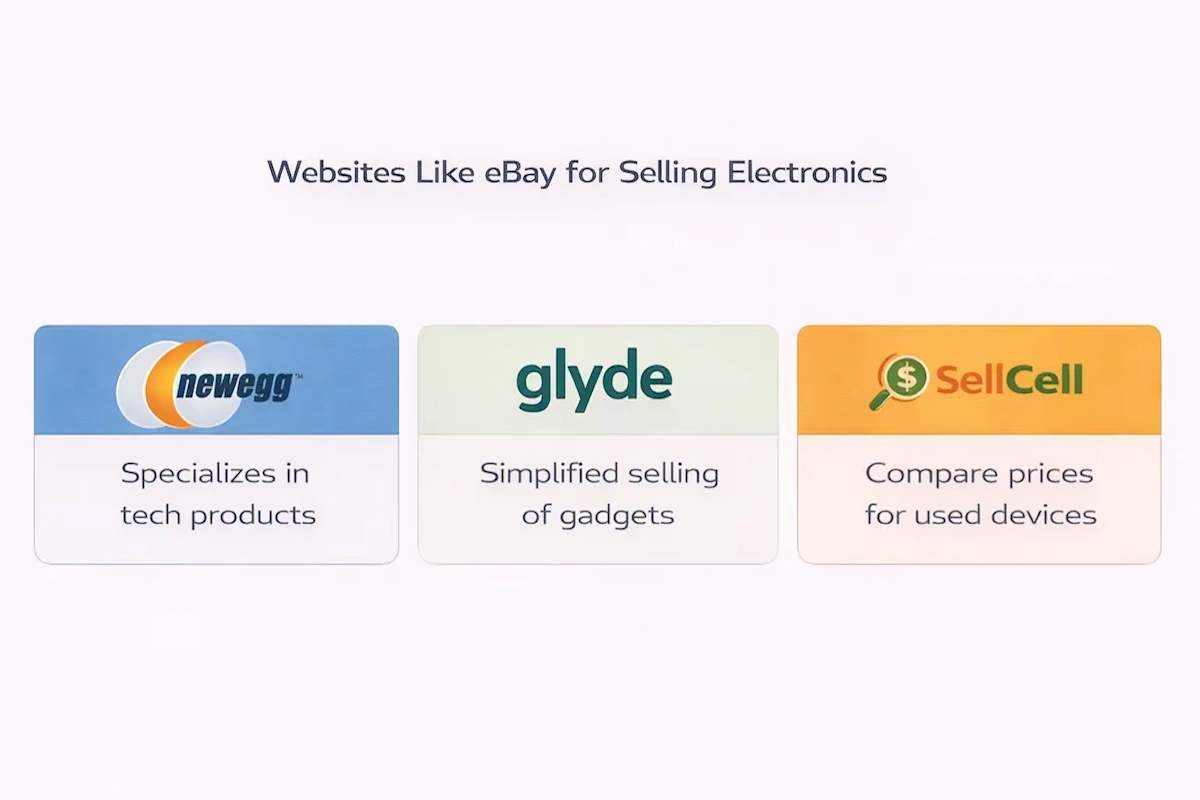
Newegg is an online retailer that prides itself on being the best marketplace for everything tech. The platform sells computers and computer parts, electronics, smart home systems, and much more. Its customer base reaches up to 36 million people.

Since Newegg is designed as a website for selling only tech goods, you may find that this fairly specialised marketplace simply isn’t for you. But on the other hand, you may be able to take advantage of the platform’s well-defined target audience and a large pool of potential buyers.

Unlike eBay, Newegg provides a fulfilment service called Shipped By Newegg (SBN), which resembles Amazon’s FBA in some ways. You can also benefit from an account manager provided by Newegg, who will assist you in setting up your business and creating a selling strategy.

When it comes to costs and fees, Newegg has three membership tiers: free, $29.95 per month, and $99.95 per month. A subscription to a paid membership allows you to take advantage of additional tools, features, and listings. Newegg also charges a commission rate ranging from 8% to 15%.

Glyde

This platform allows you to sell various electronic devices. However, unlike when selling gadgets on eBay, you don’t have to add images or manage auctions. All you have to do is list your product, and Glyde will handle the rest.

Glyde takes a 15% selling fee per item sold, as well as a shipping kit price that ranges (usually) between $1 and $6. Sellers use these kits to ship their products to buyers, and Glyde transfers the money paid by the customer to the seller’s PayPal account. In addition, Glyde moderates the marketplace to make sure that only trustworthy buyers and sellers remain on the platform, protecting both sellers and shoppers.

SellCell

SellCell is another website geared toward helping people to sell different types of used electronic devices. This platform makes it a lot easier for sellers and buyers to find the best deals by providing all available options in one place. As a seller, all you have to do is go to the SellCell website, type in the make, model, and condition of your phone or other devices, and SellCell will offer you a list of companies that may be interested in purchasing it from you. Then, follow the link to the website and complete the transaction. It’s as simple as that. A great advantage of SellCell is that they allow you to sell your devices while still offering pretty competitive prices.

Generally, SellCell pays sellers via PayPal, Amazon e-gift card, or check. In addition, they take on all the shipping costs. SellCell guarantees that they will find the best deal for you and make sure that your device will be sold for the highest possible price.

Conclusion

As you can see, there are many websites you might want to consider if you’re looking for an alternative to eBay. Each of these online marketplaces has a distinct product offering and unique set of features, attracting both customers and sellers.

FAQ

How do I install Keepa?

  1. Launch Microsoft Edge.
  2. To install Keepa, go to the Edge Add-ons store.
  3. Press the Get button.
  4. Choose the Add extension option.

How do I learn Keepa?

When you install the Keepa Chrome browser extension, it will automatically show a Keepa graph directly on the Amazon product page you are currently viewing. If you are searching for the pricing levels, just look on the left side of the Keepa graph. The dates are listed across the bottom. The sales ranks are located on the right side.

How much does Keepa cost?

A Keepa subscription costs 15 € per month, which is currently approximately $17.50, but most sellers consider it “priceless” because of the information it provides. Keepa offers a free version as well, however it lacks some crucial features, such as historical sales rank, product finder, buy box.

A Complete Guide to Keepa And its Features

Becoming a seller makes it your main goal to keep up with all trends and prices in order to increase your revenue without having to waste money on slow stock. Figuring out what data to pay attention to and how to make sense of it is one of the most crucial steps on the path to a successful business on Amazon. Whether it is a small and little-known business or a giant and well-known company, keeping track of product movements on the Amazon marketplace is very important, especially taking into account its enormous competition. Pricing, buy box ownership, and sales rank are all key data points that might encourage or break a stock purchase or liquidation move.

Becoming a seller makes it your main goal to keep up with all trends and prices in order to increase your revenue without having to waste money on slow stock. Figuring out what data to pay attention to and how to make sense of it is one of the most crucial steps on the path to a successful business on Amazon. Whether it is a small and little-known business or a giant and well-known company, keeping track of product movements on the Amazon marketplace is very important, especially taking into account its enormous competition. Pricing, buy box ownership, and sales rank are all key data points that might encourage or break a stock purchase or liquidation move.

However, Amazon does not make it simple to monitor this data. Nevertheless, third-party tools are attempting to fill the void. This is where Keepa swings into action. While Keepa is able to carry out many activities, its main advantage sellers can benefit from is sales rank and price history charts. However, learning how to use the data provided by Keepa to make informed and relevant purchasing decisions takes some expertise.

In this article, we will go over what Keepa is, how to use it and what are its main benefits and features.

What Is Keepa?

Keepa, a website and browser extension, is an Amazon price tracking tool that monitors hundreds of millions of goods across all major Amazon marketplaces. Keepa enables you to keep track of product price fluctuations, and keep abreast of sales rank trends.

Having all this data at your disposal will help you figure out how quickly a product truly sells and save money with downward price notifications. It gathers a great amount of essential and relevant information on any stock you have a stake in and shows it in an easy-to-read graph style.

Most importantly, the data on Amazon’s selling behaviour is part of the information Keepa provides. You are most likely familiar with such a situation: you purchase stocks of a product only to discover that Amazon has begun to sell it itself at a price that no other average merchant could hope to match. But you have a great chance of escaping this fate by learning how to use Keepa.

How Keepa Works

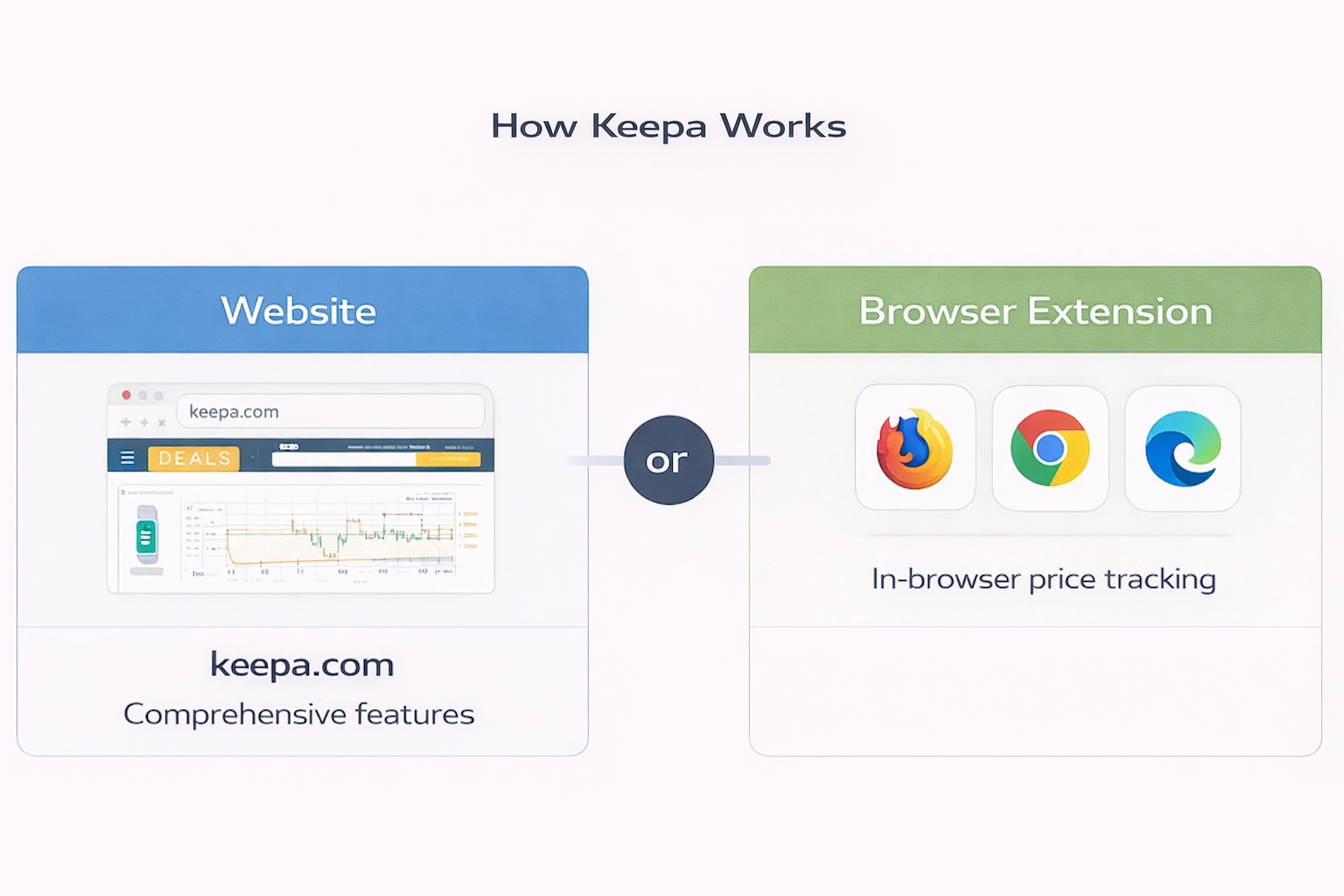
Keepa is available in two formats: browser extensions and the website (keepa.com). Let’s take a look at both and find out how they differ.

The Website

Keepa.com is considered the powerhouse of both the website and the browser extension. Here you’ll find all of its features, however, depending on your needs and requirements, they may or may not be useful to you. Some enjoy using this website to conduct programmatic analysis with the help of API (Application Programming Interface). If you have a list of ASINs you would like to track, Keepa.com is an excellent place to do it.

If you’re in search of a good deal, the Keepa Deals website will offer you a plethora of options. This tool might come in handy if you’re looking for something to flip somewhere else. Not to mention their features that reflect Keepa’s historical pricing and rank tracking. Plus the amount of information and data they collect is mind-boggling.

The Browser extension

Keepa shines the brightest when used in the browser. Most major browsers provide access to high-powered, high-detail graphing and data. Keepa browser extension that is readily accessible for Firefox, Chrome, Opera, and Microsoft Edge.

Keepa Browser Extension VS Keepa Web Site

Generally, a browser extension is reserved for mundane day-to-day tasks and simple product research, whereas the website is more convenient for high-volume data collection or analysis.

In addition, over and above its sales rank and price history charts, Keepa’s website offers other useful tools for product discovery, evaluation, and research. You can also look for the top goods or merchant storefronts by category since Keepa collects data from users every time they view an item.

This has contributed to one of the most extensive lists of goods and sellers on the Amazon market. Taking into account this additional component, it would be more appropriate to consider Keepa a data company that gives insights beyond showing price charts.

At the end of the day, the information and data available on the website are available on a browser extension as well. It all depends on where Keepa fits into your workflow, and how and what you want to use it. Try out both options to see which one works best for you.

What information does Keepa provide?

Keepa provides information on Amazon’s top-selling items and top-ranked sellers, as well as new offer price, used offer price, history and price sales rank, Amazon offer price, and a total of offers in general, and the list goes on and on.

The ability to manage this software may significantly increase your chances of coming across high-quality items that will sell rapidly and ensure the projected ROI.

In this article, we are going to discuss many of the features and uses for Keepa, however, bear in mind that this is not an exhaustive list. We would recommend you devote the better part of a day to truly exploring everything this software provides, both on product detail pages with the extension and on the Keepa website. That way, you will find out how to navigate the data quickly and efficiently and can rely on it in the future when you need to analyze products.

Why is the information that Keepa offers important?

Frankly speaking, the product’s current sales rank and price reflect just a small part of the whole analyzing process.

Although the current sales rank and price might more or less precisely show a product’s selling in normal conditions, there are several things that might have a negative impact on the selling process in the future. For instance:

  • Temporary supply shortage
  • Seasonality
  • Temporary supply excess
  • Strong demand in the Q4
  • Changes in the supply of competing products
  • Current situation

Plus, it is impossible to understand the selling experience and potential of the product. For example:

Product A is a brand new product that was listed on Amazon less than a month ago. Today it was bought for the very first time, at last. After one sale, the rank decreased from one million to 50,000.

Product B has been on the market for some years now and has sold extremely well, ranking around 2,000 in its category. Recently Amazon has run out of stock, prompting other sellers to raise their prices. The selling of the product slowed down a bit, its rank decreased but it continued to sell at a higher price until those retailers also sold out as well. The remaining sellers are charging far more than the market will bear, therefore, the product has ceased to sell. A few weeks later, the rank has risen to 50,000.

If you had to make a buying decision based solely on the current rank, they would both seem equally appealing options, yet there are significant differences that the rank does not reveal. Product A has no sales history so far. Product B might start selling again if some sellers dropped their prices.

Above, we’ve listed only a handful of the factors that may cause short-term amendments in sales rank and price. Therefore, using only the product’s current sales rank won’t get you anywhere, let alone help you predict the future selling condition of the item. Having access to previous data, on the other hand, allows you to make a more accurate forecast of what might happen in the future.

Is Keepa Free?

No, Keepa is not a free tool; it costs €15 per month. This is their premium package cost, which includes all of their features. They do provide a free plan that gives you access to some information but does not cover all we have discussed in this post.

When you consider the data it offers you, Keepa is a really low-cost tool for your business. This investment provides an immediate positive ROI since it allows you to access the data designed to make your buying, research and pricing decisions as great as they can be.

How to Read Keepa Charts

Understanding how to use a Keepa chart to determine whether or not to opt for a specific option takes practice, not because it’s difficult or complex, but because you don’t know how to navigate the graph properly. Finding the right pattern that will provide the data and information you need can turn into minutes of staring instead of a few seconds of quick mental analysis and decision making. Here is a small guide to Keepa navigation:

  • The product’s pricing is located on the left.
  • The date can be found at the bottom.
  • The sales rank (marked by a green line) is situated on the right.

You may change the date for any time period you want, from a single day to the whole product’s history on Amazon. Usually, somewhere around the middle is the most useful and efficient —one or three months are incredible options. After analyzing the past performance, you will be able to find out how often and regularly products are bumped up and down the sales rankings and how the price responds.

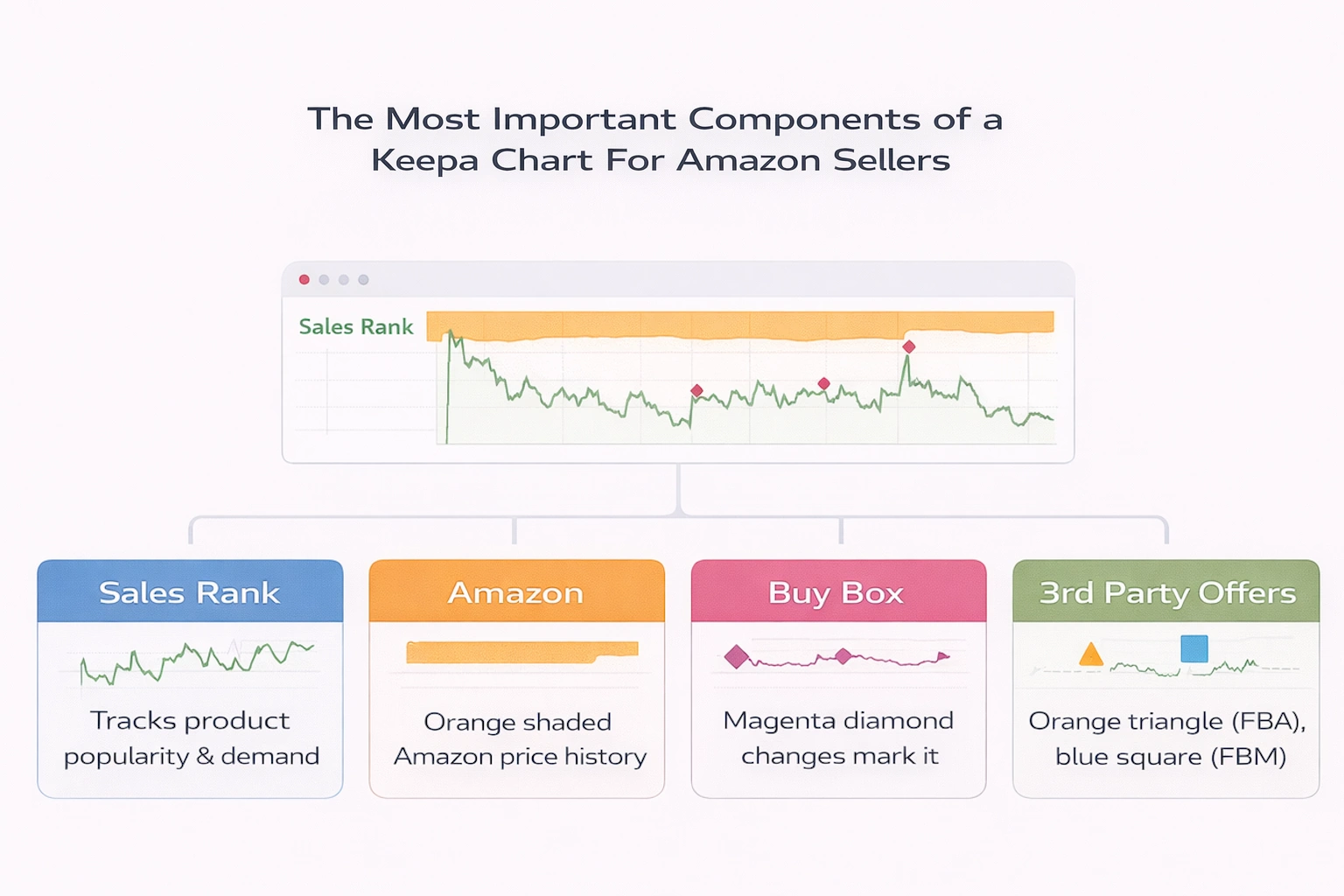
The Most Important Components of a Keepa Chart For Amazon Sellers

Sales Rank

Keepa’s sales rank history is for sure one of its most crucial features. Before making a final buying decision, it is extremely important to understand how well a product sells and the trends therein. Without this data you risk ending up with large amounts of surplus inventory you are unable to move unless you had been selling this product before.

The sales rank, also called the BSR, reflects how popular a product is within its category. Usually, the more in demand the product is, the higher it ranks, and the more units it sells every month compared to others in its category. You might notice the dramatic variability in the up-and down motions of the line on a Keepa chart. Do not let this scare you: the chart’s depiction of the sales rank scale is rather relative.

This ranking (with 1 meaning the greatest and highest-volume-selling product in its category) represents the item’s status as “best selling.” When items are sold, whatever the category they’re in, listings on Amazon will always bounce around and jostle for position, so-called place in the sun. For instance, an item with a BSR of 2,456 would then become the 2,457th best-selling product in that category.

A Keepa sales rank, also known as BSR feature, demonstrates the upward and downward trends of a certain ASIN’s sales rank. The scale can be between one and 10,000 or one and 1,000,000, depending on the time’s window displayed. In addition, with time, it becomes even harder and harder to notice small movements and changes.

Amazon is rather dumb on how a product is rated, but we can draw a few assumptions:

  • A product’s sales are considered for the computation of N best-selling for a specific time period. We just don’t know how long that time window is open.
  • The number of units sold has a direct (positive) impact on an item’s sales rank in that category, moving it higher up the list and down.
  • The category’s sales rank is most likely logarithmic in the number of units necessary to achieve a given place.

Amazon’s position (orange, shaded)

For some sellers, the fact that Amazon is on the listing and their pricing may be quite discouraging and repulsive. If Amazon is selling an item sellers have been considering acquiring, they will abandon that idea right away, without doing any further research, since Amazon is a pretty vicious competitor, and it’s extremely difficult to top their prices. On the other hand, some merchants aren’t bothered by this and can even interpret Amazon price data as a hint of possible competition.

The Buy Box (magenta diamond)

Each mark denotes a spot where Keepa saw a change in the buy box. If you hover your cursor over these points, you will be able to see what Keepa noticed at that period of time. A steady buy box level suggests that the price is well supported. If you have noticed slow and consistent drops that do not rebound, there might be a penny war going on.

A penny war, often called a “race to the bottom,” occurs when many sellers set their repricers to lower the current buy box price by $0.01. As each seller’s repricer adjusts to take the buy box position, the sellers’ repricers adjust accordingly and drop the price by a penny. Frequently this leads to a continuous decline in prices, margins, and profitability, as well as a toxic and unfriendly selling atmosphere. A well-configured repricer will return to a truly high level. A better repricer configuration will help you to follow that trend, enabling maximum competition without inflating an item’s price and worth.

New, 3rd Party FBA (orange triangle)

In many cases, this symbol will correspond to the buy box in position on the chart. It means that an FBA offer is priced competitively enough to merit the buy box for their listing. Sometimes, an FBA offer is located considerably above the buy box position, meaning that the offer is overpriced, thus, it lacks competitiveness (in Amazon’s opinion).

New, 3rd Party FBM (blue square)

This part of the chart does not get as much attention, but it might be quite useful for sellers doing Amazon-Amazon flips. From time to time, you can see FBM merchants offering items at far lower prices than the FBA/Buy Box pricing, therefore leaving money on the table and a possibility for profits. Checking out this indicator might be very helpful for the booksellers who perform this type of flipping.

Cross-Referencing Charts with the Advanced Data Table

We’ve already discussed the components of a Keepa chart, but we haven’t yet mentioned the Data table that goes with it.

The Data table contains all relevant data and information about an ASIN, such as its brand details,category, measurements, listing data, UPC, and more. Furthermore, with the Data table, you can access even more useful sales-related data, such as average and peak sales ranks, as well as offers. All these additional metrics enable you to make more informed and smarter decisions about how a listing is performing. The average sales ranks will reveal a lot about the company’s long-term viability.

Final Thoughts – Why Should The Amazon Sellers Use Keepa?

Keepa is one of the most versatile and effective tools you could ever find in an Amazon seller’s arsenal. I’d even say it’s mandatory. The ability to track a product’s BSR and overall sales profile on the Amazon marketplace can contribute a great deal to a seller’s success and grant the ones who use it wisely a major competitive advantage. The last thing any merchant wants is stale inventory or a pile of goods they have no idea what to do with.

FAQ

How do I install Keepa?

  1. Launch Microsoft Edge.
  2. To install Keepa, go to the Edge Add-ons store.
  3. Press the Get button.
  4. Choose the Add extension option.

How do I learn Keepa?

When you install the Keepa Chrome browser extension, it will automatically show a Keepa graph directly on the Amazon product page you are currently viewing. If you are searching for the pricing levels, just look on the left side of the Keepa graph. The dates are listed across the bottom. The sales ranks are located on the right side.

How much does Keepa cost?

A Keepa subscription costs 15 € per month, which is currently approximately $17.50, but most sellers consider it “priceless” because of the information it provides. Keepa offers a free version as well, however it lacks some crucial features, such as historical sales rank, product finder, buy box.

Why Getting Amazon UPC Codes Is So Important When Selling On Amazon

Storing and selling as many goods as Amazon does requires a framework elaborated to keep track of all existing products. And this is the exact reason why Amazon’s American marketplace has implemented UPC codes into its strategy.

Each product sold on Amazon is granted a unique string of numbers known as a Unique Product Code, or Amazon UPC codes. These codes make it easier to categorize, find and sell products on Amazon. However, with so many possibilities available, how do you know where to look for UPC codes, and why do you need them in the first place? In this article, we will look into what these UPCs are, why they’re so important, how to use them and where to purchase them.

What are UPC Codes?

UPC (Unique Product Code) is a unique 12-digit code designed to identify retail goods. It is often complemented by a barcode that may be scanned for easier identification or inventory tracking within a warehouse and significantly expedites the checkout process. The barcode provides all relevant information on a product as well, such as the product’s name, size, brand, and colour. UPC is most commonly used in the United States, Canada, the United Kingdom, and Australia.

Needless to say, UPCs offer various advantages, including automation of the registration process. Imagine you no longer have to manually enter all product information. For small businesses, it might not make a huge difference, but for retail giants like Amazon, which consistently stores millions of products in their warehouses, it is crucial indeed.

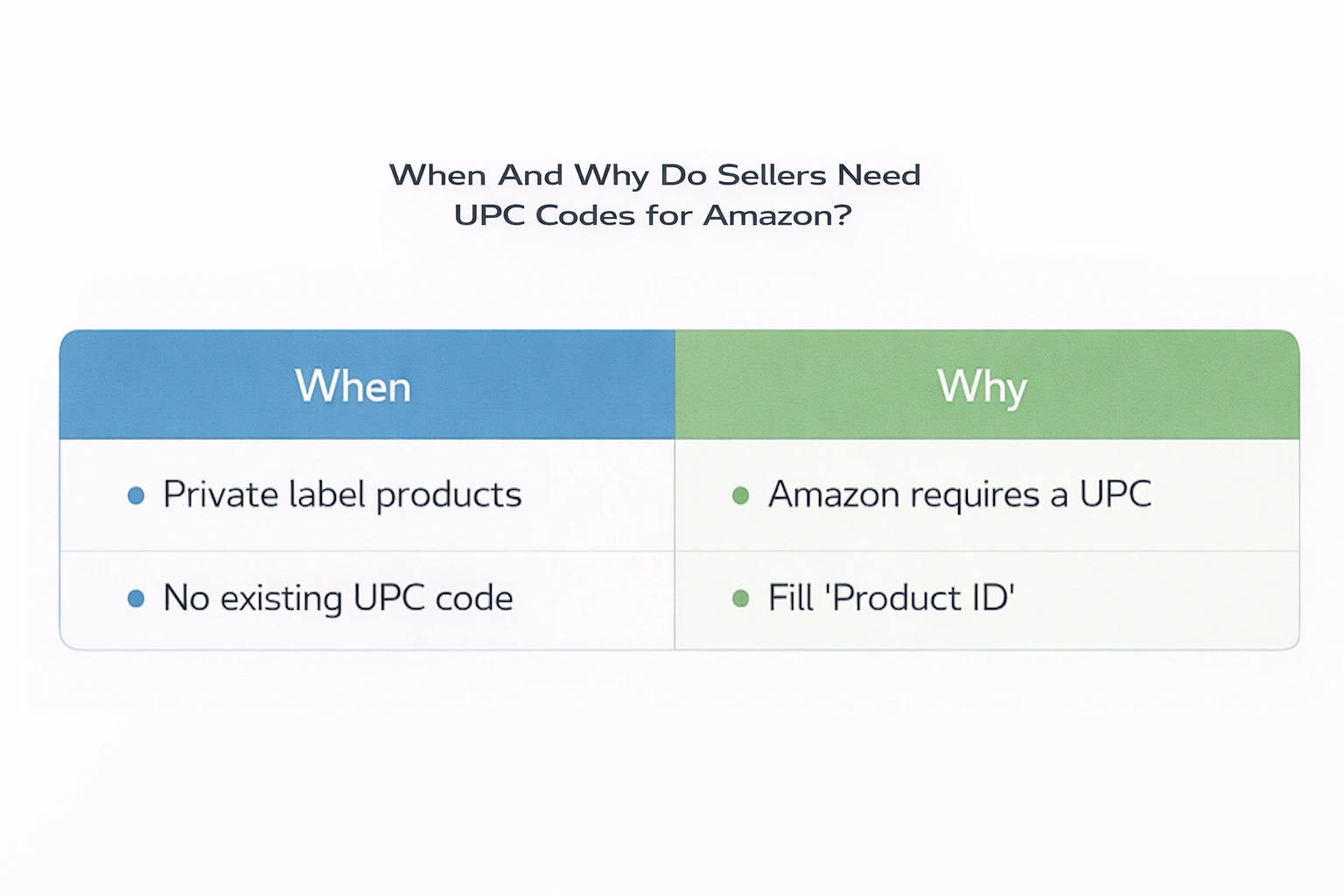
When And Why Do Sellers Need UPC Codes for Amazon?

As a seller, you will have to acquire a UPC code for every item that doesn’t already have one. Normally this happens when you’re developing your own private label items and haven’t yet registered your brand with Amazon.

Since you are establishing a brand new product, a UPC has to be generated and issued specifically to it. For the product to be traceable, you’ll also need a scannable barcode. You can either use a UPC code or an Amazon barcode (ASIN, FNSKU, or MSKU).

If you want to conduct business on Amazon, it is necessary for you to acquire UPCs. Amazon requires a unique product identification, which the UPC code provides. Without it, you won’t be able to fill a tab called ‘Product ID’ when establishing a new listing, and you won’t certainly be allowed to sell on the platform, except for one case, which we’ll discuss in the next section.

Note that although it is necessary to have a UPC code to sell on Amazon, it is not required to attach the barcode to each of your products (unless you plan on using it yourself).

In Which Cases Do Sellers Not Need a UPC Code?

All products sold on Amazon.com must have a UPC number, with one exception. If you establish your own brand and register it with Amazon via their Brand Registry Program, you can qualify for a GTIN (Global Trade Item Numbers) exemption. Taking advantage of this option will allow you to upload your products without a UPC code.

Besides, just because your product doesn’t have a UPC number doesn’t mean you have to purchase one right away.

If you’re acquiring your goods from a wholesaler, dropshipping, or doing retail arbitrage, there is a great chance that your products will already have a scannable UPC number on their packaging. If that’s so, your goods are most likely in Amazon’s system already, and all you’ll have to take care of is adding existing numbers to the product ID field when creating an Amazon listing. To get the right UPC number, simply contact your supplier or the manufacturer.

Another scenario is if exactly the same product you’re offering is already available on Amazon, you won’t need to establish a new page to support it. All you have to do is choose ASIN (Amazon Standard Identification Number) option from the product ID dropdown list and enter the ASIN of an existing and active Amazon listing.

Other Types of Codes

Although those are namely UPCs that are widely recognized and that serve as the most popular identifying standard in the market, there are some great alternatives to them, such as ASIN, GTIN, EAN, and a few others. We’ll introduce you to some of them, and we’ll explain when can you take advantage of them:

  • European Article Number (EAN)

EAN code is the UPC’s European equivalent. If you are considering selling your goods on Amazon’s European or Indian marketplaces, you’ll need to use one of these instead of a UPC. In case you’ve already acquired a UPC code, you can always convert it to an EAN by simply adding a zero to the beginning of UPC.

  • Japan Article Number (JAN)

JAN is the Japanese analogue to EAN and UPC. The difference between JAN and EAN codes is their beginning, they start with different digits, which helps to make them unique.

  • Global Trade Item Number (GTIN)

GTIN is a 14-digit code that is recognized and used anywhere in the world. You can use them with both UPC and EAN barcodes. It is also possible for you to convert EAN into a GTIN. All you have to do is simply add a zero to the front of an EAN.

  • International Standard Book Number (ISBN)

ISBN is a code intended to identify books all around the world. It is required for each published book to have one. Obviously, ISBN is not your responsibility unless you are the one selling books.

Before embarking on selling on Amazon, make sure you have acquired all of the required codes to avoid any problems that might occur while creating listings for your products.

A Little Preparation Before Purchasing UPCs For Amazon

There are a few things you should take care of before rushing to buy a bunch of UPCs.

1. Pick a pricing plan

The pricing plan doesn’t just limit itself to buying in bulk. GS1 provides a number of price options depending on the quantity of distinct you want to acquire. If your business is rather small and offers only a few goods, you can get a single UPC or GS1 US GTIN. However, those businesses that expect their product lines to expand in the near future might find the Company Prefix option more beneficial. Each code costs $30, and you don’t have to pay a renewal fee. Those sellers that need more than nine UPCs should instead choose the standard GS1 Company Prefix model, which is intended to assist them in managing a wider product range and expanding their business. This pricing plan includes the initial charge of $250, with a $50 annual renewal fee. With the next higher tier of 1 to 100 UPCs, the prices triple ($750 initial fee and $150 annual renewal fee). The key is to decide which pricing plan suits you the best.

2. Determine how many UPCs you’ll need

Since buying in bulk is usually a lot more advantageous and gets you lower prices, take your time to calculate how many UPCs you want to purchase. Bundles need their own UPCs, just like separate products. Each size and colour combination requires a unique barcode. Don’t forget to calculate how many individual and bundled products you want to sell.

3. Acquire the correct UPC

If you are both an online and offline merchant, your UPC requirements may differ from those of a solely online seller. For instance, if you have a physical store that sells the same products as your Amazon business, you can use the same GTIN for both. However, if these products are likewise being scanned in a warehouse or distribution centre, you’ll need separate codes for the same item.

How to Buy a UPC Code

Now you’re probably wondering how to acquire a UPC code for your goods. Turns out the process is actually rather straightforward.

However, before we get on with discussing how to buy UPC codes, let’s take a look at where to buy them.

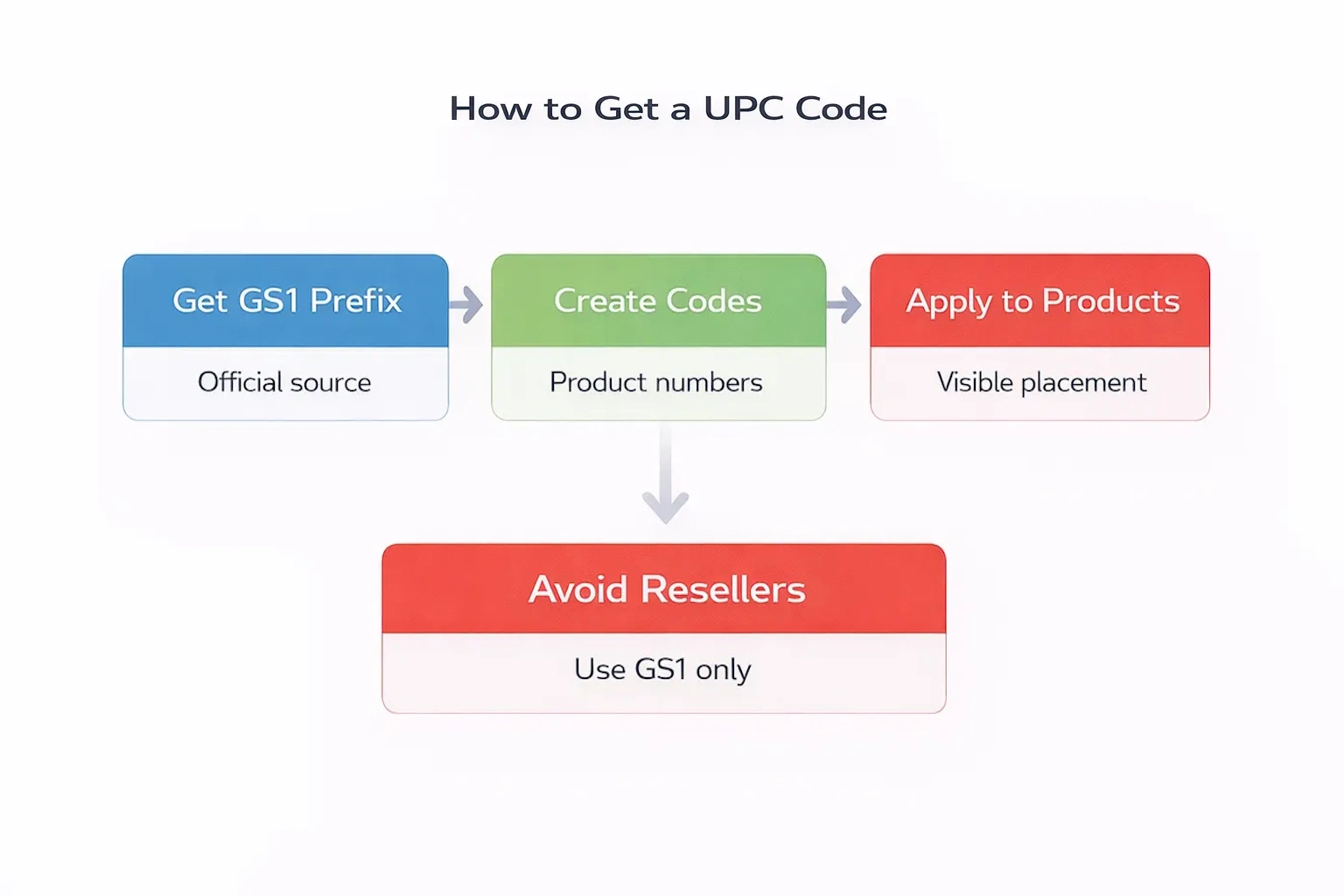
First and foremost, you cannot generate code on your own. You have to acquire it through GS1, a non-profit organization charged with establishing standards for business communication and identifying retail goods around the world. There are more than100 GS1 organizations that serve various locations. For the United States, it is GS1 US, for example.

GS1 is considered the best spot to purchase Amazon UPC codes since it is the only provider Amazon acknowledges. They also use the GS1 database to check the authenticity of each and every one of the barcodes. Such precautions are taken to ensure that all codes are legitimate, and if any mismatch or misuse occurs, the listing will be rejected and withdrawn from the platform. Further action may later have a negative impact on the seller and his business. Therefore, it is critical to own a valid and active UPC for your goods. This is also the reason why we suggest getting all of your UPCs from GS1 or legitimate GS1 resellers.

Now let’s move to our initial question. Here is a catch-all guide explaining how to get a UPC code on the GS1 website:

1. Acquire a GS1 Company Prefix

GS1 сompany prefix is the part of your UPC code that identifies your business specifically. It might range from 6 to 10 digits, depending on how many UPC codes you need. The more of them you purchase, the shorter your business prefix will be, allowing you to fit more product numbers in.

A great number of business owners slip up and acquire this prefix from third-party sellers, who, for their part, purchased it in bulk to resell. And as we’ve already mentioned, it can gravely affect the credibility of your brand when Amazon discovers that your UPC does not match the one recorded in the GS1 database.

2. Create Product Numbers

The type of product is identified by the numbers within your UPC codes. And once again, this number’s length is determined by the length of your company’s prefix. If your business prefix contains seven digits, your product numbers will include four digits (the 12th digit serves as the check digit).

3. Choose your label design

Another thing you need to take care of is the deployment of your barcodes on your products. If you haven’t yet drafted the label and packaging for your goods, you can ask for a digital barcode and print it right on the labelling and packaging. However, in case you’ve already set your mind on the design of your packaging, you can simply get the barcode label stickers to stick on your goods.

If you’re subscribed for Fulfillment by Amazon (FBA), you have to physically attach the UPCs to the products. To fulfil this task, you’ll need to get yourself adhesive barcode labels, put the downloaded UPC pictures on them, and stick them on your goods. Ensure the barcode is in a visible and scannable location – the front and the back are particularly well suited, whereas the sides are not at all.

4. Obtain your barcodes!

What Is an FNSKU?

An FNSKU, or Fulfillment Network Stock Keeping Unit, is Amazon fulfilment’s unique number. If are you using FBA instead of delivering orders to the customers on your own, you will be required to attach an FNSKU barcode to all products sent to an Amazon fulfilment centre. An FNSKU is not necessary if you are not leveraging FBA.

When an Amazon fulfilment centre receives your package, they will scan the FNSKU barcodes to identify an Amazon seller who sent the shipment. To make the fulfilment process easier, Amazon requests sellers to attach this number to every product they ship. Since FNSKU helps Amazon to determine which seller to credit when a sale occurs, it is a very crucial part of the platform. It also enables Amazon to track each product back to the Seller of record in the case there is some quality issue and allows to prevent stock’s commingling.

If the products you’re selling have special packaging, you can place the FNSKU on the outside of the package so it will be easily accessible for a scan. If you didn’t provide the packaging for your item (for instance, a single t-shirt), the FNSKU could be attached to any tags on the product, including the size tag.

Where Can I get an FNSKU?

If you choose to print your shipping labels in Seller Central, FNSKU codes will be created automatically for your items, and each other product or its variation will get a different code.

At this point, you will have to decide whether it will be you or Amazon who will place the labels on the dropdown list. FNSKU labels may be applied to products individually, and if you haven’t yet had your packaging designed, you can create unique packaging with a place for FNSKU.

If, for some reason, you can’t attach the FNSKU labels yourself, Amazon may do it for you in exchange for a small charge. However, there are no fees for the FNSKU number itself.

Conclusions

UPC codes might be quite a perplexing matter for sellers, but once you put your finger on how they work and what their purpose is, getting codes for your products will be no problem at all.

When selling on Amazon, there’s a lot to consider, and acquiring UPC codes correctly is only one of many. However, with our company on your side, you can save yourself a lot of time and get things done right from the beginning. You no longer have to worry about developing a profitable business strategy on your own since we are at your side to help you find the most lucrative one that will assist in growing your business. Schedule a free discovery call with one of our professionals right now, or leave your email address, and we’ll get in touch with you as soon as possible.

FAQ

Does Amazon require UPC codes?

The short answer is yes. Amazon requires that each product registered on their platform has UPC codes with one exception. You can apply for a GTIN (Global Trade Item Numbers) exemption instead if you set up your own brand and register it with Amazon through their Brand Registry Program. Leveraging this option will make it possible for you to upload your goods without a UPC number.

Can I create a UPC code for Amazon on my own?

No, it is strictly forbidden to generate an Amazon UPC code on your own. Amazon’s only condition is that you purchase a “GS1 UPC number” from GS1or legitimate GS1 resellers since it is the only provider Amazon acknowledges. They even use their database to check the authenticity of each barcode. If Amazon discovers any mismatch or misuse occurred, the listing will be rejected and withdrawn immediately.

What is the procedure for obtaining UPC numbers for my products?

Here is a catch-all guide to acquiring a UPC code on the GS1 website:

  1. Determine how many of your goods need UPC codes.
  2. Become a member of GS1 US and qualify for the GS1 corporate prefix.
  3. Establish a unique product number for each of your products.
  4. Design a barcode.
  5. Decide where to place the barcode.
  6. Order your UPC barcodes right away.
  7. Put the printed barcodes to a test.

Amazon Individual Seller Accounts: All You Need To Know

Key points:

  • Amazon offers two types of accounts to its customers: Individual and Professional. The individual one allows users to sell on Amazon for free, and it offers access to all the necessary listings set and order management tools.
  • A professional seller account requires its users to pay a $39.99 monthly fee even if they don’t sell anything. However, it offers more benefits when compared with the individual seller account.
  • To create an individual seller account, the users should gather all the information, including their legal name, business name and address, government-issued ID, contact information, a ‘ship from’ address, bank account information, and tax identity information. Then go to the Amazon website and choose ‘Sign up for individual’ and proceed with the registration.

Amazon customers can create two types of accounts: Individual and Professional. Many Amazon users wonder whether they can sell with an individual account, and the answer is yes! Amazon is not only for big brands, and everyone can sell on this platform. Keep on reading and find out more about each account type, their perks and cons and learn how to set up an individual seller account.

Individual v.s. Professional Seller Account

Individual account type allows users to sell on Amazon for free, but this account type has some limitations as compared to the Professional seller account, which has a monthly fee. It’s perfect for those who want to start selling without spending any money right away. Users can also upgrade or downgrade their accounts at any time.

Individual Seller Account

An individual account is free to make, but users only have to pay a fee of $0.99 on each sale they make, and there’s no monthly payment. When using this account type, users have access to a basic set of listing and order management tools. There are also other referral and closing fees that are part of every Amazon sale. Individual sellers don’t have access to or cannot do the following:

  • Add multiple users to their account
  • Get in-depth inventory reports
  • Sell restricted products or products in restricted categories
  • Run promotions
  • Use Amazon’s advertising services
  • Create listings in bulk
  • Change or create product detail pages
  • Set shipping rates

Individual seller accounts offer the basic selling plan, and it’s a perfect option if you’re selling less than 40 products per month. Once you start selling more than 40 products per month on a regular basis, you can switch from an individual to a professional account. Most sellers first start with an individual account, and as they expand their business, they switch to a professional seller account.

Professional seller account

A professional account requires users to pay a $39.99 monthly fee, along with some additional referral fees and variable closing fees for every sale. However, sellers with professional accounts are not charged an extra $0.99 per item sold. Professional seller accounts also have a lot of benefits, including access to some advertising features, receiving in-depth inventory reports, and running promotions.

Regardless of the account type, Amazon collects a referral fee on each sale. It is different for each product category, and it is a percentage of the total transaction.

How to Make an Amazon Individual Seller Account

Registering to sell on Amazon is an easy process that shouldn’t take more than an hour. Have this information ready when registering as an individual seller on Amazon:

  • Your legal name, business name, and address. The customers will see only your business name and not a legal one when buying your products.
  • Government-issued ID.
  • Contact information: Create a separate email address for your Amazon business. That way, your customers will reach you directly, and the emails won’t be lost in the pile of others. Have a working phone number too. During the registration process, Amazon will verify your contact information.
  • A ‘ship from’ address:  In case you will ship your products from an address that is not your business address.
  • Bank Account Information: This account is where Amazon will send you the proceeds of your sales. You will usually get the money every 14 days.
  • Tax identity information: In the United States, you put your Social Security number or your company’s Federal Tax ID number. You have to submit your tax information, and it’ll be verified. Amazon does not pay the sellers’ taxes, it’s the seller’s responsibility. The company is required by law to collect the tax ID information so that relevant authorities know about taxable earnings you make as a seller.

Once you have all the necessary information, you can start creating your account. In order to do that, go to sell.amazon.com and check underselling plans. Choose the ‘Sign up for individual’ option, and you will be redirected to your seller central account if you have one. If you don’t, just click “Sign up” and enter the required details.

Once you log in, you will be redirected to a page where you can continue with the registration process. Remember that you can stop the registration process at any point and return where you left off.

List The First Product As an Amazon Individual Seller

Once the account is set up, the next step is to start listing products on Amazon. Amazon individual sellers can’t create listings for items that aren’t already on the platform, so when putting the products on the market, it’s easier to search for them on Amazon.

Find the product on Amazon, and open its product page. On the right side of the listing, you will see the Buy Box. Scroll down until the ‘Sell on Amazon’ option appears.

As you click on the button, you will be redirected to a page where you will need to add the information below.

  • SKU: You can enter a code yourself or leave it blank, and Amazon will randomly generate an SKU for your inventory.
  • Price: Set the selling price of the product, there will be a button that lets you match the lowest price.
  • Quantity: The default quantity is one unit. Change the number depending on the number of products you have to sell.
  • Condition: Most products only have two options – ‘Used’ or New’.
  • Fulfilment method: Enter your preferred fulfilment method. You can choose from FBM (fulfilment by merchant) or SFP (seller fulfilled Prime), or FBA (fulfilment by Amazon).

As you list your product for sale, wait for the sales to roll in. Amazon individual sellers cannot win the Buy Box, which reduces the chances of making a sale, but if you price competitively and set cheaper prices, the customers will choose your product over the others.

When choosing the product price, there are a lot of factors to consider, including referral, closing, shipping, and FBA fees if you are fulfilling orders via FBA. Referral fees vary with the product category, the closing fee depends on the product’s price range, and the shipping fee is proportional to the size of the package and the distance of the delivery.

Manage Product Orders

For each new order, the sellers will be notified with an email saying “Sold, Ship Now.” This email will have a guide on how to complete the order. Merchants can also view orders by choosing Manage Orders in their seller account.

This page also allows the sellers to print a shipping label and packing slip, ship the product, and confirm your shipment. To manage existing listings, go to the Manage Inventory page of your seller account.

If, for some reason, the seller is unable to sell products for a short period of time, there’s an option of changing the status of the listings to Inactive. When changing the listings’ status, the listings will be removed from Amazon product detail pages and search results. And when the seller can sell again, they can change the status back to Active, and the listings will reappear shortly.

FAQ

Is the Amazon seller account free?

If you use an individual seller account, there’s no monthly subscription fee, but you’ll be charged $0.99 per each item you sell, in addition to referral fees and variable closing fees. So, it’s basically free to start selling on Amazon.

Can you sell on Amazon without a seller account?

No, if you want to sell on Amazon, you’ll need to create an Amazon seller account and fill out an application if you are creating a professional seller account. Once you submit your seller application, it takes a week or so for it to process.

Can you start Amazon FBA with no money?

You don’t have to pay a monthly fee while you start selling on Amazon FBA. However, there are several other Amazon fees, but if you sell less than 40 items per month and use an individual seller account, you don’t have to worry about these fees unless you become a professional seller.

How much does Amazon make per sale?

Individual sellers pay $0.99 for each item they sell, as well as other variable closing fees ranging from $0.45 to $1.35. Professional sellers pay variable closing fees and referral fee percentages that range from 6% to 25%.

Is there a monthly fee for Amazon individual sellers?

The Individual plan is free, but the sellers pay $0.99 per unit sold, and the Professional plan costs $39.99 per month no matter how many units you sell or if you sell them at all.

The Best Amazon Reviews Checkers: Full List

Key points

  • Reviews are an important detail that merchants shouldn’t neglect. Monitoring reviews can not only help to maintain the company’s reputation but also can boost the business and its sales as well as bring awareness to the brand itself.
  • Reviews serve as a marketing tool for any business company, and they affect the customers’ purchasing decisions as well as state that the company’s profile is trustworthy.
  • Amazon review checkers are tools that help to differentiate real reviews from fake ones and, with that, give a better understanding of the product and the brand. Merchants use these tools to avoid getting scammed by their competitors.
  • The best Amazon review checking tools include ReviewMeta, Review Monitoring,  Fakespot, TheReviewIndex, AppBot, AMZ Tracker, AMZ Finder, AMZ Alert, Make My Jungle, AMZ Insight, Merch Check, CamelCamelCamel, Helium 10 Chrome Extension, The Hoth, bqool, FeedCheck.co, and SellerWit

When purchasing things online, people always look at the customers’ reviews since online shopping can be quite tricky. A quick glance at the reviews can give a buyer a general understanding of the product and whether it’s worth spending the money on. Amazon makes millions of transactions every day, so it’s only natural that a lot of reviews appear every minute.

Amazon Review Checkers – What Is It?

As on any website, customers can come across sellers who post fake positive reviews in order to persuade buyers into purchasing their second-rate goods. This wastes buyers’ time and money in some cases and in order to avoid this, customers use different tools that help to differentiate fake reviews from real ones.

Amazon review checkers help both customers and sellers to sort out fake reviews and improve the shopping experience for customers. The checkers, however, are not 100% precise, but they do help to understand the overall review reliability.

Reasons To Get Amazon Review Checkers

One of the most important points when having any business is focusing on customer satisfaction. Satisfied customers leave positive feedback on Amazon, which brings awareness about the brand. There’s no way to avoid negative feedback, though, and that’s when an Amazon review checker really helps.

Negative reviews decrease sales and product ranking, and that’s why it’s important to monitor all reviews. By tracking negative feedback, the sellers can see the weak spots and find ways to improve.

Understanding customers demands

By using the Amazon review analyzer tool, the merchants can determine the strong and weak sides of the products they sell. It’s especially helpful when sellers are planning on introducing a new product, and going through reviews will help through the launching process.

Customers check the reviews

It’s well known that customers tend to scroll down to check the reviews before purchasing any products. This is the reason why merchants try to level up the online review strategy and sort out all the fake reviews. Product reviews also form a seller’s reputation among customers.

Boost brand visibility and ranking

Any brand is described as the product list in its catalogue, and sellers that sell a variety of products can potentially develop positive reviews if customer expectations are met. With this said, maintaining good reviews will enhance brand awareness and visibility.

In recent years, customer reviews have become a marketing tool that helps to promote the brand on all platforms. This increases the audience and the sales.

How To Spot Fake Reviews

Sometimes it’s hard to tell which reviews are real and which are not. Some sellers use fake positive reviews to boost their ratings, while others write negative reviews on their competitors’ pages. In order to stop a fake review, compare it with the competition, then analyze the whole review content and use a review checker tool.

Here’s how to find out whether the review is real or fake:

  • There are a lot of good comments written in a short period, mostly having similar patterns such as using similar words, phrases or photos.
  • Negative comparison with the product of a competitor
  • If most 5-star reviews have short content, chances are that reviews are fake. The same goes for negative reviews. Most of the time, when someone is happy or disappointed with something, they talk about the product in detail
  • The full name of the product is mostly used.
  • Uncommon use of vocabulary that can imply an effort to use keywords for SEO purposes
  • Reviews that unnaturally applaud the product
  • The feedback is created by someone who continuously leaves only 5-star reviews
  • A positive review published on or right after the date of listing
  • There is little or no ranking or review of history
  • Different versions of wording, especially in numbers, abbreviations, and SI units.
  • If a majority of the reviews are 5 stars, the reviews might be fake because not everyone has the same taste and preference.
  • There’s no profile picture or other activity on the reviewer’s profile
  • Using incorrect product names/inaccurate information in reviews on Amazon

Top Amazon Fake Review Checkers

1. ReviewMeta

ReviewMeta is a tool that helps customers analyze reviews by using different tests. With certain algorithms, ReviewMeta identifies and removes ‘unnatural reviews’ and sorts out real reviews. It’s very easy to use this tool: copy and paste an Amazon URL and press Go.

ReviewMeta will filter the fake reviews and return an Adjusted Rating of reviews from only legitimate buyers.

The whole process may take up to two minutes, especially if the product has a lot of reviews.

ReviewMeta doesn’t consider users’ ratings, it forms its own rating based on only product reviews.

The tool grades the reviews on three scales: Pass, Warn, and Fail. It also highlights the most trusted and least trusted reviews. ReviewMeta uses graphs and charts for the reports as well as lists reviews prohibited by Amazon or deleted reviews.

2. Fakespot

Fakespot is one of the most popular fake Amazon review checkers that helps buyers to identify and avoid sellers’ falsification of customer reviews. The tool excludes suspicious ratings and provides an adjusted customer rating as well as an overview with some useful information about the reviews.

Fakespot’s browser extension has some features that the web page analyzer doesn’t, such as whether a seller is approved or badly rated and product alternatives. iOs and Android apps are also available for checking negative Amazon reviews with Fakespot. The analyser bar on the website, Chrome extension, and mobile apps are free to use.

Fakespot can be used for other online shopping websites and not just for Amazon.

3. TheReviewIndex

TheReviewIndex was launched in 2017 and works by gathering the data and using neural networks to return insights to find suspicious patterns in customer reviews.TheReviewIndex URL analyzer is accessible through the browser but also through Chrome and Firefox plugins. A report shows an over 10 score based on the number of verified reviews against unverified reviews as well as a Spam Test result.

TheReviewIndex can be used for free to check for suspicious reviews on different Amazon markets, including the US, Canada, UK, and India. It works for Steam and Flipkart as well.

4. AppBot

AppBot is perfect for those who shop via the Amazon mobile application, as it was developed to check product reviews and ratings on mobile apps.

AppBot is different from other Amazon review checkers because reviews are analyzed and presented in easy-to-understand forms, and the report is based on user sentiment, review volume, and star rating. AppBot also integrates with third-party sites such as Slack, Zapier, Freshdesk, Zendesk, Google Hangouts, Microsoft Teams, and others.

5. AMZ Tracker

AMZ Tracker is a tool for Amazon merchants with the help of which the vendors can guard their listings and eliminate fake negative reviews from competitors. AMZ Tracker works by

giving alerts whenever anyone leaves a review or rating that’s less than 5 stars. This allows the merchants to see the review and immediately respond to it.

AMZ tracker is also optimized to work with different Amazon markets such as Amazon US, Canada, Japan, UK, China, Germany, India, Spain, France, Brazil, and Italy.

6. Review Monitoring

Review Monitoring is an all-in-one platform for product review monitoring, and it works exclusively for Amazon Review Checker. Both Amazon merchants and customers can use this tool for product reviews, and the review checking is automated. Review Monitoring divides all reviews into three categories – verified, unverified, and vine.

Review Monitoring is not for free use, but there’s a demo available that can be used for up to 3 months (90 days).

Nevertheless, Review Monitoring allows users to add an unlimited number of users and track reviews of more than 10,000 Amazon products simultaneously. Review Monitoring also works for Best Buy and Walmart and allows the merchants to compare the customer reviews both on Amazon and other shopping websites.

7. AMZ Finder

AMZ Finder is made solely for Amazon sellers and has two main features: a customer email system and review management. Review Management feature allows merchants to monitor and review all customer reviews on their products from one location. The tool alerts every time a customer leaves a review and also provides daily review reports.

AMZ Finder is available on multiple Amazon markets such as Amazon US, CA, UK, FR, DE, ES, IT, and JP. Furthermore, it can be used from multiple Amazon Merchant accounts.

However, AMZ Finder can be used only by professional Amazon sellers, and it’s not available to individual sellers or those who operate author central and vendor accounts.

8. AMZ Alert

AMZ Alert is an Amazon Monitoring Software that works similarly to other fake Amazon review checker tools. It utilizes Smart Automation Technology and allows users to quickly analyze reviews before other customers. AMZ Alert also has an option of providing automatic responses.

AMZ Alert supports all Amazon seller account types, including vendor central, vendor express, and seller central accounts. Besides tracking fake Amazon reviews, the tool allows users to track changes on product listings (titles, categories, images, descriptions, etc), get sales alerts, monitor keyword ranking changes, and hijacker alerts with AMZ Alert.

9. Make My Jungle

Make My Jungle review checker monitors product reviews and ratings 24/7 and alerts the sellers on fake reviews. Make My Jungle allows merchants to monitor four major things such as the latest negative reviews, product rating/star changes, top-rated negative reviews, and product reviews automatically deleted by Amazon.

Make My Jungle features two APIs – Amazon MWS & Amazon EDI and both of them are easy to install.

10. AMZ Insight

AMZ Insight was founded in 2014, and the platform was developed for Amazon Market Research & Amazon SEO Tool.

AMZ Insight identifies products with ratings of 3 stars and below. This allows the sellers to detect whether the customer is saying the truth or redirecting other customers to competitors.

11. Merch Check

Merch Check is a chrome extension that checks for copyrights. It helps to spot any fake reviews and shows whether it is a copy-paste or a duplicated trademark used on the product of another corporation.

12. CamelCamelCamel

CamelCamelCamel only works for Amazon-affiliated companies and products. It also helps for tracking product prices and notifying when product prices go down. Another option is a free tracker of hotel prices

13. Helium 10 Chrome Extension

Helium 10 Chrome Extension impresses its users with its speed as well as offers many incredible features, including a fast Amazon product research feature, spying on the inventory levels of your competitors, speedy calculation of your estimated profits, creating a quick snapshot of estimated data, and classifying and exporting the product of competitors and create a better item.

14. SellerWit

SellerWit.com is a review checker tool that lets the seller’s track both bad and positive reviews by enabling email updates right after they are posted.

Additionally, SellerWit collects all the details about the product, including when it was bought, any returns, and when the original sale was created. It gives a better analysis of any feedback.

15. FeedCheck.co

FeedCheck.co’s goal is to connect brands to their product ratings and reviews on any platform. Many dominant companies, like Samsung, P&G, EPSON, and Kinsa, use this Amazon review checker tool because it helps the merchants to work inside every level of the company with reliable reviews.

FeedChecks provides a competitor review and gives a comprehensive report with data and text evaluation that allows the vendors to spy on their competitors’ strengths and weaknesses. The tool also has the alert feature that notifies of any new reviews and questions.

16. bqool

Bqool allows the users to collect and gather all feedback from the last 90 days on the product listing. As in many other review checking tools, there’s an option of setting up an alert notification to be informed of any recently posted reviews.

17. The Hoth

The Hoth is a free review and management tool that evaluates all the company’s reviews and allows the users to track all the new ones. It is also a fantastic SEO tool that can help rate the website by making it a desirable review analysis tool.

FAQ

How can you tell if reviews are fake on Amazon?

If the reviews are too positive or negative, but there’s no explanation or details, then the reviews are probably fake. The reviews are also a scam if they are negative, but at the same time redirect other customers to other brands that sell similar products.

How do you check Amazon reviews?

Log into your Amazon account and click on Accounts & Lists, then choose Your Amazon profile which is under the Ordering and shopping preferences section, scroll down the reviews will be listed there.

How do I remove fake reviews on Amazon?

If you suspect some reviews of being fake, you can report them to Amazon by clicking the Report abuse under the review.

Why has Amazon removed my reviews?

Amazon can remove reviews when they suspect they are fake or written to manipulate the review system.

How can you tell if reviews are fake?

Check the wording as well as the reviewer details. Look at all review scores for the product and go over the bad reviews too. Watch out for patterns or repeated reviews. Use an online tool.

How can you tell if reviews are fake on Amazon?

If the reviews are too positive or negative, but there’s no explanation or details, then the reviews are probably fake. The reviews are also a scam if they are negative, but at the same time redirect other customers to other brands that sell similar products.

How do you check Amazon reviews?

Log into your Amazon account and click on Accounts & Lists, then choose Your Amazon profile which is under the Ordering and shopping preferences section, scroll down the reviews will be listed there.

How do I remove fake reviews on Amazon?

If you suspect some reviews of being fake, you can report them to Amazon by clicking the Report abuse under the review.

Why has Amazon removed my reviews?

Amazon can remove reviews when they suspect they are fake or written to manipulate the review system.

How can you tell if reviews are fake?

Check the wording as well as the reviewer details. Look at all review scores for the product and go over the bad reviews too. Watch out for patterns or repeated reviews. Use an online tool.

What Sellers Should Know About Amazon Review Trader Websites?

If you have ever sold anything on Amazon, you are very well aware of how crucial it is to constantly get a decent number of positive reviews. Not only do good reviews attract new buyers and encourage them to purchase your products, but they help your listings to rank higher on Amazon’s search as well, resulting in better conversion rates and a significant boost in sales. Being at the top of Amazon rankings increases your brand’s discoverability and affects your business’ success. It is estimated that displaying at least a few reviews boosts conversion rates by 270%. The sales rates are believed to increase by at least 18% due to sufficient review availability. More than 97% of customers claim to make their final purchasing decisions based on reviews left by previous buyers.

However, receiving reviews for your products, especially brand-new ones, might turn out incredibly challenging. You will be surprised to learn that even the finest products can take over a year to acquire enough reviews to start making a good number of sales. Amazon review trading websites, on the other hand, can help you gather the reviews you need within a month. Plus, leveraging those services has proved itself to be a wonderful way of promoting your products to a larger audience of target customers.

Now, let’s talk about how these websites work and which of them are the best for you as a seller. In this article, we will answer all your questions concerning AMZ review trading and provide you with the information we’ve gathered. In addition, we’ve created a list of our favourite AMZ review trader websites, which you should definitely check out yourself.

How Do Amazon Review Trader Websites Function?

Although receiving a lot of positive feedback for your products from customers on a daily basis is a very nice perspective indeed, you’re most likely still wondering how Amazon review trader websites work.

Each website has its own particularities, and rules and differs in some aspects from others, but the main idea is that you offer some of your products on their website with a huge discount or sometimes even for free. In exchange for a reduced-priced or products themselves, the person will be requested to write a review. Recently, the rules were slightly amended, but we’ll look deeper into the matter in the next section.

Foremost, you’ll usually need to register an account and apply to get your product featured on their website. Once your application has been approved, you’ll start receiving buy requests from people interested in purchasing your goods. There are some websites that will automatically approve a purchase request, while others will enable you to accept or refuse buyers’ queries.

Furthermore, an Amazon review website is able to limit or restrict the number of promotions and discounts a customer can claim each month.

Amazon’s New Policy – Is It Still Legal To Use AMZ Review Trader Websites

Until 2016, such exchanges were completely compatible with Amazon’s terms of service. However, the updated Amazon policy declared that merchants are no longer allowed to use this strategy, stating that customers weren’t obliged to leave reviews to acquire products for a discount.
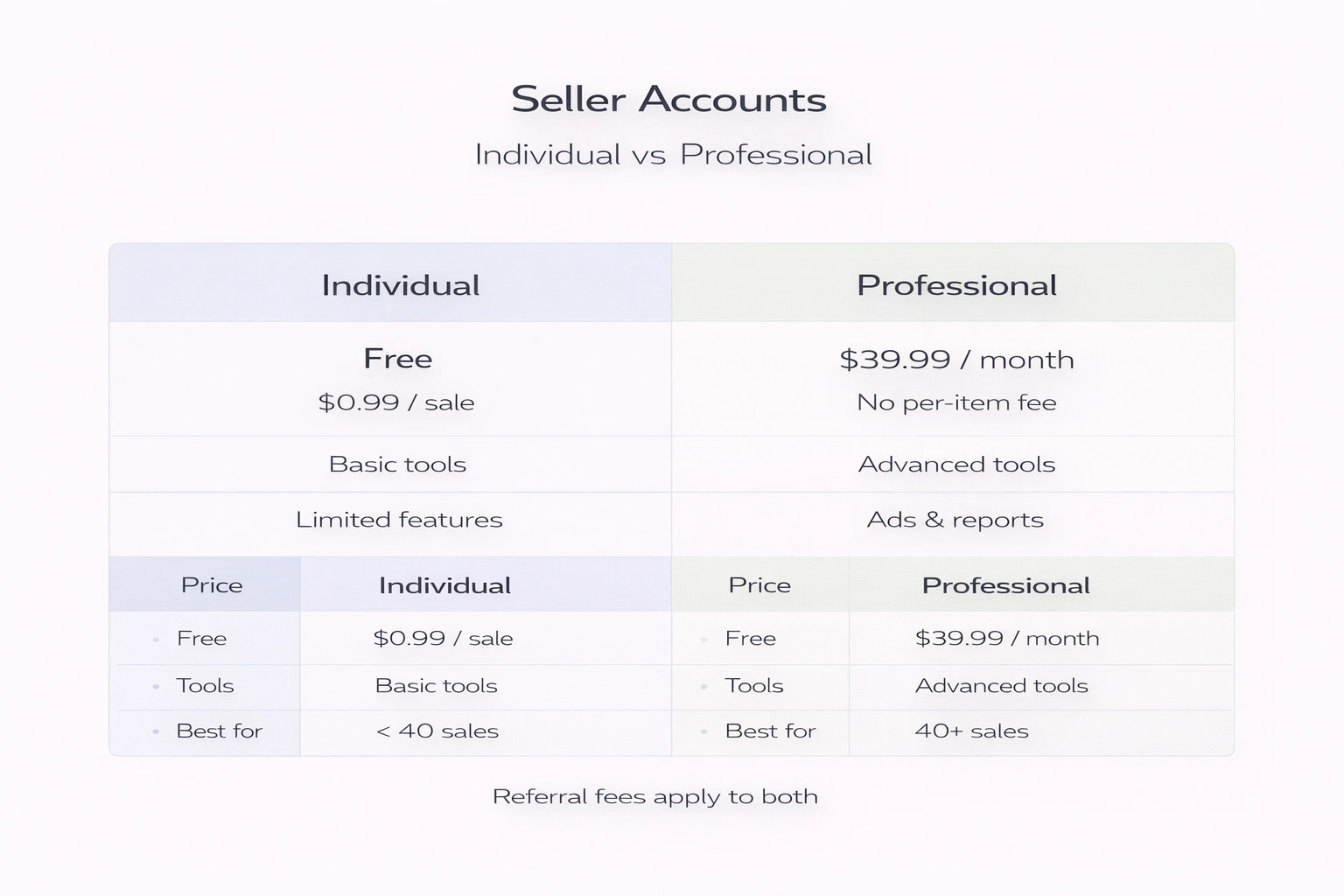
Such amendments couldn’t fail to affect AMZ review trader websites. Some of them went out of business. However, many others are still working. Therefore, giving products away for free or with a huge discount on these websites remains legal under one condition: customers cannot be forced or coerced into providing a review. If a trader’s website meets these requirements, selling there is completely legal under Amazon’s conditions.

However, it’s better to always stay informed of Amazon’s policy changes. You never know if Amazon won’t abruptly prohibit AMZ review trading sites, just like they amended their rules in 2016.

Currently, these sites are effectively taking advantage of the rules loopholes. Although customers are not coerced into leaving a review, they are strongly urged to do so. Buyers are also aware that by consistently leaving positive feedback for every product they order, they increase their chances of getting more deals in the future.

Owing to the updated Amazon customer review rules, most websites might ask their customers to place a clear disclaimer claiming that they purchased the product with a discount. In addition, the customer has to finish the sale through Amazon and use the relevant promo or discount code on the checkout screen.

Basically, AMZ review trading websites continue to provide the same service, only a bit amended. Therefore, Amazon may seek to correct this situation in the future. However, for the time being, it’s perfectly legal to leverage these websites, so take your chances and benefit from them while you still can.

Is It Still Worthwhile To Leverage Amazon Review Trader Websites Now That The Rules Have Been Changed?

Yes, it definitely is. Besides, if these sites weren’t still profitable and sellers did not benefit from listing their items there at all, these review sites would simply cease to exist, now would they? Obviously, there is no guarantee that you will get feedback on each product you give away. However, you certainly will receive significantly more reviews than you would have hadn’t you signed up. Amazon review trader sites allow you to expose your goods to a much larger audience that would have probably never found out about them otherwise, and provided you sell a good quality product and ensure a great customer experience, this can only be advantageous.

While waiting for organic reviews, you’re missing out on potential sales and a possibility to increase your revenue. Acquiring products to sell is far from being cheap, and you certainly don’t want to sit there and wait for ages until you get your money back. Amazon review sites will help you start selling your goods faster and recoup your investment sooner than you expect.

In addition, many Amazon review trading websites provide you with the possibility to check your potential buyer’s Amazon profile and decide whether to decline or approve their request. This feature allows you to find out how often a person leaves reviews and how many of them are good. As a result, depending upon the profiles of individuals who have applied to acquire your product, you can choose those who are most likely to leave positive feedback.

The truth is that it is a positive reputation through reviews that brings success to Amazon sellers. To get more reviews, you need to make more sales. And finally, to make more sales, you need to receive as much positive feedback as possible. Therefore, it can be extremely challenging for a product to gain traction, especially a new one.

Regardless of the amendments to Amazon’s terms of service, AMZ review trader websites are the greatest option for new items to establish the reputation required to start properly selling on the platform.

Top Best Amazon Review Trader Websites

If you are considering using an Amazon review trader website to boost your reviews, there is a plethora of options you can benefit from. In spite of the shutdown of several websites since Amazon’s new policy introduction, there are still dozens of similar sites that provide this service.
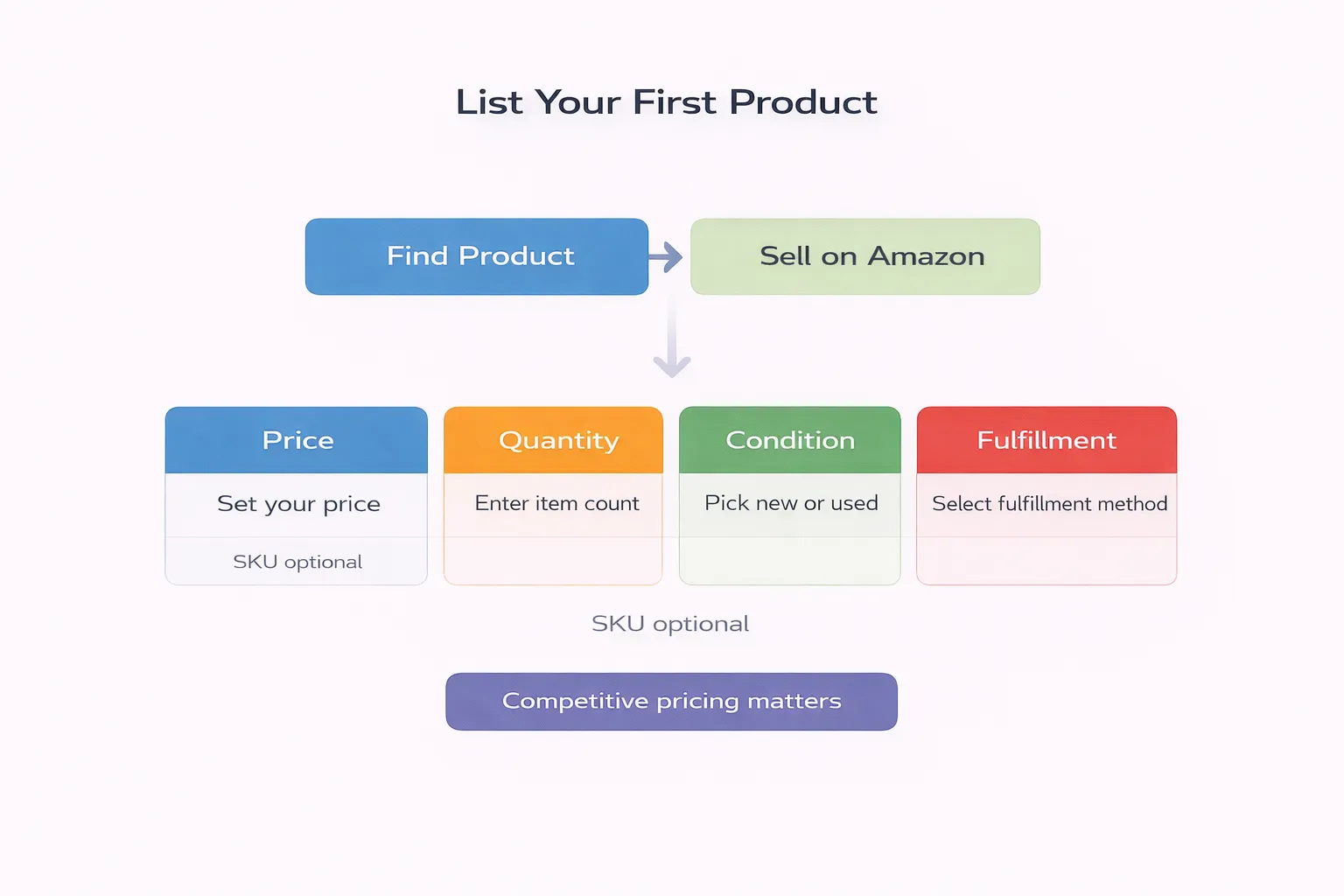
While some of them are trustworthy and reliable, many others are probably a waste of your time. We analyzed a variety of AMZ review trading sites and chose seven websites you might be interested in. Here are some of the best review sites to look into:

#1 Vipon (formerly known as AMZReviewTrader)

Vipon is considered one of the most established and well-known Amazon review trader websites. It is one of the oldest too. No other site’s audience can compare to Vipon’s number of customers. Buyers are drawn to Vipon because of its rules that allow them to request up to 20 items at once. This is significantly more than any other site can offer, implying that Vipon’s traffic is generally fairly high.

The site offers great discounts ranging from 50% to 100%, but to acquire your product, customers need to obtain your approval first. This is a truly amazing feature since it allows you to look through all customers who applied to purchase your product and choose the ones who are most likely to leave you positive feedback.

Once a customer receives their order, they have two weeks to review the product. As soon as they leave feedback, buyers can apply for some more goods.

All in all, Vipon is undefeated against other AMZ review trading sites due to its high number of customers and the merchants’ ability to control to who they sell their products. If you are planning to leverage only one AMZ review trading site, this one is the safest bet.

#2 Jump Send

Jump Send has established itself as an excellent tool for assisting sellers in increasing their reviews rate. Their most extensive package enables you to offer up to 100 product promotions, and customers, in their turn, receive unlimited access to a plethora of discounts and deals, making Jump Send pretty advantageous for both sellers and buyers. Although they don’t provide any free deals, their discounts are so substantial that they almost qualify as “free.” Customers can acquire products for as little as ten cents.

This website allows you to either accept or decline any purchase request you receive. However, there’s one hitch: you can’t access their Amazon profile to determine their proclivity to leave positive feedback. Though, if you’re very interested, you can always turn directly to the potential buyer and request access to their profile. This might turn out quite time-consuming, but it is a good strategy to ensure a positive review.

Overall, Jump Send is, without a doubt, one of the greatest AMZ review trading platforms and is well worth your attention.

#3 Snagshout

Snagshout is yet another highly popular Amazon review site. This website provides an outstanding customer experience, has an excellent design and structure, and, just like Vipon is one of the most established and oldest AMZ review trading platforms available.

However, there are also some disadvantages. Customers cannot make more than three purchases at once, which is less than other sites offer. On the other hand, to buy more than one product, buyers are requested to leave a review on the product, and then provide feedback on the two following purchases before proceeding with a hunt for deals, meaning the chances customers will leave reviews are significantly higher. Snagshout’s team constantly sends emails to their customers to make it easier and more convenient for them to check for new deals.

On the downside, sellers are not allowed to control purchase requests. However, there is no doubt Snagshout is another high-quality AMZ review trading website.

#4 VIP Power Club

VIP Power Club is yet another reputable Amazon review site that provides excellent service for both customers and sellers. Since the discounts on VIP Power Club are usually fluctuating from 20% to 99 %, you’ll have plenty of options to choose from when it comes to deciding what kind of bargain you’ll provide. Keep in mind that VIP Power Club does not offer products for free. However, the discounts there can even reach 99%, making the website pretty attractive for customers seeking lucrative deals.

On this site, discounts are sent to customers’ email addresses via coupon codes. Then buyers can redeem the offer by leveraging the code on the website. This is an amazing opportunity to boost your traffic since these are not only active users of VIP Power Club who will be exposed to your products but customers beyond the website as well.

VIP Power Club is one of the most reputable review sites, and we highly recommend you give it a try.

#5 Deal Go! Go! Go!

Deal Go! Go! Go! It is one of the newest AMZ review websites, nevertheless, it is a great option. Due to its impeccable service and great discounts, this website has swiftly gained popularity and is currently considered one of the most trustworthy platforms.

Their discounts fluctuate from 50% to 99%, and customers may apply for 10 purchases immediately after signing up, making Deal Go! Go! Go! a popular destination for buyers seeking to quickly rack up a few nice deals.

Don’t be put off by the site’s beginner status. Deal Go! Go! Go! is completely legitimate and an excellent place for sellers striving to get more reviews.

#6 iReviewHome

iReviewHome is another outstanding Amazon review trader website that sellers can use. And one of its differences from other sites is a unique and special feature that sellers might be interested in.

iReviewHome is one of the few websites that enable you to establish timetables for your offer and limit the availability of your goods. Such actions create a sense of urgency and most frequently push customers to act quickly rather than delay purchases for later.

If you are determined to get as many reviews as possible in the shortest time, iReviewHome is just what you are looking for since a limited sale window is exactly what stimulates a lot of purchase orders in a short period of time.

#7 AMZ RC

A website asking customers to leave feedback on Amazon is great. A website that in addition, enables you to get reviews for your product on social media is even better. While social network reviews certainly won’t improve your Amazon rankings, they are an excellent possibility to advertise your products and attract more visitors to your product page, which will ultimately result in more sales.

On AMZ RC, sellers are allowed to list as many goods as they want, which is a great advantage since most other websites limit sellers to a specific amount of deals they can offer.

AMZ RC may not be as popular and well-known as some other websites mentioned above, but you must admit that the potential to increase the number of your social media reviews sounds quite appealing and unique. Their pricing plans are also very affordable. Hence it might be worth giving them a shot.

Other Ways to Receive Verified Amazon Reviews

Aside from review websites, there are a few more options to earn Verified Reviews for your Amazon selling business, these include:

  • Compose a good email list

Creating an email list, without a doubt, takes a lot of effort and precious time. However, you have a plethora of email marketing tools at your disposal to assist you in this process.

After having found and analyzed a decent amount of email addresses to target your goods for, you proceed further with marketing.

Then you can send something different and unique to promote to everyone on your email list. Offer exclusive deals and make special discounts to your subscribers.

However, you can’t accomplish it without a particular landing page, which in its turn is only doable if you have your own website.

You can even adjust this strategy to attract more buyers through social media by launching a few promotional campaigns solely geared at collecting email addresses.

  • Make use of forums and other community groups

Look for some reputable online forums that are related to your interests or products. To capture the relevant audience, target those groups.

A typical example is Reddit, which has several Sub-reddits within it. Those are members of Reddit who establish these Sub-reddits depending on their discussions and interests. But, before you leap into those forums and start telling everyone there about your goods, keep in mind that you must first become an active participant and establish your rapport, trustworthiness, and reputation.

  • Use customer service wisely

Amazon’s API (Application Program Interface) is considered a very helpful feature since it allows sellers to access a few third-party tools of Amazon sellers to assist them in sending emails automatically and gaining more reviews.

These tools provide a great chance to boost the potential of every order and urge every consumer to write a positive and honest review about a product.

Final Thoughts

To summarize, you are not obliged to leverage AMZ review trader websites to succeed on Amazon, but it’s strongly suggested, especially if you have a brand-new product with no reviews yet.

Managing all of your Amazon activities in-house can turn out to be quite a time-consuming and complex challenge. If you want to get the most out of your Amazon business and reach your goals faster, engaging an experienced agency is exactly what you need. It will help your business grow and increase revenues.

FAQ

Is Amazon for Trader legit?

Using Amazon review trader sites is still legal, as long as customers are not p forced or coerced into providing reviews in return for free products or discounts. If a trader website respects this rule, then it is perfectly legal under Amazon’s conditions.

Will Amazon pay you for reviews?

Since October 2016, when it amended its policy, Amazon has forbidden customers to be rewarded in the form of free or discounted goods for leaving reviews. The only reviews that can now be encouraged are those obtained through Amazon’s Vine program.

Wholesalers For Amazon FBA: All You Need To Know

Key points

  • Finding the right supplier is crucially important to building a strong Amazon FBA wholesale business. It’s an essential step both for product-based and wholesale-based strategies.
  • There are three most common types of wholesale suppliers on Amazon: manufacturers, Amazon FBA wholesale distributors, and dropship Amazon suppliers. Wholesale suppliers sell products in bulk, manufacturers produce the product themselves, and dropship sellers send the item to the merchant’s customers directly without the seller’s involvement.
  • Wholesalers can be found on different websites, social media groups and tradeshows. The most popular B2B websites are Alibaba, DHgate, eWorldTrade, Global Sources, and Amazon Business.
  • To choose a wholesaler, look at different criterias such as reputation, product quality certificates, the price of the product, logistics and shipping duration, and return and insurance policies.

Amazon can be a very profitable source of income if used correctly. In order to have a thriving business on Amazon, it’s important to decide on what product your business is going  to sell, pick a marketing strategy, and find a reliable wholesaler to source the product. Choosing the right product and a dependable supplier will serve as a base for building a successful marketing strategy and increasing your profits.

Keep on reading to discover all the necessary information about types of suppliers, their pros and cons, where to find them, and how to work with them.

#1 Product-Focused Strategy

Taking the product-centred approach means that you’re putting all your time and effort into finding a perfect product to sell. This concept works well for small-scale business operations and concentrates on product listings and PPC campaigns, as well as attracting traffic to the product listing. In order to find a perfect product, look through best-seller or trending lists as well as customer reviews on e-commerce websites, seller, and consumer forums.

How To Find A Perfect Product To Sell

It’s important to get samples from manufacturers and see whether the product meets your expectations in terms of functionality and quality. Here are some tips on how to avoid product selection mistakes:

  • Choose products with good profit margins;
  • Avoid Items with high competition as well as oversised, bulk, fragile, and seasonal items;
  • Avoid difficult to manufacture and assemble, licensed, or restricted category products;
  • Check if the product is in high demand on Amazon;
  • Check financial parameters to see how if its price is justified.

There are enough suppliers on the market, but how do you find the right one? First, let’s go over how Amazon FBA works.

How Does Amazon FBA Work?

Amazon sellers have two options when it comes to order fulfilment, and the most popular is FBA, which means Fulfillment by Amazon. This type of fulfilment implies that Amazon takes care of picking, packing, and shipping products you sell, as well as handling customer service and returns.

Here are the steps you need to take to start selling under the FBA program:

  1. Create an Amazon selling account.
  2. Log in to Seller Central.
  3. Create product listings.
  4. Add a listing to the FBA inventory on the Manage Inventory page.
  5. Prepare products for transportation to a fulfilment centre and ship them to Amazon.

While Amazon takes care of the fulfilment process under the FBA program, merchants still have some responsibilities, including conducting product and keyword research, creating and optimizing ASINs, advertising their products, managing the Q&A and review sections of the listing page, and refilling stock. If you use the FBA program, your inventory can be stored either in Amazon’s warehouses or at fulfilment centres.

How To Replenish Amazon FBA Inventory

There are two options you can use here: retail arbitrage or wholesale. Retail arbitrage entails buying low-cost products from brick-and-mortar retailers and then reselling them on Amazon at a slightly higher price. However, because sellers buy these products from retail stores, they can’t purchase them in bulk or get as many items as they want.

The other option is the wholesale business model, which allows merchants to purchase discounted products from a manufacturer in bulk. Then these products can be resold as individual units on Amazon. The wholesale option also lets you browse through the manufacturer’s catalogue and find other potentially profitable products that can be bought in bulk. Purchasing items directly from the manufacturer also reduces the risk of you running out of stock. So overall, a combination of Amazon FBA and wholesale looks like a promising e-commerce venture. The hardest and trickiest part is to find legitimate Amazon FBA wholesale suppliers.

As soon as you’ve determined what product you’re going to sell, the next step is searching for wholesale suppliers. The supplier should meet your expectations and deadlines, and more importantly – provide a good quality product. Here are some tips on how to find a good supplier for Amazon:

1. Test The Supplier’s Performance

It’s best to order a smaller amount of product first to check its quality and only then negotiate all the details, including whether the potential supplier is ready to produce a limited amount of product urgently. If you’re searching for a supplier on Alibaba, it’s better to work with English speakers to avoid any miscommunication.

2. Reputation Matters

Working with a reputable supplier will be easier since those manufacturers care about maintaining their good standing, and thus, they are less likely to sully their work.

3. Find Out More About The Product And The Production Process

Verify the supplier’s business license and ask them about the product and the production process. Make sure that they can ship out the volume of product you need within agreed deadlines. Go over quality control procedures, timelines, and other terms and conditions in the order contract.

4. Be Aware Of The Risks

When starting working with a new manufacturer, there are always some risks a buyer should consider. Some of them include receiving low-quality items, payment transaction fraud, choosing the wrong product strategy, or an unreliable supplier or reseller. There’s also a possibility that the product won’t look like the picture.

#2: Wholesaler-Based Strategy

When using this strategy, sellers focus on finding suppliers for large sales volumes. This strategy entails a fast sales pace, big turnover, and significant investments. This can help to sell products in bulk and create a strong business.

Important Criteria When Looking For Suppliers

When the strategy of finding suppliers is based on certain criteria, it makes the whole process much easier and more efficient. Here’s what to look at when choosing an Amazon wholesale supplier:

  • Supplier’s reputation and good references;
  • Product quality certificates;
  • Cost price of goods;
  • Logistics and shipping duration;
  • Possibility to supply bigger volumes of the product;
  • Way of product delivery;
  • Return policy;
  • Insurance policy.

A good supplier admits their mistake and takes responsibility for solving the problem, welcomes third-party inspection, and is ready to consistently produce the product without sacrificing quality. They should maintain open and direct communication as well as follow ethical rules and regulations.

Amazon Wholesale Suppliers Categories, Pros and Cons

The most common types of wholesale suppliers on Amazon include manufacturers, Amazon FBA wholesale distributors, and dropship Amazon suppliers.

Wholesale Distributors

Amazon FBA wholesale distributors offer products in big consignments, which is a great option for merchants who opt for big FBA wholesale sales volumes.

The biggest advantage of choosing a wholesale distribution is the low cost of the products. The merchants can also get opportunity costs and discounts if buying in bulk, which is crucially important when maintaining sales volumes and competing in the marketplace. Additionally, selling in bulk generates traffic and increases your ranking. Also, this type of supply has a simplified sales process, and it allows the supply of a variety of products in one place.

However, it’s important to monitor the product performance with this type of supply. Wholesale distribution requires money investing upfront in order to start and perpetuate this type of supply. Another disadvantage is the necessity of taking care of inventory management, meaning keeping a sustained sales volume and turnover so that the sellers can reinvest their money further. These aspects require a solid product strategy.

Manufacturers for Amazon

Buying from manufacturers allows the sellers to get the first price, which is usually the best one. This type of supply allows sellers to personalise the product and even create a Private label line of products. Businesses can also set up a solid chain that will prevent them from running out of stock.

However, as with wholesaler distributors, sellers have to invest the money to start the production. Manufacturers are not likely to work with small consignments and are not generous with discounts.

Dropship Suppliers

Dropship sales mean that the supplier sends the items directly to your customers. This type of supply is relatively popular on Amazon as it involves fewer overhead costs. However, there’s less control of the sales process to the seller.

The main advantage of dropship supply is that the suppliers take care of inventory management, which may take up a lot of energy and time, especially for beginners.

Dropshipping is quite flexible when it comes to assortment; therefore, there’s no need to take a risk of ‘sitters’ – the products that don’t sell.

The disadvantage of this type of supply is that the seller has barely any control over the sales process, which is a high risk of shipment mistakes. Additionally, dropshipping results in higher per-item costs.

Factors To Consider When Comparing Suppliers

While looking for a wholesale supplier for your Amazon FBA business, it may be hard to choose between them, especially if all the suppliers are reputable. Here are some things to ask them to see whether they meet your criteria:

  • Shipping duration of the products and what shipping company they use
  • How they track the packages
  • Return policy
  • What happens if the product doesn’t arrive?
  • Liability insurance certificate
  • Standard documents and product certificates if applicable
  • References from other merchants who have worked with this supplier

How To Find Wholesalers On Amazon

When it comes to finding wholesalers on Amazon, there are several options.

1. Google

Google search can show thousands, if not millions, of search results and will help to find the right supplier. However, the ordinary search might now work, but there are some tricks that will help to gather all the necessary information. Use quotation marks to add the words in your search query. For example:


wholesale “inventory” “xls”

wholesale “inventory” “xlsx”

wholesale “inventory” “csv”

wholesale “data feed” “xls”

wholesale “inventory” “[location]” “xls”


To exclude a particular category, use a minus symbol before the word:

wholesale “inventory” “xls” – name of the category


Contrarily, add the asterisk symbol to include a search term randomly:

wholesale “inventory” “csv” name of the category*

2. Industry Trade Publications

After using these Google tricks, search for the publication’s website and subscribe to every magazine and blog that targets wholesalers or distributors in a particular industry.

3. Trade Shows

Visiting trade shows is a great option to meet manufacturers in person. The wholesalers present their products at exhibitions so that merchants can check them out. This gives a variety of opportunities since trade shows gather buyers and sellers from different industries in one place. There is a chance of connecting with big brands and suppliers as well.

4. Industry Associations

Industry association is a group where buyers can meet manufacturers of a particular industry. However, it works better for experienced sellers rather than for beginners.

To search the industry association, try putting:

“[name of the industry]” industry association

“[name of the industry]” industry association in “[location]”

5. LinkedIn

LinkedIn is the biggest professional social platform in the world, and it’s also a great place to find wholesale manufacturers.

When searching on LinkedIn, enter in the search box the terms such as:

[name of the industry] manufacturer

[name of the industry] supplier

[name of the industry] manufacturing

[name of the industry] wholesale

[name of the industry] wholesaler

Then go through the distributor’s Linkedin profile and send them a message introducing yourself and then ask for the information you need.

6. Jungle Scout

This is an online tool that helps to automate and refine the search and has a feature called “Supplier Database”. By entering keywords such as product name, supplier name, ASIN, or company name, it shows the list only of reputable and trusted suppliers. It’s perfect for beginners as it helps with fast-tracking search queries.

8. Wholesale directories

Looking through online wholesale directories such as Worldwide Brands and SaleHoo is another way of finding a supplier.

Both SaleHoo and Worldwide Brands have millions of items on its database. Worldwide Brands have details of suppliers from different industries all over the globe. A one-time fee is required to get access to their weekly updated list. They also have a “scam protection” feature which protects the buyers from fraudsters.

SaleHoo, on the other hand, allows merchants to connect with more than 8,000 legitimate wholesale suppliers. The company has a “supplier review system” and requires no minimum order quantity (MOQ). There’s an option of paying an annual or lifetime fee to start sourcing.

Other wholesale directory suppliers are:

  • Liquidation
  • Esources
  • Big Lots
  • The Wholesaler
  • The Wholesale Forums
  • Price Master
  • Tuesday Morning

9. Facebook groups

Facebook is another platform that caters to businesses. In order to search for a Facebook suppliers group, enter keywords such as:

distributors wholesalers retailers [name of the industry]

wholesale retail group [name of the industry]

Try adding the location to be more specific. Before joining the group, make sure it’s active, has a good number of members and posts information regularly.

10. Online B2B wholesale websites

B2B wholesale websites work just like Amazon, but while on Amazon, the customers buy the products, the B2B websites’ audience is retailers and wholesale sellers that want to buy products in large consignments. There’s no need to contact the suppliers, and sellers can buy directly the products they need. The most popular B2B websites include Alibaba, Amazon Business, DHgate, eWorldTrade, and Global Sources.

Sites like Alibaba work well for finding a manufacturer of items with a good profit margin, as well as Private label products. Buyers can use US import Database, work with sourcing agents or perform a search in the wholesale directories.

Here’s a wholesalers and distributors list in the US:

  • Dollardays.com
  • Big Lots
  • Gabes
  • Liquidation.com
  • Tuesday Morning
  • World Wide Brands
  • SaleHoo
  • Price Master
  • Lotus Light

How to Contact Wholesale Suppliers

When a list of potential Amazon FBA wholesale suppliers is all set, the next step is putting together a contact and negotiating with them. This works similarly to a job interview as the suppliers need to be assured by you for further coworking.

The first step is getting in touch with the supplier’s brand representative, brand manager, sales or territory representative. Go to their website and social media to learn more about the supplier and its brand representative.

After that, reach out to them via email and communicate clearly:

  • You’re running an authentic Amazon wholesale business.
  • You’re a professional Amazon FBA wholesale seller.
  • You know the ins and outs of the trade.
  • You’re looking for a long-term professional relationship or partnership.
  • You can pay on time, at any time.

Don’t just copy and paste the same email to all the suppliers, use an individual approach for each of them. If there’s no answer after a week or so, it may indicate that the email was lost, and a call will work better. Discuss the following when calling the suppliers:

  1. Supplier’s main headquarters
  2. The exact product name and characteristics (size, colour, weight)
  3. Product catalogue
  4. Quantity discounts
  5. Required production time
  6. Extra fee if the order is fast-tracked
  7. Payment method and schedule
  8. Private labelling opportunities
  9. Shipping options

FAQ

What is Amazon FBA wholesale?

FBA wholesale stands for “Fulfillment by Amazon”, meaning that the merchants send their products to Amazon warehouses, and the company takes care of the shipment, return and customer service.

Is Amazon wholesale profitable?

Yes, Amazon wholesale is profitable if the merchant has a diverse audience and a dependable supplier. These are the keys to having a strong business with a good profit.

Is Amazon FBA better than dropshipping?

For beginners, it’s better to start a dropshipping business since it has more perks than Amazon’s FBA program. But experienced wholesalers can confidently consider running a business with Amazon FBA.

How do I start a wholesale business?

Before starting any business, it is important to determine the product you’re going to sell and the main audience. Do research beforehand, and find out the market size and the average pricing. Then start looking for retailers.

Who is the biggest Amazon FBA seller?

The top biggest Amazon FBA sellers include Pharmapacks, Zappos, Asurion, LLC and iServe.

Can I Buy Fire Sticks At Walmart?

Key points

  • No, Walmart doesn’t sell Amazon Fire TV Sticks or any other Amazon products. This also applies to Amazon gift cards. Walmart never officially explained why they stopped marketing Amazon products, but it’s most likely because of the growing competition between these two retail giants.
  • You can find Amazon Fire Sticks in many other retail stores, including Target, Home Depot, Best Buy, GameStop, Staples, Lowe’s, and Kohl’s.
  • Buying an Amazon Fire TV Stick along with an Alexa remote will give you a complete experience. You will be able to explore many functions that Amazon Fire Stick offers using your voice and enjoy all your favourite shows and movies in high quality.

Amazon streaming devices like Fire Sticks are a great alternative to a monthly cable contract since they allow you to watch both free and paid content. And you can take your favourite shows, films, and apps with you wherever you go! Amazon Fire Sticks are available virtually everywhere, including major retailers such as Target, Home Depot, Best Buy, Lowe’s, and Kohl’s. However, you won’t find them at Walmart. In fact, you won’t find any Amazon products at Walmart, including Amazon gift cards. If you’re wondering what’s the reason for this, keep on reading to fulfil your curiosity.

What is the Amazon Fire Stick 4K Streaming Device?

Amazon Fire Stick 4K streaming device is the latest version of the Amazon Fire Stick product. It comes together with the Alexa remote. You can find it on the Amazon website. Here are some of the most significant features of the Amazon Fire TV Stick 4K Streaming Device, along with the Alexa Voice remote:

  • Provides a home theatre experience
  • Allows you to watch content in 4K Ultra HD
  • Gives a great variety of ongoing and never-ending entertainment options, such as Peacock, Netflix, Disney+, and Prime Video subscriptions
  • Gives you an option to watch live TV
  • Has a quick and simple set-up process
  • Alexa Voice allows you to search for shows via mobile apps using your voice
  • Gives the user the ability to authorise smart home devices
  • It’s small and compact, so it won’t take up much space

Additionally, you can manage the volume and mute buttons using the Alexa Voice remote while you launch a movie you’re interested in watching. If you buy the Firestick with Alexa remote control, it will make your experience even better. Alexa can switch to cable whenever you want. You will also experience a high-quality picture with the Amazon Fire TV Stick 4K Streaming Device. If you want to purchase an Amazon streaming device, the price will range from $19 to $29, but it really depends on its availability and the package you choose. You can also get a 30-day trial in any of the abovementioned retail stores.

When Did Walmart Stop Selling Amazon Fire Sticks?

In 2012, Walmart stopped having Kindle tablets in stock, which was Amazon’s hottest selling product at the time. The reason for this was that every person who purchased a Kindle could potentially become another customer who would stop shopping at Walmart and instead search for items they needed on Amazon while lying on their sofa. Walmart perceived the Kindle as the gateway product into Amazon’s ecosystem. Nonetheless, as popular as Kindle was, it pales when compared with the Amazon Fire Stick streaming device. Walmart stopped selling Amazon Fire Sticks as well as Fire TV devices in 2017, and nothing has changed ever since. Instead, Walmart prolonged their persistent partnership with Roku and even started selling some exclusive editions such as Express+ and Premier+ Roku players that customers can only find in Walmart. Not that long ago, Walmart also started advertising limited-edition onn. streaming players running Roku’s operating system. Walmart never explained the official reason or gave a press release for their abrupt decision to stop selling Amazon products, but experts believe that the cause lies in the growing competition between these two retail giants. There were also rumours that Walmart was developing its own streaming service to challenge Amazon Prime. Nonetheless, if you are looking to purchase a streaming device, here are all the streaming devices that you can find at Walmart:

What Streaming Devices Can I Find At Walmart?

Walmart sells multiple alternatives to Amazon streaming devices, such as:

  • Roku players
  • Google Chromecast
  • Apple TV
  • NVIDIA Shield
  • onn. streaming devices

You can find quite a few Roku devices at Walmart, and choose the one that will suit your streaming needs best. These include the most standard Roku Express, which costs around $30, Roku Streaming Stick for around $50, Roku Ultra for around $60, and Roku Ultra for about $100. Walmart also offers Apple TVs as well as different versions of the Google Chromecast device. The new Chromecast with Google TV model is around $50, but you can also find a 3rd Gen model for around $30. The entire Google Smart TV kit is around $60, and it includes Google Home Mini and Chromecast. This deal is exclusive to Walmart. An Apple TV will cost you from $90 to $170, starting from the cheapest Apple TV 3rd Generation model and going to the Apple TV 4K 32GB model. All these devices provide a similar experience to Amazon Fire Sticks, and the price is reasonable too.

Where To Find Amazon Fire Sticks

Despite the fact that you can’t find Amazon devices in Walmart, the list of other stores that sell them is quite long. You can find Amazon Fire Sticks on the Amazon website, at Target, Lowe’s or at Best Buy. Other retail stores that also sell Amazon FireSticks include Bed Bath and Beyond, GameStop, and Staples. If you have a hard time finding Amazon streaming devices in any of the retail stores listed above, go to the Amazon website since it’s very unlikely that they will be out of stock.

Target

Some retail stores, such as Target, market Alexa Voice remote along with the Amazon FireStick. So if you want to purchase the whole kit, you can buy an Amazon FireStick together with an Alexa Voice remote and another streaming media player. You can buy Amazon Fire Sticks on Target’s website and at physical retail stores. Target sells the light version as well as the 4k ultra HD Fire Stick version.

Best Buy

Best Buy not only sells Amazon Fire TV Sticks but also offers you a 15-day free return. You can also pay an extra $6.99 or $9.99 if you want a 2 or 4-year geek standard protected guarantee. Customers can not only purchase all kinds of products at Best Buy but also benefit from customer support and extra help. And you also get a 30-day free trial of Showtime in addition to your purchase to enjoy your favourite shows.

Staples

Staples is also one of the many retail chains that market Amazon Fire Sticks. As a bonus, it offers a free next-day delivery service, which makes online shopping on the Staples website even more pleasant. Plus, you don’t even need a subscription, you can enjoy all your favourite movies from Pluto TV or IMDB Freedive if you buy your device from Staples.

Tesco

You can find Amazon Fire TV Sticks in Tesco as well. Unfortunately, Amazon Fire TV Sticks are currently unavailable on Tesco’s website, but you can still find them in their retail stores.

Argos

Besides selling Amazon Fire Sticks, Argos also delivers them straight to customers’ homes. The retailer has a 4.8 rating and a 97% customer recommendation rate. You can purchase an Amazon Fire Stick at Argos for just $29.99. Moreover, if you pay an additional $7.99, you can get a 3-year replacement care service.
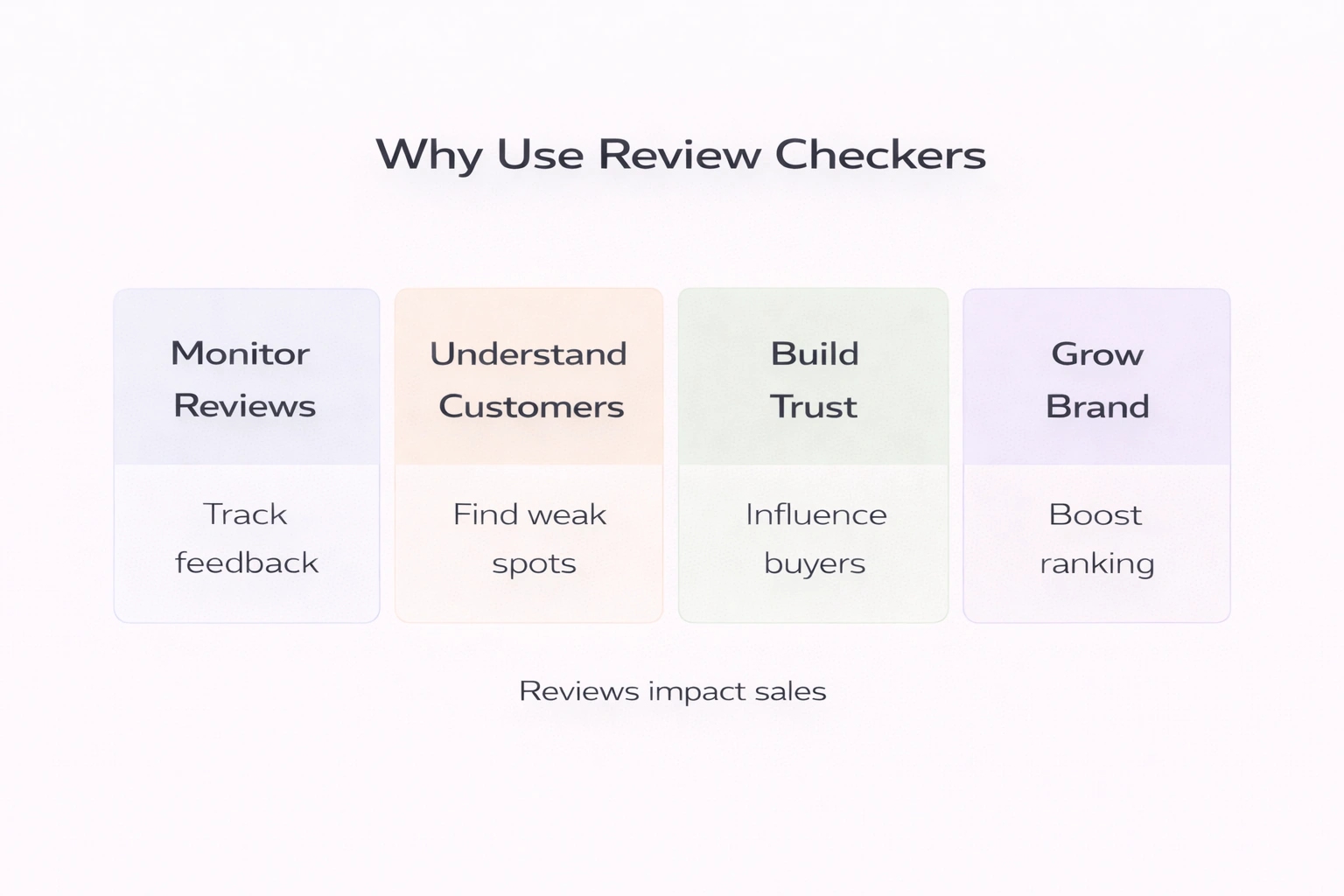
Home Depot

You are one just click away from getting the Amazon Fire TV Stick from Home Depot. Plus, if you use a Home Depot Consumer Card, you have the chance to save up to $100 on your qualifying purchase.

What Stores Don’t Sell Amazon Firesticks

Costco

Not to disappoint you, but Costco doesn’t sell Amazon streaming devices on its website. You might be lucky to find one in their retail store, though. At the same time, Costco does sell the Roku streaming device, but if you are searching specifically for the Amazon one, then it’s best to look elsewhere or shop the Amazon website.

Walgreens

Just like with Costco, you won’t find Amazon Fire Sticks at Walgreens. You can buy a wide selection of top-notch electronic personal care items there, but if you are interested only in the Amazon Fire Stick, you would have to look elsewhere.

Asda

Asda doesn’t sell Amazon Fire TV, so don’t waste your time trying to find it there. But you can look for it on many other online retail sites.

FAQ

How much is the Fire Stick from Walmart?

Walmart doesn’t sell Amazon Fire Sticks. But you can purchase Roku devices at Walmart, and the price will depend on your streaming needs. The most standard Roku Express is around $30, Roku Streaming Stick is around $50, and Roku Ultra is about $100.

Do I need a Firestick for each TV?

Yes, you will need to use a different Amazon Firestick device for each TV because you cannot use a single Firestick on multiple TVs simultaneously.

What channels do you get with Firestick?

Besides letting you watch live streams, movies and TV series, Amazon Firestick offers access to NBC, NBA TV, FOX, CBS, NFL Network, CBS Sports Network, the regional sports network, NBCSN, FS1, and many others.

What is the difference between a Fire Box and Fire Stick?

The Fire TV remote is coated in a soft-touch material and has a slim design as well as a voice search button. The Fire TV Stick comes with a chunkier, cheaper-looking remote that lacks the voice search button.

How much does a Fire Stick cost?

The Amazon Fire Stick costs around $40, while the Fire TV will cost you around $100.

Amazon Ungating: All You Need To Know

Key points

  • Starting to sell products in Amazon’s restricted categories is much easier than it seems. All you need to do as a seller is fill out the application and get approved within a few hours. If you fill in all the details correctly, you’ll have the chance to get accepted for selling even in the most difficult categories.
  • Amazon has 18 restricted categories, and each of them requires a slightly different approval process. Sometimes, sellers will need to provide invoices or images of the product they want to sell.
  • The general process to get ungated on Amazon is to log into your Amazon wholesaler account, find the product you’re interested in selling, click the “Listing Limitations May Apply” link, choose “Request Approval”, and fill in the application form.

Amazon sellers, and especially beginners, always have a lot of questions about running a business on Amazon, but one of the most common things they ask is how to get ungated on Amazon.

For those who didn’t know, Amazon has numerous restricted categories, and those who want to sell in these categories need to go through a dedicated application process. This process can be either quick and easy or long and complicated – it all depends on the category.

Keep on reading and find out more about getting ungated on Amazon and how to get permission to sell products in a specific category.

What Does Ungated On Amazon Mean

Amazon has several gated categories, which means that they are restricted, and in order to sell products of these categories, a merchant has to get approved or, in other words, ungated. Some specific products in the Software category, laser pointers and related products, as well as hoverboards, may require approval, even if the category doesn’t.

For this reason, many sellers give up the idea of selling specific products, as they believe that the ungating process is rather long and complicated.

But in reality, in most cases, the approval process is easy and quick, and even the most restricted categories are not impossible to get approved for.

Gated Amazon Categories: Are It Worth It?

Selling products in the gated categories provides a lot of inventory options precisely because many Amazon merchants write off selling their products in restricted categories either because they think that the process is too difficult or they don’t have the time or patience to do all the necessary work.

This means that there’s little competition with other sellers in these categories, but this doesn’t mean that the restricted categories have less demand – on the contrary, they are as popular as any other Amazon product category. This increases the potential income for sellers that work in these categories, as all potential revenue is split between fewer sellers. Plus, you have a higher chance of becoming one of the leading merchants in a gated category.

Restricted Amazon Categories

Now that we’ve looked over what gated categories are and their benefits, the next step is finding out which categories are restricted on Amazon. These categories usually contain products that can potentially be fake, and that’s why they are heavily regulated. The reason why these categories are restricted is that Amazon wants to make sure that customers buy these products from reliable sellers and limits the number of merchants who are allowed to sell these products. By restricting certain product categories, Amazon makes sure that its customers get the best service possible and purchase merchandise from reliable sellers.

Currently, there are 18 restricted categories on Amazon:

  • Textbook Rentals
  • Major Appliances
  • Fine Jewelry
  • Clothing, Accessories, Shoes, and Luggage
  • Kindle Accessories
  • Collectable Coins
  • Fine Art
  • Video, DVD, and Blu-ray
  • Sports Collectibles
  • Wine
  • Grocery and Gourmet Foods
  • Automotive and Powersports
  • Gift Cards
  • Entertainment Collectibles
  • Collectable Books
  • Toys & Games (Holiday Guidelines)
  • Watches
  • Sexual Wellness

How To Get Ungated On Amazon

For some products, the approval process is very straightforward, and others require a little more time and effort. Here are general steps you will need to take to get ungated on Amazon:

1. Sign up for a Professional Selling Plan

The first step of the ungating process is becoming a Professional Seller because only merchants with a Professional Selling Plan can sell in restricted categories. The monthly fee for this plan is $39.99, but at the same time, Amazon will take a smaller cut from sales compared to the Individual plan. This means that if you manage to build a successful business, this plan can actually save you money over time.

2. Find the product you want to sell

Log into your Amazon account, select “Add Product” under the inventory menu, and search for the product you want to sell.

3. Open the application form

After finding the product, click the “Listing Limitations May Apply” link, which will be located next to the item, then click “Request Approval”.

4. Fill out the application

Follow the instructions and complete the application form for your product. Remember that every application is slightly different, and sometimes, merchants are required to provide purchase invoices or images of the product. Make sure that all your personal information is correct, add your seller name at the top of the invoices, and write down the ASIN, UPC, and item model number for each product.

After that, Amazon will review the application and either accept or reject it. If you are rejected, you will be told the reason for the rejection, which will be the guideline for the improvements you need to make before re-applying. The most common reason to get rejected includes the need for the seller to get all the metrics into better shape to prove the high quality of their products and service.

Amazon Ungating Services

Amazon ungating services help sellers to get approved to sell in restricted categories. People who provide these services are experts and know all the necessary details about each product category. Amazon ungating services help business owners with the application process as well as all the documentation needed to get approval. Some of these companies even claim that they can help those who have been banned from selling on Amazon.

The price for such service ranges from $200 to $900, depending on the company and the category merchants want to get approved for. Whether or not these services are worth using depends on if the seller is willing to sacrifice their time and energy to fill out an ungating application by themselves or not. Amazon ungating services are good for those who want to get approved fast, as most of these companies advertise a 100% approval rate. Some of them also offer a money-back guarantee in case the application is rejected.

FAQ

Is it easy to get ungated on Amazon?

Under most circumstances, getting ungated on Amazon can take anywhere from a few hours to a few days. Some categories are easier to get approval for than others.

What items are ungated on Amazon?

Ungated categories on Amazon include baby, books, camera & photo, consumer electronics, health & personal care, home & garden, industrial & scientific (BISS), Kindle accessories, luggage & travel accessories, musical instruments, office products, outdoors, personal computers, pet supplies, software, sports, tools & home improvement, and video games.

Can I pay to get ungated?

Sellers have to pay a fee when asking for approval to sell in a restricted category, but the payment of this fee doesn’t guarantee approval.

What does being gated on Amazon mean?

Gated categories are restricted categories that require sellers to get Amazon’s approval before they can list products there. Amazon can require performance checks, additional fees, and other qualifications for sellers who want to become eligible to work with particular products and categories. The categories are gated to ensure the safety of both customers and sellers.

success icon

Thank you for submitting request.

We will get back to you ASAP.