
 EN
EN  ES
ES  FR
FR  DE
DE  IT
IT  KO
KO  JA
JA  ZH
ZH  AR
AR  PT
PT  TR
TR PL
PL
Running ads on Amazon isn’t hard. Running them efficiently? That’s where most sellers hit a wall. You’re either overspending on low-intent clicks or spreading budget across too many targets without knowing what’s working. The goal isn’t to throw more money at traffic – it’s to make better decisions at every level of your campaign structure. Whether you’re trying to bring ACoS down, test new keywords, or clean up product targeting, small adjustments can make a measurable difference. Here’s a full breakdown of the strategies that actually move the needle.
What Is Amazon PPC (Pay-Per-Click)?
Amazon PPC is the system that lets sellers pay for visibility in search results. You’re not paying for impressions or reach – you’re paying when someone actually clicks. That’s the core idea. You bid on keywords, and if your ad shows up and gets a click, you get charged.
There are three main ad types: Sponsored Products, Sponsored Brands, and Sponsored Display. Each one shows up in different places on Amazon – sometimes on search pages, sometimes on product listings. You choose which products to advertise, what keywords to target, and how much you’re willing to spend per click.
The entire system runs on an auction model, so higher bids usually mean better placement, but performance also plays a role. If your ad converts well, Amazon’s more likely to show it – even at a lower bid. The challenge is knowing which keywords are worth the money, which campaigns are quietly draining your budget, and how to scale without overspending. That’s where strategy and optimization come in.
Why a Smart Amazon PPC Strategy Matters
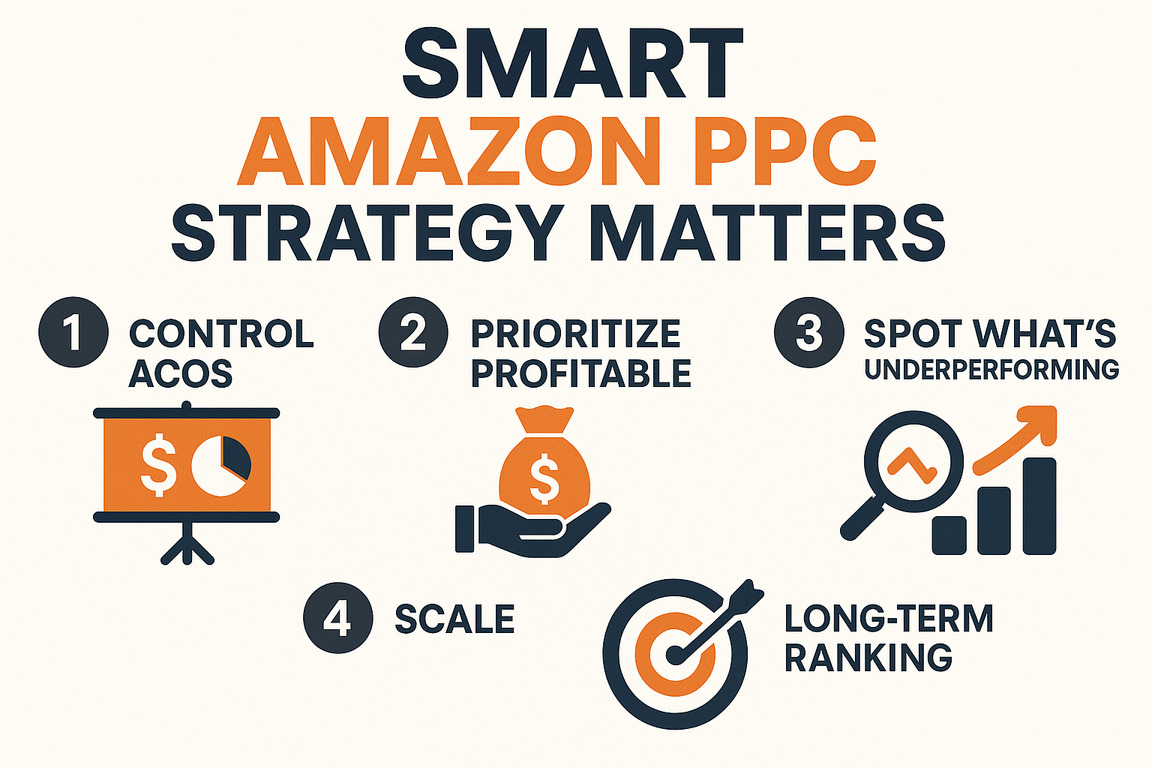
Running ads on Amazon without a plan is like adjusting bids in the dark – you’ll spend money, but you won’t know what’s working or why. A focused strategy gives you leverage. Here’s what it actually helps you do:
- Control ACoS before it controls you: Ad spend adds up fast. Without structure, it’s easy to burn through your budget chasing clicks that don’t convert.
- Prioritize what’s profitable: Not all products (or keywords) are worth pushing. A smart setup helps you shift spend toward high-performing targets instead of treating everything equally.
- Spot what’s underperforming early: With the right metrics in place, you can cut off weak campaigns before they start bleeding money – no guesswork.
- Scale without chaos: It’s one thing to launch a few ads. It’s another to manage dozens across variations, match types, and placements. Strategy keeps things clean and trackable.
- Build long-term ranking, not just short-term clicks: PPC isn’t just about visibility today. When done right, it supports organic growth by driving consistent engagement on targeted keywords.
Practical Amazon PPC Strategies That Make Data Work for You
You don’t need 50 tactics or a bunch of theories. You need a system that helps you spend better, adjust faster, and understand why things are (or aren’t) working. These 18 strategies aren’t fluff – they’re what real sellers rely on to control ACoS, improve rankings, and scale campaigns without burning time or budget.

1. Use a Smarter Stack: Start With Visibility, Not Guesswork
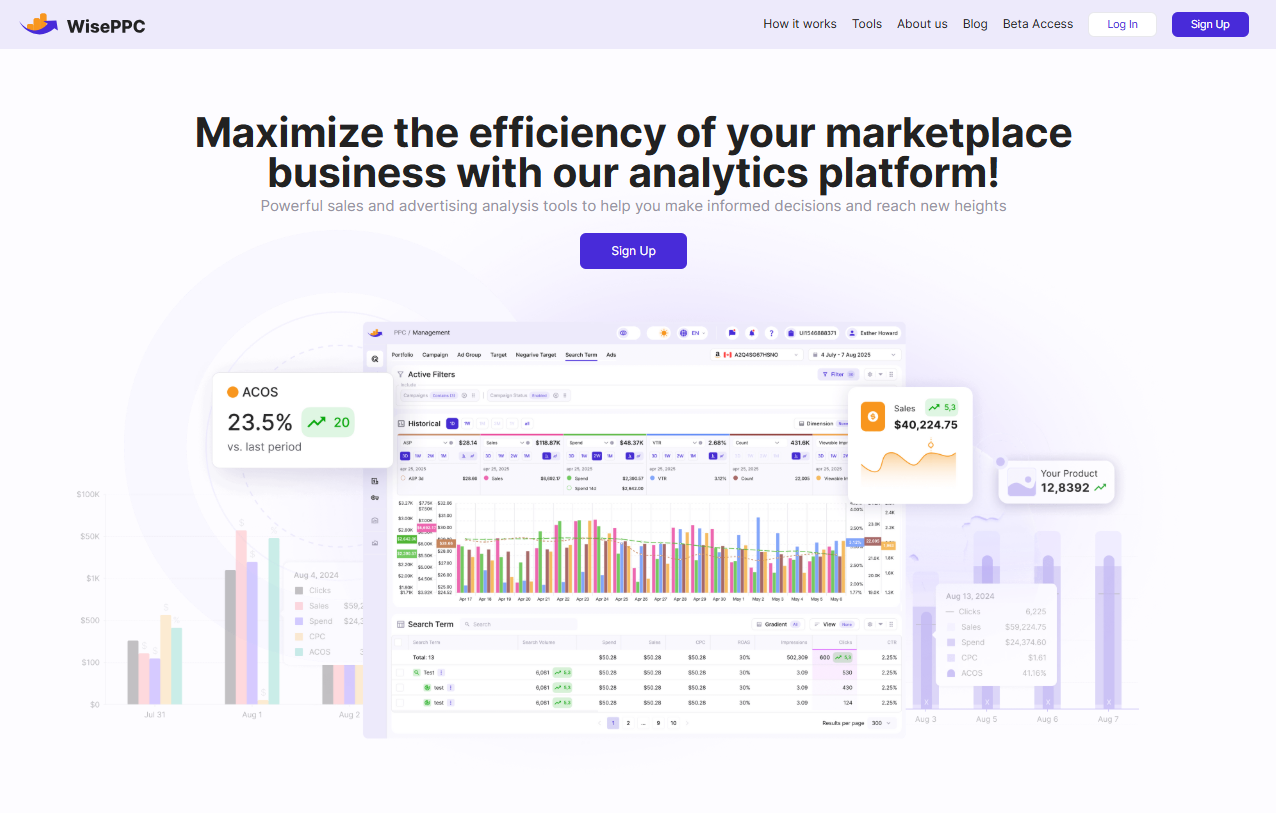
Before you start pulling levers on bids or keywords, ask yourself – do you actually know what’s working? That’s where most sellers hit a wall. It’s not the lack of tools, it’s the overload of noise. WisePPC was built to cut through that. We bring everything into one clean dashboard – keyword trends, hourly performance, placement-level insights, new-to-brand metrics – all in real time. You don’t need exports or clunky spreadsheets to understand what’s happening. You just need clarity. From there, you can see how AI enhances PPC strategy by turning that clarity into faster, data-driven decisions.
Whether you’re managing 12 campaigns or 1,200, you can filter, bulk-edit, segment, and compare performance across every ad type, product, and target. Our users use that control to trim wasted spend, double down on proven keywords, and react to shifts before they snowball. We’re also reachable – find us on LinkedIn, Instagram, or Facebook. No bots, no form loops. Just a team that gets what running ads at scale actually looks like.
2. Start With Long-Tail Keywords
Before jumping into high-competition terms, start where buyers already know what they want. Long-tail keywords – those 3-5 word phrases – bring in traffic that’s more specific and usually closer to a purchase. They also tend to have lower CPCs and less competition. Think “organic dog treats for puppies” instead of just “dog treats.” Easier to rank, easier to convert.
Set these up in a separate ad group so you can track performance without mixing them with broader terms. Once they start converting, scale slowly and build around them.
3. Use Keyword Data, Not Just Instinct
You might think you know how people search for your product, but the data usually tells a different story. Use reverse-ASIN tools, search term reports, and campaign data to validate what’s actually driving sales – not just clicks. If you’re using WisePPC, you’ll get hourly keyword-level reporting to spot trends early without waiting for weekly rollups.
Pull high-converting terms into dedicated ad groups and keep checking performance over time. Keywords that looked good last quarter may not hold up today.
4. Match Ad Copy to Product Listings
If your ad says one thing and your listing says another, expect high bounce rates. Customers should feel like they landed in the right place after clicking. That means consistent phrasing between the ad and the title, bullets, and even backend search terms.
It’s not just about conversion – Amazon uses ad relevance when determining where your ad shows up. So copy that aligns improves your visibility and cuts down on wasted spend.
5. Use Negative Keywords to Block Irrelevant Traffic
Clicks from the wrong audience drain your budget fast. Use negative keywords to tell Amazon exactly what not to show your ad for. If you’re selling premium headphones, you probably don’t want traffic from “cheap earbuds” or “free Bluetooth accessories.”
Set these up from day one and monitor your search term reports weekly. WisePPC lets you filter and isolate poor-performing search terms quickly, so you can act before they become expensive.
6. Split Campaigns by Strategy, Not Just Product
Throwing everything into one campaign might feel efficient, but it makes analysis messy. Instead, break things out by objective: testing, scaling, retargeting, or brand defense. Even separating branded vs. non-branded keywords helps keep things clean.
You’ll get better reporting, more control over budgets, and way fewer surprises when performance shifts.
7. Focus Spend on High-Margin or Best-Selling ASINs
Not all products are worth the same investment. Prioritize campaigns for ASINs with healthy margins, strong reviews, or established demand. These give you more room to test without risking profitability.
Running ads on your entire catalog spreads budget thin and muddies your data. Better to go deep on a few winners than shallow across dozens.
8. Use Indirect Keywords to Expand Reach
Not every shopper searches the same way. Instead of just targeting “yoga mat,” try adjacent keywords like “home workout gear” or “fitness starter kit.” These indirect terms can catch people earlier in their decision-making process.
Track ACoS closely – some of these keywords won’t convert as well, but they may lead to new audiences or unexpected product pairings.
9. Use Product Targeting to Defend or Cross-Sell
Don’t just target keywords – target products too. Show your ads on competitor listings, complementary items, or even your own ASINs. It’s a strong move for brand defense or to keep customers browsing within your ecosystem.
Product targeting ads work especially well for variations, bundles, or accessories that naturally go together.
10. Adjust Bids Based on Placement Performance
Top of search costs more, but it often converts better. Amazon lets you bid differently depending on where your ad appears (top of search, rest of search, product page). Use that to your advantage.
If a certain product performs best on detail pages, don’t overpay for top-of-search traffic. Use performance data – not assumptions – to guide bid adjustments. Tools like WisePPC can show this breakdown per keyword and per ASIN.
11. Boost New Keywords With Higher Bids
When you introduce new search terms, Amazon doesn’t know how they’ll perform. Giving them slightly higher bids helps them get impressions faster, so you can gather data and make a decision.
Isolate these in a low-budget test campaign. Watch CTR and conversion – if there’s no signal after 500-1000 impressions, pause or adjust.
12. Track and Optimize for New-to-Brand Conversions
It’s one thing to drive repeat buyers. It’s another to attract new ones. Amazon’s New-to-Brand metric helps you track how many first-time buyers your ads are bringing in. This is especially useful for top-of-funnel campaigns or launching new products.
Shift budget toward keywords or placements that bring in fresh traffic. It may cost more upfront, but the lifetime value often makes up for it.
13. A/B Test Creative – Not Just Keywords
Don’t only test keyword variations – test images, copy, and layout too. Sponsored Brands and video ads are great for this. Sometimes a slightly different headline or visual can change CTR by 20% or more.
Use A/B tests to see what resonates. Keep the winners and rotate new variations monthly to avoid ad fatigue.
14. Start With Automatic Campaigns, Then Go Manual
Let Amazon do the heavy lifting at the beginning. Auto campaigns help you surface search terms you might’ve missed and gather early data. But don’t leave them running forever.
Use auto campaigns as discovery tools. Pull the best performers into manual campaigns where you can control bids, match types, and placement.
15. Use Manual Campaigns to Dial In Control
Once you’ve got some winners, switch to manual. This is where you refine match types (exact, phrase, broad), fine-tune bids, and track performance closely. Manual gives you precision – which means better margins.
Split out your high-volume keywords and test bid variations separately. Small adjustments can make a big impact over time.
16. Watch CTR and Conversion Together
Click-through rate looks good on paper – but it’s not the full picture. A keyword with high CTR and low conversion just means people are interested but not convinced.
Monitor both metrics together. If CTR is high but sales are low, the problem may be your listing, not the keyword. WisePPC helps you catch these patterns early by tracking both side by side.
17. Scale Budgets During Peak Shopping Hours
Your buyers don’t shop at random. Use hourly data to find when your audience is most active – evenings, weekends, holidays – and push spend accordingly.
If you’re selling seasonal or lifestyle products, timing matters. WisePPC lets you track hourly patterns and spot those micro-windows where ROAS jumps. That’s where to lean in.
18. Give Campaigns Time Before You Judge
Not every campaign clicks overnight. Algorithms need time to optimize delivery, especially with new keywords or product launches. Avoid the urge to tweak too early.
Give your campaigns at least 7-10 days before making big changes. Set a test budget, monitor performance, and let the data settle. Then you’ll know if it’s worth scaling – or scrapping.
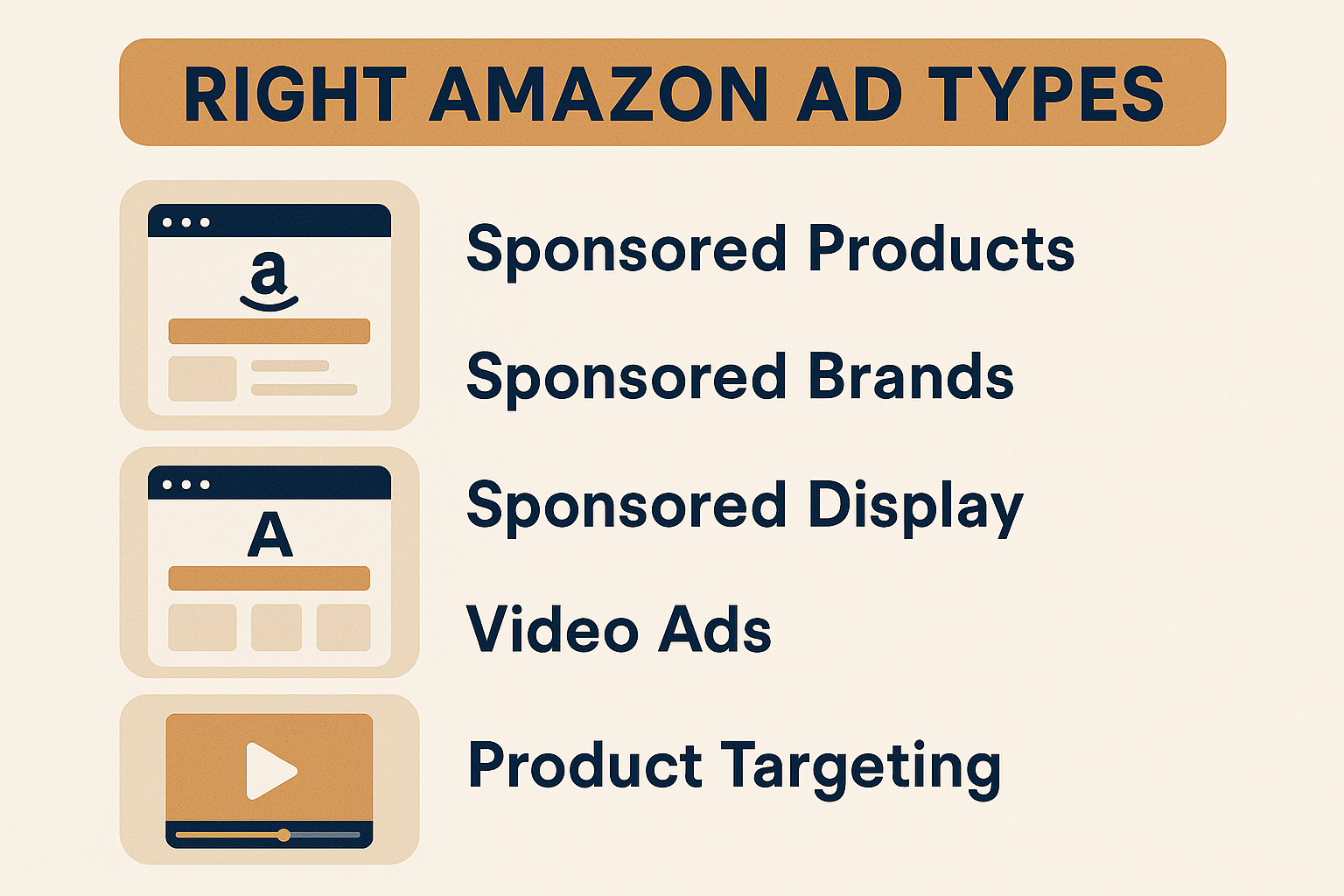
How to Choose the Right Amazon Ad Types for Your Strategy
Picking the right ad format isn’t about what’s trending – it’s about matching the ad type to your actual goal. Are you trying to increase product visibility? Launch something new? Defend your brand? Each ad format has strengths, and once you know what to expect from each, budget allocation becomes a lot easier.
Here’s how to approach it:
- Sponsored Products: The workhorse of Amazon ads. These show up in search results and product detail pages. Best for driving conversions on specific ASINs. Use them to push bestsellers, scale long-tail keywords, and capture buyers already in the shopping mindset.
- Sponsored Brands: These ads feature your logo, headline, and multiple products – typically at the top of search results. Ideal for building brand awareness or promoting a product line. Great for top-of-funnel exposure or defending branded terms.
- Sponsored Display: More visual and behavior-driven. These ads follow users across Amazon and even onto external sites. Useful for retargeting, cross-selling, or reaching buyers who looked but didn’t convert. They can also help support awareness during product launches.
- Video Ads (within Sponsored Brands): Short videos autoplay in search results and are hard to ignore. Perfect if you have a product that needs a bit of context – like how it’s used or what makes it different. You don’t need studio-level production, just clarity and a strong hook in the first 3 seconds.
- Product Targeting (within any campaign): Not technically a separate ad type, but a targeting strategy. Use it to place your ads on specific ASINs – competitor listings, your own products, or complementary items. Helpful for brand defense or capturing buyers who are already deep into browsing.
Conclusion
There’s no magic bullet for Amazon PPC – and anyone selling you one probably hasn’t run campaigns at scale. What actually works is structure, consistency, and visibility into what your ad spend is doing. Whether you’re refining one campaign or managing hundreds, the goal stays the same: spend where it makes sense, cut what’s dragging you down, and let performance guide the next move.
These 18 strategies aren’t about chasing trends. They’re the baseline for building something sustainable – where growth isn’t just a spike but a system. If you’re already knee-deep in campaign data and feel like you’re guessing half the time, you’re not alone. But you’re also not stuck. With the right workflow and the right tools in place, your ads stop being noise and start becoming a lever you can actually pull.
FAQ
1. What’s a good ACoS?
It depends on your margins. For some products, 15-20% might be ideal. For others, 40% could be fine if you’re chasing ranking or launching a new product. Always tie ACoS back to your profit – not just a universal benchmark.
2. Should I keep running automatic campaigns?
Use them, but don’t rely on them. They’re great for discovery, especially in the early phase of a campaign or product launch. Just make sure you’re reviewing the data and moving top-performing terms into manual campaigns when they show promise.
3. How many keywords should I put in one ad group?
Fewer than you think. Cluttered ad groups make it hard to isolate what’s working. Stick to tightly themed keyword groups – 5 to 20 is often a solid starting point, especially if you’re testing match types or segmenting by funnel stage.
4. Can PPC improve my organic ranking?
Yes, indirectly. If your ads drive conversions on certain keywords, Amazon takes that as a signal and may reward you with better organic placement over time. But the effect compounds – it’s not instant.
 No credit card required