
 EN
EN  ES
ES  FR
FR  DE
DE  IT
IT  KO
KO  JA
JA  ZH
ZH  AR
AR  PT
PT  TR
TR PL
PL
Introduction
If you’re managing more than a handful of Amazon PPC campaigns, you’ve felt the pain. Opening campaign after campaign. Clicking through endless tabs. Making the same bid adjustment fifty times. Copy-pasting keywords between ad groups. Watching precious hours evaporate while your competition moves faster.
The median Amazon advertiser manages 12-15 campaigns per account. Power sellers and agencies often juggle 100+. At that scale, manual management isn’t just inefficient—it’s impossible. You can’t optimize what you can’t touch, and most of your campaigns sit in “set it and forget it” purgatory, slowly bleeding budget on underperformers while winners starve for attention.
Bulk campaign management changes the equation. Instead of one-by-one edits, you operate on dozens, hundreds, or thousands of entities simultaneously. A 30-minute optimization session suddenly accomplishes what used to take entire days. More importantly, you can actually maintain optimized campaigns rather than letting them decay between sporadic check-ins.
This guide covers everything you need to master Amazon PPC bulk operations: from native Amazon tools to advanced third-party solutions, practical workflows to avoid common pitfalls, and strategies to scale your advertising without scaling your workload.
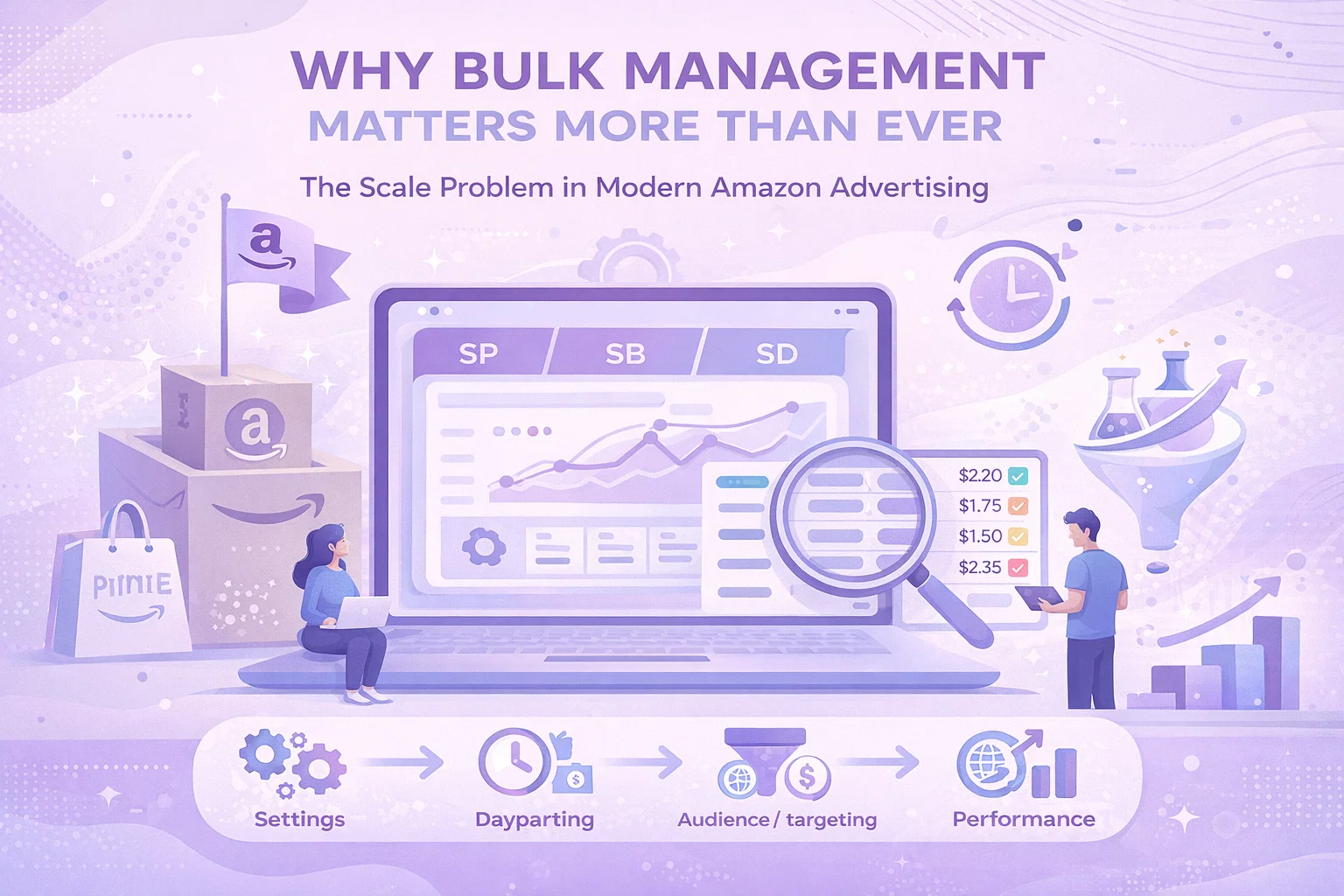
Why Bulk Management Matters More Than Ever
The Scale Problem in Modern Amazon Advertising
Amazon’s advertising platform has evolved dramatically. What started as a simple keyword bidding system has expanded into a complex ecosystem:
- Sponsored Products with automatic and manual targeting
- Sponsored Brands with video, store spotlight, and custom image formats
- Sponsored Display with audience and product targeting
- Demand-Side Platform (DSP) for programmatic display
- Multiple match types (exact, phrase, broad, negative)
- Placement modifiers for top of search and product pages
- Dayparting and schedule-based bid adjustments
- Portfolio-level budgeting and bidding strategies
Each of these dimensions multiplies your management surface area. A single SKU might have campaigns across three ad types, twenty keywords across three match types, placement adjustments, and negative keyword lists. Multiply by your catalog size, and you’re looking at thousands of individual settings requiring ongoing optimization.
The Hidden Cost of Manual Management
Let’s quantify the problem. A typical optimization workflow for a single campaign includes:
- Review performance metrics (30 seconds)
- Identify underperforming keywords (1 minute)
- Adjust bids or pause keywords (30 seconds)
- Add negative keywords (1 minute)
- Update campaign settings if needed (30 seconds)
That’s roughly 4 minutes per campaign. For 50 campaigns, you’re at 3+ hours for a single optimization pass. And that’s assuming you don’t get distracted, make errors, or need to navigate between multiple browser tabs and reports.
Most advertisers give up. They optimize their top 10-20 campaigns and ignore the rest. The result? Suboptimal performance across 60-80% of ad spend. It’s like leaving money on the table because picking it up takes too long.
What Bulk Management Enables
Bulk operations flip this dynamic entirely:
Speed: Complete optimization workflows in minutes, not hours. Apply changes across your entire account simultaneously.
Consistency: Apply the same optimization logic everywhere. No campaigns fall through the cracks because you ran out of time.
Testing: Run systematic experiments across campaign groups. Test bid strategies, targeting approaches, or ad creative at scale.
Responsiveness: React quickly to market changes. When competitors launch, budgets shift, or seasons change, update everything in one action.
Strategic Focus: Spend less time on mechanical edits and more time on strategic decisions—budget allocation, new opportunities, competitive positioning.
Understanding Amazon’s Native Bulk Tools
Amazon provides several built-in options for bulk management, each with different capabilities and limitations.
Bulk Operations in Campaign Manager
The simplest bulk option lives inside the standard Campaign Manager interface. Amazon allows basic multi-select operations:
Campaign-Level Actions:
- Enable/pause multiple campaigns
- Adjust daily budgets
- Modify end dates
- Change campaign names
Ad Group Actions:
- Adjust default bids for multiple ad groups
- Enable/pause ad groups
Keyword/Target Actions:
- Adjust bids for selected keywords
- Enable/pause keywords
- Add negative keywords
These operations work through checkboxes and bulk action dropdowns. They’re accessible, require no technical knowledge, and handle the most common use cases.
Limitations:
- Limited to visible items per page (typically 50-100)
- No advanced filtering or segmentation
- Cannot bulk edit keyword text or match types
- No formula-based bid adjustments
- Cannot export data for offline work
Best for: Simple status changes, budget adjustments, and basic bid tweaks on small-to-medium accounts.
Bulk Files (Spreadsheet Uploads)
For more complex operations, Amazon offers bulk file uploads through the Campaign Manager:
- Download a bulk file template for your account
- Edit the spreadsheet with your changes
- Upload the modified file back to Amazon
- Review and apply changes
Bulk files support virtually all campaign entities: campaigns, ad groups, keywords, product targets, negative keywords, and campaign settings. You can create new entities, modify existing ones, or delete items by marking them for removal.
Capabilities:
- Full entity lifecycle management
- Advanced formulas and calculations in Excel/Google Sheets
- Offline editing and review
- Template-based consistency
Limitations:
- Steep learning curve for file format
- Error-prone (formatting issues, missing required fields)
- Slow feedback loop (download → edit → upload → review → fix errors)
- Limited to ~10,000 rows per file
- Cannot retrieve historical performance data
Best for: Major account restructuring, seasonal campaign builds, or advertisers comfortable with spreadsheet workflows.
Amazon Advertising API
For maximum flexibility, the Amazon Advertising API provides programmatic access to campaign management:
Capabilities:
- Unlimited scale (only API rate limits apply)
- Automated workflows and scheduling
- Integration with business intelligence tools
- Custom optimization algorithms
- Real-time bid adjustments
Requirements:
- Developer resources or third-party tools
- API credentials and authentication
- Understanding of API structure and limits
- Error handling and retry logic
Best for: Large advertisers, agencies managing multiple accounts, or those wanting fully automated optimization.
Essential Bulk Management Workflows
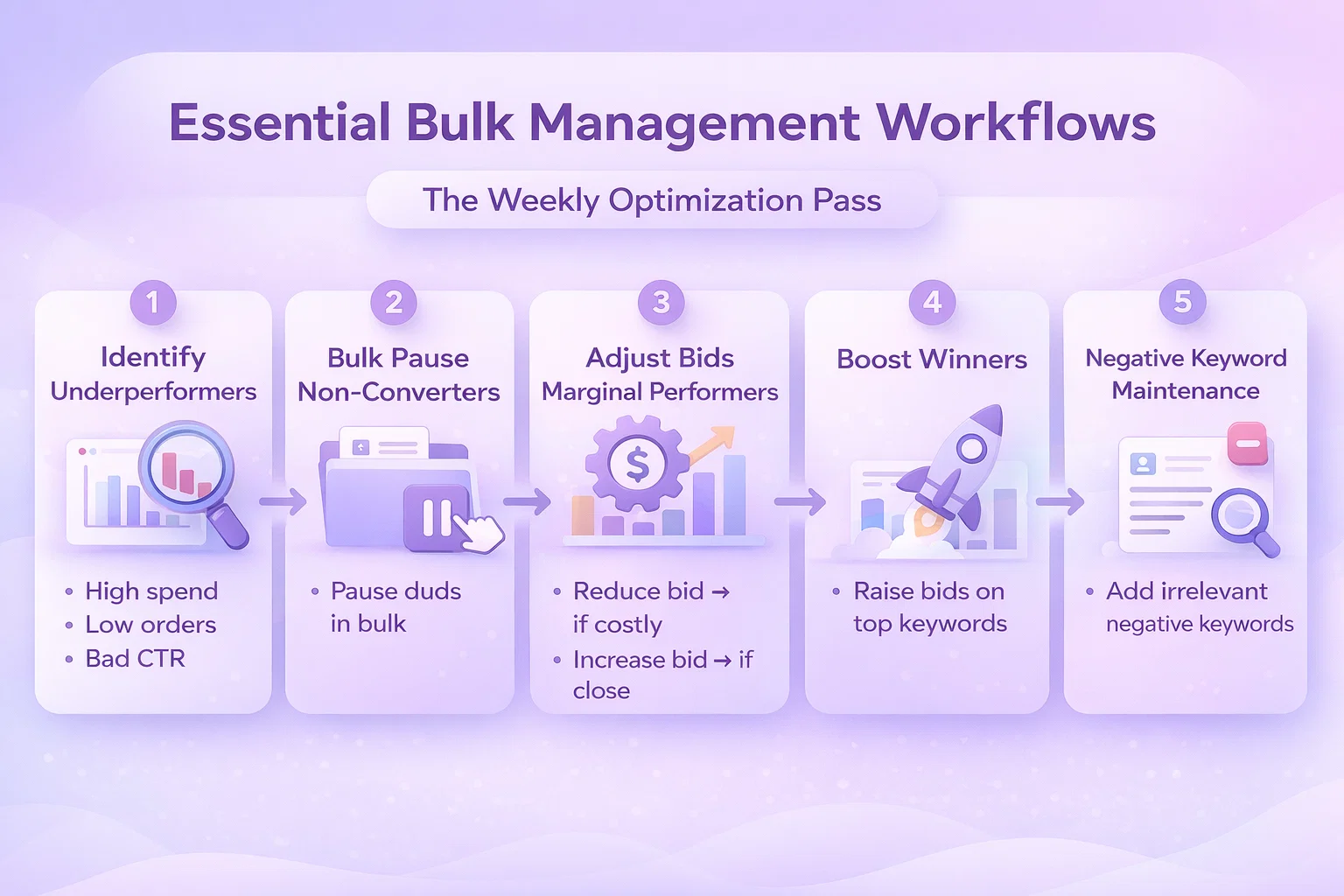
Workflow 1: The Weekly Optimization Pass
Most accounts need regular optimization to maintain performance. Here’s a bulk workflow that handles 90% of routine maintenance:
Step 1: Identify Underperformers
Pull a keyword/target report for the last 30 days. Filter for:
- Spend > $20 (statistically significant)
- Orders = 0 (no conversions)
- Click-through rate < 0.3% (poor relevance)
Step 2: Bulk Pause Non-Converters
Export the underperformer list. Use bulk operations to pause keywords meeting your criteria. With a tool like WisePPC, this takes one filter and a click. In native Amazon, you’ll need bulk files or manual selection.
Step 3: Adjust Bids on Marginal Performers
Filter for keywords with ACOS near your target (within 10%). These are close to profitable but need bid refinement. Apply a percentage-based bid adjustment:
- ACOS 10% above target → reduce bid 15%
- ACOS 10% below target → increase bid 10%
Step 4: Boost Winners
Identify top performers (low ACOS, high conversion rate). Increase bids 20-30% to capture more volume. Add these keywords to your “monitor closely” list for next week.
Step 5: Negative Keyword Maintenance
Review search term reports. Identify irrelevant queries driving clicks without conversions. Add these as negative keywords across relevant campaigns.
Time Investment: 30-45 minutes weekly with bulk tools vs. 4-6 hours manually.
Workflow 2: Seasonal Campaign Scaling
Prime Day, Black Friday, Q4—seasonal events require rapid campaign adjustments:
Pre-Event (2 Weeks Before)
- Duplicate top-performing campaigns with “Seasonal” naming
- Increase budgets 50-100% on seasonal campaigns
- Raise bids 20% on high-converting keywords
- Add seasonal negative keywords (outdated terms, last year’s models)
During Event (Daily)
- Monitor spend pacing—bulk adjust budgets if hitting caps
- Pause underperforming seasonal keywords quickly
- Shift budget to highest-converting campaigns in real-time
Post-Event (1 Week After)
- Bulk reduce bids to pre-event levels
- Pause seasonal-specific campaigns
- Transfer winning keywords from seasonal campaigns to evergreen ones
- Document learnings for next year
Bulk operations make this manageable. Without them, seasonal events become chaos.
Workflow 3: Account Restructuring
As accounts mature, structure often needs overhaul:
The Single Keyword Ad Group (SKAG) Migration
Many advertisers move from multi-keyword ad groups to SKAGs for better control and Quality Score optimization:
- Export all keywords from existing campaigns
- Create new campaign structure with one keyword per ad group
- Generate ad copy variations for each keyword
- Set initial bids based on historical performance
- Bulk upload new structure
- Run parallel for 2 weeks, then pause old campaigns
This would be impossible without bulk tools—thousands of individual ad group and ad creations.
The Portfolio Consolidation
When merging multiple seller accounts or brands:
- Export all campaigns from source accounts
- Modify campaign names for brand identification
- Adjust budgets for combined portfolio strategy
- Bulk upload to destination account
- Implement shared negative keyword lists
- Set up portfolio-level rules and automation
Advanced Bulk Strategies
Dynamic Bid Adjustments
Static bid management wastes money. These bulk strategies respond to performance signals:
Dayparting at Scale
Analyze performance by hour of day. Create bulk rules:
- Increase bids 15% during high-converting hours (9 AM – 12 PM, 7 PM – 10 PM)
- Decrease bids 20% during low-converting hours (12 AM – 6 AM)
- Apply across all campaigns with single bulk operation
Position-Based Bidding
Some keywords perform best in specific ad positions:
- Brand defense: Maintain top of search position 1
- Category keywords: Target top of search position 2-3 for efficiency
- Long-tail keywords: Accept lower positions for profitability
Bulk adjust bids based on placement reports to hit position targets without overspending.
Inventory-Aware Bidding
Connect ad spend to inventory levels:
- Low stock (< 30 days): Reduce bids 40% to slow velocity
- Well-stocked: Maintain normal bids
- Overstock: Increase bids 25% to drive movement
- Out of stock: Pause campaigns immediately
WisePPC’s inventory integration automates this, but you can approximate with weekly bulk updates based on inventory reports.
Bulk Negative Keyword Management
Negative keywords are as important as positive ones. Systematic bulk approaches:
The Universal Negative List
Maintain account-wide negative keywords applying to all campaigns:
- Job seekers: “careers”, “jobs”, “employment”, “hiring”
- Free seekers: “free”, “giveaway”, “sample”, “trial”
- DIY types: “diy”, “homemade”, “how to make”, “build your own”
- Information seekers: “wikipedia”, “what is”, “vs”, “compare”
Bulk apply these to new campaigns automatically.
Search Term Mining
Weekly bulk workflow:
- Download search term report
- Filter for terms with > $15 spend, 0 orders
- Copy to negative keyword list
- Bulk upload to relevant campaigns
Competitor Exclusions
For brand campaigns, bulk exclude competitor ASINs that consistently drive clicks without conversion from your product targeting.
Common Bulk Management Pitfalls
Pitfall 1: The Overcorrection
Bulk tools make big changes easy—sometimes too easy. Common mistakes:
- Bid changes too aggressive: Dropping bids 50% instead of 15% kills volume
- Pausing too broadly: Filtering error pauses winners along with losers
- Budget reductions: Slashing budgets during low periods hurts algorithm learning
Prevention: Always preview changes. Start conservative. Implement in phases (25% of campaigns first, then expand).
Pitfall 2: Lost in Translation
Bulk file uploads fail constantly due to:
- Incorrect column headers
- Date format mismatches (MM/DD/YYYY vs. DD/MM/YYYY)
- Encoding issues with special characters
- Required field omissions
- Campaign ID mismatches
Prevention: Use validation tools. Keep backup files. Test with small batches first. Document your exact file format that works.
Pitfall 3: Blind Automation
Automated bulk rules without oversight cause disasters:
- Bid algorithms bid against each other
- Seasonal trends ignored (low winter ACOS triggers bid reductions for summer products)
- New products starved because they lack conversion history
- Competitor actions not accounted for
Prevention: Set guardrails (max bid changes, minimum data thresholds). Review automated actions weekly. Maintain manual override capability.
Pitfall 4: Structural Debt
Bulk operations on poorly structured accounts amplify problems:
- Duplicating broken campaign structures
- Copying ineffective keyword sets
- Scaling unoptimized targeting
Prevention: Fix structure before scaling. Audit campaigns quarterly. Archive rather than pause old campaigns to prevent confusion.
Tools for Bulk Management
Option 1: Native Amazon (Free, Limited)
Best for advertisers with:
- Simple account structures
- Budget constraints
- Patience for manual processes
- Tolerance for slower workflows
Cost: Free Best Feature: No additional learning curve Limitation: Time investment scales linearly with account size
Option 2: WisePPC (Advanced Bulk Operations)
WisePPC was built specifically for the scale problem in Amazon advertising:
Bulk Campaign Management:
- Edit thousands of campaigns simultaneously
- Advanced filtering (performance, structure, status)
- Formula-based bid adjustments
- Bulk copy/paste between campaigns
- One-click status changes
Advanced Features:
- Historical charts for any metric combination
- Multi-dimensional analysis (see keyword × placement × time performance)
- Inventory-aware automation
- Portfolio-level reporting
Workflow Acceleration:
- What takes 4 hours in native Amazon takes 20 minutes in WisePPC
- Weekly optimization passes complete in one session
- Seasonal scaling happens in real-time
Cost: Subscription-based (see wiseppc.com/pricing) Best For: Serious sellers, agencies, anyone managing 10+ campaigns Unique Advantage: Built by Amazon advertisers who experienced the pain firsthand
Option 3: Custom API Solutions
For enterprises with development resources:
Advantages:
- Fully customized workflows
- Integration with internal systems
- Proprietary optimization algorithms
Disadvantages:
- High development cost
- Ongoing maintenance burden
- API dependency and change management
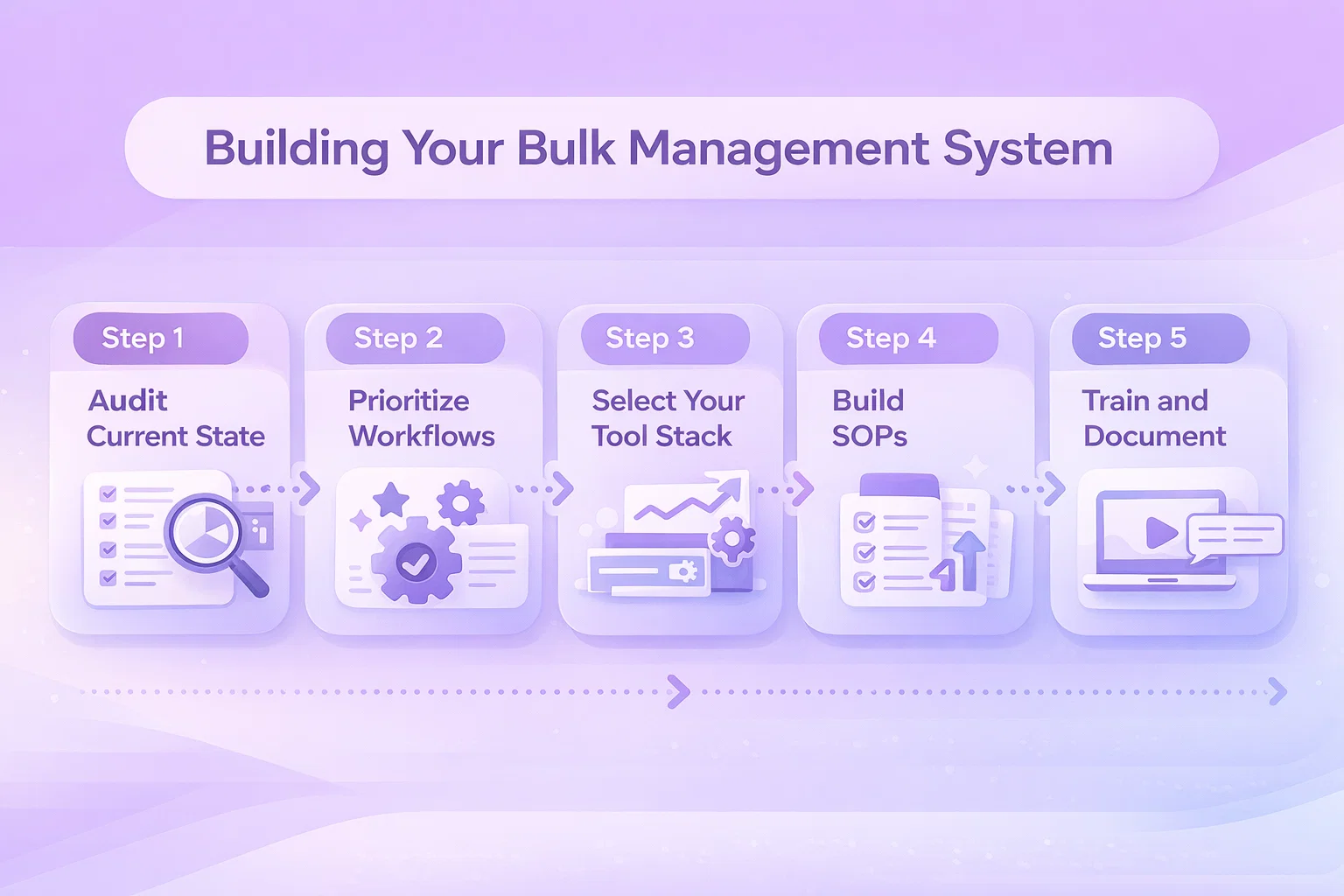
Building Your Bulk Management System
Step 1: Audit Current State
Document your current workflow:
- How many campaigns/ad groups/keywords do you manage?
- How long does weekly optimization take?
- Which tasks consume most time?
- Where do errors typically occur?
Step 2: Prioritize Workflows
Identify highest-impact bulk operations:
- Weekly optimization (immediate time savings)
- Seasonal scaling (event readiness)
- New product launches (growth enablement)
- Account restructuring (long-term efficiency)
Step 3: Select Your Tool Stack
Match tools to needs:
- Simple accounts: Native Amazon bulk operations
- Growing accounts: WisePPC for efficiency
- Enterprise: Custom API solutions or WisePPC with advanced integrations
Step 4: Build SOPs
Create standard operating procedures:
- Weekly optimization checklist
- Seasonal campaign templates
- Negative keyword rules
- Bid adjustment formulas
Step 5: Train and Document
Ensure team consistency:
- Document exact processes
- Create video walkthroughs
- Maintain change logs
- Establish review checkpoints
Measuring Bulk Management ROI
Time Savings
Track before and after:
- Weekly optimization time
- Seasonal preparation time
- New campaign setup time
- Error correction time
Typical improvement: 70-90% time reduction on mechanical tasks.
Performance Impact
Monitor account health:
- Percentage of campaigns optimized weekly (target: 100%)
- Time to market for new products
- Response speed to performance changes
- Optimization consistency across portfolio
Error Reduction
Count mistakes:
- Accidental campaign pauses
- Incorrect bid changes
- Missing negative keywords
- Duplicate targeting
Bulk tools with preview and validation reduce errors 60-80%.
Conclusion
Bulk campaign management isn’t a luxury for large advertisers—it’s a necessity for anyone serious about Amazon PPC performance. The platform’s complexity has outpaced manual management capabilities. Without bulk operations, you’re optimizing a fraction of your account while the majority runs on autopilot.
The question isn’t whether to adopt bulk management, but how quickly you can implement it. Every week of delay means wasted spend on underperformers, missed opportunities on winners, and competitive disadvantage against more agile advertisers.
Start with your highest-volume workflow. Build systematic approaches. Leverage tools like WisePPC designed for scale. Transform Amazon PPC from a time-consuming chore into a strategic competitive advantage.
Your campaigns—and your sanity—will thank you.
FAQ
Q: Can I use bulk operations without technical skills?
A: Yes. Tools like WisePPC provide intuitive interfaces for complex bulk actions. Native Amazon bulk files require more learning but are manageable with practice.
Q: What’s the risk of making bulk mistakes?
A: Significant, but manageable. Always preview changes. Start with small batches. Maintain backups. Most bulk tools have undo capabilities.
Q: How often should I run bulk optimizations?
A: Weekly for active accounts. High-spend campaigns may need daily monitoring. Seasonal periods require more frequent adjustments.
Q: Can bulk management hurt campaign performance?
A: Poorly executed bulk changes can. Well-planned bulk optimizations improve performance by ensuring consistent application of best practices across your entire account.
Q: Is WisePPC’s bulk management better than native Amazon?
A: For accounts with 10+ campaigns, typically yes. WisePPC offers faster workflows, better visualization, historical analysis, and automation that native tools lack.
Ready to transform your Amazon PPC workflow? Get started with WisePPC and complete your weekly optimization in minutes, not hours.
 No credit card required