
 EN
EN  ES
ES  FR
FR  DE
DE  IT
IT  KO
KO  JA
JA  ZH
ZH  AR
AR  PT
PT  TR
TR PL
PL
If you sell on Amazon using FBA, there’s one small but critical detail that keeps your business running smoothly: the FNSKU. It might not sound exciting, but this barcode determines how Amazon identifies your products, tracks your inventory, and makes sure you get paid for every sale. Skip it or use it wrong, and you could end up with delayed shipments, mixed inventory, or worse, account issues.
In this guide, we’ll go through everything you actually need to know about FNSKU barcodes. You’ll learn what they are, how they differ from other product codes, how to create them, and why they matter so much for your FBA success.
What Exactly Is an FNSKU?
FNSKU stands for Fulfillment Network Stock Keeping Unit. It’s an Amazon-specific barcode used to identify your products in Amazon’s fulfillment network. Each FNSKU is unique to both your product and your seller account, which means it connects a specific unit to you, not just to the general listing.
Think of it as your product’s personal ID card inside Amazon’s warehouses. When your item is scanned, the system instantly knows what it is, who it belongs to, and where it needs to go.
Amazon prefers FNSKUs because they make tracking easier and prevent errors when multiple sellers list the same item. Without FNSKUs, Amazon would rely on standard manufacturer barcodes, which can mix your inventory with other sellers’ identical items.
So if another seller ships poor-quality or counterfeit versions of the same product, and you’re using the same universal barcode, their mistakes could reflect on your account. The FNSKU solves that problem by keeping your inventory separate and traceable.
How FNSKUs Fit into Amazon’s Barcode System
Amazon uses several codes to organize its marketplace. They may look similar, but each plays a different role. Understanding the difference helps you set up your listings correctly and avoid confusion later.
| Code | Full Name | Who Uses It | Purpose | Example |
| ASIN | Amazon Standard Identification Number | Amazon | Identifies a product on Amazon | B00ABC1234 |
| SKU | Stock Keeping Unit | Seller | Internal ID for your own tracking | BLUE-TUMBLER-01 |
| UPC/EAN/GTIN | Universal Product Code | Manufacturer | Global product identifier | 123456789012 |
| FNSKU | Fulfillment Network Stock Keeping Unit | Amazon | Links a unit to your seller account | X001ABC123 |
Every product on Amazon has an ASIN, but only FBA products require an FNSKU. The key difference is ownership: the ASIN belongs to Amazon, while the FNSKU belongs to you.
If you use a manufacturer barcode (UPC), your items will be part of Amazon’s commingled inventory. This means Amazon can ship any identical product from any seller when fulfilling orders. If you use an Amazon barcode (FNSKU), your inventory stays separate.
In short:
- ASIN tells Amazon what the product is.
- FNSKU tells Amazon whose product it is.
When You Need to Use an FNSKU
While not every seller must use FNSKUs, most should. Amazon usually gives you two options when creating listings: the Manufacturer Barcode (UPC) or the Amazon Barcode (FNSKU).
If you choose to use the manufacturer barcode, you’re allowing commingled inventory. That might work for brand-new, identical items, but it’s risky for products that can vary slightly between sellers.
You must use an FNSKU if you sell private label products, engage in retail arbitrage or wholesale, or list items in restricted or sensitive categories such as baby care, health, supplements, or electronics. The same applies if you’re enrolled in Brand Registry, have a GTIN exemption, sell used goods, or want to prevent your stock from mixing with other sellers’ inventory.
Even when it’s not strictly required, most experienced sellers still prefer using the Amazon barcode option. It gives you more control over your inventory, protects your reputation, and keeps every unit traceable back to your account.
Here are cases where you must use an FNSKU:
- You sell private label products under your own brand.
- You do retail arbitrage or wholesale (reselling existing products).
- Your product falls under restricted or sensitive categories like baby care, health, supplements, or electronics.
- You’re using Amazon Brand Registry or have a GTIN exemption.
- You sell used or open-box products.
- You want to prevent inventory mixing at fulfillment centers.
Even when it’s not strictly required, most experienced sellers recommend using the Amazon barcode option. It gives you more control over quality and accountability.

How WisePPC Simplifies FBA Management
At WisePPC, we know that managing campaigns, inventory performance, and listings across multiple marketplaces can quickly become overwhelming. That’s why we’ve built tools that bring your advertising and analytics together in one platform.
Whether you sell on Amazon, Shopify, or other channels, WisePPC keeps your data consistent and actionable. You can monitor product-level performance, track stock trends, and understand how each SKU or campaign contributes to your revenue.
We don’t just show you data – we help you act on it. With advanced analytics, historical trend charts, and forecasting features, you can plan replenishment, identify top-performing listings, and make smarter budget and bidding decisions.
As an Amazon Ads Verified Partner, WisePPC ensures that all your campaign data and integrations align with Amazon’s highest standards, so your tracking and reports stay accurate and compliant.

Key Features of WisePPC:
- Centralized dashboard for ads, analytics, and inventory across e-commerce platforms.
- Real-time tracking for sales and FBA stock, including SKU and FNSKU data.
- Automated ad campaign management with smart optimization tools.
- Demand forecasting to help prevent overstock or stockouts.
- Detailed performance analytics with customizable reports.
- Official Amazon Ads integration for accurate, verified data.
- Scalable setup for both individual sellers and large multi-channel brands.
Whether you’re just starting out or managing thousands of FBA products, our goal is simple: to help you automate repetitive work, understand your numbers, and grow confidently. At WisePPC, we believe that better data means better business, and that starts with understanding the details, right down to your FNSKUs.
How to Create and Print Your FNSKU
Setting up your FNSKU is simple once you know where to look. You don’t need any third-party software or special approval. Amazon generates the code for you automatically when you create an FBA listing.
Here’s the process step by step:
- Log in to Seller Central.
- Go to Inventory → Manage Inventory.
- In your display preferences, enable the FNSKU column so you can see it.
- Find the product you need labels for.
- Click the Edit dropdown next to it and choose Print Item Labels.
- Select how many labels you need and click Print Item Labels.
- Amazon downloads a PDF containing your barcodes.
From there, you can either print the labels yourself, send them to your supplier, or ask Amazon to handle it for you (for a fee).
Labeling Options:
- Print and apply them yourself: Use a laser or thermal printer with white, non-reflective label paper.
- Ask your supplier to print them: Send them the PDF and make sure labels are applied correctly before shipment.
- Have Amazon label items: Amazon can label products for around $0.30–$0.55 per unit, depending on the fulfillment center.
If you print the labels yourself, make sure each one has enough white space around the barcode, isn’t smudged or blurry, and fully covers any existing UPC codes. The surface should be flat and clean before you stick it on. A poorly printed or misplaced label can slow down check-in at the fulfillment center, so it’s worth doing right.
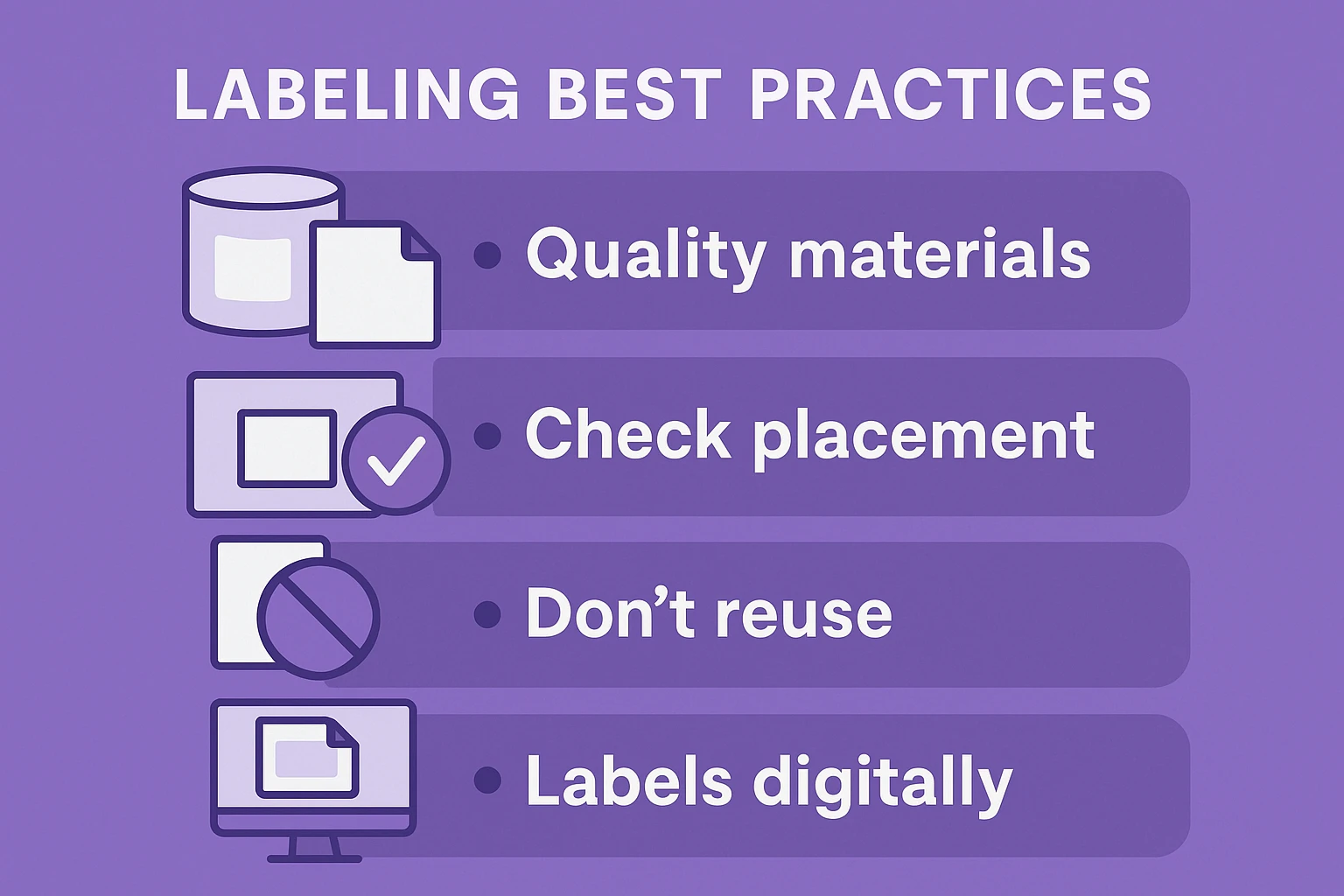
Labeling Best Practices for FBA Sellers
Even though labeling sounds simple, it’s one of the most common points where new sellers make mistakes. A few extra minutes of care can prevent costly delays later.
Here are some best practices:
- Use quality materials: Thermal and laser printers are best. Avoid inkjet because ink can smudge or fade.
- Check placement: Stick labels on a flat area, not over seams or curves.
- Don’t reuse boxes: Old barcodes can confuse Amazon scanners. Always remove or cover any previous labels.
- Store labels digitally: Keep a copy of your label PDFs so you can quickly reprint if needed.
- Double-check before shipment: Every unit must have a readable, correctly placed barcode.
If you use a prep center or third-party logistics provider, include specific labeling instructions with each order. You can even ask them to send photo proof of labeled items before they ship to Amazon.
Why FNSKUs Matter for Your Business
You might think of barcodes as small details, but for Amazon sellers, the FNSKU has big implications. It directly affects how accurately your inventory is tracked and how confidently you can manage your business. With an FNSKU, Amazon can instantly see how much of your stock is in each fulfillment center, ensuring your inventory data stays precise and up to date.
It also protects your account by keeping your products separate from other sellers who might be offering similar but lower-quality items. That separation is crucial when it comes to maintaining your reputation and avoiding negative reviews caused by someone else’s mistakes. FNSKUs also make problem resolution faster. If a customer complaint or return comes in, Amazon can immediately identify which seller the product originated from, saving time and protecting you from misplaced blame.
For private label sellers, FNSKUs play an important role in maintaining brand integrity. They help ensure that your brand identity stays clean, consistent, and traceable across all shipments. On an operational level, they make it easier to monitor performance, forecast demand, and restock efficiently using accurate data rather than guesswork.
If you rely only on manufacturer barcodes, you lose much of that control. Your products could be shipped under another seller’s name or tied to their mistakes, leaving you with poor feedback for something you didn’t even sell.
Tips for Streamlining FNSKU Management
Managing barcodes across hundreds or thousands of products can get messy fast. Here are a few simple habits that can keep your FNSKU process clean and efficient.
1. Keep a Master List
Maintain a spreadsheet that includes your ASINs, SKUs, and FNSKUs. It’s the easiest way to stay organized and quickly locate the right code when you need it.
2. Automate Repetitive Tasks
Use tools like InventoryLab or Seller 365 to generate and print labels in batches. Automation saves time and reduces the chance of manual errors.
3. Print Labels In-House
For high-volume sellers, printing labels yourself is faster and more cost-effective than outsourcing. It also lets you check quality before shipping.
4. Add FNSKU to Packaging
If you’re a private label seller, consider printing your FNSKU directly on your packaging. It eliminates extra labeling steps and keeps products warehouse-ready.
5. Audit Inventory Regularly
Every few weeks, compare your Amazon inventory reports with your internal records. It’s the best way to catch mislabeling or missing items early before they become bigger issues.
Final Thoughts
The Amazon FNSKU might look like a small label, but it’s one of the foundations of selling successfully with FBA. It keeps your inventory organized, prevents mix-ups, and helps Amazon credit your account correctly.
If you’re just starting out, make it a habit to set up your barcode preferences correctly from day one. Always choose the Amazon barcode option unless you have a specific reason not to. Print clean, readable labels, and double-check every shipment before sending it in.
Over time, managing FNSKUs becomes second nature. It’s a small part of the FBA process that pays off in fewer headaches, faster check-ins, and smoother scaling as your business grows.
In short, treat your FNSKU like a signature. It’s the mark that tells Amazon, “This one’s mine.”
Frequently Asked Questions
What does FNSKU stand for on Amazon?
FNSKU stands for Fulfillment Network Stock Keeping Unit. It’s a unique barcode Amazon assigns to products stored and shipped through Fulfillment by Amazon (FBA). Each FNSKU links a specific item to your seller account so Amazon knows exactly which units belong to you.
Do all Amazon sellers need an FNSKU?
Not all sellers need one. Only FBA sellers use FNSKUs because their products go through Amazon’s fulfillment network. If you sell through FBM (Fulfilled by Merchant), you don’t need FNSKUs since you handle shipping yourself.
What’s the difference between an FNSKU and a UPC?
A UPC (Universal Product Code) is a global product identifier used by manufacturers and retailers everywhere. An FNSKU, on the other hand, is unique to Amazon and connects each item specifically to your seller account. The UPC identifies the product, while the FNSKU identifies the seller.
How do I get an FNSKU for my product?
When you create a new FBA listing, Amazon automatically generates an FNSKU for your product. You can find it in Seller Central under Manage Inventory. From there, you can print the barcode labels yourself or have Amazon label your products for a small fee.
Can I use manufacturer barcodes instead of FNSKUs?
Yes, but it’s not always a good idea. Using manufacturer barcodes (like UPCs) allows commingled inventory, which means Amazon may mix your stock with items from other sellers. If one of them ships poor-quality or counterfeit products, your account could suffer. FNSKUs prevent this by keeping your inventory separate.
 No credit card required