
 EN
EN  ES
ES  FR
FR  DE
DE  IT
IT  KO
KO  JA
JA  ZH
ZH  AR
AR  PT
PT  TR
TR PL
PL
Getting a trademark is one thing. Making sure no one hijacks your product listings or runs ads on your brand name? That’s where Amazon Brand Registry comes in. It’s not just a legal formality – it’s the switch that turns on a different layer of control inside the Amazon ecosystem. You’ll get access to protection tools, ad formats that don’t show up for unregistered sellers, better data, and yes, actual support when something breaks.
Whether you’re trying to clean up messy listings, stop knockoffs, or just want your storefront to feel like a real brand page – this is where you start doing that.
What is Amazon Brand Registry?
Amazon Brand Registry is a system that gives real brand owners more control over how their products show up and who gets to sell them. Once you’re in, you’re not just another listing with a logo – you can lock in your content, flag bad edits, and access tools that most sellers never see. Think of it as flipping a switch that tells Amazon: this brand is legit, and it’s not open for freeloaders. You still have to do the work – clean listings, smart ads, real customer engagement – but with Brand Registry in place, you’re finally working from the driver’s seat.
Why Enroll in Amazon Brand Registry?
Why enroll? Because without it, you’re flying blind. Amazon Brand Registry gives you actual control over your brand – your listings, your content, your reputation. It’s not just about blocking counterfeiters (though that’s a big one); it’s about making sure your products show up the way you intended. You get tools that let you clean up incorrect titles or images, catch shady resellers, and finally use features like A+ Content, Brand Analytics, and Sponsored Brand Ads. Basically, it’s the difference between having a name on Amazon and having a brand that’s protected, visible, and built to scale.
Building a Stronger Brand on Amazon
A brand on Amazon doesn’t grow just by existing – it grows by making smart, consistent decisions backed by the right tools. Once you’re enrolled in Brand Registry, Amazon gives you access to features like A+ Content, Storefronts, Amazon Live, and Brand Analytics. But unlocking those tools is only step one. The hard part is knowing what’s working and where you’re losing ground – and that’s where we come in.

Make Every Brand Decision Count
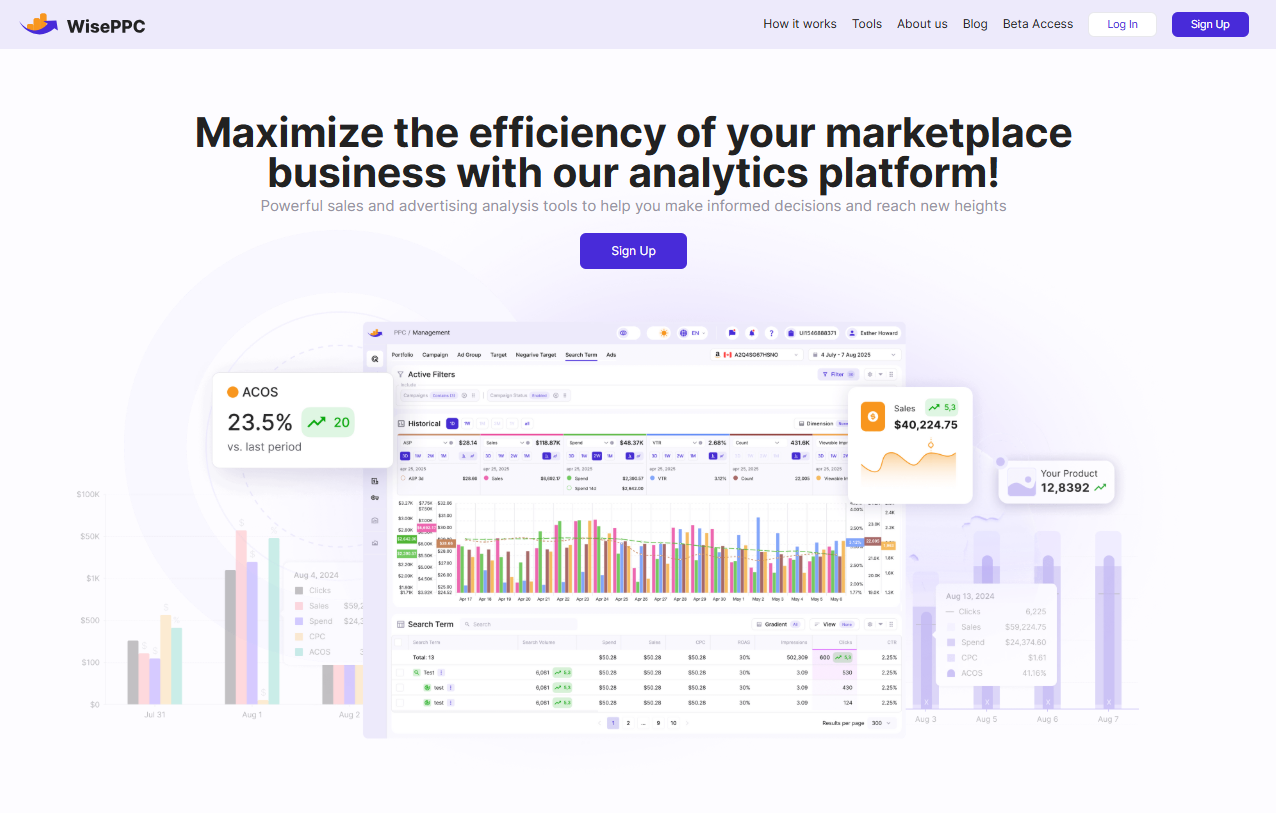
WisePPC doesn’t run your brand, but we give you full visibility into how it performs. With us, you’ll know which campaigns are actually driving results (ad vs. organic), how your storefront is converting, and what’s dragging down your ROAS. You’ll see trends over time – not just yesterday’s data – and get the clarity to act when something’s off. Whether you’re scaling up, reworking strategy, or just cleaning up what’s already there, we make sure every decision is backed by clean, accurate analytics.
What WisePPC adds to your Brand Registry toolkit:
- Real-time tracking of key metrics like TACoS, ACOS, CTR, and profit
- Clear separation of ad-attributed sales vs. organic performance
- Long-term storage of performance history (not just 60 days like Amazon)
- Inline campaign editing, bulk actions, and automated bid optimization
- Custom filters, anomaly detection, and performance segmentation
- Visibility across multiple accounts and marketplaces in one dashboard
You can find us on Facebook, Instagram, and LinkedIn to explore how our platform fits into your growth stack. We’ll help you turn Brand Registry into something more than protection – something that actually performs.
Eligibility Requirements for Amazon Brand Registry
To get into Amazon Brand Registry, you’ll need a trademark – either already registered or at least filed and pending. That’s the big requirement. The trademark can be text-based (like your brand name) or image-based (like your logo), but it needs to be officially recognized by a supported government trademark office. Amazon supports a long list of countries, so if you’re selling in the US, UK, EU, or most major markets, you’re likely covered.
Beyond that, Amazon wants to see your branding actually on the product or packaging – not just floating around on your website. You’ll also need a Seller or Vendor Central account tied to the brand. The process isn’t complicated, but you do need to have your pieces in place before you apply. No half-baked branding. No stock photos. Real business, real products.
How to Enroll in Amazon Brand Registry
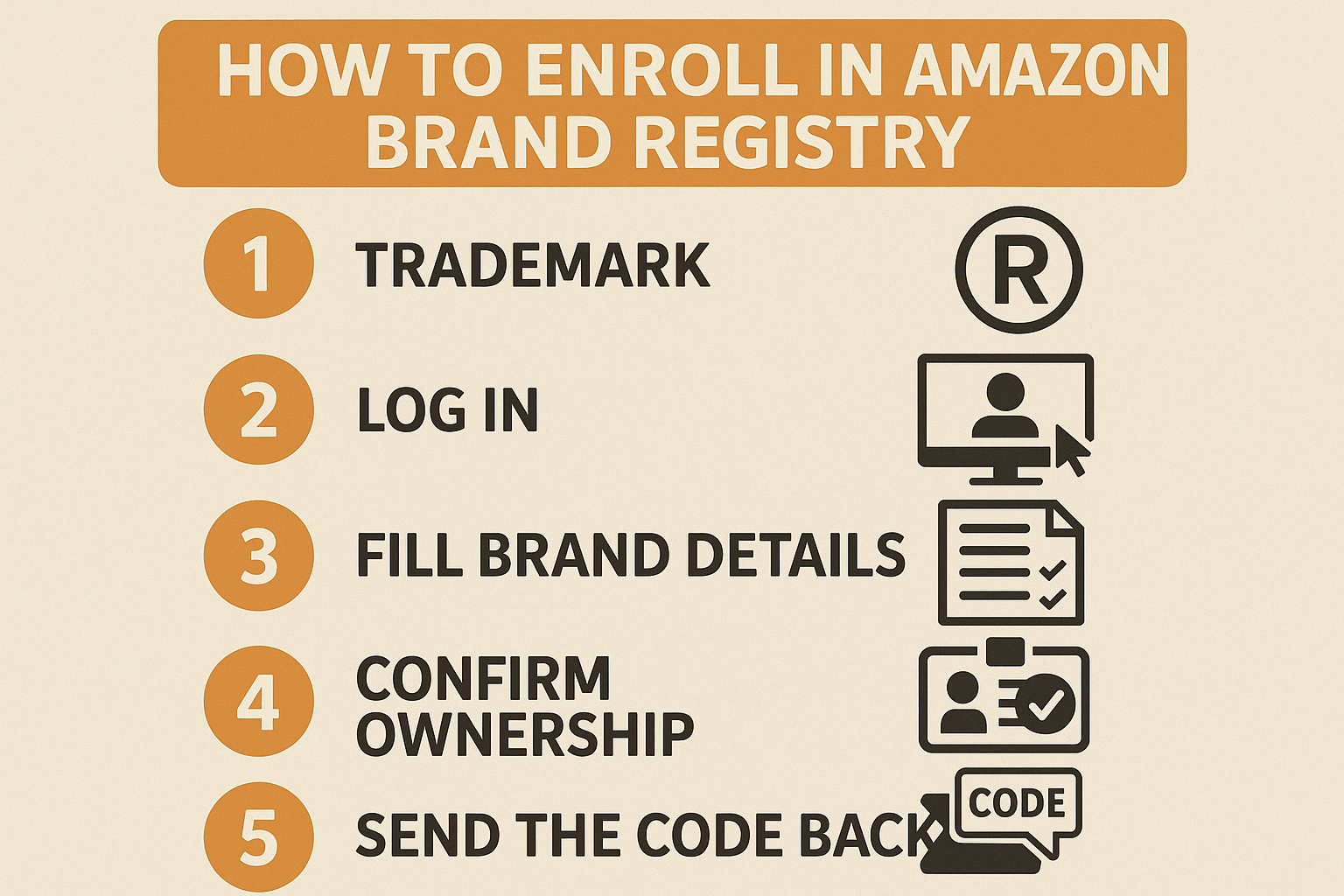
Enrolling doesn’t take long, but it’s not something you want to rush. There are a few key steps – and a couple spots where people get stuck – so here’s how to approach it with fewer surprises:
Step 1: Make sure you’ve got a trademark
You’ll need a registered trademark or at least a pending application. Amazon accepts both, but it has to be filed with one of their approved trademark offices. The name or logo should match what’s on your product or packaging – and yes, they’ll ask for proof.
Step 2: Log in and start the process
Head over to brandservices.amazon.com and sign in using your existing Seller or Vendor Central credentials. No need to make a new account – just use what you already have.
Step 3: Fill in your brand details
You’ll be asked for:
- Trademark registration or application number
- Type of mark (text or image-based)
- Product categories you plan to sell under
- Where your products are manufactured and sold
- Photos of your product or packaging showing the brand name clearly
Take your time here. Messy submissions can delay things.
Step 4: Confirm ownership
Amazon sends a verification code to the contact listed on your trademark – usually your attorney or whoever filed the application. Make sure you’re in touch with them ahead of time so you’re not chasing emails later.
Step 5: Send the code back and wait for approval
Once you return the code to Amazon, that’s it. Most approvals happen within a few days if everything checks out. If your trademark is still pending, it might take a little longer – but you can still get access early through their IP Accelerator.
It’s not complicated, but it is procedural – and if you’ve ever dealt with Amazon’s backend before, you already know that clean documentation saves time. Once you’re in, you’ll have way more control over how your brand shows up across the marketplace – and that changes everything.
What You’ll Actually Pay to Join Brand Registry
Amazon doesn’t charge anything to enroll in Brand Registry. No hidden fees, no subscription. You sign up, get verified, and start using the tools. But there’s a catch: you can’t register without a trademark, and that’s where the cost comes in.
Depending on where and how you file, registering a trademark usually runs between $225 and $400 per class. If you go through Amazon’s IP Accelerator, which connects you to vetted law firms, the rates are higher – but you get faster access to Brand Registry benefits, even before your trademark is officially approved.
Here’s what to keep in mind:
- Filing a trademark yourself = cheaper, but slower
- Using IP Accelerator = faster access, more expensive
- One trademark only covers one “class” – so if you sell across categories, costs can stack up
- Some brands also pay for logo design, packaging redesign, or legal review – all optional, but common
There’s no ongoing fee for Brand Registry once you’re in, but certain tools you unlock – like Sponsored Brand ads, Vine reviews, or Amazon Live – can come with their own costs depending on how you use them.
So while technically “free,” getting in does mean investing up front. But if you’re planning to build a real brand on Amazon anyway, it’s part of the baseline – not a bonus.
Extra Programs That Work Hand-in-Hand with Brand Registry
Getting into Brand Registry opens the door to more than just listing control. Amazon has a few additional programs that connect directly to your brand status – some speed things up, others add another layer of protection or performance. If you’re building a brand that’s meant to last, these are worth knowing.

IP Accelerator
If your trademark is still pending, this is Amazon’s workaround to get you into Brand Registry faster. Through IP Accelerator, you can work with a network of vetted law firms that specialize in trademarks. It’s not the cheapest route, but you get access to Brand Registry tools while your paperwork is still in process – no waiting a year for the USPTO.
Useful if:
- You haven’t filed your trademark yet
- You want faster access to Brand Registry benefits
- You don’t mind paying more for speed and verified legal support

Amazon Transparency
This is Amazon’s anti-counterfeit program. Once enrolled, you assign unique Transparency codes to each unit you manufacture. Amazon scans these codes during fulfillment, so if a fake product slips in somewhere – it’s flagged and blocked.
Why it matters:
- Protects your product even outside of Amazon (with codes printed on packaging)
- Gives customers a way to verify authenticity using the Transparency app
- Cuts off unauthorized sellers before the product ever ships
Good to know:
- Works best for private label brands with tighter control over manufacturing
- Setup takes time – you’ll need to apply codes to every single unit

Amazon Project Zero (optional mention)
Amazon doesn’t talk about this one much, but if you’re accepted into Project Zero, you can instantly remove counterfeit listings yourself – no tickets, no waiting on support. It’s invite-only and mostly for established brands with a history of IP enforcement.
Conclusion
Brand Registry isn’t just a box to check – it’s the infrastructure Amazon expects real brands to have. Once you’re in, you’re not playing defense anymore. You’re in control of your listings, your content, your brand experience, and the data that shows how all of it’s performing. Sure, there’s some admin work upfront – trademarks, images, verification steps – but the payoff is real: fewer copycats, better tools, more leverage.
And when you’re serious about growth, pairing Registry with clean performance data is what takes it from useful to powerful. That’s where we step in – helping brands like yours see what’s working, what’s not, and how to fix it. Amazon gives you tools. We help you actually use them.
FAQ
1. Do I really need a trademark to get in?
Yes – either a registered one or a pending application. Amazon doesn’t give you access to Brand Registry without it. You can go through IP Accelerator if you want faster entry, but it’s still tied to a real trademark process.
2. Can I still sell on Amazon if I’m not registered?
You can, but your listings are more exposed – anyone can mess with your content, run ads on your brand name, or slip into your Buy Box. Registry doesn’t guarantee protection, but it gives you actual tools to push back.
3. How long does enrollment take?
If you already have a registered trademark, you can be up and running in a few days. If you’re filing from scratch, expect it to take months – unless you use Amazon’s legal partners to speed it up.
4. Is Brand Registry worth it for smaller sellers?
If you’re building a private label brand or planning to stick around long-term, yes. It’s not about size – it’s about control. Even a small catalog benefits from tighter content control and access to better data.
5. What if I want to sell in multiple countries?
You’ll need a trademark registered (or pending) in each region you want to enroll. Brand Registry is tied to geography, so one US trademark won’t get you into the UK or EU unless you file separately.
6. Can I use Brand Registry tools right after applying?
If you’re using IP Accelerator, some features unlock early. Otherwise, you usually need to wait until your application is verified – Amazon will walk you through that as part of the process.
 No credit card required