
 EN
EN  ES
ES  FR
FR  DE
DE  IT
IT  KO
KO  JA
JA  ZH
ZH  AR
AR  PT
PT  TR
TR PL
PL
Ever wonder why your competitor keeps racking up orders while your listing sits untouched, despite having the same product? The answer often boils down to one thing: the Buy Box.
The Amazon Buy Box isn’t just some UI feature tucked into the corner of a product page. It’s prime real estate – the default option Amazon recommends when shoppers hit “Add to Cart.” And if you’re not winning it, chances are, you’re missing the bulk of potential sales.
In this guide, we’ll break down what the Buy Box actually is, how it works behind the scenes, and what you can do to start winning it more consistently. No fluff, no recycled advice, just practical insight you can actually use.
Why the Buy Box Exists (And Why It’s So Powerful)
Amazon doesn’t want buyers thinking too hard. Their whole model revolves around speed and convenience. That’s where the Buy Box comes in.
Instead of making shoppers scroll through a list of competing offers for the same product, Amazon picks one seller to feature in that prime spot. When a buyer clicks “Add to Cart” or “Buy Now,” that featured seller gets the sale – no extra taps, no comparisons.
That’s not just convenient. That’s control over 80% of all sales on the platform. Some sources even estimate that on mobile, where the Buy Box dominates the screen, the percentage is even higher.
If you’re not in the Buy Box, you’re essentially invisible.
How It Works: The Rotation No One Talks About
Let’s clear something up right away: Amazon doesn’t just hand the Buy Box to one seller forever. It rotates. That’s good news if you’re not winning it now – it means you’re still in the game.
This rotation is fully algorithmic. No manual approvals. Amazon is constantly comparing sellers offering the same product under the same ASIN (Amazon’s product ID system). Every few minutes or hours, it re-evaluates the lineup and reassigns the Buy Box if someone else looks like a better pick.
That means you don’t have to be perfect, you just have to be better than the competition at the right moment.
The Metrics That Actually Influence the Buy Box
The algorithm isn’t public, but over time, sellers and platforms like WisePPC have figured out what it values most. These are the core metrics that determine who wins the Buy Box:
- Order Defect Rate (ODR): Keep it under 1%. This includes returns, complaints, and negative feedback.
- Late Shipment Rate (LSR): Stay below 4%. If Amazon thinks you’re unreliable, you’re out.
- Cancellation Rate (CR): Must be under 2.5%. Canceling orders hurts trust.
- Valid Tracking Rate (VTR): Aim for over 95%. Amazon wants customers to see where their package is.
- Shipping Speed: The faster the better. Free two-day shipping? Even better.
- Inventory Availability: If you’re out of stock, you’re out of the Buy Box. Period.
- Total Landed Price: That’s item price plus shipping. Amazon doesn’t just care about cheap, it cares about overall value.
- Fulfillment Method: FBA (Fulfilled by Amazon) gives you a leg up. They trust their own logistics.
Some of these are weighted differently based on category or product type, but all of them matter.

Professional Seller Account: Your Entry Ticket
Before you even think about winning the Buy Box, you need a Professional Selling Plan. That’s a hard requirement.
Amazon’s Individual Selling Plan is fine for casual sellers or hobbyists, but it’s a dead end if you want Buy Box access. The Professional plan costs $39.99/month, but if you’re serious about scaling, it’s non-negotiable.
Other baseline requirements:
- Sell only new products (used items have a separate competition tier).
- Stay in good standing with Amazon’s policies.
- Maintain consistent sales performance.
Think of it as Amazon’s way of weeding out the part-timers and drop-in sellers from the real contenders.
How Pricing Affects the Buy Box (And Why It’s Not All About Being Cheapest)
Contrary to popular belief, the lowest price doesn’t always win. Amazon’s goal isn’t to reward the cheapest seller, it’s to feature the one that offers the best overall value.
That’s why they look at:
- Total landed cost (price + shipping).
- Fulfillment type (FBA sellers often beat cheaper FBM sellers).
- Account health (high metrics can beat low prices).
Sometimes, a seller with a higher price still wins because they’re using FBA or have better reviews and shipping times. That said, if your price is significantly higher than what’s available on other marketplaces (like Walmart or your own site), Amazon might suppress your Buy Box entirely.
Yes, suppress. That brings us to the next point.
What Is a Suppressed Buy Box?
If Amazon thinks none of the offers meet their standards – due to high prices, slow shipping, or poor metrics – it will remove the Buy Box entirely from a listing. Instead of “Add to Cart,” shoppers will see a “See All Buying Options” button.
This usually results in a big drop in sales.
Common causes of Buy Box suppression:
- The price is too high compared to market averages.
- All sellers have weak performance metrics.
- Inventory is out of stock or not deliverable to the buyer’s location.
Fixing suppression involves reviewing your pricing strategy first, then checking your account health and fulfillment options. It’s also wise to monitor this using tools like WisePPC’s Pricing Health dashboard.

Winning Strategies (That Don’t Involve Guesswork)
Want the Buy Box? Focus on what’s within your control. These areas make the biggest difference:
Optimize Your Pricing
If you’re still pricing manually, you’re behind. Most serious sellers rely on dynamic tools like Amazon’s Automate Pricing or third-party options to stay competitive without racing to the bottom. The Buy Box favors value, not just low prices, so always consider the full landed cost, including shipping.
Don’t forget about your margins, though. Winning the Buy Box won’t matter if you’re barely breaking even. Set minimum prices that protect your profit, even if it means giving up the box occasionally. That trade-off is sometimes smarter in the long run.
Nail Your Fulfillment Strategy
Amazon gives FBA sellers an edge, and it’s not subtle. Fast Prime shipping, consistent tracking, fewer customer complaints – it’s everything the algorithm likes. If you’re fulfilling orders yourself, you’ll need to match that standard. That means quick turnaround, clean tracking, and a low cancellation rate.
Bottom line? However you ship, it needs to be fast and reliable. If Amazon can’t trust you to deliver, it won’t hand you the Buy Box.
Maintain High Performance
Metrics matter. Amazon’s watching your order defect rate, your response time, how often you ship late – all of it. Even a short streak of bad performance can knock you out of the Buy Box.
Check your Account Health often. It’s the best early warning system you have. And don’t just aim for “good enough.” The sellers holding the Buy Box most of the time are usually the ones obsessed with getting things right, over and over again.
Keep Inventory in Check
Run out of stock, and you’re out of the game. Doesn’t matter how strong your metrics are – Amazon can’t feature what you don’t have.
Plan ahead, especially during seasonal spikes or promo events. Use more than just Amazon’s short-term data if you can. Historical insights from tools like WisePPC can help you avoid surprises, catch patterns early, and restock before you miss the wave.
Category-Specific Considerations
Not all Buy Box competitions look the same. Some product categories are more volatile than others.
For example:
- Electronics: More price-sensitive, lots of resellers.
- Supplements: High competition, often dominated by brands and private labels.
- Niche items: Fewer sellers, longer Buy Box hold times.
Understanding how your category behaves will help you make smarter decisions on pricing and inventory.
What’s a “Good” Buy Box Percentage?
Amazon doesn’t just track whether you have the Buy Box; it tracks how often you hold it. This is shown as a percentage of time.
Benchmarks:
- 70% – 90%: Strong in stable categories.
- 30% – 60%: Good for highly competitive spaces.
If you’re hovering below 20%, something’s off. Time to dig into your price, fulfillment, and seller metrics.

How WisePPC Helps You Compete for the Buy Box
At WisePPC, we’ve built our platform around one core idea – clarity drives better decisions. Whether you’re selling on Amazon, Shopify, or juggling multiple channels, we give you the real-time insights and historical data needed to stay sharp, spot issues early, and scale with precision. The Buy Box isn’t just about pricing or fast shipping anymore. It’s about full-system performance, and that’s where we come in.
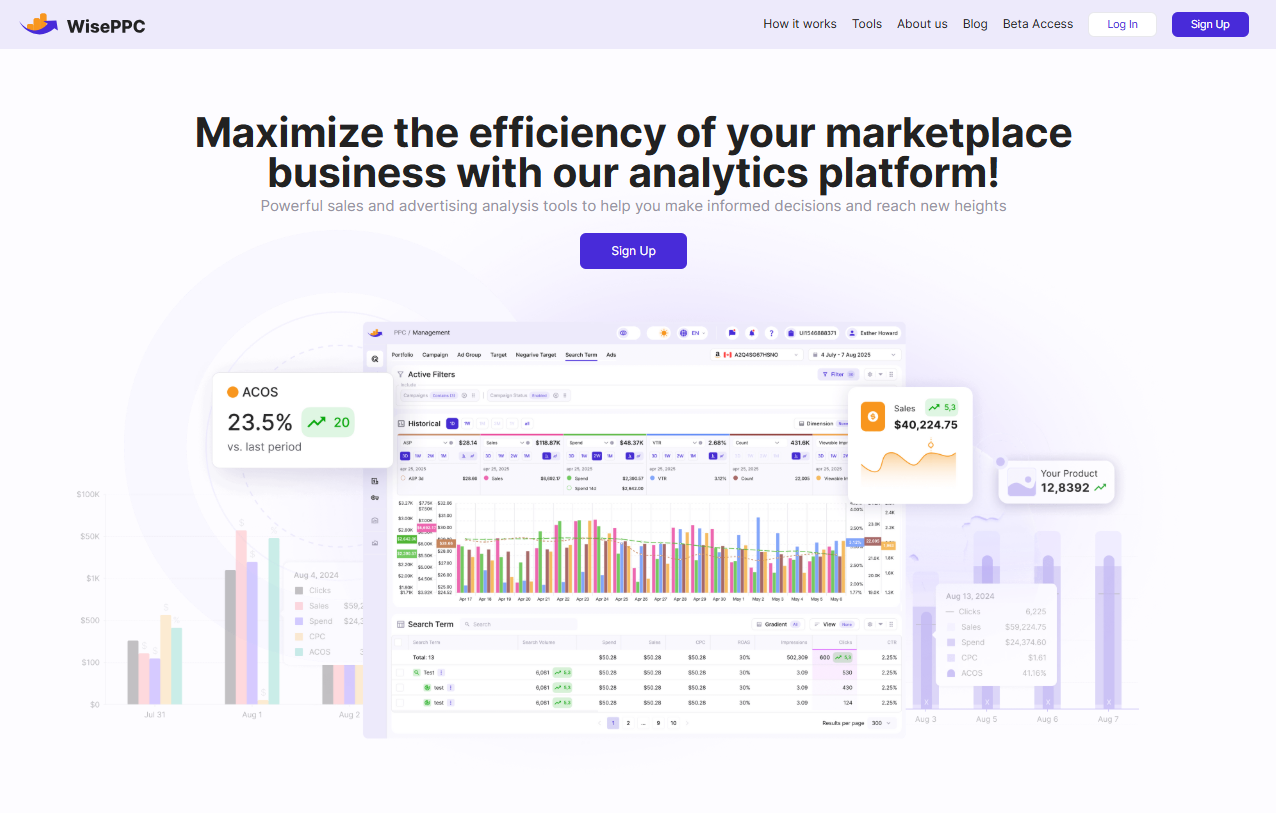
We help sellers track multiple key metrics, monitor campaign health, and optimize performance at every level, from keyword to ad placement. Our system highlights what’s helping you win and what’s holding you back, so you’re not guessing why a competitor took the Buy Box. With features like multi-account dashboards, AI-powered bid adjustments, and long-term data storage, we make it easier to react quickly and plan smarter.
If you’re serious about competing for visibility and sales, especially in a marketplace where the Buy Box controls the majority of conversions, we at WisePPC give you the tools to stay in the game and win it more often.
Final Thoughts: It’s Not Magic, It’s Metrics
There’s no trick to winning the Amazon Buy Box. It’s not a hack or a one-size-fits-all shortcut. It’s a combination of doing the fundamentals really well – pricing smartly, fulfilling reliably, and showing up as the seller Amazon trusts to deliver a great customer experience.
And if you can do that consistently? The algorithm rewards you. With visibility. With conversions. And with the kind of steady sales most sellers dream about.
FAQ
1. Can a new seller win the Buy Box?
Yes, but it’s not easy out of the gate. You’ll need a professional selling account and solid metrics from the start. Amazon tends to favor sellers with a bit of a track record, so if you’re brand new, focus first on fulfillment speed, low defect rates, and consistent customer service. Once you’ve built up some history, you’ll have a better shot at rotating into the Buy Box.
2. Why did the Buy Box disappear from my product page?
Amazon will suppress the Buy Box if it thinks no one’s offering enough value. That usually means pricing is too high, performance metrics have dipped, or the item’s out of stock. When that happens, shoppers only see the “See All Buying Options” button instead. To fix it, check your pricing strategy first, then review inventory and account health.
3. Does Amazon always win the Buy Box when it sells the same product?
Not necessarily. Amazon does compete with third-party sellers on some listings, but it doesn’t win by default. If your offer is competitively priced, backed by fast shipping, and your metrics are solid, you can absolutely win the Buy Box, even against Amazon.
4. Is there a way to tell how often I’m in the Buy Box?
Yes, you can check your Buy Box percentage in Amazon Seller Central. It shows how often your offer is featured compared to the total time the listing was viewed. If you’re using a platform like WisePPC, you’ll get even more detailed visibility, including historical Buy Box tracking and performance breakdowns by placement or time of day.
5. What’s more important – price or fulfillment method?
Both matter, but fulfillment can tip the scales. Amazon leans heavily toward sellers who use FBA because it trusts its own logistics. That said, if you’re fulfilling orders yourself and doing it fast and reliably, you can still compete, just know the margin for error is tighter.
6. Can I win the Buy Box with used products?
Sometimes yes, but it depends on the category. The main Buy Box is typically reserved for new items. Used or refurbished products compete in a separate offer box if Amazon allows it. Either way, you’ll still need a Professional account and excellent performance metrics.
 No credit card required