
 EN
EN  ES
ES  FR
FR  DE
DE  IT
IT  KO
KO  JA
JA  ZH
ZH  AR
AR  PT
PT  TR
TR PL
PL
If you’ve ever wondered whether you can sell an online course on Amazon, you’re not alone. It seems obvious – Amazon sells everything, right? But the truth is a little more complicated. You can’t upload a video course the way you would on Udemy or Teachable. Amazon doesn’t work like that.
Still, that doesn’t mean it’s a dead end. People are getting creative, turning their courses into books, audio programs, even USB drives. Some are using Zapier to connect Amazon purchases to login access on other platforms. It’s not plug-and-play, but it’s doable. And if you care about reach, Amazon’s audience is hard to ignore.
Let’s walk through how it really works – what’s allowed, what’s not, and the smarter ways people are getting their course content onto the world’s biggest marketplace.
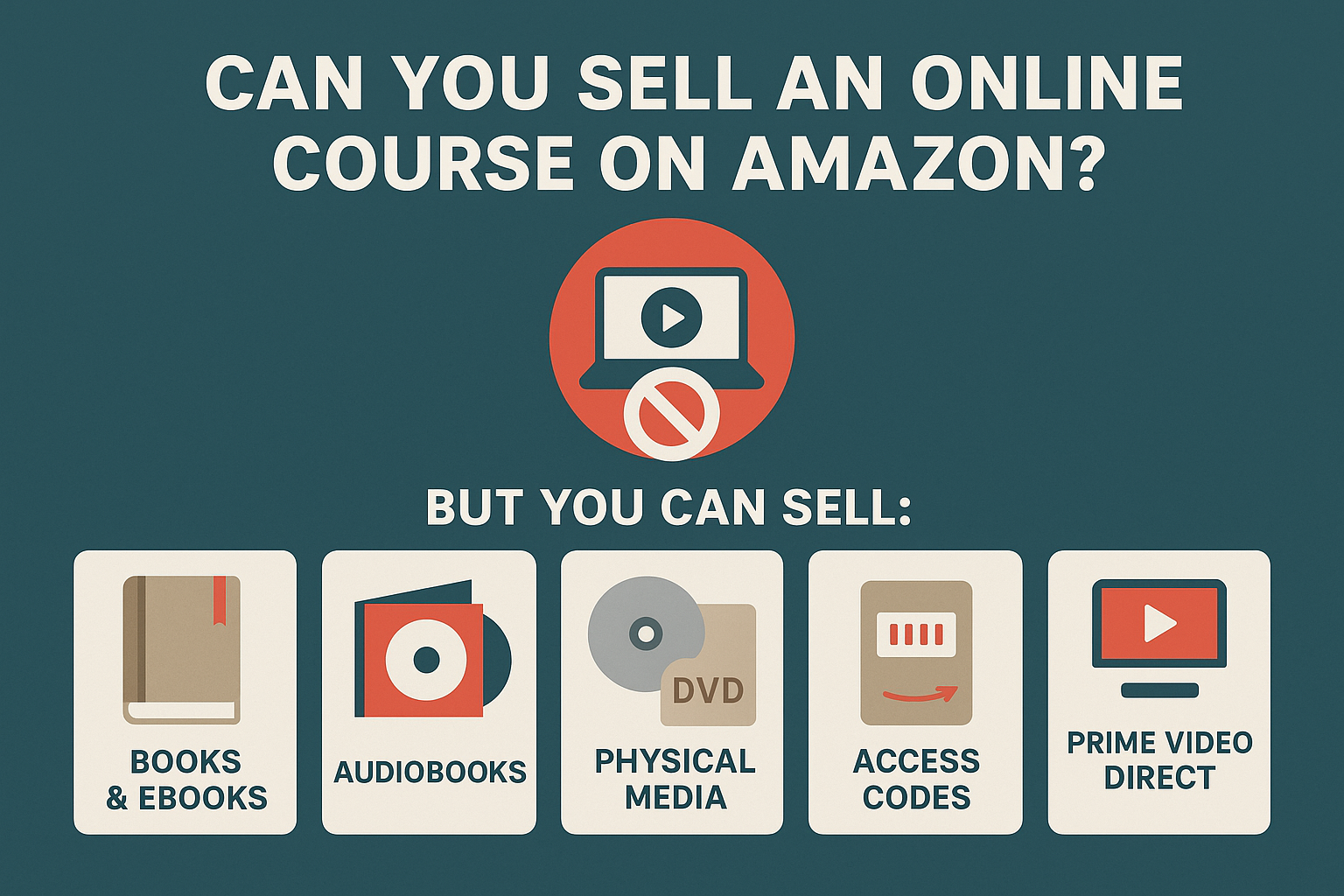
Can You Sell an Online Course on Amazon?
Let’s clear this up: you cannot sell an actual online video course directly on Amazon. They don’t allow third-party sellers to upload digital video courses the way you can on Udemy or Thinkific. That space is reserved for big partners and licensed streaming content.
But Amazon does let you sell:
- Books and eBooks
- Audiobooks
- Physical media like DVDs, CDs, and flash drives
- Access codes bundled with physical goods
- Streaming videos through Prime Video Direct (with limitations)
So while you can’t drop in your course files and hit “publish,” you can still reach Amazon’s audience with the right format.
Why Bother Selling Courses on Amazon at All?
Amazon has two things no standalone course platform can match: visibility and trust.
You’re not building a landing page from scratch and begging people to click. You’re getting access to customers who already search for learning content, already have their payment details stored, and already trust Amazon to deliver.
Plus:
- You don’t need to host anything yourself.
- You can use Amazon’s advertising tools to drive sales.
- They handle customer support and returns.
- Physical products can be fulfilled by Amazon (FBA), which means less work for you.
That doesn’t mean it’s easy. But if you’ve got content worth selling and you’re willing to adapt your delivery, Amazon can be a serious distribution channel.
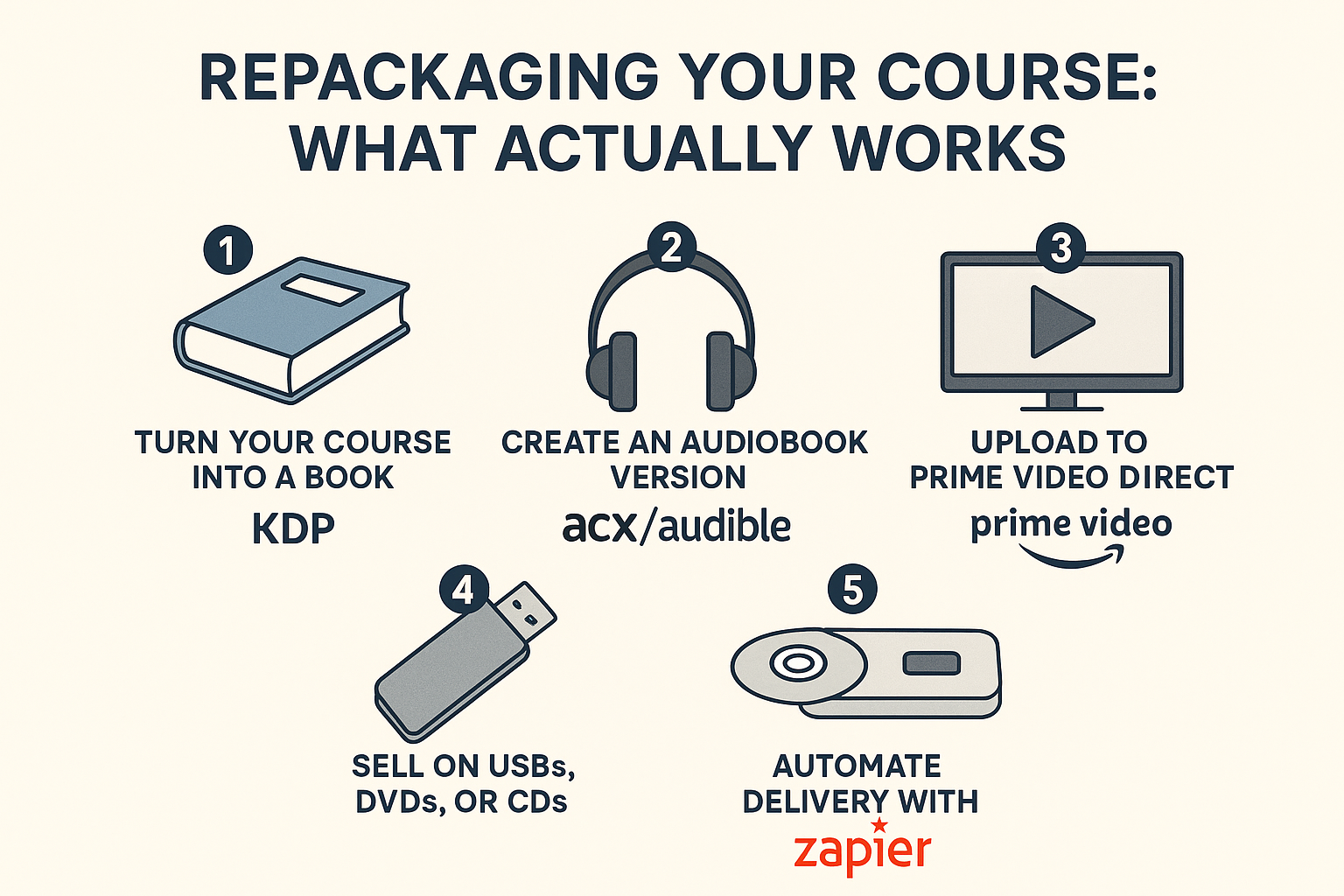
Repackaging Your Course: What Actually Works
The key to selling your course on Amazon is figuring out how to present it in a way Amazon allows. Here are five options that people are using right now.
1. Turn Your Course Into a Book (KDP)
If your course is built around detailed explanations, frameworks, or step-by-step instructions, you’re already halfway to having a book. Kindle Direct Publishing (KDP) lets you convert that material into an eBook or paperback and list it directly on Amazon, where thousands of readers are already browsing for content like yours.
This is one of the easiest formats to launch, especially if your course already includes lesson plans, worksheets, or a downloadable PDF.
Why This Works:
- It’s fast to publish and low cost to produce.
- Readers searching for solutions on Amazon already buy books.
- A well-optimized KDP book can rank and sell passively for months (or longer).
Perks:
- Low barrier to entry.
- Built-in Amazon SEO potential.
- Royalties up to 70% for eligible price ranges.
Tips for Making Your Book Stand Out:
- Break large courses into a series with titles like “Beginner,” “Intermediate,” and “Advanced” to attract more targeted readers and boost repeat sales.
- Add reflection prompts or self-assessment quizzes at the end of each chapter to improve engagement.
- Consider embedding a link or QR code inside the book that leads to your full video course (if hosted elsewhere), bonus content, or a lead magnet.
Even if you’re not a natural writer, there’s a good chance your course notes or lesson plans can be shaped into a publishable format. And the bonus? Having a published book gives your course (and your brand) more authority.
2. Create an Audiobook Version (ACX / Audible)
If your course leans heavily on spoken word – think coaching, mindset work, storytelling, or personal development – turning it into an audiobook can open up a whole new channel of customers. Many people prefer to learn while walking the dog, commuting, or making dinner, and Audible is where they go for that kind of content.
You can publish through ACX (Audiobook Creation Exchange), which sends your content to Audible, Amazon, and iTunes in one go.
Options to Produce Your Audiobook:
- Narrate it yourself if you’re comfortable behind the mic.
- Hire a professional narrator through ACX’s built-in talent pool.
- Use a royalty-share deal if you don’t want to pay upfront.
Royalty Structure:
- 40% royalty with exclusive distribution.
- 25% royalty with non-exclusive rights.
- 20% if you split earnings with the narrator under the royalty-share model.
This format tends to work best when the content is conversational, insightful, or story-driven. Think: “how to start a side hustle” or “daily mindfulness habits,” not “how to use Excel pivot tables.”
And don’t get stuck on your voice. If the content is strong and authentic, your listeners will stick around for the message, not the studio polish.
3. Upload to Prime Video Direct
Got high-quality course videos that don’t live in a walled garden like Teachable or Kajabi? You might be able to publish them on Amazon Prime Video Direct, where people can either This works best for structured, well-produced content that feels like a mini docuseries or training program. Think multi-module workshops, not shaky screen recordings.
You Earn Revenue from:
- Royalties based on watch time (for Prime members).
- Rental or purchase revenue if you choose those options.
One caveat: submitting videos here isn’t instant. Amazon screens everything before it goes live, so expect a delay. But once approved, it gives your content long-term shelf life with solid discoverability inside the Amazon ecosystem.
If your course already lives as polished YouTube content, webinars, or a high-production-level video series, this could be your most straightforward inroad.
4. Sell on USBs, DVDs, or CDs
Physical media might sound outdated, but it still has a place, especially if your target audience includes home educators, offline learners, or those who prefer tangible materials. And the good news? Amazon lets you sell USB drives, DVDs, or CDs without needing special digital product permissions.
Here’s What You Can Use:
- A USB flash drive loaded with course files or videos.
- A DVD that plays like a training series with chapters.
- A CD containing audio lessons.
Once your product is created, you list it just like any other item. You’ll need to upload product images, write a clear title and description, and choose your pricing.
Why This Format Still Works:
- Amazon treats it like a traditional physical product.
- No need to go through digital content screening.
- Easy to fulfill via FBA (Fulfilled by Amazon) if you don’t want to ship orders yourself.
Best Practices:
- Package it professionally, with clean branding.
- Include printed instructions or a quick-start guide.
- Offer an optional bonus, like a QR code that unlocks exclusive extras or updates online.
- Monitor inventory closely or let Amazon handle it via FBA to avoid delays.
Niche audiences like parents, hobbyists, and workshop attendees often appreciate having something they can hold or gift. So while the medium might be old-school, the approach is still effective.
5. Automate Delivery with Zapier (Thinkific, Kajabi, etc.)
If your course is already hosted on a platform like Thinkific, Kajabi, Teachable, or ClickFunnels, but you still want to list it on Amazon, this is the cleanest workaround. It’s a little technical, but once set up, it runs on autopilot.
Here’s How People Are Doing It:
- You create a physical product listing on Amazon – something simple like a printed workbook or guide that supports the course.
- When someone buys that product, it triggers an action in Zapier.
- Zapier then sends the buyer an email with login access to your full course on your chosen platform.
What You’ll Need:
- An Amazon Seller Central account.
- A course platform that integrates with Zapier.
- A basic Zapier setup to connect the purchase to the login delivery.
This method technically plays by Amazon’s rules, because the customer is buying a physical product. The digital access is simply a “bonus” that comes with it, not the primary offer.
Make sure your product description is clear and transparent. Don’t mislead buyers into thinking they’re purchasing a direct download – Amazon doesn’t tolerate anything that looks deceptive. But if you package it right, this method lets you connect Amazon’s traffic to your full course experience without breaking any rules.
Step-by-Step Setup: From Zero to Listing
Here’s what you’ll need to do to get your course content live and selling on Amazon, no matter which method you go with:
- Sign up for an Amazon Seller account through Seller Central. Choose between the Individual plan (no monthly fee, but $0.99 per sale) or the Professional plan ($39.99/month, better for higher volume).
- Decide how you’ll package your course. If it’s written, go with KDP. If it works as audio, use ACX. Video? Prime Video Direct. If you want to ship physical media like a USB or DVD, go through Seller Central and consider Fulfillment by Amazon (FBA).
- Create your product listing. Use a strong, keyword-optimized title. Highlight what students will get using bullet points. Add clean, high-quality images.
- Think about using FBA to avoid packing and shipping yourself. You’ll send inventory to Amazon, and they’ll handle delivery, customer service, and returns. It costs more, but saves you hours of micromanagement.
- Promote your listing. Offer launch discounts or bundle deals. Share your listing with your email list or audience. And once you start getting sales, don’t be shy about asking for reviews – they can make a real difference in ranking and trust.

How WisePPC Helps Course Creators and Marketplace Sellers Succeed
At WisePPC, we’ve built a platform that helps marketplace sellers make smarter, faster decisions, whether you’re selling physical products, educational content, or bundled digital goods. If you’re promoting a course on Amazon (or anywhere else), chances are you’re running ads to get eyes on your offer. That’s where we come in. Our tools give you full control over your ad performance, sales trends, and campaign data, all in one place. No need to guess which keyword is draining your budget or which placement is pulling its weight – we break it all down, clearly.
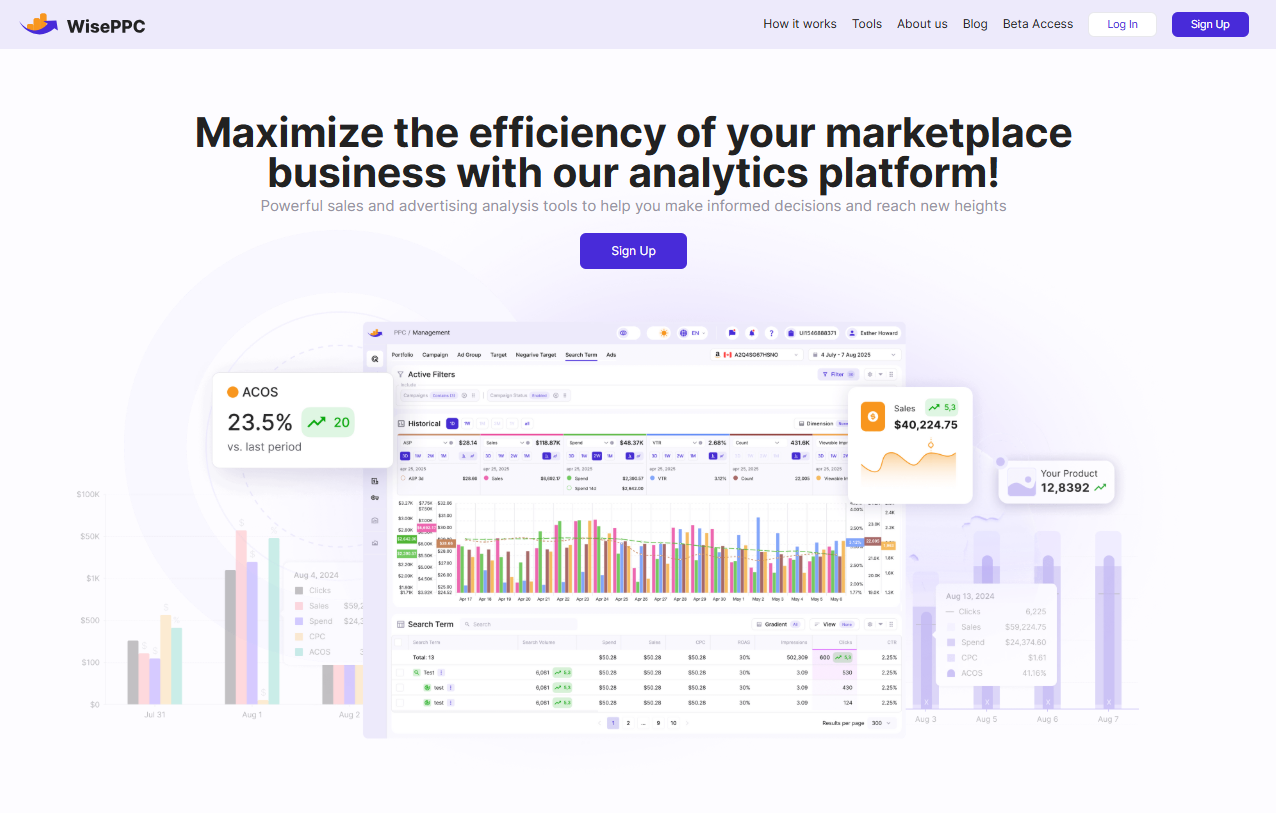
We’re officially recognized as an Amazon Ads Verified Partner, so you can count on us for accuracy and transparency. With features like real-time tracking, bulk campaign edits, historical data storage, and automatic performance highlights, we help you stay ahead of the curve. Whether you’re scaling a new info product or managing a portfolio of SKUs, WisePPC gives you the clarity to grow on your terms. And yeah, we’re constantly adding new features, like AI-based bid adjustments and inventory forecasting, so you’re not stuck reacting to yesterday’s numbers.
What You Can and Can’t Do on Amazon (In Plain English)
Here’s a quick breakdown of what’s allowed and what’s not.
Allowed:
- Physical products (DVDs, books, flash drives)
- eBooks via KDP
- Audiobooks via ACX
- Videos via Prime Video Direct
- Bundled course access with physical items
Not Allowed:
- Uploading raw digital courses as downloadable products.
- Linking out to external sales pages in product descriptions.
- Circumventing the rules with shady access codes or spammy listings.
Stick to the rules, and you can build a solid income stream without risking your account.
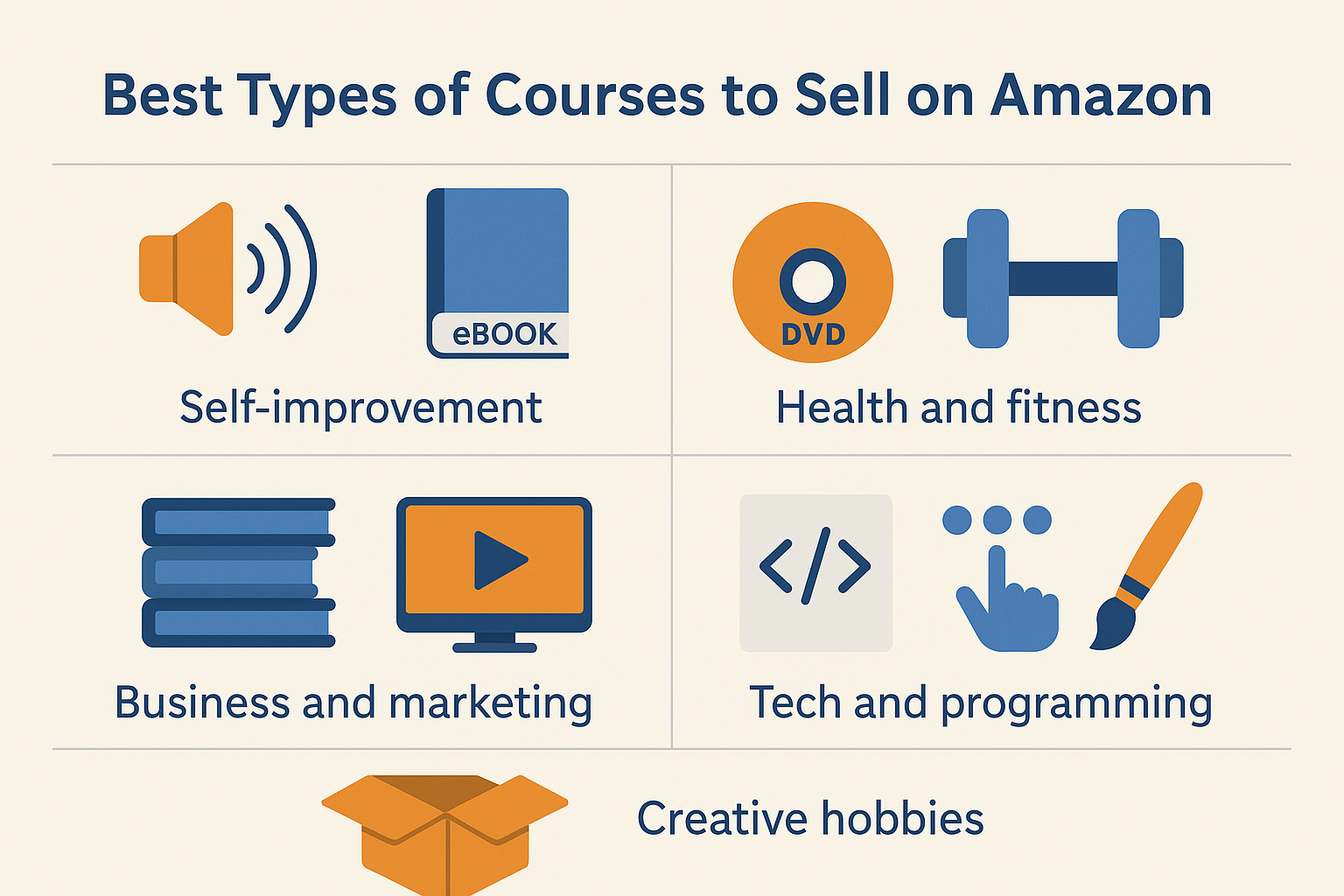
Best Types of Courses to Sell on Amazon
Some course topics naturally fit the Amazon ecosystem better than others. Based on what’s already selling, here are the most viable categories:
- Self-improvement: Great for audiobooks and eBooks.
- Health and fitness: High potential for DVDs or physical bundles.
- Business and marketing: Ideal for book series or video breakdowns.
- Tech and programming: Works well as step-by-step guides or interactive books.
- Creative hobbies: Sell well with physical kits or add-ons.
Final Thoughts: Should You Do It?
If you’re looking for full control, fast payouts, and total creative freedom, Amazon might not be the perfect place to host your course.
But if you want access to one of the world’s biggest marketplaces, a chance to expand your audience, and some semi-passive revenue through formats like books, audio, and FBA listings – it’s absolutely worth testing.
Just know this: selling a course on Amazon doesn’t mean uploading a video and waiting for the cash to roll in. It means understanding the platform, adapting your product, and meeting people where they already shop.
If you’re okay with that, Amazon’s wide open.
FAQ
1. Can I sell a digital course directly on Amazon?
Not really. Amazon doesn’t allow you to sell digital courses the same way you would on Udemy or Teachable. You can’t upload a video course and list it like a book. But there are creative workarounds, like bundling your course with a physical workbook or turning it into a book, audiobook, or USB product – that let you stay within Amazon’s rules and still sell the same core content.
2. What’s the easiest way to start selling my course on Amazon?
If you already have the content in writing, publishing through Kindle Direct Publishing (KDP) is the simplest. You don’t need inventory, shipping, or even design help if you’re okay with a basic layout. If your course leans toward audio, ACX is a strong route. If you’re doing video, Prime Video Direct is an option, but only if your production quality is genuinely high.
3. Is it worth turning my course into a physical product like a USB or DVD?
It depends on your audience. For topics like fitness, homeschooling, or language learning, physical media still sells well, especially to older demographics or people who prefer offline access. It’s a bit more work up front, but you can use Fulfillment by Amazon (FBA) to handle shipping and storage so you’re not packing envelopes yourself.
4. Do I need a company or LLC to sell courses on Amazon?
Nope. You can sign up as an individual seller. That said, if you’re planning to scale, it might be worth switching to a Professional Seller account and eventually setting up an LLC for tax and liability reasons. But to get started, just a name, email, and bank account will do.
5. Can I use Amazon ads to promote my course-related product?
Yes, and it’s one of the better ways to get seen when you’re just starting out. Amazon PPC (pay-per-click) ads can be surprisingly effective if your listing is well-optimized. Target keywords that your audience is already searching for – things like “workbook for X,” “language audio course,” or “business coaching guide.”
6. Is Amazon going to reject my listing if I link to my course?
If you’re sneaky about it, yes. But if you include a link or QR code in a printed book or physical insert that’s part of the purchased product, that’s usually fine. Amazon draws the line at overly promotional digital listings. So don’t try to link out in your product description – do it inside the content your customer receives.
7. Do I need to be a data expert to use WisePPC?
Not at all. You don’t need to be a spreadsheet wizard or understand advanced metrics to get value out of the platform. The interface is clean, the insights are visual, and the tools actually make sense once you start using them.
 No credit card required