
 EN
EN  ES
ES  FR
FR  DE
DE  IT
IT  KO
KO  JA
JA  ZH
ZH  AR
AR  PT
PT  TR
TR PL
PL
If you’ve ever spotted a clearance deal and thought, “Someone would pay double for this online,” you already get the idea behind reselling. Turning that instinct into a real business on Amazon doesn’t take a big budget or a marketing degree – just curiosity, smart research, and some persistence.
You’re not creating a new product here. You’re finding what already sells, buying it at a lower price, and making a profit by putting it where the demand is. Whether you want a side hustle or a full-time venture, this guide breaks down the process step by step, showing how to start reselling confidently and build something that actually lasts.
What Reselling on Amazon Really Means
Reselling, sometimes called retail or online arbitrage, is one of the most accessible ways to start selling on Amazon. Instead of creating your own brand, you buy existing products from retail stores, wholesalers, or online marketplaces and resell them for a profit.
The appeal is obvious: there’s no need for manufacturing, branding, or design. You’re working with products that already have proven demand. For example, you might buy a popular toy on sale at Walmart for $10 and resell it on Amazon for $25. The difference, after fees and shipping, is your profit.
Reselling takes different forms:
- Retail arbitrage: It is the most common way beginners start. You visit physical stores like Walmart, Target, or Marshalls, scan barcodes with the Amazon Seller app, and look for price gaps between in-store discounts and online selling prices. It’s hands-on, but it teaches you how Amazon’s marketplace works and helps you understand demand in real time. Many sellers begin this way to build experience before scaling.
- Online arbitrage: It takes the same concept online. Instead of walking store aisles, you hunt for deals on websites like eBay, Walgreens, or other retail outlets, then ship those items directly to Amazon or your home. It’s less physical, easier to scale, and allows you to compare prices across multiple stores quickly with software tools.
- Wholesale reselling: It is the next step for many. Here, you buy in bulk from authorized distributors or brands, often at a discounted wholesale rate. It requires more upfront capital, but the trade-off is stability and predictable restocking. Wholesale sellers often work directly with manufacturers, which helps them avoid counterfeit concerns and restricted listings.
Each method has its own rhythm, but the core idea is the same: find demand, buy smart, and sell efficiently.
What Is Retail Arbitrage?
Retail arbitrage is a simple but clever business model built around one idea: buying low and selling high. In this case, sellers purchase discounted or clearance items from regular retail stores and resell them on Amazon at a higher price.
For example, imagine finding a toy at Walmart for $5 and seeing the same toy selling on Amazon for $20. You buy a few, list them online, and pocket the difference after fees. That’s retail arbitrage in action. Some sellers do the same thing entirely online, known as online arbitrage, where they source deals from websites instead of walking store aisles.
And yes, it’s perfectly legal. Under the first-sale doctrine, once you purchase a product legally, you’re allowed to resell it as long as it’s in its original condition. The key is honesty, if you sell something as new, it must truly be new.
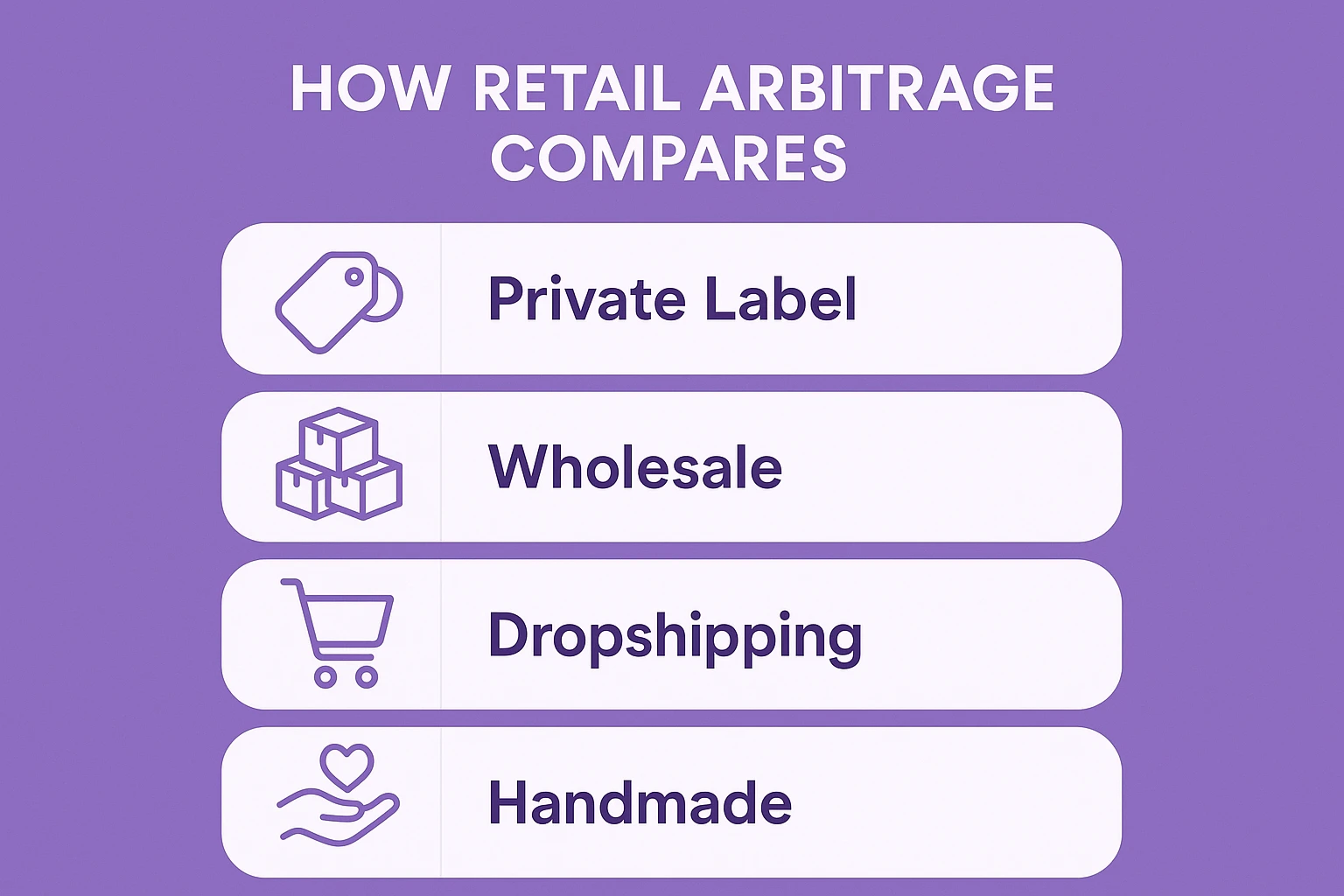
How Retail Arbitrage Compares to Other Amazon Business Models
Retail arbitrage is one of several ways to sell on Amazon, and each model has its own advantages and challenges:
- Private Label: This involves creating your own branded product, usually by modifying an existing one. It can be highly profitable but requires more upfront investment and marketing.
- Wholesale: You buy in bulk directly from brands or authorized distributors. It’s more stable and scalable than arbitrage since you’re an approved reseller, but it also demands larger capital and official documentation.
- Dropshipping: Here, you list products without holding inventory. When someone buys, the supplier ships directly to the customer. It’s easy to start but tricky to manage under Amazon’s strict dropshipping policies.
- Handmade: This model suits artisans who make their own products—think candles, jewelry, or crafts. You control production and branding, but scaling can be slow.
Retail arbitrage stands out because it’s flexible, fast to start, and low-risk. You can test products quickly, learn the ropes of Amazon’s system, and build experience before moving into wholesale or private label. It’s often the first step in a much bigger e-commerce journey.
Why Retail Arbitrage Works (and Why It Still Does)
Many beginners wonder if reselling is still worth it. After all, thousands of people are doing it. The truth is that Amazon’s marketplace is enormous, and new opportunities appear every day. More than 60% of all sales on Amazon come from third-party sellers, and a large portion of them began their journey through simple reselling.
What makes reselling so appealing is its accessibility. You don’t have to invent a new product, design packaging, or spend months building a brand. You can start small, test different items, and learn as you go.
Pros of Retail Arbitrage on Amazon
Low Startup Cost
You can begin with just a few hundred dollars. There’s no need for bulk orders or manufacturing investments, which makes it ideal for beginners testing the waters.
Flexibility
Reselling doesn’t tie you to a warehouse or office. You can work from home, source in stores, or even run everything from your phone. It’s one of the most adaptable e-commerce models.
Quick Feedback
Unlike long-term business models, reselling gives you instant insights. You can see what sells, adjust your pricing, and experiment without major risk.
Scalability
Once you understand how demand works, you can expand into wholesale or even create your own private label brand. Many successful Amazon entrepreneurs started as small-time resellers.
Cons of Retail Arbitrage on Amazon
Competition
Because it’s easy to start, many listings have dozens of sellers. Competing for the Buy Box can lead to price drops that shrink your profit margins.
Inconsistent Inventory
Great deals come and go. You might find a profitable product one week and never see it again. This inconsistency makes planning and scaling harder.
Brand and Category Restrictions
Some brands restrict reselling, and certain product categories require approval. Ignoring these rules can lead to account warnings or suspensions.
Reselling isn’t a guaranteed shortcut to wealth, but it’s one of the most approachable ways to enter e-commerce. If you treat it like a real business, stay organized, and keep learning, it can grow into something much bigger than a side hustle.

Smarter Selling Starts with WisePPC
Once your Amazon seller account is ready, the real challenge begins: keeping track of everything. Between managing ads, checking sales, and monitoring inventory, it’s easy to get lost in the details. That’s where we come in.
At WisePPC, we built a platform that helps sellers make smarter, faster decisions across every part of their business. Our goal has always been simple – to make managing ads, inventory, and analytics easier so you can focus on growth, not spreadsheets.
We’re proud to be an Amazon Ads Verified Partner, which means we use official integrations and follow Amazon’s best practices. You can trust that your campaigns, tracking, and data stay reliable and compliant.

With WisePPC, you can:
- Automate and optimize ad campaigns across marketplaces
- Track inventory levels in real time to avoid stockouts or overstock
- Forecast demand based on accurate sales trends
- Analyze performance through a clean, unified dashboard
- Grow through our referral and collaboration tools
We work with everyone: from new sellers testing their first few products to agencies managing hundreds of listings. Whether you’re running a side hustle or a full-scale brand, WisePPC gives you the tools to stay organized, automate routine work, and scale without losing control.
If you’re ready to treat reselling like a real business, this is where to start.
How to Get Started with Retail Arbitrage
Getting started is easier than it sounds. Here’s what you’ll need to do before buying your first product.
1. Create an Amazon Seller Account
Go to sellercentral.amazon.com and click “Sign up.” You’ll need to choose between two plans:
- Individual plan: No monthly fee, but Amazon charges a small amount per item sold.
- Professional plan: Has a monthly fee, but no per-item charge. It’s ideal if you plan to sell more than 40 units a month.
Provide your contact details, bank account, ID verification, and tax information. Once approved, you’ll have full access to your Seller Central dashboard.
2. Choose Your Fulfillment Method
You’ll decide how to handle storage, packaging, and shipping. There are two main options:
- FBA (Fulfillment by Amazon): You ship your products to Amazon’s warehouse, and they handle delivery, returns, and customer service. It’s convenient but includes storage and handling fees.
- FBM (Fulfillment by Merchant): You store and ship items yourself. It’s more hands-on but avoids storage fees and gives you more control.
Many beginners start with FBA because it saves time and gives your products the Prime badge, which boosts visibility.
3. Download the Amazon Seller App
This free app is your most important tool. It lets you scan barcodes in stores or search listings online to see:
- Whether you’re approved to sell a product
- The current selling price
- Estimated fees and profit margin
- Sales rank (which shows how well an item sells)
You can even list products directly through the app or manage your existing listings, messages, and orders.
4. Use Data Tools to Analyze Opportunities
Beyond the Seller app, there are third-party browser extensions and analytics tools that show historical sales data, average pricing, and competition levels. These insights help you avoid buying items that only look profitable in the short term.
How to Source Products to Resell
Once your account is ready, it’s time to find inventory. You can start small: visit local stores, look for clearance racks, or browse online deals.
Where to Source Products
Here are some reliable places to find items to resell:
- Discount retailers like Walmart, Target, Marshalls, Ross, or TJ Maxx
- Local grocery stores or pharmacies
- Outlet malls and liquidation stores
- Online clearance sections and flash sale sites
A great resource is price-tracking websites that show real-time store deals or markdowns in your area. These help you plan where to shop before heading out
Popular Product Categories for Reselling
While almost anything can be resold, these categories tend to perform best:
- Beauty & Personal Care
- Home & Kitchen
- Toys & Games
- Clothing, Shoes & Jewelry
- Books
- Health, Household & Baby Care
- Electronics
Each has consistent demand and plenty of opportunities for discounted sourcing.
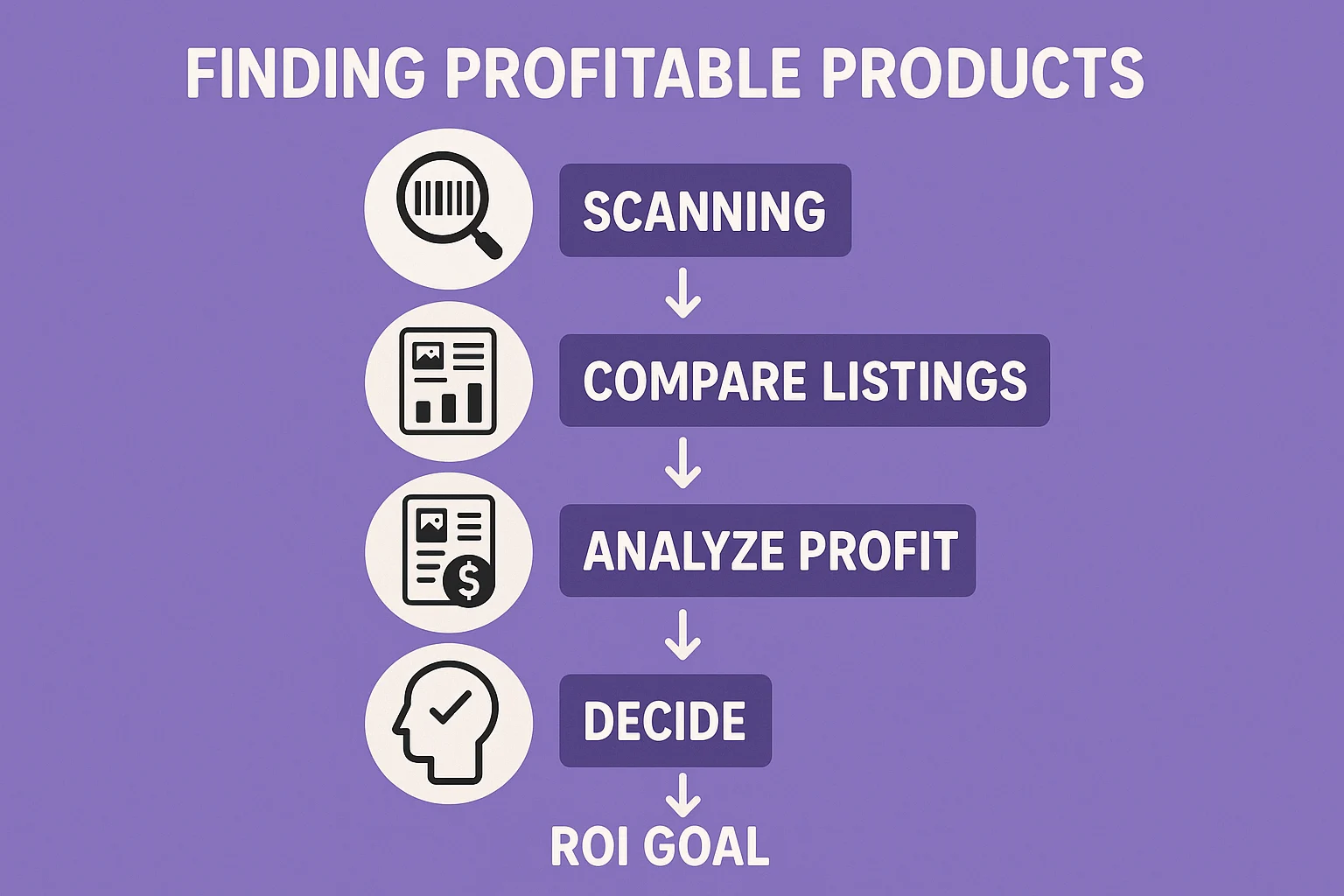
Step-by-Step: Finding Profitable Products
Step 1: Start Scanning
Walk into a store and open your Amazon Seller app. Tap the camera icon in the corner to scan the product barcode. The app will instantly show you current Amazon listings, prices, and whether you’re allowed to sell that product.
At first, it might feel awkward scanning items in public, but everyone in the reselling community starts this way.
Step 2: Compare Listings and Select the Right One
Some items appear under multiple listings (like 2-packs, 3-packs, or bundles). Read the product details carefully to make sure you’re matching the correct version.
Avoid restricted listings that say “You cannot sell this product in new condition.” Stick to those that are clearly open for third-party sellers.
Step 3: Analyze Profit and Demand
On the product’s listing page in your app, check:
- Sales rank: Lower is better. Under 100,000 in most categories usually indicates steady sales.
- Buy Box price: This is the price most buyers will see.
- Fees: Amazon will show you the breakdown of FBA or FBM costs.
- Estimated profit: Enter your cost to see how much you’d earn per sale.
If the margin looks healthy – say, 30% or higher – you’ve found a good candidate.
Step 4: Decide How Many Units to Buy
Start small. For your first test products, buy 5–10 units. Watch how quickly they sell before committing to more.
If the product moves fast and profit holds steady, you can scale up next time. If not, you’ve learned an inexpensive lesson about what doesn’t sell.
Step 5: Set Your ROI Goal
Most sellers aim for a 30–50% return on investment (ROI). For example, if you buy something for $10 and it sells for $20 after fees, that’s a 100% ROI. But remember, prices can fluctuate as competition changes, so leave room for adjustments.
Online Arbitrage: The At-Home Version
Online arbitrage is the same concept, but you find deals through retailer websites instead of physical stores. It’s ideal if you prefer working from your computer.
You can manually browse clearance sections or use paid tools that automatically compare retailer prices with Amazon listings. Even without software, consistent searching can uncover profitable products, especially during seasonal sales.
Tips for Successful Product Sourcing
- Follow trends and seasonality: Track what’s popular and plan ahead for holidays or seasonal items. For instance, outdoor toys and pool accessories spike in summer, while home décor and gifts sell better during winter.
- Look for discontinued products: When a brand discontinues a popular item, remaining stock can skyrocket in resale value. Check smaller stores or online marketplaces where old stock might still exist.
- Stay patient and consistent: Scanning can get tiring, but persistence pays off. Many sellers go through hundreds of items before finding a few winners.
- Rely on data, not intuition: Always check sales history, not just today’s price. Products that sell well this week might stall next month if demand fades.
- Start small and scale gradually: Learn the process before investing heavily. Building experience matters more than quick profits early on.
How to List Your Products on Amazon
Once you’ve bought your first batch of items, it’s time to list them. You don’t need to create a new product page. Instead, you’ll add your offer to an existing listing that matches your product’s barcode and condition.
Option 1: List Directly from the Seller App
After scanning an item, tap “List” and fill in the following details:
- Condition: Choose “New” if it’s unopened and factory-sealed.
- Price: Don’t automatically match the lowest price, check what FBA sellers are charging. Undercutting too much can hurt profits.
- Fulfillment channel: Choose between “I will ship this item myself” (FBM) or “Amazon will ship and provide customer service” (FBA).
If you choose FBA, the app automatically adds the listing to Seller Central so you can create a shipment later.
Option 2: List Through Seller Central on Desktop
Go to Inventory → Add a Product, then search by ASIN or product name. Choose “New,” set your price, SKU (your internal tracking ID), and quantity.
You can also create your own SKU code to track where the item came from and what you paid, like this:
WM_5.75_BE14 – meaning you bought it at Walmart for $5.75 and your breakeven price is $14.
How to Create Your First FBA Shipment
If you’re using Fulfillment by Amazon (FBA), you’ll need to send your products to Amazon’s fulfillment center before they can be sold. This process might sound intimidating at first, but once you do it once or twice, it becomes routine. The key is accuracy – make sure your packaging, labeling, and box information are correct so your inventory moves smoothly through Amazon’s system.
Here’s a simple breakdown of what to do:
Step 1: Find Your Product in Manage Inventory
Log in to your Amazon Seller Central account and go to Manage Inventory. Find the product you want to ship, click the Edit button on the far-right side, and select Send/Replenish Inventory from the dropdown menu.
This tells Amazon that you’re preparing to send in stock. If it’s your first shipment, Amazon will guide you through a short setup process to create a “shipping plan.”
Step 2: Enter Shipment Details
Next, you’ll create a packing template. This includes your box dimensions, weight, and how many units are inside. If it’s your first time, don’t overcomplicate it – just start with one box and fill it with your chosen products.
You’ll also be asked whether your products require prep (like bubble wrapping or bagging). Amazon has specific prep requirements for fragile items or products with liquid, glass, or sharp edges. You can do the prep yourself or let Amazon handle it for a small fee.
Once the box information is complete, click Confirm and continue.
Step 3: Confirm Shipping
Now it’s time to arrange delivery. For small or medium-sized shipments, choose Small Parcel Delivery (SPD). Amazon’s partnered carrier (usually UPS) offers heavily discounted rates compared to standard retail prices.
Enter your ship-from address, choose your delivery date, and review the estimated shipping cost. It’s usually very affordable, even a 15-pound box can cost under $10 to ship through Amazon’s carrier network.
After reviewing all details, click Accept charges and confirm shipping.
Step 4: Print and Attach Labels
Once you confirm your shipment, Amazon will generate two sets of labels:
- The UPS label, used by the carrier to transport your package.
- The FBA label, which identifies your shipment and the items inside.
Print both labels on adhesive sheets and place them on the outside of the box, making sure they’re visible and not overlapping any seams or edges. Each box you send must have its own unique label.
If you’re shipping multiple boxes, label each one separately and double-check the contents match what you entered in your shipping plan.
Step 5: Drop Off and Track Your Shipment
After labeling, you can drop your boxes off at a UPS location or schedule a pickup. Once scanned, your shipment will appear as “In Transit” in Seller Central.
Amazon usually receives shipments within a few days, depending on the warehouse location. Once your inventory is checked in, your listings will automatically go live – ready for customers to buy.
If you’re sending products for the first time, consider starting small so you can get used to the process. Once you understand how Amazon handles your packages, future shipments will feel effortless.
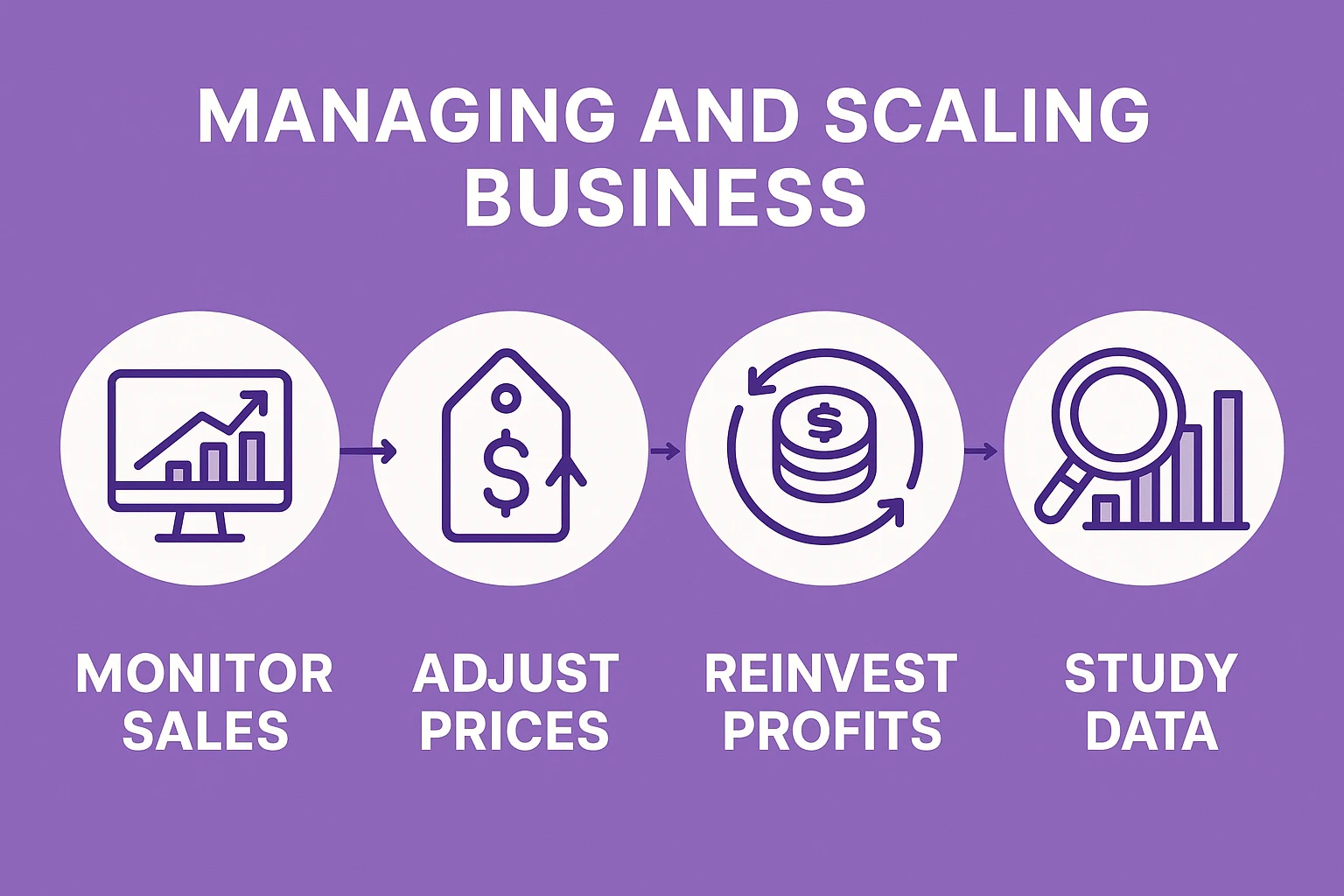
Managing and Scaling Your Reselling Business
Reselling isn’t a “set it and forget it” kind of business. It works best when you stay active, pay attention to your numbers, and keep improving your process. The sellers who succeed long-term are the ones who treat it like a real business – not a quick flip. Once you’ve made a few sales and understand the basics, it’s time to think about how to grow.
Here are a few ways to stay on top of your operations and scale steadily:
Monitor Sales Daily
Keep an eye on your sales activity every day. Use the Amazon Seller app or dashboard to see which products are moving fast and which ones are sitting too long. Sales trends can shift quickly based on season, price changes, or competition. By tracking this daily, you’ll know when to restock, when to adjust pricing, and when to move on from slow sellers.
Adjust Prices Strategically
Amazon’s pricing is dynamic – competitors change prices constantly. That doesn’t mean you need to slash your prices every time someone else does. Focus on staying competitive without undercutting your profit margins. Small adjustments, even by a few cents, can make a difference in winning the Buy Box. You can do this manually or set up automated pricing rules to save time as your inventory grows.
Reinvest Profits Wisely
One of the most effective ways to scale is by reinvesting your profits back into inventory. Instead of withdrawing earnings early, use that money to buy more stock, experiment with new product categories, or test out online arbitrage. Reinvestment helps your business compound – each cycle builds on the last. Many successful resellers keep reinvesting for the first 6–12 months before taking regular payouts.
Study Your Data and Focus on What Works
Data is your best teacher. Review your sales history to see which categories bring the best returns, which stores or sources consistently produce good deals, and which products are too competitive to bother with. Over time, patterns emerge – maybe toys sell faster during the holidays, or beauty items bring higher margins year-round. Use that insight to refine your sourcing strategy and double down on what’s proven to work.
Streamline Your Workflow
As your business grows, managing listings, shipments, and bookkeeping can get overwhelming. Create systems early: spreadsheets, templates, or automation tools, to save time. This not only keeps you organized but also helps you make faster decisions when opportunities arise.
Stay Informed and Keep Learning
Amazon’s rules, fees, and algorithms change often. Stay up to date by reading seller updates, joining online communities, and following experienced resellers who share tips and insights. The more you understand Amazon’s evolving landscape, the easier it becomes to adapt without disruption.
Think Long-Term
Once you have steady sales and a reliable sourcing routine, start looking ahead. You might expand into wholesale, develop private-label products, or add other marketplaces like eBay or Walmart to diversify income. Every successful Amazon business starts small – what matters is consistent improvement and learning from experience.
If you stay curious, track your numbers, and reinvest with intention, reselling can grow from a simple side hustle into a steady, scalable business that gives you real flexibility and financial independence.
Wrapping It Up
Reselling on Amazon isn’t a get-rich-quick scheme. It’s a hands-on, learn-as-you-go process that rewards patience and smart decisions. You start small – maybe scanning clearance shelves or flipping a few online finds, but each sale teaches you something new.
Soon enough, you’ll start seeing patterns, recognizing opportunities, and refining your instincts. And that’s the real goal: turning simple flips into a repeatable system that keeps working month after month.
The tools are out there, the marketplace is huge, and the opportunity is real. What matters most is getting started, learning as you go, and staying consistent. The rest will follow.
Frequently Asked Questions
Is reselling on Amazon legal?
Yes, it’s completely legal as long as you’re selling genuine products that you’ve purchased through legitimate means. The “first-sale doctrine” allows you to resell any legally bought product, as long as it’s sold in the same condition. Just make sure you’re not selling counterfeit or restricted items.
How much money do I need to start reselling?
You can start small with as little as a few hundred dollars. Many sellers begin with retail or online arbitrage, buying discounted items from stores and reselling them on Amazon for a profit. As your business grows, you can reinvest your earnings into larger or wholesale purchases.
What’s the difference between retail arbitrage and wholesale reselling?
Retail arbitrage means buying individual products from retail stores (like Walmart or Target) and flipping them online. Wholesale reselling involves purchasing bulk inventory directly from brands or authorized distributors, which often provides better margins and long-term stability.
Do I need a business license to resell on Amazon?
Not necessarily at the start. You can sell as an individual seller. However, if you plan to scale or source products from wholesalers, you’ll likely need a business license and a resale certificate to access better supplier deals and avoid paying unnecessary sales tax.
How do I find profitable products to resell?
Use the Amazon Seller app to scan items and check their Best Sellers Rank (BSR), selling price, and estimated profit. Tools like WisePPC can also help analyze trends, demand, and competition before you invest in inventory.
 No credit card required