
 EN
EN  ES
ES  FR
FR  DE
DE  IT
IT  KO
KO  JA
JA  ZH
ZH  AR
AR  PT
PT  TR
TR PL
PL
Amazon offers customer support through various channels, including assistance with orders, returns, and more. Amazon’s customer service is available at all times, but it’s important to understand that support may vary depending on whether the issue is related to Amazon’s services or an individual seller on the platform. In this article, we’ll explain how Amazon’s customer support works and how you can reach out for help whenever you need it.
Amazon’s Customer Service Availability: 24/7 or Not?
Amazon’s customer service is available 24/7, but it’s important to understand how it works. For most customers, this means you can get support anytime for issues like tracking orders, processing returns, or technical support for Amazon devices. However, while Amazon provides round-the-clock support, the level of service can vary. For orders fulfilled directly by Amazon, you can expect immediate assistance with any problems. If your issue involves a third-party seller, Amazon may connect you with the seller for resolution, which may not always be immediate. Despite these differences, Amazon’s customer service is available all day, every day, to assist with the majority of common issues.
How to Access Amazon’s 24/7 Support
Getting assistance from Amazon’s customer service is straightforward, and there are multiple ways to access help at any time, whether you’re dealing with a minor issue or something more complex. Here’s how you can get in touch with Amazon’s 24/7 support team:
1. Using the Website
The easiest and most direct way to get customer support is through Amazon’s website. Here’s how you can do it:
Log into Your Account
Start by signing into your Amazon account. When you’re logged in, you’ll receive personalized support that’s specific to your account and orders. This allows Amazon’s customer service team to assist you more efficiently with the right details.
Navigate to Help & Customer Service
Once logged in, scroll down to the bottom of any Amazon page and click on the “Help & Customer Service” link. This section is where you’ll find various self-service options and contact methods.
Choose Your Preferred Contact Method
- Live Chat: Amazon’s live chat feature lets you communicate with a customer service representative instantly. This is a great option for quick resolutions.
- Email: If you prefer to write out your issue in detail, you can opt for email support. Amazon will typically respond within 24 hours.
- Request a Phone Call: For more complex issues, you can request a phone call. Amazon will call you at the number you provide, often within minutes.
2. Using the Amazon App
The Amazon app offers similar customer service features, making it easy to get support from your mobile device.
Open the Help Section
From the app’s main menu, scroll to the “Help” section. This section allows you to access troubleshooting guides, frequently asked questions, and contact support options.
Select Your Issue and Choose a Contact Option
Once you’ve selected the issue you’re facing, you’ll be presented with various options, such as starting a chat or requesting a phone call. These options ensure that you can get the help you need, no matter where you are.
3. Through Social Media Channels
Amazon also offers customer service through social media platforms, which can be especially helpful for urgent issues.
Facebook and Other Platforms
Amazon offers customer service through other social media channels like Facebook. For non-urgent issues, reaching out via these platforms can be a convenient option.
With multiple options for accessing Amazon’s 24/7 customer service – whether through the website, the app, or social media – you can get the help you need quickly and efficiently. Whether you’re dealing with an urgent issue or just need help with a simple question, Amazon’s support is always available to assist you.

Is Customer Service the Same for All Sellers on Amazon?
Customer service can differ significantly based on whether your purchase is fulfilled by Amazon or a third-party seller. Here’s a closer look at how Amazon handles customer service for both types of orders:
Amazon-Fulfilled Orders
When you purchase an item that is fulfilled by Amazon, Amazon handles all customer service inquiries related to the order. This includes issues like delivery delays, returns, refunds, and technical support for Amazon devices. Since Amazon directly manages the fulfillment, you can expect quick resolutions and seamless support for any issues that arise.
- Fast Issue Resolution: For Amazon-fulfilled orders, issues are generally resolved promptly due to Amazon’s large customer service infrastructure.
- Consistent Support: The support process is uniform across all Amazon-fulfilled orders, ensuring a standard experience for all customers.
Third-Party Sellers
When an item is sold by a third-party seller through Amazon’s marketplace, Amazon still facilitates initial communication, but the seller is usually responsible for handling the resolution of issues related to their specific product.
- Seller’s Responsibility: The third-party seller must handle returns, refunds, and exchanges for their products. While Amazon provides support for initiating contact, the resolution depends on the seller’s own policies.
- Potential Delays: In some cases, customer service for third-party seller products may take longer to resolve compared to Amazon-fulfilled orders, as the seller must first review the issue and provide a solution.
While Amazon provides consistent and efficient customer service for its own orders, third-party sellers can introduce variability, depending on their own customer service practices.
The Importance of Amazon’s Customer Service for Prime Members
For Amazon Prime members, the customer service experience can be even more beneficial, as they receive additional perks and streamlined support. While all customers have access to Amazon’s 24/7 customer service, Prime members often enjoy faster resolution times and exclusive benefits that can make a significant difference, especially when handling urgent issues.
Key benefits for prime members:
- Priority Support: Prime members typically get quicker response times and priority access to customer service agents, which helps resolve issues faster.
- Exclusive Deals on Returns: Some Prime members may enjoy extended return windows, making it easier to resolve any issues with their purchases.
- Special Handling for Amazon Devices: If you have Amazon devices like Echo, Kindle, or Fire TV, Prime members often receive quicker technical support for these products.
- Exclusive Refunds or Credits: In some cases, Prime members may be eligible for exclusive compensation, such as discounts or credits, when there are service delays.
- Extended Delivery Support: Prime members receive priority assistance if there are issues with their fast or same-day delivery options.
These perks make Amazon Prime not just about faster shipping, but also about enhanced customer service and support when you need it most.
Tips for Getting the Most Out of Amazon’s Customer Service
To make the most of Amazon’s customer service and ensure that your issues are resolved quickly and efficiently, it’s important to be prepared and know the best ways to communicate. Here are some practical tips to enhance your experience:
1. Be Prepared
Before reaching out to Amazon customer service, make sure you have all the necessary details ready to help them assist you more effectively.
- Have Your Order Details Ready: Include your order number, product information, and a clear description of the issue you’re facing. This will allow customer service to look up your case quickly and provide the best solution.
- Know the Problem: Be clear about the issue you’re experiencing, whether it’s a damaged product, missing items, or a delay in shipping. The more specific you are, the faster the process will be.
2. Use the Right Method
Choosing the right communication method can make a big difference in how quickly your issue is addressed.
- Live Chat: For most minor issues like order tracking or general inquiries, live chat is the best option. It’s quick, easy, and allows for real-time communication.
- Phone Support: For more complex problems, such as technical issues with Amazon devices or account-related questions, phone support may be more suitable. This allows for a more personal and thorough conversation.
3. Stay Polite and Clear
Approaching Amazon’s customer service team with respect can go a long way in resolving your issue smoothly.
- Be Polite: Maintaining a friendly and courteous tone can make the support team more inclined to help you efficiently.
- Be Clear and Concise: Clearly explain the issue you’re facing and the resolution you’re seeking. A direct, well-articulated message will ensure the support agent understands your situation and can act on it promptly.
4. Know the Return Window
For returns, refunds, or exchanges, always make sure you’re aware of Amazon’s return policies and timelines.
- Check the Return Policy: Amazon has different return windows for various product categories. Knowing the time frame for your return or refund request ensures that you don’t miss out on your chance for a resolution.
- Act Fast: If you’re dealing with an issue related to a return, don’t wait until the last minute to reach out. The sooner you contact customer service, the more likely you are to resolve the problem within the return window.
5. Follow Up if Needed
Sometimes, issues aren’t resolved immediately, but that doesn’t mean you’re out of options.
- Follow Up: If you don’t hear back within the expected time frame, it’s perfectly acceptable to follow up. Keeping track of your case and reaching out for updates can help keep the process moving forward.
- Escalate if Necessary: If your issue isn’t being resolved to your satisfaction, consider escalating the matter to a supervisor or a different department to ensure it gets the attention it needs.
By following these tips, you can ensure that your experience with Amazon’s customer service is as smooth and efficient as possible. Being prepared, using the right method, staying polite, knowing return policies, and following up when needed will help you navigate any issues quickly and get the resolution you need.

WisePPC: A Comprehensive Analytics Platform for Marketplace Businesses
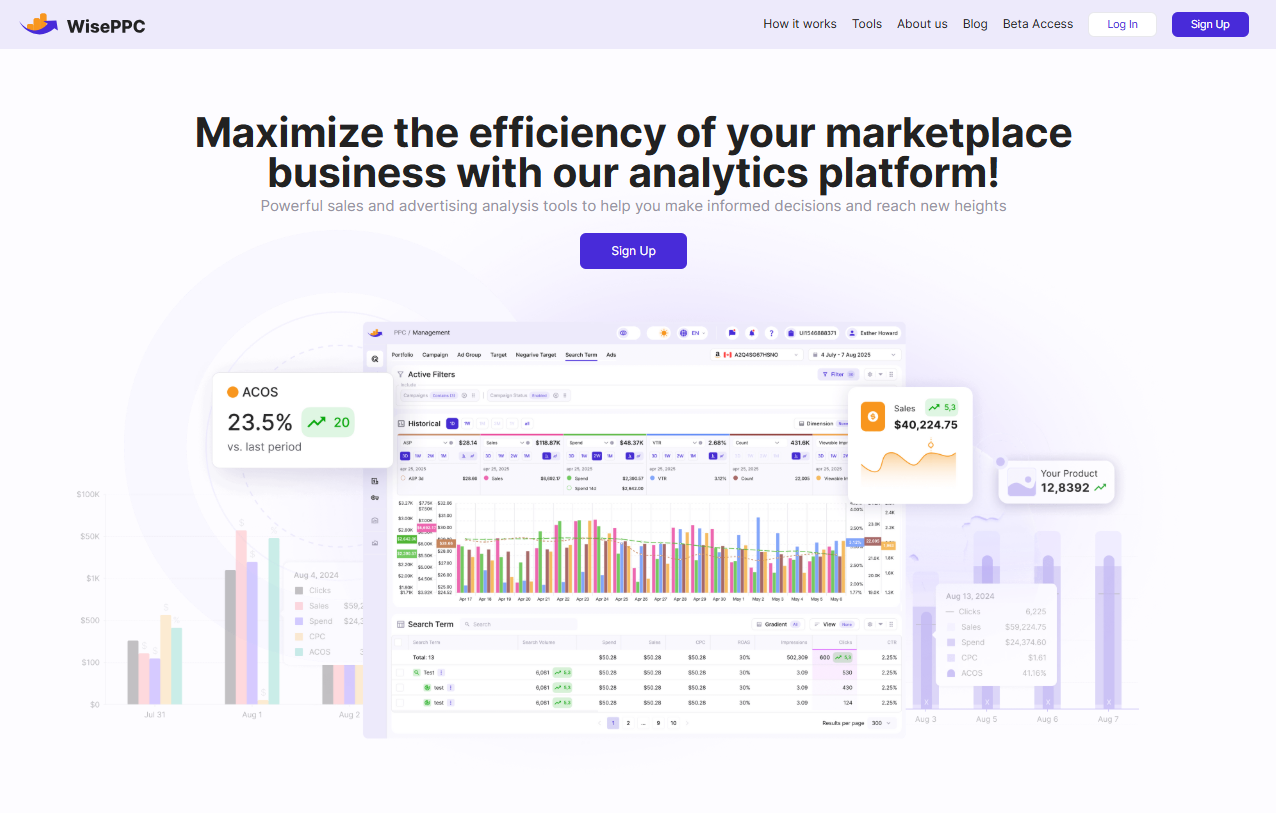
At WisePPC, we specialize in providing businesses with a powerful set of tools designed to enhance their marketplace performance. Whether you’re selling on Amazon or multiple platforms, our advanced analytics platform helps you unlock the full potential of your sales and advertising strategies. By giving you the visibility and control to optimize campaigns, monitor real-time performance, and make data-driven decisions, WisePPC empowers your business to grow faster and smarter.
As an Amazon Ads Verified Partner, we follow Amazon’s best practices and official integrations to ensure top-quality service and customer support. With WisePPC, you gain deep insights into your marketplace data, from intelligent ad optimization to inventory tracking, all in one streamlined platform. This allows you to focus on scaling your business while we handle the complexity of campaign management and performance analysis.
Services Provided by WisePPC
We at WisePPC offer a variety of services designed to optimize every aspect of your marketplace advertising. Here’s a breakdown of the key services:
Advanced Analytics
Track multiple metrics to spot trends and gain insights that help optimize performance.
Bulk Actions
Apply changes to multiple campaigns, ad groups, or targets at once with just a few clicks, saving time and streamlining operations.
Historical Metrics
Analyze data over various timeframes (daily, weekly, monthly) with advanced charts to understand the impact of different targeting strategies.
Placement Performance Analysis
Track and optimize your ad placement strategies across campaigns, ad groups, and keywords to maximize profitability.
Long-Term Data Storage
Store historical data for years, ensuring you have access to long-term trends and insights that Amazon’s default retention policy may not provide.
Automated Optimization
Let our platform highlight underperforming campaigns and provide actionable recommendations to improve ROAS, saving you time and improving efficiency.
These services make WisePPC a complete solution for businesses looking to optimize their advertising and sales on Amazon and beyond. With real-time insights, advanced filtering, and bulk actions, we help you scale smarter and more efficiently.
Conclusion
In conclusion, Amazon does offer 24/7 customer service, but it’s important to understand the distinction between the different types of support available. For Amazon-fulfilled orders, customers can expect immediate and efficient service at any time of day or night. However, when dealing with third-party sellers, the response times may vary, as those sellers are responsible for handling their own customer service.
Whether you’re seeking help for a simple inquiry or need assistance with a more complex issue, Amazon’s customer support is always accessible through multiple channels, including live chat, email, and phone support. For Prime members, the experience is often enhanced with priority support and additional perks, making it even more seamless. By using the right methods and being prepared, you can ensure a smooth and efficient experience when reaching out to Amazon’s customer service.
FAQ
1. Does Amazon really provide 24/7 customer service?
Yes, Amazon offers 24/7 customer service, which means you can get assistance at any time, whether it’s for issues with orders, returns, or technical support for Amazon devices.
2. Is the customer service experience the same for all Amazon customers?
No, the experience can vary. For Amazon-fulfilled orders, you can expect quicker resolutions and more consistent support. However, for third-party seller orders, Amazon facilitates the communication, but the seller is usually responsible for resolving the issue.
3. How can I contact Amazon customer service?
You can contact Amazon customer service through live chat, email, or by requesting a phone call via the “Help & Customer Service” section on their website or app.
4. Are there any benefits for Prime members when contacting Amazon customer service?
Yes, Prime members often enjoy priority support, faster response times, and exclusive perks like extended return windows and quicker refunds.
5. What if my issue isn’t resolved immediately by Amazon’s customer service?
If your issue isn’t resolved right away, you can follow up for updates. If necessary, you can escalate the issue to a supervisor or a different department for further assistance.
6. Is customer service available for third-party sellers on Amazon?
Yes, Amazon provides a platform for communication with third-party sellers, but the sellers are generally responsible for resolving issues related to their products. The support experience may not be as immediate or standardized as for Amazon-fulfilled orders.
7. How can I ensure a smooth experience with Amazon customer service?
To ensure a smooth experience, be prepared with all the necessary details like your order number and product information. Choose the right communication method, stay polite, and know the return policy to avoid delays in resolving your issue.
 No credit card required