
 EN
EN  ES
ES  FR
FR  DE
DE  IT
IT  KO
KO  JA
JA  ZH
ZH  AR
AR  PT
PT  TR
TR PL
PL
Deleting your Amazon account is a straightforward process, but it’s important to understand the implications before taking action. Whether you’re looking to protect your privacy or no longer need the services, this guide will walk you through the steps required to permanently close your account. Be sure to follow each step carefully to avoid losing important information or access to past orders.
What is an Amazon Account?
An Amazon account is a user profile that allows you to access and use Amazon’s e-commerce platform. It serves as the central hub for managing your shopping experience, from browsing products to making purchases. An Amazon account also provides access to various services such as Amazon Prime, Amazon Music, Kindle, and more.
With an Amazon account, you can:
- Track Orders: View your past purchases and track current orders.
- Manage Payments: Add or update your payment methods and billing information.
- Save Addresses: Store multiple shipping addresses for faster checkouts.
- Prime Membership: Enjoy benefits such as fast shipping, access to exclusive content, and more if you’re a Prime member.
- Subscriptions: Manage subscriptions for services like Amazon Fresh, Audible, or Amazon Video.
The account ties all of these services and features to your personal information, making it easy to shop, manage subscriptions, and access content across multiple devices.
Why Delete Your Amazon Account?
There are several reasons why someone might choose to delete their Amazon account:
- Privacy Concerns: With growing concerns about online privacy and data protection, some users may want to delete their accounts to prevent Amazon from storing their personal information and shopping history.
- No Longer Using the Service: If a person no longer shops on Amazon or uses its services, they might choose to close their account to streamline their online presence and remove unnecessary accounts.
- Switching to a Competitor: In some cases, users may prefer to use a competitor like Walmart, eBay, or smaller niche stores. Closing their Amazon account helps avoid cluttering their online accounts with services they no longer use.
- Reducing Online Footprint: Some people prefer to minimize their online presence for various reasons, including reducing the number of accounts they manage or the desire to avoid being tracked by advertising platforms.
Things to Consider Before Deleting Your Amazon Account
Before proceeding with deleting your Amazon account, it’s important to consider the following:
Loss of Access to Past Orders
Once your account is deleted, you will no longer be able to view your past purchases, order history, or track any open orders. If you need a record of past purchases for tax purposes or returns, be sure to download the relevant information before deleting the account.
Digital Content (e.g., Kindle Books, Prime Video, and Music)
Any digital content linked to your account, including Kindle books, audiobooks, music from Amazon Music, or videos from Prime Video, will be permanently lost once the account is deleted. You will lose access to all content associated with your Amazon account, so consider transferring or downloading any important content beforehand.
Subscriptions (e.g., Amazon Prime)
If you have an active Amazon Prime membership, you will need to cancel it before deleting your account. Failing to cancel will result in losing access to Prime benefits, and you may continue to be billed for the service until cancellation.
Services like Amazon Music, Audible, and Amazon Photos
Deleting your account may also impact your access to other Amazon services:
Amazon Music
Any music libraries, playlists, and subscriptions linked to Amazon Music will be lost.
Audible
If you have an Audible account tied to your Amazon account, you’ll lose access to your audiobook library and any remaining credits.
Amazon Photos
Any photos stored in Amazon Photos may be deleted, and you’ll lose access to Amazon’s cloud storage.
Make sure to back up or download anything important from these services before proceeding with the account deletion.
How to Cancel Your Amazon Prime Membership First (if applicable)
If you have an active Amazon Prime membership, it’s crucial to cancel it before deleting your account to avoid continued charges. Follow these steps:
- Log in to Your Amazon Account: Open Amazon’s website or app and log in to your account.
- Go to Your Account Settings: Click on “Accounts & Lists” at the top right corner, then select “Your Account.”
- Navigate to Prime Membership: Under the “Memberships & Subscriptions” section, click on “Prime.”
- Click on “End Membership”: On the Prime membership page, look for the option to “End Membership” or “Cancel Membership.”
- Confirm Cancellation: Follow the prompts to confirm that you want to cancel your Prime membership. You may be given a choice to keep certain benefits until the end of your billing cycle.
After canceling, ensure your membership is fully ended, and you’re no longer billed before proceeding with deleting your Amazon account.

Step-by-Step Guide to Deleting Your Amazon Account
If you’re sure about deleting your Amazon account, follow these detailed steps to ensure the process is done correctly. It’s important to cancel any active subscriptions and back up your data before starting.
1. Log into Your Amazon Account
- Go to Amazon’s website or open the Amazon app on your device.
- Enter your account credentials (email and password) to log in.
- If you are using the mobile app, ensure your app is up to date to avoid any issues during the process.
2. Cancel Active Subscriptions
Before you proceed with deleting your account, make sure to cancel any ongoing subscriptions, such as Amazon Prime, Audible, or Amazon Music.
- For Amazon Prime, go to “Accounts & Lists” > “Your Prime Membership” and select “End Membership.”
- For Audible, navigate to “Account Details” and cancel your membership.
- Cancel any other active subscriptions under your “Your Account” section.
3. Back Up Important Data
- Order History: If you need your past orders or invoices, download them before proceeding. You can find your order history under “Your Orders.”
- Digital Content: Download any Kindle books, audiobooks, or Amazon Photos that you wish to keep.
- Reviews and Recommendations: If you have left reviews or created wish lists, save this information as it will be lost after account deletion.
4. Contact Amazon Support
- To delete your Amazon account, you need to get in touch with Amazon’s customer service team.
- Scroll to the bottom of the Amazon website and click on “Help”.
- Under “Need More Help?”, select “Contact Us”. You may be asked to log in again to verify your identity.
- Choose the appropriate communication method (phone, chat, or email). For quicker response, we recommend using the chat or phone options.
5. Request Account Deletion
- Once you’re in contact with Amazon support, clearly state that you wish to delete your Amazon account.
- Amazon will verify your identity by asking for personal details to ensure the request is legitimate.
- They will explain the consequences of account deletion, including the loss of access to past orders, reviews, subscriptions, and digital content.
6. Confirm Deletion
- After Amazon has explained the implications, confirm your understanding of the process and your decision to delete the account.
- Amazon may ask you why you want to delete your account. You can provide feedback if you feel it’s necessary.
- Once confirmed, Amazon will initiate the deletion request.
7. Wait for Confirmation
- After submitting your request, Amazon typically processes account deletions within 24–48 hours. However, they may take up to several days to complete the deletion.
- You will receive an email notification once your account is successfully deleted. This email will confirm that all your personal data has been removed from Amazon’s databases.
8. What to Do if You Change Your Mind
- If you change your mind within the first 30 days of the deletion request, you can contact Amazon support and request to cancel the deletion process. Once the 30-day period has passed, the account will be permanently deleted and cannot be reactivated.
By following these steps carefully, you can ensure that your Amazon account is deleted in a controlled and informed manner. Make sure you have everything you need before proceeding, as recovery is not possible once the deletion is finalized.
What Happens After You Delete Your Amazon Account?
After you delete your Amazon account, the following will happen:
Account Deactivation Period
Once your account is deleted, it doesn’t happen instantly. Amazon typically deactivates your account for a period (usually around 30 days) before permanent deletion. During this time, you may be able to contact customer service if you change your mind and want to reactivate the account. However, after this period, the account and its data are permanently erased.
Loss of Access to Services
All linked services and subscriptions, including Amazon Prime, Audible, and Amazon Music, will be inaccessible once your account is permanently deleted. Any unused credits (like Audible credits) will also be lost. Additionally, any content purchased through Amazon (such as books or movies) will no longer be available.
Data Retention
Amazon may retain certain data even after account deletion, typically related to legal and regulatory requirements. However, all personal information associated with your account will be removed from Amazon’s active databases. You may not be able to recover any of your data once the account is permanently deleted.
Impact on Family Sharing
If you share an account with family members through Amazon Household or have linked devices (like Kindle or Echo devices), those will also be disconnected. Each member will need to create a new Amazon account to continue using services like Family Library or Alexa.
Refunds and Returns
If you delete your account and have any pending refunds or return requests, they will be processed before the account is fully deleted. After deletion, you won’t be able to track or manage returns anymore.
Be sure to download any content, track any open orders, and cancel all subscriptions before deleting your account to ensure you don’t lose access to important items or services.

How WisePPC Can Help If You’re Considering Deleting Your Amazon Account
At WisePPC, we understand that managing your online business can be overwhelming at times. Whether it’s due to privacy concerns, dissatisfaction with Amazon, or a desire to streamline your operations, you might be considering deleting your Amazon account. However, before you make such a drastic decision, we want to help you explore all options, especially when it comes to optimizing your business performance.
We Provide Powerful Data Insights
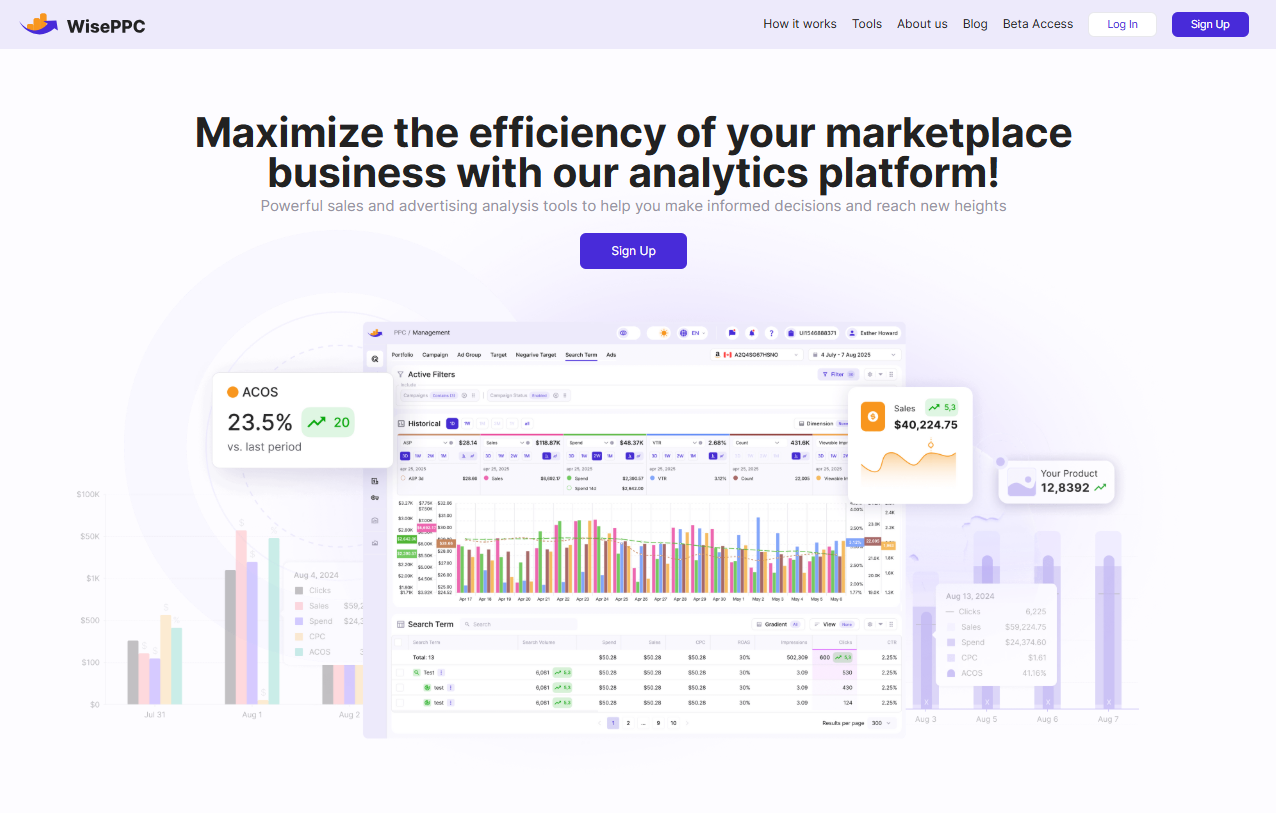
If you’re thinking about deleting your Amazon account because you feel like your business isn’t performing well enough, we can help you gain a clearer picture. At WisePPC, we give you access to advanced analytics that dive deep into your Amazon account’s data. We track over 30 metrics, including your Average Selling Price (ASP), ad performance, and customer trends. With our insights, you can determine whether Amazon is still a valuable marketplace for your business before making the final decision.
We Optimize Your Ads for Maximum Performance
If your frustration lies with inefficiencies in your advertising, we’ve got you covered. Our platform allows you to refine your ad campaigns and track essential metrics like ACOS, TACOS, CTR, and ROAS. We use real-time data to optimize your campaigns, so if you’re not satisfied with your ad performance on Amazon, we can help turn things around, making it easier to continue growing on the platform.
We Help You Expand Beyond Amazon
At WisePPC, we recognize that there are multiple e-commerce platforms out there. If you’re contemplating deleting your Amazon account and switching to a different marketplace, we can help you make that transition smoothly. Our tools integrate seamlessly with other platforms, such as Shopify, and allow you to manage your campaigns and sales across multiple channels. We give you the visibility and control you need to scale your business without losing insights or data.
We Preserve Long-Term Historical Data
One of the major concerns when deleting your Amazon account is the loss of valuable historical data. At WisePPC, we understand how important it is to retain past performance data. While Amazon only stores data for 60-90 days, we keep your historical data indefinitely, even on the most basic plan. This allows you to analyze long-term trends, compare past and present performance, and make data-driven decisions about the future of your business.
Can You Reactivate a Deleted Amazon Account?
Once an Amazon account has been permanently deleted, it’s important to understand that the process is generally irreversible. However, there are certain nuances that users should be aware of when it comes to reactivating an account after deletion.
Account Deletion Process
When you request to delete your Amazon account, Amazon goes through a deactivation period (typically about 30 days) before permanently closing the account. During this period, you may still be able to reverse the deletion if you change your mind. Amazon gives users the option to cancel the deletion request and retain their account during this window.
After the Deactivation Period
Once the 30-day deactivation period has passed and the account has been permanently deleted, there is no straightforward way to recover it. Amazon removes all your personal information, order history, and data related to your account. All associated services like Amazon Prime, Amazon Music, Audible, Kindle, and any content tied to your account will be lost.
Important: Amazon does not offer a direct option for reactivating an account once it’s fully deleted. Once the data is erased, there is no way to retrieve it or reactivate the account.
Contacting Amazon Support
If you’ve accidentally deleted your account and are within the 30-day deactivation period, you can contact Amazon’s customer service team to cancel the deletion request. They may be able to restore your account, but it’s important to act quickly. If you miss this window, your account will be permanently deleted, and you won’t be able to get it back.
Creating a New Account
If your account has been permanently deleted and you want to continue using Amazon, the only option is to create a new account. You will need to use a different email address and re-enter your payment information, as your old account data will no longer be available. However, keep in mind that you won’t have access to any past orders, reviews, or digital content from your old account.
Considerations When Reactivating
If you’re thinking about reactivating an account (during the deactivation period), consider the following:
- Lost Content: Any digital content (e.g., Kindle books, purchased movies) or subscriptions like Amazon Prime will be unavailable once deleted.
- Subscription Services: You will need to cancel any active subscriptions (like Audible or Amazon Music) before deleting the account to avoid unnecessary charges.
- Order History: Once your account is deleted, all past order data is erased. You won’t be able to retrieve receipts, invoices, or track previous purchases.
Conclusion
Deleting your Amazon account is a big decision that comes with important consequences. Before you proceed, make sure to cancel subscriptions like Amazon Prime and back up any data, such as order history or digital content. Once your account is permanently deleted, you won’t be able to recover any of that information.
If you’re unsure, consider alternatives like adjusting privacy settings or deactivating your account temporarily. Deleting your account should be a well-informed decision based on your personal or business needs.
FAQ
1. How do I delete my Amazon account?
To delete your Amazon account, you need to contact Amazon customer support. Go to the “Help” section, select “Need More Help?”, and then choose “Contact Us.” After verifying your identity, you can request account deletion. Be sure to cancel any active subscriptions before initiating the process.
2. Can I recover my Amazon account after deletion?
Once your account is permanently deleted, it cannot be recovered. However, if you are within the 30-day deactivation period, you can contact Amazon support to cancel the deletion request and retain your account.
3. Will I lose my digital content if I delete my account?
Yes, deleting your Amazon account will result in the loss of any digital content, such as Kindle books, Prime Video, Audible audiobooks, and other Amazon services linked to your account.
4. Do I need to cancel Amazon Prime before deleting my account?
Yes, you must cancel your Amazon Prime membership before deleting your account to avoid continued billing. Ensure your Prime membership is fully canceled before initiating the deletion process.
5. Can I create a new Amazon account after deletion?
Yes, after your account is deleted, you can create a new Amazon account, but you will need to use a different email address and re-enter your payment information. Any past orders or data from the old account will not be accessible.
6. Will Amazon retain my personal information after account deletion?
Amazon will remove your personal information from its active databases once your account is permanently deleted. However, some data may be retained for legal or regulatory purposes.
 No credit card required