
 EN
EN  ES
ES  FR
FR  DE
DE  IT
IT  KO
KO  JA
JA  ZH
ZH  AR
AR  PT
PT  TR
TR PL
PL
Quick Summary: To cancel an Amazon Prime free trial, visit Your Amazon Account, select Prime Membership, click Manage Membership, and choose End Trial. The cancellation process is straightforward on desktop, mobile web, and apps. Canceling before the trial ends prevents automatic billing, and members who haven’t used benefits may qualify for refunds.
Amazon Prime offers new subscribers a 30-day free trial packed with benefits like fast shipping, video streaming, and exclusive deals. But here’s the thing—if cancellation isn’t done before the trial ends, automatic billing kicks in.
The Federal Trade Commission secured a historic $2.5 billion settlement against Amazon in September 2025, alleging the company enrolled millions in Prime subscriptions without consent and made cancellation unnecessarily difficult. According to the FTC, $1.5 billion of that settlement goes back to affected consumers.
That said, the cancellation process has become more transparent. This guide walks through exactly how to end a Prime free trial across all platforms before any charges appear.
Why Cancel Before the Trial Ends
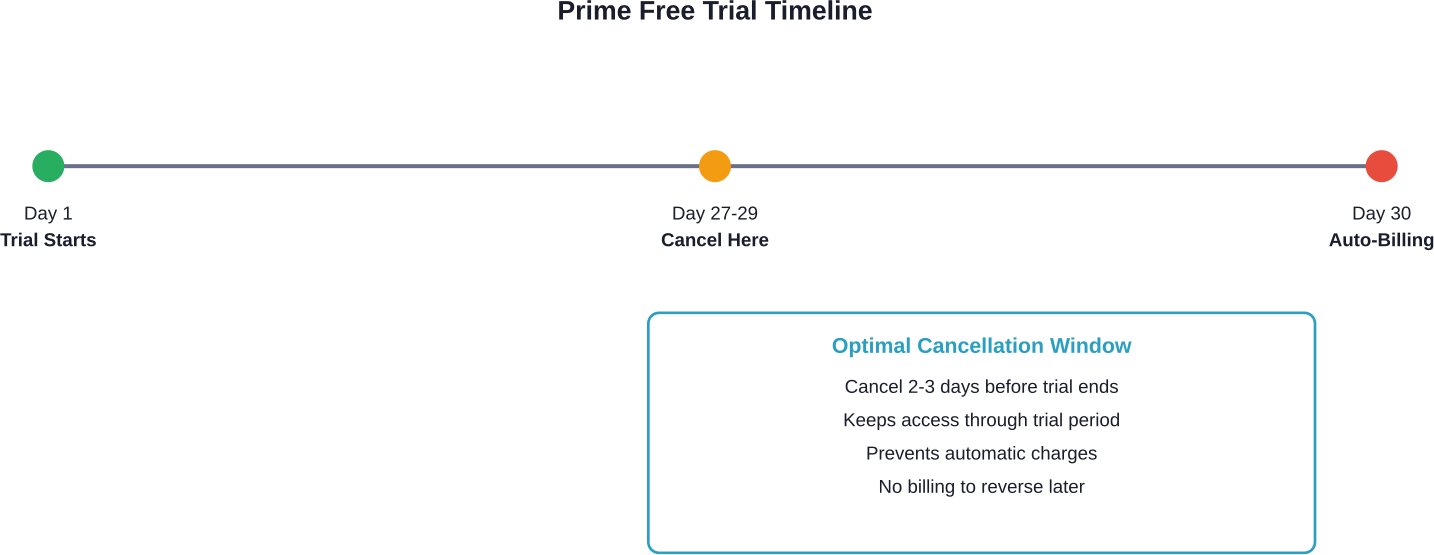
Amazon Prime trials automatically convert to paid memberships when the 30-day period expires. Members who don’t cancel get charged for either a monthly or annual subscription, depending on which plan was selected during signup.
Paid members who haven’t used their benefits are eligible for a full refund of the current membership period, according to Amazon’s official customer service documentation. The company processes these refunds in five to seven business days.
But catching the trial before conversion remains the cleanest approach. No billing, no refund requests, no waiting period.
How to Cancel Amazon Prime Free Trial on Desktop
The desktop cancellation process is straightforward once the right menu is located. Here’s what works:
- Navigate to amazon.com and sign in to the account
- Hover over “Accounts & Lists” in the top-right corner
- Select “Prime Membership” from the dropdown menu
- Click “Manage Membership” on the left side of the page
- According to Amazon’s official customer service documentation, select “Manage Subscription” at the top right, then “Update, Cancel, and more” to end the membership or trial
- Confirm the cancellation when prompted
Amazon displays the trial end date during this process. The membership benefits remain active until that date, even after cancellation is confirmed.
Canceling Through Mobile Browser and App
Mobile cancellation mirrors the desktop process with minor navigation differences.
Mobile Browser Method
Access amazon.com through any mobile browser. Tap the menu icon (three horizontal lines), then select “Prime Membership” under the account section. The same “Manage Subscription” options appear as on desktop.
Amazon Shopping App Method
Open the Amazon Shopping app and tap the person icon at the bottom-right. Select “Your Account,” then “Prime Membership.” Tap “Manage Membership” and follow the prompts to end the trial.
Android users follow identical steps. In Amazon’s October 2023 motion to dismiss the FTC complaint, the company argued that members are “given multiple simple mechanisms to cancel” their membership across platforms.
What Happens After Cancellation
Canceling a free trial doesn’t immediately revoke access. Prime benefits continue through the original trial end date, giving full access to shipping, streaming, and other perks.
After the trial expires, the account reverts to a standard Amazon account. Previous orders, wishlists, and account settings remain unchanged—only Prime-specific features disappear.
| Benefit | During Trial | After Cancellation |
|---|---|---|
| Free Two-Day Shipping | Available | Reverts to standard shipping |
| Prime Video | Full access | Subscription required |
| Prime Music | Full access | Subscription required |
| Exclusive Deals | Visible and accessible | No longer accessible |
| Prime Reading | Full library access | Subscription required |
Multiple Free Trials and Eligibility
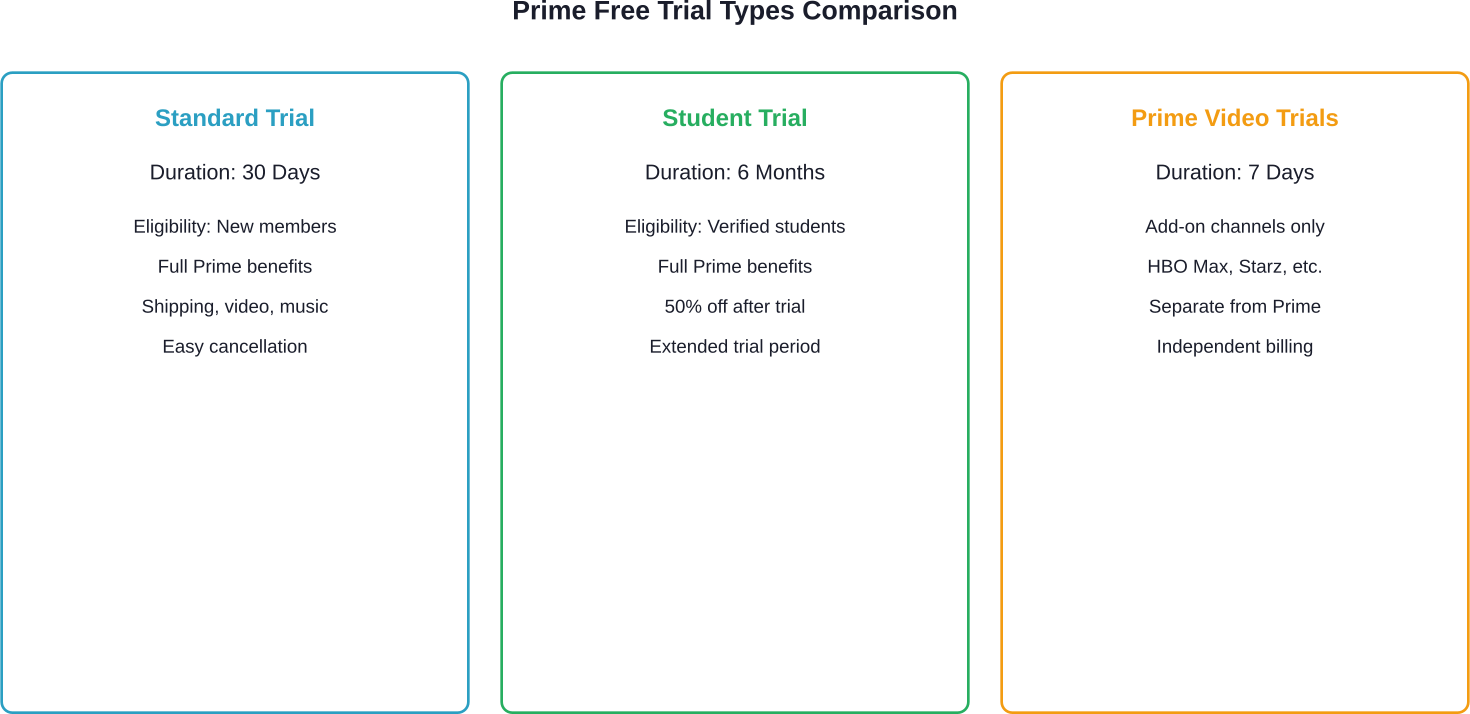
For new subscribers, multiple free trials of Amazon Prime are available under specific conditions. The standard 30-day free trial applies to anyone who hasn’t been a Prime member before.
Students can access a 6-month free trial through Prime Student, followed by a 50% discount on membership. Eligibility can be checked on the Prime Membership page—a banner promotion appears if a free trial is available.
Amazon’s official policy limits free trials to new members. While some community discussions mention users obtaining additional trials after extended periods, this is not officially supported.
Thinking Beyond Subscriptions? Look at the Seller Side

Canceling a Prime trial is mostly about avoiding extra charges. But on the other side of Amazon, there’s a completely different layer – where sellers are trying to understand what actually leads to purchases and what doesn’t.
WisePPC is built for that side of the platform. It takes the data Amazon generates from ads and sales and organizes it into something you can actually work with. Instead of looking at isolated numbers, you see how campaigns perform over time, how spend connects to revenue, and where small changes might improve results without increasing budget. It’s a quieter part of running things on Amazon, but it’s where a lot of decisions come from once listings and campaigns are already in place.
Try WisePPC and get a clearer sense of what’s actually driving results inside your Amazon account.

Common Cancellation Issues and Solutions
While some users report difficulty locating cancellation options, Amazon’s official documentation states the process is straightforward across all platforms.
Real talk: if the “End Trial” option isn’t visible, try these workarounds:
- Clear browser cache and cookies, then reload the Prime Membership page
- Switch from app to desktop browser or vice versa
- Contact Amazon customer service directly through chat or phone
- Check if parental controls or household sharing settings are restricting access
Amazon’s customer service can process cancellations immediately when members can’t access the self-service options. Representatives are available 24/7 through the “Contact Us” section.
Managing Subscriptions and Recurring Payments
Beyond the Prime membership itself, add-on subscriptions like Prime Video Channels operate independently. Canceling the main Prime membership doesn’t automatically cancel these additional subscriptions.
Check active subscriptions through “Memberships & Subscriptions” under account settings. Each channel subscription requires separate cancellation if no longer wanted.
| Subscription Type | Cancellation Location | Takes Effect |
|---|---|---|
| Prime Membership | Prime Membership page | End of trial period |
| Prime Video Channels | Prime Video Settings | End of current billing cycle |
| Amazon Music Unlimited | Music Settings | End of current billing cycle |
| Kindle Unlimited | Manage Membership | End of current billing cycle |
Frequently Asked Questions
Can the trial be canceled immediately after signing up?
Yes, you can cancel a Prime free trial at any time, even right after activation. Benefits remain active until the trial period ends.
Will Amazon send a reminder before the trial ends?
Amazon usually sends an email reminder a few days before renewal, but setting your own reminder is recommended.
What if charges already appeared after the trial?
Contact customer service immediately. If you haven’t used benefits, you may qualify for a full refund.
Does canceling affect existing orders or returns?
No, orders and returns are not affected by canceling your trial.
Can another free trial be accessed later?
Free trials are typically limited to new members, though exceptions may occasionally occur.
Are there penalties for canceling early?
No, there are no penalties or fees for canceling a free trial.
How can trial end dates be checked?
You can find your trial end date on the Prime Membership page in your account settings.
Taking Control of Prime Membership
Canceling an Amazon Prime free trial requires just a few clicks when done through the proper channels. The process has become more transparent following regulatory scrutiny, though navigation can still feel unnecessarily complex at times.
Setting a calendar reminder for two to three days before the trial ends provides the cleanest exit strategy. Benefits remain active through the full period, and automatic billing never triggers.
For those who use Prime regularly, the membership offers genuine value. But for trial users evaluating the service, canceling before charges appear keeps options open without commitment. Check the Prime Membership page now to confirm trial status and end date.
 No credit card required