
 EN
EN  ES
ES  FR
FR  DE
DE  IT
IT  KO
KO  JA
JA  ZH
ZH  AR
AR  PT
PT  TR
TR PL
PL
If you sell on Amazon using FBA, inventory can either make your life easy or quietly drain your profits.
Too much stock and you’re paying storage fees for months. Too little and you lose the Buy Box, ranking, and sales. Somewhere in between is the sweet spot. That’s exactly where the FBA Inventory tool comes in.
It’s not flashy. It doesn’t promise magic. But if you use it properly, it becomes one of the most important dashboards in your Seller Central account.
Let’s break down what it actually does, and why serious sellers pay attention to it.
The FBA Inventory Tool Explained in Plain Terms
The FBA Inventory tool is a dashboard inside Seller Central designed to help you monitor and manage the inventory stored in Amazon fulfillment centers.
It gives you visibility into:
- How much stock you currently have
- How fast your products are selling
- Which items are overstocked
- Which products are close to running out
- Which units are stranded or inactive
- How inventory health impacts your IPI score
In short, it helps you keep your stock in balance.
Amazon does not want its warehouses used as long term storage facilities. The system is built around flow. Products should move in, sell, and move out. The FBA Inventory tool helps you align with that model.
If you ignore it, the system will still work. You will just pay more for it.
Why Inventory Balance Matters on Amazon
Why inventory balance matters so much on Amazon becomes clear when you look at how the platform evaluates sellers. Amazon tracks your inventory health through the Inventory Performance Index, or IPI. This score ranges from 0 to 1000 and shows how effectively you manage your FBA stock. If the score drops, you can face storage limits, reduced capacity during peak periods, higher storage fees, and slower growth overall. A strong score, on the other hand, gives you more operational freedom and fewer restrictions.
Your IPI is influenced by how efficiently your inventory moves. Amazon looks at your sell-through rate, how much excess stock you hold, how long units sit in storage, and whether you have stranded listings. All of these factors reflect how well you control your stock levels. The FBA Inventory tool is the place where you track these metrics and make the adjustments that keep your account healthy.

How WisePPC Connects Inventory and Advertising
WisePPC is built around a simple idea – advertising and inventory should work together, not compete for attention. Scaling campaigns while stock is low creates unnecessary risk. Letting products sit in storage while ads underperform wastes opportunity. That is why our system connects ad performance, sales data, and inventory levels in one unified environment. Instead of looking at FBA metrics as separate reports, our platform analyzes them alongside traffic, conversion rates, and ad spend to support smarter decisions around restocking and budget allocation.
Within our service, campaign automation, stock monitoring, and demand forecasting operate inside the same workflow. If inventory levels start to decline, our platform highlights it early so advertising can be adjusted before visibility drops. In cases where excess stock builds up, it enables strategic campaign optimization instead of reactive discounting. The objective is clear – reduce wasted ad spend, protect inventory balance, and provide a transparent view of performance across Amazon, Shopify, and other marketplaces. By aligning advertising data with inventory insights in one system, our platform supports more stable and predictable growth.

Core Inventory Metrics You Need to Understand
To use the FBA Inventory tool effectively, you need to understand the key metrics Amazon tracks.
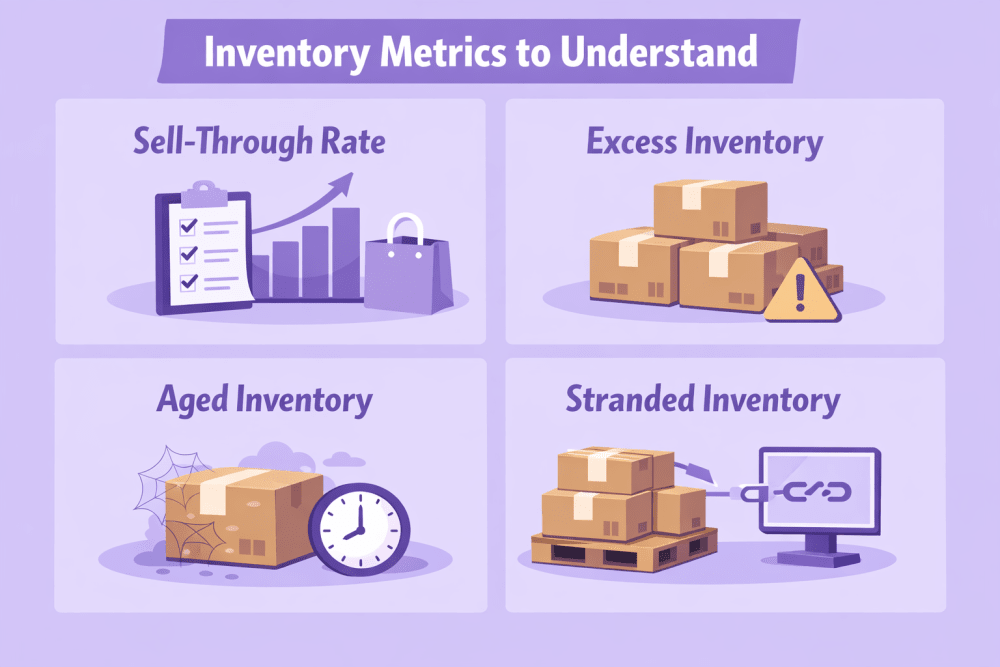
1. Sell-Through Rate
Sell-through rate is calculated by dividing units sold over the past 90 days by the average number of sellable units during the same period.
A high rate means inventory is moving efficiently. A low rate usually indicates overstocking.
As a benchmark, a sell-through rate above 2.0 is generally considered good/strong, 1.0 to 2.0 is average/acceptable, and below 1.0 is poor and signals a problem. The tool shows this across SKUs so you can spot slow movers early.
2. Excess Inventory
Inventory is considered excess when you hold more than 90 days of supply or when units have been stored for over 90 days.
Excess stock increases storage costs, raises the risk of long-term fees, lowers IPI, and ties up cash. The FBA Inventory tool flags these SKUs so you can lower price, increase demand, remove, or liquidate them.
3. Aged Inventory
Aged inventory refers to units stored in FBA for extended periods. Amazon tracks this using a first-in, first-out method.
The longer stock sits, the more it costs. The tool allows you to filter by age to identify products nearing fee thresholds.
4. Stranded Inventory
Stranded inventory includes units that cannot be sold because they are not linked to an active listing.
Common causes include listing errors, inactive offers, pricing issues, or missing information. Storage fees still apply. The FBA Inventory tool highlights these units so you can fix the listing or remove the stock.
What You Can Actually Do Inside the Tool
It is one thing to see numbers. It is another to act on them.
Here is how the tool helps you take control.
Monitor Inventory Age and Risk
The FBA Inventory tool allows you to filter stock by age range, so you can quickly identify units older than 90 days, products approaching long-term storage fees, and slow-moving SKUs. This visibility gives you time to act before additional costs apply.
Identify Overstocked SKUs
The excess inventory view shows you products that are unlikely to sell through within a reasonable time.
You can then choose to:
- Lower the price
- Increase advertising bids
- Run promotions
- Create removal orders
- Liquidate units
- Use Amazon Outlet if eligible
The key is acting early instead of waiting until fees accumulate.
Track In-Stock Performance
Running out of stock hurts more than most sellers expect.
When you go out of stock:
- You lose the Buy Box
- Your organic ranking drops
- Your advertising performance suffers
- Your competitors gain ground
The FBA Inventory tool shows how consistently your ASINs have remained in stock over the past 30 days. This is weighted by sales velocity, so high volume SKUs matter more.
Keeping top sellers in stock is critical to maintaining sales momentum.
Improve Your 90-Day Sell-Through Rate
If your sell-through rate is low, the FBA Inventory tool highlights the issue and suggests where to take action. That usually means reducing excess units, running promotions to increase demand, improving your listings to boost conversion, or adjusting pricing to stay competitive. The tool does not make changes for you, but it clearly shows where your attention is needed.
How the FBA Inventory Tool Impacts IPI and Restock Limits
Your Inventory Performance Index reflects how you manage FBA stock, and the FBA Inventory tool shows the metrics that influence it. IPI is based on excess inventory, sell-through rate, stranded inventory, and in-stock rate for popular products. When the score drops, one of these areas requires correction. Improving IPI means reducing overstock, resolving stranded listings, and maintaining stable stock levels through consistent management.
Inbound and Reserved Inventory – What Sellers Often Overlook
Many sellers focus only on what is currently sellable. But Amazon tracks more than that.
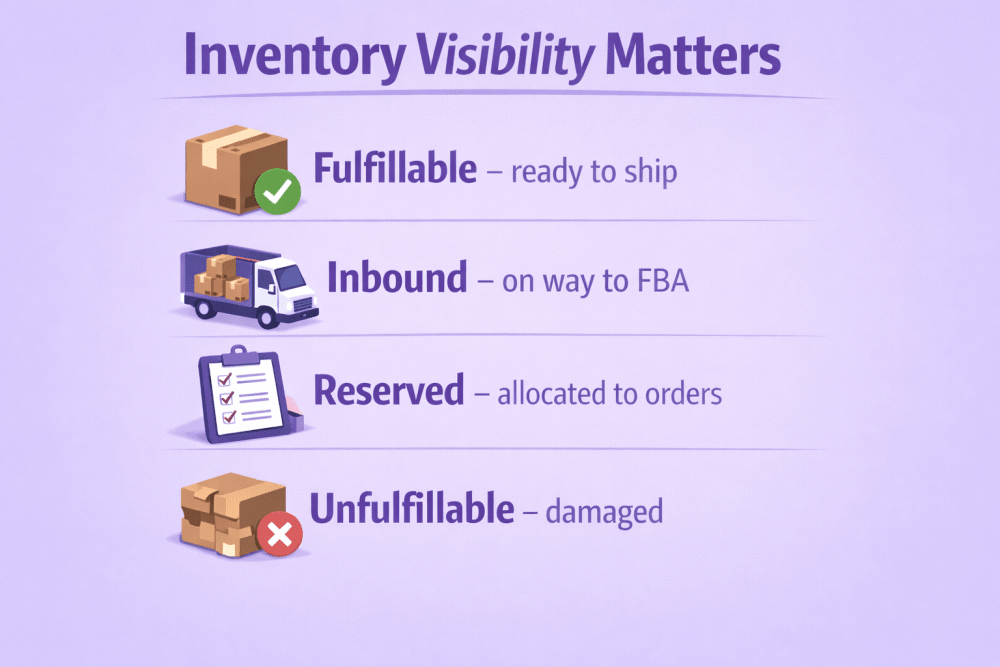
Inventory Visibility Matters:
- Fulfillable – ready to ship
- Inbound – on the way to FBA
- Reserved – allocated to orders or transfers
- Unfulfillable – damaged or unsellable
Inbound and reserved units still count toward your storage capacity, even though they are not currently sellable. If these quantities are high, Amazon may restrict how much additional inventory you are allowed to send. In simple terms, the amount you can still ship is calculated by taking your restock limit and subtracting your current FBA inventory, open shipments, and reserved inventory. The FBA Inventory tool displays these numbers clearly, allowing you to plan shipments in advance and avoid unexpected restrictions.
How to Avoid the Two Biggest Inventory Mistakes
After working with sellers, I see two recurring patterns.
Mistake 1 – Chronic Overstocking
This usually happens when sellers:
- Overestimate demand
- Ignore sales velocity trends
- Rely on supplier minimums instead of data
The result is excess inventory, rising fees, and stuck capital.
Better approach:
- Maintain roughly 45 to 60 days of supply
- Use weighted averages of recent sales to forecast demand
- Adjust forecasts for peak and off-peak seasons
Mistake 2 – Stockouts
Stockouts can be even more damaging.
When you run out:
- Sales drop to zero
- Ranking falls
- Re-launching takes time and ad spend
Sometimes slowing sales intentionally can help prevent stockouts. For example:
- Temporarily increase price
- Pause aggressive ads
- Limit promotional activity
This buys time while inventory is in transit.
The FBA Inventory tool helps you spot risk before it becomes a crisis.
Smarter Inventory Strategy with the FBA Tool
The FBA Inventory tool provides the data. Your strategy determines how well you use it. Below is how to turn those insights into clear, practical decisions.
Restock Recommendations – Useful but Not Complete
Amazon’s Restock Inventory tool gives reorder suggestions based on historical sales, seasonality, and the lead time you enter. It works well for quick estimates, especially if you manage a small catalog.
However, it does not fully account for inventory at your 3PL, supplier stock levels, complex logistics chains, or adjusted sales velocity based on recent changes. As operations grow, many sellers supplement Amazon’s data with their own tracking systems or third-party tools. The FBA Inventory tool should be your foundation, but not your only source of decision-making.
A Practical Workflow
Inventory management does not need to be complicated. What matters is consistency.
On a weekly basis, review stranded inventory and resolve listing issues immediately. Check excess inventory and flag SKUs with more than 90 days of supply. Sort products by lowest days of inventory to prevent stockouts. Compare inbound shipments against projected demand and review aging stock before long-term storage fees apply.
Once per month, evaluate slow-moving products for removal or liquidation. Reassess forecasts using recent 30- and 60-day sales data. Review your IPI trend and identify weak points that require attention.
Simple routines prevent larger problems.
Using AWD as a Buffer
Amazon Warehousing and Distribution offers bulk storage that can automatically replenish FBA inventory. It can reduce FBA storage costs, help avoid capacity limits, and improve the balance between storage expense and stock availability.
For fast-growing sellers, AWD can act as a buffer between suppliers and FBA. It is not necessary for every business, but it can support broader inventory planning when restock limits or high storage fees become a constraint.
Planning for Peak and Off-Peak Periods
Inventory strategy should change throughout the year. During peak months, recent sales data should carry more weight, safety stock should increase, and potential shipping delays should be anticipated. In slower periods, it often makes sense to reduce FBA storage levels, keep more inventory at your own warehouse or 3PL, and focus on improving sell-through.
The FBA Inventory tool provides the data, but interpreting it correctly depends on understanding your business cycle.
Inventory as a Strategic Lever
Inventory management is not just operational tracking. It is a balance between cash flow, sales velocity, and storage cost. The FBA Inventory tool provides the visibility needed to make informed decisions across all three.
When used consistently, it helps maintain a healthy IPI, reduce unnecessary fees, protect rankings, keep top products in stock, and free up capital for growth. When ignored, it quietly reduces profitability and flexibility.
Conclusion
The FBA Inventory tool gives you a clear view of how your stock is performing inside Amazon’s system. It shows where you are overstocked, where you risk running out, and how your inventory decisions affect your IPI and storage limits. It does not replace strategy, but it gives you the information you need to make better decisions. If you review it consistently and act early, you avoid most of the common inventory problems sellers face.
FAQ
1. What is the main purpose of the FBA Inventory tool?
It helps you monitor stock levels, sell-through rate, excess inventory, aged units, and stranded listings so you can manage FBA inventory more efficiently.
2. Does the FBA Inventory tool affect my IPI score?
Yes. The metrics shown in the tool, such as excess inventory and sell-through rate, directly influence your Inventory Performance Index.
3. How often should I use the FBA Inventory tool?
Checking it weekly is usually enough to catch issues early. During peak seasons or when stock is tight, more frequent reviews can help prevent disruptions.
4. Can the tool predict how much I should reorder?
It provides recommendations through Amazon’s restock system, but those suggestions are based on historical data and may not reflect external inventory or complex logistics.
5. Is the FBA Inventory tool available to all sellers?
It is available to sellers using FBA, and full IPI scoring requires a Professional selling plan with active inventory in Amazon fulfillment centers.
 No credit card required