
 EN
EN  ES
ES  FR
FR  DE
DE  IT
IT  KO
KO  JA
JA  ZH
ZH  AR
AR  PT
PT  TR
TR PL
PL
Amazon’s affiliate program is one of the simplest ways to turn existing traffic into passive income. You don’t need to stock products, manage orders, or deal with returns – just connect your audience to what they’re already buying. The structure is solid, the tools are reliable, and the path to first earnings is surprisingly clear. What matters is execution: knowing how to apply, set things up right, and avoid the rookie mistakes that quietly drain your time or get you flagged. This breakdown covers all the key steps – minus the fluff.
Why Amazon Affiliates Still Bring In Revenue (Even in 2025)
Some things in e-commerce shift fast – but Amazon’s affiliate program hasn’t really lost momentum. If anything, it’s become more practical. The core model is still clean: recommend a product, get paid when someone buys. And with Amazon holding onto its place as the first stop for online shopping, there’s no shortage of people to send there.
What’s changed isn’t the opportunity – it’s the noise. More content, more platforms, more people doing the same thing. That’s where execution matters. Instead of throwing up generic product links and hoping for clicks, affiliates now need to be more intentional – sharper targeting, better content formats, and cleaner tracking. The upside? You don’t need a million followers or a huge media site to start seeing results. A well-placed link in a focused niche still performs. Especially if you pay attention to what’s actually driving sales – not just traffic.
What the Amazon Affiliate Program Actually Involves – and Who Can Join
Amazon Associates is a performance-based program built on a simple idea: recommend products, earn when people buy. You get a unique link, someone clicks it, and if they make a purchase within the window, you get a percentage of the sale. The commission depends on the product category – usually somewhere between 1% and 10%. There’s no cost to join, and payments go out once the item ships. It’s a low-friction way to monetize content, especially if your audience already shops on Amazon (which most do).
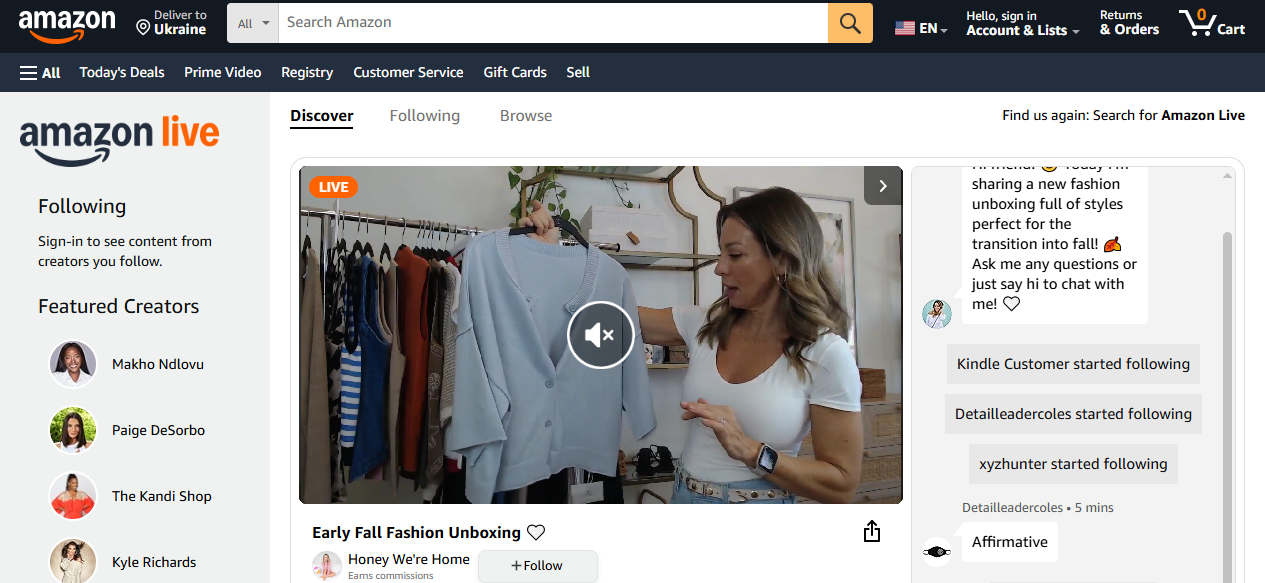
To get approved, you’ll need a live, public platform – that could be a website, blog, YouTube channel, or social media page. The content needs to be original, active, and clearly built for real users. For websites, ten useful posts is the unofficial baseline. For social, having at least 500 followers helps. You’ll also need to generate three qualified sales within your first 180 days – if not, Amazon shuts the account down automatically. They’re not looking for perfection, just proof that you can bring in actual buyers.
Step-by-Step: How to Become an Amazon Affiliate Without Overcomplicating It
Starting with Amazon’s affiliate program is technically easy – but there’s a difference between just getting approved and setting yourself up to actually earn. This walkthrough keeps it clean, direct, and usable.
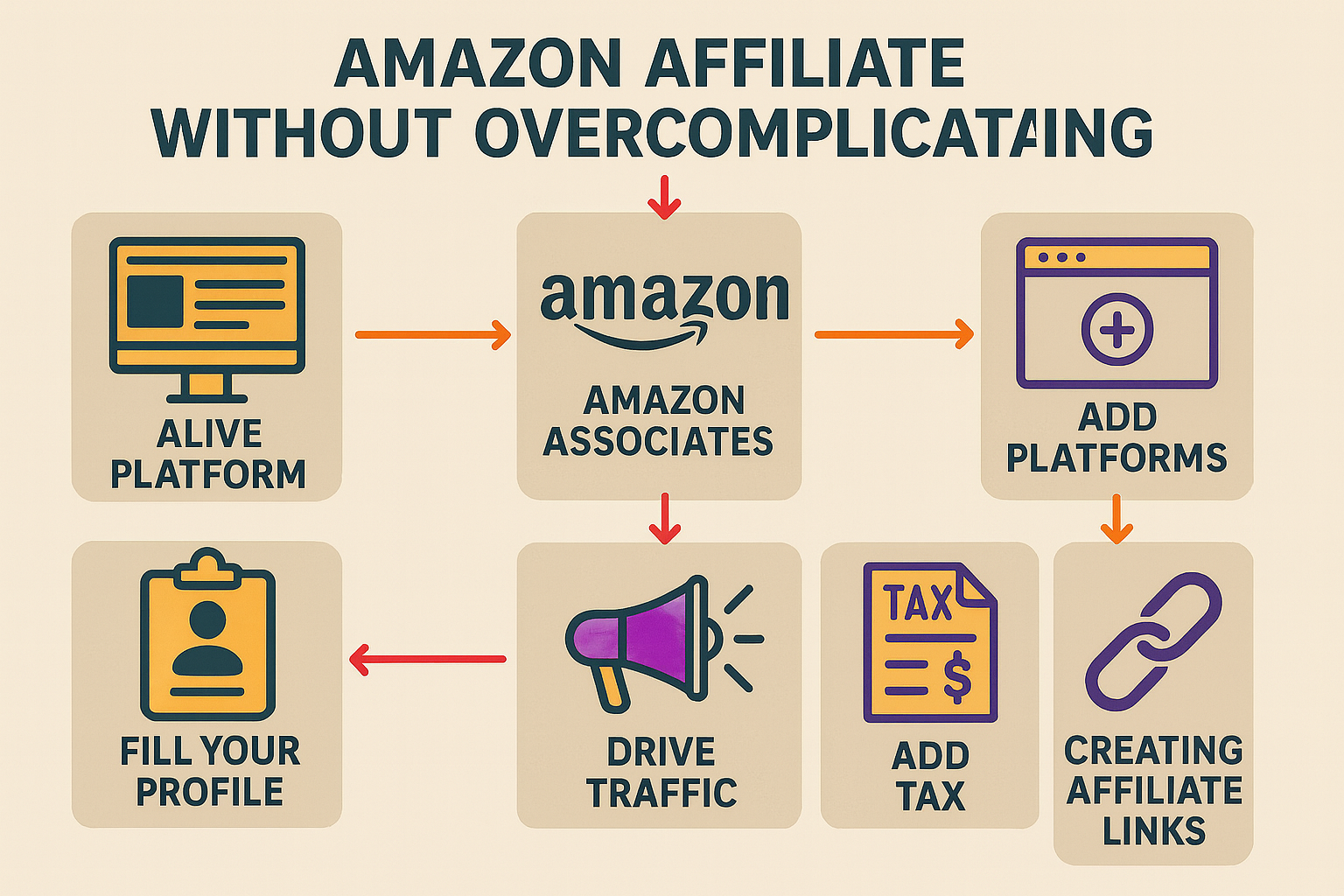
1. Build a Platform That Looks Alive
Amazon doesn’t approve blank pages or half-finished projects. Before you even think about signing up, make sure your platform – website, blog, YouTube channel, or social account – checks these boxes:
- It’s publicly accessible (no login required)
- It has at least 10 posts or videos that are original and useful
- Content has been updated recently – within the last 60 days
- It’s clearly not targeting kids under 13
- It’s not spammy, scraped, or built entirely with AI junk
For social media, a public business account on platforms like Instagram or TikTok with 500+ followers is considered the unofficial floor. You can technically apply with less, but approval rates drop significantly without a business account.
2. Sign Up at Amazon Associates
Go to affiliate-program.amazon.com, hit “Sign Up,” and log in with your Amazon credentials. If you’re running this as a project, not a personal hobby, it’s better to use a dedicated account – just makes accounting cleaner later.
3. Add Your Platforms
You’ll be asked to list the websites, YouTube channels, or social media profiles where you plan to post affiliate links. You can add more than one. Just make sure they’re active and aligned with Amazon’s content rules.
- Pro tip: If you run multiple domains or channels, keep track of performance separately. Amazon lets you create up to 100 tracking IDs – use them.
4. Create Your Store ID and Fill Out Your Profile
Your Store ID is basically your internal tag. It could match your brand name or blog title. Then Amazon asks you to describe what your site or content is about, what kinds of products you’ll promote, and who your audience is.
Don’t write filler. Be clear and relevant. This helps Amazon decide if your setup makes sense for their program.
5. Explain How You Plan to Drive Traffic
This is where a lot of affiliate applications quietly fall apart – not because the content is bad, but because the answers are vague. Amazon wants to see that you understand how to bring in actual buyers, not just random clicks.
Be direct about your traffic plan. That doesn’t mean you need a 10-page strategy doc, but you should be able to explain how you plan to get eyes on your content.
Here’s what to include:
- What channels you’re using (SEO, social media, product reviews, video, etc.)
- How often you post or update content
- What kind of audience you’re targeting and how you plan to grow it
- If you already earn through your site or channel – ads, sponsors, subscriptions – mention that too
Avoid jargon. Don’t promise thousands of visitors if you’re just starting. It’s better to outline a clear, focused plan than to bluff with big numbers you can’t back up. Keep it simple, but grounded in reality. Amazon doesn’t need you to be famous – they just need to know you can drive real, relevant traffic.
6. Add Your Tax Info and Payment Preferences
You’ll be prompted to enter your payment method and tax details. Don’t skip this. Even if you’re not earning yet, it’s cleaner to have it done. You can choose:
- Direct deposit (fastest)
- Amazon gift card
- Paper check (slowest, also fees apply)
Payouts happen two months after the sale is finalized – so if you earn in January, expect to see it end of March.
7. Start Creating and Sharing Affiliate Links
Once you’re approved, you’ll land in the Associates Central dashboard. From here, you can:
- Search Amazon’s catalog and generate product links
- Use SiteStripe (a browser bar that shows up when logged in) to grab links directly from any Amazon product page
- Create banner ads or image+text combos
- Monitor your clicks, orders, and earnings in the dashboard
You’ll get one master tracking ID to start with, but you can create more to organize your links by platform, category, or campaign.
Once all this is set up, your next job is simple: get your first three qualified sales in the first 180 days. That’s the checkpoint Amazon uses to see if you’re worth keeping in the program. Miss it, and your account closes – no appeal. Hit it, and you’re in.
No need to overbuild. Just focus on getting the fundamentals right – clean content, solid links, and traffic that doesn’t bounce.
Driving Traffic to Your Affiliate Links: Organic, Paid, and What Actually Works
Getting people to click your affiliate links – and buy – is where the real work starts. You can have a perfect setup and clean content, but if no one sees it, nothing happens. That’s why traffic isn’t a checkbox – it’s an ongoing part of the strategy.
Organic Traffic: Start Here First
If you’re just starting out, lean into what you control. Organic traffic still pulls weight, especially if you’re building around a niche where search intent is strong. Think reviews, comparisons, how-to guides, or curated roundups.
Some practical ways to get organic traction:
- SEO blog posts targeting product-related queries
- YouTube videos with walkthroughs or unboxings
- Pinterest pins that link to visual-heavy categories (like home decor, fashion, or DIY)
- Niche community posts where your links fit naturally (Reddit, Quora, forums)
Keep it simple, but consistent. Publish regularly. Track what people click. Tighten it as you go.
Paid Traffic: When You’re Ready to Scale
Once organic starts working – or if you have some ad experience – you can layer in paid traffic to speed things up. That doesn’t always mean big budgets. Even small ad spends can work if your funnel is tight.
Common paid options:
- Search ads targeting high-intent product queries
- Display retargeting for blog visitors who didn’t click
- Social ads on platforms like Facebook or Instagram that promote gift guides, listicles, or trending product picks
Make sure your tracking is clean. You want to know what’s actually converting – not just what’s getting clicks.

How We Support Smarter Traffic Decisions at WisePPC
If you’re running paid campaigns – or thinking about it – this is exactly where we come in.
At WisePPC, we help affiliate marketers and marketplace sellers get real visibility into what’s driving performance. Our tools are built to simplify complexity, from bulk campaign edits to ad-level analytics, without relying on a dozen tabs or stitched-together spreadsheets.
Whether you’re promoting through Amazon or a cross-platform mix like Shopify and social, we help you:
- Track 30+ metrics in real-time
- Analyze ad spend vs. organic sales impact
- Spot underperforming keywords with instant filters
- Adjust bids and budgets with a few clicks
- Segment historical data for smarter long-term strategy
You don’t need to guess what’s working. You’ll see it.
We also post regular breakdowns, tips, and use cases on LinkedIn, Instagram, and Facebook – follow us there if you’re ready to turn your affiliate traffic into something predictable and scalable.
Affiliate traffic doesn’t need to be complicated, but it does need to be intentional. Whether you’re publishing blog posts or running product ads, the goal is the same: get the right people to the right links – and know what’s moving the needle.
Content That Actually Drives Clicks (and Sales)
Not every piece of content earns its keep. Some formats consistently convert, others don’t pull their weight no matter how much effort goes in. If you’re adding affiliate links, how you present them is just as important as what you’re promoting. Here’s what tends to work, based on what we’ve seen across real campaigns and platforms.
Product reviews that aren’t fluff
A solid review doesn’t try to oversell – it gives people the detail they came for. That means being honest about what works, what doesn’t, and who the product actually suits. Add context, not just features. The best reviews often read like someone talking to a friend who’s about to buy the same thing. You don’t need a five-camera setup – just clarity, personal use, and a takeaway that sticks.
Comparisons that help buyers choose
Side-by-side content converts because it speaks to people mid-decision. They’re not browsing – they’re choosing. Whether it’s “X vs Y” or “budget vs premium,” comparison posts give them friction, reasoning, and a direction. And when they feel confident about the difference, they’re more likely to click through and buy. Keep it focused, not bloated. Too many options and you lose them.
Lists with a clear angle
Generic roundups rarely perform. But curated lists built around a niche – something real people search for – still pull traffic and clicks. Think “gifts under $50 for freelancers” or “kitchen upgrades that don’t take counter space.” Focused lists build trust faster, especially if they include commentary that sounds like you’ve actually used the product. Avoid filler. Keep it lean and on-theme.
Tutorials and product use in context
Content that solves a problem while quietly linking to tools works better than standalone promos. When someone’s learning how to build, fix, or upgrade something, they’re already primed to buy what makes it easier. Walkthroughs, setup guides, or tool stacks for specific use cases help here. The key is to show the product in action, not just mention it.
Social videos that feel real
Short-form video still wins attention, especially when it skips the polish and gets straight to the point. A quick demo, a before-and-after, or even a one-take review often beats a studio-grade edit. Whether it’s on YouTube, TikTok, or Instagram, content that’s natural and direct tends to perform. Timestamps help. So do pinned comments with clear links. Viewers don’t want to hunt.
Conclusion
Becoming an Amazon affiliate doesn’t require a big budget, a huge audience, or complicated tools – just a working setup, a bit of strategy, and the willingness to test what works. The process itself is straightforward, but what you do after getting approved is what really shapes your results. Strong content, real traffic, clean links, and clear intent – that’s what moves the needle.
Whether you’re running a niche blog, a growing YouTube channel, or building something bigger with paid traffic layered in, the affiliate model still works if you treat it like a system, not a side hustle. Start simple, stay consistent, and improve as you go. That’s usually enough to outperform people who over-plan but never launch.
FAQ
1. Do I need a website to join the Amazon affiliate program?
Not necessarily. You can apply with a YouTube channel or a public social media account if it meets Amazon’s basic engagement standards. Just make sure your content is original, current, and fits Amazon’s guidelines.
2. How long does it take to get approved?
Approval is fast – usually the same day. But it’s conditional. Amazon gives you 180 days to make three qualifying sales. If you don’t, the account gets shut down automatically. So while sign-up is easy, staying in the program depends on performance.
3. Can I promote Amazon products on Instagram or TikTok?
Yes, as long as the account is public and you follow Amazon’s rules. No link cloaking, no pricing claims, and always disclose that it’s an affiliate link. Also, avoid dropping affiliate links directly into DMs or emails – Amazon doesn’t allow that.
4. How much can I realistically earn?
That depends on your traffic, niche, and how well your content converts. Beginners often make $100-$500/month. More experienced affiliates – especially those layering SEO, email, and paid traffic – can scale well past that. It’s not passive on day one, but it can build into something solid.
 No credit card required