
 EN
EN  ES
ES  FR
FR  DE
DE  IT
IT  KO
KO  JA
JA  ZH
ZH  AR
AR  PT
PT Amazon Shipping App: Mobile Pickup & Tracking (2026)

Quick Summary: The Amazon Shipping app is a mobile application designed for ecommerce sellers to manage ground shipping pickups, track packages, and access support on the go. Available on iOS and Android, it provides real-time notifications, pickup scheduling, and shipment tracking for businesses using Amazon’s 2-5 day ground delivery service.
Managing shipping logistics while running an ecommerce business means you can’t always be at a desktop. That’s exactly why Amazon built a dedicated mobile app for its ground shipping service—designed specifically for sellers who need pickup control and shipment visibility from anywhere.
The app connects directly to the same infrastructure that powers Amazon’s delivery network for Prime and other services. But this isn’t about Prime orders from Amazon.com. This app is for businesses shipping products through their own websites or other sales channels using Amazon’s ground delivery service.
What the Amazon Shipping App Actually Does
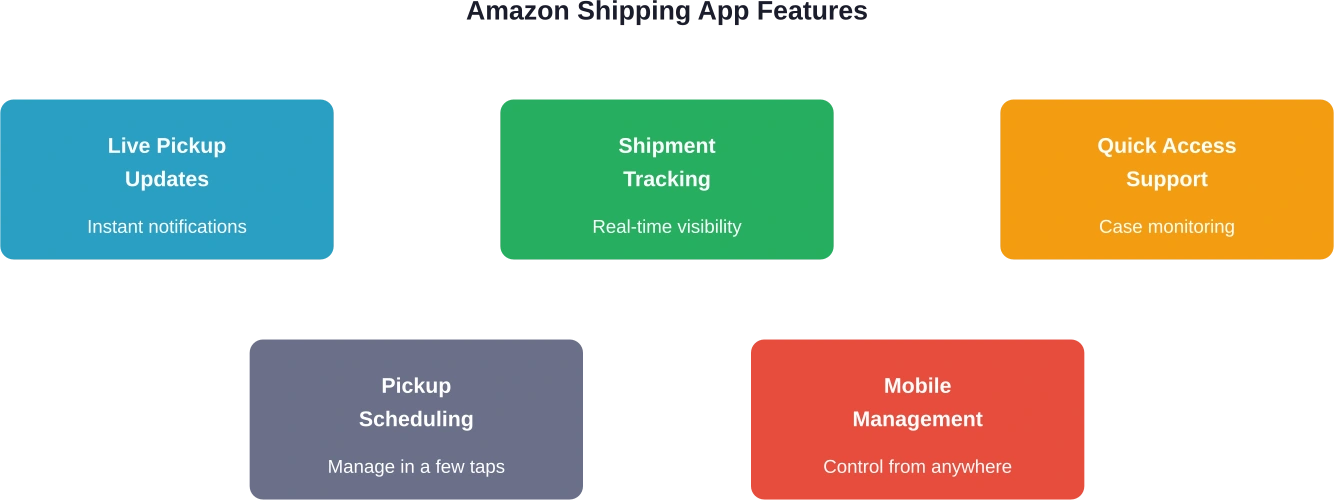
The core functionality centers on three priorities: pickup management, shipment tracking, and support access. Real-time notifications keep sellers informed about pickup schedules without checking emails or logging into dashboards.
Scheduling pickups takes just a few taps. Change pickup times, cancel scheduled collections, or request additional pickups when order volumes spike. Everything that typically requires desktop access now fits in a mobile interface designed for speed.
Shipment tracking provides visibility from warehouse to doorstep. Each package gets monitored through Amazon’s logistics network, with status updates pushed directly to the mobile device. No more hunting down tracking numbers across multiple platforms.
Download and Platform Support
The app is available on both major platforms. iOS users find it in the App Store, rated 4.8 stars across 142 reviews. The app size is 87.9 MB. Android users download it from Google Play with over 10,000 installs.
Both versions require business accounts with Amazon Shipping. The service itself focuses on 2-5 day ground delivery for ecommerce brands shipping outside Amazon’s marketplace—meaning your Shopify store, WooCommerce site, or other sales channels.
Who Actually Needs This App
This app targets ecommerce sellers using Amazon Shipping as their fulfillment carrier. Not Amazon FBA sellers—those use different tools. This is for businesses that maintain their own inventory and ship orders through Amazon’s ground network.
According to the official Amazon Shipping website, the service provides transparent rates and 2-5 day delivery backed by Amazon’s transportation infrastructure. Sellers ship from their websites or other sales channels, integrating through ecommerce platforms or APIs.
The mobile app makes sense for sellers who need flexibility. Managing pickups from a warehouse floor, checking shipment status between meetings, or requesting support during non-office hours all become straightforward tasks.

Monitor Advertising Performance With WisePPC
When using tools like the Amazon Shipping app to handle pickups and tracking, sellers still need clear visibility into how their advertising performs. WisePPC provides detailed analytics for Amazon advertising, helping sellers track campaign results, keyword performance, and product metrics. This makes it easier to connect advertising activity with overall sales performance.
Running Amazon Ads Alongside Your Shipping Operations?
Use WisePPC to:
- review campaign and keyword performance
- track how ads influence product sales
- manage and optimize Amazon PPC campaigns
Getting Started Requirements
Before downloading the app, businesses need active Amazon Shipping accounts. The official site requires completion of a form including business details, warehouse zip code, average daily shipments, and company website information.
Once approved for Amazon Shipping services, the mobile app credentials match the main account login. The app connects to existing shipments, pickup schedules, and support cases automatically.
Making Mobile Management Work
The Amazon Shipping app solves a specific problem: desktop-dependency for logistics management. For businesses already using Amazon’s ground delivery service, it extends control beyond office hours and fixed locations.
The app won’t make sense for everyone. FBA sellers, personal shoppers, and businesses not using Amazon Shipping have no use for it. But for ecommerce brands managing their own fulfillment through Amazon’s delivery network, mobile access to pickups and tracking fills a real operational gap.
Download from the App Store or Google Play to get started, but remember—you’ll need that Amazon Shipping business account first.
FAQ
Is the Amazon Shipping app free to download?
Yes, the app is free on both iOS and Android. However, it requires an active Amazon Shipping business account to use its features.
Can I track personal Amazon orders with this app?
No. This app is exclusively for businesses using Amazon Shipping services for their own ecommerce orders, not for tracking personal Amazon.com purchases.
What’s the difference between this and Amazon Flex?
Amazon Flex is for delivery drivers earning money delivering packages. The Amazon Shipping app is for business sellers managing their outbound shipments and pickups.
Does the app work for international shipping?
Amazon Shipping currently focuses on ground delivery within specific regions. Check the official Amazon Shipping website for current service area coverage.
How do I get Amazon Shipping if I’m a new seller?
Visit shipping.amazon.com and complete the signup form. Amazon reviews applications based on shipment volume, location, and business requirements.
Can I manage multiple warehouses in the app?
The app connects to your Amazon Shipping account settings. Multi-location management depends on your account configuration—contact Amazon Shipping support for specifics.
What happens if a pickup is missed?
The app sends notifications about pickup status. If issues occur, quick access to support within the app allows immediate case creation and resolution tracking.
Join the WisePPC Beta and Get Exclusive Access Benefits
WisePPC is now in beta — and we’re inviting a limited number of early users to join. As a beta tester, you'll get free access, lifetime perks, and a chance to help shape the product — from an Amazon Ads Verified Partner you can trust.
 No credit card required
Free in beta and free extra month free after release
25% off for life — limited beta offer
Access metrics Amazon Ads won’t show you
Be part of shaping the product with your feedback
No credit card required
Free in beta and free extra month free after release
25% off for life — limited beta offer
Access metrics Amazon Ads won’t show you
Be part of shaping the product with your feedback
