
 EN
EN  ES
ES  FR
FR  DE
DE  IT
IT  KO
KO  JA
JA  ZH
ZH  AR
AR  PT
PT  TR
TR  PL
PL How to Sell Generic Products on Amazon – Simple Guide

A lot of people start selling on Amazon with unbranded products – normal everyday things that have no logo, no brand name, no label anywhere.
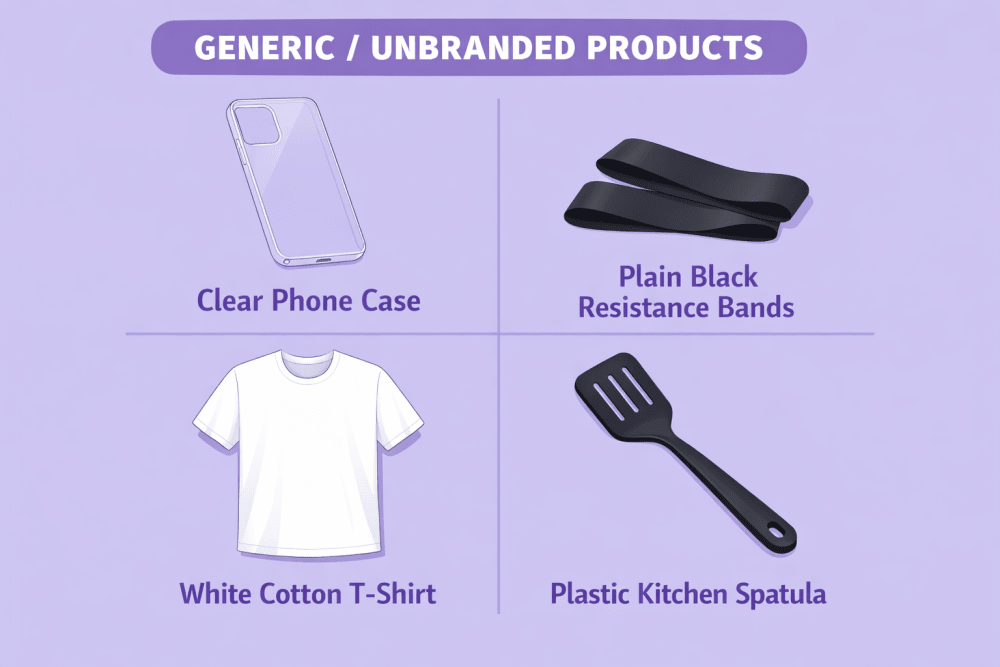
Examples: plain phone cases, silicone baking mats, fitness resistance bands, white t-shirts with nothing printed on them, basic kitchen spatulas, cheap phone chargers, etc.
These products are usually cheaper to buy, easier to start with, but also more competitive. Buyers mostly care about price, good photos, reviews, and fast shipping.
Amazon has special rules for these “generic” items – they’re quite different from normal branded products. If you don’t follow them, you’ll get errors, blocked listings, or even trouble with your account.
This guide explains everything in plain language: what’s allowed, how to create listings correctly, what mistakes to avoid, and whether it’s still worth doing.
What Counts as a “Generic” / Unbranded Product
A generic product on Amazon means there is absolutely zero branding anywhere on the item or its packaging. That includes no logo printed or stuck on the product itself, no brand name written on the box or bag, no label sewn inside clothing, and no tiny manufacturer mark hidden anywhere. Even one small “Made by…” sticker or logo disqualifies it – in that case the product is no longer considered generic, and you are not allowed to use the word “generic” in the brand field.
Typical examples that usually qualify as truly unbranded include:
- Clear phone case with no writing, design or logo of any kind
- Plain black resistance bands without any markings
- White cotton t-shirt with no tag, print or label
- Simple plastic kitchen spatula with nothing on it
- Basic USB charging cable that carries no brand name at all
These kinds of items are mass-produced by hundreds of different factories, which is why they often look almost identical no matter who is selling them.
When Generic Products Make Sense (and When They Don’t)
Generic products can be a smart choice in certain situations, especially when the focus is on simplicity and price rather than brand identity.
They usually perform best in categories where the product itself is very straightforward. Buyers in these niches mainly care that the item works properly and costs little. Brand name plays almost no role in their decision – they are not looking for a story or reputation behind the product. At the same time, it should be possible to source large quantities at a very low price without any forced branding, logos or custom packaging. Another strong reason to go generic is when you want to test market demand quickly and with minimal upfront investment. You avoid spending money on trademark registration, logo design, branded boxes or any other elements that come with building a private label.
When Generic Selling Is Usually a Poor Fit
On the other hand, generic is often the wrong approach in many categories. Here are the main situations where it usually does not work well:
- Most buyers in the category prefer well-known brands and are willing to pay extra for the trusted name
- The product is connected to safety, health or legal liability (baby items, certain electronics, vitamins, supplements, car seats, helmets, etc.)
- Your main long-term goal is repeat purchases and building customer loyalty
- You plan to use advanced Amazon tools like A+ Content, enhanced brand protection, Sponsored Brands or other premium features
A Common Path Many Sellers Follow
Because of these realities, a large number of sellers treat generic products as a starting point rather than the final business model. They use unbranded items to learn how Amazon works, understand listing optimization, test demand, generate initial cash flow and gain experience with FBA or advertising. Once the process feels comfortable and some profit is coming in, many transition to creating their own branded products – adding logos, custom packaging, trademark registration and eventually enrolling in Brand Registry for more control, better margins and stronger long-term positioning.
The Most Important Amazon Rule for Generic Products
When you create a listing and write exactly generic (all lowercase, no quotes) in the Brand field, a special protection turns on.
What that means in real life:
- Only you can edit that listing or add more stock to it
- Nobody else is allowed to join your listing or change anything
- If another seller wants to sell the exact same unbranded item, they have to make their own separate listing
- Once you write “generic”, you can never change it later (even if you later make your own brand)
- If you decide to add your own logo or brand name to the product, you must create a completely new listing
That’s why almost every seller ends up with their own separate generic listing – even when the products are identical. Buyers have to scroll through several similar listings and compare them.

Get More Out of Your Generic Product Sales with WisePPC
At WisePPC, we help Amazon sellers running generic products turn advertising into a real growth engine.
As an official Amazon Ads Verified Partner, we give you tools that go far beyond what Seller Central shows. You can track 30+ key metrics in real time, see hourly performance down to the individual target or placement, analyze years of historical data (not just the 60-90 days Amazon keeps), and make bulk changes to hundreds or thousands of campaigns and bids in a couple of clicks. Whether you’re scaling up winning generic listings or cutting losses on underperformers, features like gradient-highlighted tables, placement breakdowns, and on-the-spot bid editing help you spot opportunities and act on them fast. We’ve seen sellers move from barely breaking even to consistently profitable generic portfolios simply by using better data and quicker decisions.
If you’re serious about making generic selling work in 2026 and beyond, the difference often comes down to how well you manage and understand your PPC spend. That’s the part we help with every day.

How to Create a Proper Generic Listing: Step-by-Step
Creating a solid generic listing is literally the make-or-break moment when you’re selling unbranded stuff on Amazon. Unlike branded products where sellers can pile onto the same page, with generic you own the entire listing. Nobody can touch it, edit it, or add their offer. Full control in your hands – but that also means if you mess up even a small thing at the beginning, you’ll be fighting errors and rejections for days.
I’m walking you through every single step in plain English, like I’m sitting next to you explaining it over coffee. Follow this exactly and you’ll dodge 90% of the headaches new sellers hit.
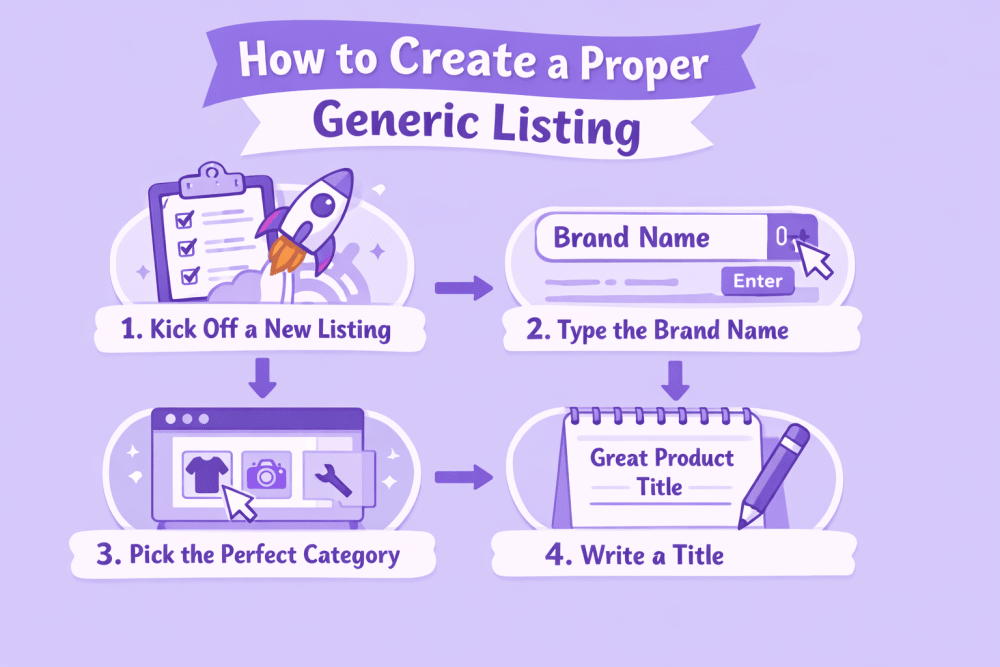
Step 1: Log In and Kick Off a New Listing
Open your browser, head to Seller Central (sellercentral.amazon.com), and log in.
Double-check you’re in the right marketplace – amazon.com for US, amazon.co.uk for UK, etc. The layout changes a tiny bit depending on the country.
From the top menu, click Catalog, then Add Products.
You’ll see a few choices. Pick “I’m adding a product not sold on Amazon” (or something like “Create a new product listing”).
This opens a blank form where you build everything yourself from zero.
Important: Never search for an existing product or try to add to someone else’s ASIN. For generic items that’s a fast track to errors 5885, 5886, or 5887.
Step 2: Type the Brand Name the Right Way (This Is Critical)
Scroll down to the Vital Info or Offer tab and find the Brand field – it’s required.
Type exactly this: “generic”
All lowercase. No capital G. No spaces. No quotes. No “Generic Brand” or “Unbranded” or anything extra.
Amazon is picky about this – if you capitalize it or add anything, the special generic protection doesn’t kick in, and you lose the exclusivity.
Check it three times before moving on. Once saved, you can’t change it later without starting a whole new listing.
Step 3: Pick the Perfect Category
In the same form, select the Product Category and Subcategory.
Use the search bar or browse the tree carefully – pick the most specific match.
Step 4: Write a Title That Actually Gets Found
Title limit is 200 characters, but aim for 80-150 so it doesn’t get cut off on phones.
- Write it naturally: start with the biggest search words, then add the key details.
- Good formula: [Product Type] [Main Feature] [Material] [Size/Count] [Big Benefit]
Step 5: Upload Killer Photos That Prove It’s Unbranded
You need at least 6-9 images (Amazon requires one main + five more, but more helps).
The main photo must be clean: pure white background, product centered and filling the frame, nothing else-no text, props, hands, or people.
Other photos must show zero branding: front, back, sides, top, bottom, and packaging from all angles. Zoom in on edges, seams, corners, and any spots where a label could hide.
Add 1-2 lifestyle shots if possible (e.g., baking mat in use with cookies, phone case on a real phone) to help sell and build trust without a brand name.
Use bright, even lighting with no shadows, sharp focus, and at least 1000×1000 pixels resolution. Format: JPEG or PNG.
Extra close-ups of potential label areas prevent rejections-reviewers need to see clearly it’s unbranded. Upload, double-check, and proceed. Good photos are crucial for generic listings.
Step 6: Nail the Five Bullet Points
You get exactly five bullets – don’t leave any empty.
Each one should be 1-2 short sentences packed with real facts and benefits.
- Biggest selling point / main benefit
- Material and quality
- Exact sizes and specs
- Compatibility or how to use
- Care and extras
Step 7: Write a Solid Product Description
This is the big text box under the bullets.
Use it to expand on everything and answer questions before buyers ask.
Simple structure:
- Start with a short overview (2-3 sentences).
- Break into paragraphs: features, how to use, materials, care tips.
- Finish with what’s included and any compatibility notes. Example snippet: “This reusable silicone baking mat is made for everyday baking. It gives you a non-stick surface so you skip parchment paper and oil. Heat-safe up to 480°F, works in ovens, air fryers, microwaves. Dishwasher-safe and rolls up easy for storage.” Keep it simple, factual, short paragraphs. No hype or salesy language – just help the buyer decide.
Step 8: Stuff the Backend Search Terms
This is the hidden “Search Terms” or keywords field – super important for generic listings.
Add 200-250 bytes worth (about 200-250 words).
GTIN / Barcode Exemption – Almost Always Needed
Almost no unbranded products come with official UPC or EAN barcodes, so sellers usually need a GTIN exemption to create listings without a product ID.
The good news is that for truly generic and fully unbranded items in 2026, Amazon has made the process much smoother with automatic approval in most cases.
During listing creation in Seller Central, do the following:
- Select the option “This product does not have a brand name” – this automatically sets the brand field to “generic”
- Check the box for “I don’t have a product ID”
If your product qualifies as genuinely unbranded (no logos, labels, or barcodes anywhere), you’ll get auto-approval for the GTIN exemption right away – no need to upload photos or wait days for manual review.
After seeing the auto-approval message, wait about 30 minutes before finalizing and submitting the complete listing. This short delay gives Amazon’s systems time to fully sync the exemption and prevents temporary product ID errors that can pop up if you rush ahead.
The exemption applies only to that specific product category. If you later want to sell generic items in a different category, repeat the same quick steps – it should auto-approve again for truly unbranded products.
How to Make Your Generic Listing Actually Sell
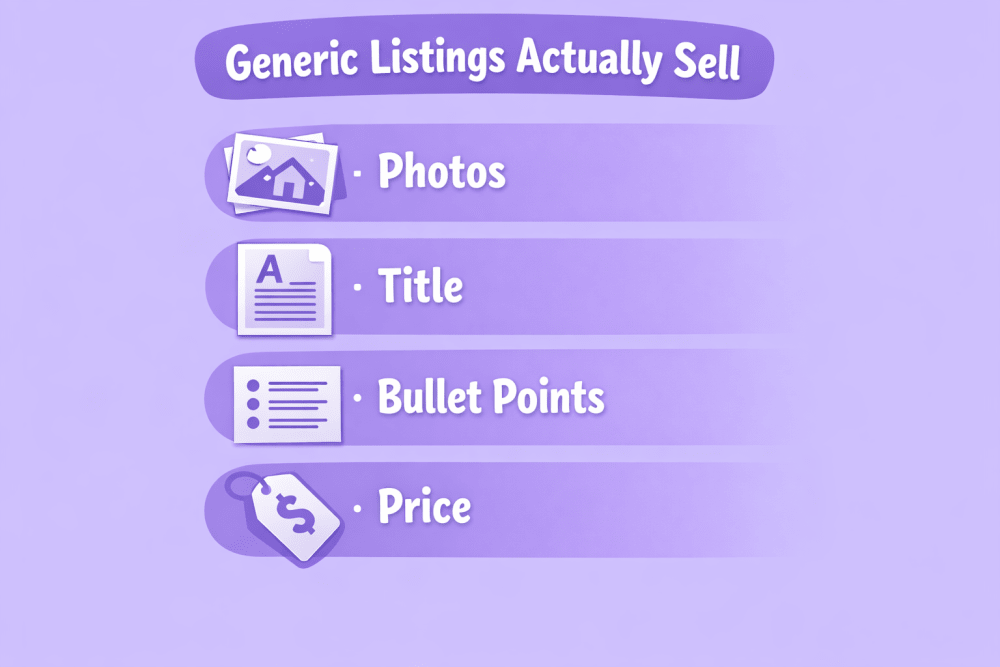
Because there’s no brand name, your photos, title and description do almost all the selling.
The most important things:
Photos
Use bright, clean pictures on white background. Show the item from every side. Add 1-2 photos of the product being used. Make sure every picture proves there is no logo or brand name anywhere.
Title
Write normal sentences that contain the words people type into search. Example:
“Silicone Baking Mat Set of 2 – Non-Stick, Heat Resistant, Easy to Clean”
Don’t stuff 20 keywords – it looks bad and Amazon doesn’t like it.
Bullet Points
Use all five to explain different things: main benefit, material, exact size, what it fits, how to take care of it.
Price
Set a fair price – cheap enough to compete, but leave room for FBA fees, ads, and some returns. Too low usually means more complaints and bad reviews.
FBA or Dropshipping – Which Is Better for Generic Products?
Both ways are used, but they feel very different.
FBA (Fulfillment by Amazon)
You buy products, send them to Amazon’s warehouse, and Amazon does all the packing, shipping, returns, and customer messages.
Pros:
- Prime badge – people trust it more and buy faster
- Much better chance to appear high in search
- Amazon handles almost all customer problems
Cons:
- You need money upfront to buy stock
- If things sell slowly, storage fees add up
- Bad quality = lots of returns = pain
Dropshipping
You list the product but don’t keep stock. When someone buys, you order from your supplier and they ship directly to the customer.
Pros:
- Almost no money needed to start
- Can test many products quickly
- No warehouse, no packing
Cons:
- Shipping usually takes 2-4 weeks (customers hate waiting)
- You have very little control over quality and packaging
- Many accounts get suspended because of late delivery or bad reviews
Amazon allows dropshipping, but they hold you responsible for fast delivery and good experience. Most generic dropshipping accounts struggle because of slow shipping from China.
What to Realistically Expect in 2026
You can definitely make money selling generic products, but the profit margins are usually quite small. Competition is tough because many sellers offer almost the same item. To get any real visibility, you will most likely need to run Sponsored Products ads. Without your own brand, it’s difficult to build a group of loyal customers or raise your prices over time.
Most experienced sellers follow a similar path. They start with generic products to learn how everything works on Amazon and to earn their first profits. Once they have some cash flow and experience, they use that money to move into creating their own branded products. Branded items generally give better margins and open up more advanced tools on the platform.
Conclusion
Selling unbranded (generic) products remains one of the simplest ways to get started on Amazon.
All you really need is truly unbranded items, the exact word “generic” written correctly in the brand field, a GTIN exemption for the category, high-quality photos that clearly show the lack of branding, a clear and detailed description, and realistic pricing that leaves room for fees and competition.
This approach works especially well for basic, everyday items and is a practical way to test demand in the market without much risk. However, the profits are usually narrow, competition is intense, and there is almost no brand loyalty to fall back on. Because of that, generic selling is rarely a strong long-term plan for serious growth. Most sellers who succeed in the long run treat it as an entry point – a first step that helps them learn the platform, generate initial cash flow, and eventually move into private label products with better margins and more control.
FAQ
1. Can I Change a Generic Listing to My Own Brand Later?
No. Once it’s “generic” you can’t change it. You have to make a whole new listing.
2. Do I Need GTIN Exemption for Every Generic Product?
Usually yes. Almost all unbranded items have no barcode, so you need an exemption for each category.
3. Can Several Sellers Share One Generic Listing?
No. Everyone must create their own separate listing.
4. Is Dropshipping Generic Items Allowed?
Yes, but Amazon expects fast delivery and good customer experience. Slow shipping or bad quality often leads to account suspension.
5. What Should I Do If I Get Error 5885, 5886 or 5887?
In most cases you can’t fix it – just create a new listing from scratch.
6. Do Generic FBA Products Get the Prime Badge?
Yes – if you use FBA, your generic items become Prime-eligible and that helps a lot.
7. Is Selling Generic Products Still Worth It in 2026?
Yes, in niches with decent margins and not crazy competition. But it’s more of a starter method – long-term most sellers move to their own brand for better profits and control.
Join the WisePPC Beta and Get Exclusive Access Benefits
WisePPC is now in beta — and we’re inviting a limited number of early users to join. As a beta tester, you'll get free access, lifetime perks, and a chance to help shape the product — from an Amazon Ads Verified Partner you can trust.
 No credit card required
Free in beta and free extra month free after release
25% off for life — limited beta offer
Access metrics Amazon Ads won’t show you
Be part of shaping the product with your feedback
No credit card required
Free in beta and free extra month free after release
25% off for life — limited beta offer
Access metrics Amazon Ads won’t show you
Be part of shaping the product with your feedback
