
 EN
EN  ES
ES  FR
FR  DE
DE  IT
IT  KO
KO  JA
JA  ZH
ZH  AR
AR  PT
PT  TR
TR  PL
PL Send to Amazon Simplifies Shipments for FBA Sellers

If you sell with Fulfillment by Amazon, you already know that shipping inventory isn’t the glamorous part of the job. It’s necessary. It’s detailed. And if you get it wrong, it costs time and money.
That’s where Send to Amazon comes in. It’s not flashy, but it’s practical. It tightens up the shipment creation process inside Amazon Seller Central and makes getting products into fulfillment centers far less complicated.
Let’s break down why it actually matters.
Why Shipment Creation Matters in FBA
FBA performance depends on three practical factors:
- Inventory availability
- Cost control
- Operational accuracy
Shipment creation affects all of them. Inefficient processes increase labor costs. Inaccurate data slows check-in. Poor shipping mode decisions raise freight expenses. Labeling mistakes create inbound defects.
Each shipment influences stock levels, cash flow, and listing stability. That is why shipment workflows should be treated as operational systems, not routine admin work.
Inside Amazon Seller Central, Send to Amazon is a structured shipment creation workflow for Fulfillment by Amazon sellers. It centralizes inventory selection, supports reusable case pack templates, integrates shipping mode selection, and simplifies label generation.
The key operational improvement is flexibility. Sellers can pack inventory first and confirm shipment details afterward. This reduces repacking, manual re-entry, and allocation errors. Instead of adapting warehouse processes to system limitations, the workflow aligns with how inventory is actually prepared.
Further cost, planning, and strategic implications are covered in the following sections.

Turn Inventory Into Sales With Wise PPC
Efficient shipments are only one side of the equation. Getting products into Amazon fulfillment centers through FBA keeps inventory available. But availability alone does not generate sales. Traffic does.
That is where WisePPC comes in.
Our platform is built around pay-per-click advertising. You can promote any product with us and pay only when a shopper clicks. We provide the tools to launch, manage, and optimize campaigns in a structured way. Inside one dashboard, you track performance, monitor spend, adjust bids, and see which products actually convert.
We position our platform as the operational layer for advertising, just as Send to Amazon structures inbound logistics. When inventory flows in efficiently, our platform helps it move out. WisePPC focuses on transparency, automation, and data clarity so you are not guessing which campaigns work. You see the numbers, you control the budget, and you scale what delivers results.

Step-by-Step – How the Workflow Functions
The Send to Amazon process follows a clear structure. The exact steps vary slightly depending on whether you ship boxes or pallets, but the framework remains consistent.
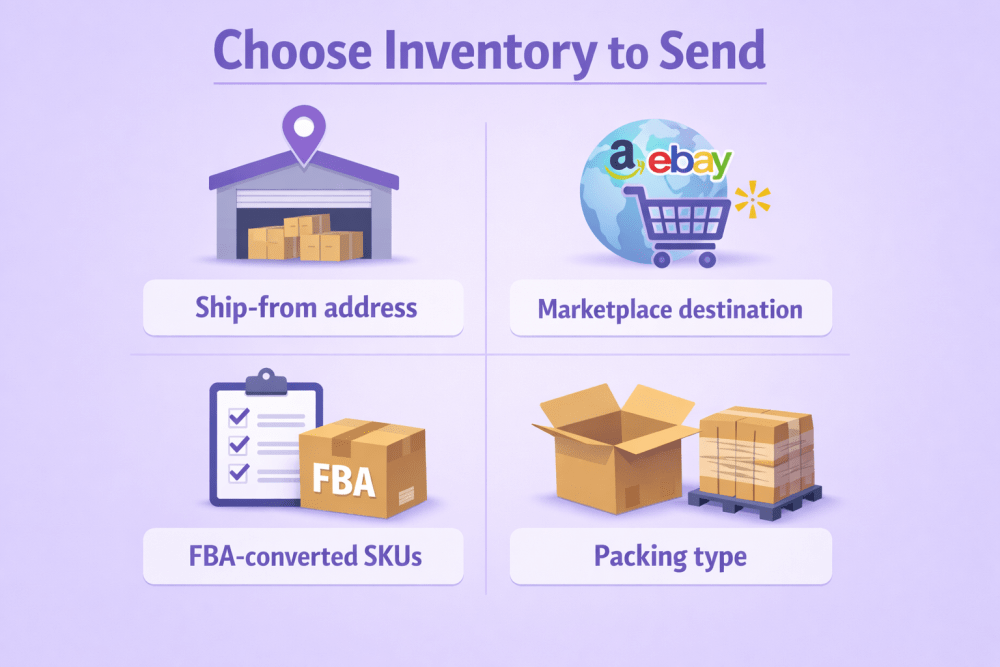
Step 1 – Choose Inventory to Send
You select:
- Ship-from address
- Marketplace destination
- FBA-converted SKUs
- Packing type
This is also where case pack templates come into play.
Instead of recreating details every time, you can save:
- Box dimensions
- Weight
- Units per case
- Prep requirements
- Labeling specifications
For sellers with stable product configurations, this saves hours each month.
Step 1B – Pack Individual Units When Needed
If you ship mixed-SKU boxes or variable quantities, the system guides you through packing individual units. It shows which SKUs can be grouped together and lets you update quantities as you pack. This removes guesswork, eliminates the need to recount later, and prevents reopening boxes after confirmation.
Step 2 – Confirm Shipping Details
Here you set:
- Estimated ship date
- Shipping mode – small parcel or pallet
- Carrier selection
The system displays estimated shipping costs. If you use an Amazon partnered carrier, you receive:
- Discounted rates
- Integrated tracking
- In-workflow label purchasing
For sellers shipping weekly, these savings compound.
Step 3 – Print Box Labels
Once shipping is confirmed, the system generates the required box labels automatically. You can enter tracking information directly within the workflow, and all shipment documentation becomes available for download. If you are shipping via small parcel delivery, this is typically the final step before the carrier pickup.
Step 4 and 5 – Pallet Shipments
For pallet shipments, you confirm the number of pallets and provide carrier details within the workflow. The system then generates pallet labels, and you schedule the delivery window according to Amazon’s requirements. This process is particularly relevant for high-volume sellers using less-than-truckload freight, where coordination and accuracy directly affect check-in speed and overall inbound efficiency.
Operational Flexibility and Efficiency in Send to Amazon
Send to Amazon improves shipment creation in three key areas – packing order, data accuracy, and shipping mode decisions. These directly affect labor time, check-in speed, and inbound costs.
Packing Before Confirming
Inventory is rarely ready all at once. Production happens in batches. Wholesale orders arrive in parts. The older workflow required sellers to choose fulfillment destinations first and pack around that decision. If allocations changed, boxes had to be reopened.
Send to Amazon allows sellers to pack first and confirm later. You can add units as they become available, update quantities in real time, close boxes when full, and finalize shipment details afterward. This reflects how warehouses actually operate and reduces unnecessary handling.
Case Pack Templates
For single-SKU case packs, entering the same box data repeatedly slows everything down. Units per box, dimensions, weight, prep type, labeling details – all of it had to be retyped.
Case pack templates store that information. This reduces manual entry and lowers the risk of errors. Accurate box content data helps Amazon receive inventory faster and make units sellable sooner. Faster check-in improves cash flow. Fewer mistakes prevent delays.
Shipping Mode Selection
Send to Amazon supports small parcel delivery, pallet shipments, and multi-mode shipping. The choice affects cost per unit, inbound speed, and operational risk.
Small parcel works better for lighter shipments and flexible restocks. Pallets make sense for larger replenishments and stable high-volume SKUs. Built-in carrier comparisons help sellers evaluate costs inside the workflow instead of guessing.
How This Supports Broader FBA Strategy
Shipment creation is not isolated. It connects directly to FBA economics.
FBA includes fulfillment fees based on size and weight, storage fees, long-term storage fees, inbound placement fees, and removal fees.
If your replenishment process is inefficient, you risk overstocking, storage surcharges, restock limits, and capacity issues.
A smoother shipment system allows better inventory planning. You can restock more frequently in smaller, controlled waves. That reduces storage pressure. With Amazon tightening restock limits and capacity rules in recent years, this level of precision matters more than ever.
Inventory Control, Error Reduction, and Operational Impact
Send to Amazon does not forecast demand or calculate reorder points. Its value lies in execution. When connected to forecasting tools, restock alerts, inventory tracking, and API systems, it becomes the operational bridge between planning and action. Forecasting determines when to replenish. Send to Amazon structures how inventory is physically prepared and shipped. Clean execution supports stable inventory cycles.
Reducing Human Error in Fulfillment Prep
Inbound errors create delays and added costs. Incorrect box dimensions, inaccurate weight entries, missing labels, mixed-SKU miscounts, or confirming shipments before packing is finalized all increase risk.
The workflow reduces exposure by structuring each stage, validating inputs in real time, reinforcing accurate box content data, and centralizing label generation. It does not remove human involvement, but it narrows the margin for mistakes. At scale, fewer errors mean stronger cost control.
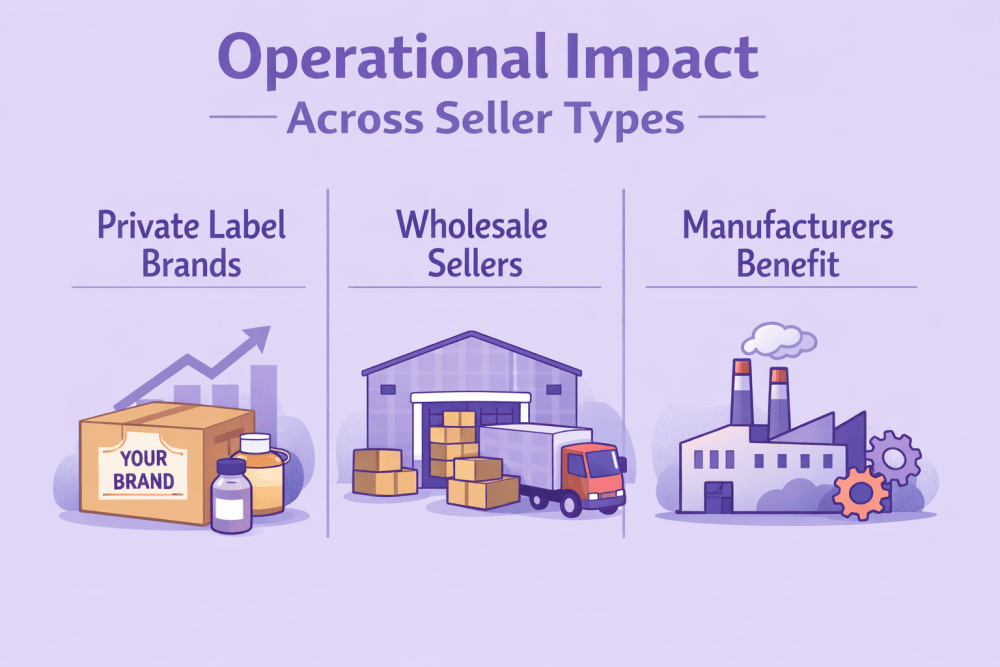
Operational Impact Across Seller Types
The operational advantages vary depending on the selling model.
Private Label Brands Benefit From:
- Reusable case pack templates
- Structured replenishment cycles
- More efficient pallet planning
Wholesale Sellers Gain:
- Faster SKU selection
- Flexible mixed-SKU packing
- Direct carrier cost comparisons
Manufacturers Benefit From:
- Packing alongside production
- Reduced need to reopen shipments
- Closing boxes when units are physically ready
The applications differ, but the outcome is consistent – tighter inbound control and clearer operational flow.
Business Impact Beyond Shipment Creation
Send to Amazon influences more than just inbound logistics. It affects Prime performance, cost structure, fulfillment strategy, and overall operational focus. When shipment workflows are clean, the business runs more predictably.
Prime Performance and Revenue Stability
FBA automatically enables Prime eligibility, but maintaining Prime performance depends on inventory availability, reliable inbound flow, and avoiding stockouts.
Shipment delays can result in lost Buy Box share, slower sales velocity, and ranking drops. Inbound consistency directly supports listing stability. Faster and more accurate shipments help maintain steady stock levels, which in turn protect revenue flow and improve cash predictability. Shipment workflow quality may seem operational, but it connects directly to sales performance.
Cost Control and Margin Protection
Send to Amazon supports cost control in practical ways. Sellers gain leverage through partnered carrier discounts, reduced labor hours, and fewer inbound errors that lead to repack fees.
Labor costs are often overlooked. If a team spends hours correcting shipment mistakes or reopening boxes, that time becomes margin loss. Efficiency is not only about speed. It is about protecting profit by reducing avoidable friction.
Supporting Hybrid Fulfillment Strategies
Many experienced sellers operate hybrid models, using FBA for fast-moving SKUs, FBM for slower products, and strategic inventory splitting to balance risk.
Send to Amazon strengthens the FBA side of that strategy. With tighter restock limits and storage controls, sellers need flexibility. Clean inbound processes make it easier to send smaller replenishment waves, respond faster to demand changes, and stay within capacity rules. Operational flexibility makes strategic adjustments possible.
Practical Execution Tips
The tool works best when used with discipline. A few practical habits improve results:
- Create case pack templates for stable SKUs
- Weigh and measure boxes accurately instead of estimating
- Confirm shipping only after packing is fully completed
- Compare small parcel and pallet rates before deciding
- Monitor check-in times and adjust shipment size accordingly
- Keep ship-from addresses accurate to prevent routing issues
Small details prevent larger problems.
Staying Responsible
Send to Amazon simplifies workflow, but it does not replace oversight. Sellers still need to follow FBA prep requirements, apply correct labeling standards, monitor inbound placement fees, track storage limits, and calculate profitability after fees. The system structures the process, but accountability remains with the seller.
Why Simplification Matters
Amazon’s fulfillment network is complex. That complexity creates opportunity, but it can also create operational pressure. When shipment creation becomes structured instead of chaotic, the impact goes beyond logistics.
Sellers experience less operational stress, faster inventory availability, cleaner cost tracking, and more predictable cash cycles. With fewer fires to put out, attention shifts to higher-value work such as product research, pricing decisions, advertising optimization, and brand development.
Operational friction consumes mental bandwidth. Removing it creates space for growth.
Final thoughts
Send to Amazon is not flashy, and it does not change how FBA works at its core. What it does is make the shipment process smoother and more logical. You pack first, confirm later, reuse templates, compare shipping options in one place, and move on. Less friction, fewer mistakes, less wasted time.
For sellers who ship regularly, that consistency matters. Faster check-ins mean products go live sooner. Fewer errors mean fewer delays and fewer surprise costs. Over time, those small improvements add up. Shipment creation stops feeling like a bottleneck and starts feeling like a routine part of the operation.
FAQ
1. Is Send to Amazon mandatory for FBA sellers?
It is not technically mandatory, but it is now the standard shipment workflow inside Seller Central. Most sellers use it because it is simpler and more structured than older processes.
2. Does it lower FBA fees?
It does not change Amazon’s fee structure, but it can reduce indirect costs. Cleaner shipments mean fewer inbound issues, less repacking, and potentially lower labor and shipping expenses.
3. Can I ship mixed SKUs using Send to Amazon?
Yes. You can pack mixed-SKU boxes and update quantities as you go, which reduces the need to recount or reopen boxes later.
4. Does Send to Amazon replace inventory forecasting tools?
No. It handles execution, not forecasting. Planning tools tell you when to restock. Send to Amazon helps you send it correctly.
5. Is it useful for small sellers?
Yes. Even with lower volumes, having a clear shipment process reduces mistakes and keeps operations organized.
Join the WisePPC Beta and Get Exclusive Access Benefits
WisePPC is now in beta — and we’re inviting a limited number of early users to join. As a beta tester, you'll get free access, lifetime perks, and a chance to help shape the product — from an Amazon Ads Verified Partner you can trust.
 No credit card required
Free in beta and free extra month free after release
25% off for life — limited beta offer
Access metrics Amazon Ads won’t show you
Be part of shaping the product with your feedback
No credit card required
Free in beta and free extra month free after release
25% off for life — limited beta offer
Access metrics Amazon Ads won’t show you
Be part of shaping the product with your feedback
