
 EN
EN  ES
ES  FR
FR  DE
DE  IT
IT  KO
KO  JA
JA  ZH
ZH  AR
AR  PT
PT  TR
TR  PL
PL How to Scan Barcodes with the Amazon Seller App

If you already sell on Amazon or you’re just starting out, the Amazon Seller app can make day-to-day work a lot easier. It brings most of the essentials to your phone, so you can check performance, update listings, respond to customers, and even spot new products while you’re out and about. One feature many sellers rely on is the built-in barcode scanner, which helps you pull up product details in seconds and get a quick sense of whether an item is worth adding to your catalog.
Below is a simple, practical overview of how the app works and how sellers use barcode scanning to guide product decisions.
What the Amazon Seller App Does
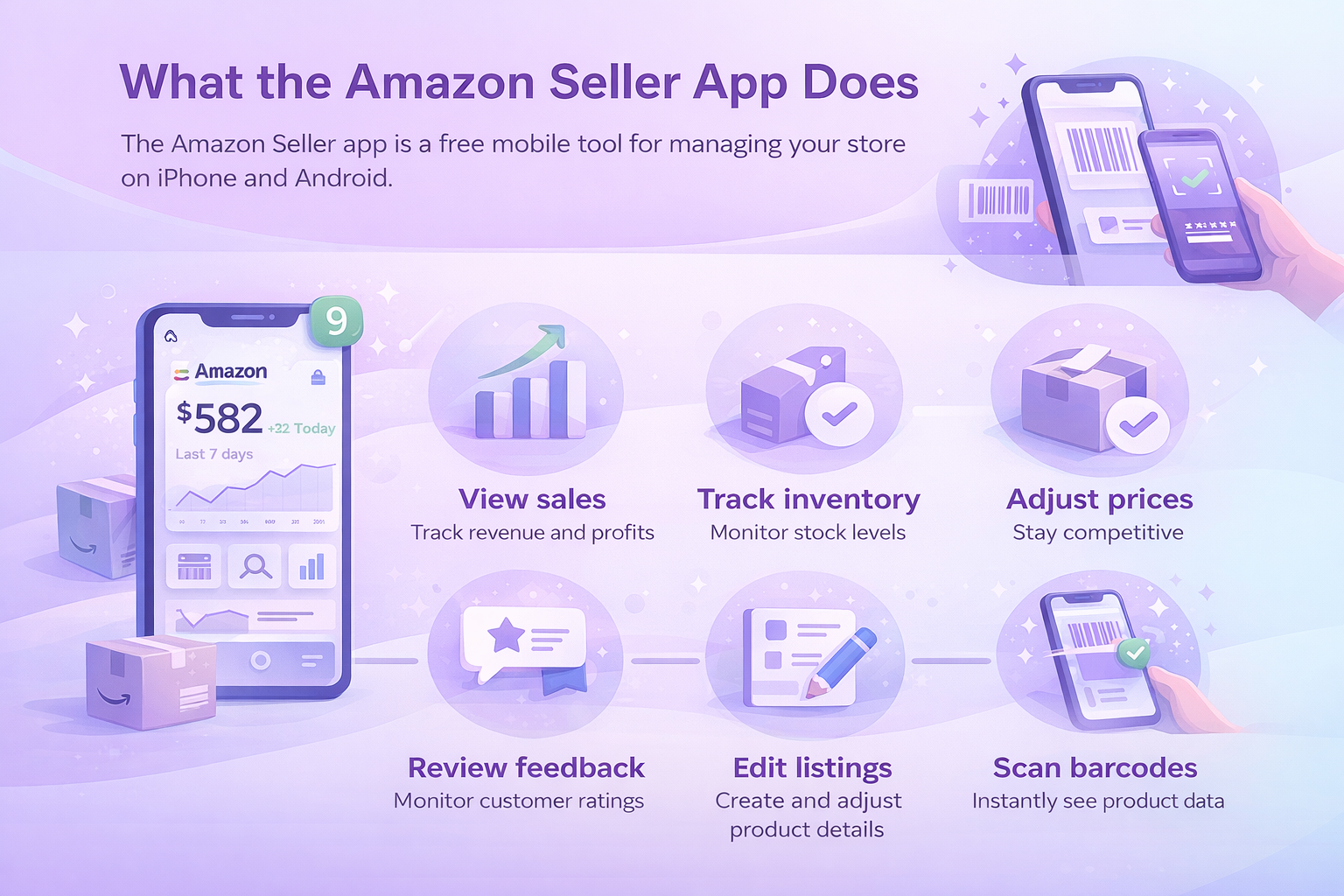
The Amazon Seller app is a free mobile tool for managing your store. It works on both iPhone and Android. Once logged in, you can view sales, track inventory levels, adjust prices, review customer feedback, and create or edit listings. The scanner feature lets you point your phone at a barcode and instantly see product data from the Amazon store.
Sellers often use this information to understand profitability, compare prices, review sales history, or see how many competitors already offer the same item. It’s a quick way to test ideas and avoid guesswork when evaluating new products.

Turning Scan Data Into Action With WisePPC
At WisePPC, we focus on giving sellers a clearer view of what’s happening across their marketplace accounts, so you can use the data from your barcode scans more effectively. The app helps you understand individual products, but once those items enter your catalog, you still need a wider picture of how they perform over time. That’s where our platform comes in.

We bring your advertising, sales, and historical metrics together in one place. You can see which products are gaining traction, where your margins are slipping, and how your ad spend connects to actual revenue. If you manage a larger inventory or work across several marketplaces, our tools help you track everything without juggling spreadsheets or switching between dashboards.
For many sellers, this combination works well. You scan products to make smarter sourcing decisions, then use WisePPC to monitor long-term trends, adjust campaigns, and scale your catalog with more confidence. It keeps the day-to-day work manageable and gives your team clearer signals on what to improve next.
Requirements to Get Started
Getting set up doesn’t take much. You need an Amazon selling account and a reliable internet connection, and the rest is fairly simple. The app is free, and most people are able to get it running in a few minutes.
- Create or sign in to your Amazon selling account: If you’re brand new, you’ll go through a quick registration process. Existing sellers can just log in with their usual credentials.
- Download the Amazon Seller app from the Apple App Store or Google Play: Make sure you choose the correct version for your phone so everything works smoothly.
- Open the app, sign in, and start exploring: Once you’re inside, the app will guide you through the main features. You can view your dashboard, test the barcode scanner, and get familiar with the tools you’ll use most often.

How to Scan Barcodes in the App
Scanning is simple and usually takes just a few seconds.
- Open the app on your phone.
- Tap the camera icon or choose Add a Product.
- Allow the app to access your camera.
- Hold the camera over the barcode on the item.
- The app reads it and loads the related product details automatically.
A Quick Note: The UPC is an identification code that sits near the barcode, but the app needs the barcode itself for scanning. The UPC just tells you which product you’re looking at, regardless of who sells it.
How Resellers Use the App
Resellers rely on quick access to accurate product data, and the Amazon Seller app fits neatly into that routine. When they’re scanning items in a store, checking market demand from home, or adjusting active listings, the app gives them the information they need right away. It cuts down on guesswork and helps them decide whether a product is worth buying or relisting.
Resellers often use the app to:
- Research promising products by checking sales rankings, historical trends, and pricing patterns.
- Add offers to existing listings and update key details such as price, condition, or keywords that influence search visibility.
- Handle orders on the go, from confirming shipments to watching fulfillment progress until delivery.
- Monitor inventory levels so they know when something is running low or when it makes sense to restock.
Not every item can be resold on Amazon. Some categories have limitations or require approval, but the app usually flags these situations clearly so sellers know what their options are before moving forward.
Using Scanner Insights to Strengthen Your Pricing and Sourcing Decisions
Barcode scanning doesn’t just show what a product costs today. It also gives you a quick look at how the item behaves in the market. Sellers often use this information to understand whether a product is moving steadily, whether the Buy Box price shifts a lot, and whether the margin still makes sense after fees. Over time, this helps build a clearer picture of which items deserve more of your attention and which ones might not be worth restocking.
Many sellers also use scan results to compare suppliers. If you see the same product at different price points during sourcing, the data helps you decide which option supports a healthier margin. It becomes easier to walk away from items that look appealing on the shelf but don’t hold enough profit after you factor in Amazon fees and expected sales velocity.

Other Helpful Ways to Use the Amazon Seller App
Managing Customer Feedback
The app gives you a quick way to stay connected with your customers. You can review new messages, monitor recent feedback, and respond when something needs attention. It’s a simple way to keep communication steady and avoid letting small issues turn into bigger problems.
Checking Sales Performance in Real Time
Many sellers keep the app open throughout the day to follow their sales activity. You can watch overall performance, look at individual product trends, and spot unusual spikes or drops. This real-time view helps you react faster and understand how your catalog behaves over time.
Creating and Updating Product Listings
You can build or edit listings directly from your phone. Upload photos, adjust descriptions, update keywords, and set your pricing without needing a computer. It’s useful when you’re sourcing products on the go or handling small updates during a busy day.
Avoiding Common Scanning Mistakes
Scanning barcodes is straightforward, but small mistakes can create headaches later. Sometimes a barcode might be worn out, or the product could have a variation that doesn’t match the listing you expected. The app usually points out issues, but it’s still worth double-checking what you scanned before committing to a purchase.
Another frequent problem is scanning packaging that uses an internal or store-specific code instead of a standard UPC. If something looks off or the product doesn’t show up, try scanning another spot on the label or use a keyword search instead. A few extra seconds of checking can save you from listing errors and mismatched inventory once the item goes live.
Here are a few things to watch out for:
- Barcodes that are scratched, bent, or partially covered.
- Packaging that uses nonstandard store labels instead of a UPC.
- Product variations that share similar packaging but have different listings.
- Scans that pull up unrelated items or missing product details.
- Cases where the scan shows a restricted product you can’t sell.
Conclusion
The Amazon Seller app gives you a simple way to manage key parts of your business from your phone. Whether you’re scanning products in a store, checking sales performance, updating listings, or answering customers, the app keeps everything within reach. The barcode scanner, in particular, helps you make faster decisions by giving you quick access to pricing, demand, and historical data. Once you get used to it, the workflow becomes second nature and often saves time you would have spent switching between tools or digging through reports.
If you haven’t tried it yet, the app is free to download and easy to set up. A few minutes of testing can show you how much it can streamline your daily routine and support better sourcing and inventory decisions. It’s a small addition to your toolkit that can make a noticeable difference in how smoothly your business runs.
Frequently Asked Questions
Do I need a paid Amazon plan to use the app?
You need an active Amazon selling account. The app itself is free, and both Individual and Professional accounts can use it, although some features are more useful for high-volume sellers.
Is the barcode scanner accurate?
The scanner usually pulls data directly from Amazon’s catalog, so results are reliable. Issues mostly come from damaged barcodes or packaging that uses internal store labels instead of a UPC.
Can I scan products that I don’t sell yet?
Yes. Many sellers scan items while sourcing inventory to check profitability, restrictions, and current competition before deciding whether to buy.
Does the app show fees and estimated profit?
In most cases, yes. After scanning, you can review estimated fees and get a rough idea of potential margin. It’s a quick way to understand whether a product meets your pricing goals.
Can I manage orders and messages through the app?
You can confirm shipments, track fulfillment updates, reply to customers, and view new reviews. It’s designed to help you handle essential tasks even when you’re away from your computer.
Join the WisePPC Beta and Get Exclusive Access Benefits
WisePPC is now in beta — and we’re inviting a limited number of early users to join. As a beta tester, you'll get free access, lifetime perks, and a chance to help shape the product — from an Amazon Ads Verified Partner you can trust.
 No credit card required
Free in beta and free extra month free after release
25% off for life — limited beta offer
Access metrics Amazon Ads won’t show you
Be part of shaping the product with your feedback
No credit card required
Free in beta and free extra month free after release
25% off for life — limited beta offer
Access metrics Amazon Ads won’t show you
Be part of shaping the product with your feedback
