
 EN
EN  ES
ES  FR
FR  DE
DE  IT
IT  KO
KO  JA
JA  ZH
ZH  AR
AR  PT
PT  TR
TR  PL
PL Amazon Express Payout – How to Get Your Money Faster

A lot of Amazon sellers run into the same problem: sales are coming in, but the money takes days to actually reach the bank. That delay makes it harder to buy more inventory, keep ads running, or just know how much cash is really available. Amazon created Express Payout to fix exactly that for some sellers.
With Express Payout, eligible sellers who use Amazon Pay can get their money in about 24 hours instead of waiting up to 5 days for the normal ACH transfer. It even works on weekends. Right now this is only for sellers based in the US.
Let’s break it down clearly.
What Express Payout Actually Is
Normally Amazon sends payouts through the ACH system – that’s the standard bank transfer most people know. It’s safe, but slow. After Amazon starts the payout, the money usually takes up to five days to show up in your account.
Express Payout uses a different setup. Amazon Pay connected directly to many banks, credit unions, and the Visa network. Because of that connection, the money can land in your account (or on a Visa debit card) in roughly 24 hours – even on Saturday or Sunday.
It’s completely optional. You choose whether you want the fast version or stick with the normal slow one.
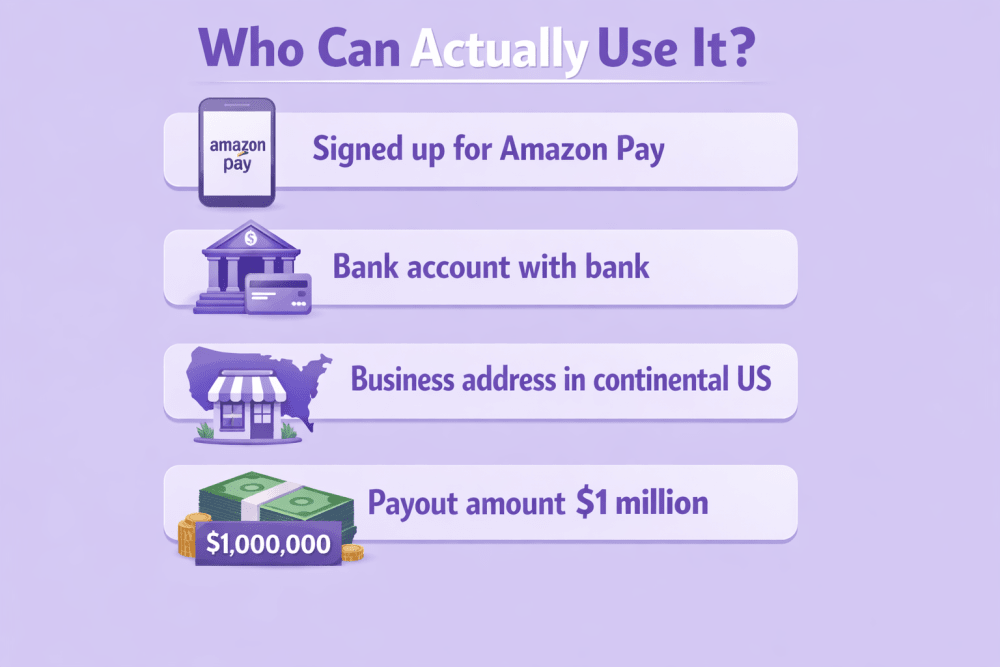
Who Can Actually Use It
Not every seller qualifies. There are a few clear rules:
- You must be signed up for Amazon Pay
- Your bank account has to be with a bank or credit union that’s part of Amazon’s direct network
- Your business address must be in the continental United States (not in US territories like Puerto Rico or Guam)
- The payout amount must be $1 million or less at the time of payout initiation. Payouts exceeding $1 million are automatically processed through the standard ACH method
If you meet those four points, you can turn Express Payout on. New sellers who are just starting with Amazon Pay can choose it right away. Sellers who already use Amazon Pay can switch to it whenever they want.
When It Makes Sense to Use It
Express Payout is not useful for every type of seller.
It usually helps more if:
- Your products sell quickly and you turn inventory over fast
- You spend heavily on ads and need steady cash to keep campaigns running
- You restock often and have short time between orders
- You manage many different products at the same time
On the other hand, if your products move slowly, you only have a few items, or your sales are very steady and predictable, the normal 4-5 day wait probably doesn’t hurt you much.
How to Turn It On: 5 Very Simple Steps
You don’t need to fill out long forms or wait for approval. Everything happens inside Seller Central, and the whole process takes just a few minutes if you’re already set up with Amazon Pay. Below, I’ll walk you through each step in detail so you can get it done without any hassle.
Step 1: Log Into Seller Central
Start by opening your web browser and going to sellercentral.amazon.com. Enter your usual login credentials – the same email and password you use for your Amazon seller account. If you’re new to Amazon Pay entirely, you’ll need to sign up for it first through the Amazon Pay registration page, but for most sellers already using it, this is just a standard login. Once logged in, you’ll see your main dashboard with sales reports, orders, and other account info.
Step 2: Navigate to Deposit Methods
From the dashboard, find the gear icon in the top-right corner – that’s the Settings menu. Click it to open the dropdown options. Look for and select “Account Info” (sometimes listed directly as “Deposit Methods” if visible). This takes you to the section where Amazon manages all your payment and deposit preferences, including where your seller earnings get sent. If you can’t spot it right away, use the search bar at the top of Seller Central – just type “Deposit Methods” and it should jump you straight there.
Step 3: Find Your Current Payout Setting
On the Deposit Methods page, you’ll see your linked bank accounts or other payment options listed. Scroll to the area that shows your current payout method – it will typically say “Standard Payout” or something similar, indicating the default ACH transfer that takes 3-5 days. This is where your default setting is displayed. It’s a good idea to note down or screenshot your current bank details here in case you ever need to revert or troubleshoot later.
Step 4: Switch to Express Payout
In the same section, look for the option labeled “Express Payout” – it often appears as a selectable preference or toggle next to “Standard Payout.” If your account meets the eligibility rules (US-based Amazon Pay merchant, in-network bank, continental US address, and payouts of $1 million or less), this will be available and clickable. Select or switch to “Express Payout.” You might see a brief confirmation prompt or explanation about the 24-hour processing and weekend availability. Amazon will check your linked bank account eligibility automatically; if it’s not in the network, it’ll prompt you to add or verify a supported one.
Step 5: Save and Confirm the Changes
Once you’ve selected Express Payout, scroll to the bottom of the page and click “Save,” “Update,” or the equivalent button to apply the change. The update processes instantly – you’ll usually get an on-screen confirmation message like “Your payout method has been updated to Express Payout” or similar. No further waiting is required. From that point, your next eligible payouts will use the faster 24-hour method.
The change is fully reversible: you can go back to Standard Payout anytime by repeating these steps and switching it off again – no penalties or delays.
Extra Option: Using a Visa Debit Card
If you’d rather receive funds on a debit card instead of a bank account, look in the same Deposit Methods section for the push-to-card or Visa debit card option (sometimes listed separately as “Express Payout (Visa Debit Card)”). You can add a Visa debit card issued by a US financial institution – enter the card number, expiration date, and CVV like any online payment, then select it as your payout destination. Once added and approved during the process, eligible payouts can route directly there, often making funds available even faster for spending. Note that this follows the same overall eligibility rules as the bank transfer version, and you may need to keep an active bank account linked as a fallback for any ineligible payouts. You can switch between bank and card or deactivate anytime through the same page.
Does It Cost Anything?
Right now Express Payout is free for sellers who qualify. No extra fees at all.
Amazon said they might add a small fee (around 50 cents per payout) sometime in the future. If they do, they promise to tell sellers ahead of time. Even then you can turn it off whenever you want and go back to free standard payouts.
- You must be signed up for Amazon Pay
- Your bank account has to be with a bank or credit union that’s part of Amazon’s direct network
- Your business address must be in the continental United States (not in US territories like Puerto Rico or Guam)
- The payout amount must be $1 million or less at the time of payout initiation. Payouts exceeding $1 million are automatically processed through the standard ACH method
If you meet those four points, you can turn Express Payout on. New sellers who are just starting with Amazon Pay can choose it right away. Sellers who already use Amazon Pay can switch to it whenever they want.

WisePPC: Turning Express Payouts into Continuous PPC Growth
At WisePPC we work with Amazon sellers every single day, and one thing stands out constantly: even when sales look strong in Seller Central, that classic 4–5 day ACH wait can turn good momentum into unnecessary stress. Once someone flips on Express Payout and the money starts landing in roughly 24 hours, we see it as an opening to squeeze more performance out of their advertising.
What we do is simple – we take the new, quicker cash rhythm and feed it directly into the PPC strategy we’re already running for them. We tweak daily budget caps so they no longer have to drop spend while waiting for the old slow transfer. We refresh reorder alerts and safety stock calculations to line up better with when funds actually become available. And most importantly, we help prevent those annoying moments where a campaign that’s finally hitting its stride gets paused or throttled because cash was temporarily short.
The result in many accounts is pretty straightforward: budgets run more evenly through the week, key search terms keep getting impressions without random interruptions, and overall ad efficiency tends to improve a bit because the money is sitting there ready to be used instead of being promised in a few days. It’s not about us magically speeding up payouts (we have zero control over Amazon’s payment system) – it’s about helping sellers react faster to the money that’s already arriving quicker.
If you’re running campaigns with us or thinking about it, just message your account manager. We’ll pull up your current numbers – SKUs, spend patterns, restock cycle – and walk through exactly how the 24-hour payouts could let you adjust pacing, bids or alerts in a way that fits your setup. Quite often it’s only a couple of small, precise changes that start showing up positively after the next few payout rounds.

Why Getting Money in 24 Hours Actually Matters
When money from sales sits in processing for 4–5 days, it creates real cash flow problems for many Amazon sellers. Here are the main ways this delay hits operations:
- Inventory reordering becomes stressful: especially for fast-selling products. Waiting that long often leads to stockouts or forces sellers to place smaller orders than needed just to preserve cash.
- Advertising budgets suffer: if you’re running heavy PPC campaigns to protect rankings or drive sales, you need consistent incoming funds. A long delay can force you to pause ads, cut spend, or pull from credit, which directly hurts performance and momentum.
- Planning gets harder: sellers who manage many different products or restock frequently feel the pain most. Delayed funds make it difficult to predict cash availability and increase reliance on borrowing or credit cards.
- Overall flexibility decreases: faster access to cash (in about 24 hours, including weekends) makes daily operations smoother and lets you reinvest sales proceeds quickly.
But Express Payout is not a cure-all. If your forecasting is inaccurate, you’re consistently overspending, or your cash management has bigger issues, getting money faster won’t solve those root problems. It delivers real value mostly when you already have decent control over inventory, reorder timing, and advertising spend.
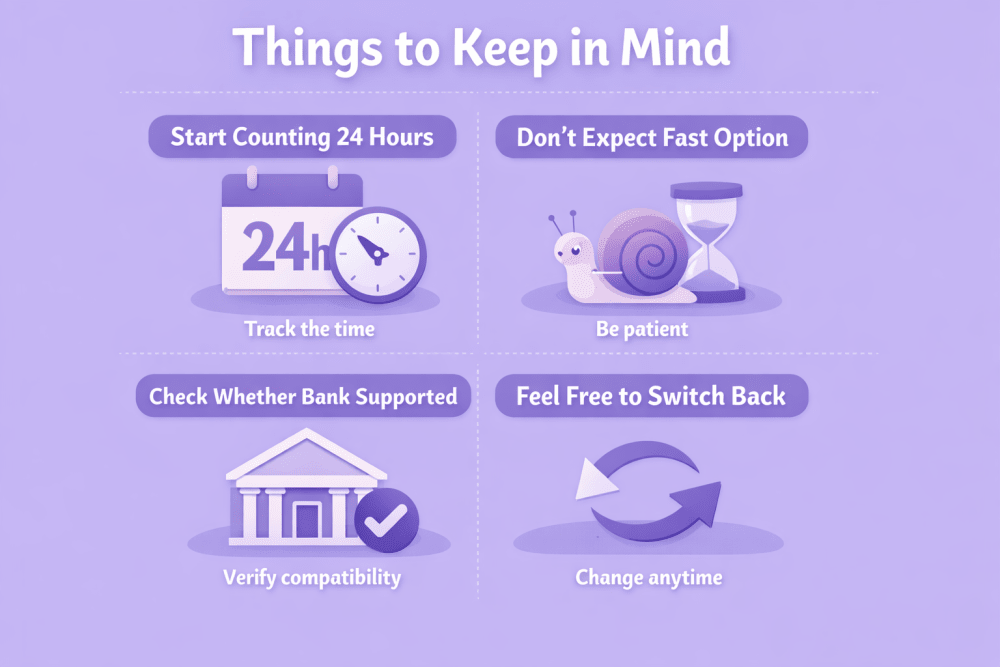
Things to Keep in Mind
These are some practical details that often catch sellers off guard when they first start using Express Payout. Knowing them ahead of time helps avoid surprises and set expectations correctly.
Start Counting the 24 Hours Correctly
Keep in mind that the 24-hour clock starts ticking the exact moment Amazon presses “send” on the payout. Don’t be surprised if the money lands in your account even faster than 24 hours – most supported banks post these transfers very quickly. Just remember that the final speed still depends a bit on your own bank’s internal processing.
Don’t Expect the Fast Option on Big Payouts
If a single payout is larger than the allowed limit, Amazon will automatically send it through the standard ACH channel – even if you have Express Payout turned on. There is currently no way to override this rule, so plan larger withdrawals expecting the usual 4–5 day wait.
Check Whether Your Bank Is Actually Supported
Not all US banks and credit unions are part of Amazon’s direct network. If you turn on Express Payout and nothing changes, the most common reason is that your current bank isn’t connected. In that case the fastest fix is to add and verify a different bank account that is in the supported list.
Feel Free to Switch Back Anytime
There is zero penalty or lock-in period. If you try Express Payout and later decide it doesn’t bring enough benefit for your particular business, simply go back to the Deposit Methods section in Seller Central and change it to standard ACH payouts – the switch takes effect immediately for future disbursements.
To Sum Up
Express Payout lets qualifying US sellers using Amazon Pay get their money about 24 hours after payout instead of waiting several days. It’s easy to turn on and off in Seller Central, currently free, and works on weekends.
It can make a real difference if you sell fast-moving products, run big ad campaigns, or need to restock frequently. But it’s just a tool – it works best when you already manage inventory and cash flow sensibly.
If you don’t qualify or your business doesn’t have tight cash timing, the standard payout method is still perfectly fine.
FAQ
What is Amazon Express Payout?
It’s an optional way for some sellers to get payouts in about 24 hours instead of the usual 4-5 days through ACH.
Who can use Express Payout?
US sellers who use Amazon Pay, have a supported bank, have a continental US business address, and keep payouts under a certain size limit.
How do I turn Express Payout on?
Log into Seller Central, go to Deposit Methods, switch from Standard Payout to Express Payout, and save.
Is Express Payout free?
Yes, right now it’s free. Amazon might add a small fee later (around 50 cents per payout) but they will warn sellers first.
Can I get the money on a debit card?
Yes, you can choose to send it to a Visa debit card instead of a bank account.
What if my payout is too big?
Payouts over the limit automatically use the normal ACH process, even if Express Payout is turned on.
Can I switch back to normal payouts later?
Yes, you can change it back to Standard Payout anytime in the same Deposit Methods section.
Join the WisePPC Beta and Get Exclusive Access Benefits
WisePPC is now in beta — and we’re inviting a limited number of early users to join. As a beta tester, you'll get free access, lifetime perks, and a chance to help shape the product — from an Amazon Ads Verified Partner you can trust.
 No credit card required
Free in beta and free extra month free after release
25% off for life — limited beta offer
Access metrics Amazon Ads won’t show you
Be part of shaping the product with your feedback
No credit card required
Free in beta and free extra month free after release
25% off for life — limited beta offer
Access metrics Amazon Ads won’t show you
Be part of shaping the product with your feedback
