
 EN
EN  ES
ES  FR
FR  DE
DE  IT
IT  KO
KO  JA
JA  ZH
ZH  AR
AR  PT
PT Powerful Ecommerce Marketing Ideas for Amazon Sellers

Amazon remains one of the most competitive ecommerce environments. Success depends heavily on how well sellers understand and apply marketing techniques that are either built into the platform or work effectively alongside it. The goal is rarely to invent completely new approaches; instead, the strongest results usually come from executing proven tactics with precision and consistency.
This article covers realistic marketing ideas that Amazon sellers use to increase visibility, improve conversion rates, and generate repeat purchases. All strategies discussed are based on standard platform functionality and common seller practices.
Understanding How Marketing Works on Amazon
Amazon is very different from having your own online store (like on Shopify or WooCommerce). Almost all the traffic comes from inside Amazon itself – people searching in the Amazon search bar, browsing categories, or seeing products that Amazon recommends (“customers also bought”, “frequently bought together”, personalized suggestions). Very little traffic comes from Google, Instagram, or links from outside.
That one big difference changes everything about how you should do marketing here.
You don’t have full control over how your shop looks or how the customer moves through the buying process – Amazon decides what shows up where, in what order, and who sees it. Your main places to fight for attention are:
- How good your product looks in search results and inside categories
- How much Amazon recommends your product to people (in those “also bought”, “similar items”, personalized rows)
- How you keep in touch with customers after they already bought from you
When you get these three things working together well, good things happen:
- Your product starts ranking higher in search without spending crazy money on ads
- The ads you do run become cheaper and bring better results
- Customers come back and buy from you more often (higher lifetime value)
That’s basically the whole game on Amazon in plain words.
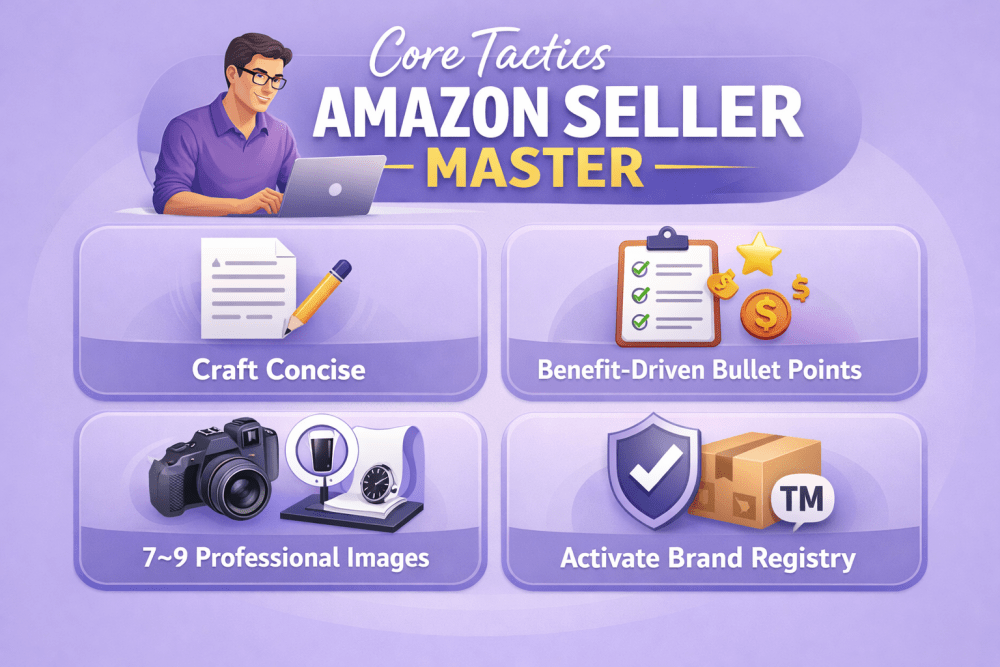
Core Tactics Every Amazon Seller Should Master First
The foundation of any profitable Amazon business lies in getting the basics right – especially how your products appear and perform in Amazon’s ecosystem. Here are the essential steps that create a strong starting point:
- Craft concise, search-friendly titles focused on buyer intent
- Lead with benefit-driven bullet points in the top positions
- Include at least 7–9 professional images (main + lifestyle + infographics)
- Activate brand registry and use A+ Content when available
- Track external sources properly with Amazon Attribution
- Establish a consistent, policy-compliant review request routine
These core elements are non-negotiable. Skip or half-do them, and even well-funded advertising campaigns or viral promotions tend to underperform. Prioritize listings that quickly build confidence and reduce buyer hesitation.

WisePPC: Work Smarter with Third-Party Amazon Ads Tools
At WisePPC we see the same frustrations every day from Amazon sellers we work with: the native Amazon Ads console only keeps 60–90 days of history, making bulk changes extremely slow once you’re running many campaigns, and trying to spot meaningful long-term trends usually ends up feeling like guesswork.
We’re an official Amazon Ads Verified Partner, so we use direct integrations and follow all the rules – but we give you much deeper visibility. Our platform keeps years of historical data (even on the basic plan), so you can compare this year’s Prime Day or Black Friday to the same period one or two years ago and actually see how seasonality or bid changes played out over time.
We built the features we use ourselves every day: fast filters to quickly find the campaigns, keywords or targets that matter, bulk edits for bids, budgets or statuses in seconds, inline editing right in the tables, color highlights that instantly show what’s dramatically over- or under-performing, and charts that let you overlay several key metrics on one timeline with day/week/month/year views.
This doesn’t replace solid listings, smart pricing or knowing your product. It just removes hours of repetitive manual work and gives you clearer, longer-term context – so the decisions you already want to make can happen much faster and with more confidence.

Idea #1: Make Your Product Page Actually Sell
Your product page on Amazon is basically the most important thing you have. Even if your listing ranks well in search, a crappy page means people just keep scrolling.
Title
Amazon gives you 200 characters, but the first 80–100 are what really matter (especially on mobile). Most experienced sellers put in there:
- The main search phrase people actually type
- Brand name (if it means anything to anyone)
- The biggest benefit or what makes your product different
- Size, color, pack quantity if it matters
If you stuff the same keyword 6 times, the title looks awful and Amazon can even hide it sometimes.
Bullet Points
You get 5. The first 2–3 show up right away on both desktop and phone – make them count. Start each one with a real benefit, not just a feature list.
The last couple can be technical stuff – materials, specs, how to use – but keep them short and useful.
Description & A+ Content
The regular description box lets you use basic formatting. People use it to explain benefits in more detail, answer common questions and slip in a few extra keywords naturally.
If your brand is registered, turn on A+ Content – that’s when you can add nice layouts, comparison tables, lifestyle photos, step-by-step pictures. Good A+ really lifts conversion. The best modules usually are:
- Before/after shots
- Size or compatibility charts
- Step-by-step how-to graphics
- Nain benefits with little icons
Don’t make A+ another sales pitch. People scan fast – clear layout and visuals beat long text every time.
Photos & Video
Amazon wants at least 6 photos, but serious listings have 7–9. The first one must be pure white background. The rest should show different angles, scale (hand holding it), call-outs on features, real-life use.
Video (30 seconds to 2 minutes) shows up very prominently. Videos that actually demonstrate use, unboxing or zoom in on details keep people watching longer and help them buy more often.
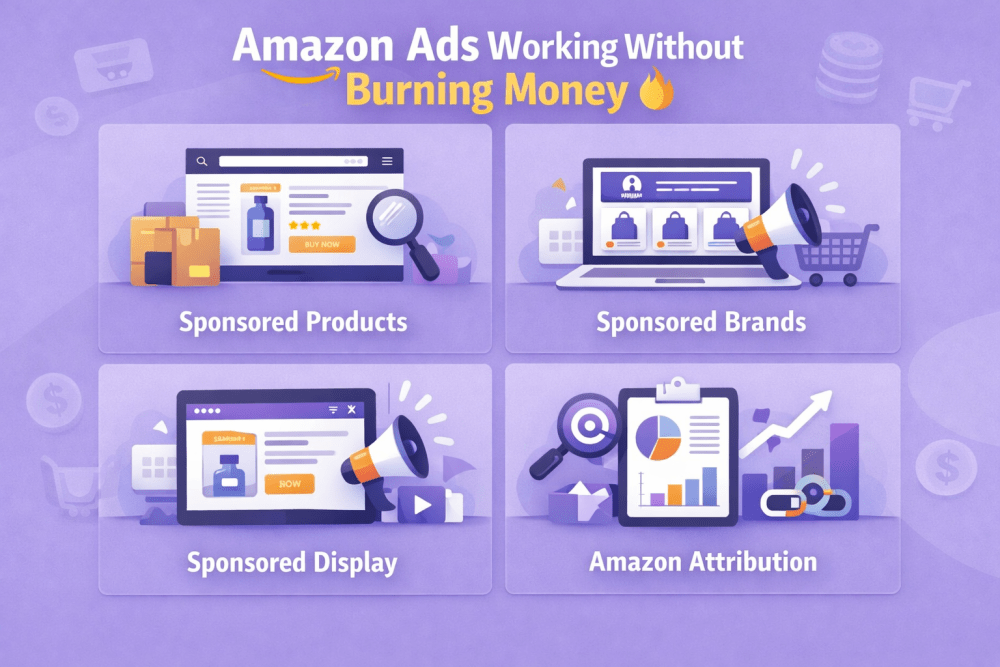
Idea #2: Get Amazon Ads Working Without Burning Money
Ads are the fastest way to get seen and start selling. Amazon has a few different types – each does something slightly different.
Sponsored Products
This is the main one. Shows up in search results and on other product pages. Most people start with automatic campaigns to see which search terms actually work. Then they move the good ones into manual campaigns, add negative keywords and control bids better.
You can choose dynamic bids (Amazon adjusts them up or down) or fixed bids you set yourself.
Sponsored Brands
These appear at the top of search with your logo, custom headline and several products. They work best when your brand is already somewhat known or when you want to push a whole line instead of just one item.
Sponsored Display
These show up all over – product pages, cart, search results, even outside Amazon sometimes. One of the strongest uses is retargeting people who already looked at your stuff or bought from you before.
Amazon Attribution
If you send traffic from outside (Instagram, email, influencers), you can add special tracking links. Then you’ll see exactly how many sales came from those channels inside Amazon.
Idea #3: Collect Reviews the Right Way
Reviews make a huge difference – they affect your search ranking and whether people decide to buy. Amazon is super strict about how you can ask for them (they don’t want any manipulation or pressure), but there are still safe, allowed ways to get more.
The safest and most reliable method is the “Request a Review” button in Seller Central. It sends an automated, neutral message from Amazon asking the buyer to leave a review (and seller feedback). You can use it once per order, usually 5–30 days after delivery – that’s the official window. Many sellers aim for 7–10 days, when the person has had time to use the product but it’s still fresh in their mind.
If you have a registered brand and some budget, Amazon Vine is another option. It lets vetted, trusted reviewers (“Vine Voices”) get your product for free in exchange for an honest review. It costs a fee (based on how many units you enroll), but those reviews show up labeled as “Vine Customer Review of Free Product” and often carry more weight with buyers.
Always make sure the star rating and the best reviews are visible right on the page – it helps hesitant shoppers feel confident and hit “Buy Now”. Listings that hold steady above 4.3 stars almost always convert better than ones stuck at 4.0 or lower.
Idea #4: Get People to Buy From You Again
Amazon actually makes repeat purchases pretty easy if you use the built-in tools.
Subscribe & Save
Perfect for things people buy regularly – pet food, diapers, coffee pods, vitamins. You offer a small discount for subscription, they set up auto-delivery, you get steady orders and better inventory planning.
Amazon Stores
Registered brands can create their own branded page right on Amazon. You can tell your story, show the full product range, run seasonal collections – it feels more like a real website inside Amazon.
Your Own Email & SMS List
Amazon doesn’t give you buyer emails, but you can collect your own list with freebies, guides, discounts for signing up. Later you can tell them about new products or bring back people who haven’t bought in a while.
Idea #5: Run Promotions to Get Momentum and Better Ranking
Amazon has several promo tools that can create quick sales spikes and help with long-term ranking.
Lightning Deals and Best Deals give short, deep discounts and create urgency – good for big volume in a few hours, but you need to watch margins carefully because discounts are serious.
Percentage-off coupons show as a badge on the listing and in search – they attract people looking for deals and help new listings get early traction.
The biggest visibility usually comes during Prime Day, Black Friday or other huge Amazon events – but getting a spot is very competitive.
Idea #6: Bring Traffic From Outside to Help Amazon Growth
Most sales happen inside Amazon, but outside traffic can seriously speed things up.
Make helpful content – blog posts, YouTube videos, TikTok demos showing how to use the product. These often rank for long-tail searches. Add tracked Amazon links (via Attribution) and you can see exactly how many sales came from them.
Micro-influencers with an audience that matches your product usually work better than big celebrities. Their posts feel more real and get higher engagement.
Instagram and TikTok shopping features let you link directly to your Amazon page – conversion is normally lower than organic Amazon traffic, but it’s still extra people seeing your product.
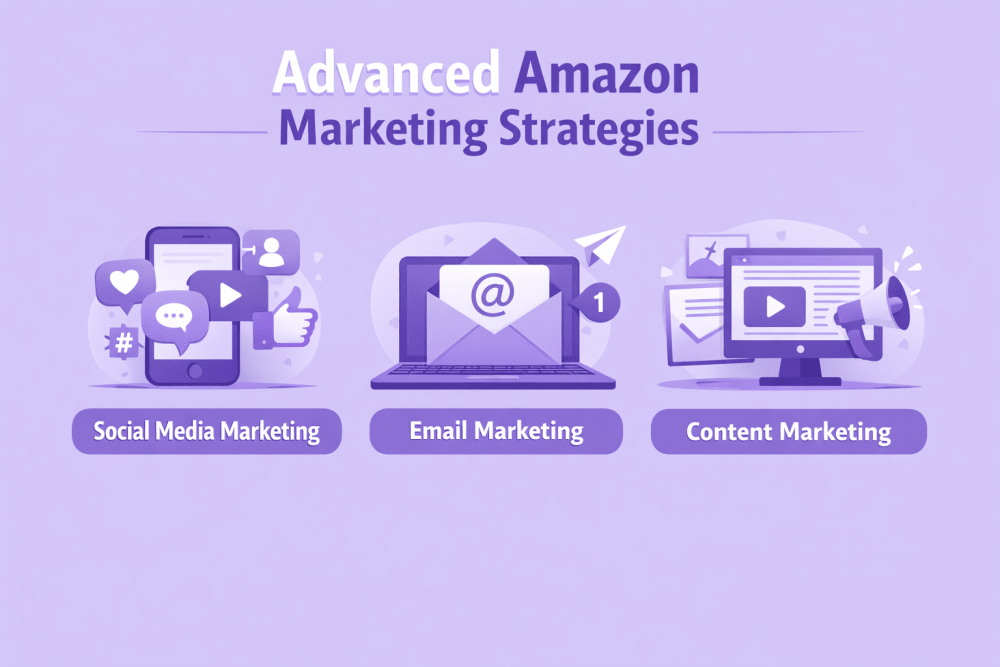
Advanced Amazon Marketing Strategies
To grow beyond the basics and compete more effectively, most online sellers add layers of marketing that reach customers at different stages of their journey. Here are three powerful approaches that work well together:
Social Media Marketing
- Share user-generated content (photos and videos from real customers) to build trust and social proof
- Create shoppable posts on Instagram, TikTok or Pinterest so people can buy directly from the feed
- Engage actively – reply to comments, run polls, answer questions to keep the audience connected
- Run targeted paid ads on social platforms to reach lookalike audiences or people who already showed interest
Email Marketing
- Segment your list (by purchase history, location, interests) so messages feel personal and relevant
- Send automated abandoned cart emails with a gentle reminder and small incentive to complete the purchase
- Build loyalty programs – reward repeat buyers with points, exclusive discounts or early access to new products
- Send personalized recommendations based on what people viewed or bought before
Content Marketing
- Optimize product pages and category descriptions with keywords people actually search for
- Write blog posts, buying guides or how-to articles that solve real customer problems and rank in Google
- Include internal links to product pages so readers move naturally toward buying
- Focus on technical basics: fast loading speed, mobile-friendly design and clean site structure to help search engines understand your store better
These advanced Amazon strategies work together to strengthen organic visibility, make advertising more efficient and turn one-time buyers into repeat customers. The most important part is testing small changes often and scaling what the data proves works for your products and category.
Conclusion
Marketing on Amazon combines platform-specific optimization with general ecommerce principles. The most successful sellers treat listings as living assets that require continuous testing and refinement. Small improvements in title structure, image quality, pricing strategy, advertising efficiency, and post-purchase follow-up compound over time.
No single tactic guarantees success. Results come from layering multiple approaches: strong organic listings, disciplined PPC management, steady review accumulation, repeat-purchase incentives, and selective use of external traffic sources.
Sellers who track performance weekly, adjust based on real data, and maintain consistent execution usually see the most sustainable progress.
FAQ
How long does it take to see results from optimizing my Amazon listing?
It depends on your category and competition, but most sellers start seeing better organic rank and higher conversion within 2–6 weeks if they fix titles, bullets, images and A+ content properly. The first big jump usually comes after 50–100 new sales at the improved listing, because Amazon’s algorithm loves fresh velocity and good conversion data.
Should I start with automatic or manual Sponsored Products campaigns?
Start with automatic. It lets Amazon find which search terms actually bring sales without you guessing. Run auto for 1–2 weeks, then pull the best search terms into manual campaigns where you can control bids and add negatives. That way you avoid wasting money on bad keywords early on.
Do I really need A+ Content if I’m just starting out?
If you can register your brand (it’s free and quick), yes – turn on A+ Content as soon as possible. Even basic modules (good photos, simple comparison tables, benefit icons) usually lift conversion by 5–20%. It’s one of the highest ROI things you can do without spending extra money on ads.
How many reviews do I need before my listing starts converting well?
There’s no magic number, but the sweet spot most sellers aim for is 15–30 reviews with an average above 4.3 stars. Once you pass 10–15 honest reviews, hesitant buyers trust the listing much more and conversion usually jumps noticeably. After that, keep collecting steadily to protect your rank.
Is it worth running Lightning Deals or coupons when my product is new?
Yes, but only if your margins allow it. Lightning Deals and coupons create fast sales velocity, which helps Amazon push your listing higher in organic search. For new products, a small coupon (10–20%) or a short Best Deal often gives the strongest early boost. Just make sure you can handle the extra orders without stockouts or bad feedback.
Can outside traffic (from TikTok, YouTube, email) really help my Amazon ranking?
Yes – indirectly but powerfully. Every sale that comes from outside (tracked with Amazon Attribution) counts as real velocity and good conversion, which Amazon rewards with better organic rank. It’s slower than PPC, but it compounds over time and makes your listing look stronger to the algorithm.
How often should I check and change my Amazon ads?
At least once a week when you’re growing. Look at ACOS, ROAS, top search terms, and placement reports. Pause losers, lower bids on expensive keywords, move winners to manual campaigns, add new negatives. Small weekly tweaks prevent budget bleed and keep performance climbing.
What’s the biggest mistake new Amazon sellers make with marketing?
They try to do everything at once – chase 100 keywords, run 10 types of ads, post on every social platform. Pick 1–2 things (usually listing optimization + automatic PPC + review requests) and get really good at them first. Master the basics before adding more layers – that’s how most sellers go from losing money to profitable.
Join the WisePPC Beta and Get Exclusive Access Benefits
WisePPC is now in beta — and we’re inviting a limited number of early users to join. As a beta tester, you'll get free access, lifetime perks, and a chance to help shape the product — from an Amazon Ads Verified Partner you can trust.
 No credit card required
Free in beta and free extra month free after release
25% off for life — limited beta offer
Access metrics Amazon Ads won’t show you
Be part of shaping the product with your feedback
No credit card required
Free in beta and free extra month free after release
25% off for life — limited beta offer
Access metrics Amazon Ads won’t show you
Be part of shaping the product with your feedback
