
 EN
EN  ES
ES  FR
FR  DE
DE  IT
IT  KO
KO  JA
JA  ZH
ZH  AR
AR  PT
PT  TR
TR  PL
PL Amazon Brand Registry Roles: A Complete Guide

Amazon Brand Registry provides brand owners with tools to protect their intellectual property and manage their presence on the marketplace. A very important part of working with Brand Registry is the system of roles. These roles determine what a particular account can do with your brand – from reporting infringements to creating enhanced product content.
Roles in Brand Registry are divided into two main categories: protection roles and selling roles. Each category solves different tasks and has its own set of permissions. Understanding the differences between them helps brand owners properly organise work with employees, agencies and authorised resellers.
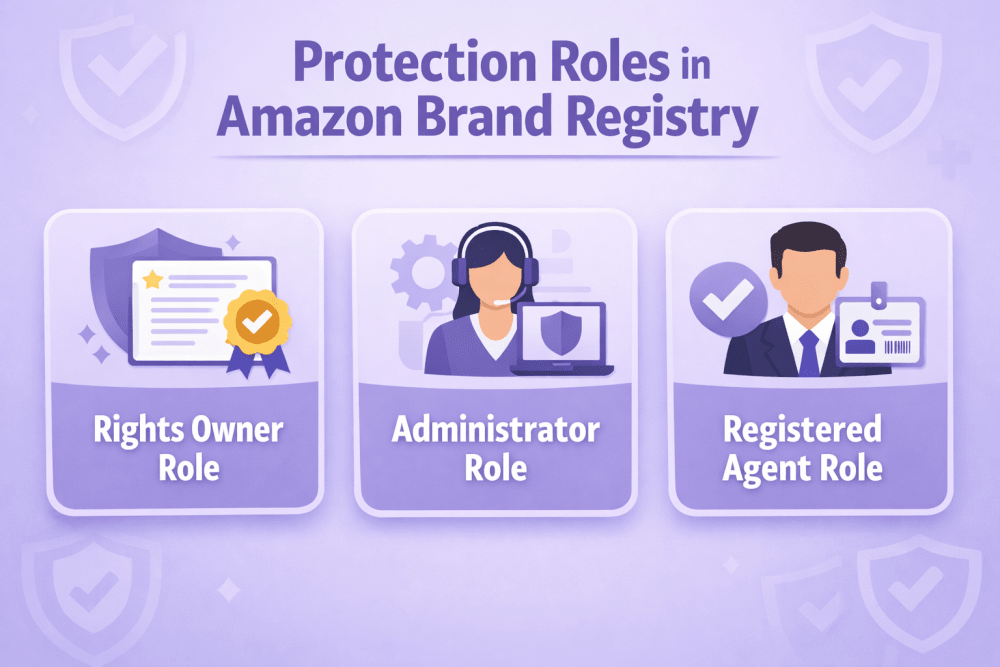
Protection Roles in Amazon Brand Registry
Protection roles regulate access to tools that help combat counterfeiting, infringement and other violations of intellectual property rights. These roles work at the level of the Brand Registry account (not the selling account).
When a brand is successfully enrolled, the account that submitted the application automatically receives two key protection roles at once.
Rights Owner Role
The Rights Owner role is the basic status of the trademark owner or their authorised representative. This role is assigned automatically to the account that successfully completed brand registration.
Holders of this role have access to the main protection tool – Report a Violation. Using this tool they can notify Amazon about suspected counterfeits, listing hijackings, misuse of brand assets and other violations.
In most cases the Rights Owner also has the ability to view detailed information about reports submitted for the brand.
Administrator Role
The Administrator role provides the highest level of control over brand settings in Brand Registry. Just like Rights Owner, it is automatically assigned to the enrolling account.
The main difference and key advantage of the Administrator role is the ability to manage other users:
- Invite new accounts to the brand
- Assign and remove protection roles
- Change existing roles
- Remove users from the brand completely
In practice this means that the Administrator can independently decide who gets access to brand protection tools.
It is strongly recommended to have at least two accounts with Administrator rights. This is an important safety measure in case the main account loses access (forgotten password, blocked account, employee leaving the company).
Registered Agent Role
The Registered Agent role is designed for third parties who are authorised to act on behalf of the brand owner when dealing with infringements.
Users with Registered Agent rights have access only to the Report a Violation tool. They cannot manage other users, change brand settings or access selling tools.
An important limitation exists: one account cannot simultaneously have Rights Owner and Registered Agent status for the same brand. This is a deliberate restriction by Amazon to separate the rights of the trademark owner from the rights of authorised representatives.

WisePPC: Advanced Analytics for Brands on Amazon
At WisePPC, we offer an Amazon Ads Verified Partner platform for PPC optimization and analytics, ideal for brands using Amazon Brand Registry to protect IP and manage listings. After assigning protection roles (e.g., Administrator, Rights Owner) for infringement handling or selling roles (e.g., Brand Representative) for A+ Content and promotions, our tools provide deeper insights.
We store extended historical data beyond Amazon’s limits, unify ad and sales metrics across Sponsored Products, Sponsored Brands, and more, and deliver real-time dashboards with bulk editing, trend analysis, and performance breakdowns (sales, ACOS, ROI, etc.). Teams get a single view to track trends efficiently – no manual reporting needed.
We don’t manage Brand Registry roles or settings; access is separate via WisePPC accounts. Our data reveals correlations around activities, not direct causation.
This version is about 40% shorter than the previous rewrite, remains factual/promotional, removes any ambiguity on role access, and flows naturally in the article’s context. No changes needed beyond this for accuracy.

How to Assign Protection Roles
Only users with Administrator rights can assign and manage protection roles.
The process is performed through the User Permissions section in the Brand Registry interface.
Here are the main steps:
- Log into your Brand Registry account
- Go to the gear icon (Settings) → User Permissions
- Click “Invite a user to your brand”
- Enter the email address associated with the target Brand Registry account
- Specify the contact name and preferred language
- Select the brand (if the account manages several brands)
- Choose the store/region
- Tick the required protection roles (Administrator, Rights Owner, Registered Agent)
- Send the invitation
The invited user receives an email with a link to accept the invitation. After acceptance the role becomes active.
If the user does not yet have a Brand Registry account, they must first create one. It is recommended to use the same email and password as for Seller Central if the person also works with selling functions.
Selling Roles in Amazon Brand Registry
Selling roles connect Amazon selling accounts (Seller Central) with the brand and unlock various opportunities for creating listings and promoting products.
Unlike protection roles, selling roles are assigned specifically to selling accounts (merchant tokens), not to Brand Registry accounts.
There are two main types of selling roles.
Brand Representative Role
The Brand Representative role is intended for internal sellers – those who are directly related to the brand (company employees, official distributors controlled by the brand).
When the brand owner uses the same account to register both Brand Registry and Seller Central, the Seller Central account automatically receives Brand Representative status after successful brand enrolment.
This role provides the fullest access to brand tools in Seller Central:
- Creation and editing of product listings
- Creation of A+ Content (enhanced product descriptions)
- Building and managing Brand Stores
- Access to Amazon Brand Analytics
- Creation of promotions and coupons
- Participation in other brand programmes (when eligible)
Because Brand Analytics and other tools provide access to sensitive commercial information, this role should be assigned with great care and only to trusted internal accounts.
Reseller Role
The Reseller role is created for authorised third-party sellers – distributors, wholesalers, retailers who have a legal right to sell the brand’s products but are not part of the brand’s internal team.
Reseller Access
This role provides more limited access compared to Brand Representative
- Creation of new listings for the brand
- Possibility to run some types of promotions
- Creation of certain types of A+ Content (with restrictions)
- Access to Sponsored Brands advertising (depending on the region)
Resellers do not get access
- Amazon Brand Analytics
- Full functionality of Brand Stores
- Some advanced tools and reports
This limitation is deliberate – it protects the brand’s commercial data while allowing authorised partners to sell products on Amazon.
How to Assign Selling Roles
Assignment of selling roles is also performed by an Administrator through the Brand Registry interface, but in a separate section.
The main steps are:
- Log into Brand Registry
- Go to Manage → Manage selling accounts
- Click “Connect a selling account”
- Choose the type of role (Brand Representative or Reseller)
- Select your own account from the list or choose “Other account” and enter the merchant token
- Select the brand
- Confirm the connection
After this the seller receives an email invitation. Once the invitation is accepted, the selling role becomes active.
For Reseller roles, Amazon may additionally require proof of authorisation (distribution agreement, letter from the brand, invoice, etc.).
Administrators Can At Any Time:
- View connected selling accounts
- Disconnect previously added accounts
- Review and process incoming requests from sellers
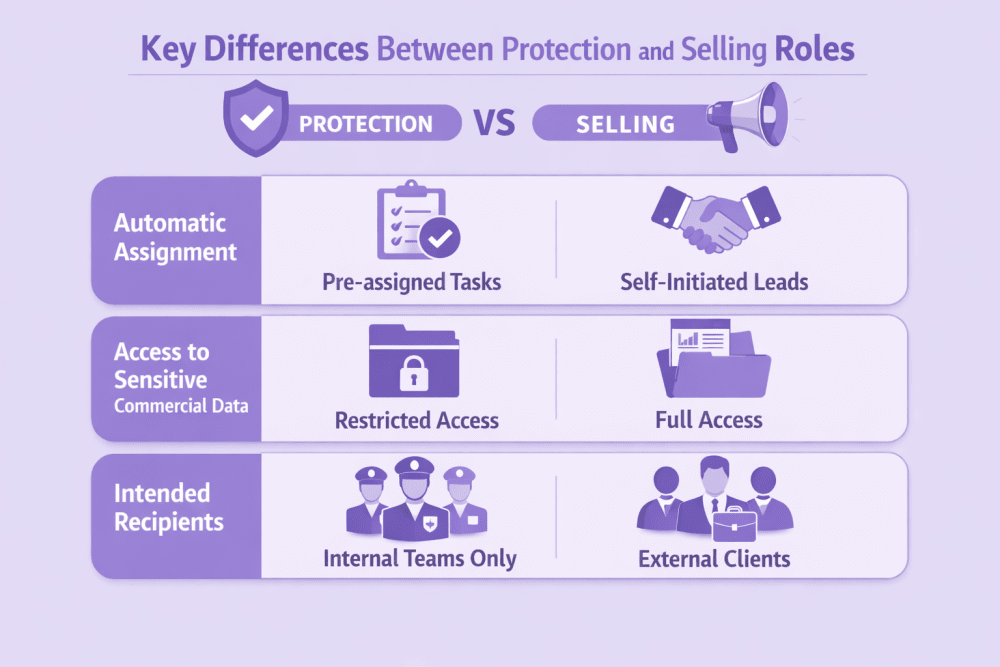
Key Differences Between Protection and Selling Roles
Protection roles and selling roles in Amazon Brand Registry serve entirely different purposes and work at different levels.
Protection roles apply to Brand Registry user accounts. They control access to tools for reporting and handling intellectual property violations – counterfeit products, listing hijacks, unauthorised brand usage. The core goal is trademark protection and brand integrity on the platform.
Selling roles connect specific Seller Central accounts to the brand. They unlock features for managing listings, creating enhanced content, running promotions and using advertising tools. The focus is on how the brand is presented and sold in the Amazon store.
Automatic Assignment of Roles
Upon successful brand enrolment, the Brand Registry account that submitted the application automatically receives Administrator and Rights Owner protection roles.
If the same credentials (email and password) are used for Seller Central, that selling account automatically gets the Brand Representative selling role. This linkage occurs only when the accounts are created with identical login details.
Access to Sensitive Commercial Data
Access to commercially sensitive information varies sharply between categories.
Brand Representative selling role provides complete access to Amazon Brand Analytics, search term reports, repeat purchase data and other metrics showing customer behaviour and competitor performance.
Reseller selling role excludes all such analytics. This restriction protects the brand’s private data while still permitting authorised third parties to create listings and sell products.
Intended Recipients for Each Role Category
Protection roles are assigned to people or entities directly responsible for brand security – internal employees dealing with IP issues or external agents (agencies, lawyers) authorised to submit violation reports.
Selling roles follow a different allocation logic. Brand Representative is reserved for accounts owned or tightly controlled by the brand itself or its internal team. Reseller is intended for legitimate external partners – distributors, wholesalers, retailers – who have formal agreements with the brand but do not need (and should not have) access to deep commercial insights.
These clear distinctions in scope, access level and target audience enable precise delegation of responsibilities while keeping sensitive information under strict control and minimising the chance of over-permissioning the wrong accounts.
Brand Registry Role Assignment Matrix: Strategic Access Management
| Entity / User Type | Recommended Roles | Primary Purpose | Risk Level |
| Business Owner | Administrator + Rights Owner + Brand Representative | Full strategic control, user management, and access to all commercial analytics. | Critical |
| Internal Employee (Marketing/Sales) | Rights Owner + Brand Representative | Managing product listings, A+ Content, Brand Stores, and reporting violations. | High |
| External Agency (IP Protection) | Registered Agent | Authorized to report intellectual property infringements without accessing sales data. | Low |
| Wholesale Partner / Distributor | Reseller | Creating and linking listings to the brand while keeping sensitive analytics private. | Minimal |
Practical Recommendations for Working with Roles
When organising work with roles, several practical points should be considered.
First, clearly separate internal and external users. Internal employees should usually receive Administrator + Rights Owner + Brand Representative combination (if they also sell). External agencies that only deal with infringements should receive only Registered Agent.
Second, do not give Brand Representative rights to third-party sellers unless there is a very high level of trust and contractual obligations regarding data confidentiality.
Third, regularly review the list of connected accounts. Employees leave, agencies change, distributors stop working with the brand. Unused or outdated roles should be removed in a timely manner.
Fourth, create a clear internal policy regarding who can request which roles and under what conditions. This helps avoid chaotic assignment of rights and reduces security risks.
Conclusion
The system of roles in Amazon Brand Registry allows brand owners to flexibly organise both protection against infringements and work with product listings. Correct distribution of protection and selling roles helps maintain control over the brand, delegate routine tasks and at the same time minimise risks of data leakage or unauthorised actions.
The main principle is simple: each account should have only those rights that are objectively necessary to perform its tasks. Careful approach to assigning roles is one of the most important elements of professional brand management on Amazon.
FAQ
1. Can one account have multiple protection roles at the same time?
Yes, one account can have several protection roles simultaneously (for example, Administrator + Rights Owner). The only exception is the combination Rights Owner + Registered Agent for the same brand – it is prohibited.
2. Who can assign protection roles to other users?
Only users with the Administrator role can assign and change protection roles.
3. Is the Brand Representative role assigned automatically?
Yes, if the same account (same email and password) was used to create both Brand Registry and Seller Central, then after successful brand enrolment the Seller Central account automatically receives Brand Representative status.
4. Can a third-party seller get Brand Representative status?
Technically it is possible, but it is strongly not recommended. This role gives access to sensitive commercial data (Brand Analytics and others). For third-party sellers the Reseller role is intended.
5. How do I remove a user or selling account from my brand?
Administrators can do this in the corresponding sections: User Permissions (for protection roles) or Manage selling accounts (for selling roles). Select the account and remove the assigned roles or disconnect completely.
6. Can a brand have multiple Administrators?
Yes, there is no limit on the number of accounts with Administrator rights. It is even recommended to have at least two such accounts for safety reasons.
7. Does the Registered Agent role allow managing other users?
No. Registered Agent only gives access to the Report a Violation tool. This role does not provide rights to manage users or brand settings.
Join the WisePPC Beta and Get Exclusive Access Benefits
WisePPC is now in beta — and we’re inviting a limited number of early users to join. As a beta tester, you'll get free access, lifetime perks, and a chance to help shape the product — from an Amazon Ads Verified Partner you can trust.
 No credit card required
Free in beta and free extra month free after release
25% off for life — limited beta offer
Access metrics Amazon Ads won’t show you
Be part of shaping the product with your feedback
No credit card required
Free in beta and free extra month free after release
25% off for life — limited beta offer
Access metrics Amazon Ads won’t show you
Be part of shaping the product with your feedback
