
 EN
EN  ES
ES  FR
FR  DE
DE  IT
IT  KO
KO  JA
JA  ZH
ZH  AR
AR  PT
PT  TR
TR  PL
PL How to Manage Seller-Fulfilled Orders on Amazon

Handling your own Amazon orders sounds simple at first. List a product, get a sale, ship it out. In reality, seller-fulfilled orders come with moving parts that can quietly affect your margins, metrics, and customer trust.
If you’re using Fulfilled by Merchant, you’re not just shipping boxes. You’re managing delivery promises, tracking numbers, cancellations, returns, and buyer messages. Done right, it builds a strong reputation. Done poorly, it can cost you sales and even your account health.
Let’s walk through how to manage FBM orders in a way that keeps things efficient and under control.

Connecting Order Management With Smarter Advertising
WisePPC is a performance advertising platform built around pay-per-click campaigns for Amazon sellers. In the context of managing seller-fulfilled (FBM) orders, advertising performance cannot be separated from operational capacity. Order volume is directly influenced by campaign activity, and without visibility into that connection, fulfillment planning quickly becomes reactive.
We built the platform to align advertising data with sales trends and inventory levels in one system. Instead of optimizing campaigns in isolation, WisePPC helps sellers understand how ad-driven demand impacts stock availability and shipping workload, which is especially important for FBM businesses that control their own fulfillment.
The platform automates campaign management, tracks stock dynamics, and supports demand forecasting to reduce the risk of overspending on ads when inventory or capacity is limited. The objective is simple: protect margins, maintain operational stability, and scale growth without creating fulfillment bottlenecks.

Understanding What Seller-Fulfilled Orders Really Involve
Before diving into settings and workflows, it is worth being clear about what FBM actually means in practice. When you use Fulfilled by Merchant, you take full responsibility for the operational side of each order. You store the inventory, ship the products, confirm dispatch in Seller Central, communicate with buyers, and handle returns. Amazon processes the payment, but the rest is on you.
That difference changes how you run your business. With FBM, performance depends on how well your internal processes work. You have more control, but also less room for error. The goal is simple – keep your fulfillment accurate, timely, and fully aligned with Amazon’s requirements.
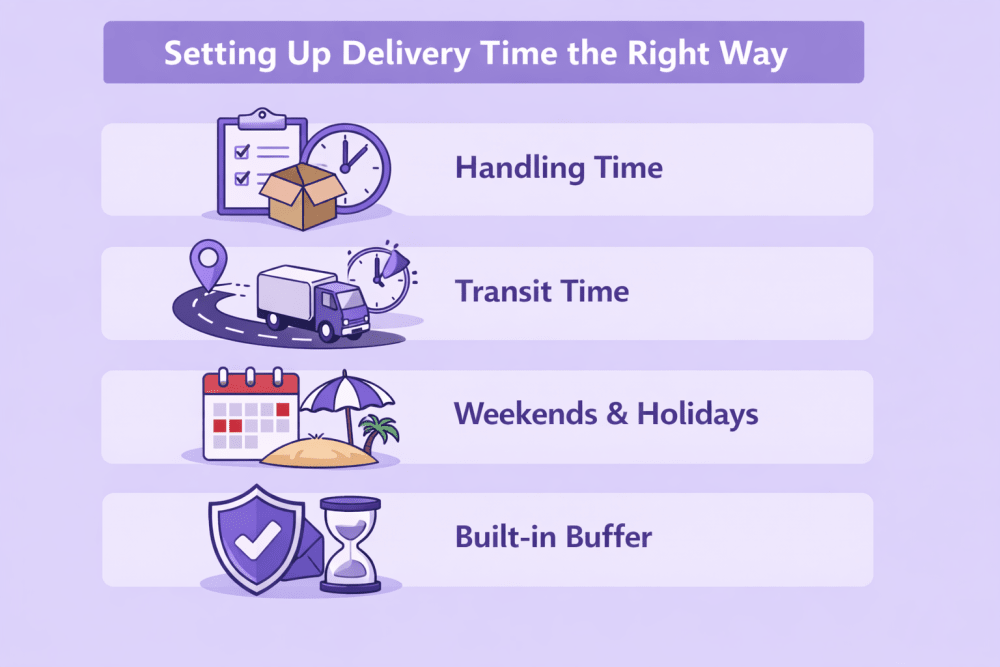
Setting Up Delivery Time the Right Way
One of the most common problems with FBM sellers is inaccurate delivery promises. This usually starts with handling time and shipping settings.
Amazon calculates total delivery time using several components:
- Handling time
- Transit time
- Weekends and holidays
- A built-in buffer for potential delays
You directly control handling time, transit time settings, and your working days. If these are off, everything else becomes harder.
Handling Time – Be Honest With Yourself
Handling time is the period between when the order is placed and when you hand it over to the carrier.
Many sellers try to look competitive by setting handling time too short. It feels harmless at first. But if you promise same-day handling and consistently ship the next day, your late shipment rate will reflect that.
A better approach:
- Review your actual processing speed over the past 30 days
- Add a realistic buffer for busy periods
- Adjust by SKU if needed
If you ship some products from a different location or they require special packaging, set separate handling times for those SKUs. Do not assume everything moves at the same speed.
Transit Time – Align With Your Carrier, Not Your Hopes
Transit time is how long the carrier takes after you ship.
You can manually configure transit times in your shipping templates, or use automation features inside Seller Central. Either way, your transit settings should match the service level you actually use.
If you are using ground shipping that takes 4 to 5 business days, do not configure it as 2 to 3 days just to appear faster. Customers notice. Amazon notices.
Weekends and Holidays – Plan Ahead
If you do not operate on weekends, reflect that in your settings. The same applies to public holidays. Nothing damages trust like promising a Sunday delivery when you do not process orders on Saturday.
Take a few minutes to configure your non-working days correctly. It prevents a lot of stress later.
Creating a Reliable Shipping Workflow
Once your delivery settings are accurate, the next layer is your internal workflow. This is where most FBM operations either run smoothly or become chaotic.
Here is a simple structure that works well:
- Order review
- Inventory verification
- Pick and pack
- Label purchase
- Shipment confirmation
- Tracking validation
It sounds obvious, but documenting this flow and making sure every order passes through it consistently is powerful.
Use Amazon Buy Shipping When Possible
If you handle your own fulfillment, Amazon Buy Shipping makes the process cleaner and safer. When you purchase labels directly through Amazon, tracking is added automatically and the shipment is confirmed at the same time. You do not have to enter tracking numbers manually, which reduces errors and protects your valid tracking rate. In some cases, you also receive extra protection in delivery-related claims, and the shipping rates are often competitive.
If you work with an external carrier or shipping software, accuracy becomes your responsibility. The carrier name must match Amazon’s system, the tracking number has to be correct, and the shipment must be confirmed within the required timeframe. Missing that confirmation can cost you the entire order. After seven days, Amazon may cancel it and you will not receive payment, even if the package is already on its way.
It sounds simple, but this is where many sellers lose money. Build a routine or automate confirmations so nothing slips through.
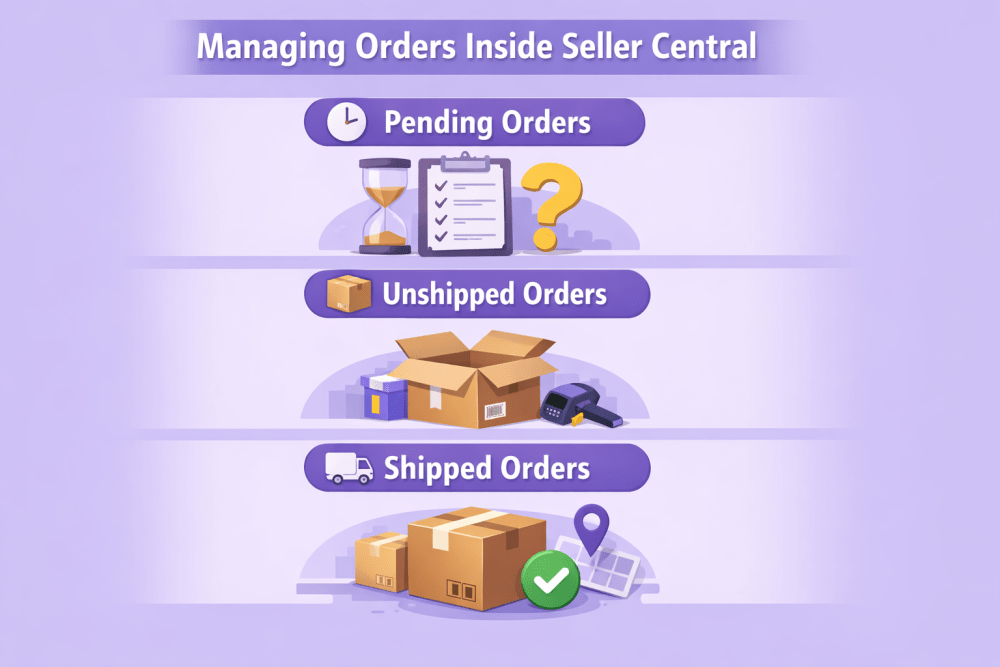
Managing Orders Inside Seller Central
The Manage Orders page in Seller Central is where you track every FBM order. It shows the current status and tells you what needs attention. Orders move from Pending to Unshipped, then to Shipped, or to Cancelled if the transaction does not go through. Each status requires a specific action, so checking this page regularly is part of staying in control.
Pending Orders – Wait, Do Not Act
Pending means payment has not yet been verified. You cannot ship the order. You also should not contact the buyer.
It can be tempting to prepare the order early. That is fine internally, but do not confirm shipment or reach out to the buyer until the status changes to Unshipped.
Unshipped Orders – This Is Your Window
When an order is marked Unshipped, it is ready for fulfillment. At this point:
- Check stock
- Pack the item
- Purchase a shipping label
- Confirm shipment
Speed matters, but accuracy matters more. Sending the wrong SKU is more damaging than shipping a few hours later within your promised handling time.
Shipped Orders – Monitor and Support
Once marked as Shipped, the buyer can track the order. That does not mean your job is done.
Monitor tracking for:
- Stalled shipments
- Delivery exceptions
- Failed delivery attempts
If you see an issue before the buyer contacts you, you are already ahead. Proactive communication can prevent negative feedback.
Managing Risk, Communication, and Growth in FBM
Once fulfillment is running smoothly, the focus shifts to controlling risk and protecting performance. How you handle cancellations, returns, communication, and scaling decisions determines whether FBM stays stable and profitable over time.
Cancellations and Returns
Cancellations should be processed immediately if the order has not shipped. Quick approval protects the customer experience and keeps your workflow clean. Buyer-initiated cancellations usually do not damage your metrics, but cancellations caused by stock issues do. That is why inventory accuracy is critical, especially if you sell across multiple channels or combine online and offline stock. Overselling during promotions is one of the most common reasons sellers hurt their cancellation rate.
Returns require a defined internal process. Approve the request, provide clear instructions, inspect the item upon arrival, and issue the refund without delay. Document the condition of returned products and restock only when appropriate. Slow or unclear handling increases the risk of claims. Refund-related fees in certain categories should also be considered in your cost calculations.
Buyer Communication
Use Amazon’s messaging system strictly for order-related matters. Address shipping issues, product questions, or delivery delays directly and without emotion. Responses should be timely and solution-oriented. If tracking shows a delay, acknowledge it and explain what action you are taking. Clear communication reduces escalation and builds credibility.
Account Health Control
Performance metrics determine how stable your account remains. Late shipment rate, cancellation rate, valid tracking rate, and on-time delivery rate reflect operational quality. If any indicator declines, identify the cause immediately. Unrealistic handling times, unreliable carriers, and tracking errors are common sources of problems. Corrections may involve adjusting shipping settings or improving internal processes.
Choosing When FBM Makes Sense
FBM is often more suitable for oversized, heavy, or slower-moving products where FBA fees reduce profitability. It also fits sellers who need full control over packaging or already operate their own logistics infrastructure. Fast-moving, lightweight products may perform better under FBA. Many sellers combine both models to balance cost control and efficiency.
Automation and Scalability
Automated handling time and shipping settings tools help align delivery promises with actual performance. These settings should be reviewed regularly to reflect operational changes. As order volume increases, assess whether your team, carriers, and storage capacity can handle growth. Order handling capacity limits inside Seller Central can prevent overload by adjusting handling time when volume exceeds your threshold. Sustainable scaling in FBM depends on operational stability, not speed.
Final Thoughts
FBM works when your operations are tight. Accurate handling times, on-time shipment confirmation, clean inventory tracking, and professional communication are what keep your account stable. There is no buffer with seller-fulfilled orders. The margin for error is small, but the control is real. If your process is consistent, FBM can be reliable and profitable.
FAQ
1. What happens if I do not confirm shipment on time?
If shipment is not confirmed within seven days, Amazon can cancel the order and you will not get paid, even if the package was sent. Confirmation must be part of your routine.
2. Can I edit the shipping address after an order is placed?
No. If the address is wrong, the buyer needs to cancel and place a new order. Shipping to a different address can create compliance issues.
3. Is FBM better than FBA?
It depends on the product. FBM often makes sense for heavy or low-volume items. FBA can be more efficient for fast-moving, lightweight products. Many sellers use both.
4. How fast should I reply to buyer messages?
Within 24 hours. Keep it clear and focused on solving the issue.
5. Do I have to use Amazon Buy Shipping?
No, but if you use your own carrier, tracking must be valid and the shipment confirmed on time. Mistakes here directly affect your metrics.
Join the WisePPC Beta and Get Exclusive Access Benefits
WisePPC is now in beta — and we’re inviting a limited number of early users to join. As a beta tester, you'll get free access, lifetime perks, and a chance to help shape the product — from an Amazon Ads Verified Partner you can trust.
 No credit card required
Free in beta and free extra month free after release
25% off for life — limited beta offer
Access metrics Amazon Ads won’t show you
Be part of shaping the product with your feedback
No credit card required
Free in beta and free extra month free after release
25% off for life — limited beta offer
Access metrics Amazon Ads won’t show you
Be part of shaping the product with your feedback
