
 EN
EN  ES
ES  FR
FR  DE
DE  IT
IT  KO
KO  JA
JA  ZH
ZH  AR
AR  PT
PT  TR
TR  PL
PL  ID
ID  VI
VI How to Create Amazon Product Variations the Right Way

Selling on Amazon is rarely about just one product. Most sellers deal with options. Sizes. Colors. Packs. Small differences that matter to buyers.
That’s where Amazon product variations come in.
When used correctly, variations make shopping easier for customers and management easier for sellers. When used incorrectly, they create confusion, listing issues, or even suppression.
This guide explains what Amazon product variations are, when they make sense, how to create them, and where sellers usually go wrong.
What Amazon Product Variations Actually Are
Amazon product variations are a way to group similar items under one product detail page using a parent and child relationship.
The parent is not something customers can buy. It exists to organize the listing. The child products are the real items customers purchase. Each child represents a specific option, such as a size or color.
For example, if you sell the same hoodie in five colors and four sizes, you don’t need 20 separate listings. Instead, you create one parent listing and connect all 20 versions as children.
This setup allows shoppers to switch between options without leaving the page. That sounds simple, but it has a big impact on conversion.
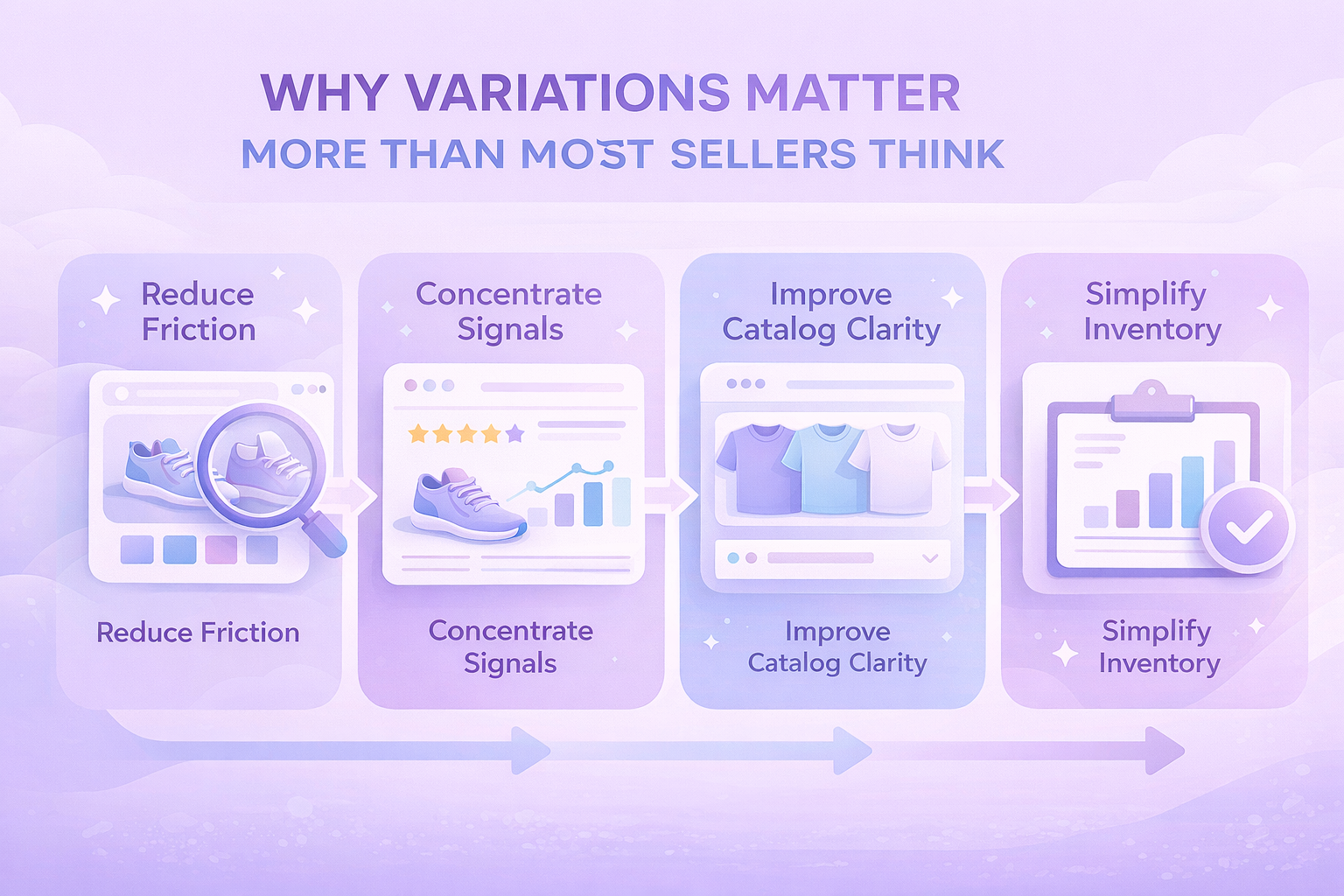
Why Variations Matter More Than Most Sellers Think
Variations are not just about convenience. They affect how customers experience your brand and how Amazon evaluates your listing.
Here’s what they help with in practice:
- First, they reduce friction. Customers can compare options instantly instead of bouncing between listings.
- Second, they concentrate performance signals. Reviews, sales velocity, and engagement are shared across the variation family, which often helps weaker options benefit from stronger ones.
- Third, they improve catalog clarity. One clean listing with structured options usually performs better than many fragmented ones.
And finally, they make inventory management easier. You can see which variations sell and which sit, without digging through separate ASINs.
When a Product Should Be a Variation
Not every product belongs in a variation, even if the differences seem small at first glance. Amazon treats variations as different versions of the same item, not as a way to group loosely related products.
A variation usually makes sense when the product itself stays the same, and only a few clearly defined attributes change.
Good Use Cases for Variations
A product is typically a good fit for a variation listing when:
- The core design and function are identical across all versions
- The differences are limited to attributes like size, color, or unit count
- The product category explicitly supports the variation theme you plan to use
In these cases, grouping products together improves the shopping experience and keeps the catalog clean.
When a Product Should Not Be a Variation
Some products may look similar but still do not qualify as variations under Amazon’s rules. Forcing them together often leads to listing suppression or removal later.
Cases Where Variations Do Not Apply
A variation usually does not make sense when:
- The products are meant for different use cases or audiences
- The model, materials, or functionality change in a meaningful way
- The goal is to combine unrelated items just to share reviews or rankings
Amazon regularly reviews variation families and removes those that do not follow catalog standards. These changes can happen without advance notice, so it is safer to stay conservative when deciding what belongs together.

Common Variation Themes Amazon Supports
The available variation themes depend on category, and Amazon updates them over time. That said, the most common ones include:
- Color
- Size
- Color and size
- Style
- Pack size or unit count
Some categories allow only one theme. Others allow combinations. You must choose carefully, because once a variation theme is set, it cannot be changed later without rebuilding the listing.
How to Create Product Variations One by One
If you are listing manually, the process starts in Seller Central.
From the Catalog menu, choose Add Products. Search first to confirm the product does not already exist in the catalog. If it does, matching to an existing listing is often better than creating a new one.
When creating a new listing, you will see an option to indicate that the product has variations. Once selected, Amazon will show the variation themes available for that product type.
After choosing a theme, you define each child variation by entering its attributes, identifiers, pricing, and inventory.
Every child needs its own product ID and offer details. The shared content, such as images and descriptions, lives at the parent level but can be adjusted per child if needed.
Creating Variations in Bulk Without Losing Your Mind
For sellers managing dozens or hundreds of variations, manual listing is not realistic.
Amazon’s bulk templates allow you to create and manage variations using spreadsheets. You download the appropriate template, fill in product and offer details, then upload the file back to Seller Central.
This approach is especially useful when:
- Launching multiple SKUs at once
- Updating prices or quantities across many variations
- Rebuilding variation families after catalog changes
The downside is that bulk templates are precise. One wrong value can cause errors or partial uploads. Clean data matters.
Using the Variation Wizard for Existing Listings
The Variation Wizard is often overlooked, but it can be a real time saver when you are working with listings that already exist in your catalog. Instead of rebuilding products from scratch, it helps you organize what is already there.
It allows you to:
- Combine standalone listings into a single variation family
- Add new child variations to an existing parent listing
- Edit and manage variation relationships in bulk
This tool works best when the ASINs already exist and the products clearly belong together. It is especially useful for cleaning up older listings, merging duplicated products, or restructuring variations after changes to your catalog.
Adding a New Variation to an Existing Listing
If you already have a live listing and want to introduce another option, there is no need to rebuild the entire product from the beginning. Amazon allows you to extend an existing variation family with minimal effort.
In Seller Central, go to Manage Inventory, locate the parent product, and select Edit Listing. From there, you can add a new child variation, define its attributes such as size or color, and enter the required offer details before submitting it for review.
Approval times can vary depending on the category and the type of change, but in most cases the new variation appears on the product page within a day.

Two Mistakes That Quietly Kill Variation Performance
Many problems with variations are not caused by technical errors or missing fields. They come from how the variation is structured and presented to the shopper.
Overloading One Variation Family
One common mistake is trying to fit too many options into a single variation family. When size, color, bundles, and different models are all mixed together, the product page becomes harder to understand.
Instead of helping customers choose, too many options can slow them down or push them to leave the page altogether. In most cases, simpler variation structures lead to higher conversion and fewer catalog issues.
Mislabeling Variation Attributes
Another frequent issue is using variation fields for marketing text instead of factual data. Color names packed with extra words or size fields that include promotions or product details can trigger listing suppression.
Variation attributes are meant to be clean and literal. When they are used correctly, Amazon’s system understands the listing better, and customers can scan options quickly. Clear, consistent data almost always performs better over time.

How We Support Smarter Marketplace Decisions at WisePPC
At WisePPC, we help sellers move away from guesswork and toward decisions backed by real data. As an Amazon Ads Verified Partner, we work through official integrations and proven workflows, giving teams a clear, reliable view of what is actually happening across their marketplace accounts.
Our platform brings sales and advertising data into one centralized system. Instead of switching between Seller Central, reports, and spreadsheets, sellers can track performance metrics like ACOS, TACOS, CTR, profit, and Average Selling Price in real time. Long-term historical storage means trends are visible over months and years, not just the short windows Amazon keeps by default.

We focus on speed and control. Advanced filtering, bulk actions, and on-spot editing make it possible to adjust campaigns, bids, and budgets quickly, even across large catalogs. Visual highlights surface issues early, while detailed charts and segmentation help identify what drives results and what needs attention. As businesses grow, WisePPC scales with them, keeping analysis clear and decisions grounded in data rather than assumptions.
A Note on Reviews and Variations
Reviews and ratings are shared across the variation family. On the product detail page, Amazon aggregates both the review text and the star ratings from all child ASINs into a single total for the parent listing.
This means one poorly performing variation can drag down perception, even if others sell well. Monitor reviews at the child level, not just the parent.
If one option consistently causes complaints, it may be better to remove it rather than keep it attached.

Should You Always Use Variations?
No. Variations are optional, not a requirement. While they work well for closely related products, they are not always the best choice for every situation. Some items perform better as standalone listings, especially when the differences between products are meaningful or when customers actively search for each version on its own.
The real goal is clarity, not consolidation. If grouping products together makes the listing harder to understand or hides important differences, separate listings are often the safer and more effective option.
Wrapping It Up
Amazon product variations are one of those tools that seem simple until they are not.
When built correctly, they improve conversion, simplify management, and create a cleaner catalog. When rushed or forced, they cause listing problems that are hard to untangle later.
Take the time to structure them properly. Your customers, and your future self, will thank you.
Frequently Asked Questions
Do I have to create product variations on Amazon?
No. Variations are optional. You can list products as standalone items if that structure makes more sense for how customers search and buy.
Can I change a variation theme after creating it?
No. Once a variation theme is selected and the listing is created, it cannot be changed. To use a different theme, the variation family usually needs to be rebuilt.
How many child variations can one parent listing have?
Amazon allows large variation families, but very large sets may not display fully on the product page. In practice, keeping variation families focused and manageable works best for both performance and usability.
Why was my variation removed or suppressed?
This usually happens when the products do not meet Amazon’s variation rules. Common reasons include mixing different product types, misusing variation attributes, or trying to merge unrelated items to share reviews.
Is it better to create variations manually or in bulk?
It depends on volume. Manual creation works well for a small number of products. Bulk tools and the Variation Wizard are better for managing many SKUs or restructuring existing listings.
Join the WisePPC Beta and Get Exclusive Access Benefits
WisePPC is now in beta — and we’re inviting a limited number of early users to join. As a beta tester, you'll get free access, lifetime perks, and a chance to help shape the product — from an Amazon Ads Verified Partner you can trust.
 No credit card required
Free in beta and free extra month free after release
25% off for life — limited beta offer
Access metrics Amazon Ads won’t show you
Be part of shaping the product with your feedback
No credit card required
Free in beta and free extra month free after release
25% off for life — limited beta offer
Access metrics Amazon Ads won’t show you
Be part of shaping the product with your feedback
