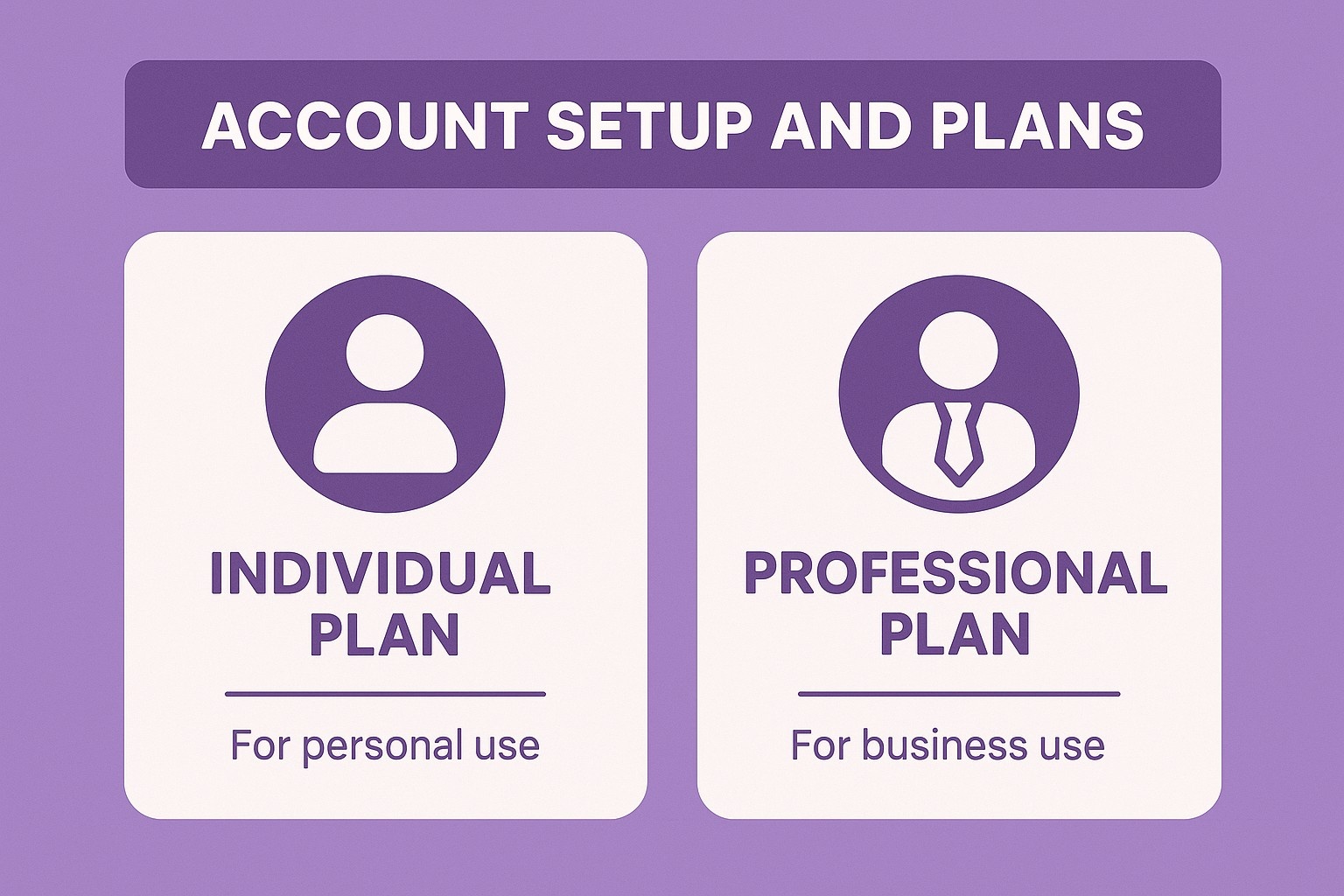
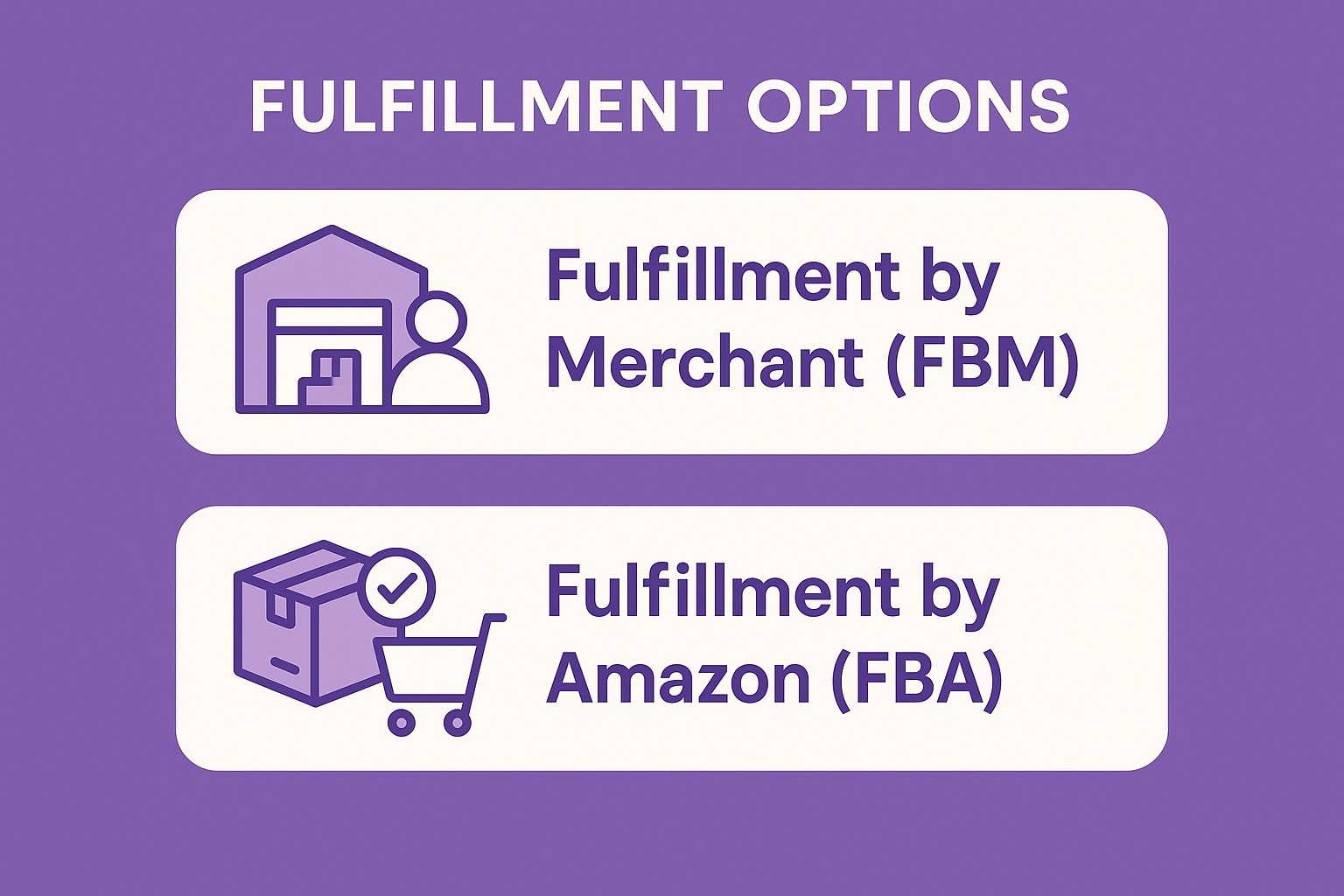
Nel momento in cui si fa clic su “inizia a vendere” su Amazon, il sito impone una scelta: pagare una piccola tassa per ogni singola vendita o bloccare una tariffa mensile fissa indipendentemente dal volume di vendite. Una scelta che sembra sicura quando ci si sta avvicinando per la prima volta. L'altra sembra spaventosa, finché non ci si rende conto che apre tranquillamente una serie di porte che l'opzione più economica tiene chiuse. Dopo aver osservato migliaia di clienti che hanno scelto il piano sbagliato (o che si sono ostinati a sceglierlo), ecco come capire qual è quello che ha effettivamente senso per la vostra azienda e per la direzione che sta cercando di prendere.
Cosa si può (e non si può) fare con ciascun piano
Capacità del piano individuale
Elencare i prodotti uno alla volta
Spedire gli ordini da soli o pagare FBA per unità
Cruscotto vendite di base
Nessun accesso alla console pubblicitaria
Nessuno strumento di caricamento o modifica in blocco
Nessun contenuto A+ o contenuto del marchio migliorato
Nessun report aziendale dettagliato
Nessuna possibilità di gestire promozioni o coupon
Capacità del piano professionale
Caricare e modificare in blocco migliaia di SKU
Prodotti sponsorizzati, marchi e annunci display completi
Creazione di coupon, offerte a percentuale, offerte lampo
Iscriversi al Registro dei marchi per la protezione del marchio
Costruire moduli di contenuto A+ con immagini e grafici di confronto
Scaricate i report aziendali per un massimo di 2 anni per categoria, ASIN o tempo.
Esportazione dei dati dell'ordine nel software di contabilità
Tutto ciò che è presente nell'elenco Individual è disponibile su Professional. Non è vero il contrario.
La differenza fondamentale in una frase
Individual addebita $0,99 ogni volta che un articolo lascia il magazzino. Professional addebita $39,99 una volta al mese e poi si dimentica della vostra esistenza, in base alle vendite.
Come scegliere un piano di vendita su Amazon nel 2025 (chiaro e aggiornato)
Ecco una guida semplice per scegliere il piano giusto, individuale o professionale, sulla base delle regole reali e attuali di Amazon.
Ammissibili e indispensabili per vincere il Buy Box
Punto di pareggio accurato
1-39 vendite/mese → Individuale è più conveniente
40 vendite/mese → Il costo individuale è di $39,60 → ancora $0,39 in meno rispetto al Professionale
41 vendite/mese → Il professionista diventa più economico Il vero pareggio è a ≈41 vendite al mese.
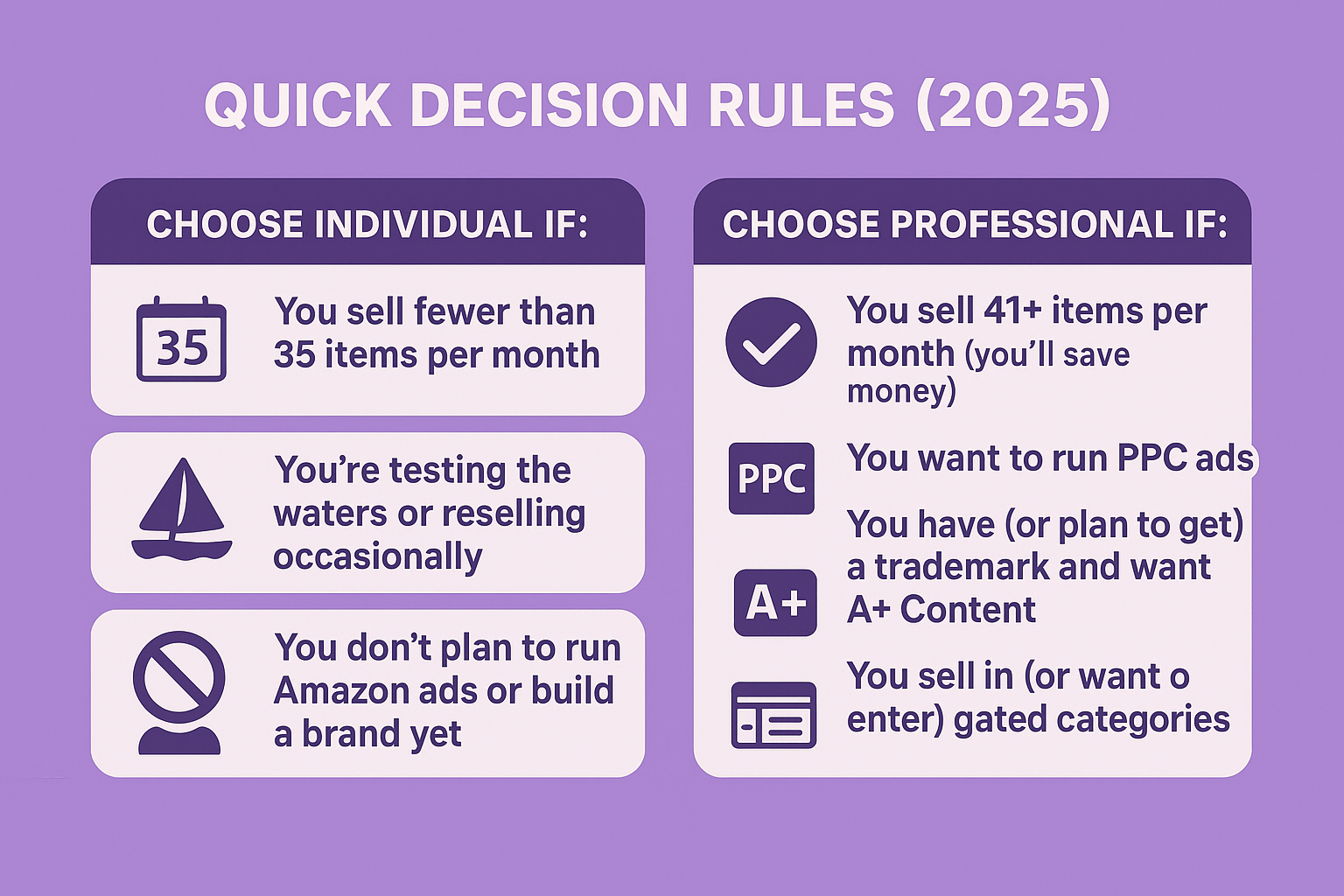
Regole di decisione rapida (2025)
Scegliere Individuale se:
Vendete meno di 35 articoli al mese
State testando le acque o rivendendo occasionalmente
Non avete ancora intenzione di fare annunci su Amazon o di creare un marchio.
Scegliere Professional se:
Vendete più di 41 articoli al mese (risparmierete)
Desiderate gestire gli annunci PPC
Avete (o avete intenzione di avere) un marchio e volete un contenuto A+.
Vendete in (o volete entrare in) categorie riservate
Gestite più di ~30 SKU e odiate il lavoro manuale
Come effettuare l'aggiornamento (richiede < 5 minuti)
Seller Central → Icona ingranaggio (in alto a destra) → Informazioni sull'account → Piano di vendita → Aggiornamento a Professional.
Tutto rimane attivo; i nuovi strumenti appaiono nel giro di poche ore, massimo 48 ore.
In conclusione: Iniziare con Individual se si è piccoli e insicuri. Passare a Professionale il mese in cui si superano ~40 vendite o si decide di pubblicare annunci e costruire un vero marchio. La maggior parte dei venditori che aspettano troppo a lungo finiscono per perdere molto più tempo e crescita mancata di quanto non costi l'$39,99.
Vi presentiamo WisePPC - Il vostro copilota per gli annunci Amazon
Siamo un piccolo team di ex venditori che si sono stufati del limite di dati di 60 giorni di Amazon e delle infinite modifiche manuali. Così abbiamo costruito WisePPC: una piattaforma di analisi pulita e veloce che raccoglie ogni clic, vendita e parola chiave in un unico posto e vi dice effettivamente cosa correggere oggi.
Cosa si ottiene in questo momento
30+ metriche in tempo reale (ACoS, TACoS, ASP, profitto, ecc.)
Dati orari per sempre (Amazon cancella dopo 60-90 giorni; noi no)
Azioni in blocco su oltre 10.000 obiettivi con un solo clic
Filtri avanzati + tabelle di sfumatura così brutte da far gridare alle parole chiave
Modifiche in linea di offerte/budget - nessuna schermata aggiuntiva
Grafici con fino a 6 metriche contemporaneamente
Ripartizione chiara: vendite ad-driven vs vendite organiche
Siamo un partner ufficiale Amazon Ads Verified, il che significa che tutto è costruito sulle loro API nel modo giusto. La beta è aperta, non è richiesta alcuna carta: accesso gratuito ora + sconto a vita 25% al momento del lancio. I posti sono limitati. Siete pronti a smettere di tirare a indovinare e iniziare a scalare? Entrate qui → wiseppc.com
I costi nascosti di una permanenza individuale troppo lunga
Tempo sprecato: Le modifiche manuali dei prezzi di 50 SKU richiedono ore anziché minuti.
Traffico perso: L'assenza di prodotti sponsorizzati significa che i concorrenti si posizionano sopra di voi su ogni parola chiave.
Conversione inferiore: Le inserzioni in testo normale si convertono 30-40% peggio dei contenuti A+.
Erosione del marchio: Nessun registro significa che gli imitatori utilizzano le vostre immagini e recensioni.
Un account che ho seguito ha perso circa $11.000 nel quarto trimestre perché “non voleva pagare il canone mensile” mentre gestiva manualmente 120 inserzioni.
La regola empirica dei 90 giorni
Datevi una finestra di 90 giorni. Tenete traccia delle unità vendute. Se la media è di 35 o più, aggiornate al 91° giorno. Se la media è inferiore a 25, mantenete l'Individuale e rivedetelo ogni trimestre. La maggior parte dei venditori che seguono questa regola non si guardano più indietro.
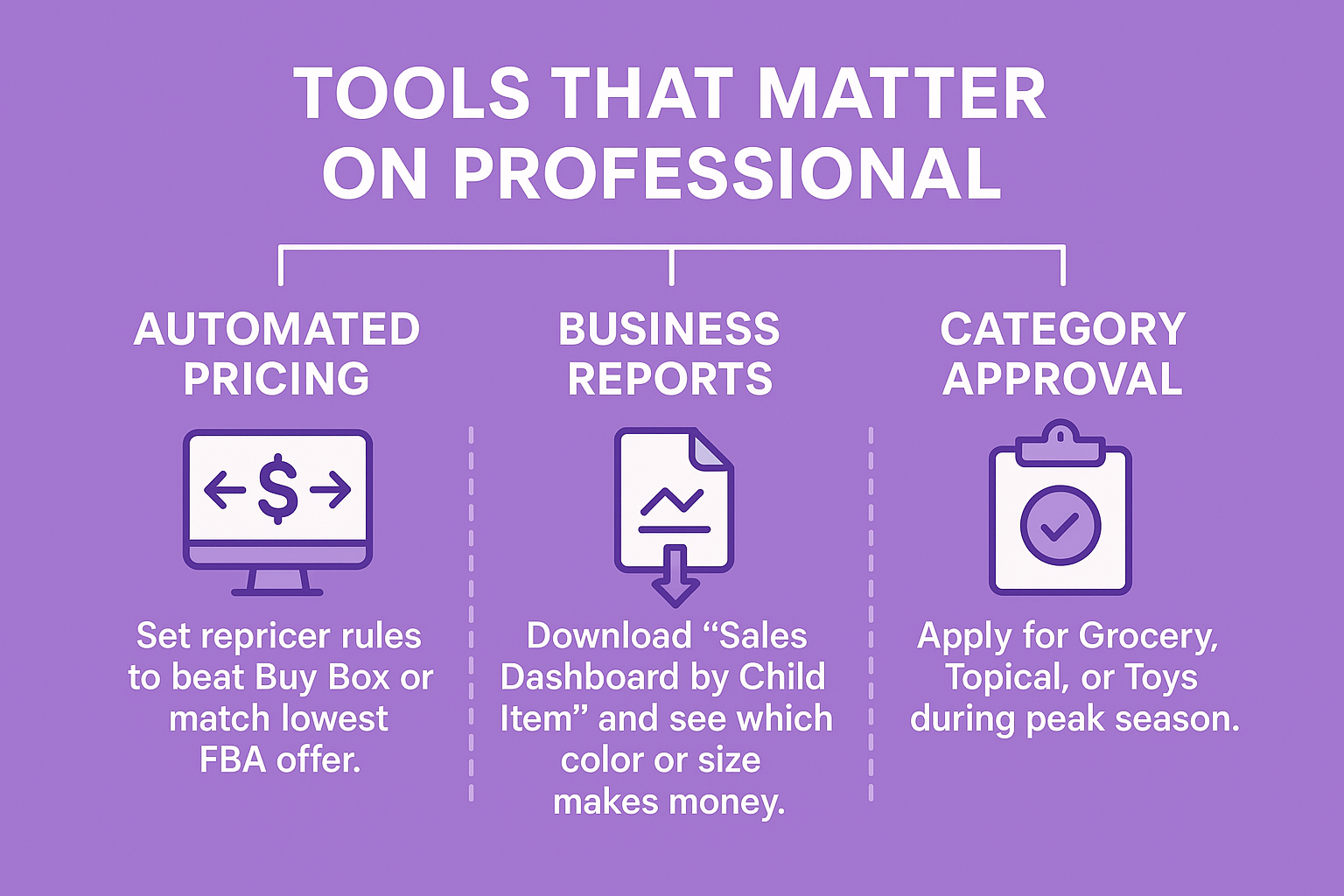
Strumenti che contano su Professional
Prezzi automatizzati
Impostare le regole di repricer per battere Buy Box di un centesimo o per eguagliare l'offerta FBA più bassa. I singoli venditori modificano i prezzi a mano.
Rapporti commerciali
Scaricate “Sales Dashboard by Child Item” e vedete esattamente quale colore o dimensione fa guadagnare. L'articolo individuale mostra solo il fatturato totale.
Approvazione della categoria
Fate domanda per Drogheria, Topica o Giocattoli durante l'alta stagione. Le domande individuali vengono rifiutate automaticamente.
Il bilancio
L'individuo è una sandbox. Il professionista è la vetrina. Giocate nella sabbiera mentre imparate. Costruite la vetrina nel momento in cui siete pronti ad aprire le porte ai clienti reali. Amazon ha già tracciato il progetto. L'unica domanda che rimane è quale chiave prendere oggi.
Domande frequenti
D: Le inserzioni scompaiono se cambio piano?
R: No. Ogni ASIN rimane esattamente dov'era.
D: Posso pubblicare annunci su Individual?
R: No, i venditori regolari hanno bisogno del Piano Professionale per accedere alla Console pubblicitaria (Prodotti sponsorizzati, Marchi, Display). I venditori con Piano Individuale non possono eseguire queste inserzioni.
D: Cosa succede se in seguito faccio un downgrade?
R: È necessario mettere in pausa tutte le campagne, rimuovere i contenuti A+ e uscire da Brand Registry. Pianificate un fine settimana.
D: Ci sono costi aggiuntivi per il cambio?
R: Zero. A partire dalla data di passaggio si applica solo la tariffa del nuovo piano.
Tutti hanno un amico che giura di voler lanciare una linea di abbigliamento “un giorno”. La maggior parte non lo fa mai. Gli altri bruciano i soldi e abbandonano, oppure riescono a capire quali sono le poche cose che fanno davvero muovere l'ago della bilancia. Questa guida si basa sul secondo gruppo, quello delle persone che sono passate dagli schizzi sui tovaglioli alla spedizione di scatole ogni giorno. Niente scemenze, niente upselling del corso $50k, solo ciò che funziona al momento, soprattutto se una grossa fetta delle vendite avverrà su Amazon. Pronti? Andiamo.
Perché avviare un marchio di abbigliamento è di moda in questo momento
Le persone hanno smesso di indossare abiti che sembrano belli una volta e poi muoiono in lavatrice. Vogliono capi che si adattino al loro corpo reale, che sopravvivano alla vita reale e che non costino una fortuna. Amazon è diventato in sordina il più grande negozio di abbigliamento del pianeta, con 200 milioni di iscritti a Prime che acquistano tee come se fossero batterie. La parte migliore? Amazon offre ai nuovi venditori di abbigliamento $50.000 o più di crediti e sconti solo per il lancio corretto nei primi novanta giorni. Erano anni che le stelle non si allineavano così. Ecco perché ogni settimana un altro marchio passa da uno schizzo a sei cifre più velocemente di quanto si possa pensare.
Passo 1: progettare l'identità del marchio
Trovate la persona che non si veste bene
Dimenticatevi lo “streetwear” o l“”athleisure" senza focus. I marchi che esplodono scelgono una persona frustrata e risolvono il suo problema meglio di chiunque altro.
Pensate ai ragazzi alti che non riescono a trovare maniche abbastanza lunghe, alle donne formose che desiderano un abbigliamento attivo che non si ritiri, alle infermiere che si rifiutano di apparire goffe fuori dal turno, o ai ragazzi della palestra le cui spalle spaccano le magliette normali. Scegliete un gruppo, capite il suo dolore e costruite tutto intorno alla sua soluzione.
Inchiodare velocemente il nome, il logo e la storia
Scegliete qualcosa di breve, memorabile e disponibile per i domini e i social handle. Eseguite la ricerca sul marchio il giorno stesso. Se non ci sono problemi, depositate immediatamente la domanda attraverso il programma IP Accelerator di Amazon: è il modo più veloce per sbloccare il Registro dei marchi mentre la domanda è ancora in sospeso.
Mantenete il logo semplice, pensando a icone monocolore che si leggano chiaramente su un minuscolo cartellino o su un banner gigante.
Scrivete un paragrafo onesto che spieghi perché questo marchio doveva esistere. Quel paragrafo diventa il vostro foglietto illustrativo, il titolo del vostro Amazon Store e il motivo per cui i clienti vi scelgono rispetto ai grandi nomi.
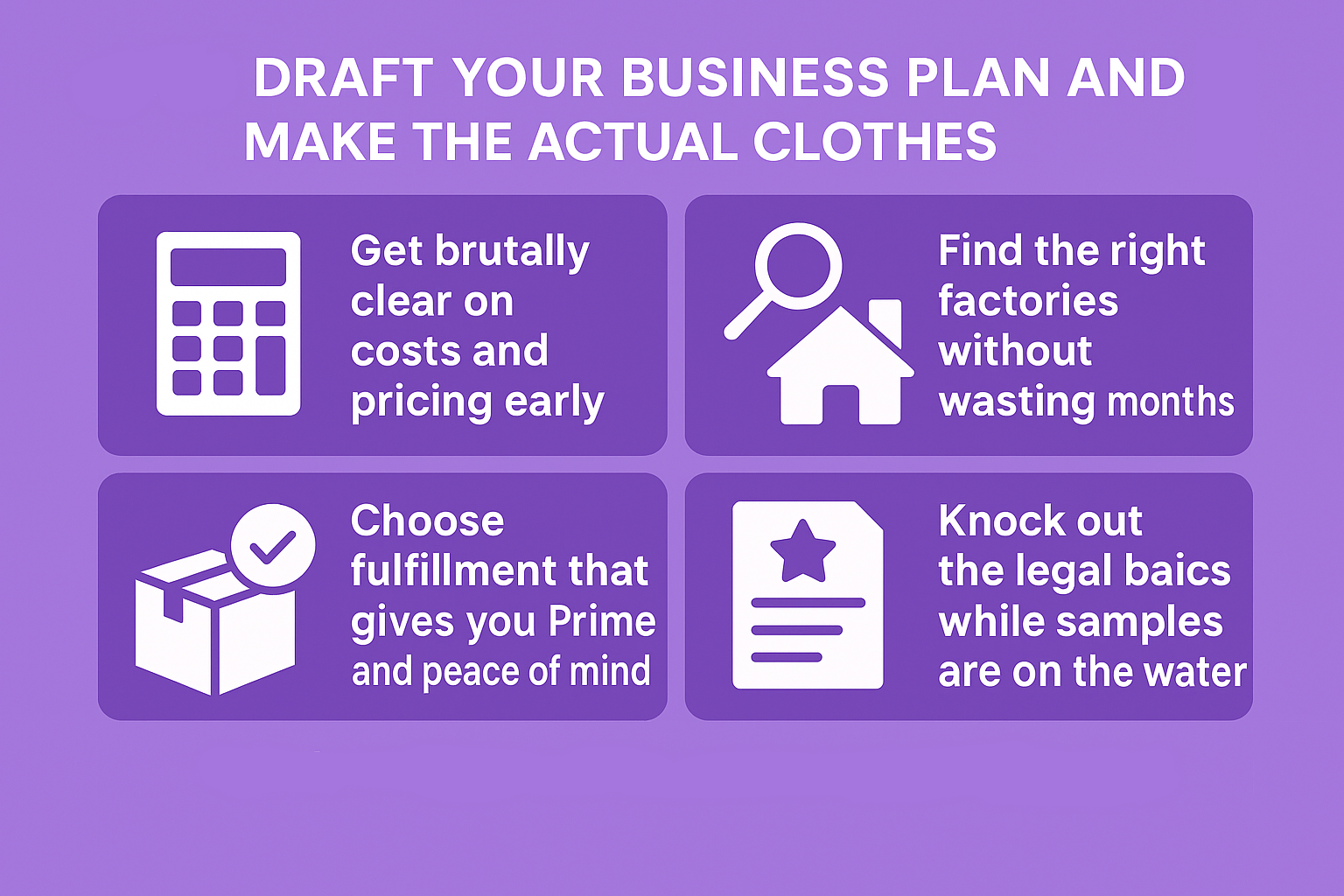
Fase 2: redigere il piano aziendale e confezionare i vestiti veri e propri
Chiarite subito i costi e i prezzi in modo brutale
Prima di innamorarsi di qualcosa, è bene pianificare tutte le spese, dai campioni alle etichette, alla spedizione. L'obiettivo è rimanere snelli ed evitare sorprese.
Regola di pricing che non fallisce quasi mai: prendete il vostro costo totale e moltiplicatelo per quattro o cinque. I clienti pagheranno volentieri se la vestibilità e il tessuto sono ovviamente migliori di quelli a cui sono abituati.
Trovare le fabbriche giuste senza perdere mesi
Cercate dove esiste già l'esperienza. Il Portogallo e il Pakistan stanno facendo strage di fustellati di cotone di prima qualità in questo momento. Il Bangladesh possiede il vello pesante. I piccoli negozi statunitensi di Los Angeles o della Carolina realizzeranno piccole tirature nazionali se il “Made in USA” è il fulcro della storia.
Pagate sempre per avere dei campioni d'oro fatti con il vostro tessuto e le vostre etichette esatte. Fa male una volta, ma rielaborare un'intera spedizione in seguito è una vera sofferenza.
Scegliete l'adempimento che vi dà Prime e la pace della mente
Per quasi tutti i nuovi marchi di abbigliamento, Amazon FBA è l'ovvio vincitore. Voi spedite un pallet, Amazon si occupa della raccolta, dell'imballaggio, della spedizione, del servizio clienti e dei resi. Le vostre inserzioni ottengono il badge Prime, di cui i clienti si fidano immediatamente, e voi sbloccate tutti i vantaggi offerti da Amazon per i nuovi venditori.
Completare le nozioni legali di base mentre i campioni sono in acqua
Formate una LLC online nel vostro Stato, aprite un conto bancario aziendale separato, ottenete un EIN gratuito dal sito dell'IRS. In tutto ci vuole un pomeriggio.
Fase 3: migliorare la propria presenza online e lanciarsi con forza su Amazon
È qui che la guida di Amazon e i vincitori del mondo reale si allineano perfettamente.
Lanciare in modo da attivare tutti i vantaggi per i nuovi venditori
Amazon ha costruito la New Seller Guide come una lista di controllo a pagamento. Se la completate nei primi novanta giorni, vi ricompenserà pesantemente con crediti pubblicitari gratuiti, bonus di vendita, sconti per lo stoccaggio e altro ancora. I fattori scatenanti sono semplici:
Account di venditore professionale
Inventario inviato a FBA
Registro dei marchi approvato (in attesa di lavori sul marchio)
Sette foto di stile forte e un contenuto A+ completo per ogni annuncio
Almeno una campagna pubblicitaria attiva
Creazione di un negozio Amazon con marchio e pubblicazioni regolari in Amazon Posts
Se li si colpisce, i premi arriveranno automaticamente sul vostro conto.
Creare inserzioni che fermino i pollici
Sette foto su corpi veri, non su manichini. Titoli riempiti con le esatte frasi che la gente cerca. Articoli scritti come se steste scrivendo a un amico perché questa versione finalmente funziona. Contenuti A+ con grafici di confronto, primi piani di tessuti e di nuovo la storia del marchio. Riempite ogni campo di ricerca del backend fino a quando Amazon non vi permetterà di aggiungerne altri.
Far girare il volano fin dal primo giorno
Avviate gli annunci la settimana in cui sbarca l'inventario, mirando alle vostre parole chiave principali. Pubblicate quotidianamente foto di lifestyle fresche nei post di Amazon per ottenere una portata organica gratuita. Inserite in ogni pacco un biglietto di ringraziamento con un codice QR che offra uno sconto per la loro e-mail; la maggior parte dei marchi registra tassi di opt-in elevati. Inviate prodotti gratuiti a micro-influencer il cui pubblico corrisponde alla vostra nicchia; i video onesti battono sempre gli annunci pubblicitari.
Proteggere il marchio prima che gli imitatori si accorgano di voi
Nel momento in cui lo stato del vostro marchio diventa in sospeso, iscrivetevi a Brand Registry. Sbloccate immediatamente i contenuti A+, i video nelle inserzioni, gli Amazon Store e le rimozioni automatiche delle contraffazioni. Se aspettate troppo, passerete mesi a combattere i dirottatori.
Passo 4: provare WisePPC: impostare la dashboard degli annunci Amazon
L'inventario è stato inserito in FBA, le inserzioni sono state perfezionate, i contenuti A+ sono stati pubblicati e il registro dei marchi è stato approvato. Ora è il momento di accendere l'interruttore. Amazon vi ricompenserà pesantemente se completate la Guida per i nuovi venditori, ma il vero guadagno inizia quando le vostre inserzioni funzionano davvero invece di bruciare denaro. La maggior parte dei nuovi marchi di abbigliamento si ferma per mesi perché Seller Central mostra solo i numeri di ieri e nasconde la vera storia. È qui che entriamo in gioco noi.
Siamo il team dietro WisePPC, Un gruppo di persone stufe di dashboard lenti, dati che scompaiono e report che mentono per omissione. Così abbiamo costruito lo strumento che avremmo voluto esistesse quando stavamo scalando i nostri marchi di abbigliamento: veloce, brutalmente trasparente e focalizzato sul mostrare esattamente da dove provengono i profitti (e dove si disperdono).
Siamo un partner ufficiale Amazon Ads Verified, collegato direttamente alle API ufficiali e che rispetta le regole del 100%.
Ecco cosa vi offre WisePPC nel momento in cui collegate il vostro account:
30+ metriche avanzate aggiornate ogni ora (Amazon cancella la maggior parte dei dati dopo 60-90 giorni; noi conserviamo tutto per sempre, anche nel livello gratuito)
Operazioni in blocco su oltre 10.000 campagne, gruppi di annunci o parole chiave con un solo clic
Grafici in tempo reale in cui è possibile sovrapporre 6 metriche contemporaneamente (TACoS accanto alle vendite organiche accanto all'ASP - per vedere finalmente il quadro completo)
Mappe di calore sfumate che urlano immediatamente rosso su parole chiave sanguinanti
Una schermata pulita che separa correttamente le vendite pubblicitarie da quelle organiche (senza più tirare a indovinare quanto il volano stia effettivamente facendo)
Editing in linea, suddivisione dei posizionamenti, tendenze ASP e tutti i piccoli risparmi di tempo di cui avete bisogno.
I marchi di abbigliamento che utilizzano WisePPC in genere tagliano la spesa sprecata di 20% e riducono l'ACOS di 10-15 punti nei primi 30 giorni, semplicemente perché smettono di fare ipotesi e iniziano a vedere.
Siamo ancora in open beta: completamente gratuito, non è richiesta alcuna carta di credito e tutti coloro che si iscrivono oggi ottengono uno sconto a vita di 25% quando diventeremo a pagamento. Se state per accendere i vostri primi Prodotti Sponsorizzati, Marchi o campagne Display per la vostra nuova linea di abbigliamento, venite a sedervi su wiseppc.com. Vi ringrazierete domani mattina quando potrete vedere cosa funziona invece di sperare.
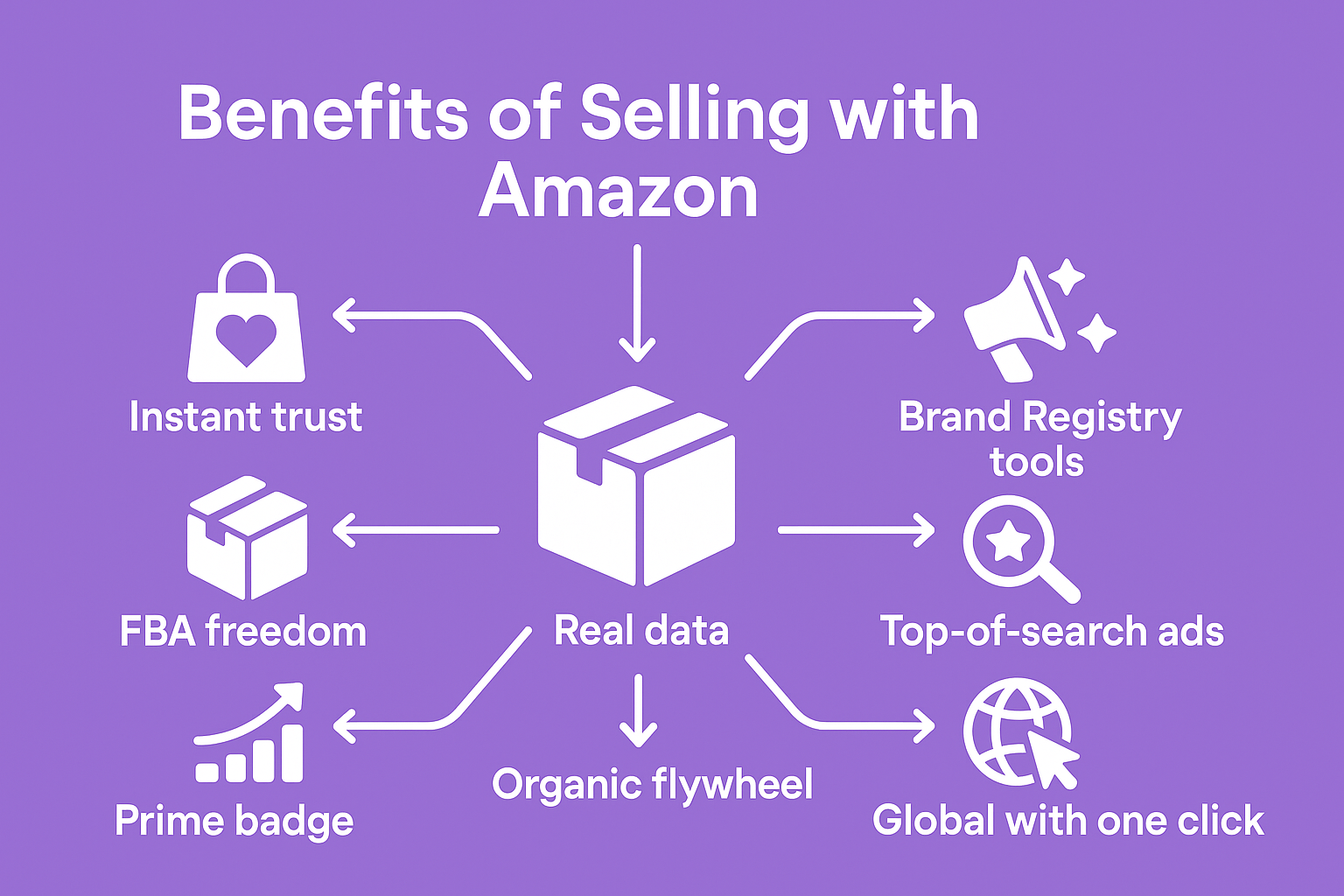
Vantaggi di vendere con Amazon
Siamo onesti, nel 2025 lanciare un'attività in qualsiasi altro luogo è come aprire un negozio in una tranquilla strada secondaria, mentre Amazon è il centro commerciale più affollato del pianeta. Ecco perché molti nuovi marchi di abbigliamento considerano Amazon come la principale piattaforma di lancio invece che come un ripensamento.
Fiducia istantanea: gli acquirenti amano già Amazon più di qualsiasi nuovo marchio
Prime badge: i clienti lo scelgono per primi e acquistano senza esitazione
Libertà FBA: Amazon confeziona, spedisce, gestisce l'assistenza e i resi
Strumenti per il registro del marchio: contenuti A+ gratuiti, negozi Amazon, post e video
Annunci in cima alla ricerca: Sponsored Brands mette il vostro logo in primo piano
Dati reali: Brand Analytics mostra esattamente ciò che le persone cercano e acquistano
Volano organico: recensioni + vendite = rango più alto = più vendite, meno spese pubblicitarie
Globale con un clic: vendete in Europa, Canada, Giappone mentre Amazon gestisce l'IVA e la traduzione
Protezione dalle contraffazioni: Project Zero rimuove automaticamente i falsi
Premi per i nuovi venditori: crediti e bonus che possono coprire la vostra prima tiratura
I vincitori lo dimostrano: True Classic, Fresh Clean Threads, Fabletics hanno iniziato qui.
Nel 2025, Amazon è ancora il modo più veloce per trasformare un'idea in clienti reali.
Il bilancio
Avviare un marchio di abbigliamento nel 2025 non significa essere la persona più creativa nella stanza, ma piuttosto quella che spedisce davvero. Scegliete il cliente infastidito che non veste bene. Costruite qualcosa che risolva il loro problema meglio di chiunque altro. Lanciatevi con forza su Amazon, cogliete tutti i vantaggi che offrono e raddoppiate le vendite di ciò che i clienti amano.
I clienti stanno aspettando. Gli strumenti sono pronti. Il percorso è più chiaro che mai.
Non resta che smettere di pianificare e iniziare a fare. Bloccate quel nome stasera. Il resto va davvero al suo posto.
Domande frequenti
D: Ho davvero bisogno di vendere su Amazon o posso semplicemente creare il mio sito ed eseguire annunci su Instagram?
R: Potete assolutamente costruire il vostro sito (e alla fine dovreste farlo), ma nel 2025 Amazon è ancora il modo più veloce e meno rischioso per dimostrare che la gente pagherà per i vostri prodotti. Ottenete traffico immediato, la fiducia di Prime e un mucchio di premi per i nuovi venditori che in pratica finanziano le prime due produzioni. La maggior parte dei marchi che conosco utilizza Amazon per ottenere un flusso di cassa positivo, per poi riversare il denaro nel proprio sito e nel negozio TikTok in un secondo momento.
D: Cosa succede se qualcuno copia i miei progetti nel momento in cui ottengo una certa visibilità?
R: Entrate nel Brand Registry nel momento in cui il vostro marchio risulta “in sospeso” (ci vogliono giorni con IP Accelerator). Una volta entrati, il Project Zero di Amazon rimuove automaticamente la maggior parte degli imitatori e si possono aggiungere video e contenuti A+ che sono impossibili da dirottare perfettamente. Gli imitatori esistono ancora, ma sono passati dal rischio di carriera a un fastidioso rumore di fondo per i marchi registrati.
D: L'FBA vale la pena per l'abbigliamento o devo spedire tutto da solo?
R: Per un nuovo marchio, FBA è quasi sempre la soluzione migliore. Si ottiene Prime, resi senza problemi e si ha diritto a tutti i vantaggi per i nuovi venditori. L'auto-approvvigionamento ha senso solo quando si effettuano ordini ripetuti ad alto volume e si vuole spremere qualche dollaro in più di margine, di solito al secondo o terzo anno.
D: Di quanto denaro ho bisogno per iniziare?
R: Un lancio di cinque unità di vendita, stretto e mirato, che abbia un aspetto professionale, può essere fatto in modo snello se si saltano le cose più sofisticate. La variabile più importante è il numero di unità prodotte e il luogo di produzione. Oggi molti marchi lanciano in modo redditizio con meno di quindicimila unità totali, rimanendo scrupolosi per quanto riguarda i campioni e le foto. Gli incentivi per i nuovi venditori spesso coprono un'enorme fetta di questa cifra, una volta che si è in grado di produrre.
Tutti i venditori ci sono passati: fissano un foglio di calcolo alle 2 di notte, cercando di capire se vale la pena vendere un prodotto o se le commissioni di Amazon si prenderanno l'intero margine. La buona notizia? Amazon ha creato uno strumento gratuito che fa la maggior parte dei calcoli per voi. Si chiama FBA Revenue Calculator e, una volta conosciuti i tre piccoli trucchi che sfuggono alla maggior parte delle persone, diventa incredibilmente preciso. Ecco il vero modo di usarlo nel 2025: niente scemenze, niente schermate obsolete, solo quello che funziona davvero adesso.
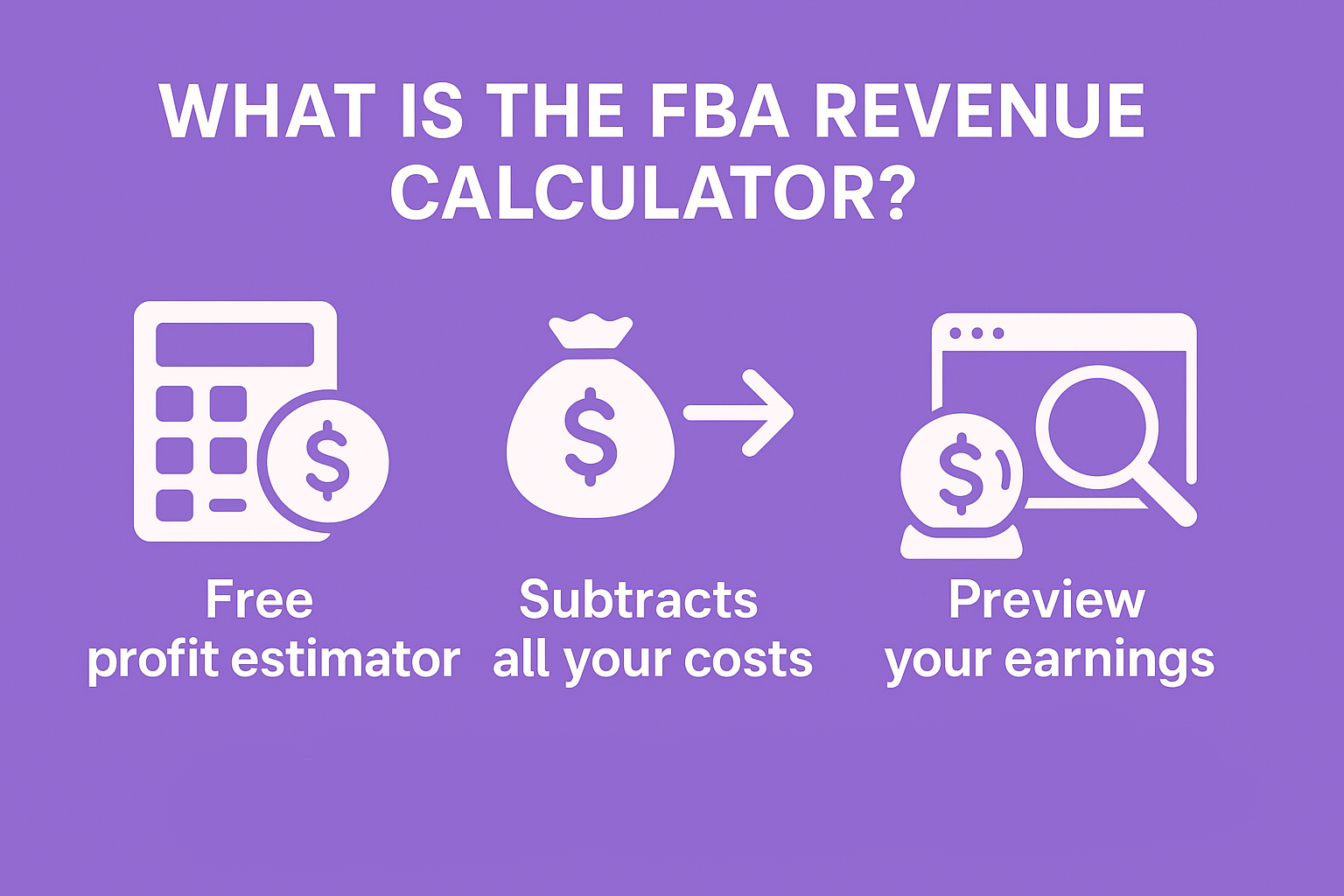
Che cos'è davvero il calcolatore delle entrate FBA?
È il simulatore di profitto gratuito di Amazon che vi mostra esattamente quanto porterete a casa dopo che loro avranno prelevato la loro parte. Consideratelo come l'unico posto in cui Amazon ammette quanto fa pagare per ogni cosa, invece di farvi cercare in venti pagine di aiuto diverse.
In sostanza, lo strumento fa un solo lavoro: prende il prezzo pagato dal cliente e sottrae tutte le commissioni che Amazon può immaginare (commissione di riferimento, commissione di adempimento, commissione di stoccaggio, la strana commissione di chiusura variabile sui media) e poi sputa fuori quello che effettivamente arriva sul vostro conto in banca. Inoltre, vi permette di confrontarlo con quello di un'attività in proprio, in modo da capire se l'FBA vale la pena o se è meglio stipare scatole in garage.
Amazon l'ha lanciata anni fa, ma l'aggiornamento 2024-2025 l'ha resa molto più intelligente. Ora estrae automaticamente le tabelle delle tariffe più recenti (compresi i nuovi livelli di dimensioni che iniziano a gennaio 2025), tiene conto dei supplementi per i picchi di stoccaggio senza che voi dobbiate fare i conti stagionalmente e si adegua persino alle tariffe FBA più basse che sono state introdotte per gli articoli di prezzo più basso. Non è necessario aggiornare nulla; i numeri rimangono aggiornati.
Chiunque può utilizzarla. Non è necessario avere un account di venditore per la versione pubblica. Questo significa che potete (e dovreste) fare i conti mentre state ancora bevendo un caffè in pigiama per decidere se vale la pena vendere su Amazon.
In parole povere: è la cosa più simile a una sfera di cristallo che Amazon vi offre. Utilizzatela prima di acquistare l'inventario, prima di fissare un prezzo, prima di inviare una singola scatola al magazzino. Se lo ignorate, state praticamente giocando d'azzardo.
Dove trovare la calcolatrice nel 2025
Due modi, entrambi gratuiti.
Versione pubblica (non è necessario un account): cercate su Google “Amazon FBA Revenue Calculator” - il primo risultato vi porta direttamente lì. Funziona bene per un controllo rapido.
All'interno di Seller Central: passate il mouse sul menu superiore Prezzi > Calcolatore dei ricavi. Questo calcola il costo reale dei prodotti se l'ASIN è già presente nell'inventario, il che fa risparmiare tempo.
Utilizzate la versione Seller Central una volta che avete un account. Quella pubblica è perfetta per fare scouting prima ancora di registrarsi.
A spasso con la calcolatrice: Gli input esatti che contano
Scegliete prima il vostro mercato (non saltate questo passaggio)
Nell'angolo in alto a destra c'è una piccola bandiera. Fate clic su di essa e scegliete il negozio in cui intendete vendere: Stati Uniti, Canada, Regno Unito, Giappone o altro. Le tariffe sono diverse ovunque. Un prodotto che produce un profitto di $9 negli Stati Uniti potrebbe andare in pareggio in Germania, perché le commissioni salgono a 15% per alcune categorie. Cambiate la bandiera in anticipo o vi entusiasmerete per i numeri falsi.
Riempire prima la colonna di riempimento di Amazon
Questo è il lato FBA. Ecco cosa inserisco ogni volta:
Prezzo di vendita del prodotto: qualunque sia il prezzo di vendita attuale indicato da Keepa o CamelCamelCamel. Non tirare a indovinare.
Costo della merce: include la spedizione a casa vostra o al 3PL, i dazi, tutto. Siate brutali.
Costi di preparazione: etichette, sacchetti di plastica, imballaggio - di solito da $0,50 a $1,50 per unità per me.
Unità mensili vendute: iniziare in modo conservativo. Io uso 100 la prima volta solo per vedere i margini, poi gioco con 300, 500, 1000 in seguito.
Unità medie immagazzinate al mese: lo stesso numero di unità vendute, a meno che non si tratti di una rotazione lenta.
Lasciare la casella “Spedisci ad Amazon” come predefinita, a meno che non si conosca già l'esatto costo unitario in entrata.
Premete su Calcola e osservate la magia.
Riempire la colonna di riempimento (numeri FBM)
È qui che si vede se fare da sé fa effettivamente risparmiare denaro. Nella maggior parte dei casi non è così, una volta superate le 200-300 vendite al mese, ma fate comunque i conti.
Prezzo di vendita: uguale a quello del lato FBA (o più basso se si prevede di praticare sconti per movimentare il volume)
Spese di spedizione per il cliente: quanto effettivamente incassato (di solito la soglia di spedizione gratuita)
Costo del pick & pack: tariffa oraria onesta divisa per il numero di ordini che è possibile imballare all'ora.
Spedizione in uscita: utilizzare le tariffe di pirateship.com o l'account del proprio vettore.
Stoccaggio: affitto diviso per i metri cubi diviso per il numero di unità che vi entrano
Il calcolatore calcola il profitto netto e il margine per entrambe le parti. Il verde significa che FBA vince, il rosso significa che voi mantenete il controllo e forse risparmiate qualche soldo se siete piccoli.
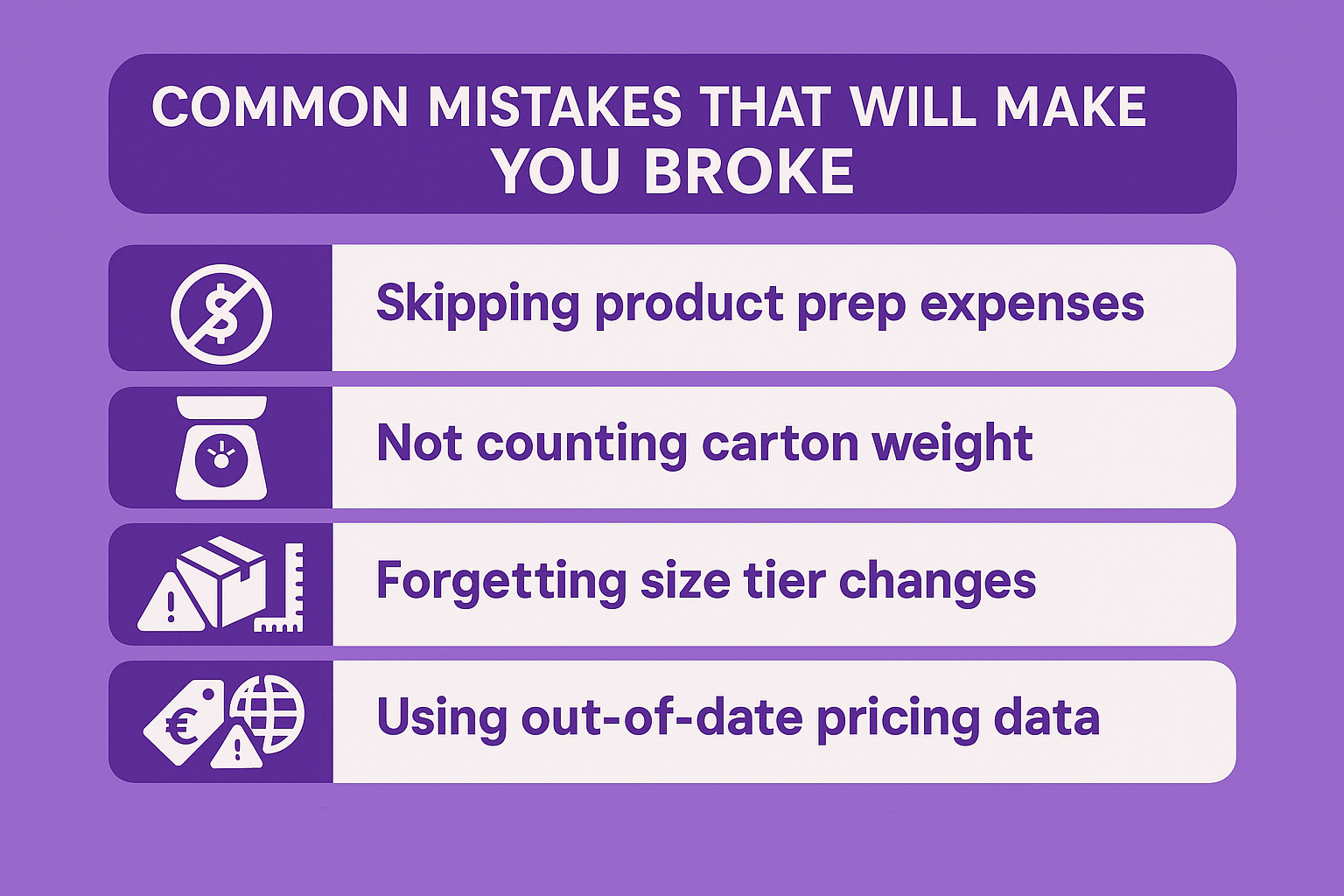
Errori comuni che vi porteranno al fallimento
Non ho messo in conto i costi di preparazione. Amazon vi addebiterà comunque le etichette mancanti, tanto vale pianificarle.
Utilizzando il peso riportato sulla scatola del produttore. Aggiungere il cartone principale, il pagliolo e il nastro adesivo. Io aggiungo sempre 0,5-1 lb.
Dimenticando le modifiche ai livelli dimensionali del 2025. Tutto ciò che è superiore a 12x9x4 probabilmente ora passa a Large Standard o Oversize. Controllo doppio.
Eseguire i numeri al prezzo di Buy Box oggi senza controllare se è stato $19 metà dell'anno. Guardate la media di 180 giorni di Keepa.
Si tratta di numeri che riguardano solo gli Stati Uniti quando l'Europa potrebbe essere aperta. L'anno scorso un negozio di gadget tedesco mi ha pagato 92.000 euro in più per lo stesso ASIN.
Il calcolatore delle entrate FBA è davvero gratuito?
Sì, 100% è gratuito. Nessuna fregatura, nessuna carta di credito, nessuna “versione pro” in agguato dietro un paywall.
Potete usare subito il link pubblico, senza bisogno di login, e gestire tutti i prodotti che volete. Mi sono capitati giorni in cui ho cercato 80 ASIN diversi prima di pranzo solo per individuare una nuova nicchia. Amazon non mi ha mai tagliato i fondi o chiesto un centesimo.
Una volta che si dispone di un account di venditore (anche il piano individuale da $0,99 per articolo), lo stesso calcolatore si trova all'interno di Seller Central, nel menu Prezzi. È sempre gratuito. L'unica differenza è che può estrarre il costo reale dei prodotti dall'inventario già elencato, con un risparmio di circa 15 secondi per ogni esecuzione.
Amazon guadagna quando si vende davvero, non quando si sta lì a giocare con margini ipotetici. Ecco perché sono felici di lasciarvi usare lo strumento fino a farvi sanguinare gli occhi. Sanno che se i numeri sembrano buoni, alla fine invierete comunque l'inventario e pagherete le spese di evasione.
Quindi, trattatelo come il campione gratuito illimitato che è. Più lo utilizzate, meno rischiate di perdere denaro in seguito.
WisePPC - Gli strumenti che abbiamo costruito
Siamo il team dietro WisePPC, Un piccolo gruppo di persone che si è stancato di dover gestire schede e report obsoleti. Così abbiamo costruito la piattaforma di analisi che avremmo sempre voluto esistesse: pulita, veloce e brutalmente onesta su ciò che fa guadagnare davvero.
Siamo un partner ufficiale Amazon Ads Verified (potete controllare il nostro profilo qui), il che significa che rispettiamo le regole, utilizziamo API dirette e sappiamo effettivamente cosa stiamo facendo.
In poche parole, WisePPC vi offre:
30+ metriche avanzate con granularità oraria (Amazon conserva solo 60-90 giorni; noi conserviamo tutto per sempre, anche con il piano più economico)
Azioni in blocco su oltre 10.000 campagne/parole chiave con un solo clic
Grafici in tempo reale che consentono di sovrapporre 6 metriche contemporaneamente
Mappe di calore gradienti così brutte che le parole chiave urlano in rosso
Un cruscotto che finalmente mostra la vera ripartizione tra vendite pubblicitarie e vendite organiche
Editing in linea, suddivisione del posizionamento, tendenze ASP e un milione di piccoli risparmi di tempo.
Gli utenti in genere tagliano la spesa sprecata di 20% e riducono l'ACOS di 10-15 punti nei primi 30 giorni, semplicemente perché riescono finalmente a capire cosa sta succedendo.
Al momento siamo in fase beta: accesso gratuito, nessuna carta necessaria, più sconto a vita 25% per i primi iscritti. Se vivete in Sponsored Products, Brands o Display e volete dati più chiari domani mattina, venite a provarli su wiseppc.com.
Pensiero finale
Il calcolatore FBA non è sofisticato, ma è onesto. Trattatelo come una macchina della verità per le idee sui prodotti. Ogni volta che l'ho ignorato e ho “sentito” che qualcosa avrebbe funzionato, ho perso denaro. Ogni volta che ho ascoltato, ho stampato denaro.
Apritelo subito, aggiungete qualsiasi cosa stiate pensando di acquistare e lasciate che i freddi numeri vi dicano cosa fare. Il vostro conto in banca vi ringrazierà.
Domande frequenti
Ho bisogno di un account di venditore professionale per utilizzare il Calcolatore delle entrate FBA?
No. La versione pubblica funziona per chiunque abbia una connessione a Internet. Non è nemmeno necessario essere registrati come venditore. Una volta che si dispone di un account (individuale o professionale), lo stesso calcolatore appare all'interno di Seller Central e può estrarre automaticamente i numeri del costo reale della merce.
Perché i miei numeri sono diversi da quelli del mio amico quando cerchiamo lo stesso ASIN?
I motivi più comuni sono: uno dei due si è dimenticato di cambiare il flag del mercato (Stati Uniti o Regno Unito o Giappone), qualcuno ha usato il peso del produttore invece di quello della spedizione, oppure una persona ha aggiunto i costi di preparazione/inbound/misc e l'altra ha lasciato le scatole a zero. Anche una differenza di 0,5 libbre o la dimenticanza di $1 nella preparazione può far oscillare il profitto di $2-4 per unità.
Il calcolatore può dirmi esattamente quanto guadagnerò il mese prossimo?
Fornisce stime estremamente accurate se i dati inseriti sono onesti, ma non è in grado di prevedere la percentuale di Buy Box, le guerre dei prezzi della concorrenza o le offerte lampo. Consideratelo come il miglior caso di base, quindi togliete 10-20% dal profitto per le sorprese del mondo reale.
Vale la pena di eseguire calcoli FBA vs FBM per ogni singolo prodotto?
Sì, ogni volta. Sono passato da FBM a FBA (e viceversa) sullo stesso ASIN sei mesi dopo solo perché la velocità di vendita è cambiata. Ci vogliono due minuti e mi ha fatto risparmiare decine di migliaia di euro in commissioni nel corso degli anni. Rendetelo una memoria muscolare.
L'idea di vendere online senza avere un garage pieno di roba sembra troppo bella per essere vera. Ma Amazon ha creato quattro diversi programmi che consentono alle persone normali di fare esattamente questo, e migliaia di persone incassano tranquillamente assegni ogni mese grazie a questi programmi. Nessun magazzino, nessun pallet, nessuna preghiera che 500 unità di qualsiasi cosa vengano effettivamente vendute prima che la tendenza muoia. Basta elencare, vendere e lasciare che qualcun altro si occupi della parte fisica. Ecco cosa funziona davvero nel 2025.
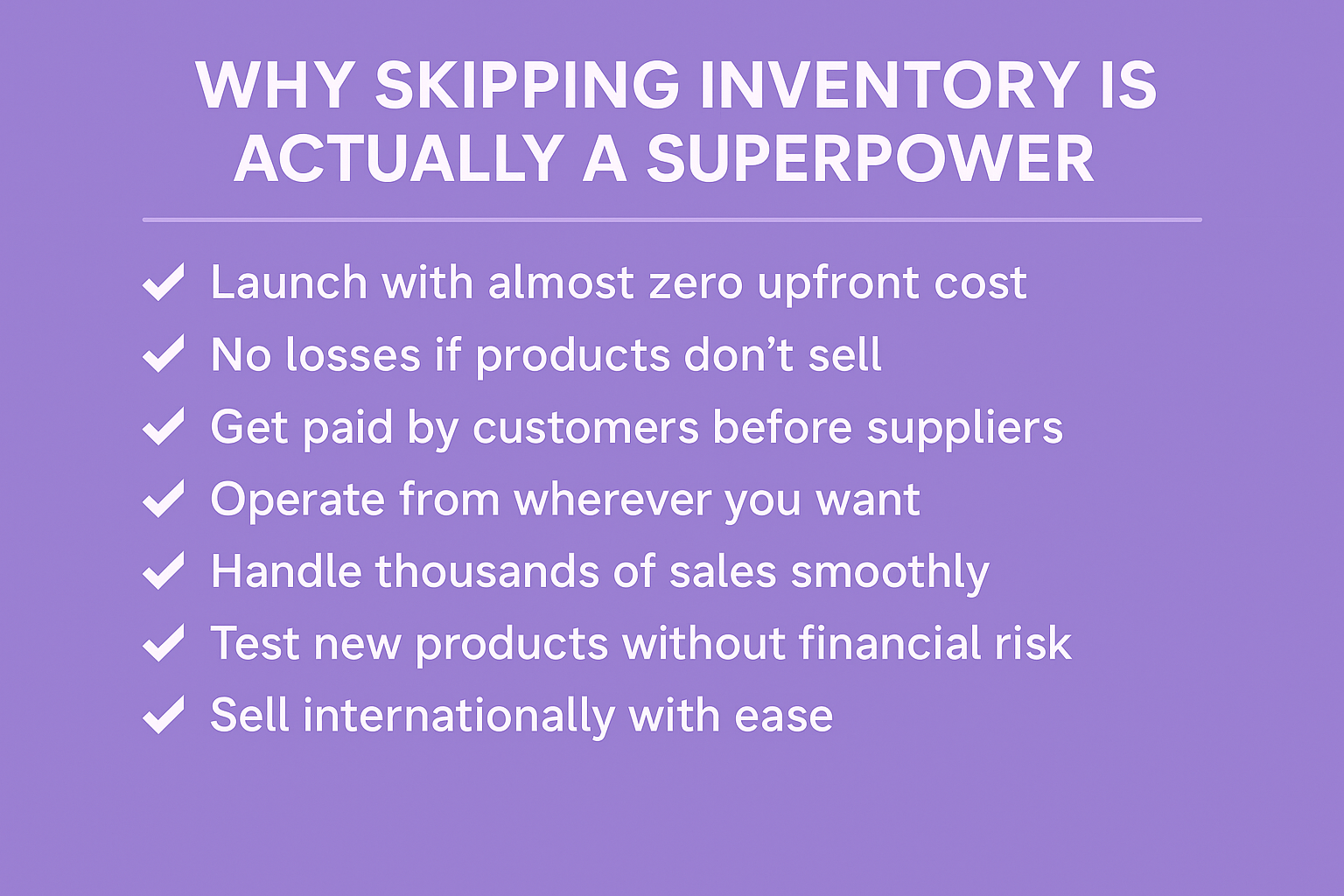
Perché saltare l'inventario è in realtà un superpotere
Ecco cosa si guadagna quando non si deve mai fare scorta di un singolo articolo:
Quasi zero soldi per il lancio: nessun pallet da acquistare, nessun magazzino da affittare, solo un conto e un po' di impegno.
Zero dolore quando qualcosa fa fiasco: eliminare una cattiva inserzione e andarsene, senza scatole di spazzatura invenduta che vi fissano.
Inserzioni live in ore, non in mesi: decidete cosa vendere oggi e fatelo arrivare ai clienti entro stasera.
Il denaro arriva prima di pagare chiunque: i clienti pagano prima, i fornitori o Amazon vengono pagati dopo.
Gestite tutto da qualsiasi luogo: dalla casa al mare, dal gate dell'aeroporto, dal tavolo della cucina di mezzanotte; la posizione non ha importanza.
La scalabilità rimane tranquilla: dieci ordini o mille, l'elenco delle cose da fare ogni giorno cambia a malapena.
Testate idee selvagge senza rischi: gadget virali, magliette meme, diari casuali; provate venti cose questa settimana, se ne avete voglia.
Vendete gli stessi prodotti ovunque: Amazon, il vostro sito, TikTok Shop, Instagram; nessuna regola vi impedisce di farlo.
Clienti in tutto il mondo, zero problemi di dogana: Amazon spedisce in decine di paesi e si occupa delle pratiche burocratiche.
Cambiare nicchia ogni volta che si vuole: oggi gli animali domestici, domani l'attrezzatura da campeggio; non rimane nulla che costringa la mano.
Questa combinazione di velocità, sicurezza e libertà è esattamente il motivo per cui molti venditori esperti guardano all'inventario tradizionale e fanno spallucce.
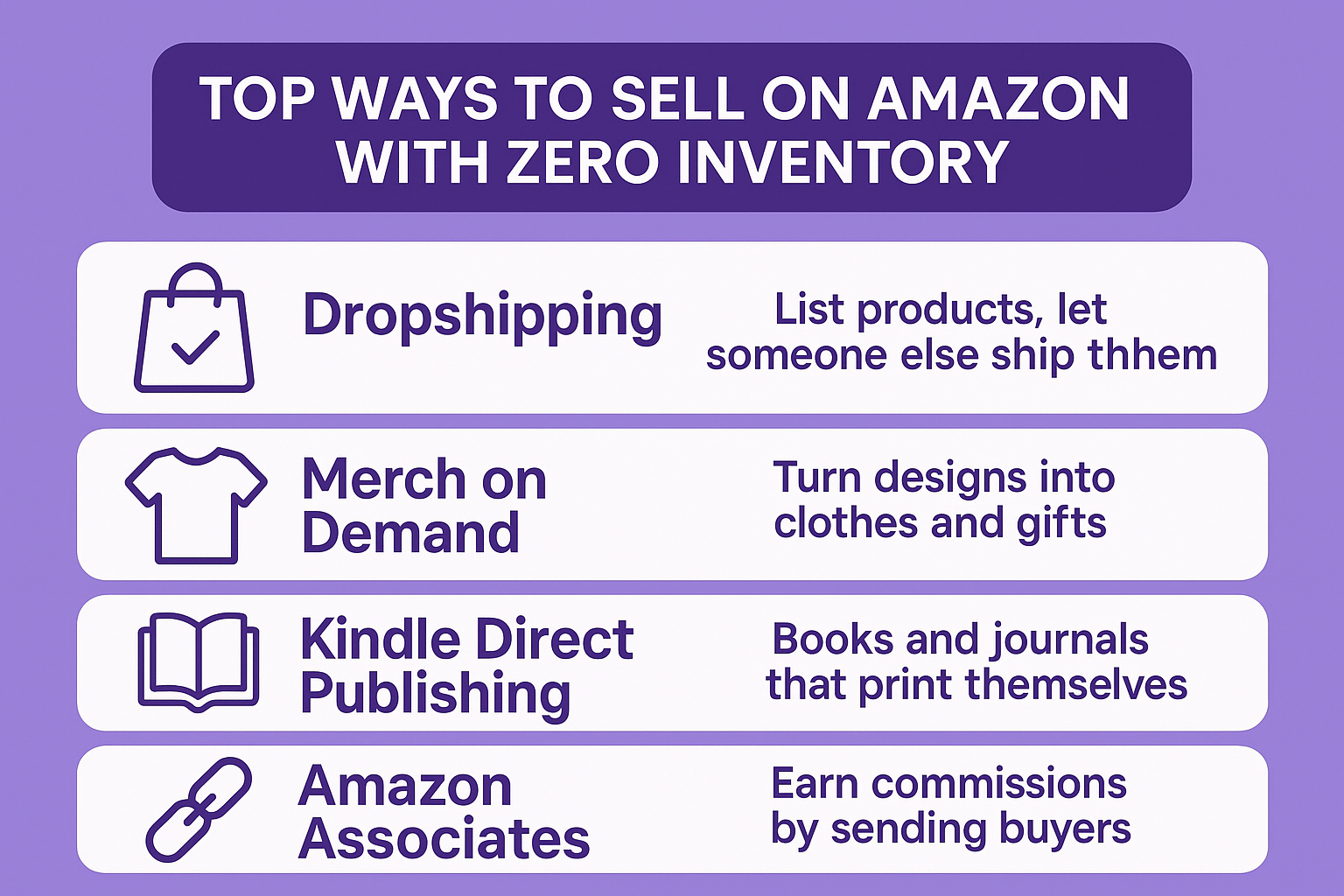
I modi migliori per vendere su Amazon senza inventario
Dropshipping - Elencare i prodotti e lasciare che qualcun altro li spedisca
Il dropshipping è ancora la strada più veloce per la maggior parte dei principianti che vogliono ordini in poche settimane.
Trovate articoli da fornitori (nazionali o esteri), create inserzioni su Amazon e quando un cliente acquista, il fornitore spedisce direttamente a lui. Il vostro nome viene riportato sul pacco come venditore e gestite eventuali domande o resi.
Negli ultimi anni Amazon è diventato più severo: è necessario fornire rapidamente un tracking valido, essere chiaramente identificati come venditori e mantenere realistiche le promesse di consegna. Seguendo queste regole, il modello funziona senza problemi.
Consigli rapidi che contano davvero
Testate prima ogni fornitore con un ordine reale a voi stessi
Utilizzate strumenti che caricano automaticamente il tracking in modo da non perdere mai la scadenza.
I fornitori nazionali battono quelli esteri per la velocità e la riduzione dei grattacapi
Iniziate con articoli leggeri: meno possibilità di reclami per danni
Molti dropshipper a sei cifre hanno iniziato con uno o due prodotti semplici e da lì sono cresciuti.
Merch on Demand - Trasformare i disegni in abiti e regali
Se siete in grado di creare una grafica pulita o di inventare frasi accattivanti, Merch on Demand è praticamente gratis.
Caricate la vostra grafica, scegliete i colori delle magliette o di altri prodotti (felpe, custodie per telefoni, borse) e Amazon stampa solo quando arriva un ordine. Loro spediscono, si occupano del servizio clienti, gestiscono i resi e tutto il resto. Voi vi limitate a riscuotere le royalties ogni mese.
Il sistema di livelli inizia in modo ridotto, ma cresce rapidamente quando le vendite aumentano. Le persone che caricano con costanza e inseguono le nicchie di tendenza salgono rapidamente di livello.
Un percorso realistico che funziona
Riempite subito tutti gli slot disponibili nel vostro livello attuale.
Guardate TikTok e Reddit per le frasi che esplodono in quella settimana
I design di testo semplici spesso superano le opere d'arte di fantasia
Le festività natalizie e i momenti virali creano picchi enormi
Artisti, designer di hobby e signori dei meme pagano l'affitto in questo modo da anni.
Kindle Direct Publishing - Libri e riviste che si stampano da soli
KDP consente a scrittori, creatori di diari e creatori di puzzle di vendere libri senza stampare una sola copia in anticipo.
Caricate il manoscritto e la copertina, premete "pubblica" e Amazon stamperà i tascabili solo quando qualcuno li ordinerà. Gli ebook vengono consegnati istantaneamente a costo zero.
Due approcci completamente diversi che funzionano entrambi:
Libri ad alto contenuto - guide di nicchia su come fare, libri di cucina o di auto-aiuto che le persone cercano. Un buon titolo può vendere costantemente per anni.
Libri a basso contenuto: agende, registri, pagine da colorare o raccolte di puzzle. Richiedono ore di lavoro per essere creati e continuano a vendere con il pilota automatico.
Il catalogo non si esaurisce mai e una volta che un libro si posiziona per una parola chiave tende a rimanervi con un lavoro minimo.
Amazon Associates - Guadagnare commissioni inviando gli acquirenti
Associates è l'unico metodo che non prevede l'inserimento di prodotti propri, ma i controlli provengono comunque da Amazon.
Create un blog, un canale YouTube, un account TikTok o un sito web di nicchia, aggiungete link speciali ai prodotti Amazon e guadagnate una commissione quando gli utenti fanno clic e acquistano. Alcune categorie pagano meglio di altre: i prodotti per la casa, gli strumenti e la bellezza tendono a essere i punti più interessanti.
Ci vuole più tempo per vedere i risultati rispetto agli altri tre metodi, ma una volta che il contenuto si posiziona su Google o diventa virale sui social, il reddito diventa quasi completamente passivo.
Un modo intelligente di combinarli: Molte persone iniziano con uno degli altri tre metodi, poi utilizzano i link Associates all'interno delle descrizioni dei loro libri o su un blog di recensioni sugli articoli che spediscono in dropship. Doppio vantaggio, senza inventario aggiuntivo.
Un rapido confronto per scegliere in fretta
Metodo
Velocità nella prima vendita
Capacità creative necessarie
Carico del servizio clienti
Rischio se qualcosa va storto
Dropshipping
Il più veloce
Basso
Il più alto
Medio
Merch on Demand
Veloce
Medio
Nessuno
Il più basso
Pubblicazione diretta Kindle
Medio
Medio-alto
Molto basso
Il più basso
Associati Amazon
Il più lento
Alto
Nessuno
Basso
WisePPC - Il vostro copilota per gli annunci Amazon
Siamo un team di venditori che si è stufato dei report dispersivi e degli infiniti fogli di calcolo di Amazon. Così abbiamo costruito WisePPC: una piattaforma di analisi pulita e potente che trasforma i dati pubblicitari grezzi in decisioni su cui è possibile agire oggi stesso.
In qualità di partner ufficiale di Amazon Ads Verified, rispettiamo le regole più severe e ci colleghiamo direttamente ai sistemi di Amazon: niente trucchi loschi, solo dati solidi e affidabili.
Cosa facciamo realmente per voi
Un'unica dashboard per tutto: vendite, ranking organico, performance degli annunci, TACoS, profitti, tutto in tempo reale.
Azioni massicce che fanno risparmiare ore: mettere in pausa, aumentare, diminuire o archiviare migliaia di campagne/parole chiave in un solo clic.
Anni di dati storici: Amazon li cancella dopo 60-90 giorni; noi li conserviamo per sempre, anche con il piano iniziale.
Granularità oraria e grafici intelligenti: impilare fino a 6 metriche, individuare rapidamente le tendenze, vedere esattamente dove si guadagna o si perde denaro
Modifiche in loco: modifica di offerte, budget o nomi senza lasciare il tavolo di lavoro
Segmentazione profonda: suddivisione dei dati in base al posizionamento, al tipo di corrispondenza, alla strategia d'offerta o a qualsiasi combinazione necessaria.
Perché i venditori restano con noi
Niente più congetture. I nostri utenti in genere riducono gli sprechi e aumentano l'efficienza entro le prime due settimane, perché le informazioni sono chiare e le soluzioni sono immediate.
La previsione dell'inventario, i cruscotti multi-account e le modifiche all'offerta dell'intelligenza artificiale sono già in programma, e i beta tester in questo momento ottengono vantaggi a vita e hanno voce in capitolo su ciò che costruiremo in seguito.
Siete pronti a smettere di volare alla cieca e a iniziare a scalare in modo più intelligente? Entrate nella versione beta - non è richiesta alcuna carta - e facciamo crescere il vostro mercato insieme.
Il gioco intelligente che la maggior parte delle persone non vede
Molti venditori di successo non scelgono un solo metodo per sempre. Iniziano con la strada che più si adatta alle loro capacità in questo momento, fanno fluire il denaro e poi aggiungono un altro metodo in un secondo momento. Le royalties del merchandising pagano le bollette mentre si crea un blog, o il dropshipping finanzia il lancio del primo vero libro.
Il punto è che nessuno di questi richiede un garage pieno di scatole, nessuno vi vincola a contratti lunghi e tutti vi permettono di iniziare questa settimana, se volete.
La parte del magazzino è già stata gestita. L'unica domanda che rimane è quale porta attraversare per prima.
Per concludere
Questo è l'intero manuale. Quattro modi comprovati per vendere su Amazon in questo momento senza aver mai acquistato, immagazzinato o spedito una sola scatola. Che si tratti di aprire qualche inserzione in dropshipping stasera, di caricare la prima serie di magliette, di pubblicare un semplice diario o di iniziare a inviare traffico con i link di affiliazione, la barriera all'ingresso è praticamente nulla.
Il garage rimane vuoto. Il rischio rimane minimo. Il vantaggio è ancora enorme.
Scegliete quello che si adatta alle vostre capacità o al tempo che avete a disposizione oggi, realizzate la prima vendita, e poi impilate un altro metodo quando siete pronti. Migliaia di persone normali stanno già facendo esattamente questo e stanno tranquillamente sostituendo (o battendo) il reddito del loro lavoro quotidiano.
Amazon ha costruito i magazzini e il traffico. Non resta che scegliere la propria corsia e premere “pubblica”.”
Domande frequenti
Si può davvero essere sospesi per dropshipping se si seguono le regole?
Sì, ma solo se le infrangete. Finché si è il venditore di riferimento, si utilizza un sistema di tracciamento valido, si spedisce in tempo e si risponde rapidamente ai messaggi, il dropshipping è consentito 100% e migliaia di clienti lo praticano con successo.
Qual è il metodo più semplice per i principianti?
Merch on Demand o libri a basso contenuto su KDP. Entrambi non costano nulla, Amazon si occupa della stampa e della spedizione e il primo prodotto può essere pubblicato in meno di un'ora.
È necessario un account di venditore professionale per questi prodotti?
Solo se avete intenzione di scalare velocemente o di utilizzare pubblicità avanzata. È possibile avviare Merch, KDP e Associates con il piano individuale gratuito. Il Dropshipping di solito passa a Professional una volta raggiunto un volume costante.
Quanto manca alla prima busta paga?
Tempistiche realistiche: Merch e KDP pagano mensilmente (di solito 60 giorni dopo la fine del mese di vendita), dropshipping paga ogni 14 giorni una volta che si è stabilito, Associates paga 60 giorni dopo il mese in cui i vostri referral acquistano. I primi soldi possono arrivare anche in 2-3 settimane se ci si impegna.
Tenersi al corrente degli ultimi annunci di Amazon non è solo routine: è il modo in cui i venditori individuano i cambiamenti che potrebbero rimodellare le loro attività da un giorno all'altro. Con la piattaforma che lancia cambiamenti a ritmo costante, soprattutto per quanto riguarda l'adempimento e la formazione dei venditori, ignorandoli si rischia di rimanere indietro nel recupero dei ricavi o di perdere strategie collaudate.
Aggiornamenti per i venditori Amazon dal 2024-2025
Amazon continua a introdurre strumenti e modifiche alle politiche che hanno un impatto diretto sulle operazioni quotidiane dei venditori FBA e di terze parti. Tra il novembre 2024 e il novembre 2025, otto annunci si distinguono per l'apertura di nuovi flussi di entrate, la modifica dei costi di rimozione o l'accesso a risorse precedentemente non disponibili. Di seguito viene riportata una descrizione dettagliata di ogni cambiamento, del suo funzionamento e delle azioni che i venditori dovrebbero prendere in considerazione.
Valutazione e rivendita FBA: Inserzioni automatiche di articoli usati
Amazon ha lanciato Grade and Resell come canale di recupero opt-in per i resi dei clienti.
Una volta iscritti, i resi FBA idonei vengono estratti dal flusso dei resi standard e inviati a una struttura di ispezione. Gli articoli vengono classificati in quattro condizioni di utilizzo:
Come nuovo
Molto buono
Buono
Accettabile
L'ispezione riguarda le condizioni dell'imballaggio, la verifica della funzionalità e l'usura visibile. Dopo la classificazione, Amazon crea una nuova offerta di usato sull'ASIN esistente e la inserisce al prezzo stabilito dal venditore in Seller Central. I venditori mantengono la loro commissione di riferimento standard; Amazon detrae una commissione di classificazione ed elaborazione (in genere $1-$4 a seconda della dimensione/prezzo). Il programma elimina il lavoro manuale di liquidazione o smaltimento dei resi e mantiene l'inventario all'interno dell'ecosistema Amazon.
Iscrizione e impostazioni
L'iscrizione avviene tramite la pagina delle impostazioni dei resi FBA. I venditori possono scegliere quali categorie o ASIN partecipare. Gli articoli che non vengono classificati seguono il normale percorso di rimozione o liquidazione.
Aggiornamenti al programma di classificazione e rivendita FBA
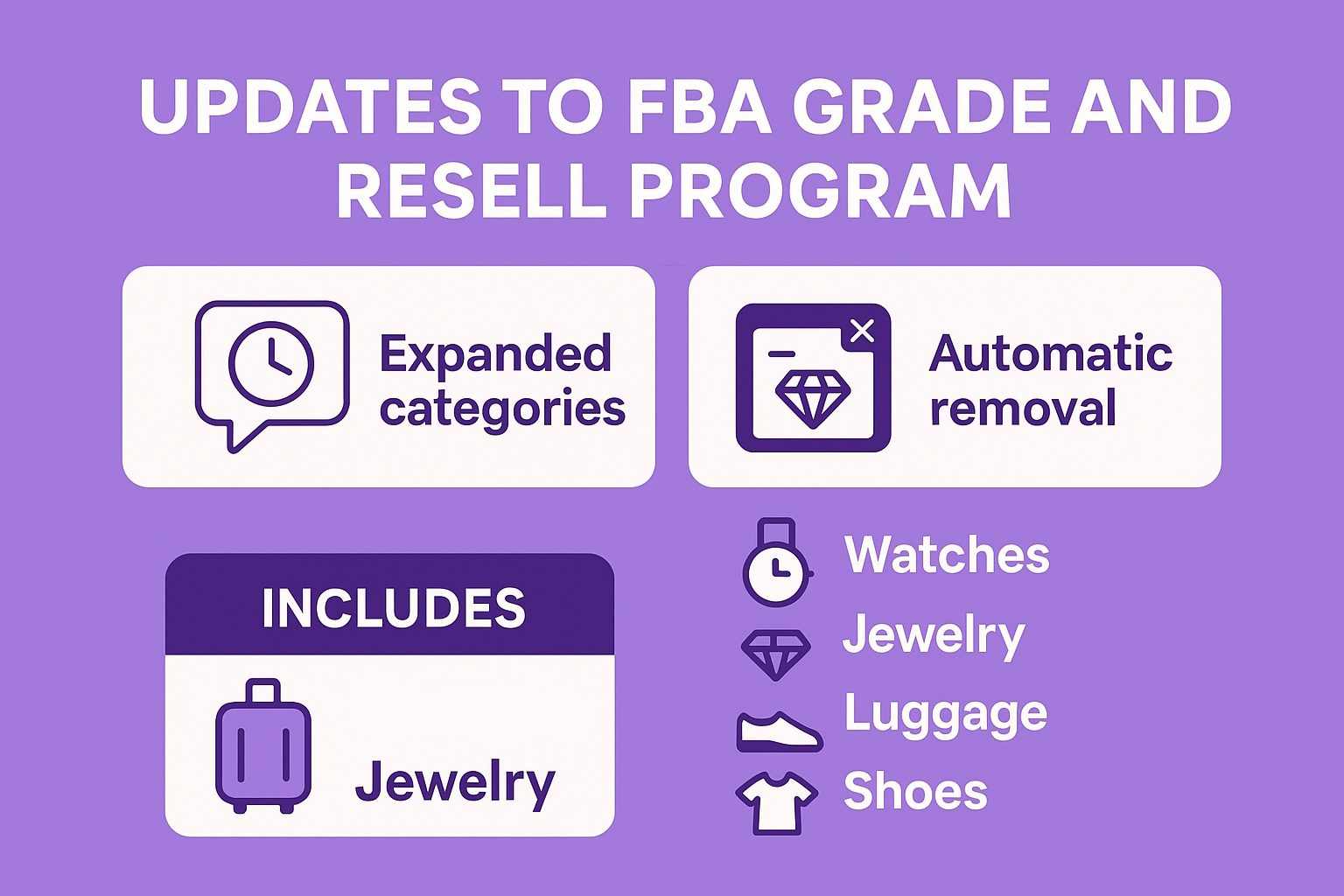
Annunciata il 12 novembre 2025, questa espansione del programma FBA Grade and Resell di Amazon mira a un migliore recupero del valore dai resi dei clienti. L'idea di fondo rimane la stessa: trasformare gli articoli restituiti in stock rivendibili mantenendo i prezzi interessanti per gli acquirenti. Ma queste modifiche rendono più facile per i venditori partecipare senza impegnare eccessivamente le scorte.
Il programma copre ora altre cinque categorie, ampliando la sua portata oltre a prodotti di base come l'elettronica. I venditori di queste aree possono aspettarsi tassi di recupero più elevati, poiché un maggior numero di resi si qualifica per la classificazione e la rapida rivendita.
Orologi
Gioielli
Bagagli
Scarpe
Abbigliamento
Un'aggiunta importante è la rimozione automatica delle SKU esaurite. Una volta che un articolo è stato venduto, viene rimosso automaticamente dalla vista dell'inventario, riducendo la pulizia manuale e consentendo ai team di concentrarsi su ciò che si sta effettivamente muovendo. Non è più necessario scorrere gli elenchi fantasma che intasano i rapporti.
Poi c'è il passaggio all'inclusione di ASIN opt-in, con un limite attuale di 10.000 ASIN per account (in precedenza 2.000). Questo capovolge il vecchio modello di opt-out: invece di iscrizioni generalizzate ed esclusioni frenetiche, i venditori scelgono esattamente cosa inserire. In questo modo si ottiene un controllo più preciso, soprattutto per i cataloghi misti in cui non tutti i prodotti sono adatti alla rivendita.
Amazon lascia intendere che presto ne arriveranno altri, come strumenti di inventario più approfonditi per spremere ulteriori entrate dai resi. Per i venditori che gestiscono elevati volumi di resi, questo annuncio sottolinea l'utilità di controllare settimanalmente Seller Central: una piccola modifica potrebbe significare migliaia di euro in stock recuperati.
Webinar gratuiti dal vivo per potenziali e nuovi venditori
Amazon organizza ora webinar settimanali in diretta rivolti ai venditori che non hanno ancora lanciato o che sono nei primi mesi di vendita. Le sessioni riguardano la registrazione dell'account, la creazione dell'inserzione, le basi dell'FBA e i programmi di assistenza ai venditori disponibili. Ogni webinar include una sessione di domande e risposte dal vivo con il personale di Amazon. Il programma viene visualizzato in Seller Central nella scheda Crescita.
Programma di donazioni FBA: Disponibili certificati di donazione annuali
I venditori iscritti a FBA Donations possono ora scaricare i certificati di donazione annuali emessi da Good360. Il certificato elenca le unità totali donate durante l'anno solare precedente e può essere utilizzato a fini fiscali o di rendicontazione, se applicabile. I venditori FBA statunitensi possono aderire al programma quando creano ordini di rimozione per i resi invendibili. I venditori possono anche programmare donazioni ricorrenti per le scorte in eccesso direttamente dalla pagina Rimozioni. La scelta della donazione rispetto alla liquidazione per gli ordini di rimozione spesso riduce i costi complessivi di rimozione e stoccaggio.
Accesso al certificato
I certificati vengono generati automaticamente ogni febbraio e appaiono nella scheda Donazioni di Seller Central.
I video shoppable ora si sincronizzano tra i negozi di tutto il mondo
I video dei prodotti caricabili caricati nella sezione video di un'inserzione in un mercato possono apparire automaticamente nelle inserzioni globali condivise. Non è richiesto alcun caricamento aggiuntivo per i marchi .co.uk, .ca, .de, ecc. quando l'ASIN è collegato attraverso il Brand Registry o la corrispondenza del catalogo. I venditori possono verificare in quali negozi è presente un video dallo strumento Gestione video. Questa modifica riduce il lavoro di duplicazione per i marchi internazionali.
Premi Amazon Force for Good 2025
I premi Force for Good riconoscono i partner di vendita con programmi di impatto sulla comunità. Le categorie comprendono gli sforzi per la sostenibilità, gli interventi di soccorso in caso di calamità, il sostegno a gruppi svantaggiati e il servizio alla comunità locale. Le candidature sono state chiuse il 27 aprile 2025. I vincitori sono stati annunciati nell'ottobre 2025.
Amazon Accelerate 2025: Registrazione e pianificazione anticipata
Le iscrizioni sono state aperte nel giugno 2025 con prezzi anticipati. Amazon Accelerate 2025 si è svolto dal 16 al 18 settembre 2025 a Seattle e ha riunito migliaia di partner di vendita per tre giorni di apprendimento, networking e annunci importanti.
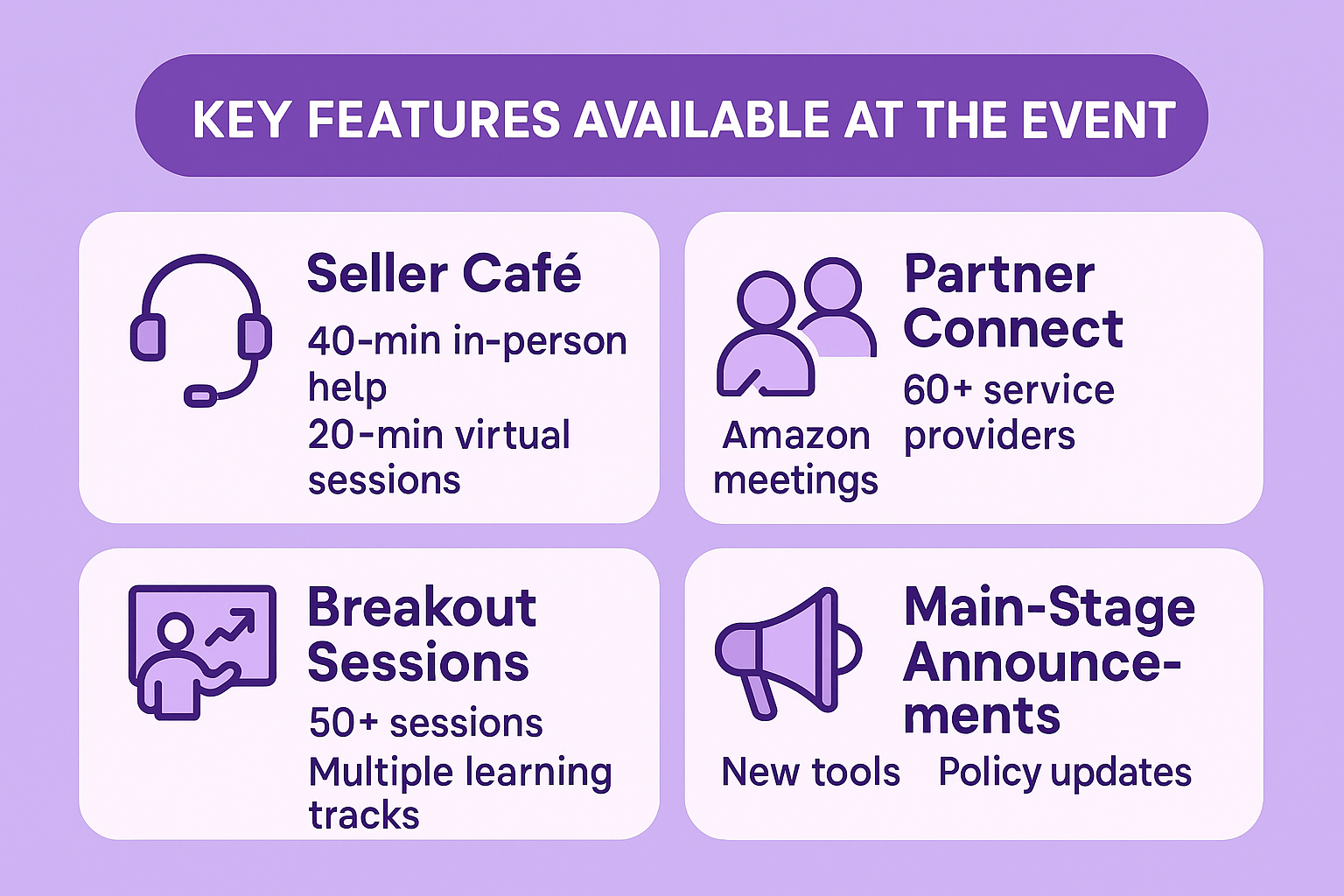
Caratteristiche principali disponibili all'evento
Seller Café: consulenze di 40 minuti di persona o 20 minuti virtuali
Partner Connect: incontri con oltre 60 fornitori di servizi e team di programmi Amazon
Oltre 50 sessioni di approfondimento su più percorsi
Strumento principale e annunci di politica
Accelerare la prenotazione di sessioni e appuntamenti 2025
A metà agosto 2025, l'Agenda Builder e i sistemi di prenotazione sono entrati in funzione. La maggior parte degli slot del Seller Café e del Partner Connect sono stati occupati nei primi due giorni.
Finestra di registrazione finale per Accelerate 2025
Le iscrizioni si sono chiuse il 15 settembre 2025. L'agenda dei tre giorni si è concentrata su pubblicità, operazioni, espansione internazionale e nuove funzionalità della piattaforma.
Amazon accelera il 2025 dei contenuti on-demand
Pubblicato il 24 settembre 2025, questo avviso rende accessibile in qualsiasi momento l'intero programma della conferenza Amazon Accelerate tramite il canale YouTube di Sell on Amazon. Se l'evento dal vivo di Seattle è passato inosservato o si desidera un aggiornamento, ora è tutto disponibile, senza bisogno di viaggiare.
La biblioteca on-demand si apre con le Sessioni Generali, in cui i dirigenti di Amazon analizzano le grandi novità di prodotto e definiscono la tabella di marcia per vendere in modo più intelligente. Si attendono interventi su tutto, dalle inserzioni guidate dall'intelligenza artificiale alle modifiche della catena di approvvigionamento che potrebbero influenzare il vostro prossimo trimestre.
Le sessioni di approfondimento colmano le lacune con approfondimenti mirati:
Tattiche di brand building per distinguersi in categorie affollate
Ottimizzazioni pubblicitarie per aumentare il budget
Trucchi operativi per una gestione più fluida di FBA
Playbook per la crescita che attingono dai top performer
Un rapido video riassuntivo completa il tutto, raccogliendo i punti salienti di tre giorni di sessioni, workshop e networking informale. Cattura l'atmosfera di Seattle senza il jet lag.
Amazon Accelerate 2026 è in programma dal 22 al 24 settembre a Seattle, e gli aggiornamenti in anteprima sono già disponibili sul sito dell'evento: segnatevi la pagina degli annunci per prendere al volo le iscrizioni quando si apriranno. Questi comunicati dimostrano come gli annunci siano un ponte tra le soluzioni immediate, come una migliore gestione dei resi, e i preparativi a lungo termine, come lo sviluppo delle competenze di Accelerate. I venditori che li sfogliano settimanalmente trasformano i potenziali grattacapi in tranquilli vantaggi.
Come noi di WisePPC siamo in grado di tenere testa agli annunci di Amazon
A WisePPC, Trattiamo ogni nuovo annuncio di Amazon nello stesso modo in cui trattiamo gli aggiornamenti dei nostri prodotti: li leggiamo nel momento stesso in cui vengono rilasciati. Le nuove regole sulle offerte, i moltiplicatori di posizionamento, le modifiche alle tariffe o i cambiamenti improvvisi delle politiche influiscono direttamente sui dati che raccogliamo per i nostri utenti e sulle regole di ottimizzazione che eseguiamo. Perdere anche un solo aggiornamento significherebbe interrompere la metà dei suggerimenti automatici che forniamo quotidianamente, quindi tutto il nostro team ha il feed delle notizie di Seller Central, la pagina dei comunicati di Amazon Ads e il Press Center tra i segnalibri e li controlla più volte al giorno.
Questa abitudine va a vantaggio di tutti gli account collegati alla nostra piattaforma. Poiché reagiamo istantaneamente, le regole di bulk-action si adattano automaticamente, i report storici rimangono accurati e nel momento in cui Amazon lancia una nuova metrica o ne depreca una vecchia, i nostri dashboard la riflettono senza ritardi. I venditori che utilizzano WisePPC raramente vengono colti di sorpresa da una tassa a sorpresa o da una campagna soppressa, semplicemente perché il cambiamento è già stato elaborato da noi prima che la maggior parte delle persone finisca il caffè del mattino. Il monitoraggio degli annunci non è un lavoro extra per noi: è l'unico modo in cui i nostri strumenti possono continuare a fare ciò che promettono.
Conclusione
Questi otto aggiornamenti sono già presenti nella piattaforma e non richiedono alcun periodo di attesa per il lancio futuro. Classificare e rivendere trasforma un vecchio centro di costo in un guadagno incrementale. I certificati di donazione e le impostazioni di rimozione modificate forniscono un controllo più chiaro sulle spese di smaltimento. La propagazione video globale riduce le attività ripetitive per i venditori su più mercati. I webinar e gli annunci relativi ad Accelerate servono principalmente come punti di accesso a competenze che prima erano disperse o non disponibili al di fuori della consulenza a pagamento. Nel complesso, le modifiche offrono ai venditori opzioni di recupero più automatizzate, un minore attrito sulle inserzioni internazionali e modalità strutturate per ridurre le commissioni sull'inventario invendibile. La maggior parte delle azioni richieste è costituita da semplici toggle o caricamenti una tantum in Seller Central e può essere completata in un'unica sessione.
FAQ
Come ci si iscrive a Grade and Resell?
Andate alle Impostazioni dei resi FBA in Seller Central e attivate l'opzione Classificazione e rivendita per le categorie o gli ASIN selezionati.
I certificati di donazione sono disponibili al di fuori degli Stati Uniti?
Attualmente solo i venditori FBA con sede negli Stati Uniti ricevono i certificati Good360.
Posso rimuovere un video da un mercato e mantenerlo in altri?
Sì, la visibilità dei singoli mercati è controllata dallo strumento Gestione video.
C'è una scadenza per prenotare gli appuntamenti del Seller Café per Accelerate 2025?
Gli appuntamenti si chiudono quando i posti sono occupati; la maggior parte di essi è stata esaurita settimane prima dell'evento.
Gli articoli usati elencati tramite Grade and Resell contano per il punteggio IPI?
No, sono offerte separate e non influiscono sull'indice di performance dell'inventario dell'ASIN originale.
Gli annunci mancati di Accelerate saranno pubblicati in seguito?
Gli annunci importanti vengono solitamente riassunti in Seller Central e nei Forum dei venditori nei giorni successivi all'evento.
Ogni anno i numeri cambiano, ma una cosa rimane chiara: i venditori indipendenti continuano a produrre la maggior parte degli acquisti su Amazon. Gli ultimi dati relativi alla metà del 2025 mostrano che le piccole e medie imprese stanno guadagnando molto, raggiungendo traguardi che sembravano impossibili un decennio fa e appoggiandosi a programmi che riducono i costi e accelerano la crescita.
La maggioranza silenziosa che gestisce il negozio
Quando si parla di Amazon, la prima immagine che si incontra è quella del gigante stesso. È giusto così. Ma basta girare l'obiettivo e il vero motore ronza negli uffici, nei garage e nei piccoli magazzini di tutto il Paese. I venditori indipendenti gestiscono oggi più di 60% delle vendite totali all'interno del negozio Amazon. Questa fetta si è mantenuta costante per anni, ma i dollari dietro di essa continuano a salire.
La maggior parte di queste operazioni sono piccole o medie imprese. Pensate ai marchi di condimenti a conduzione familiare, alle start-up di articoli da campeggio, ai designer di inviti che hanno superato il tavolo della sala da pranzo. Nel 2024 il venditore indipendente medio negli Stati Uniti supererà i $290.000 di fatturato annuo. In altre parole, un venditore che parte da zero oggi ha una possibilità realistica di ottenere un fatturato a sei cifre entro dodici mesi, se le cose giuste funzionano.
Chi siamo in WisePPC
Siamo un Amazon Ads Verified Partner, riconosciuto per l'esperienza, le integrazioni ufficiali e il supporto affidabile. La nostra piattaforma aiuta i venditori di Amazon e Shopify a gestire la pubblicità e le vendite con analisi in tempo reale, controllo delle campagne e archiviazione dei dati a lungo termine, anni dopo il limite di 60-90 giorni di Amazon.
Strumenti fondamentali che fanno risparmiare tempo
Azioni di massa: Modifica di oltre 10.000 campagne, obiettivi o offerte in un solo clic utilizzando filtri intelligenti.
Filtro avanzato: Segmentare per tipo di campagna, strategia d'offerta, tipo di corrispondenza o performance.
Grafici storici: Visualizzazione delle tendenze per giorno, settimana o anno con un massimo di 6 metriche su un unico grafico.
Editing in loco: Regolare le offerte, i budget e gli stati direttamente nella dashboard.
Evidenziazione a gradi: Le tabelle colorate segnalano immediatamente i vincitori e i perdenti.
Teniamo traccia di oltre 250.000 punti dati orari e di oltre 30 metriche come TACoS, ACoS, CTR e ASP (Prezzo medio di vendita) con medie mobili di 3-30 giorni. L'analisi del posizionamento mostra le prestazioni tra le prime pagine di ricerca, le pagine dei prodotti e altro ancora, in modo da rendere le offerte più intelligenti.
A differenza di Amazon, conserviamo tutti i dati storici per sempre, anche con il piano base. Questo significa che potete studiare la stagionalità, confrontare gli anni e affinare le strategie con un contesto completo.
Perché i venditori ci scelgono
Cruscotto unificato: Annunci + vendite organiche in un'unica vista.
Controllo in tempo reale: Prendere decisioni sulla base dei dati di oggi.
Approfondimenti automatizzati: Segnala sprechi di spesa e opportunità di crescita.
Risultati comprovati: Gli utenti riducono gli sprechi pubblicitari di 20% e aumentano l'efficienza fino a 30%.
Il Prime Day 2025 ha battuto ogni record
Il Prime Day di quest'anno non è stato solo grande, ma ha riscritto il libro dei giochi. I venditori indipendenti hanno registrato i massimi storici in termini di fatturato e di unità spedite. Le offerte hanno riguardato 35 categorie e il risparmio totale dei clienti ha raggiunto i miliardi. Il dettaglio che salta all'occhio è che i venditori che hanno utilizzato la Guida per i nuovi venditori nei primi 90 giorni hanno registrato un fatturato sei volte superiore durante il primo anno.
L'aumento di 6 volte non è un'idea di marketing. Si ottiene seguendo un percorso passo dopo passo che comprende la configurazione dell'account, le regole di inserzione, la logica dei prezzi, le scelte di adempimento e i crediti pubblicitari anticipati. Se non si segue la guida, l'algoritmo non darà mai ai prodotti un'opportunità giusta.
Il fatturato medio è solo il punto di partenza
I venditori indipendenti negli Stati Uniti hanno concluso il 2024 con una media di $290.000 vendite annuali all'interno del negozio. Oltre 55.000 di loro hanno superato la soglia del milione di dollari. Queste cifre provengono direttamente dai dati di Amazon.
Il divario tra i mercati si sta riducendo. L'FBA paneuropeo consente di inviare l'inventario a un unico punto di ingresso, dopodiché Amazon lo distribuisce automaticamente in più centri di adempimento in Europa per servire il continente in modo efficiente.
La protezione del marchio ora avviene prima che ve ne accorgiate
Amazon ha bloccato più di 99% di inserzioni sospette di contraffazione nel 2024 prima che un marchio dovesse presentare una segnalazione. Il filtro funziona 24 ore su 24, 7 giorni su 7. Oltre 16.000 marchi hanno utilizzato IP Accelerator per entrare più rapidamente nel Brand Registry. L'iscrizione apre contenuti A+, analisi dettagliate e slot pubblicitari prioritari.
Il programma Transparency ha etichettato oltre 2,5 miliardi di unità con codici unici. I clienti scansionano il codice e sanno che l'articolo è autentico. Per tutti i prodotti per i quali l'autenticità è importante, quel codice fa la differenza tra una vendita e un passaggio.
I costi di evasione continuano a diminuire
Le spedizioni FBA sono ora 70% più economiche per unità rispetto ai servizi premium dei grandi vettori statunitensi. I risparmi si estendono ad altre regioni, ma il divario rimane ampio. Un piccolo pacco che si muove all'interno della rete spesso costa meno che spedirlo personalmente.
Le inserzioni Subscribe & Save con uno sconto 10-15% possono aumentare la conversione fino a 1,8 volte. Gli acquirenti si impegnano a ripetere l'acquisto e Amazon si occupa della tempistica. Il contenuto di base A+ può aumentare le vendite fino a 8% e spinge i clienti a effettuare un secondo acquisto. Se si aggiungono queste caratteristiche, i ritorni si moltiplicano rapidamente.
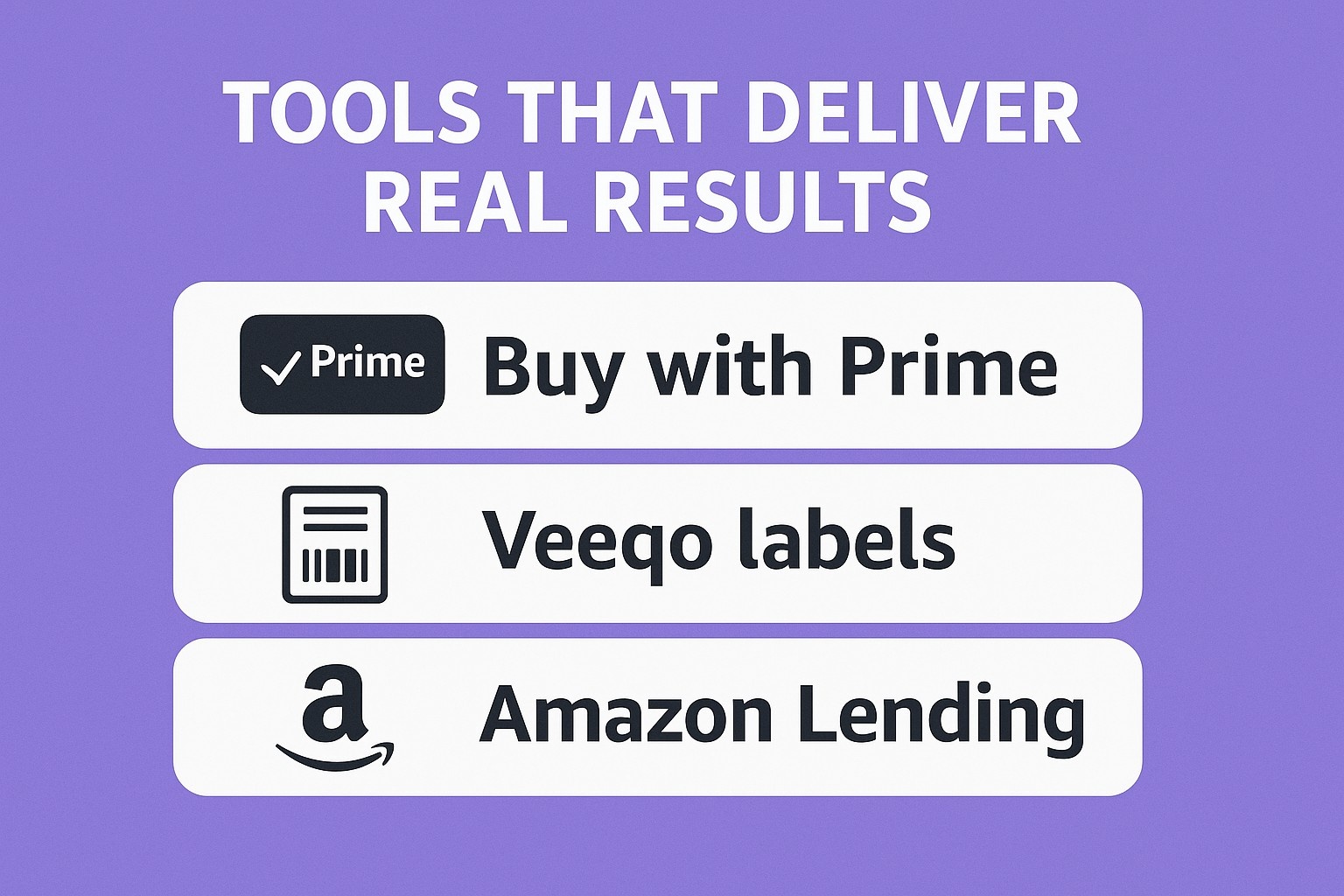
Strumenti che danno risultati reali
Acquista con Prime: aumenta i tassi di acquisto fuori dal sito di 25% quando il pulsante si trova sul sito di un marchio.
Etichette Veeqo: ridurre le spedizioni in ritardo di 20% rispetto all'elaborazione manuale.
Amazon Lending: ha erogato oltre $15 miliardi di euro ai piccoli e medi venditori dal 2011, con approvazioni in pochi giorni.
Qualsiasi account attivo può utilizzarli. Non è richiesto lo status di azienda.
Nuovi incentivi per i venditori da richiedere
L'offerta è semplice: iniziate a vendere e sbloccate oltre $50.000 crediti. Il pacchetto comprende:
Esonero dalle spese FBA per il primo invio dell'inventario
Dollari pubblicitari per le prime campagne sponsorizzate
Vantaggi del Registro del marchio
Compensazioni per lo stoccaggio e la rimozione
Completate la Guida del nuovo venditore entro 90 giorni per ottenere l'intero importo. Se non si rispetta la scadenza, i crediti diminuiscono.
Raggiungere i clienti in numeri concreti
Il marketplace serve tutte le principali regioni, ma il volume si concentra ancora nei negozi consolidati. La Germania è in testa al di fuori degli Stati Uniti, mentre il Regno Unito è subito dietro. Un unico piano Professional dà accesso a entrambi.
Gli account professionali costano $39,99 al mese più le commissioni di segnalazione di 8-15% per categoria. Il piano Individuale costa $0,99 per vendita senza spese mensili, ma esclude gli annunci e la maggior parte degli incentivi. Incrociando 40 unità al mese, Professional si ripaga da solo.
Storie di venditori che corrispondono alle statistiche
Un produttore di condimenti è passato da $40.000 di ricavi da rivendita a $96.000 nel primo anno completo su Amazon. Il proprietario punta ora a mezzo milione. Un fondatore di abbigliamento ha dichiarato che la piattaforma ha accelerato la crescita del marchio sia all'interno che all'esterno del negozio. Un designer di inviti ha esaurito le scorte finché FBA non ha gestito l'aumento.
Questi sono i risultati tipici dei conti che trattano seriamente la piattaforma.
Iniziare senza ripensamenti
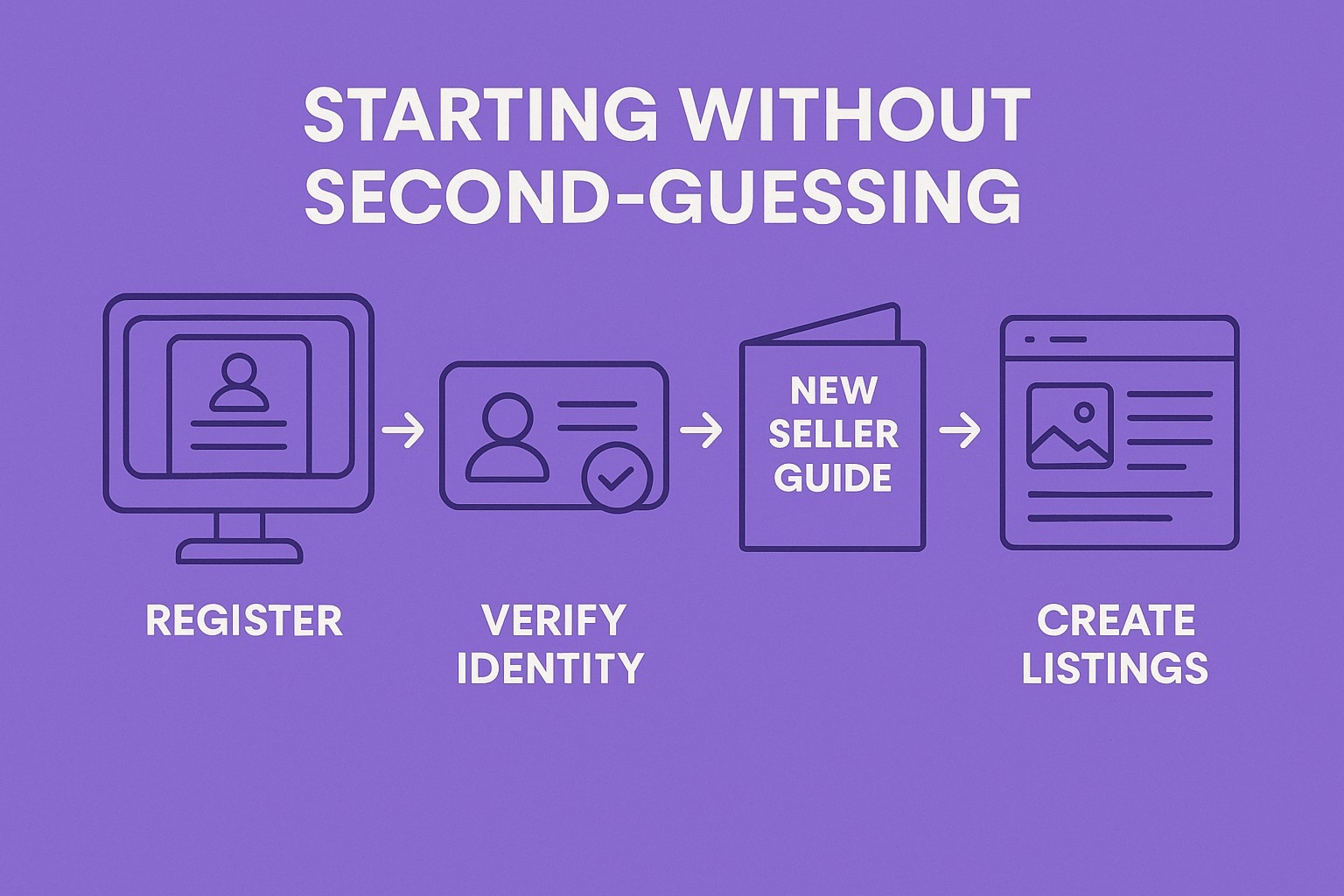
I passaggi sono integrati in Seller Central:
Registrarsi e scegliere Professional.
Verificare l'identità e le informazioni bancarie.
Aprire la Guida del nuovo venditore.
Creare elenchi con match-or-add.
Spedire il primo lotto al centro suggerito.
Pubblicate un piccolo annuncio con i crediti gratuiti.
Ogni azione richiesta viene visualizzata nel dashboard. Il quiz a tre domande all'inizio indica gli strumenti esatti necessari.
Le commissioni di segnalazione variano da 8-15% a categoria. I libri si collocano nella fascia bassa; la bellezza di lusso in quella alta. FBA copre le spese di ritiro, imballaggio, spedizione, assistenza e restituzione. Il Calcolatore delle entrate mostra il profitto dopo ogni spesa.
Inserite il peso e le dimensioni, scegliete FBA o self-fulfill e fate un confronto tra i due. Esaminate i numeri prima di inviare le scorte.
Scelte della catena di fornitura oltre l'FBA
L'approvvigionamento multicanale spedisce dai magazzini Amazon a qualsiasi canale di vendita alle stesse tariffe. I vettori partner praticano sconti sulle spedizioni di massa in entrata. Veeqo stampa etichette per ogni piattaforma con un solo clic.
Il dropshipping funziona secondo regole chiare: il venditore rimane il venditore di riferimento e le scatole dei fornitori non possono riportare il marchio Amazon. La maggior parte dei dropshipper passa all'FBA quando il controllo della qualità diventa il collo di bottiglia.
A+ Content sostituisce i punti elenco con immagini, grafici e testo esteso. I guadagni di conversione si manifestano in poche settimane. I contenuti di marca migliorati aggiungono video e caroselli per i marchi registrati.
I post di Amazon generano traffico senza spese pubblicitarie. I negozi creano un mini-sito all'interno del marketplace. Tutto si sblocca dopo l'approvazione del Registro del marchio.
Portata globale da un unico account
Inserite i vostri prodotti su più marketplace con un unico login. L'FBA pan-UE posiziona automaticamente le scorte per ridurre i tempi di consegna. La gestione dell'IVA è disponibile come servizio aggiuntivo.
L'espansione negli Stati Uniti o in Canada richiede una registrazione e un'impostazione doganale separate. Le pratiche extra aprono Prime oltre l'Atlantico.
Controlli dell'inventario che prevengono i mal di testa
Gli avvisi di rifornimento si attivano a livelli prestabiliti. Il programma Grade and Resell rimette a nuovo i resi di qualità inferiore per la rivendita. I rapporti sulle scorte bloccate segnalano le unità bloccate a causa di inserzioni soppresse. Se si corregge l'inserzione, lo stock viene venduto di nuovo.
Pubblicità che converte
I prodotti sponsorizzati vengono visualizzati nella ricerca e nelle pagine dei dettagli. Le campagne automatiche consentono ad Amazon di scegliere le parole chiave entro un budget giornaliero. Quella manuale offre un controllo preciso.
I marchi sponsorizzati eseguono banner con titoli in cima ai risultati. I video all'interno di questi annunci aumentano i clic. I budget partono da cifre ridotte; la maggior parte degli account vede un ritorno positivo nella prima settimana con i crediti di partenza.
I pulsanti di richiesta di revisione appaiono dopo la consegna. I follow-up automatici arrivano al momento giusto. Vine invia i prodotti a recensori fidati prima del lancio.
I post e i contenuti A+ mantengono i visitatori sulla pagina più a lungo. Sessioni più lunghe segnalano la rilevanza e aumentano il posizionamento organico.
Il bilancio
I numeri del 2025 dimostrano che la piattaforma funziona per i venditori indipendenti. Il fatturato a sei cifre è la nuova linea di base per gli account che seguono il processo. La Guida per i nuovi venditori e il pacchetto di incentivi $50.000 eliminano le prime barriere. I costi di evasione diminuiscono e gli strumenti di conversione migliorano.
Chiunque abbia un prodotto e un piano può raggiungere le medie. La piattaforma gestisce lo stoccaggio, la spedizione, il servizio e persino il finanziamento. L'esecuzione è l'unica variabile rimasta.
Aprire il Calcolatore delle entrate stasera. Fate il quiz veloce. Chiedete i crediti. L'anno è finito a metà e i dati non mentono.
Domande frequenti
Che cos'è esattamente la New Seller Guide e perché è importante per le vendite del 2025?
La Guida per i nuovi venditori è una tabella di marcia gratuita, passo dopo passo, all'interno di Seller Central, che copre la registrazione, la creazione dell'inserzione, i prezzi, le opzioni di adempimento e le prime promozioni. I venditori che la completano nei primi 90 giorni hanno in media un fatturato 6 volte superiore nel primo anno rispetto a quelli che la saltano. Inoltre, sblocca l'intero pacchetto di incentivi $50.000+, compresi i crediti per le tariffe FBA e i dollari pubblicitari.
Quanto si risparmia davvero con Fulfillment by Amazon rispetto alla spedizione in proprio?
L'FBA costa 70% meno per unità rispetto alle opzioni premium dei principali vettori statunitensi, e il divario si mantiene anche in altre regioni. Il servizio comprende la raccolta, l'imballaggio, la spedizione, il servizio clienti e i resi. Utilizzate il Calcolatore dei ricavi in Seller Central: inserite il peso e le dimensioni del prodotto per vedere i risparmi esatti rispetto all'autoapprovvigionamento.
Ho bisogno di un marchio per utilizzare Brand Registry e A+ Content?
Sì, Brand Registry richiede un marchio registrato nel mercato in cui si vende. Una volta approvato, si sblocca il Contenuto A+ (che aumenta le vendite fino a 8%), analisi migliorate e un migliore posizionamento degli annunci. Il programma IP Accelerator vi mette in contatto con studi legali di fiducia per depositare i marchi in modo più rapido ed economico.
Quali sono le reali differenze tra i piani di vendita individuali e professionali?
Individuale costa $0,99 per articolo venduto senza canone mensile, ma blocca la pubblicità, la maggior parte degli incentivi e gli strumenti per le inserzioni di massa. Il piano Professional costa $39,99 mensili più le commissioni di riferimento (8-15% per categoria) e include annunci sponsorizzati, i crediti della New Seller Guide e l'accesso completo all'API. Il piano Professional si ripaga da solo dopo circa 40 unità al mese.
Immaginate: un cliente ordina una felpa blu con cappuccio di media grandezza. Dietro le quinte, un piccolo codice assicura che la scatola giusta lasci il magazzino. Quel codice è lo SKU. Evita il caos nell'inventario e aiuta i venditori a dormire la notte. Questa guida, oltre a spiegare il gergo, mostra esattamente cosa fa un SKU, come si differenzia dagli altri codici e il modo indolore per crearne uno su Amazon.
Perché ogni venditore ha bisogno di una gestione delle SKU
Vendere online è una sfida quotidiana. Un attimo prima le scorte sembrano solide, un attimo dopo un ordine urgente spazza via metà dello scaffale. Le SKU agiscono come silenziosi vigili urbani, dirigendo ogni articolo al punto giusto senza drammi. Appartengono interamente all'azienda, senza regole esterne o standard condivisi. Un piccolo negozio può etichettare una candela come VAN-8OZ, mentre un'azienda più grande divide lo stesso profumo in VAN-8OZ-WHT per i vasetti bianchi e VAN-8OZ-BLK per quelli neri. La scelta rimane flessibile, ma il risultato rimane lo stesso: chiarezza a colpo d'occhio.
Scomposizione dell'unità di stoccaggio
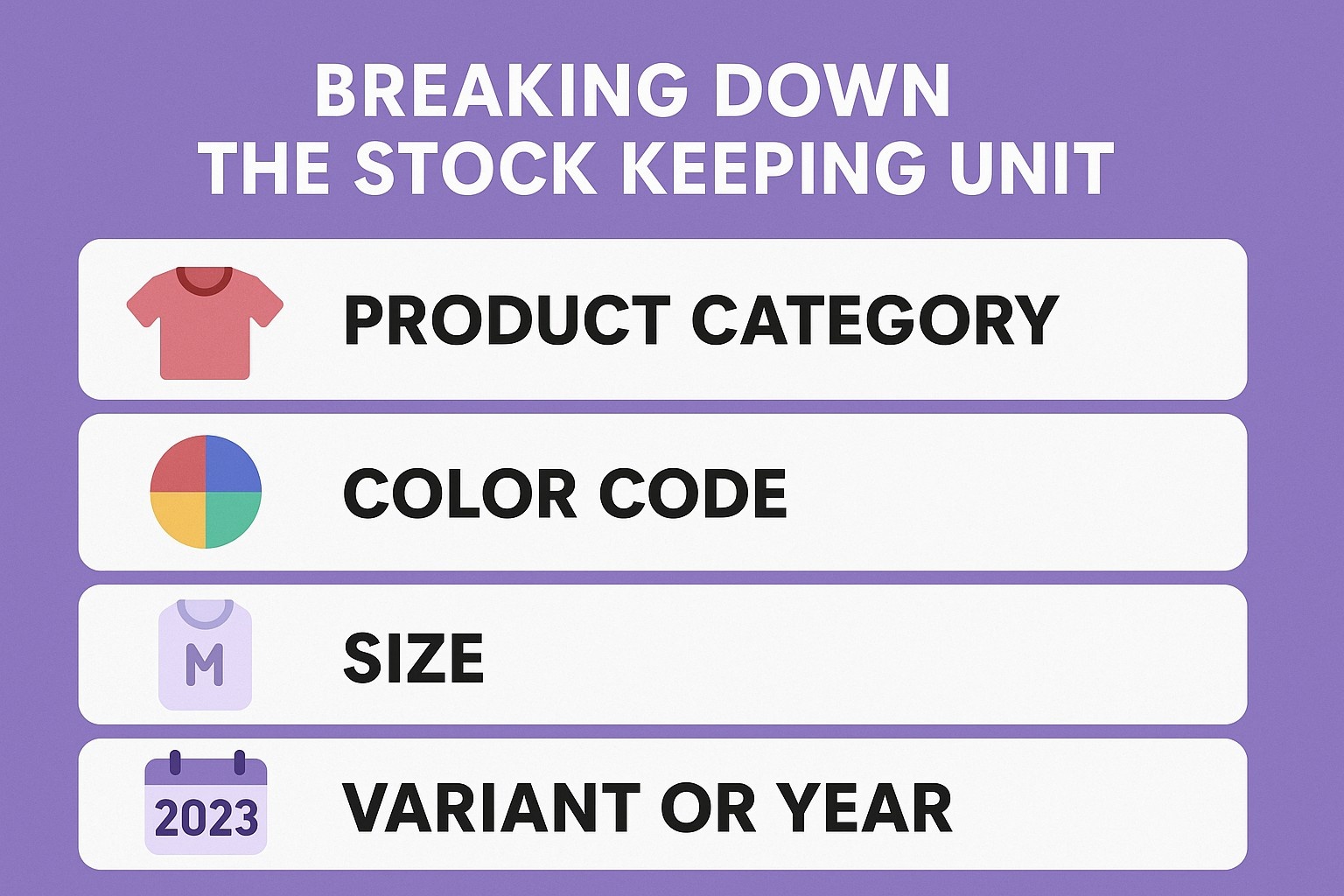
Una SKU mette insieme lettere e numeri in un identificativo compatto. La maggior parte si colloca tra gli otto e i dodici caratteri, anche se alcuni si allungano ulteriormente quando i dettagli si accumulano. Il codice ha un significato solo all'interno dell'operazione che lo ha creato.
Consideriamo una ripartizione di base:
Primi tre posti: categoria di prodotto (TSH per le magliette)
Il prossimo tre: codice colore (BLU per blu)
Seguono due: dimensione (MD per media)
Cifre finali: variante o anno (01 o 25)
Il modello rimane leggibile ma unico. Le versioni più brevi vanno bene per i cataloghi più piccoli, ma la crescita richiede spazio per espandersi senza doverlo rielaborare.
Operazioni quotidiane alimentate da SKU
Gli ordini arrivano al sistema e le SKU entrano in azione. Ogni acquisto sottrae l'unità esatta dai registri. Le scorte scarse attivano avvisi automatici prima che i clienti vedano “esaurito”. I report rivelano i prodotti più venduti per categoria, guidando le priorità di rifornimento.
Anche le stazioni di imballaggio ne traggono vantaggio. Gli addetti scansionano il codice, estraggono la scatola corrispondente e la chiudono con il nastro adesivo. I resi vengono scansionati allo stesso modo e vengono reinseriti nell'inventario senza smistamento manuale. Il flusso rimane regolare dal clic alla porta di casa.
Momenti chiave in cui le SKU brillano
Il cliente effettua l'ordine
Il sistema individua le SKU e ne riduce il numero
L'addetto al prelievo del magazzino scansiona il codice
Stampa dell'etichetta di spedizione con i dettagli
Arriva il reso e lo SKU ripristina le scorte
Ogni passo si basa su quella singola stringa di caratteri.
Informazioni su WisePPC: il vostro motore di crescita del mercato
Siamo WisePPC, Amazon Ads Verified Partner è un partner fidato che offre strumenti di analisi e ottimizzazione di alto livello. Costruita dai venditori per i venditori, la nostra piattaforma unifica i dati pubblicitari e di vendita di Amazon, Shopify e altri canali in un'unica dashboard intuitiva. Tracciate 30+ metriche chiave in tempo reale, modificate migliaia di campagne con azioni massicce e analizzate le prestazioni con granularità oraria, fino al livello di parola chiave e posizionamento.
A differenza degli strumenti nativi che limitano la cronologia a 60-90 giorni, noi memorizziamo i vostri dati per anni, dandovi piena visibilità su tendenze, stagionalità e strategia a lungo termine. Funzioni come le tabelle con evidenziazione a gradi, i grafici multimetrici e le regolazioni delle offerte in loco rendono l'ottimizzazione rapida e precisa. Che si tratti di gestire 10 prodotti o 10.000, il nostro sistema è in grado di scalare con voi, sincronizzando automaticamente i dati, segnalando le inefficienze e prendendo decisioni più intelligenti. Nessuna esportazione manuale. Niente congetture. Solo intuizioni chiare che portano all'efficienza, alla riduzione degli sprechi e all'accelerazione della crescita.
Ordinamento di SKU da codici globali
Altri identificatori fluttuano nella catena di fornitura, ognuno con un compito distinto. I codici globali come l'UPC o l'EAN viaggiano sulle confezioni dei prodotti e rimangono identici nei negozi di tutto il mondo. Un ISBN si riferisce a una specifica edizione di un libro, invariata da stampante a lettore.
L'ASIN entra in gioco nelle piattaforme di mercato. Il sistema assegna un codice di dieci caratteri a ogni voce del catalogo. Gli acquirenti effettuano la ricerca per ASIN, ma i venditori gestiscono le scorte attraverso gli SKU.
Codice Tipo
Ambito di applicazione
Chi lo crea
Esempio
SKU
Solo interno
Venditore
BLU-HOOD-MD-25
UPC
Globale
Produttore
012345678905
EAN
Globale
Produttore
0123456789051
ASIN
Catalogo della piattaforma
Mercato
B0C1234567
La tabella chiarisce a colpo d'occhio la proprietà e lo scopo.
Creare una struttura SKU personalizzata
Iniziate con un foglio bianco ed elencate tutte le varianti del prodotto. Annotate i tratti che cambiano da un'unità all'altra: colore, dimensione, materiale, finitura. Trasformate questi tratti in blocchi di costruzione.
Un esempio di abbigliamento potrebbe seguire:
[Color]-[Style]-[Size]-[Year]
Emergono dei veri e propri codici:
RED-DRS-SM-24
BLU-DRS-LG-24
GRN-SHT-XL-25
Verificate prima la logica sulla carta. Date l'elenco in mano a qualcuno che non lo conosce e osservate se la confusione si insinua. Modificate le abbreviazioni finché la decodifica non vi sembrerà naturale.
Errori e correzioni frequenti nelle SKU
I duplicati sono in cima alla lista degli errori. Due articoli che condividono uno stesso codice fanno perdere le tracce e innescano l'overselling. La prevenzione richiede un registro principale in cui ogni nuovo articolo viene controllato prima dell'uso.
La lunghezza passa inosservata. Un mostro di trenta caratteri invita a scrivere errori di battitura e rallenta l'inserimento. Limitatevi a dodici, a meno che la complessità non vi costringa a fare di più.
Il riutilizzo di codici ritirati è un problema successivo. Un articolo dismesso ritorna con la vecchia etichetta e infanga la storia delle vendite. Archiviate in modo permanente le SKU morte.
Lista di controllo rapida per rimanere puliti
Eseguire la ricerca di duplicati prima di salvare
Limitare la lunghezza a dodici caratteri al massimo
Non riciclare mai i vecchi codici
Aggiornare il registro principale dopo ogni aggiunta
Padroneggiare gli SKU: Una guida completa per costruirli e usarli con profitto
Impostazione delle SKU nei cruscotti dei venditori
Impostare correttamente gli SKU fin dall'inizio consente di evitare enormi grattacapi in seguito. Accedete al vostro account di venditore, andate su Gestione catalogo e scegliete Aggiungi prodotto. Iniziate a cercare nel catalogo esistente per nome, ASIN, EAN o UPC. Se il prodotto esiste già, basta selezionarlo. Se state creando una nuova inserzione, scegliete la categoria, compilate tutti i dettagli richiesti e in ogni caso arriverete alla pagina dell'offerta. Qui si inserisce il proprio SKU interno personalizzato insieme a prezzo, condizione e quantità. Questo SKU diventa l'identificativo unico per quella variante in tutta la vostra attività.
La vista Inventario mostra ogni SKU attiva con colonne per le unità disponibili, riservate e in arrivo. L'ordinamento di qualsiasi colonna evidenzia immediatamente i problemi e l'esportazione settimanale della tabella crea un backup offline di cui sarete grati un giorno.
Scalare il sistema con la crescita
Quando le dimensioni dei cataloghi iniziano a esplodere, struttura e automazione non sono negoziabili. Collegate stampanti e scanner di codici a barre, in modo che le etichette vengano stampate direttamente dal cruscotto nel momento in cui arrivano le scorte; l'inserimento manuale dei dati praticamente scompare. Create una chiara convenzione di denominazione fin dal primo giorno: prefissi dei fornitori (SUPA-, SUPB-), colori e dimensioni standardizzati (RD, BL, S, M, L), codici dei fasci (KIT-HOOD-SCARF) o etichette stagionali temporanee (HAL-2025). Un foglio di riferimento stampato su ogni postazione di lavoro mantiene l'intero team coerente.
Collegate il vostro marketplace a un software di inventario o ERP adeguato, in modo che le scorte vengano aggiornate in tempo reale su tutti i canali e l'overselling diventi impossibile.
In che modo il metodo di evasione cambia la gestione degli SKU
Gli ordini auto-compilati vi danno il controllo totale: l'SKU scorre senza interruzioni dall'etichetta del contenitore all'etichetta di spedizione. Se passate a FBA, Walmart WFS o simili, il magazzino richiede etichette con codici a barre perfette e scansionabili su ogni singola unità; qualsiasi mancata corrispondenza significa cartoni respinti e costi aggiuntivi.
I venditori multicanale si mantengono sani di mente utilizzando ovunque gli stessi SKU interni, sincronizzati attraverso un sistema centrale che conosce sempre le vere scorte disponibili.
Tattiche avanzate per la velocità e la chiarezza
Creare SKU di bundle padre mantenendo i componenti separati per il rifornimento. Aggiungete suffissi temporanei per le festività o le promozioni, in modo da poter misurare le prestazioni senza ingombri permanenti. Ogni trimestre, archiviate tutto ciò che non è stato venduto in 6-12 mesi per mantenere l'elenco snello e veloce.
Manutenzione a lungo termine
Istruite ogni nuovo membro del team sulle regole di denominazione fin dal primo giorno e tenete foglietti illustrativi laminati in ogni computer e stazione di imballaggio. I backup automatici su cloud e le esportazioni settimanali vi proteggono se la piattaforma va in tilt o il vostro account viene limitato.
Trasformare i dati SKU in denaro reale
I rapporti di velocità rivelano i prodotti che si muovono più velocemente: riordinate le taglie e i colori vincenti prima dell'alta stagione. Gli articoli lenti diventano ovvi candidati alla liquidazione. I livelli accurati delle scorte guidano gli ordini precisi dei fornitori, in modo che i contanti non rimangano intrappolati nelle scorte morte. Il marketing può promuovere con sicurezza solo ciò che è effettivamente in eccedenza, eliminando il rischio di stockout.
Trattate il vostro sistema SKU come una vera e propria risorsa aziendale. Iniziate in modo semplice, applicate una coerenza spietata, automatizzate per tempo, e questo vi ricompenserà con velocità, tracciabilità e decisioni redditizie per gli anni a venire.
Conclusione
Gli SKU trasformano l'inventario da congetture a precisione. Lo sforzo iniziale per creare codici chiari ripaga ogni vendita, ogni spedizione, ogni rifornimento. Iniziate in modo modesto, fate rispettare la coerenza e guardate le operazioni ronzare. I clienti ricevono ordini corretti, i resi si riducono e le decisioni di crescita si basano su dati solidi. La piccola abitudine di etichettare con cura crea le basi per una crescita senza caos.
Domande frequenti
Che cosa significa esattamente SKU?
Stock Keeping Unit. Il termine descrive l'identificativo unico che le aziende assegnano a ogni variazione di prodotto nel proprio sistema di inventario.
Le SKU appaiono mai ai clienti?
Raramente. Rimangono dietro le quinte per il monitoraggio interno. Gli acquirenti vedono invece nomi, immagini e descrizioni dei prodotti.
Lo stesso prodotto può avere diversi SKU?
Sì, se venduti da aziende separate. Ogni operazione crea i propri codici. Lo stesso articolo ha codici globali identici, come l'UPC, ma SKU interni unici.
Quanti caratteri deve contenere una SKU?
Da otto a dodici vanno bene per la maggior parte delle configurazioni. Un numero inferiore rischia di creare duplicati in cataloghi di grandi dimensioni, mentre un numero maggiore invita a commettere errori di battitura. Bilanciare i dettagli con l'usabilità.
Fulfillment by Amazon può sembrare una scatola nera quando ci si trova di fronte al primo pallet di scorte. Basta un'etichetta sbagliata e l'intera spedizione rimane nel limbo. Questi nove video della Seller University, tutti gratuiti su YouTube, illustrano l'esatto processo previsto da Amazon. Dal momento in cui le scatole escono dalla porta di casa fino al cruscotto che tiene traccia di ogni vendita, nulla è lasciato alle congetture. Saltate i tentativi e gli errori; iniziate con i filmati che hanno già risolto gli errori degli altri.
Perché il video è meglio della lettura delle clausole contrattuali
Le pagine di aiuto di Amazon si estendono per chilometri. Cliccando abbastanza a fondo si trova la regola sui sacchetti di polietilene più spessi di 1,5 millimetri, ma buona fortuna a ricordarsela quando il magazzino chiama alle 6 del mattino. Si vede il posizionamento del codice a barre, si sente il tono quando l'assistenza spiega un rifiuto e si mette in pausa l'inquadratura esattamente nel punto in cui il cursore passa su “Crea spedizione”.”
La Seller University ha costruito la serie per persone che imparano guardando, non sfogliando PDF a mezzanotte. Ogni clip dura meno di dodici minuti: abbastanza breve da finire durante una pausa caffè, abbastanza lungo da coprire scenari reali. Niente scemenze, niente vendite, solo i passaggi che trasformano un'attività secondaria di un garage in un'inserzione ammissibile a Prime.
Video di formazione su Amazon FBA che salvano i nuovi venditori da errori costosi
Video 1: Introduzione a Fulfillment by Amazon (FBA)
L'apertura non spreca alcun secondo. Una voce calma su una grafica pulita spiega come funziona: si spediscono le scorte a un magazzino Amazon, Amazon le immagazzina, le ritira quando arriva un ordine e le spedisce con il piccolo distintivo Prime di cui i clienti si fidano.
Un aspetto fondamentale che sorprende la maggior parte dei principianti: Amazon gestisce anche i resi e le e-mail dei clienti. Un venditore nei commenti ha detto che il video lo ha convinto a lasciare la sua camera da letto piena di pluriball. Se guardate un solo filmato prima di spedire la vostra prima scatola, fate in modo che sia questo.
Video 2: Requisiti dell'inventario Amazon FBA (panoramica)
Otto regole, undici minuti, zero scuse per le unità rifiutate. Il relatore sfoglia le foto di prodotti reali (un angolo rovinato qui, un UPC mancante là) e mostra il codice di errore esatto che ciascuno di essi genera in Seller Central.
Lunghezza del titolo: 200 caratteri al massimo, niente pubblicità spazzatura.
Note di condizione: “Usato - Buono” ha bisogno di usura visibile nella foto o Amazon lo segnala.
Regola del sacchetto di polietilene: Tutto ciò che può passare deve essere riposto in un sacchetto di almeno 1,5 millimetri di spessore con un'avvertenza di soffocamento stampata nella giusta dimensione.
Video 3: Come gestire l'inventario Amazon FBA
Una volta che l'inventario viene liquidato in entrata, il gioco si sposta sulla rotazione. Il filmato si apre sulla scheda “Inventario Amazon Fulfills”, la singola pagina in cui vive ogni venditore FBA.
Si impara a individuare le inserzioni incagliate, a impostare gli avvisi di rifornimento a 30 giorni di fornitura e a richiedere la rimozione prima che le spese di stoccaggio a lungo termine scattino al tredicesimo mese. Il presentatore fa clic su “Fix Stranded Inventory” in diretta; la correzione richiede dodici secondi. Guardarlo una volta è meglio di tre ticket di assistenza.
Video 4: Requisiti di imballaggio, preparazione ed etichettatura di Amazon FBA
Il posizionamento dell'etichetta è più importante delle pieghe perfette. Il video mette in fila tre peluche identici: uno con l'adesivo FNSKU storto, uno che copre il codice a barre del produttore e uno perfetto. Solo il terzo viene scansionato al primo tentativo.
Scheda di preparazione rapida dal filmato:
Utilizzare le etichette opache di copertura 100% sulle confezioni multiple.
Avvolgete gli oggetti fragili singolarmente con almeno due strati e assicuratevi che superino il test di caduta da un metro.
Nastrare le giunture della scatola con nastro trasparente da 2 pollici, tre strisce sopra e sotto.
Gli addetti al carico scansionano 3.000 unità all'ora. Semplificate il loro lavoro e le vostre scatole finiranno sugli scaffali di stoccaggio invece che nella pila dei problemi.
Video 5: Introduzione al flusso di lavoro Invia ad Amazon
I venditori più anziani ricordano di essersi destreggiati con fogli di calcolo, di aver stampato etichette in PDF e di aver pregato che il conteggio dei casi corrispondesse. Il nuovo strumento Invia ad Amazon consolida tutto in un'unica schermata.
La demo, della durata di cinque minuti, inizia con un pallet di tipo mixed-SKU:
Caricare un semplice CSV.
Scegliete il centro di adempimento assegnato da Amazon.
Stampa di etichette direttamente dal browser.
Con un solo clic si scarica l'esatto PDF del contenuto della scatola che il destinatario richiede. Il presentatore spedisce 48 unità in meno di quattro minuti. Copiate il modello e riutilizzatelo per sempre.
Video 6: L'evasione multicanale spiegata
Vendete su Shopify, Etsy o sul vostro sito? Il Multi-Channel Fulfillment (MCF) consente ad Amazon di spedire anche questi ordini. Il filmato mostra una tazza di ceramica elencata su tre piattaforme, tutte provenienti dallo stesso stock FBA.
Le tariffe sono leggermente più alte rispetto agli ordini Amazon, ma si evitano i magazzini separati e si ottiene comunque la consegna in due giorni. L'esempio matematico nel video: 100 unità in più a $3,80 di adempimento battono l'affitto di un 3PL per $500 al mese. I numeri non mentono.
Video 7: Calcolo dei profitti
Spese di spedizione, spese di stoccaggio, spese di rimozione: l'elenco spaventa le persone finché non vedono le voci reali. Il presentatore estrae una fattura reale per un gioco da tavolo di dimensioni standard.
Adempimento: $3,19 per unità.
Stoccaggio mensile (gennaio): $0,87 per piede cubo.
Canone a lungo termine (dopo 365 giorni): $6,90 per piede cubo o $0,15 per unità, a seconda di quale sia il valore più alto.
Mettete in pausa al minuto 2:42; la diapositiva mostra esattamente quando i clienti più lenti iniziano a perdere denaro. Impostate dei promemoria per la pulizia dell'inventario ogni febbraio e agosto.
Video 8: Come stimare le tariffe per la vendita di base e Amazon FBA
Tre strumenti, un unico obiettivo: conoscere la casa prima di acquistare all'ingrosso. Il tour di sette minuti copre:
Lo stimatore rapido su qualsiasi pagina di prodotto.
Il widget completo del calcolatore delle entrate.
Il rapporto di anteprima delle tasse per i caricamenti in blocco.
Inseriamo un giocattolo da $9,99 con un costo franco a terra di $3,00. Il profitto FBA si attesta a $2,81 dopo le spese; l'auto-approvvigionamento balza a $4,12 ma si mangia due ore di imballaggio per 100 vendite. Scegliete il vostro veleno con i numeri reali davanti a voi.
Video 9: Panoramica del cruscotto Amazon FBA
Ultima tappa, la cabina di pilotaggio. Il cruscotto raggruppa le spedizioni, i resi e le metriche di performance in un'unica schermata personalizzabile.
Trascinate il widget “Restock Inventory” in alto; impostatelo in modo che lampeggi in rosso al di sotto dei 21 giorni di giacenza. Il presentatore aggiunge un secondo widget per la percentuale di Buy Box: qualsiasi cosa al di sotto di 95% fa scattare un allarme. Dieci minuti di configurazione risparmiano dieci ore di panico in seguito.
WisePPC: costruire strumenti più intelligenti per i venditori Amazon
A WisePPC, Abbiamo iniziato con una semplice frustrazione: la dashboard degli annunci di Amazon fornisce le nozioni di base, ma scavare in ciò che muove davvero l'ago della bilancia sembra come inseguire le ombre in un foglio di calcolo. Siamo un team di marketer, nerd dei dati ed ex venditori che hanno trascorso anni in campagne di Sponsored Products e Brands. La nostra missione? Dare un taglio alla confusione in modo che possiate individuare le parole chiave vincenti, modificare le offerte senza il mal di testa e vedere effettivamente come gli annunci alimentano le vostre vendite. Oggi, in qualità di partner ufficiale di Amazon Ads Verified, portiamo questa esperienza in una piattaforma che si propone di darvi un vantaggio.
Ciò che ci distingue è la nostra attenzione ai dettagli che contano. Abbiamo costruito WisePPC per gestire il lavoro pesante: raccogliere i dati delle campagne, confrontarli con le tendenze storiche e far emergere le informazioni che Amazon nasconde. Non dovrete più esportare CSV a mezzanotte o indovinare perché i vostri ACOS sono aumentati nell'ultimo trimestre. Il nostro toolkit vi permette di filtrare fino all'esatto gruppo di annunci che non sta funzionando, di applicare in pochi secondi modifiche massicce alle offerte e di tracciare i posizionamenti nell'arco di mesi, non solo negli ultimi 60 giorni che Amazon tiene a portata di mano.
Siamo orgogliosi di aver ottenuto il distintivo di Partner Verificato, perché significa che ci atteniamo alle regole di Amazon, pur spingendole oltre. Ci integriamo direttamente con gli account dei vostri venditori, sincronizzando tutto, dai clic alle conversioni, in tempo reale. Che si tratti di un singolo negozio o di più marketplace come Shopify, la nostra dashboard tiene tutto sotto controllo. Gli utenti ci dicono di aver ridotto di ore le ottimizzazioni settimanali e abbiamo visto le campagne rafforzarsi individuando tempestivamente le anomalie, come una parola chiave che consuma budget con un ROAS pari a zero.
In definitiva, WisePPC esiste per rendere la crescita semplice. Tracciamo oltre 30 metriche, dal TACoS ai dati granulari orari su oltre 250.000 obiettivi, in modo che possiate concentrarvi sulla crescita, non sui problemi. Se siete stanchi di annunci che sembrano buoni sulla carta, ma che nella realtà non funzionano, mettiamoci in contatto. Contattateci: siamo qui per aiutarvi a trasformare i dati in dollari.
Bonus: Video in coppia con la Nuova Guida del Venditore
Amazon sostiene che i venditori che utilizzano la New Seller Guide nei primi 90 giorni guadagnano sei volte di più nel primo anno. La guida in sé vive dietro un login, ma i video fungono da masterclass pubblica.
Guardate la playlist una volta sola in una domenica tranquilla. Poi rivedere una clip prima di ogni pietra miliare:
Video 2 prima del primo ordine del fornitore.
Video 5 prima della spedizione del primo pallet.
Video 7 prima della preparazione al Black Friday.
Il ciclo mantiene gli errori a basso costo e lo slancio elevato.
Trappole comuni che i video risolvono silenziosamente
I venditori esperti continuano a catturare questi prodotti:
Ignorare il punteggio IPI: scendete sotto i 450 e i limiti di stoccaggio vi bloccano le nuove spedizioni.
Accorpamento senza approvazione: unite due articoli e Amazon li divide, a meno che non creiate un ASIN multipack appropriato.
Ogni video prevede una bandierina sulla regola esatta. Se non si rispetta la bandiera, si pagano tasse o ritardi.
Come guardare senza distrarsi
Aprite YouTube, cercate “Seller University FBA playlist” e salvatelo in un elenco privato. Attivate la velocità 1,5 volte: la narrazione rimane chiara e si risparmiano venti minuti sul tempo totale di esecuzione. Tenete aperto un documento di Google; annotate il timestamp ogni volta che una regola vi sorprende. Queste note diventano la vostra SOP personalizzata.
Conclusione
Nove video, meno di due ore in totale, e ogni fotogramma si guadagna il suo posto. Iniziate con il corso intensivo di stasera, mettete in pausa quando il presentatore fa clic su “Crea spedizione” e riflettete la mossa nella vostra Seller Central. Al termine del tour finale del dashboard, la macchina FBA, un tempo scoraggiante, sembrerà un nastro trasportatore ben oliato in attesa delle vostre scatole. Spedite le prime cinque unità come prova; la seconda spedizione sarà già in fase di ricezione perché avete guardato il filmato di preparazione due volte. Amazon ha costruito la playlist per ridurre il divario tra “idea” e “badge Prime”. Chiudete il portatile, premete play e lasciate che il filmato faccia il lavoro pesante.
Domande frequenti
I video costano qualcosa?
No. Ogni clip è presente sul canale pubblico YouTube della Seller University. Cercate “FBA playlist” e la serie completa apparirà gratuitamente.
I video possono sostituire la Guida del nuovo venditore?
La guida aiuta ad accedere agli incentivi per i nuovi venditori; i video mostrano i clic esatti per guadagnare i crediti senza tirare a indovinare.
Cosa succede se una spedizione viene rifiutata anche dopo averla guardata?
Aprite l'e-mail di rifiuto, annotate il codice di errore, quindi passate al timestamp corrispondente nel Video 2 o 4. Nove volte su dieci la soluzione si trova a trenta secondi di distanza.
Gli elenchi dei Best Sellers di Amazon sono una risorsa primaria per individuare i prodotti con prestazioni di vendita comprovate. Queste classifiche si aggiornano frequentemente e coprono numerose categorie, offrendo spunti su ciò che i clienti acquistano regolarmente. I venditori utilizzano questi dati per generare idee per un inventario in linea con la domanda del mercato. Il processo prevede l'esame degli articoli più venduti, la comprensione delle dinamiche di categoria e l'applicazione di metodi di ricerca per affinare le selezioni. Questo approccio garantisce che le selezioni rimangano basate su dati di vendita reali piuttosto che su ipotesi.
Le categorie principali che guidano le vendite su Amazon
Alcune categorie compaiono costantemente tra i Best Sellers grazie alle esigenze costanti dei consumatori. L'elettronica si distingue per accessori come gli auricolari wireless e i caricabatterie che vengono sostituiti spesso. Gli articoli per la casa e la cucina, comprese le soluzioni di archiviazione e i piccoli elettrodomestici, mantengono il loro fascino per tutto l'anno grazie alla loro utilità pratica. I prodotti per la bellezza e la cura della persona traggono vantaggio dalle tendenze in materia di cura della pelle e del corpo. L'abbigliamento, le scarpe e i gioielli includono articoli di base come leggings e felpe con cappuccio che beneficiano dei cambiamenti stagionali. Le forniture per animali domestici e gli articoli per la salute completano le aree chiave in cui si verificano acquisti ripetuti. Queste categorie costituiscono la base per la generazione di idee, perché riflettono il comportamento costante degli acquirenti in diverse fasce demografiche.
Elettronica e accessori
I dispositivi wireless e le soluzioni di ricarica sono in cima alla classifica a causa degli aggiornamenti dei dispositivi e delle esigenze di portabilità. Articoli come power bank e protezioni per lo schermo si inseriscono nella routine quotidiana, determinando un fatturato costante. I venditori notano che i prodotti elettronici leggeri riducono le complessità di spedizione. Le variazioni di compatibilità ampliano la portata del mercato senza bisogno di grandi riprogettazioni. Questa categoria supporta sia il posizionamento entry-level che quello premium in base alle caratteristiche.
Elementi essenziali per la casa e la cucina
Gli organizer da cucina e i contenitori riutilizzabili rispondono alle esigenze di organizzazione delle famiglie. Piccoli elettrodomestici come frullatori o fabbricatori di ghiaccio offrono funzionalità senza grandi ingombri. Questi prodotti sono spesso abbinati tra loro per aumentare il valore degli ordini. Le scelte dei materiali influenzano la percezione della durata nelle decisioni dei clienti. Le sottocategorie consentono di specializzarsi in aree come la preparazione dei pasti o l'efficienza di stoccaggio.
Tendenze per la bellezza e la cura della persona
Gli articoli per la cura della pelle, come le creme idratanti e i sieri, rispondono a esigenze di benessere. Gli oli per la cura dei capelli e i kit per la toelettatura rispondono a esigenze specifiche degli utenti. La conformità agli standard di sicurezza rimane essenziale in questo spazio regolamentato. Il packaging influisce sull'attrattiva degli scaffali e sull'usabilità durante l'applicazione. Le formulazioni di nicchia rispondono a diversi tipi di pelle o texture dei capelli.
Abbigliamento e articoli correlati
L'activewear e l'abbigliamento casual mantengono le posizioni grazie al comfort e agli aggiornamenti di stile. Accessori come borse o gioielli aggiungono varietà. La precisione delle taglie aiuta a gestire i resi in questa categoria. Le tecnologie dei tessuti migliorano le prestazioni delle linee sportive. Le collezioni stagionali rinfrescano l'inventario senza modificare l'offerta principale.
Strategie per generare idee di prodotto
La generazione di idee efficaci inizia con miglioramenti mirati ai top seller esistenti. Analizzate il feedback dei clienti sulle inserzioni per identificare le lacune. Concentratevi sui livelli di domanda rispetto alla concorrenza, controllando il numero di recensioni sugli articoli di alto livello. Monitorate le metriche di performance per convalidare il potenziale. Utilizzate gli strumenti interni di Amazon per ottenere dati in tempo reale sulle classifiche di vendita e sulle tendenze. Questo esame metodico impedisce di perseguire concetti non redditizi.
Migliorare i prodotti consolidati
Esaminare le recensioni per individuare le lamentele più comuni sulla durata o sulle caratteristiche. Sviluppare varianti con materiali migliori o funzionalità aggiuntive. Assicuratevi che la nuova versione si distingua nelle ricerche senza duplicazioni dirette. Testate piccoli lotti per valutare l'accoglienza prima di scalare. I perfezionamenti basati sui cicli di feedback rafforzano l'adattamento al mercato nel tempo.
Valutazione della domanda e della concorrenza
Vendite elevate con un numero inferiore di recensioni segnalano opportunità di ingresso. Tracciate la stabilità della posizione in classifica per periodi diversi, per evitare tendenze passeggere. Gli strumenti forniscono stime sulle unità movimentate mensilmente. I conteggi dei venditori rivelano i livelli di saturazione delle sottocategorie. Le metriche equilibrate guidano l'allocazione delle risorse verso nicchie promettenti.
Incorporare la stagionalità e le tendenze
Alcuni articoli raggiungono il picco in periodi specifici, come le stufe nei mesi più freddi. I prodotti sempreverdi offrono stabilità. Incrociare gli indicatori di tendenza esterni per avere un contesto più ampio. La tempistica dei lanci allinea le scorte ai cicli prevedibili della domanda. Gli aggiustamenti tengono conto delle variazioni regionali nei modelli di acquisto.
Idee stagionali e sempreverdi per i lanci del 2025:
Picchi invernali (novembre-febbraio): Coperte riscaldate, umidificatori o abbigliamento attivo termico: lanciati con 60 giorni di anticipo per un'impennata nel quarto trimestre.
Punti fermi sempreverdi: Contenitori da cucina riutilizzabili o caricabatterie wireless: tutto l'anno con piccoli cambiamenti di tendenza (ad esempio, materiali ecologici).
Tendenze estive (maggio-agosto): Ventilatori portatili, fagotti di protezione solare o abbigliamento leggero: utilizzate Google Trends per individuare i picchi regionali.
Pacchetti vacanze (ottobre-dicembre): Set pronti per il regalo, come kit di bellezza o accessori tecnologici, per il Black Friday con test promozionali.
Aggiustamenti di nicchia: Per i mercati dell'UE, concentrarsi su articoli ad alta efficienza energetica (ad esempio, riscaldatori a basso consumo) a causa delle richieste regionali di efficienza.
Strumenti Amazon per la ricerca di prodotti
Amazon fornisce risorse integrate in Seller Central per supportare la ricerca. Queste includono elenchi che classificano gli articoli in base alle metriche di performance. L'integrazione di più strumenti consente di ottenere informazioni complete. La consultazione regolare mantiene le strategie aggiornate con i cambiamenti del mercato.
Elenchi dei migliori venditori
Questi dati raccolgono i top performer dei vari reparti. È possibile accedervi pubblicamente o attraverso i dashboard dei venditori per avere una visione specifica della categoria. Le classifiche riflettono l'attività di vendita recente. L'analisi delle sottocategorie permette di scoprire opportunità specializzate. Il monitoraggio costante tiene conto dell'evoluzione delle preferenze dei consumatori.
Analisi della classifica dei migliori venditori
Ogni prodotto riporta una classifica che indica le prestazioni relative. I numeri più bassi indicano una maggiore velocità. Per i prodotti di varie sottocategorie compaiono più classifiche. I modelli storici informano le valutazioni di redditività a lungo termine. Le soglie di ranking variano in base alle dimensioni e alla profondità della categoria.
Interpretare i dati sulle classifiche
I bassi ranghi costanti indicano una domanda affidabile. Variazioni improvvise possono indicare promozioni o problemi di stock. L'analisi comparativa tra articoli simili evidenzia i valori anomali. L'interpretazione dei dati richiede il contesto delle norme di categoria. Le soglie si adattano alle classificazioni principali e a quelle di nicchia.
Movers and Shakers
Questa sezione evidenzia i prodotti che hanno guadagnato posizioni significative in brevi periodi. Rivela gli interessi emergenti prima che dominino gli elenchi principali. Gli aggiornamenti orari catturano i cambiamenti rapidi. I filtri di categoria isolano i movimenti rilevanti. Il rilevamento precoce consente un approvvigionamento proattivo.
Esempi di Movers & Shakers attuali (tendenze di novembre 2025):
Elettronica: Ventilatori portatili per il collo (in più di 500 punti in 24 ore grazie ai regali per le vacanze)
Casa e cucina: Tazze da viaggio pieghevoli (su 300% nelle ricerche di eco-viaggi)
Bellezza: Maschere per le labbra per la notte (hanno guadagnato terreno grazie alle routine virali di TikTok)
Abbigliamento: Solette riscaldate (punta stagionale per la preparazione all'inverno)
Salute: Umidificatori portatili (in aumento con le allerte per la stagione del raffreddore e dell'influenza)
Nuove uscite calde
Si concentra sui prodotti lanciati di recente che stanno guadagnando terreno. Utile per confrontare i nuovi prodotti con quelli già affermati. Le finestre di lancio influenzano le classifiche iniziali. Le traiettorie di performance predicono un interesse duraturo. I lanci dei concorrenti forniscono punti di convalida indiretti.
Esploratore di opportunità di prodotto
Offre rapporti dettagliati sulla nicchia, compresi i volumi di ricerca e il conteggio dei venditori. Analizza i modelli di stagionalità e i prezzi medi. L'esportazione dei dati facilita la modellazione personalizzata. Il punteggio di nicchia dà priorità agli sforzi di esplorazione. L'integrazione con altri strumenti affina la selezione delle opportunità.
Metriche chiave in Explorer
Esaminare i tassi di crescita e le medie delle vendite unitarie. Identificare le nicchie con una domanda equilibrata e venditori limitati. I benchmark dei prezzi stabiliscono i parametri di riferimento per la concorrenza. I grafici di stagionalità informano la pianificazione delle scorte. La distribuzione dei venditori indica le barriere all'ingresso.
WisePPC: Il nostro strumento per approfondire le informazioni sui migliori venditori
Abbiamo costruito WisePPC per dare ai venditori come noi un vantaggio più chiaro quando cercano idee per i prodotti tra i Best Seller di Amazon. La piattaforma raccoglie in tempo reale i dati degli annunci, le metriche di vendita e le prestazioni delle parole chiave, permettendoci di individuare gli articoli in cima alla classifica che generano profitti effettivi attraverso la pubblicità, non solo le visualizzazioni organiche. La utilizziamo per filtrare i prodotti ad alta velocità, monitorare l'efficacia del posizionamento e vedere le tendenze storiche che gli strumenti nativi limitano alle finestre recenti. Questo ci aiuta a convalidare più velocemente le scelte dei Best Sellers e a evitare di inseguire articoli con classifiche gonfiate ma con un debole potenziale di conversione. Le azioni massicce ci permettono di modificare le campagne su migliaia di target in una sola volta, mentre i filtri avanzati segmentano tutto, dai tipi di corrispondenza alle strategie di offerta.
Inoltre, ci affidiamo all'archiviazione dei dati a lungo termine per confrontare le stagioni anno per anno, cosa che Amazon limita a un paio di mesi. I grafici possono contenere fino a sei metriche contemporaneamente, in modo da poter vedere come ACOS si collega alla velocità di vendita di un articolo Best Sellers senza dover saltare da un report all'altro. Le evidenziazioni graduali segnalano i valori anomali nelle tabelle, consentendo di eliminare rapidamente i risultati insufficienti o di scalare i vincitori. Tutto questo si ricollega alla trasformazione della ricerca sui Best Sellers in inventario attivabile: analizziamo l'impatto delle inserzioni su ASIN specifici, prevediamo le variazioni della domanda e ottimizziamo le offerte per mantenere solidi i margini sui top seller comprovati.
Metodi di approvvigionamento allineati con i best seller
Le strategie di approvvigionamento devono essere in linea con il modello di vendita scelto. La vendita all'ingrosso eccelle per i prodotti di massa e stabili, mentre l'arbitraggio prospera per i singoli affari opportunistici. La scelta del metodo giusto influenza il fabbisogno di capitale e l'esposizione al rischio. L'utilizzo dei dati dei Best Sellers garantisce risultati ottimizzati.
Vendita all'ingrosso per volumi
Acquisire le scorte dai distributori per mantenere livelli di stock costanti. Dare priorità agli articoli rifornibili dai Best Seller per sfruttare le economie di scala. Assicurarsi le autorizzazioni dei marchi per l'accesso riservato. Negoziare prezzi all'ingrosso per aumentare la redditività unitaria. Coltivare le relazioni con i fornitori per garantire l'affidabilità a lungo termine.
Approcci di arbitraggio
L'arbitraggio al dettaglio consiste nell'acquistare prodotti scontati da negozi fisici per rivenderli. L'arbitraggio online analizza le piattaforme di e-commerce alla ricerca di discrepanze di prezzo. La velocità delle transazioni determina la rotazione dell'inventario. I calcoli del margine devono tenere conto dei tempi di acquisizione. La scalabilità si basa su processi di sourcing efficienti.
Approvvigionamento di una singola unità
Convalidare i concetti con un inventario iniziale minimo. Ideale per le opportunità di tendenza o stagionali provenienti dagli elenchi Movers. L'elevata flessibilità consente rapidi cambi di rotta. I forti profitti per unità compensano i volumi più bassi. Il rischio contenuto lo rende perfetto per le prime fasi di esplorazione.
Sviluppo del marchio privato
Procurarsi versioni non brandizzate dei prodotti più venduti e applicare un marchio personalizzato. Stabilire partnership con i produttori per la personalizzazione dei prodotti. Incorporare elementi di design unici per distinguersi. Implementare rigorosi controlli di qualità per mantenere gli standard. Costruire la brand equity per ottenere un valore ricorrente al di là delle vendite una tantum.
Controlli di convalida e redditività
Prima di impegnarsi completamente, calcolate tutti i costi, comprese le spese e la spedizione. Ordinare campioni per confermare che la qualità soddisfa i parametri di Amazon. Preparare la documentazione per la verifica della conformità. Effettuare test iterativi per perfezionare le selezioni dei prodotti.
Valutazione metrica
Valutare la domanda attraverso le stime della velocità di vendita. Valutare la concorrenza attraverso il conteggio dei venditori e il controllo della Buy Box. Analizzare l'impatto delle tariffe sulla redditività netta. Utilizzare la modellazione di scenari per verificare le sensibilità. Applicare soglie di redditività per vagliare i candidati validi.
Calcoli del profitto
Tenere conto di ogni spesa per calcolare i margini reali. Puntare a rendimenti sostenibili dopo i costi di spedizione. Eseguire l'analisi di break-even per stabilire i volumi minimi di vendita. Le ripartizioni dettagliate dei costi evidenziano le opportunità di ottimizzazione. Ottimizzate gli input per raggiungere gli obiettivi di ROI desiderati.
Valutazione del rischio
Esaminate le restrizioni di categoria o i requisiti per i materiali pericolosi. Evitare gli articoli ad alto rendimento, come i prodotti fragili. Affrontare i rischi legati alla proprietà intellettuale per evitare sospensioni dall'elenco. Identificate i punti deboli della catena di fornitura e sviluppate le misure di emergenza. La mitigazione proattiva protegge la salute generale dell'account.
Nozioni di base su elenchi e ottimizzazione
Sviluppare inserzioni che si allineano o ampliano gli ASIN esistenti. Fornite informazioni dettagliate e accurate per migliorare la scopribilità. Utilizzate immagini di alta qualità per aumentare il tasso di clic. Integrare strategicamente le parole chiave per ottenere la massima visibilità di ricerca.
Opzioni di adempimento
FBA gestisce lo stoccaggio, il prelievo e la spedizione per qualificarsi per Prime. L'adempimento da parte dei commercianti offre un maggiore controllo per le esigenze di nicchia. Gli approcci ibridi combinano i vantaggi secondo le necessità. Confrontate i costi per prendere decisioni. La qualità del servizio influenza direttamente la soddisfazione dei clienti e le recensioni.
Esempi di prodotti specifici per categoria
Attingete dai top performer osservati per illustrare idee valide. Gli esempi si estendono a più reparti. Gli adattamenti si adattano a vari modelli. L'implementazione varia a seconda delle risorse.
Idee per l'elettronica:
Accessori di ricarica con più porte
Custodie protettive per i dispositivi più diffusi
Soluzioni audio portatili
Hardware di montaggio per schermi
Organizzatori per la gestione dei cavi
Idee per la cucina e la casa
I sistemi di stoccaggio per l'organizzazione della dispensa dominano a causa delle abitudini di preparazione dei pasti. Gli articoli riutilizzabili sono in linea con le preferenze di sostenibilità. Piccoli strumenti come affettatrici o termometri aiutano a svolgere compiti di precisione. Gli elettrodomestici da banco si adattano a spazi compatti. Il raggruppamento di articoli correlati aumenta la dimensione media dell'ordine.
Variazioni dei prodotti di bellezza
Sieri mirati a tipi di pelle specifici si basano su formule di base. I pacchetti aumentano il valore percepito. Gli strumenti per il grooming rispondono alle esigenze di manutenzione. Le confezioni eco-compatibili sono apprezzate dagli acquirenti consapevoli. Le confezioni multiple incoraggiano gli acquisti ripetuti.
Esempi di abbigliamento:
Abbigliamento a compressione per le attività
Biancheria intima di base in confezione
Strati di abbigliamento esterno stagionale
Calzature con ammortizzazione
Accessori come cinture o calze
Integrazione degli strumenti nel flusso di lavoro
Combinare più risorse per ottenere informazioni complete. Iniziate con elenchi ampi e perfezionateli con i dati di Explorer. Eseguite controlli di routine per garantire una rilevanza costante. Le decisioni basate sui dati superano costantemente l'intuizione.
Ricerca mobile
Scansione degli articoli in tempo reale tramite l'app del venditore. Confronto immediato delle offerte durante i viaggi di sourcing. La scansione dei codici a barre accelera la verifica. L'analisi in loco consente azioni immediate e informate. La portabilità estende le capacità di ricerca oltre la scrivania.
Insidie comuni nella selezione dei prodotti
Trascurare le categorie riservate può causare ritardi nell'approvazione. Ignorare il peso dei prodotti influisce sulle tariffe FBA. La volatilità dei prezzi erode rapidamente i margini. Un test a campione insufficiente rischia di causare problemi di qualità e resi.
Passi falsi della concorrenza
L'inserimento di una Buy Box dominata abbassa la probabilità di vincita. Monitorare la stabilità dei prezzi per evitare l'erosione. La mancata considerazione delle variazioni di prodotto frammenta la domanda. L'età delle recensioni indica la maturità del mercato. I nuovi entranti devono affrontare le barriere del numero di recensioni consolidate.
Conclusione
I Migliori Venditori di Amazon forniscono un percorso strutturato di idee di prodotto supportate da prove di vendita. Le categorie principali offrono punti di partenza, mentre gli strumenti e le strategie affinano le selezioni. L'approvvigionamento e la convalida garantiscono la praticità. L'applicazione coerente di questi metodi supporta decisioni informate sulle scorte.
FAQ
Cosa mostrano le classifiche dei Best Seller di Amazon?
Classificano i prodotti in base alle performance di vendita all'interno delle categorie, aggiornando di ora in ora per riflettere la domanda attuale.
In che modo la classifica Best Sellers aiuta nella ricerca?
Fornisce un indicatore numerico della velocità delle vendite, con gradi più bassi che segnalano volumi più elevati.
A cosa serve il Product Opportunity Explorer?
Fornisce analisi di nicchia sulle tendenze di ricerca, sulla concorrenza dei venditori e sui modelli stagionali.
Come acquistare all'ingrosso dai Best Seller?
Identificare gli articoli stabili di alto livello e contattare i distributori per ottenere prezzi e autorizzazioni per le grandi quantità.
Perché controllare le recensioni quando si generano idee?
Le recensioni rivelano i punti dolenti dei clienti, guidando i miglioramenti per prodotti differenziati.
Quale metodo di adempimento è adatto ai principianti con gli articoli Best Sellers?
FBA semplifica la logistica per i prodotti più venduti, gestendo le operazioni di prelievo, imballaggio e spedizione.
La rivendita su Amazon è un modello di ecommerce diretto in cui i venditori acquistano prodotti da fonti esterne e li offrono sulla piattaforma a prezzi maggiorati. Questo approccio sfrutta l'infrastruttura di Amazon per raggiungere i clienti e gestire gli ordini. I venditori indipendenti gestiscono la maggior parte delle transazioni sul sito, utilizzando metodi che vanno dall'acquisto di prodotti sfusi alla vendita al dettaglio a prezzi scontati. Il processo richiede la conformità alle regole della piattaforma, la segnalazione accurata delle condizioni e il calcolo delle commissioni per mantenere i margini. Il successo dipende da una ricerca coerente, dall'affidabilità dell'approvvigionamento e dall'efficienza operativa. Gli strumenti delle piattaforme supportano questi elementi, ma i venditori devono adattarsi ai cambiamenti delle politiche e ai mutamenti del mercato.
Capire le basi della rivendita
La rivendita consiste nell'acquistare articoli attraverso canali legittimi e inserirli su Amazon a scopo di lucro. I venditori abbinano le pagine dei prodotti esistenti piuttosto che crearne di nuove, aggiungendo le loro offerte alle inserzioni già esistenti. Questo sistema garantisce la coerenza dei dati dei prodotti tra i venditori. Il modello si adatta a diversi tipi di inventario, tra cui prodotti in edizione limitata, articoli stagionali, stock in liquidazione e categorie ad alta domanda. Il profitto deriva dalla differenza tra il costo di acquisizione e il prezzo di vendita, dopo aver dedotto le commissioni per il referral, l'evasione e lo stoccaggio.
Amazon applica le politiche sull'autenticità e sulle condizioni. Gli articoli nuovi acquistati da fornitori autorizzati devono essere indicati come ‘nuovi’. Gli articoli scontati (in liquidazione) possono essere ‘nuovi’ se sono nella confezione originale con le fatture. Gli articoli usati o ricondizionati devono essere classificati in modo accurato. Le violazioni comportano la rimozione dell'inserzione o problemi all'account. La documentazione, come le fatture, dimostra la legittimità durante le revisioni. Controlli regolari della politica impediscono le sospensioni. Concentratevi inizialmente sulle categorie ad accesso libero per costruire la storia dell'account.
Impostazione del conto e piani
Iniziate con la registrazione in Seller Central. Scegliete un piano Individuale per vendite di basso volume, con addebito per articolo venduto, o un piano Professionale con un canone mensile fisso per inserzioni illimitate e strumenti avanzati. Gli account professionali hanno accesso a funzioni come la determinazione automatica dei prezzi e le opzioni pubblicitarie. Durante la configurazione è necessario fornire i dati identificativi, i dati bancari e le informazioni fiscali. Il processo si completa rapidamente per gli utenti verificati.
Potete cambiare piano in un secondo momento in base al volume delle vendite. I venditori ad alta attività beneficiano di Professional per evitare i costi per articolo. Mantenere conti aziendali separati per il monitoraggio. Utilizzate dashboard centrali per monitorare tutte le attività da un'unica interfaccia.
Caratteristiche del piano individuale: Struttura tariffaria per articolo, funzionalità di base per gli elenchi, nessun costo mensile.
Caratteristiche del piano professionale: Costo fisso mensile, upload di massa, strumenti di reporting, gestione degli annunci.
Metodi di ricerca sui prodotti
Identificare i prodotti validi analizzando gli indicatori della domanda. Esaminate le classifiche dei prodotti più venduti per individuare quelli che hanno un rendimento costante. Concentratevi sulle categorie con vendite costanti, come gli articoli per la casa o gli accessori per l'elettronica. Valutare la concorrenza attraverso il conteggio dei venditori sulle inserzioni. Puntate a inserzioni con più offerte, ma non con numeri eccessivi, per evitare l'erosione dei prezzi. Controllate i dati storici per verificare l'andamento delle vendite e la stagionalità.
Calcolare i rendimenti potenziali utilizzando gli stimatori delle tariffe. Inserite i costi di acquisizione, di spedizione e le spese di Amazon per determinare i punti di pareggio. Gli strumenti di Seller Central o i calcolatori esterni gestiscono questi calcoli. Dare priorità agli articoli con posizioni stabili e tendenze positive delle recensioni.
Analisi della domanda
Tracciate metriche come la stabilità del rango nel corso dei mesi. I prodotti con miglioramenti graduali indicano un interesse crescente. Evitate cali bruschi che segnalano l'affievolirsi dell'interesse. Stimate le unità vendute in base ai dati sulla posizione in classifica in categorie specifiche.
Revisione della competizione
Le inserzioni dominate da un unico venditore spesso rappresentano marchi privati, difficili da inserire senza branding. Le offerte equilibrate lasciano spazio ai nuovi operatori con prezzi competitivi. Monitorare i prezzi delle Buy Box per individuare punti di ingresso realistici.
Gestione PPC con WisePPC
A WisePPC, Vediamo i rivenditori Amazon lottare ogni giorno con dati pubblicitari dispersi e sprechi di spesa. La nostra piattaforma risolve questo problema unificando tutte le metriche pubblicitarie e di vendita in un unico cruscotto. Tracciamo in tempo reale ACOS, TACOS, CTR e profitti delle campagne, in modo da individuare rapidamente i problemi senza dover scavare nei report di Amazon.
Memorizziamo anni di dati storici, ben oltre il limite di 60-90 giorni previsto da Amazon. Ciò significa che potete analizzare la stagionalità, confrontare le prestazioni anno per anno e perfezionare le offerte per gli articoli rivenduti ad alto tasso di rotazione. Le nostre azioni massicce vi permettono di sospendere i prodotti con prestazioni insufficienti o di regolare le offerte per migliaia di parole chiave con un solo clic. Inoltre, separiamo le vendite ad-driven da quelle organiche, dandovi una chiara visione del vero ROI quando scalate le operazioni di arbitraggio o di vendita all'ingrosso.
Strategie di approvvigionamento
Procurarsi l'inventario da punti vendita affidabili per garantire la qualità e la conformità. Le opzioni includono negozi al dettaglio, piattaforme online, grossisti e liquidatori. Conservare i registri degli acquisti, comprese le fatture, per verificarne l'autenticità in caso di dubbi. Ispezionare gli articoli per verificarne i danni e la funzionalità prima di inserirli. Verificate l'affidabilità del fornitore attraverso campioni e referenze.
Arbitraggio al dettaglio
Acquistate prodotti scontati nei negozi fisici. Esaminate le sezioni di liquidazione per trovare offerte inferiori ai prezzi di Amazon. Utilizzate le applicazioni mobili per verificare la redditività in loco inserendo i costi. Questo metodo parte con un capitale minimo, ma richiede tempo per le visite ai negozi e il rifornimento dell'inventario. Il rifornimento delle scorte avviene manualmente, poiché le offerte variano a seconda del luogo e del momento.
Arbitraggio online
Acquistate da siti di e-commerce a prezzi inferiori. Cercate su più piattaforme le variazioni di prezzo. Automatizzate i controlli con le estensioni del browser che visualizzano i dati di Amazon accanto alle pagine dei fornitori. Confrontate istantaneamente i costi per confermare i margini.
Sourcing all'ingrosso
Acquisizione di prodotti sfusi da distributori o marchi. Stabilite dei conti per ottenere tariffe scontate. Si applicano ordini minimi, che richiedono un investimento iniziale ma forniscono una fornitura costante. Costruire relazioni per ottenere condizioni migliori. Richiedere campioni per valutare la qualità. Negoziare per ottenere minimi inferiori all'aumentare del volume.
Fonti aggiuntive
Esplorate gli outlet dell'usato per trovare articoli unici o le vendite di liquidazione per le scorte in eccesso. È vietato il dropshipping da negozi al dettaglio (ad esempio, Walmart → cliente). Il dropshipping da grossisti è consentito se siete il venditore ufficiale di riferimento. Convalidate tutte le fonti rispetto alle linee guida di Amazon per evitare problemi.
Controlli chiave per l'approvvigionamento: Prova di autenticità, ispezione della qualità, documentazione di conformità, verifica dei costi.
Restrizioni per marchi e categorie
Alcuni marchi richiedono l'approvazione prima dell'inserimento nell'elenco. Per ottenere l'accesso, è necessario presentare le fatture che dimostrano gli acquisti. Le categorie riservate (ad es. alimentari, bellezza, integratori, giocattoli, elettronica) devono essere sbloccate: 10+ fatture da distributori autorizzati, a volte CoA o CPC. Controllare le inserzioni per verificare la presenza di lucchetti che indicano i cancelli. Le icone aperte consentono vendite immediate; quelle chiuse richiedono domande.
I contrassegni per articoli come quelli fuori misura o pericolosi aggiungono costi o requisiti di movimentazione. Considerate questi elementi nella valutazione della redditività. Durante la ricerca, utilizzate i controlli di restrizione per filtrare le opzioni in anticipo.
Elencare i prodotti in modo efficace
Aggiungere offerte alle pagine Amazon esistenti. Abbinare esattamente gli ASIN per evitare duplicati. Descrivete accuratamente le condizioni: nuovo per gli articoli intatti, usato per gli altri. Ottimizzate con dettagli chiari sulle variazioni, come dimensioni o colori. Le varianti conformi raggruppano gli articoli correlati sotto un unico genitore. Assicuratevi che i titoli e i punti elenco siano in linea con le specifiche del prodotto.
Impostazione dei prezzi
Impostare i prezzi iniziali al di sopra dei costi ma competitivi. Utilizzate strumenti automatizzati per regolare i prezzi in base a regole come la corrispondenza con la Buy Box o la sottoquotazione percentuale. Definite dei minimi per proteggere i margini. Monitorare gli aggiornamenti tramite report che mostrino l'impatto delle offerte in primo piano. Regolate le regole per le valutazioni dei feedback o per i metodi di evasione.
Opzioni di adempimento
Scegliete tra servizi autogestiti o gestiti da Amazon. Bilanciate il controllo e la convenienza in base alla scala.
Evasione da parte del commerciante (FBM)
Immaginate questo: Avete il pieno controllo della vostra fortezza d'inventario. Con FBM, immagazzinate, imballate e spedite ogni ordine dal vostro magazzino, dal vostro garage o da una struttura di terzi. Questo approccio pratico è perfetto quando si desidera gestire i costi, evitando le tariffe di Amazon e negoziando le proprie offerte di trasporto.
Perché funziona bene:
Perfetto per operazioni su piccola scala o gemme personalizzate: Se siete all'inizio e trattate articoli di nicchia (gioielli fatti a mano, abbigliamento personalizzato o dimensioni ingombranti non standard), FBM vi permette di mantenere le cose intime e flessibili.
Collegamenti diretti con i clienti: Gestite voi stessi le richieste per ottenere un tocco personale: fidelizzate i clienti, raccogliete feedback e trasformateli in fan abituali.
Controllo dei costi senza sorprese: Nessun costo di stoccaggio che intacca i margini, solo le spese logistiche.
Ma siamo realisti: richiede impegno. Dovrete destreggiarvi tra logistica, resi, monitoraggio dell'inventario e metriche di servizio da soli. Un consiglio: monitorate con costanza i dashboard delle prestazioni per evitare ritardi o penalizzazioni. Quando il volume aumenta, integrate strumenti come il software di spedizione (ad esempio, ShipStation) per una scalata più fluida. È un'esperienza stimolante, ma non per i deboli di cuore se gli ordini esplodono da un giorno all'altro.
Approvvigionamento da parte di Amazon (FBA)
Ora immaginate di spedire un pallet nei magazzini di Amazon e di dire addio al caos. Con l'FBA, il colosso dell'e-commerce gestisce tutte le fasi successive all'arrivo delle scorte: stoccaggio, prelievo, imballaggio, spedizione, resi e persino le chat del servizio clienti.
Il risultato?
Accensione del primo: Le vostre inserzioni ottengono l'ambito badge Prime, aumentando la visibilità nelle ricerche, i tassi di clic e le conversioni. In un mondo ossessionato da Prime, questo è spesso un fattore di svolta.
Scalabilità con gli steroidi: Ideale per i venditori di grandi volumi o per chi si muove rapidamente: la rete globale di Amazon gestisce i picchi senza che voi dobbiate sudare.
Tranquillità a mani libere: Concentrarsi su sourcing, marketing e crescita, mentre loro si occupano della parte più tecnica.
Naturalmente, la convenienza ha un prezzo. Aspettatevi tariffe per l'archiviazione (differenziate in base al volume, al tempo e ai picchi stagionali - attenzione alle tariffe a lungo termine!), per l'adempimento per unità e per i componenti aggiuntivi opzionali. Iniziate in modo selettivo: Iscrivete solo i vostri bestseller o gli articoli ad alto margine di guadagno per testare le acque, poi passate al pacchetto completo quando i dati dimostrano il ROI.
Trucchi da insider: Seguire le spedizioni in entrata come un falco tramite Seller Central per evitare ritardi. Sfruttate gli strumenti di inventario di Amazon per la previsione della domanda: eviterete gli stockout (vendite perse) o l'overstock (aumento delle tariffe). Si tratta di un servizio premium che paga in termini di efficienza, soprattutto se state pensando a un'espansione internazionale.
Calcoli di redditività
Calcolate i margini sottraendo tutte le spese dalle entrate prima di finalizzare qualsiasi decisione di acquisto. Includete i costi di acquisizione, le spedizioni in entrata ai magazzini, le commissioni di referral di Amazon che variano a seconda della categoria, le spese FBA se utilizzate per l'adempimento e qualsiasi spesa pubblicitaria. Puntate a un ROI positivo dopo aver tenuto conto di queste variabili e di aggiustamenti imprevisti. Ricalcolate ogni volta che le strutture delle commissioni cambiano o i costi dei fornitori fluttuano a causa delle condizioni di mercato. Simulare più scenari con volumi di vendita diversi per comprendere i punti di pareggio e i livelli di rischio. Questa pratica impedisce di impegnarsi eccessivamente in un inventario che appare redditizio solo in condizioni ideali.
Ripartizione delle tasse
Le commissioni di rinvio variano a seconda della categoria e si applicano a ogni vendita, indipendentemente dal metodo di evasione. L'FBA aggiunge le spese di evasione per unità e le tariffe mensili di stoccaggio, con costi che aumentano significativamente per gli articoli in giacenza a lungo termine durante i periodi non di punta. Utilizzate i calcolatori integrati o strumenti esterni per simulare gli scenari prima di acquistare stock in quantità. Tenete conto dei resi, che generano costi di logistica inversa, e delle promozioni che riducono i prezzi effettivi nei modelli a lungo termine. La revisione periodica di questi elementi garantisce una redditività sostenuta attraverso i cicli del prodotto.
Operazioni di scalata
Ampliare le operazioni perfezionando i canali di approvvigionamento e integrando gli strumenti di supporto nei flussi di lavoro quotidiani. Tenere sotto controllo i livelli di inventario per evitare che le scorte danneggino le classifiche o le spese di sovraccarico dovute all'eccesso di tempo di stoccaggio. Implementate sistemi standardizzati per la creazione degli elenchi e l'elaborazione degli ordini, in modo da gestire un volume maggiore senza errori. Esternalizzare compiti come la fotografia o il confezionamento dei prodotti quando il numero di transazioni supera la capacità manuale. Diversificare le fonti tra i fornitori e i metodi per mitigare i rischi derivanti da guasti o interruzioni di fornitura in un unico punto.
Gestione dell'inventario
Monitorare la velocità delle vendite per orientare i riacquisti ed evitare di vincolare il capitale in prodotti lenti. Organizzare gli spazi di stoccaggio per un accesso efficiente durante le fasi di prelievo e imballaggio. Utilizzate soluzioni software per il monitoraggio in tempo reale delle scorte in più sedi o centri di approvvigionamento. Impostate avvisi per soglie basse per attivare automaticamente i processi di riordino. Questo approccio strutturato favorisce una disponibilità costante, controllando al contempo i costi di stoccaggio.
Approcci di marketing
Promuovere le inserzioni tramite annunci sponsorizzati mirati a ricerche pertinenti all'interno dell'ecosistema di Amazon. Utilizzate i livestream per le dimostrazioni dei prodotti se il tipo di inventario trae vantaggio dal coinvolgimento visivo. Analizzare i report sulle performance per identificare parole chiave e posizionamenti ad alto rendimento. Testate le campagne su inserzioni ad alto potenziale prima di impegnare budget maggiori. Regolare il targeting in base ai dati di conversione per mantenere una spesa efficiente.
Sfide e mitigazioni comuni
La concorrenza può far scendere i prezzi. Differenziatevi con spedizioni rapide o offerte in bundle. I resi incidono sui costi; descrivete con precisione gli articoli per ridurli. I reclami della PI derivano da marchi limitati. Utilizzate gli avvisi per segnalare i rischi prima dell'acquisto. Adattare le strategie ai cambiamenti stagionali della domanda.
Conclusione
La rivendita su Amazon offre un percorso strutturato per ottenere entrate nel settore dell'e-commerce attraverso elenchi e reti di adempimento consolidati. Le operazioni principali sono incentrate sulla ricerca, l'approvvigionamento conforme, l'inserimento accurato negli elenchi e la determinazione dei prezzi in base alle tariffe. Iniziate con metodi accessibili come l'arbitraggio per acquisire esperienza, quindi passate alla vendita all'ingrosso per ottenere stabilità. Il monitoraggio costante delle metriche e delle politiche assicura prestazioni durature. Adattarsi agli aggiornamenti della piattaforma e alle condizioni del mercato per garantire la redditività a lungo termine.
FAQ
Qual è il primo passo per iniziare a rivendere su Amazon?
Registrate un account venditore e scegliete un piano in base al volume previsto.
Un prodotto può essere rivenduto senza approvazione?
No, alcuni marchi e categorie richiedono la disaggregazione preventiva delle fatture.
Come si differenziano i costi di FBA e FBM?
FBA include le spese di stoccaggio e di evasione; FBM copre le spese di spedizione personali.
Quali sono gli strumenti che aiutano nella ricerca dei prodotti?
Le app dei venditori scansionano i codici a barre per le tariffe e le classifiche; le estensioni mostrano i confronti tra i fornitori.
L'arbitraggio retail è scalabile?
Inizia in piccolo ma limita la crescita a causa del tempo di approvvigionamento fisico.
Come gestire gli articoli soggetti a restrizioni?
Richiedere l'approvazione con la prova d'acquisto; evitare l'inserimento nell'elenco fino a quando non viene concesso.
Cosa influisce sull'ammissibilità al Buy Box?
Il tipo di account, il feedback, i prezzi e i livelli delle scorte determinano le vincite.
Abbiamo a cuore la vostra privacy
Per fornire le migliori esperienze, utilizziamo tecnologie come i cookie per memorizzare e/o accedere alle informazioni del dispositivo. Il consenso a queste tecnologie ci consentirà di elaborare dati quali il comportamento di navigazione o gli ID univoci su questo sito. Il mancato consenso o la revoca del consenso possono influire negativamente su alcune caratteristiche e funzioni.
Funzionale
Sempre attivo
La memorizzazione tecnica o l'accesso sono strettamente necessari per il fine legittimo di consentire l'utilizzo di un servizio specifico esplicitamente richiesto dall'abbonato o dall'utente, o al solo scopo di effettuare la trasmissione di una comunicazione su una rete di comunicazione elettronica.
Preferenze
La memorizzazione tecnica o l'accesso sono necessari per il legittimo scopo di memorizzare preferenze non richieste dall'abbonato o dall'utente.
Statistiche
La memorizzazione tecnica o l'accesso utilizzati esclusivamente a fini statistici.La memorizzazione tecnica o l'accesso che viene utilizzato esclusivamente per scopi statistici anonimi. In assenza di una citazione, di un'adesione volontaria da parte del vostro Internet Service Provider o di registrazioni aggiuntive da parte di terzi, le informazioni memorizzate o recuperate a questo scopo non possono essere utilizzate per identificare l'utente.
Marketing
La memorizzazione tecnica o l'accesso sono necessari per creare profili di utenti per l'invio di pubblicità, o per tracciare l'utente su un sito web o su più siti web per scopi di marketing simili.

 IT
IT  EN
EN  ES
ES  FR
FR  DE
DE  KO
KO  JA
JA  ZH
ZH  AR
AR  PT
PT